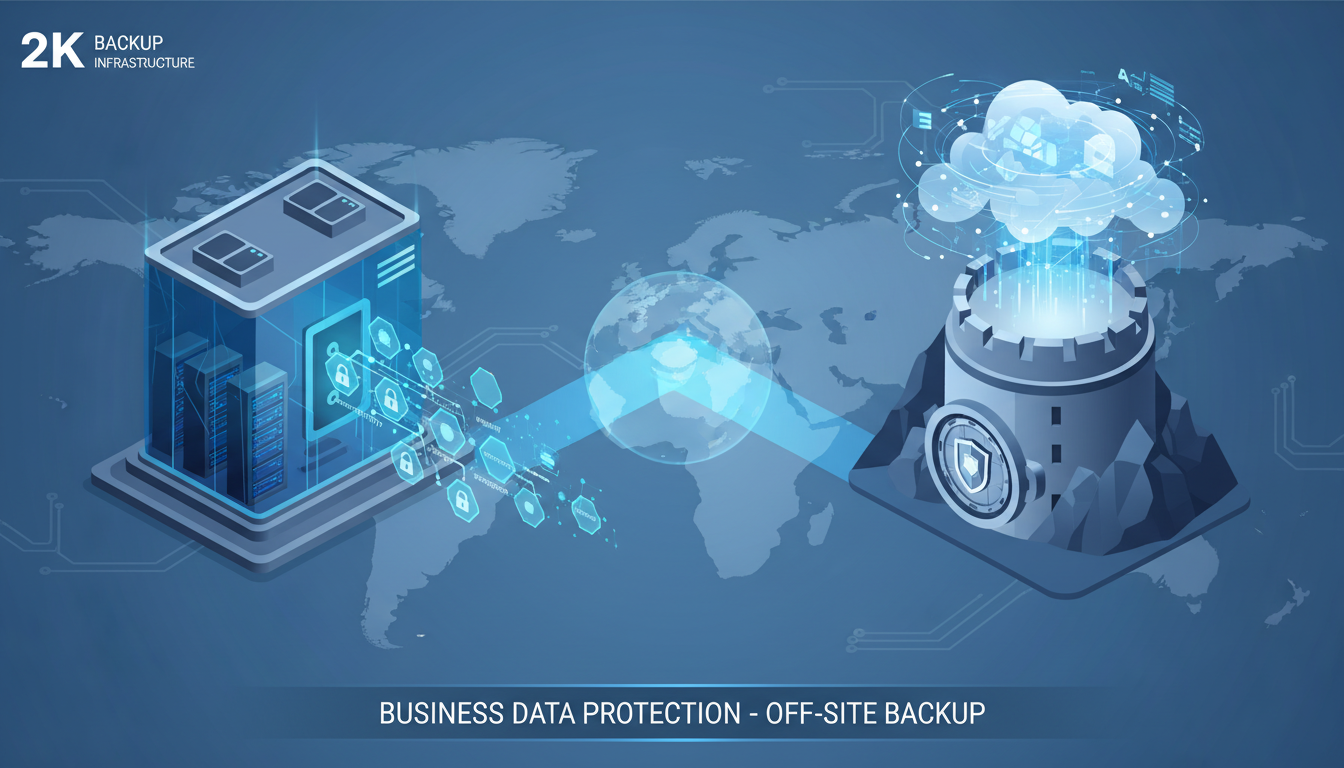
If your only backup is stored in the same building as your primary data, you do not truly have a backup. A fire, flood, theft, or ransomware attack that destroys your office could simultaneously destroy both your production data and your local backup, leaving your business with nothing to recover from. Off-site backup - storing a copy of your data in a geographically separate location - is not an optional extra; it is a fundamental requirement of any serious data protection strategy.
Despite this, a concerning number of UK small and medium-sized businesses still rely solely on local backup devices - external hard drives, USB sticks, or network-attached storage sitting in the same server room as the data they are protecting. A 2024 survey by the British Chambers of Commerce found that 34 per cent of UK SMEs have no off-site backup at all, and a further 18 per cent have off-site backup that has never been tested.
This guide explains why off-site backup is essential, explores the different off-site backup options available to UK businesses, and provides a practical step-by-step approach to implementing a reliable off-site backup solution that protects your data against every foreseeable threat.
The business case for off-site backup extends well beyond simply avoiding data loss. Organisations with robust off-site backup arrangements consistently report faster recovery from incidents, lower cyber insurance premiums, and greater confidence when pursuing contracts that require demonstrable data protection capabilities. For regulated industries - including financial services, healthcare, legal, and professional services - off-site backup is frequently a contractual or regulatory obligation rather than a discretionary investment.
Furthermore, the shift towards remote and hybrid working patterns since 2020 has fundamentally changed the data protection landscape. Business data is no longer confined to a single office location; it is distributed across home offices, laptops, cloud services, and mobile devices. A modern off-site backup strategy must account for this distributed data landscape, ensuring that critical files are captured regardless of where they are created or stored. The proliferation of cloud-based collaboration tools such as Microsoft 365 and Google Workspace has added another layer of complexity, as critical business data now resides in cloud platforms that require their own dedicated backup solutions separate from traditional on-premises backup.
Why Local Backup Alone Is Not Enough
Local backup protects you against the most common data loss scenarios: accidental file deletion, hardware failure, and software corruption. These are important protections, and local backup should remain part of your strategy because it offers the fastest restore times. However, local backup fails completely against scenarios where your physical premises are compromised.
Consider a ransomware attack. Modern ransomware actively seeks out and encrypts backup files. If your backup device is connected to your network - as most NAS devices and USB drives are - ransomware will find it and encrypt it alongside your production data. Your local backup becomes useless at precisely the moment you need it most.
Consider a fire or flood. Your server and your backup NAS are both in the same server room. A fire destroys both. A burst pipe floods the room. An electrical fault damages all connected equipment. In any of these scenarios, your local backup is destroyed along with your production data.
Consider theft. A burglar takes your server and the external hard drive sitting next to it. Or a disgruntled former employee, who knows where the backup is stored, takes it on their way out. Your local backup is gone.
Real-World Scenarios: When Local-Only Backup Fails
These are not hypothetical risks. In January 2023, a solicitors' firm in Birmingham suffered a flood that destroyed both their server and the NAS backup device stored on the same floor. They lost eighteen months of case files, correspondence, and billing records. The cost of reconstruction, combined with lost billable hours and client compensation, exceeded £120,000. The firm had invested in what they believed was a robust backup - a daily backup to a network-attached storage device - but because both the server and the NAS were in the same physical location, a single event destroyed both.
Similarly, a manufacturing company in Leeds discovered that their daily backup to an external hard drive had been silently failing for four months. The drive had developed bad sectors, and the backup software had been generating error logs that nobody was checking. When their server's RAID array failed, they attempted to restore from the external drive and found the backup was incomplete and corrupted. The resulting data loss cost the business three weeks of downtime and approximately £85,000 in lost orders and manual data re-entry.
These examples illustrate a fundamental truth about data protection: the value of a backup is only proven at the moment of recovery. A backup that exists in theory but fails in practice provides no protection at all. Off-site backup addresses the geographic risk, but it must also be monitored and tested to address the reliability risk.
The Business Continuity Imperative
For UK businesses, data protection is not merely an IT concern - it is a business continuity imperative. The Federation of Small Businesses estimates that data loss costs UK SMEs collectively over £12 billion annually when accounting for downtime, lost productivity, customer attrition, and recovery expenses. For individual businesses, the impact can be existential. Research consistently shows that a significant proportion of small businesses that suffer catastrophic data loss without adequate backup never recover.
Beyond the direct financial impact, there are reputational consequences to consider. Clients and customers expect their data to be protected. A business that loses client data due to inadequate backup practices faces not only the cost of recovery but also the erosion of trust that can take years to rebuild. In regulated industries - legal, financial, healthcare - the consequences are even more severe, with potential regulatory action, fines, and professional sanctions for firms that fail to maintain adequate data protection measures.
The 3-2-1 rule is the universally accepted standard for backup strategy: maintain at least three copies of your data, stored on at least two different types of media, with at least one copy stored off-site. For a UK business, this might mean: your live data on your server (copy 1), a local backup to a NAS device (copy 2, different media), and a cloud backup to a UK data centre (copy 3, off-site). Some security experts now advocate a 3-2-1-1 rule, adding one copy that is air-gapped or immutable - meaning it cannot be modified or deleted even by ransomware or a compromised administrator account.
Off-Site Backup Options for UK Businesses
UK businesses have several options for off-site backup, each with different characteristics in terms of cost, speed, security, and complexity. The right choice depends on your data volume, restore time requirements, internet bandwidth, and budget.
| Option | Best For | Typical Cost | Restore Speed | Security |
|---|---|---|---|---|
| Cloud backup (e.g., Veeam Cloud Connect) | Most UK businesses | £50-500/month | Hours to days | Excellent |
| Azure Blob Storage / AWS S3 | Technically capable organisations | £20-200/month | Hours to days | Excellent |
| Managed backup service | Businesses wanting hands-off management | £100-1,000/month | Hours | Excellent |
| Tape rotation to off-site vault | Large data volumes, archive compliance | £200-800/month | Days | Good |
| Secondary office / colocation | Multi-site organisations | £500-2,000/month | Minutes to hours | Good |
Cloud Backup
Cloud backup is the most popular and practical off-site backup option for UK SMEs. Your data is encrypted and transmitted over the internet to a data centre operated by your backup provider. The data centre provides geographic separation from your office, physical security, redundant storage, and professional management - all for a monthly fee that scales with the volume of data stored.
When selecting a cloud backup provider, ensure they store your data in UK data centres. This is important for UK GDPR compliance, as transferring personal data outside the UK requires additional legal safeguards. Most reputable UK-focused backup providers operate from data centres in locations like Slough, London Docklands, Manchester, or Edinburgh, providing full UK data residency.
Encryption is essential for cloud backup. Your data should be encrypted before it leaves your premises (client-side encryption) using AES-256 or equivalent encryption, with encryption keys that you control. This ensures that even if the cloud provider's infrastructure were compromised, your data would remain unreadable without your encryption key.
Bandwidth and Initial Seeding Considerations
One of the most common concerns UK businesses raise about cloud backup is bandwidth. Uploading large volumes of data over a standard business internet connection can be slow, and many businesses worry that ongoing backup traffic will impact their day-to-day internet performance. These are legitimate concerns, but modern backup solutions address them effectively.
For the initial full backup, most cloud backup providers offer a seeding service - you copy your data to an encrypted hard drive that is physically shipped to the data centre and loaded directly, bypassing the internet entirely. This is particularly valuable for businesses with large data sets (over 1 TB) and limited upload bandwidth. Once the initial seed is loaded, subsequent backups only transmit changed data (incremental backups), which typically amounts to a small fraction of the total data set.
Modern backup software also includes bandwidth throttling features that allow you to limit the bandwidth consumed by backup traffic during business hours, reserving full bandwidth for your staff, and then allow the backup to use all available bandwidth overnight when the office is empty. This ensures that backup activity never impacts business operations.
For businesses with particularly demanding bandwidth requirements, dedicated backup connections or MPLS circuits can provide guaranteed bandwidth for backup traffic, completely separated from your production internet. However, for the vast majority of UK SMEs, a standard fibre broadband connection with intelligent bandwidth management is more than sufficient.
Choosing the Right Cloud Backup Provider
The UK cloud backup market offers a wide range of providers, from global hyperscalers like Microsoft Azure and Amazon Web Services to specialist UK backup providers. When evaluating providers, consider the following criteria beyond basic pricing. First, verify data sovereignty - your data must be stored in UK data centres to simplify GDPR compliance. Second, examine the provider's security certifications. Look for ISO 27001, Cyber Essentials Plus, and SOC 2 Type II as minimum standards. Third, understand the provider's redundancy model - reputable providers replicate your data across multiple storage nodes within the data centre, protecting against hardware failures within the facility itself.
Additionally, evaluate the provider's restore capabilities. How quickly can you retrieve your data? Is there a self-service restore portal, or must you raise a support ticket and wait? What happens if you need to restore a very large volume - can the provider ship the data on physical media for faster recovery? These considerations may seem secondary when setting up the backup, but they become critical when you actually need to recover.
Managed Backup Service
A managed backup service combines cloud backup technology with professional monitoring and management. Your managed service provider configures the backup, monitors it daily to ensure it completes successfully, addresses any errors, performs regular test restores, and manages the restore process if you need to recover data. This is the best option for businesses that want reliable off-site backup without the burden of managing it themselves.
The cost of a managed backup service is typically higher than self-managed cloud backup, but the value is in the peace of mind. A self-managed backup that silently fails for three months because nobody checked the logs provides zero protection. A managed backup that is monitored daily and tested monthly provides genuine, verified protection.
Choosing the Right Managed Service Provider
When evaluating managed backup service providers, there are several key criteria that UK businesses should consider carefully. First, confirm that the provider operates from UK data centres and can guarantee UK data residency for all backed-up data. This simplifies your GDPR compliance posture and avoids the complexities of international data transfers. Second, ask about their monitoring processes - how quickly do they detect and respond to backup failures? A provider that checks logs once a day is fundamentally different from one that uses automated real-time alerting with escalation procedures. Third, request evidence of their test restore process, including sample reports from previous tests. A credible provider will be happy to share anonymised examples.
Ask about their disaster recovery capabilities beyond basic file restore. Can they recover an entire server to new hardware? Can they spin up a virtual copy of your server in their data centre to get you back online whilst replacement hardware is sourced? These capabilities can reduce your Recovery Time Objective from days to hours, which can be the difference between a manageable disruption and a business-threatening crisis. Finally, review the provider's contractual terms carefully, paying particular attention to data ownership clauses, exit provisions that allow you to retrieve your data if you change provider, and what happens to your data if the provider ceases trading or is acquired.
Service Level Agreements and Guarantees
A reputable managed backup provider will offer a formal Service Level Agreement (SLA) that defines their commitments around backup success rates, monitoring response times, and restore performance. Typical SLAs for managed backup services specify a minimum backup success rate of 99 per cent, meaning that no more than one in every hundred scheduled backups should fail. They also define response times for addressing failed backups - typically within four business hours for critical failures - and guaranteed restore times for different volumes of data.
When reviewing SLAs, pay attention to the remedies offered when the provider fails to meet their commitments. Some providers offer service credits, whilst others offer more meaningful financial remedies. The SLA should also address reporting - you should receive regular reports (monthly at minimum) detailing backup success rates, any failures and their resolution, test restore results, and capacity utilisation trends. These reports not only give you confidence in your backup but also provide the compliance evidence that auditors and regulators expect to see.
Managed Off-Site Backup
- Daily monitoring by qualified engineers
- Proactive error resolution
- Monthly test restores with documented results
- Managed restore process when needed
- Compliance reporting for audits
- Capacity planning and optimisation
- UK data centre with certified security
Self-Managed Off-Site Backup
- Requires internal resource to monitor daily
- Errors may go unnoticed for weeks
- Test restores often skipped due to time pressure
- Restore process depends on internal expertise
- Compliance evidence must be generated internally
- Capacity issues discovered only when backup fails
- Lower cost but higher risk
Step-by-Step Implementation Guide
Step 1: Audit Your Data
Before implementing any backup solution, conduct a thorough audit of the data you need to protect. Identify all data storage locations - servers, workstations, cloud services, email, databases - and categorise data by criticality. Measure the total volume of data and the daily change rate (how much new or modified data is generated each day). These figures determine your bandwidth requirements and storage costs.
Step 2: Define Your Backup Objectives
Define your Recovery Point Objective (RPO) and Recovery Time Objective (RTO) for each category of data. Your RPO determines how frequently backups must run - an RPO of four hours means backups every four hours. Your RTO determines the infrastructure required for restore - an RTO of two hours requires a fast internet connection and efficient restore processes.
Step 3: Select Your Solution
Based on your data volume, objectives, and budget, select the appropriate off-site backup solution. For most UK SMEs with less than 5 TB of data, a managed cloud backup service provides the best balance of cost, reliability, and ease of use. For larger organisations or those with very aggressive RTOs, a combination of cloud backup and local standby infrastructure may be required.
Step 4: Configure and Test
Install and configure the backup software, define your backup schedules and retention policies, and run the initial full backup. The initial backup of all your data may take several days to complete over the internet, depending on your data volume and upload bandwidth. Once the initial backup is complete, subsequent backups transmit only changed data, requiring far less time and bandwidth.
After the initial backup completes, immediately perform a test restore. Restore a selection of files, a database, and ideally a complete server image to verify that the backup is functional. Document the restore process and the time it took, and compare against your RTO to confirm that your objectives can be met.
Step 5: Document Your Backup and Recovery Procedures
Documentation is a frequently overlooked but critical component of any backup strategy. Create a comprehensive backup runbook that details your backup configuration, schedules, retention policies, and - most importantly - step-by-step recovery procedures for every type of data you protect. This document should be accessible to multiple members of your team and stored in a location that is itself backed up and accessible even if your primary systems are unavailable.
Your documentation should include contact details for your backup provider or managed service partner, login credentials for backup management portals stored securely, and a prioritised list of systems and data to restore in the event of a complete site loss. Without this documentation, even a perfect backup is of limited value if the only person who knows how to restore it is on holiday when disaster strikes. Review and update this documentation whenever your backup configuration changes or new systems are added to the backup.
Step 6: Train Your Staff
Ensure that key members of your team understand the backup and recovery process. At minimum, two people within your organisation should be capable of initiating a restore from backup without external assistance. Conduct tabletop disaster recovery exercises at least annually, where you walk through a realistic data loss scenario and confirm that your team knows what to do, who to contact, and how to prioritise recovery activities. These exercises frequently reveal gaps in documentation, training, or process that can be addressed before a real incident occurs.
Ongoing Management and Testing
Setting up off-site backup is not a one-time task. Backups require ongoing monitoring, testing, and management to remain effective. Monitor your backup jobs daily - or better, use a managed service that monitors them for you. Check for failed or incomplete backups, address errors promptly, and ensure that new data sources are added to the backup as your business grows.
Perform test restores at least monthly. A backup that has never been tested is not a backup - it is an assumption. Rotate through different types of data in your test restores: one month test file restores, the next test an email mailbox restore, the next test a database restore, and periodically test a full server restore. Document every test, including the time taken and any issues encountered.
Review your backup strategy annually, or whenever there is a significant change to your IT environment. New applications, increased data volumes, and changes to compliance requirements may necessitate adjustments to your backup configuration, retention policies, or recovery objectives.
Disaster Recovery Planning
Off-site backup is a critical component of disaster recovery, but it is not the whole picture. A comprehensive disaster recovery plan defines how your business will respond to and recover from a major data loss event, covering not just the technical restore process but also communication plans, temporary operating procedures, and the order in which systems should be restored to minimise business impact.
Your disaster recovery plan should prioritise systems based on their business impact. For most organisations, email and communication systems should be restored first, followed by core business applications such as accounting, CRM, and ERP platforms, then file storage, and finally less critical systems. This prioritisation ensures that the most business-critical functions are available as quickly as possible, even if the full restore takes longer.
Test your disaster recovery plan at least annually with a full simulation exercise. This goes beyond simply testing individual file restores - it involves simulating a complete loss scenario and walking through the entire recovery process, from initial incident response through to full service restoration. These exercises invariably reveal gaps and issues that can be addressed before a real disaster strikes.
Cost-Benefit Analysis
Some businesses hesitate to invest in off-site backup because of the perceived cost. However, when compared against the cost of data loss, off-site backup is remarkably affordable. A managed cloud backup service for a typical UK SME with 1 TB of data costs between £100 and £300 per month. Compare this against the average cost of a data loss incident - £65,000 according to industry research - and the return on investment is overwhelming.
Consider also the indirect costs of data loss that are harder to quantify: the management time consumed by dealing with the crisis, the stress and morale impact on staff, the damage to client relationships, the potential loss of competitive advantage if proprietary information is lost, and the opportunity cost of diverting resources from productive work to data recovery. When these factors are included, the case for investing in proper off-site backup becomes even more compelling.
For businesses seeking to optimise their backup spend, tiered storage strategies can reduce costs significantly. Frequently accessed recent backups can be stored on faster, more expensive storage tiers, whilst older archival backups are automatically moved to lower-cost storage tiers. This approach provides fast access to the backups most likely to be needed whilst keeping long-term retention costs manageable.
Compliance and Regulatory Considerations
For UK businesses operating in regulated sectors, off-site backup is not optional - it is a regulatory requirement. UK GDPR, under Article 32, explicitly requires organisations to implement measures ensuring the ability to restore the availability and access to personal data in a timely manner in the event of a physical or technical incident. The Information Commissioner's Office has made clear that organisations unable to demonstrate adequate backup and recovery capabilities face enforcement action in the event of data loss.
Financial services firms regulated by the FCA must comply with operational resilience requirements that include defined impact tolerances for important business services. A firm that cannot restore its systems within its stated impact tolerance because it lacks adequate off-site backup is in breach of these requirements. Similarly, healthcare organisations handling NHS data must comply with the Data Security and Protection Toolkit, which includes specific standards around data backup, recovery testing, and business continuity planning.
Even for businesses outside heavily regulated sectors, demonstrating robust data protection practices through off-site backup is increasingly important for winning and retaining contracts. Many larger organisations now include data protection requirements in their supply chain assessments, and the ability to demonstrate a tested, monitored off-site backup solution can be a competitive differentiator when tendering for contracts with security-conscious clients.
Protect Your Business with Off-Site Backup
Cloudswitched provides fully managed off-site backup for UK businesses, with daily monitoring, monthly test restores, and UK data centre storage. We handle everything from initial setup to ongoing management, so you can be confident your data is protected at all times.
GET IN TOUCH
CloudSwitched
London-based managed IT services provider offering support, cloud solutions and cybersecurity for SMEs.


