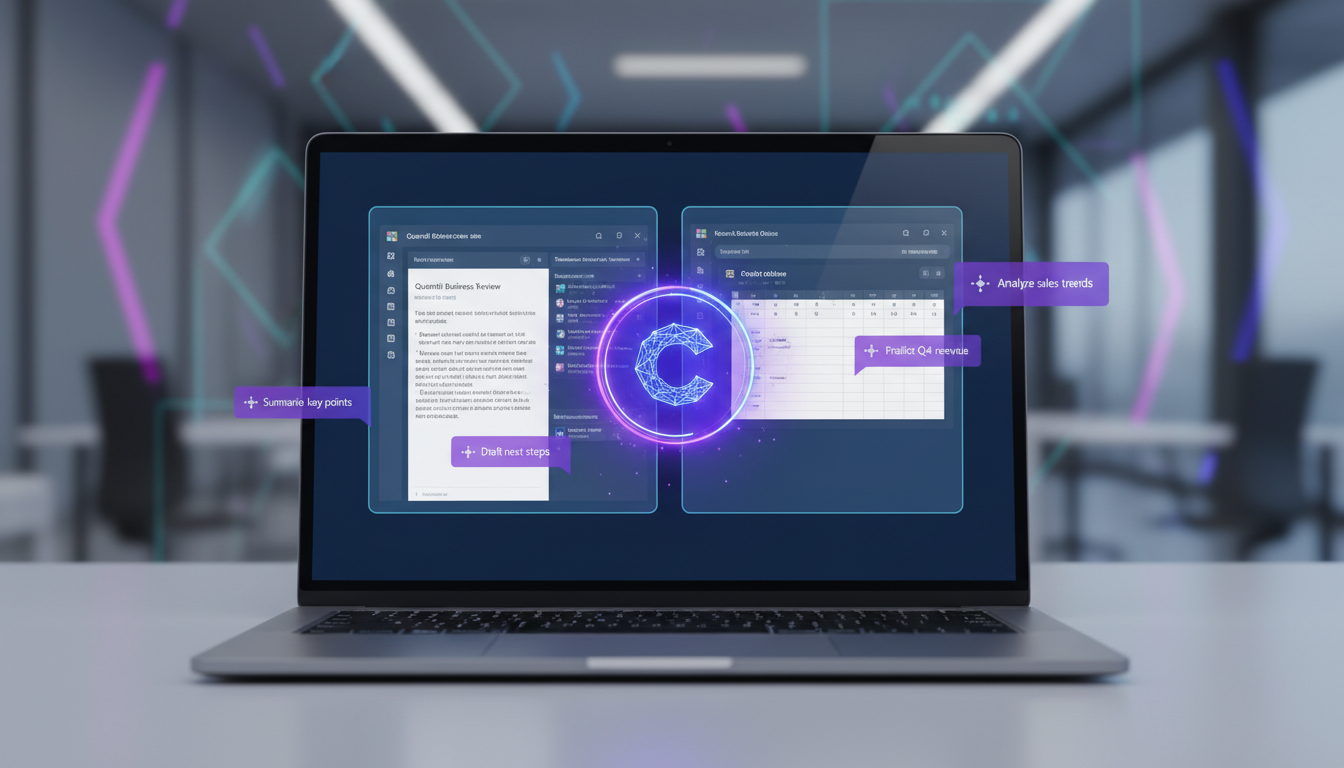
Artificial intelligence has moved from the realm of science fiction and Silicon Valley research labs into the everyday tools that UK businesses use to get work done. Microsoft Copilot - embedded directly into the Microsoft 365 applications that millions of British workers use daily - represents one of the most significant productivity shifts in a generation. But with a price tag of approximately £25 per user per month on top of existing Microsoft 365 licences, UK business owners are rightly asking: is it actually worth the investment?
The answer depends entirely on how your organisation works, what tasks consume your team's time, and whether you are prepared to invest in training and adoption alongside the technology itself. This guide provides a thorough, balanced assessment of Microsoft Copilot for business - what it can do, what it cannot, where it delivers genuine value, and where the current limitations mean it falls short of the marketing promises.
Having worked with numerous UK SMEs evaluating and deploying Copilot, we can say with confidence that it is a genuinely useful tool for specific use cases, but it is not the universal productivity revolution that some vendors would have you believe. Understanding the difference is essential before committing your budget.
What Microsoft Copilot Actually Does
Microsoft Copilot is an AI assistant built into the core Microsoft 365 applications - Word, Excel, PowerPoint, Outlook, Teams, and OneNote. It uses large language model technology (the same underlying approach as ChatGPT, but integrated directly into your business applications and grounded in your organisation's data) to help users create, summarise, analyse, and communicate more efficiently.
In Word, Copilot can draft documents from prompts, rewrite existing text in different tones, summarise lengthy documents, and generate content based on information from other files in your Microsoft 365 environment. In Excel, it can analyse datasets, create formulas, generate charts, identify trends, and answer natural language questions about your data. In PowerPoint, it can create presentation drafts from Word documents or prompts, design slides, and suggest improvements. In Outlook, it can summarise email threads, draft replies, and prioritise your inbox. In Teams, it can summarise meetings, capture action items, and answer questions about what was discussed.
Crucially, Copilot operates within your organisation's Microsoft 365 security boundary. It can only access data that the user already has permission to see, and it does not use your business data to train its underlying models. This is an important distinction from consumer AI tools and addresses many of the data privacy concerns that UK businesses rightly have about AI adoption.
The critical distinction between Microsoft 365 Copilot and free AI tools like ChatGPT or Google Gemini is data grounding. Free tools can only work with information you paste into them - they have no knowledge of your business documents, emails, calendar, or Teams conversations. Copilot, by contrast, is connected to your entire Microsoft 365 environment through the Microsoft Graph. When you ask it to "draft a proposal based on the Jones project scope document and last quarter's pricing", it can actually find and reference those specific files. This contextual awareness is what justifies the premium pricing for organisations that can leverage it effectively.
Where Copilot Delivers Genuine Value
Based on our experience deploying Copilot across UK businesses, certain use cases consistently deliver measurable productivity gains.
Meeting Summaries and Action Items
This is perhaps the single most impactful Copilot feature for busy professionals. After a Teams meeting (with transcription enabled), Copilot can generate a structured summary including key discussion points, decisions made, and action items assigned to specific participants. For teams that spend significant time in meetings, this eliminates the need for manual note-taking and ensures nothing is missed. Staff who join a meeting late can ask Copilot "what have I missed?" and receive an instant, contextual summary.
Email Management
For roles that involve heavy email correspondence - client-facing professionals, project managers, sales teams - Copilot's ability to summarise long email threads, draft contextually appropriate replies, and prioritise the inbox by urgency and relevance can save 30 to 60 minutes per day. The quality of drafted replies is generally good, though they always require human review and often need editing to match the user's personal style and tone.
First Draft Creation
Whether it is a proposal, report, policy document, or presentation, Copilot excels at producing first drafts that give users a structured starting point. Rather than facing a blank page, users receive a reasonably well-organised draft that captures the key points, which they can then refine and personalise. This is particularly valuable for tasks that involve synthesising information from multiple sources - Copilot can pull relevant content from across your Microsoft 365 environment and weave it together coherently.
Current Limitations and Honest Assessment
It would be irresponsible to discuss Copilot without acknowledging its current limitations, and UK businesses should weigh these carefully before investing.
Excel Copilot, despite being one of the most anticipated features, remains the most inconsistent. Complex data analysis tasks often produce incorrect formulas or misinterpret the data structure. It works well for simple queries on clean, well-structured tables, but struggles with the messy, multi-sheet workbooks that typify real-world business data. PowerPoint generation similarly produces results that are often a reasonable starting point but rarely presentation-ready - significant manual refinement is almost always required.
The quality of Copilot's output is directly dependent on the quality and organisation of your underlying data. If your SharePoint is a disorganised mess of duplicated files with inconsistent naming, Copilot will struggle to find relevant content and may reference outdated or incorrect documents. Organisations that invest in data hygiene and information architecture before deploying Copilot see significantly better results.
Copilot Strengths
- Meeting summaries and action item capture
- Email thread summarisation and reply drafting
- First-draft document generation
- Cross-file information synthesis
- Natural language data queries in Excel
- Secure - operates within M365 trust boundary
- Continuous improvement through updates
- No data used for model training
Copilot Weaknesses
- Excel analysis inconsistent with complex data
- PowerPoint output needs heavy editing
- Quality depends on data organisation
- High cost for users who rarely leverage it
- Requires training and habit change to adopt
- Can confidently produce incorrect information
- Limited customisation for industry terminology
- Requires E3/E5 or Business Standard minimum
Copilot Readiness: Key Success Factors
Before investing in Copilot licences, it is worth assessing how ready your organisation actually is to benefit from AI-assisted productivity. Based on our deployments across UK businesses, we have identified the factors that most strongly predict whether a Copilot rollout will deliver genuine ROI. The following readiness scores reflect what we typically see across UK SMEs at the point of initial assessment - most organisations have strengths in some areas and gaps in others.
The two areas where UK organisations most commonly fall short are data organisation and user training. SharePoint sites littered with duplicate files, inconsistent folder structures, and outdated documents will degrade Copilot performance because the AI cannot distinguish between a current, authoritative version of a document and an obsolete draft from three years ago. Similarly, users who have not been trained on effective prompting techniques will underutilise the tool and form a negative impression based on poor initial experiences, making future adoption harder.
Organisations scoring below 60 in multiple categories should strongly consider a readiness improvement programme before purchasing Copilot licences. A three- to six-month investment in data cleanup, permissions review, and user training will dramatically improve the return on your Copilot investment compared to deploying the tool into an unprepared environment.
Data Governance and Compliance Considerations
One of the most important but frequently overlooked aspects of deploying Copilot is its interaction with your organisation's data governance framework. Because Copilot can access any content that a user has permission to view across Microsoft 365, it effectively surfaces the consequences of every permission decision you have ever made. If a junior staff member has inadvertently been granted access to a SharePoint site containing board-level financial data, Copilot could include that information in a summary or draft document without the user even requesting it.
For UK businesses subject to the UK GDPR, this has direct regulatory implications. The principle of data minimisation requires that personal data is only accessible to those who need it for a specific, lawful purpose. Copilot does not change who has access to what - it simply makes existing access patterns more visible and consequential. Before deploying Copilot, conduct a thorough review of SharePoint permissions, OneDrive sharing settings, and Teams channel memberships to ensure they reflect your actual data governance policies.
Microsoft provides tools to support this process. Sensitivity labels can be used to classify documents by confidentiality level, and Data Loss Prevention policies can prevent Copilot from including certain types of sensitive information in its outputs. The Microsoft 365 admin centre provides access reports that show which users have access to which resources, making it easier to identify and remediate oversharing before Copilot amplifies the problem.
For regulated industries such as financial services, legal, and healthcare, consider how Copilot-generated content fits into your existing compliance workflows. If a solicitor uses Copilot to draft a client letter, is the AI-generated first draft subject to the same file management and retention requirements as the final version? How should AI-assisted documents be recorded in your practice management system? These are questions that your compliance team should address before rollout, not after.
Sector-Specific Applications for UK Businesses
Copilot delivers different value depending on the nature of work within each sector. Here are the use cases we see delivering the strongest results across specific UK industries.
Professional Services and Consultancy
Firms in accounting, consulting, and management advisory roles typically see the highest ROI from Copilot. These businesses produce high volumes of client-facing documents, attend numerous meetings, and manage complex email threads across multiple engagements. Copilot excels at drafting proposal responses that reference previous project deliverables, summarising lengthy audit documentation, and generating first drafts of advisory reports that incorporate data from multiple workstreams. A mid-tier UK accountancy firm we worked with reported that partners were saving an average of 45 minutes per day after the first month of use, primarily through meeting summaries and email management.
Recruitment and Staffing Agencies
Recruitment professionals handle enormous volumes of email, juggle multiple candidate-client relationships simultaneously, and spend significant time writing job descriptions, candidate summaries, and client reports. Copilot can draft personalised candidate outreach based on job specifications stored in SharePoint, summarise interview notes from Teams meetings, and generate weekly client update reports that pull from placement tracking spreadsheets. For a London-based recruitment agency we supported, Copilot adoption among their top billers correlated with a 12 per cent increase in placement activity over a quarter, attributed primarily to faster communication turnaround.
Legal Services
Law firms and in-house legal teams can leverage Copilot for initial contract review summaries, drafting standard correspondence, and meeting note capture. However, the legal sector requires particular caution around accuracy - Copilot-generated legal analysis must always be reviewed by a qualified practitioner, and firms should establish clear internal policies about which types of legal documents are appropriate for AI assistance and which are not. The Solicitors Regulation Authority has issued guidance noting that firms remain responsible for the accuracy of all client communications regardless of whether AI tools were used in their preparation.
Marketing and Creative Agencies
Marketing teams use Copilot primarily for first-draft content creation, campaign brief summaries, and performance report generation. It is particularly effective at repurposing content across formats - transforming a detailed blog post into a series of social media summaries, or converting meeting notes from a client briefing into a structured creative brief. However, creative agencies should note that Copilot-generated marketing copy tends toward the generic and almost always requires significant human refinement to achieve the distinctive voice and tone that clients expect.
Calculating the ROI for Your Business
The fundamental question for UK businesses is whether the time saved by Copilot justifies the £25 per user per month cost. Let us work through the arithmetic.
At £25 per user per month (£300 per year), and assuming an average UK knowledge worker costs approximately £25 to £35 per hour when fully loaded (salary plus NI, pension, overhead), Copilot needs to save each user approximately 10 to 12 hours per year - or roughly one hour per month - to break even purely on time savings. Microsoft's own research suggests that active Copilot users save an average of 30 minutes to 1.2 hours per day, which would make the ROI overwhelmingly positive.
However, the key word is "active users." In practice, many UK businesses find that only 30 to 50 per cent of licensed users become regular Copilot users. The remainder either forget it exists, find the output quality insufficient for their specific tasks, or do not invest the time to learn how to prompt it effectively. This means your effective cost per productive user may be £50 to £80 per month rather than £25, changing the ROI calculation significantly.
| Scenario | Users Licensed | Active Users | Monthly Cost | Avg Hours Saved/Month | Estimated Monthly Value |
|---|---|---|---|---|---|
| Conservative | 20 | 8 (40%) | £500 | 4 hrs/active user | £960 |
| Moderate | 20 | 12 (60%) | £500 | 8 hrs/active user | £2,880 |
| Optimistic | 20 | 16 (80%) | £500 | 15 hrs/active user | £7,200 |
Building an AI-Ready Culture
Perhaps the most underestimated factor in Copilot success is organisational culture. Technology adoption research consistently shows that even the most capable tools fail to deliver value if users do not incorporate them into their daily workflows. For UK businesses deploying Copilot, this means investing in cultural readiness alongside technical readiness.
Start by identifying and empowering AI champions within each team - individuals who are enthusiastic about technology, willing to experiment, and respected enough by their colleagues to influence adoption through example. These champions should receive advanced training and be given time to develop and share practical use cases that are relevant to their specific team's work. A generic "introduction to Copilot" webinar is far less effective than a colleague demonstrating how they used Copilot to prepare for a client meeting or draft a project proposal that the team can relate to.
Establish a dedicated communication channel (a Teams channel works well) where users can share tips, ask questions, and discuss what works and what does not. Populate this channel initially with use case examples, prompt templates, and short video demonstrations. Encourage experimentation by making it clear that there is no penalty for trying Copilot on a task and finding it unhelpful - the goal is to discover where it adds value, and that requires testing it across a range of scenarios.
Measure adoption actively. The Microsoft 365 admin centre provides Copilot usage analytics that show which users are engaging with the tool, which applications they use it in, and how frequently. Review these metrics monthly during the first six months. If adoption is below expectations, investigate whether the barriers are technical (data quality, permissions), educational (users do not know how to prompt effectively), or cultural (managers are not encouraging or modelling usage). Each type of barrier requires a different intervention.
Our Recommendation for UK SMEs
Based on our experience, we recommend a phased approach. Start with a small pilot - licence Copilot for five to ten users who are heavy Microsoft 365 users, attend many meetings, handle high volumes of email, and are open to adopting new tools. Run the pilot for three months, measuring actual time savings and user satisfaction. Use the results to build a business case for broader deployment or to identify specific roles and teams where the ROI is strongest.
Do not deploy Copilot to every user on day one. The users who benefit most are those in communication-heavy, document-heavy roles - project managers, account managers, senior leaders, marketing professionals, and client-facing consultants. Administrative staff, technical specialists, and roles that primarily use non-Microsoft applications may see limited benefit.
Most importantly, invest in training. A one-hour "introduction to Copilot" session is not sufficient. Provide ongoing prompt engineering coaching, share internal examples of effective Copilot use cases, and create a channel where users can share tips and ask questions. The businesses that get the best return from Copilot are those that treat it as a skill to develop rather than a feature to enable.
Need Help Evaluating AI for Your Business?
Cloudswitched helps UK businesses evaluate, pilot, and deploy Microsoft Copilot effectively. From licence optimisation and data readiness assessments to user training and adoption support, we ensure you get genuine value from your AI investment rather than paying for unused licences. Contact us for an honest assessment of whether Copilot is right for your organisation.
Explore Cloud Email Solutions
CloudSwitched
London-based managed IT services provider offering support, cloud solutions and cybersecurity for SMEs.


