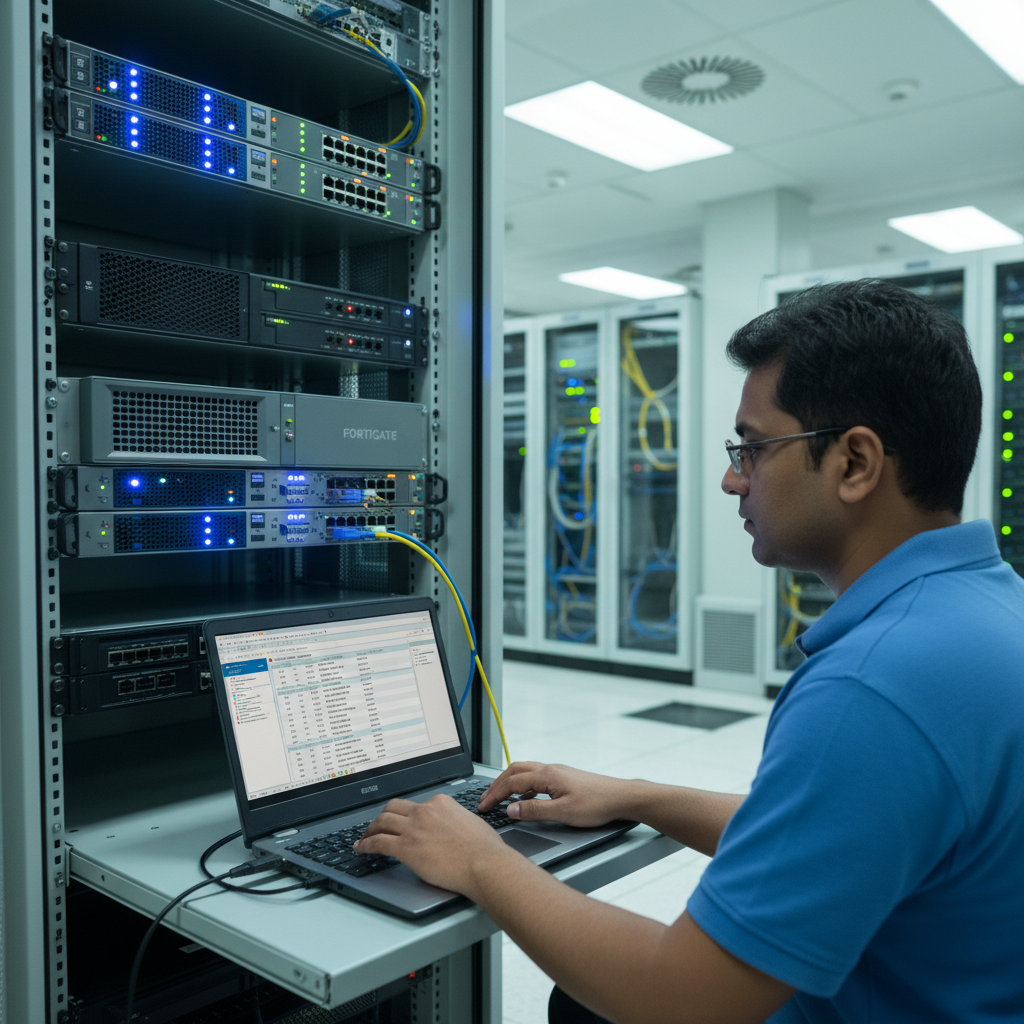
Your firewall is the front door to your business network. It decides what traffic comes in, what goes out, and what gets blocked entirely. Yet for many UK small businesses, the firewall is a set-and-forget device gathering dust in a server cabinet - configured once during installation and never touched again. This approach is dangerous. An unmanaged firewall is barely better than no firewall at all.
In 2026, with cyber threats against UK businesses reaching record levels, proper firewall management is not a luxury reserved for large enterprises. It is a fundamental requirement for any organisation that connects to the internet - which is to say, every business. The National Cyber Security Centre (NCSC) identifies firewalls and internet gateways as one of the five core technical controls in the Cyber Essentials certification scheme, underscoring their importance in baseline security.
This guide covers everything UK small businesses need to know about firewall management: what firewalls do, the different types available, how to configure them properly, and how to maintain them over time.
What Does a Firewall Actually Do?
At its most basic level, a firewall inspects network traffic and applies rules to determine whether that traffic should be allowed or blocked. It sits between your internal network and the internet, acting as a gatekeeper that filters incoming and outgoing data packets based on predefined security policies.
Modern firewalls do far more than simple packet filtering. A next-generation firewall (NGFW) can inspect the content of traffic at the application layer, identify and block malware, detect intrusion attempts, filter web content, manage VPN connections, and provide detailed logging of all network activity. Think of a traditional firewall as a bouncer checking IDs at the door, and a next-generation firewall as a bouncer who also searches bags, checks the guest list, monitors behaviour inside the venue, and records everything on CCTV.
For UK small businesses, understanding what your firewall does - and does not do - is critical for making informed security decisions. A common misconception is that a firewall alone provides comprehensive protection against all cyber threats. In reality, a firewall is one layer in a multi-layered security strategy. It excels at controlling network traffic based on defined rules, but it cannot protect against threats that arrive through permitted channels - such as a phishing email that passes through an allowed email connection, or malware downloaded from a legitimate website over an allowed HTTPS connection.
Modern next-generation firewalls address some of these limitations through deep packet inspection (DPI), which examines the content of network traffic rather than just its headers. DPI can identify malware signatures within otherwise legitimate traffic, detect command-and-control communications from compromised devices, and enforce application-level policies - for example, allowing access to Microsoft 365 whilst blocking file-sharing applications that use the same HTTPS port. This level of inspection is essential in today's threat environment, where attackers routinely use encrypted channels and legitimate services to disguise malicious activity.
Another important capability of modern firewalls is SSL/TLS inspection, sometimes called HTTPS inspection. Since the vast majority of web traffic is now encrypted, a firewall that cannot inspect encrypted traffic is effectively blind to most of the data passing through it. SSL inspection works by decrypting traffic at the firewall, inspecting it for threats, and then re-encrypting it before forwarding. This is a powerful security feature but must be implemented carefully, with proper certificate management and clear policies about which traffic is inspected, to avoid privacy concerns and performance degradation.
Types of Firewall
Understanding the different types of firewall helps you choose the right solution for your business.
| Firewall Type | How It Works | Best For | Typical Cost |
|---|---|---|---|
| Packet Filtering | Inspects individual packets against basic rules (source, destination, port) | Very basic perimeter protection | £100-300 |
| Stateful Inspection | Tracks active connections and makes decisions based on traffic state | Standard business use | £300-800 |
| Next-Generation (NGFW) | Deep packet inspection, application awareness, intrusion prevention | Most UK SMEs | £500-3,000 |
| Unified Threat Management (UTM) | NGFW features plus antivirus, spam filtering, and content filtering | SMEs wanting all-in-one security | £800-5,000 |
Why Set-and-Forget Is Dangerous
A firewall that was correctly configured two years ago may be dangerously out of date today. Cyber threats evolve constantly, and the rules that were appropriate in 2024 may leave gaping holes in 2026. Here are the key reasons why ongoing firewall management is essential.
Firmware vulnerabilities. Firewall manufacturers regularly discover and patch security vulnerabilities in their products. In recent years, critical vulnerabilities in popular firewalls from Fortinet, SonicWall, Palo Alto Networks, and others have been actively exploited by attackers. If your firewall firmware is not kept up to date, you may be running a device with known, publicly documented weaknesses that attackers are actively targeting.
Rule sprawl. Over time, firewall rules accumulate. Temporary rules created for specific projects are never removed. Overly permissive rules are added during troubleshooting and left in place. Former employees' VPN access is never revoked. This rule sprawl gradually erodes your security posture, creating pathways through the firewall that should not exist.
Changing business needs. Your network is not static. New applications, new office locations, new cloud services, and new remote working arrangements all require firewall rule changes. Without active management, the firewall configuration drifts further and further from what your business actually needs.
The combination of these factors means that an unmanaged firewall degrades in effectiveness over time, even if nothing about the device itself changes. Industry research consistently shows that the average firewall accumulates dozens of redundant or overly permissive rules within its first two years of operation. Each of these represents a potential weakness that an attacker can exploit. In a well-documented case involving a UK retail business, attackers gained initial access through a temporary firewall rule that had been created to allow a third-party vendor access for a weekend maintenance window - but was never removed. That single forgotten rule provided the entry point for a breach that compromised thousands of customer records.
The financial implications of firewall neglect extend beyond the direct costs of a breach. UK businesses are increasingly required to demonstrate adequate security controls to win contracts, particularly with government bodies and larger enterprises that mandate Cyber Essentials or Cyber Essentials Plus certification. An unmanaged firewall will fail these assessments, potentially costing your business significant revenue opportunities. Insurance providers, too, are scrutinising cyber security practices more closely, and some are now requiring evidence of active firewall management as a condition of cyber insurance cover.
Perhaps most concerning is the speed at which newly discovered firewall vulnerabilities are exploited. When a critical vulnerability is publicly disclosed in a popular firewall product, attackers begin scanning for vulnerable devices within hours. Automated exploitation tools appear within days. Organisations that do not apply patches promptly - because nobody is actively managing the firewall - find themselves exposed to attacks that are essentially automated and indiscriminate. The attackers are not specifically targeting your business; they are targeting every vulnerable firewall on the internet, and yours simply happens to be one of them.
To achieve Cyber Essentials certification - increasingly required for UK government contracts and widely recognised as a baseline security standard - your firewall must be properly configured and maintained. This includes changing default passwords, disabling unnecessary services, configuring rules to block unapproved inbound connections, and ensuring firmware is kept current. An unmanaged firewall will fail a Cyber Essentials assessment.
Essential Firewall Management Practices
Effective firewall management does not require deep technical expertise if you follow a structured approach. Here are the practices every UK small business should implement.
1. Keep Firmware Updated
Subscribe to your firewall vendor's security advisories and apply firmware updates promptly. Critical security patches should be applied within days of release, not weeks or months. If you are unsure how to update your firewall firmware safely, this is exactly the kind of task a managed IT provider handles as standard.
Establishing a firmware management process is more involved than it might appear. Before applying any update, you should review the release notes to understand what changes the update includes and whether any of your existing configurations might be affected. Critical security patches that address actively exploited vulnerabilities should be prioritised for immediate application. Feature updates and minor fixes can be scheduled for a regular maintenance window - monthly is a reasonable cadence for most businesses.
Testing firmware updates before deploying them to your production firewall is best practice, though not always feasible for smaller organisations with a single device. At a minimum, ensure you have a complete backup of your current firewall configuration before applying any update. Most modern firewalls allow you to export the configuration to a file, which can be restored if the update causes unexpected issues. For businesses with high availability requirements, consider a firewall solution that supports high-availability pairs, allowing you to update one device at a time whilst the other continues to handle traffic.
2. Review Rules Quarterly
At least every three months, review your firewall rules to identify and remove any that are no longer needed. Look for rules that are overly broad, rules that were created as temporary measures, and rules associated with former employees or decommissioned systems. Every unnecessary rule is a potential attack vector.
A structured rule review process begins with generating a complete export of your current firewall ruleset. Work through each rule systematically, asking three questions: is this rule still needed? Is it as restrictive as it can be? Is there documentation explaining why it exists? Rules that cannot be justified should be disabled first - not deleted immediately - and monitored for any business impact before permanent removal. Rules that are overly broad should be tightened. For example, a rule that allows all traffic from a partner organisation's IP range should be narrowed to allow only the specific ports and protocols that the business relationship requires.
Pay particular attention to rules that permit inbound access from the internet. Each such rule represents a door into your network, and every door should have a clear business justification. Common findings during rule reviews include port-forwarding rules for servers that have been decommissioned, VPN access rules for former employees or contractors, temporary rules created during troubleshooting that were never removed, and overly permissive rules that allow entire subnets when only a single IP address is required. Addressing these findings can dramatically reduce your attack surface without any impact on legitimate business operations.
For larger organisations with complex rulesets running to hundreds or even thousands of rules, manual review becomes impractical. Firewall management platforms such as Tufin, AlgoSec, and FireMon provide automated rule analysis, identifying redundant rules, shadowed rules (rules that are never triggered because a higher-priority rule matches first), and overly permissive rules. These tools can transform a weeks-long manual review into an exercise that takes hours, whilst providing a more thorough analysis than any manual process could achieve.
3. Follow the Principle of Least Privilege
Firewall rules should allow the minimum access necessary for business operations. The default stance should be to deny all traffic and then create specific rules to permit what is needed. Many businesses operate the reverse - allowing everything and then trying to block known threats. This approach is fundamentally flawed because it requires you to know about every possible threat in advance.
Deny-by-Default Approach
- Block all traffic by default
- Create specific allow rules for business needs
- Every permitted connection is documented and justified
- New threats are blocked automatically
- Meets Cyber Essentials requirements
Allow-by-Default Approach
- Permit all traffic by default
- Try to block known threats with deny rules
- Unknown threats pass through unchecked
- Difficult to audit what is permitted
- Fails Cyber Essentials assessment
4. Enable and Monitor Logging
Your firewall generates logs of every connection it processes - allowed and blocked. These logs are invaluable for detecting suspicious activity, investigating incidents, and demonstrating compliance. Ensure logging is enabled, that logs are stored securely (ideally on a separate system so they cannot be tampered with if the firewall is compromised), and that someone is actually reviewing them regularly.
For most SMEs, reviewing raw firewall logs is impractical. Automated log analysis tools or a managed security service can parse the logs and alert you to anomalies - such as repeated blocked connection attempts from a single source, unusual outbound traffic patterns, or connections to known malicious IP addresses.
The volume of data generated by firewall logs can be substantial, even for small businesses. A typical next-generation firewall protecting a 50-user office can generate hundreds of thousands of log entries per day. Storing these logs requires planning - you should retain at least 90 days of detailed logs for incident investigation purposes, and ideally 12 months of summarised logs for compliance and trend analysis. Cloud-based log storage solutions can accommodate this volume without requiring significant on-premises infrastructure.
Beyond reactive incident investigation, firewall logs provide valuable intelligence about your network's normal behaviour patterns. By establishing a baseline of typical traffic - which applications are used, what volumes of data flow in and out, which external services your network communicates with - you can more readily identify anomalies that may indicate a security incident. A sudden spike in outbound traffic to an unfamiliar destination, for example, could indicate data exfiltration by malware. A pattern of failed connection attempts from an internal device to multiple servers could indicate lateral movement by an attacker. These patterns are invisible without log analysis.
For businesses subject to regulatory requirements, firewall logs also serve as evidence of your security controls in action. The ICO, when investigating data breaches, will often request evidence that appropriate technical measures were in place. Comprehensive firewall logs demonstrating active monitoring, blocked threats, and maintained security policies can be a significant factor in the ICO's assessment of whether your organisation took reasonable steps to protect personal data.
5. Segment Your Network
Internal network segmentation uses your firewall (or additional internal firewalls) to divide your network into separate zones. For example, you might have one zone for general office workstations, another for servers, another for guest Wi-Fi, and another for IoT devices. Traffic between zones is controlled by firewall rules, limiting the damage an attacker can do if they compromise one part of your network.
6. Manage VPN Access Carefully
If your firewall provides VPN access for remote workers, manage this rigorously. Remove access immediately when employees leave the organisation. Use multi-factor authentication for VPN connections. Restrict VPN users to only the resources they need - a remote worker should not have unrestricted access to your entire network simply because they have connected via VPN.
7. Test Your Firewall Regularly
Periodic vulnerability scanning and penetration testing should include your firewall. External scans can identify ports that are unexpectedly open or services that are exposed to the internet. Internal testing can verify that network segmentation rules are working correctly. The NCSC recommends that UK businesses conduct regular vulnerability assessments as part of their security programme.
Choosing the Right Firewall for Your Business
For UK SMEs with 10 to 100 users, a next-generation firewall from a reputable vendor is the recommended choice. Popular options include Fortinet FortiGate, Cisco Meraki MX, WatchGuard Firebox, and SonicWall TZ series. Each has strengths - Fortinet offers excellent value for money, Meraki provides superb cloud management, WatchGuard is known for ease of use, and SonicWall has a strong track record in the SME market.
The right choice depends on your specific requirements, your budget, and whether your IT provider has expertise with a particular vendor. Consistency matters - if your IT support team knows Fortinet inside out, a FortiGate firewall will be managed more effectively than an unfamiliar product.
When evaluating firewall options, consider the total cost of ownership rather than just the purchase price. Most next-generation firewalls require annual subscription licences for features such as intrusion prevention, application control, web filtering, and malware scanning. These subscriptions can cost as much as the hardware itself on an annual basis. Factor in at least three to five years of subscription costs when comparing options, as a cheaper device with more expensive subscriptions may cost significantly more over its operational lifetime than a more expensive device with more competitive subscription pricing.
Scalability is another important consideration. Your business may have 20 users today, but if your growth plans suggest 50 users within three years, choose a firewall that can handle the additional load without replacement. Firewall vendors publish throughput specifications for their devices - pay attention to the throughput figures with all security features enabled, not just the raw packet-forwarding speed. Enabling deep packet inspection, SSL inspection, and intrusion prevention can reduce effective throughput by 50% or more compared to simple packet forwarding.
Cloud management capabilities are increasingly important, particularly for businesses with multiple sites or for managed service providers overseeing many client firewalls. Solutions like Cisco Meraki, Fortinet FortiCloud, and WatchGuard Cloud provide centralised management dashboards that allow configuration, monitoring, and troubleshooting from anywhere. For UK businesses with remote offices or staff who travel frequently, cloud-managed firewalls simplify administration and ensure consistent security policies across all locations.
Managed Firewall Services
For many small businesses, managing a firewall in-house is simply not realistic. It requires specialist knowledge that most small teams do not possess, and the consequences of getting it wrong can be severe. A managed firewall service from a specialist IT provider transfers the responsibility for configuration, monitoring, patching, and rule management to experts who do this work every day.
A good managed firewall service includes initial configuration and hardening, ongoing firmware management and patching, rule review and optimisation, 24/7 monitoring and alerting, regular security reports, and support for incident response. For UK SMEs, this typically costs between £50 and £200 per month depending on the complexity of your setup - a fraction of the cost of a single security breach.
Firewall management is not glamorous, and it is not the kind of task that generates visible results when done well. But it is one of the most important things you can do to protect your business. A properly managed firewall, kept up to date and regularly reviewed, is one of the strongest defences your business has against the growing tide of cyber threats facing UK organisations.
Need Expert Firewall Management?
Cloudswitched provides fully managed firewall services for UK businesses, including configuration, monitoring, patching, and rule management. Protect your network without the complexity of managing it yourself.
GET IN TOUCH
CloudSwitched
London-based managed IT services provider offering support, cloud solutions and cybersecurity for SMEs.


