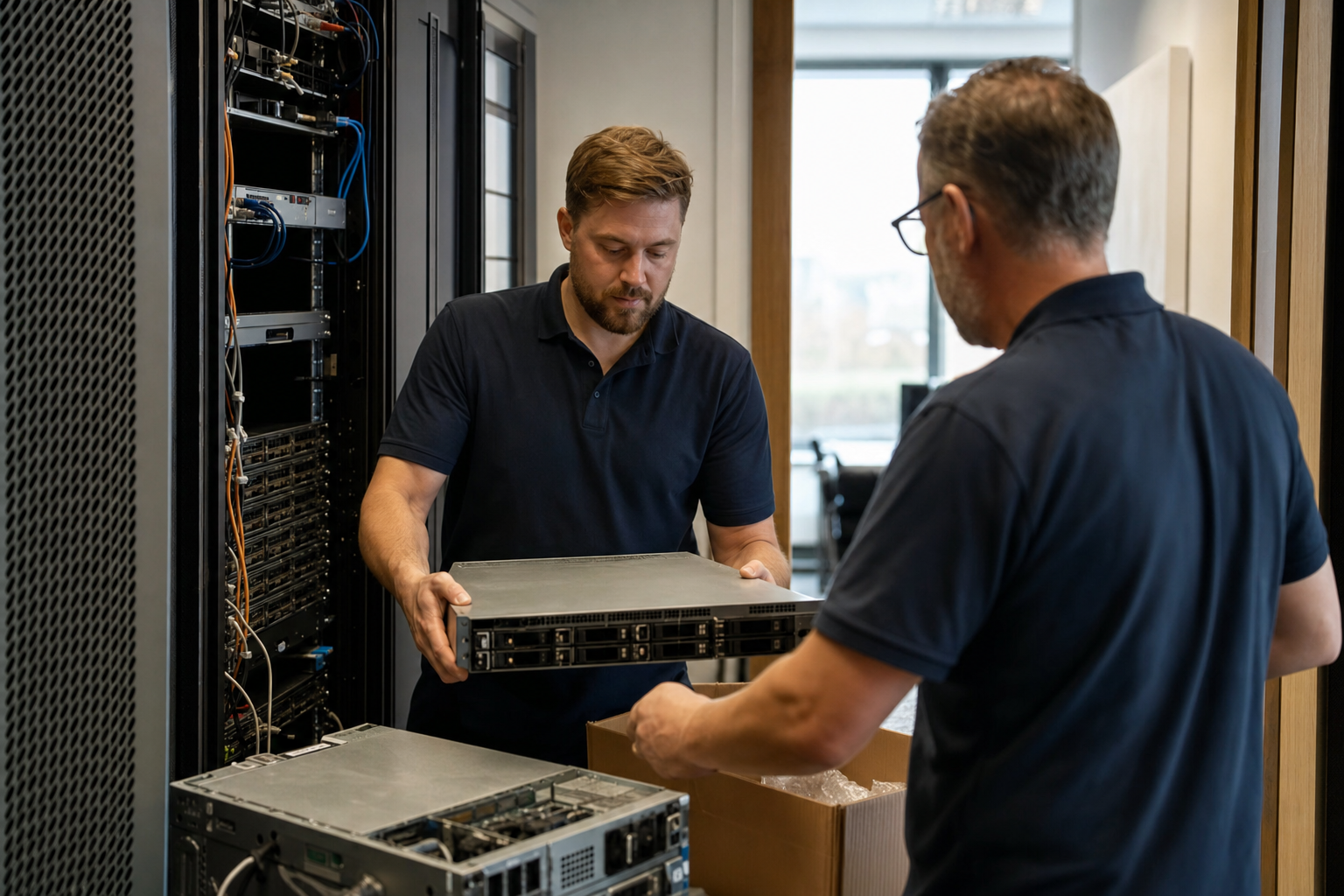
Planning office downsizing IT is a different exercise from planning a normal office move, and treating it as a smaller version of one is where most problems start. Standard move planning assumes everything goes with you: every desk, every device, every network switch and server, reinstalled in an equivalent or larger space. When a UK business moves to a smaller office, or consolidates two or three locations into one, much of the IT estate will not make the journey. Some equipment must be securely wiped and disposed of. Separate networks, domains and phone systems from different sites must be merged. Connectivity and the comms room must be sized for the people who will actually be in the building on a typical day, not the headcount on the payroll. And a location has to be shut down cleanly, with contracts ended and obligations met.
Hybrid working has made this common. Many businesses now find their offices half empty most of the week, and are reducing space at lease break or renewal, or bringing several smaller offices together into one well-equipped hub. Done well, downsizing is an opportunity to simplify IT, retire ageing equipment and reduce running costs. Done as an ordinary move, it tends to carry old problems into a smaller space, leave data on equipment that should have been destroyed, and miss the contracts and services still running at the site left behind.
This guide starts with why downsizing differs from a standard move, then covers sizing from real occupancy data, merging infrastructure from multiple sites, right-sizing connectivity and the comms room, secure decommissioning and data destruction, shutting down contracts and services, and a practical consolidation sequence. It is written for business owners, office and operations managers and IT leads planning a move to smaller premises or a consolidation of locations.
Why downsizing is not a smaller version of a standard move
A standard move is mostly logistics: disconnect, transport, reconnect, test. Downsizing and consolidation add several distinct workstreams that a logistics-led plan tends to miss.
- Deciding what not to move. Surplus desks, PCs, phones, printers, servers and network equipment need a decision: redeploy, sell, recycle or destroy.
- Destroying data properly. Every device leaving the business must have its data securely erased or physically destroyed, with records to show it.
- Merging infrastructure. Consolidating sites often means bringing together separate networks, user directories, file servers, Microsoft 365 or Google tenants, phone systems and printers.
- Right-sizing, not copying. Connectivity, wireless coverage, meeting rooms and comms room space should match how the smaller office will actually be used.
- Closing a location. Connectivity contracts, phone lines, alarm and lift lines, licences, support agreements and building services need ending or transferring, often with long notice periods.
- Meeting exit obligations. Reinstatement of cabling, removal of equipment and the landlord’s requirements at lease end.
Each of these has its own timeline, and several, particularly contract notice periods and infrastructure merging, need to start months before the move date.
Start with a complete inventory of IT at every affected site: devices, servers, network equipment, phone lines and numbers, connectivity circuits, software licences and service contracts, with renewal dates and notice periods. Most of the difficult decisions in a downsize become obvious once the inventory exists, and most of the expensive surprises come from things missing from it.
What goes wrong in downsizing and consolidation
The chart shows the IT problems most often encountered in UK downsizing and consolidation projects we support or review. Most projects encounter more than one, so figures add up to more than 100%.
The most common problem is not technical. Contracts for leased lines, broadband, phone lines, alarm monitoring and support at the site being left often have notice periods of one to three months, sometimes longer, and are easily forgotten when attention is on the new office. They keep billing after the keys are returned. Close behind is disposal of surplus equipment without proper records of data destruction, which carries real data protection risk.
Downsizing in UK businesses — the numbers
The figures below are indicative, drawn from office consolidation and downsizing projects we support or review in UK businesses. They are not a formal survey.
The first figure explains why downsizing is happening, and the last why it can be worthwhile beyond the property saving. Consolidation is a rare chance to retire duplicate systems, end overlapping contracts and stop paying for equipment and services sized for a workforce that no longer comes in every day. The savings only arrive if the IT is deliberately simplified rather than moved as it is.
Right-sizing office space IT from real occupancy data
The most important input to a downsize is not headcount but how the office is actually used. Sizing a smaller office on assumptions leads either to an office that is overcrowded on busy days or one that is still mostly empty.
Gather the evidence
Several sources show real occupancy: badge or door access logs, Wi-Fi connection data showing how many devices are on site by hour, desk booking systems if you have one, meeting room booking data and simple headcounts over a few typical weeks. Wi-Fi data is particularly useful because almost everyone carries a connected device; it can show peak and average occupancy by day of the week.
Plan for peaks, not averages
If Tuesdays and Wednesdays bring most people in, the smaller office needs to cope with those days. Many businesses coordinate team days to smooth peaks, which can allow a smaller footprint.
Shift the mix
Hybrid offices typically need fewer fixed desks and more meeting rooms, collaboration space and quiet rooms for video calls. Each of these has IT implications: meeting room video equipment, more wireless capacity in collaboration areas, power and screens at bookable desks, and acoustic considerations for calls.
Translate into IT requirements
From peak occupancy and the space mix, work out the number of desk setups, meeting room systems, wireless access points, network ports, printers and connectivity bandwidth the new office needs. That becomes the target, and everything beyond it is surplus to redeploy or dispose of. Our guide to office moves for hybrid teams covers designing for hybrid working in more depth.
Scoring three downsizing scenarios
Downsizing takes different forms, each with a different IT profile. The score grid compares three common scenarios. A high badge means a high level of that challenge.
A straightforward downsize from one office to a smaller one is the simplest case. Consolidating several offices into one is the most demanding, because it combines surplus disposal with merging infrastructure and ending multiple sets of contracts, but it also offers the largest opportunity to simplify. Moving to serviced or flexible space often removes the comms room altogether, since the operator provides connectivity, which means most on-premises network equipment and any remaining servers become surplus and every connectivity contract must end.
Moving everything versus right-sizing
The comparison contrasts treating a downsize as an ordinary move with treating it as a right-sizing exercise.
Moving everything
A standard move into less space
Right-sizing
IT designed for how the smaller office will be used
Right-sizing takes more planning, but much of the work — inventory, contract review, disposal — has to happen anyway. The difference is whether it happens deliberately before the move or chaotically after it.
Consolidating office locations: merging infrastructure
When several offices become one, the IT systems each site has accumulated need bringing together. This is where consolidation projects most often overrun, because merging systems takes longer than moving them.
User directories and identity
Sites that grew separately, or came through acquisitions, may have their own on-premises directories, domains or cloud identity tenants. Running several in parallel after consolidation means duplicate accounts, inconsistent security policies and confusion over which login to use. Plan the target identity setup and migrate users before or alongside the move, rather than assuming it can be sorted afterwards.
Email and collaboration tenants
Separate Microsoft 365 or Google Workspace tenants for different sites or entities complicate collaboration and administration. Merging tenants is a substantial project involving mailboxes, files, Teams or groups, domains and licensing, and should be planned with care and adequate lead time.
File servers and shared drives
On-premises file servers at closing sites need their data migrated, ideally to cloud storage, with permissions rationalised and duplicate or obsolete data cleaned up rather than copied wholesale.
Phone systems and numbers
Each site may have its own phone system and numbers. Consolidation is a natural time to move to a single cloud phone system, port the numbers customers know, and decide how calls to each old site’s numbers should be handled.
Printers, Wi-Fi and security systems
Printers, wireless networks, door access and CCTV from closing sites are often surplus. Decide what the new office needs and avoid carrying several different systems into one building.
Line-of-business systems
Some sites run local applications, databases or specialist equipment. Each needs a plan: migrate, consolidate onto a shared system, move to the cloud or retire.
Cleaning up data before it moves
Consolidation is an opportunity to deal with years of accumulated data rather than migrating it wholesale. File servers at long-established offices typically contain duplicate copies, abandoned project folders, personal files, outdated versions and data that should have been deleted under retention policies long ago.
Before migrating, work with each team to identify what is current, what must be retained for legal or contractual reasons and can be archived, and what can be deleted. Remove obvious duplicates. Rationalise folder structures and permissions so the consolidated storage is easier to navigate and more secure than the old shares. Where several sites held copies of the same information, agree a single authoritative version.
This takes time, so start it well before the move. The benefits extend beyond the move itself: less data to migrate and store, faster searches, clearer permissions and lower data protection risk from personal data held longer than necessary. If you use Microsoft 365 Copilot or similar tools, cleaner data also produces better results.
Keep a record of what was deleted and why, in line with your retention policy, and make sure backups of the old servers are retained for an agreed period after migration in case anything was missed.
Right-sizing connectivity and the comms room
Downsizing usually means fewer people on site, but not necessarily less demand on connectivity per person. Hybrid offices are heavy users of video calls and cloud services, so bandwidth needs depend more on how people work than on how many there are.
Connectivity
Size the new office’s internet connection on peak occupancy, the number of simultaneous video calls, cloud application use and any site-to-site or cloud traffic. Upload capacity matters as much as download for video. With fewer offices, each remaining connection becomes more critical, so resilience — a second, diverse connection — often deserves higher priority than before. Where several sites had their own circuits, consolidation can fund one well-specified primary and a backup at the hub.
Comms room footprint
Many businesses find that after moving to cloud services, the comms room in the new office needs only a firewall, switches, the connectivity equipment and perhaps a small UPS, fitting in a wall-mounted cabinet rather than a dedicated room. Consolidation is a good moment to retire remaining on-premises servers, migrating their workloads to the cloud, rather than moving them into a smaller space with less cooling. Our guide to evaluating a building’s IT infrastructure covers what to check in the new premises.
Wireless and network design
With more collaboration space and fewer fixed desks, wireless coverage and capacity matter more and wired desk ports matter less. Design the network for the new layout rather than replicating the old port count.
Meeting rooms
Meeting rooms in a hybrid office need reliable video, good audio, a simple way to join calls and enough bandwidth. Under-equipped rooms are one of the most common complaints after a downsize, because more meetings now include remote participants.
A consolidation sequence that works
The timeline sets out a practical sequence for consolidating two or more offices into one, or moving to a smaller office, over roughly six months.
The sequence front-loads the work most likely to cause delay: contract notices and infrastructure merging. Merging identity, tenants and phone systems before the physical move means people arrive at the consolidated office already working on unified systems, rather than discovering conflicts on day one.
What downsizing IT costs, and what it can save
The table compares indicative one-off costs of a downsizing or consolidation project for a UK business of 50 to 150 staff with typical savings. Figures are broad ranges and vary with the number of sites, the complexity of systems being merged and the state of the existing estate.
| Item | Indicative one-off cost | Typical ongoing effect | Notes |
|---|---|---|---|
| Inventory, contract review and planning | £1,000 to £5,000 | Avoids paying for forgotten services | Often pays for itself through contract savings alone |
| Merging directories, tenants and file servers | £3,000 to £20,000 depending on scale | Lower licensing and administration costs | Most variable item; depends on number of systems |
| Consolidating phone systems and porting numbers | £500 to £5,000 | One phone system instead of several | Plan porting lead times carefully |
| Secure data destruction and disposal | Often low or offset by resale value | Reduced data protection risk | Certificates for every device |
| New office connectivity, wireless and meeting rooms | £5,000 to £25,000 | Better fit for hybrid working | Funded partly by retiring old-site circuits |
Against these costs sit ongoing savings: fewer connectivity circuits, one phone system instead of several, reduced licensing from merged tenants, less hardware to maintain and support, and lower power and cooling. For businesses consolidating several sites, the IT savings can be a meaningful part of the case for consolidation. Our guide to the hidden IT costs of an office move covers budgeting for the move itself.
Decommissioning equipment and destroying data
Equipment that will not move to the new office needs a deliberate route out of the business. Every device that has held business data — PCs, laptops, servers, storage, phones, printers with hard drives, network equipment with stored configurations — needs its data dealt with before it leaves your control.
Decide the route for each item
Good surplus devices may be redeployed to replace older equipment in the new office or kept as spares. Others may be sold or donated through a specialist that handles data sanitisation. The rest go for recycling. Decide the route per item from the inventory, based on age, condition and value.
Sanitise or destroy data
Data must be erased using recognised methods that make it unrecoverable, or the storage physically destroyed. Simply deleting files or reformatting drives is not sufficient. Recognised sanitisation standards are commonly referenced by specialist disposal providers. For devices that cannot be reliably erased, physical destruction is the safer option.
Keep records
Record what happened to each device, linked to serial numbers, with certificates of sanitisation or destruction from your provider. These records show that personal and business data was handled appropriately, which matters under UK data protection law and may be requested by customers or auditors.
Use a compliant disposal route
Electrical and electronic equipment is subject to waste regulations in the UK, and businesses have a duty of care for waste they pass on, including using authorised carriers and keeping appropriate documentation. Specialist IT asset disposal providers typically handle the paperwork. Check your obligations and the provider’s accreditations; this is a general overview, not legal advice. Our guide to IT asset disposal and decommissioning covers standards, regulations and provider selection in depth.
Remember network and building equipment
Firewalls, routers and switches store configurations, credentials and sometimes certificates. Reset them securely before disposal. Door access controllers, CCTV recorders and similar systems may hold personal data and need the same care.
Server room decommissioning
Decommissioning a server room involves migrating or retiring workloads, confirming nothing still depends on each server before it is switched off, sanitising storage, and removing racks, UPS units and cooling as required by the lease. Keep servers available, but switched off, for a short period after migration in case something has been missed, and only then sanitise and dispose of them.
How often surplus devices leave without data records
Across the downsizing and consolidation projects we review, the proportion of surplus devices leaving the business without any record of data sanitisation or destruction is concerning.
The figure is indicative rather than a formal survey. These devices are often given to staff, sold informally, left for the landlord or collected by a general waste contractor in the rush to clear the old office. Each may still hold business and personal data. A simple rule — no device leaves without a recorded sanitisation or destruction — and a single specialist provider for all surplus equipment removes most of the risk.
Consolidation practices in place
The progress bars show how often each practice is in place across the UK downsizing and consolidation projects we review. Figures are indicative.
Downsizing and consolidation practices in place
Ordering connectivity for the new office is usually done, because its absence is immediately obvious. The practices that protect against hidden costs and risks — early contract reviews, merging systems before the move, sizing on real occupancy and checking that old-site services have actually stopped — are much less common, because their absence only shows up later, on invoices or in an incident.
Shutting down contracts and services at the old site
Closing a location means ending or transferring every service tied to it. These are easy to overlook because they continue quietly in the background.
- Leased lines and broadband. Often have long notice periods and minimum terms. Check early, and consider whether any circuit can be relocated rather than cancelled.
- Phone lines and numbers. Port numbers you want to keep to your new phone system before cancelling the lines they are on; cancelling first can lose the numbers.
- Building lines. Alarm monitoring, lift emergency phones, door entry and payment terminals may rely on lines in your name.
- Support and maintenance contracts. For printers, servers, network equipment, air conditioning in the comms room and UPS units.
- Software licences tied to devices or sites. Reassign or reduce them.
- Cloud and hosting services. Services used only by the closing site, such as a site-to-site VPN or a local backup subscription.
- Domain names and certificates. If a site had its own web presence or email domain, decide what happens to it rather than letting it lapse unnoticed.
Assign an owner to each service on the inventory, with a target end date and confirmation required. After the exit, check the next few months of invoices and bank statements for anything still billing for the old address.
Security during the transition
Moves and consolidations create temporary conditions that attackers and accidents can exploit. A few precautions keep the transition safe.
- Track equipment in transit. Devices and drives moving between sites, or waiting for disposal, should be inventoried, kept secure and, where they hold data, encrypted.
- Do not leave equipment unattended at the old site. Surplus devices awaiting collection in an emptying office are a common source of loss.
- Remove access promptly. Once a site closes, disable remote access, VPN connections and accounts specific to it, and reset or remove its network equipment.
- Review permissions after merging. Consolidating directories, tenants and file shares can unintentionally widen access; check who can see what afterwards.
- Watch for scams. Office moves are a known pretext for fraud, such as emails claiming new bank details for suppliers or landlords. Verify any payment changes through a known contact.
- Keep backups through the change. Make sure backups continue to cover systems as they move or merge, and test restores afterwards.
Downsizing readiness — where most UK businesses sit
Combining inventory completeness, contract awareness, occupancy-based sizing, infrastructure merging plans and secure disposal arrangements gives an indication of readiness for a downsizing or consolidation project. The gauge reflects a typical UK business at the point a smaller office or consolidation is agreed.
A score around thirty typically reflects a business that knows roughly what equipment it has and when the move is happening, but has not reviewed contract notice periods, measured occupancy, planned how separate systems will merge or arranged secure disposal. These gaps are manageable if addressed early and expensive if discovered late.
A focused month of inventory, contract review, occupancy measurement and target design typically lifts readiness into the seventies, leaving the remaining months for merging systems and preparing the new office rather than firefighting.
Common downsizing and consolidation mistakes
The mistakes below account for most of the problems we see.
- Treating it as a normal move. Decommissioning, merging and closing a site are separate workstreams.
- Sizing on headcount. Hybrid occupancy, not payroll, determines what the office needs.
- Missing contract notice periods. Services at the old site keep billing for months.
- Cancelling lines before porting numbers. Numbers customers know can be lost.
- Disposing of equipment without data records. A data protection risk that is easily avoided.
- Moving servers that should be retired. Old hardware in a smaller space with less cooling.
- Leaving merged systems running in parallel. Duplicate costs and confusion persist.
- Under-equipping meeting rooms. Hybrid meetings suffer in the new office.
- Forgetting network and building devices. Configurations and personal data remain on them.
- No post-exit check. Nobody confirms that old-site services actually stopped.
Phone numbers are tied to the lines or services they sit on. Cancelling a line at the old site before its numbers have been ported to the new phone system can result in the numbers being lost permanently. Confirm porting is complete and working before cancelling anything, and allow for porting lead times in the plan.
Case study: three offices into one hub
A UK engineering consultancy with around 120 staff operated three offices in neighbouring towns, each with its own server cupboard, file server, phone system, leased line and printers. One office had come with an acquisition and still used its own email tenant. Hybrid working had left all three offices at well under half occupancy, and the firm decided to consolidate into a single, newly fitted hub as two leases reached their break points.
The firm began with an inventory across all three sites, which revealed eleven connectivity and telephony contracts, two with notice periods of three months and one with a minimum term running beyond the planned exit. Notices were served immediately, and the long-term circuit was negotiated for relocation to the hub as its backup connection. Wi-Fi data from all three offices showed peak occupancy across the business of around 65 people on Tuesdays and Wednesdays, which set the hub’s desk count, meeting room mix and connectivity requirements.
Over the following three months, the acquired office’s email tenant was merged into the main one, the three file servers were migrated to cloud storage with duplicate data removed, and the three phone systems were replaced with one cloud system, with all customer-facing numbers ported. The hub was fitted with a diverse pair of connections, wireless designed for collaboration areas and video-equipped meeting rooms, and a single wall-mounted comms cabinet replaced three server cupboards.
Around forty surplus PCs, three servers, several printers and assorted network equipment went to a specialist disposal provider, with certificates of sanitisation or destruction for every device. A post-exit review of invoices three months later found one remaining alarm monitoring line still billing for one of the old offices, which was cancelled.
“We thought consolidation was about moving people. It turned out to be about deciding what to stop: three of everything became one, and the IT running costs fell noticeably alongside the rent. The inventory at the start saved us from paying for lines at offices we had already left.” — Finance Director, UK engineering consultancy
The lesson is not that consolidation is simple. It is that most of its difficulties are predictable, and starting with an inventory, contract review and occupancy data turns them into a plan rather than a series of surprises.
The 12-point downsizing and consolidation checklist
The checklist covers the essentials for moving to a smaller office or consolidating locations without losing IT capability.
- Inventory everything at every site. Devices, infrastructure, services, contracts and notice periods.
- Serve long notices early. Connectivity, telephony and support contracts at closing sites.
- Measure real occupancy. Use Wi-Fi, access and booking data to find peak demand.
- Translate occupancy into IT requirements. Desks, meeting rooms, wireless, ports and bandwidth.
- Design the target systems. One identity, one tenant, one phone system where possible.
- Merge before you move. Directories, tenants, file servers and phone systems.
- Port numbers before cancelling lines. And confirm they work.
- Right-size connectivity with resilience. Fewer sites make each connection more critical.
- Retire servers rather than move them. Migrate workloads to the cloud where possible.
- Equip meeting rooms for hybrid calls. Video, audio and simple joining.
- Sanitise or destroy data on every surplus device. With certificates, through a compliant provider.
- Check after exit. Confirm every old-site service has stopped billing.
A downsize or consolidation is one of the few moments when changing systems causes little extra disruption, because change is happening anyway. It is the ideal time to retire ageing servers, merge duplicate systems, move to a single cloud phone system and end contracts that no longer earn their keep. Moving complexity into a smaller office wastes that opportunity.
Leaving the building: reinstatement and exit obligations
Handing back premises often comes with obligations that affect IT. Leases commonly require tenants to remove alterations they made, which can include structured cabling, comms cabinets, additional power circuits, air conditioning units in server rooms and equipment fixed to walls or ceilings. Removing cabling across an office can be a significant cost, and leaving it without agreement may lead to a dilapidations claim.
Check the lease and any licence for alterations early, and discuss with the landlord whether cabling and comms infrastructure installed to a good standard can remain, since an incoming tenant may value it. Agree in writing what must be removed and what can stay. Schedule removal work after equipment has been decommissioned but before handback, and keep photographs and records of the condition of the space at exit. These are matters for your property advisers; the IT team’s role is to know what was installed and to make sure the decision is made in time. Our earlier overview of consolidating IT when downsizing covers some of the wider planning considerations.
Moving to serviced or flexible space
Some businesses downsize into serviced or flexible offices, where connectivity, furniture and often printing are provided by the operator. This changes the IT picture significantly.
The comms room usually disappears, so remaining on-premises servers must be migrated to the cloud or relocated to a data centre. Network equipment, wireless access points and often printers become surplus. Every connectivity contract at the old office must end, since the operator provides internet access. Security needs fresh thought: you may be on a shared network, so device-level protections such as firewalls, endpoint security and encrypted connections to cloud services matter more. Check whether the operator offers a dedicated network segment or allows your own equipment if you need it.
Telephony usually moves entirely to a cloud phone system with softphones or mobile apps, which suits flexible working well. Meeting rooms are often shared and bookable; check their video equipment, or plan to bring portable kit for important meetings.
Bringing people with you
Downsizing changes how people work as well as where. Fewer fixed desks may mean desk booking, clear-desk policies and lockers. Consolidation may mean longer commutes for some staff, more remote working and colleagues from different offices working together for the first time. IT can make this easier or harder.
Make sure people can work just as well from home as from the office, since many will do more of it. Introduce desk booking and meeting room systems that are simple to use. Provide consistent desk setups — docking stations, monitors, keyboards — so hot-desking is not a daily frustration. Give staff from merged sites a single, consistent experience of logins, file locations and phone system from day one, rather than leaving them to navigate two sets of systems. Communicate clearly what will change and when, and provide on-site support in the first days in the new office.
Leaving room to grow
A downsize should fit today’s needs without making future growth expensive. When designing the new office’s IT, leave sensible headroom: connectivity that can be upgraded without new construction, network switches with spare ports, a comms cabinet with space for additional equipment, and wireless designed so that access points can be added if density increases. Cloud-based systems for identity, email, files and telephony scale easily with headcount, which is another reason to use consolidation to move away from on-premises equipment.
If the business expects to grow back into more office space, or open new sites in future, the consolidated systems become the template: a new location can be added by connecting to the same identity, tenant and phone system rather than building a new island of IT. That is a much stronger position than the one most businesses start from.
At a glance: downsizing and consolidating without losing IT capability
| Area | What to do | Why it matters |
|---|---|---|
| Inventory | Devices, infrastructure, services and contracts at every site | The basis for every other decision |
| Contracts | Review notice periods and serve notices early | Avoid paying for services after exit |
| Occupancy | Measure peak and average use from real data | Size the office for how it is actually used |
| Space mix | Fewer fixed desks, more meeting and collaboration space | Hybrid working needs different facilities |
| Infrastructure merging | One identity, tenant, file storage and phone system | Removes duplicate costs and confusion |
| Phone numbers | Port before cancelling lines | Avoid losing numbers customers know |
| Connectivity | Size on peak occupancy and cloud use, with resilience | Fewer sites make each connection critical |
| Comms room | Smaller footprint; retire servers where possible | Lower cost, less cooling and maintenance |
| Meeting rooms | Equip for hybrid video calls | Common complaint after downsizing |
| Surplus equipment | Redeploy, sell, recycle or destroy deliberately | Recover value and reduce clutter |
| Data destruction | Recorded sanitisation or destruction for every device | Data protection obligations and risk |
| Exit obligations | Agree cabling and equipment removal with the landlord | Avoid dilapidations disputes |
| Post-exit check | Review invoices for old-site services | Catch anything still billing |
How Cloudswitched approaches downsizing and consolidation
We treat downsizing and consolidation as distinct from a standard move. Every project starts with a full inventory across all affected sites — devices, servers, network equipment, connectivity, phone lines and numbers, licences and support contracts — with notice periods highlighted so that long-lead cancellations happen early.
We use real occupancy data to size the new office: desk setups, meeting rooms, wireless, network and connectivity, with resilience appropriate to a business that now depends on fewer sites. Where locations are merging, we plan and deliver consolidation of identity, email tenants, file storage and phone systems before the physical move, so staff arrive on unified systems. We retire servers where workloads can move to the cloud and design a comms footprint that fits the new space.
For equipment that will not move, we arrange redeployment, resale or recycling through compliant providers, with recorded sanitisation or destruction for every device. We help plan the shutdown of old-site services and the removal of IT infrastructure in line with lease obligations, and check afterwards that nothing is still billing. Downsizing always involves change, but with the right plan it leaves you with simpler, cheaper IT that suits how your business now works.
Moving to a smaller office or consolidating sites?
Talk to us about planning the IT side of a downsize or consolidation, from inventory and contracts to merging systems and secure disposal.
Talk to an IT Office Moves SpecialistFrequently Asked Questions
How is downsizing different from a normal office move?
A normal move relocates everything. Downsizing also involves deciding what not to move, destroying data on surplus equipment, right-sizing infrastructure, and closing a site with its contracts and obligations. Consolidation adds merging systems from several sites.
How do we work out how much space and IT the smaller office needs?
Use real occupancy data, such as Wi-Fi connections, door access logs and booking records, to find peak and average use. Plan for peak days and translate the space mix into desks, meeting rooms, wireless, ports and bandwidth.
What should happen to equipment we do not need?
Redeploy good items, sell or donate others through a specialist, and recycle the rest. Every device that held data must be securely erased or destroyed, with certificates, before it leaves the business.
Do we need certificates for data destruction?
They are strongly recommended. Records linked to device serial numbers show that data was handled appropriately, which supports data protection compliance and may be requested by customers or auditors.
How early should we review contracts at the old site?
As soon as the move is agreed. Connectivity and telephony contracts often have notice periods of several months and minimum terms, and building lines and support contracts are easily missed.
How do we keep our phone numbers when closing an office?
Port them to your new or consolidated phone system before cancelling the lines they are on, allowing for porting lead times, and confirm they work before any cancellation.
Should we move our servers to the new office?
Consider retiring them instead. Downsizing is an ideal time to migrate workloads to the cloud and avoid fitting servers into a smaller space with less cooling and power.
What is involved in merging IT from several offices?
Typically consolidating user directories and identity, email and collaboration tenants, file servers, phone systems, printers and local applications into single systems, ideally before the physical move.
Does a smaller office need less internet bandwidth?
Not necessarily. Hybrid offices make heavy use of video calls and cloud services. Size connectivity on peak occupancy and actual usage, and consider resilience, since fewer sites make each connection more critical.
Do we have to remove cabling when we leave?
It depends on the lease. Many require removal of tenant alterations. Check early and discuss with the landlord whether good-quality cabling can remain, with agreement in writing. Take property advice as needed.
What if we are moving to a serviced office?
The comms room usually disappears, so servers must move to the cloud or a data centre, network equipment becomes surplus, connectivity contracts end and device-level security matters more on shared networks.
How long does a consolidation project take?
For a business of 50 to 150 staff consolidating two or three sites, around four to six months is typical, driven largely by contract notice periods and the time needed to merge systems.
Related reading
More guidance for UK businesses from the Cloudswitched blog:
- Microsoft 365 Copilot adoption: why most deployments fail to change how people work
- VoIP integrations: connecting your phone system to CRM and helpdesk
- Backup encryption: protecting backup data without locking yourself out
- Private connectivity to Azure and AWS: ExpressRoute and Direct Connect vs VPN
- Penetration testing for web applications: what an OWASP-based test covers
Smaller office, simpler IT
Cloudswitched plans and delivers downsizing and consolidation projects for UK businesses, right-sizing IT for hybrid working and closing old sites cleanly and securely.
Talk to an IT Office Moves Specialist
Cloudswitched
London-based managed IT services provider offering support, cloud solutions and cybersecurity for SMEs.


