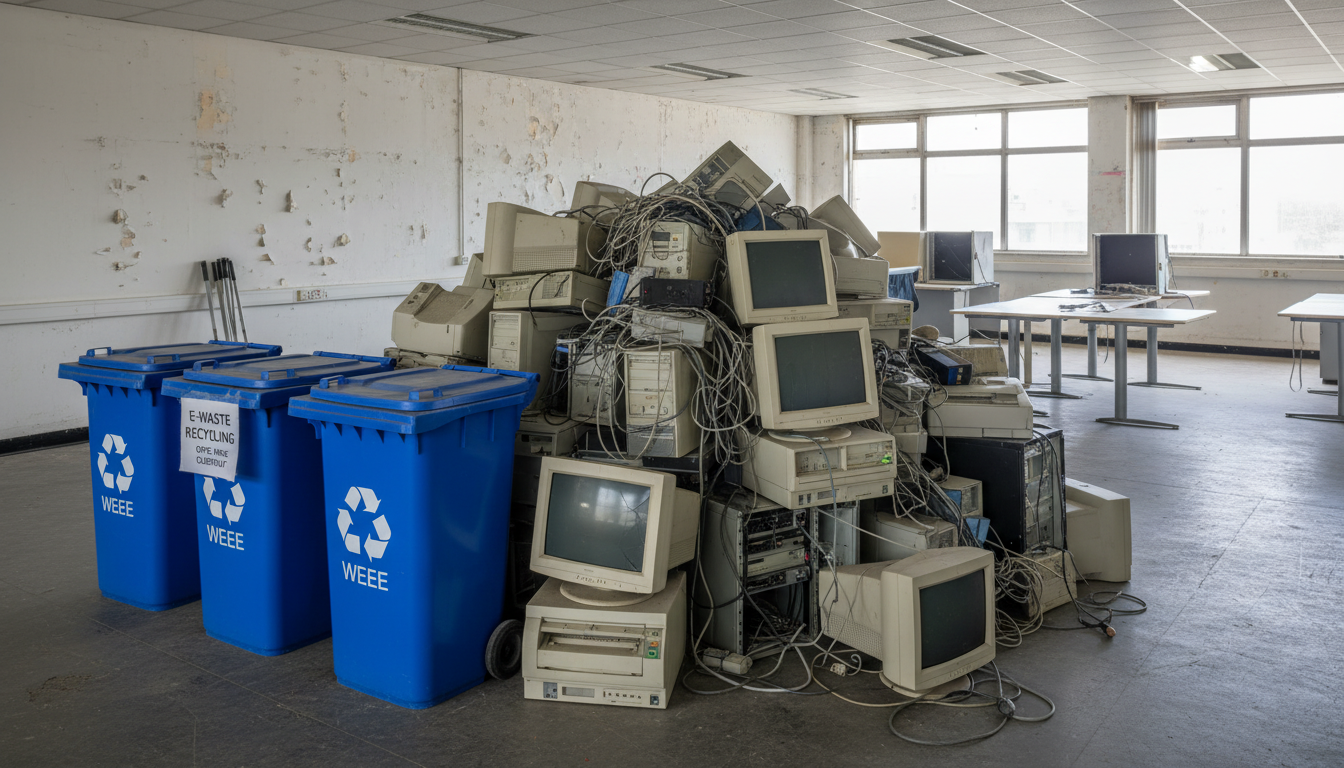
An office move presents the perfect opportunity to take stock of your IT equipment, retire outdated hardware, and start fresh in your new premises with a streamlined, modern technology estate. Yet for many UK businesses, the question of what to do with the old equipment - the legacy servers, ageing desktops, battered monitors, tangled cables, and obsolete peripherals - is often left until the last minute, creating a logistical headache and, more seriously, a potential compliance risk.
Disposing of IT equipment is not as simple as putting it in a skip. Under UK law, electronic waste (commonly known as e-waste or WEEE) must be handled in accordance with the Waste Electrical and Electronic Equipment Regulations 2013. These regulations impose specific obligations on businesses regarding how electrical equipment is collected, treated, recycled, and disposed of. Failure to comply can result in fines, prosecution, and reputational damage - not to mention the environmental harm caused by improper disposal.
Beyond the regulatory requirements, there is also the critical matter of data security. Every hard drive, solid-state drive, and storage device in your old equipment potentially contains sensitive business data, personal information protected under UK GDPR, and confidential client records. Simply deleting files or formatting a drive is not sufficient - data recovery tools can retrieve information from formatted drives with relative ease. Proper data destruction is essential before any equipment leaves your possession.
Understanding Your Legal Obligations
Before making any decisions about your old IT equipment, you need to understand the legal framework governing electronic waste disposal in the United Kingdom. Several overlapping regulations apply, and ignorance is not considered a defence.
The Waste Electrical and Electronic Equipment (WEEE) Regulations 2013 require that electrical and electronic equipment is collected, treated, and recycled by approved facilities. As a business, you cannot simply dispose of electronic equipment through your general waste contractor. You must use a registered waste carrier and an authorised treatment facility, and you must retain documentary evidence of proper disposal - known as a Waste Transfer Note or, for hazardous waste, a Consignment Note.
The UK General Data Protection Regulation (UK GDPR) and the Data Protection Act 2018 require you to take appropriate measures to protect personal data throughout its lifecycle, including when equipment containing personal data is decommissioned. The Information Commissioner's Office (ICO) has been clear that failure to properly destroy data on disposed equipment constitutes a data breach and can result in enforcement action. Fines under UK GDPR can reach up to £17.5 million or 4 per cent of annual global turnover, whichever is higher.
The Environmental Protection Act 1990 imposes a duty of care on anyone who produces, imports, keeps, stores, transports, treats, or disposes of waste. This duty of care extends to ensuring that your waste is handled only by authorised persons and that you can demonstrate compliance through proper documentation.
It is also worth noting that these obligations do not disappear simply because you have engaged a third party to handle the disposal. While you can delegate the physical work, the legal responsibility remains with you as the waste producer. If a disposal company you hired dumps your equipment illegally or fails to destroy data properly, your organisation can still be held accountable. This is why due diligence in selecting a reputable disposal partner is so critical - and why cutting corners to save a few hundred pounds on disposal costs is one of the most false economies a business can pursue.
A Waste Transfer Note (WTN) is a legal document that must accompany any transfer of waste between parties. For IT equipment disposal, the WTN records the description and quantity of waste, the date of transfer, the names and addresses of both the transferor and transferee, the waste carrier's registration number, and the type of authorisation held by the receiving party. You must retain WTNs for a minimum of two years. Many reputable IT disposal companies will provide these automatically, but you should always verify.
Option 1: Certified IT Asset Disposal (ITAD)
For most UK businesses, the safest and most straightforward option is to engage a certified IT Asset Disposal (ITAD) provider. These specialist companies handle every aspect of the disposal process - collection, data destruction, recycling, and compliance documentation - giving you peace of mind that your obligations are fully met.
When selecting an ITAD provider, look for the following certifications. ADISA Certification (Asset Disposal and Information Security Alliance) is the gold standard for data destruction in the UK. ADISA-certified companies are independently audited to ensure their data sanitisation processes meet the highest standards. ISO 27001 certification demonstrates that the provider operates an information security management system. ISO 14001 certification confirms they meet environmental management standards. And registration with the Environment Agency as an authorised waste carrier and treatment facility is a legal requirement.
The ITAD process typically works as follows. The provider conducts an initial audit of your equipment, cataloguing every item by make, model, serial number, and asset tag. Equipment is then securely collected from your premises - either the old office before you vacate or the new office if you have transported it there. Each item is tracked through a chain of custody system. Data-bearing devices are either securely wiped using certified software (meeting standards such as NIST 800-88 or HMG Infosec Standard 5) or physically destroyed by shredding. You receive a Certificate of Data Destruction for every device, along with full WEEE compliance documentation.
The cost of certified ITAD services is remarkably modest when weighed against the risks of improper disposal. Most providers charge between five and fifteen pounds per device, which for a typical SME with 30 to 50 items amounts to a total cost of a few hundred pounds - a trivial sum compared to the potential fines, legal fees, and reputational damage from a data breach or environmental violation. Some ITAD providers will even offset their charges by offering a rebate for equipment that retains residual value, particularly newer laptops and enterprise-grade servers that can be refurbished and resold. In the best cases, the revenue from resaleable equipment can cover or even exceed the disposal costs, making the process cost-neutral for your business.
| Disposal Method | Data Security | Environmental Impact | Cost | Documentation |
|---|---|---|---|---|
| Certified ITAD Provider | Excellent - certified destruction | Low - maximises recycling | £5-15 per device | Full certificates provided |
| Manufacturer Take-Back | Good - varies by programme | Low - proper recycling | Often free | Varies - verify beforehand |
| Charity Donation | You must wipe first | Positive - extends lifespan | Free (possible tax relief) | Donation receipt only |
| Employee Purchase | You must wipe first | Positive - extends lifespan | Small income generated | Internal records only |
| General Waste (illegal) | None - data exposed | High - landfill pollution | Potential £5,000+ fines | None - non-compliant |
Option 2: Manufacturer Take-Back Programmes
Many major IT equipment manufacturers operate take-back programmes that allow businesses to return end-of-life equipment for recycling. Dell, HP, Lenovo, and Apple all offer some form of take-back or trade-in service in the UK. These programmes can be particularly cost-effective because they are often free of charge, and in some cases the manufacturer may offer credit towards new equipment purchases.
The main limitation of manufacturer take-back programmes is that they typically only accept equipment from their own brand. If your office contains a mixture of Dell laptops, HP monitors, and Lenovo desktops, you would need to coordinate with multiple manufacturers - which adds complexity. Additionally, the data destruction standards and documentation provided vary between programmes, so you should verify exactly what data sanitisation is performed and what evidence you will receive.
For businesses upgrading to new equipment from the same manufacturer as part of their office move, take-back programmes can be an excellent choice. Speak to your equipment supplier or reseller about available options before your move date, and build the take-back collection into your move schedule to avoid old equipment cluttering your new premises.
Option 3: Donate to Charity
Equipment that is still functional but no longer meets your business requirements can be donated to charity, extending its useful life and supporting organisations that may not have the budget for new technology. Several UK charities specialise in receiving, refurbishing, and redistributing IT equipment, including Computer Aid International, The Restart Project, and various local community organisations.
Before donating any equipment, you must ensure all data is thoroughly removed. This means more than simply deleting files or resetting the device to factory settings. You should use certified data wiping software such as Blancco or DBAN to overwrite every sector of the storage device, or remove and physically destroy the storage drives and donate the remaining hardware. Remember that your UK GDPR obligations apply regardless of whether the equipment is being sold, donated, or disposed of - you remain liable for any personal data that ends up in the wrong hands.
Charitable donations of IT equipment can also offer tax benefits. Under HMRC rules, businesses can claim Corporation Tax relief on the market value of donated equipment. Keep detailed records of what was donated, its estimated value, and the charity's registration number to support your tax claim.
Equipment Suitable for Donation
- Laptops less than 4 years old with working screens
- Desktop monitors in good physical condition
- Keyboards, mice, and peripherals still functional
- Network switches and routers (non-EOL models)
- Projectors and display screens
- Working printers with available consumables
Equipment That Should Be Recycled
- Devices older than 5 years or unsupported by vendor
- Equipment with physical damage or faults
- UPS batteries and power supplies near end of life
- CRT monitors and legacy display technology
- Obsolete servers without current security patches
- Devices with non-removable failing storage
Option 4: Sell to Employees
Offering old IT equipment for purchase by employees is a pragmatic option that benefits both parties. Employees get access to reasonably priced technology for personal or family use, and the business recoups a small portion of the original investment while avoiding disposal costs. This approach works particularly well for laptops, monitors, and peripherals that are still functional but have been superseded by newer models.
There are some important considerations when selling equipment to employees. First, you must ensure all corporate data is thoroughly removed before handing over the device - this means a certified wipe, not just a factory reset. Second, you should establish a fair and transparent pricing structure, typically based on the equipment's age and condition. HMRC may take an interest if equipment is sold to employees at significantly below market value, as this could be treated as a benefit in kind. A common approach is to use published second-hand values from sites like CeX or eBay as a benchmark.
Third, make it clear that the equipment is sold as-is with no warranty or ongoing support from the company. Once an employee purchases a device, it becomes their personal property and is no longer the organisation's responsibility. Document the sale with a simple written agreement that records the item, price, and date of transfer.
Data Destruction: Getting It Right
Regardless of which disposal route you choose, data destruction must be your absolute priority. A single laptop containing unwiped customer data could result in a reportable breach under UK GDPR, an ICO investigation, potential fines, and significant reputational damage. The cost of proper data destruction is trivial compared to these risks.
There are two primary methods of data destruction: software-based wiping and physical destruction. Software-based wiping uses specialised tools to overwrite every sector of a storage device with random data, making the original contents unrecoverable. This method is suitable for devices that will be reused, donated, or resold. The most widely recognised standard for software wiping is NIST Special Publication 800-88, which specifies the "Clear" and "Purge" methods. For UK Government classified material, HMG Infosec Standard 5 (IS5) applies, though this is relevant mainly for public sector organisations.
Physical destruction involves shredding, crushing, or degaussing the storage device so that it is completely inoperable. This method is appropriate for devices being recycled and for situations where the highest level of data security assurance is required. An ADISA-certified destruction provider will shred hard drives into pieces no larger than a few millimetres, rendering data recovery physically impossible.
Common Data Destruction Mistakes
Despite the clear guidance available, UK businesses continue to make avoidable mistakes when attempting to destroy data on old equipment. One of the most common errors is overlooking non-obvious storage locations. Hard drives and SSDs are the primary concern, but data can also reside on USB drives left in desk drawers, SD cards in cameras and presentation equipment, internal storage in multifunction printers and copiers, and even the firmware of certain network devices. A thorough disposal process must account for every device capable of storing data, not just the computers and servers. Another frequent mistake is assuming that cloud-based businesses have no local data to worry about. Even heavily cloud-dependent organisations typically have cached files, downloaded attachments, browser saved passwords, and local application data on their devices that could expose sensitive information if not properly wiped.
Creating a Disposal Schedule for Your Move
IT equipment disposal should be integrated into your office move plan from the earliest stages, not left as an afterthought. A well-structured disposal schedule ensures that old equipment is dealt with efficiently and compliantly, without creating bottlenecks on move day or leaving items stranded at your old premises after the lease expires.
Begin the disposal process at least six to eight weeks before your move date. Start by conducting a complete audit of all IT equipment across your organisation, recording the make, model, serial number, age, condition, and data classification of every item. This audit forms the basis of your disposal plan and provides the documentation trail required for compliance purposes.
Once the audit is complete, categorise each item into one of four disposal routes: certified ITAD disposal, manufacturer take-back, charity donation, or employee sale. Coordinate collection dates with your chosen disposal providers, ensuring that equipment is collected before your lease on the old premises expires. Allow at least two weeks' buffer for unexpected delays - disposal providers can be busy, and collection slots may not be immediately available.
On the day of collection, verify that every item on the manifest is present and accounted for. Obtain signed documentation from the collecting party, including Waste Transfer Notes where applicable. File all documentation securely - you may need it to demonstrate compliance to auditors, regulators, or the ICO for years to come.
Environmental Responsibility and Sustainability
Beyond the legal requirements, responsible IT equipment disposal is increasingly a matter of corporate social responsibility and brand reputation. UK consumers and business clients alike are paying more attention to the environmental practices of the companies they work with. Demonstrating a commitment to proper e-waste management can differentiate your business in a competitive marketplace.
The environmental impact of electronic waste is significant. IT equipment contains a complex mixture of materials, including precious metals (gold, silver, palladium), hazardous substances (lead, mercury, cadmium), and valuable plastics. When properly recycled, these materials are recovered and reused, reducing the need for environmentally destructive mining and manufacturing. When improperly disposed of, they leach toxic substances into soil and groundwater, causing lasting environmental damage.
The concept of the circular economy is gaining significant traction in UK business, and IT equipment disposal is one of the most practical areas in which to apply it. A circular approach prioritises extending the useful life of equipment through repair, refurbishment, and reuse before resorting to recycling, and treats recycling as a last resort before disposal. By donating functional equipment, selling usable components, and recycling the remainder through certified facilities, your office move can achieve a remarkably high diversion rate from landfill - often exceeding 95 per cent by weight. Forward-thinking businesses are now setting explicit targets for e-waste diversion and reporting these figures alongside other sustainability metrics, recognising that responsible technology disposal is as important as energy efficiency or carbon reduction in demonstrating genuine environmental commitment.
By choosing ITAD providers with strong environmental credentials and maximising the reuse of functional equipment through donation or employee sale, your office move can be an opportunity to demonstrate genuine environmental leadership rather than contributing to the growing e-waste problem. Include your disposal approach in your corporate social responsibility reporting, and communicate it to staff - many employees take pride in working for organisations that take environmental responsibility seriously.
Planning an Office Move? We Handle the IT Disposal Too
Cloudswitched manages every aspect of IT during your office relocation - including compliant, certified disposal of old equipment. From data destruction certificates to WEEE compliance documentation, we ensure your old technology is handled properly so you can focus on settling into your new premises.
GET IN TOUCH
CloudSwitched
London-based managed IT services provider offering support, cloud solutions and cybersecurity for SMEs.


