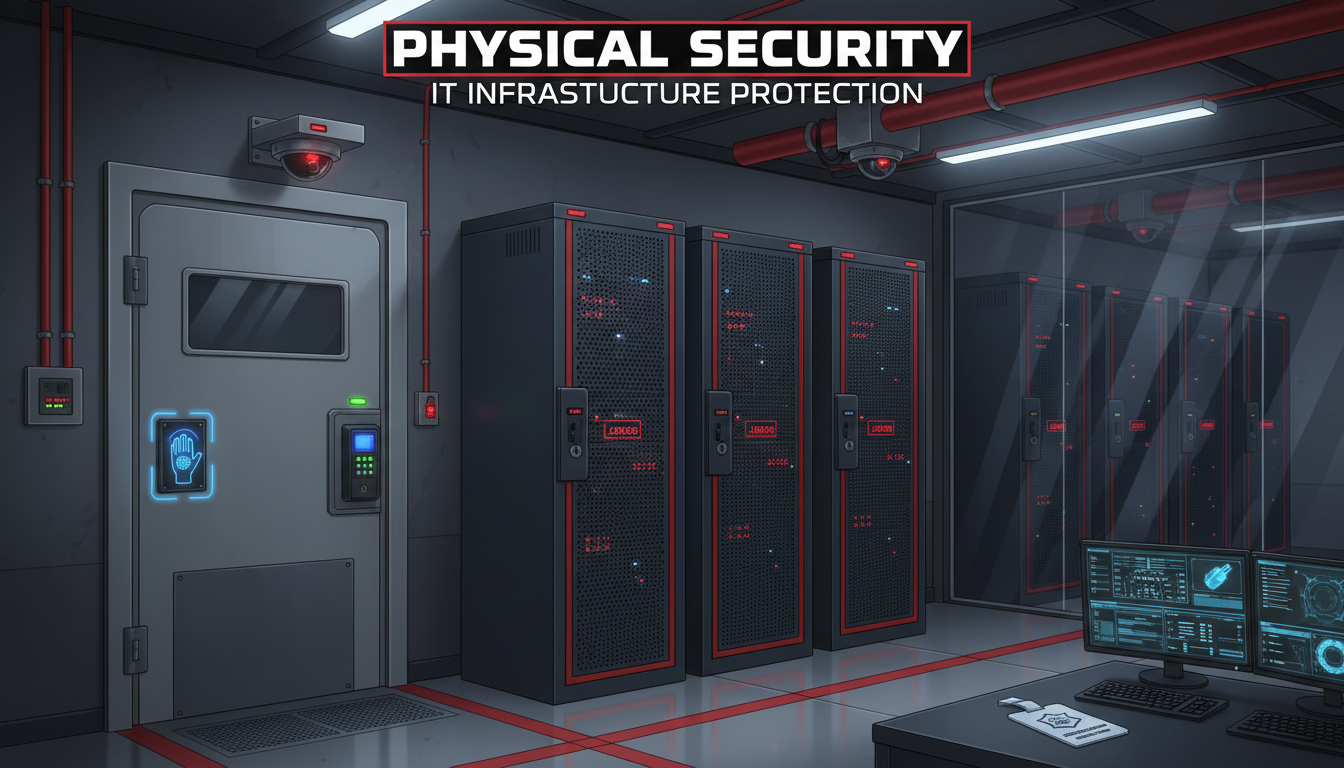
Cyber security dominates the headlines, and rightly so - ransomware, phishing, and data breaches pose severe threats to UK businesses. However, this focus on digital threats has led many organisations to neglect an equally important aspect of IT security: physical protection. The most sophisticated firewall in the world cannot protect a server that someone walks up to and unplugs. The most advanced encryption is useless if a thief walks out of your office carrying the hard drive that contains your data.
Physical security for IT infrastructure encompasses everything from the locks on your server room door to the environmental controls that prevent heat damage, from the access policies that govern who can enter sensitive areas to the CCTV systems that record what happens there. For UK businesses, particularly those subject to GDPR, Cyber Essentials, or industry-specific regulations, physical security is not an optional extra - it is a fundamental component of data protection.
This guide covers the essential physical security measures that every UK business should implement to protect its IT infrastructure, from small office setups to dedicated server rooms.
Physical security threats can be broadly categorised into four areas: unauthorised access, theft, environmental hazards, and sabotage. Each category demands its own set of countermeasures, and a comprehensive security strategy must address all four. Organisations that focus solely on preventing break-ins, for instance, may leave themselves vulnerable to insider threats or environmental damage that could prove equally devastating.
Before implementing any physical security measures, it is worth conducting a thorough risk assessment of your premises. Walk through your building with fresh eyes, noting every location where IT equipment is housed, every entry point through which an intruder could gain access, and every environmental risk that could affect your infrastructure. Consider not just your own staff but also visitors, contractors, cleaners, and delivery personnel who may have regular access to your premises. This assessment forms the foundation of an effective physical security plan and helps you prioritise investment where it will have the greatest impact.
Why Physical Security Matters
Consider the following scenarios, all of which have occurred at UK businesses: a disgruntled former employee returns to the office after hours and removes hard drives from the server, taking client data with them. A contractor working in the building connects an unauthorised device to an exposed network port in a meeting room, creating a backdoor into the corporate network. A cleaner accidentally unplugs a server while vacuuming, causing data corruption and hours of downtime. A burst pipe in the floor above floods the server room, destroying equipment worth tens of thousands of pounds.
Each of these incidents could have been prevented or mitigated with proper physical security measures. Yet many UK businesses invest heavily in firewalls and antivirus software while leaving their server room unlocked, their network cabinets accessible to anyone, and their equipment unprotected from environmental hazards.
The Real-World Cost of Poor Physical Security
The financial impact of physical security failures extends far beyond the replacement cost of stolen or damaged equipment. When a UK accounting firm suffered a server theft, the direct hardware loss was approximately £12,000. However, the total cost including forensic investigation, client notification under GDPR, temporary systems, lost billable hours during recovery, and reputational damage exceeded £180,000. Two clients left the firm entirely, citing concerns about data protection practices.
Insurance may cover the cost of replacement hardware, but most standard business insurance policies do not cover the consequential losses arising from data breaches, regulatory fines, or client attrition. Specialist cyber insurance policies increasingly require evidence of physical security measures as a condition of coverage. If your insurer discovers that stolen equipment was kept in an unlocked room, your claim may be reduced or denied entirely.
Beyond financial considerations, there is the matter of business continuity. A physical security incident that takes your servers offline can halt operations entirely. Unlike a cyber attack, which may affect specific systems, physical destruction or theft of hardware can eliminate your entire IT environment in one stroke. Recovery depends on having robust offsite backups and a tested disaster recovery plan, but prevention through proper physical security is always preferable to recovery.
Article 32 of UK GDPR requires organisations to implement "appropriate technical and organisational measures" to protect personal data. The ICO has made clear that physical security is included within this requirement. If personal data is stored on servers or devices that are not physically secured, and a breach occurs as a result, the ICO may consider this a failure to implement appropriate measures - potentially resulting in enforcement action and fines. Physical security is not separate from data protection; it is part of it.
Access Control
The foundation of physical IT security is controlling who can access your equipment. This applies to server rooms, network cabinets, patch panels, and any location where IT infrastructure is housed.
Server Room Access
Your server room should be a restricted area accessible only to authorised personnel. At minimum, this means a locked door with access limited to IT staff and management. Better solutions include electronic access control (key card or key fob systems) that log every entry and exit, biometric access for high-security environments, and combination locks as a cost-effective middle ground.
Electronic access control is recommended because it provides an audit trail. If an incident occurs, you can determine exactly who entered the server room and when. Key-based locks provide no such visibility - keys can be copied, shared, or lost without detection. The cost of basic electronic access control has fallen significantly in recent years, with card reader systems available from £200-500 per door.
Visitor Management and Tailgating Prevention
One of the most frequently overlooked aspects of physical access control is visitor management. Every person who enters your premises represents a potential risk to your IT infrastructure, whether they are a client attending a meeting, a courier delivering a package, or a contractor performing maintenance work. A robust visitor management process ensures that you know who is in your building at all times and that visitors are appropriately supervised.
At minimum, implement a visitor sign-in process that records the name of the visitor, the person they are visiting, and the time of arrival and departure. Better still, use a digital visitor management system that can print visitor badges, capture photographs, and alert the host when their guest arrives. Visitors should be escorted at all times in areas where IT equipment is accessible, and visitor badges should be visually distinct from staff badges so that unescorted visitors are immediately noticeable.
Tailgating, where an unauthorised person follows an authorised person through a secure door, is a surprisingly effective attack vector. Social engineering studies consistently show that most people will hold a door open for someone who appears to belong in the building. Combat this through staff awareness training, anti-tailgating signage near secure doors, and where budgets allow, physical measures such as mantrap doors or turnstiles for high-security areas. Even a simple policy of requiring every person to badge in individually, combined with regular reminders, significantly reduces the risk of tailgating.
Network Cabinet Security
In many offices, network switches, patch panels, and firewalls are housed in wall-mounted or floor-standing cabinets rather than a dedicated server room. These cabinets must be lockable, and the keys must be controlled. An unlocked network cabinet in a corridor or meeting room is an open invitation - anyone with physical access could connect an unauthorised device, disconnect critical cables, or tamper with equipment.
| Access Control Method | Security Level | Audit Trail | Approximate Cost |
|---|---|---|---|
| Physical key lock | Basic | None | £50 - £150 |
| Combination lock | Basic-Medium | None | £30 - £100 |
| Key card / fob system | Medium-High | Full entry/exit logging | £200 - £500 per door |
| PIN + card combination | High | Full logging with identity | £400 - £800 per door |
| Biometric (fingerprint/face) | Very High | Full biometric logging | £600 - £2,000 per door |
Environmental Protection
IT equipment is sensitive to environmental conditions. Heat, humidity, water, dust, and power fluctuations can all cause damage or failure. Environmental protection is a critical component of physical security that is frequently overlooked.
Temperature Control
Servers, switches, and other IT equipment generate significant heat. Without adequate cooling, server room temperatures can quickly rise to levels that cause equipment to throttle performance, trigger thermal shutdowns, or suffer permanent damage. The recommended operating temperature for most IT equipment is 18-27°C, with 20-22°C being optimal.
For a small server room, a dedicated split air conditioning unit is usually sufficient. For larger installations, precision cooling systems designed for IT environments provide more accurate temperature and humidity control. The cooling system should be sized to handle the total heat output of all equipment in the room, plus a margin for growth.
Water Detection
Water is the enemy of electronics. Burst pipes, leaking roofs, condensation from poorly maintained air conditioning, and even flooding can introduce water into areas where IT equipment is housed. Install water detection sensors at floor level in any room containing IT equipment. These sensors trigger immediate alerts, giving you the opportunity to respond before water reaches critical equipment.
Power Protection
Power problems are among the most common causes of IT equipment failure and data loss. Mains power in the UK is generally reliable, but surges, spikes, brownouts, and outages do occur, and even brief power interruptions can corrupt data or damage sensitive components. Every piece of IT equipment should be connected to the mains supply through a surge protector at minimum, and critical equipment such as servers and network switches should be protected by an uninterruptible power supply (UPS).
A UPS serves two purposes: it filters the incoming power supply to protect against surges and spikes, and it provides battery backup power during outages. For servers, even a modest UPS that provides 10 to 15 minutes of runtime is sufficient to allow a graceful shutdown, preventing the data corruption that can result from sudden power loss. For larger installations, consider a UPS system with network management capabilities that can automatically initiate server shutdown procedures when battery power reaches a critical level.
UK businesses should also consider the physical routing of power cables. Cables running across floors or through areas where they may be kicked, snagged, or accidentally disconnected represent a risk. Use cable management systems to route power cables safely, and ensure that critical power connections are clearly labelled and protected from accidental disconnection. In server rooms, power distribution units (PDUs) with locking outlets prevent cables from being accidentally pulled free.
Fire Detection and Suppression
Fire represents a catastrophic risk to IT infrastructure. Electrical equipment, combined with poor ventilation or accumulated dust, can create fire hazards. Standard office smoke detectors may not be adequate for server rooms, where early detection is critical. Consider installing aspirating smoke detection systems, which actively sample the air and can detect smoke particles at much lower concentrations than conventional detectors, providing earlier warning of potential fire.
For fire suppression in areas containing IT equipment, traditional water-based sprinkler systems present an obvious problem: the water damage may be as destructive as the fire itself. Gas-based suppression systems, which use inert gases or chemical agents to extinguish fires without damaging equipment, are the preferred solution for server rooms and data centres. These systems are more expensive to install but can save the entire contents of a server room in the event of a fire.
Surveillance and Monitoring
CCTV coverage of areas containing IT equipment serves two purposes: deterrence and evidence. The visible presence of cameras discourages unauthorised access and tampering. If an incident does occur, footage provides evidence for investigation and potentially for legal or disciplinary proceedings.
Modern IP-based CCTV systems with cloud storage are affordable and effective. Position cameras to cover server room entrances, network cabinet locations, and any areas where IT equipment is accessible. Ensure cameras have adequate resolution to identify individuals and that footage is retained for at least 30 days. Under UK GDPR, you must have a legitimate basis for CCTV surveillance and display appropriate signage informing people they are being recorded.
Alarm Systems and Remote Monitoring
CCTV provides a visual record, but it requires someone to review the footage after an incident has occurred. For real-time protection, consider integrating your physical security measures with an alarm system that provides immediate alerts when something goes wrong. Modern alarm systems can be configured to trigger alerts for a range of events: door forced open, access attempt outside business hours, environmental thresholds exceeded, or motion detected in restricted areas.
Remote monitoring services take this a step further, with a manned monitoring centre responding to alerts around the clock. When an alarm triggers, the monitoring centre can verify the alert via CCTV, contact keyholders, and dispatch emergency services if necessary. For UK businesses that cannot justify the cost of on-site security personnel, remote monitoring provides a cost-effective alternative that ensures your premises are protected even when no staff are present.
Consolidating your various monitoring systems into a single management platform provides a unified view of your physical security posture. Many modern systems offer mobile applications that allow you to check camera feeds, review access logs, and receive alerts on your smartphone. This level of visibility is invaluable for business owners and IT managers who need to stay informed about the security of their premises whilst away from the office.
Comprehensive Physical Security
- Electronic access control with audit logging
- CCTV coverage of all IT areas
- Dedicated cooling with temperature monitoring
- Water detection and environmental alerts
- UPS and surge protection for all equipment
- Fire detection and suppression
- Visitor management and escort policies
- Regular physical security audits
Common Physical Security Gaps
- Unlocked server rooms or cabinets
- No CCTV or monitoring
- No dedicated cooling, relying on office AC
- No water or environmental sensors
- Equipment plugged into standard wall sockets
- No fire detection in IT areas
- Visitors unescorted near IT equipment
- No physical security review or audit
Device Security
Physical security extends beyond server rooms to the devices your staff use daily. Laptops, tablets, and mobile phones contain business data and provide access to business systems. Physical theft or loss of these devices is a common cause of data breaches in the UK.
Ensure all laptops and mobile devices use full-disk encryption (BitLocker for Windows, FileVault for Mac). This ensures that even if a device is stolen, the data on it cannot be accessed without the encryption key. Enable remote wipe capability through your mobile device management (MDM) platform so that lost or stolen devices can be erased remotely. Implement strong lock screen policies - PIN, password, or biometric - to prevent casual access to unattended devices.
For desktop computers and monitors in offices, consider cable locks for high-traffic areas. In shared or co-working spaces, use lockable desk pedestals or cabinets for equipment that is not in use. Establish a clear desk policy that ensures sensitive documents and removable media are secured outside working hours.
USB and Removable Media Controls
USB ports represent a significant physical attack vector. A malicious USB device can introduce malware, exfiltrate data, or provide an attacker with remote access to your network, all within seconds of being plugged in. Attacks where a USB device masquerades as a keyboard and types malicious commands at superhuman speed have been used in targeted attacks against UK businesses.
Implement a policy governing the use of USB devices and removable media in your organisation. At the technical level, use group policy or endpoint management tools to restrict which USB devices can be connected to company computers, for example allowing only company-issued encrypted USB drives whilst blocking all others. At the physical level, consider port blockers for computers in public-facing areas or locations where they may be left unattended.
Secure Disposal of IT Equipment
When IT equipment reaches end of life, its physical disposal becomes a security concern. Hard drives, SSDs, and even printers and photocopiers can contain sensitive business data. Simply deleting files or formatting a drive is not sufficient as data recovery tools can retrieve information from formatted drives with relative ease. UK GDPR requires that personal data is securely destroyed when it is no longer needed.
For hard drives, physical destruction through shredding or degaussing provides the highest level of assurance that data cannot be recovered. For SSDs, which are resistant to degaussing, physical shredding is the recommended approach. Many UK IT asset disposal companies offer certified destruction services, providing a certificate of destruction that documents the serial numbers of destroyed drives. This is useful evidence for regulatory compliance. Ensure that any disposal provider you use holds relevant certifications such as ADISA (Asset Disposal and Information Security Alliance) accreditation.
Cyber Essentials and Physical Security
While the Cyber Essentials scheme primarily focuses on technical controls, physical security underpins several of its requirements. Secure configuration, access control, and malware protection all assume that the physical environment is secure. An attacker with physical access to a device can bypass many technical controls - booting from a USB drive, resetting passwords, or simply stealing the device.
If your business is pursuing Cyber Essentials Plus certification, the on-site assessment may include questions about physical security measures, particularly around access to servers, network equipment, and the handling of removable media. Ensuring robust physical security supports your certification efforts and provides genuine protection beyond the scope of the certification itself.
Building a Physical Security Programme
Effective physical security is not a one-time project but an ongoing programme that requires regular review and adaptation. Start by documenting your current physical security measures and identifying gaps against the categories discussed in this guide. Prioritise improvements based on risk, addressing unlocked server rooms and missing encryption before investing in advanced monitoring systems.
Schedule regular physical security audits, at least annually, to verify that measures remain effective and that policies are being followed. These audits should include testing access controls to see whether doors can be propped open or codes are being shared, verifying that environmental monitoring sensors are working and alerts are reaching the right people, reviewing CCTV coverage to confirm cameras are recording and footage is being retained, and checking that staff are following established procedures.
Staff awareness is perhaps the single most important element of physical security. Technical measures can be undermined by well-meaning staff who prop open secure doors, share access codes, leave visitors unescorted, or plug unknown USB devices into their computers. Include physical security awareness in your regular staff training programme, covering the importance of challenging unfamiliar faces in secure areas, reporting suspicious activity, and following access control procedures consistently.
Finally, integrate your physical security programme with your broader information security management. Physical and cyber security are not separate disciplines but complementary aspects of protecting your business. A vulnerability in one area can undermine the other. By taking a holistic approach that addresses both physical and digital threats, UK businesses can build a security posture that is genuinely resilient against the full spectrum of risks they face.
Protect Your IT Infrastructure Inside and Out
Cloudswitched helps UK businesses implement comprehensive physical and cyber security measures. From server room design and access control to environmental monitoring and device management, we ensure your IT infrastructure is protected against both digital and physical threats. Contact us to arrange a security assessment of your premises.
GET IN TOUCH
CloudSwitched
London-based managed IT services provider offering support, cloud solutions and cybersecurity for SMEs.


