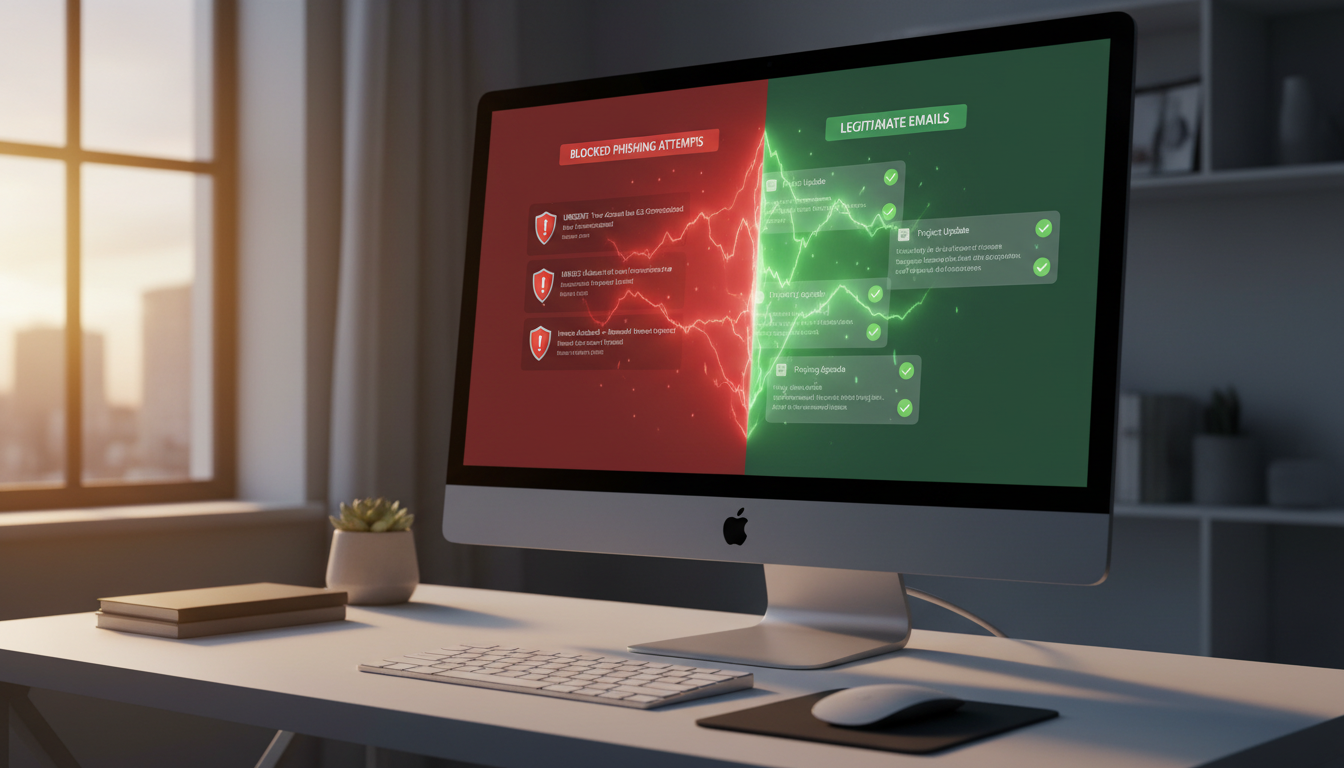
Email remains the backbone of business communication in the UK. From client proposals and invoices to internal collaboration and regulatory correspondence, the average employee sends and receives over 120 emails every working day. But that indispensable communication channel is also the single most exploited attack vector in cybercrime - and for UK small and medium-sized enterprises, the threat has never been more acute.
Spam is not merely an annoyance that clutters inboxes and wastes time. It is the delivery mechanism for phishing attacks, malware payloads, ransomware, and business email compromise (BEC) schemes that collectively cost British businesses billions of pounds every year. The question is no longer whether your organisation will be targeted, but how effectively you can filter, detect, and neutralise threats before they reach your people.
This guide provides a comprehensive, practical roadmap for reducing spam and phishing in your business email environment - covering the technologies, configurations, training programmes, and workflows that together create a genuinely resilient defence.
The Scale of the Problem for UK Businesses
The UK Government's Cyber Security Breaches Survey consistently identifies phishing as the most prevalent form of attack against British businesses. In the most recent findings, 84 per cent of organisations that reported a breach or attack said phishing was the vector - far exceeding any other method. For small businesses specifically, that figure was 78 per cent, demolishing the myth that smaller firms fly under the radar.
The National Cyber Security Centre (NCSC) receives over 30,000 reports of suspicious emails every month through its Suspicious Email Reporting Service (SERS). Since its launch, the service has led to the takedown of more than 235,000 malicious URLs. These are not abstract statistics - they represent real businesses losing real money, data, and reputation.
What makes the current landscape particularly dangerous is scale. Spam volumes globally now exceed 160 billion messages per day. Automated tooling, AI-generated content, and sophisticated social engineering mean that phishing emails are becoming increasingly difficult to distinguish from legitimate correspondence. The days of spotting a phishing email by its broken English and absurd promises are largely behind us.
The National Cyber Security Centre recommends a multi-layered approach to email security that combines technical controls with human awareness. Their guidance specifically calls out email authentication (DMARC, DKIM, SPF), anti-spoofing measures, staff training, and incident reporting as essential components. The NCSC's "Phishing" and "Email Security and Anti-Spoofing" guidance documents are freely available and should form the baseline for every UK organisation's email security strategy.
How Phishing Attacks Work
To defend against phishing, you first need to understand the different forms it takes. Modern phishing is not a single tactic - it is a spectrum of approaches, each calibrated to exploit different vulnerabilities in your organisation.
Standard Phishing
The most common variety involves mass-distributed emails that impersonate trusted brands - banks, delivery companies, software providers, or government agencies like HMRC. These emails typically create urgency ("Your account will be suspended", "You have an unpaid tax bill") and direct recipients to convincing but fraudulent websites designed to harvest credentials or install malware. Whilst many are caught by basic filters, the sheer volume means some inevitably slip through.
Spear Phishing
Unlike mass campaigns, spear phishing targets specific individuals within your organisation. Attackers research their victims using LinkedIn, company websites, and social media to craft highly personalised messages. An email that references a real project, names a real colleague, or mimics a genuine supplier relationship is exponentially more convincing than a generic template. Spear phishing accounts for the majority of successful breaches against SMEs because it bypasses the "this looks suspicious" instinct that generic phishing triggers.
Whaling
Whaling is spear phishing aimed at senior executives - managing directors, finance directors, and other C-suite targets. These attacks exploit the authority that executives hold within an organisation, often impersonating board members, legal counsel, or major clients. A "request" from the MD to urgently transfer funds or share sensitive data carries a weight that lower-level phishing simply does not.
Business Email Compromise (BEC)
BEC is the most financially devastating form of email fraud. Rather than simply tricking someone into clicking a link, BEC attackers either compromise a legitimate email account or create a convincing lookalike domain to conduct fraudulent transactions. Common scenarios include fake invoice redirections, payroll diversions, and fraudulent property completion payments. The NCSC reports that BEC attacks cost UK businesses an average of £138,000 per incident - and many go unreported due to embarrassment.
High-Risk Phishing Indicators
- Urgent language demanding immediate action ("within 24 hours")
- Requests to change payment details or bank accounts
- Slight misspellings in domain names (cloudsw1tched.co.uk)
- Emails from senior staff requesting unusual financial transactions
- Links that display one URL but redirect to another
- Attachments with double extensions (.pdf.exe) or macro-enabled files
Signs of a Legitimate Email
- Consistent domain matching the sender's known organisation
- Expected context - relates to an ongoing conversation or project
- No unusual urgency or pressure to bypass normal procedures
- DMARC/DKIM authentication passes (visible in email headers)
- Links pointing to domains you recognise and can verify
- Appropriate tone and writing style for the purported sender
Built-In Microsoft 365 Email Filtering
If your business uses Microsoft 365 for email - as the majority of UK SMEs now do - you already have access to a substantial set of built-in security capabilities through Exchange Online Protection (EOP). The challenge is that many organisations are running these tools with default settings, leaving significant protection on the table.
Exchange Online Protection (EOP)
EOP is included with every Microsoft 365 plan that includes Exchange Online mailboxes. It provides multi-layered filtering that processes every inbound and outbound message through connection filtering (blocking known malicious IP addresses), anti-malware scanning, mail flow rules, and content filtering that evaluates messages against spam confidence levels.
Out of the box, EOP catches approximately 95 per cent of spam. That sounds impressive until you consider that 5 per cent of 160 billion daily spam messages is still 8 billion messages getting through globally. For a business receiving 5,000 emails per day, that means 250 spam messages potentially reaching inboxes daily - more than enough to cause damage.
Microsoft Defender for Office 365
For significantly enhanced protection, Microsoft Defender for Office 365 (included in Business Premium or available as an add-on) provides Safe Links (real-time URL scanning that checks links at the moment of click, not just at delivery), Safe Attachments (sandboxing suspicious files in a virtual environment before delivery), advanced anti-phishing policies with impersonation detection, and automated investigation and response capabilities.
| Feature | EOP (Basic) | Defender for Office 365 |
|---|---|---|
| Spam filtering | Yes - standard confidence levels | Yes - enhanced with ML models |
| Malware scanning | Yes - signature-based | Yes - signature + behavioural |
| Anti-phishing | Basic spoof intelligence | Advanced impersonation protection |
| Safe Links | No | Yes - time-of-click URL rewriting |
| Safe Attachments | No | Yes - detonation sandbox |
| Automated investigation | No | Yes - AIR capabilities |
| Attack simulation | No | Yes - built-in phishing simulations |
| Threat Explorer | No | Yes - real-time threat hunting |
Microsoft's own security team has stated that the majority of successful phishing attacks against Microsoft 365 tenants succeed not because the technology fails, but because organisations have not configured their security policies appropriately. Preset security policies (Standard and Strict) should be applied at a minimum. Impersonation protection should be configured to guard your executives' names and your key supplier domains. Safe Links and Safe Attachments policies should cover all users, not just a subset. A properly configured Microsoft 365 environment catches dramatically more threats than a default one.
Advanced Email Security Gateways
Whilst Microsoft's built-in tools are capable, many organisations - particularly those in regulated sectors or handling sensitive data - choose to layer a dedicated secure email gateway (SEG) on top. These third-party solutions sit in front of your mail flow and provide additional filtering, analysis, and control.
Leading solutions in the UK market include Mimecast, Proofpoint, Barracuda, and Sophos Email. These platforms offer advanced threat intelligence feeds drawn from billions of messages processed globally, granular content policies and data loss prevention (DLP), continuity services that keep email flowing even during Microsoft outages, archiving and compliance features for regulatory requirements, and URL rewriting with delayed detonation.
The decision to deploy a third-party gateway depends on your risk profile and compliance obligations. For most standard UK SMEs, a well-configured Microsoft Defender for Office 365 deployment provides strong protection. For organisations in financial services, legal, healthcare, or those handling particularly sensitive data, an additional layer may be warranted.
DMARC, DKIM, and SPF: Email Authentication
Email authentication is one of the most impactful - and most frequently neglected - defences against phishing and spoofing. These three protocols work together to verify that emails genuinely originate from the domains they claim to be sent from.
SPF (Sender Policy Framework)
SPF allows you to publish a DNS record specifying which mail servers are authorised to send email on behalf of your domain. When a receiving server gets an email claiming to be from your domain, it checks the SPF record to see whether the sending server is on the approved list. If it is not, the message can be flagged or rejected.
DKIM (DomainKeys Identified Mail)
DKIM adds a cryptographic signature to your outbound emails. The receiving server uses a public key published in your DNS to verify that the message has not been tampered with in transit and genuinely originated from your domain. Unlike SPF, DKIM survives email forwarding, making it a more robust authentication mechanism.
DMARC (Domain-based Message Authentication, Reporting, and Conformance)
DMARC ties SPF and DKIM together with an explicit policy that tells receiving servers what to do when authentication fails. A DMARC policy of "none" simply monitors and reports (useful during initial deployment). "Quarantine" sends failing messages to junk folders. "Reject" blocks them outright. The NCSC strongly recommends that all UK organisations implement DMARC with a policy of at least "quarantine", progressing to "reject" once confidence is established.
The figures above illustrate a significant gap. Whilst SPF adoption is reasonably widespread, the more robust protections offered by DKIM and DMARC - particularly DMARC at enforcement level - remain woefully underdeployed among UK SMEs. This means that the majority of small businesses are still vulnerable to domain spoofing, where attackers send emails that appear to come from their own domain to trick customers, suppliers, or staff.
Implementing all three protocols is not technically complex, but it does require careful planning to avoid accidentally blocking legitimate email from third-party services that send on your behalf (marketing platforms, CRM systems, booking tools). A phased approach - starting with DMARC in monitoring mode and progressively tightening the policy - is the safest path.
Security Awareness Training for Staff
Technology alone cannot stop phishing. Even the most sophisticated email security stack will occasionally let a convincing message through - and when it does, your last line of defence is the person reading it. Security awareness training transforms your workforce from a vulnerability into a detection capability.
Effective training goes far beyond an annual presentation with a few slides about not clicking suspicious links. Modern security awareness programmes are continuous, engaging, and measurable. They should cover recognition of phishing tactics - including spear phishing, BEC, and social engineering via other channels such as phone calls and text messages. Staff should understand the specific risks their role exposes them to (finance teams face different threats than marketing teams). Training should include real-world examples drawn from actual attacks against UK businesses, and reinforce clear procedures for reporting suspicious messages.
Industry data consistently shows that sustained security awareness programmes reduce phishing susceptibility by 70 to 85 per cent over 12 months. The key word is "sustained" - a one-off session produces a brief spike in awareness that fades within weeks. Ongoing, regular training with reinforcement through simulations and reminders is what drives lasting behavioural change.
Simulated Phishing Campaigns
Simulated phishing - sending controlled, safe phishing emails to your own staff to test their responses - is one of the most powerful tools for measuring and improving your human defences. It turns abstract training concepts into practical, memorable experiences.
A well-designed simulation programme starts with a baseline test before training begins, establishing your organisation's current susceptibility rate. Subsequent campaigns should vary in difficulty, timing, and technique - some mimicking generic phishing, others replicating spear phishing with personalised details. The goal is not to catch people out or embarrass them; it is to create teachable moments.
When an employee clicks a simulated phishing link, they should immediately see a brief, friendly educational message explaining what they missed and how to spot similar attempts in future. Repeat offenders should receive additional targeted training. Meanwhile, employees who consistently identify and report simulations should be recognised and celebrated - building a positive security culture rather than a punitive one.
Microsoft Defender for Office 365 Plan 2 includes Attack Simulation Training, which provides pre-built templates, scheduling, and detailed reporting. Third-party platforms such as KnowBe4, Cofense, and Proofpoint also offer comprehensive simulation capabilities with deeper customisation options.
Reporting and Quarantine Workflows
A critical but often overlooked element of email security is what happens after a suspicious message is identified - whether by technology or by a vigilant employee. Without clear, frictionless reporting and quarantine workflows, threats linger longer than they need to and response times suffer.
User Reporting
Every email client in your organisation should have a prominent, one-click "Report Phishing" button. In Microsoft 365, the built-in "Report Message" add-in for Outlook enables users to flag suspicious emails with a single click, automatically sending the message to your security team and to Microsoft for analysis. The easier you make reporting, the more reports you will receive - and every report is an early warning that protects the entire organisation.
Quarantine Management
Messages flagged by your email security systems should be routed to quarantine rather than silently deleted. This serves two purposes: it allows administrators to review false positives and release legitimate messages, and it provides a corpus of real threat data that can be used to tune your filtering policies. Microsoft 365's quarantine portal allows administrators to review, release, or permanently delete quarantined items, and end-user quarantine notifications can be configured to let individuals review their own quarantined messages within controlled parameters.
| Workflow Step | Responsible Party | Target Timeframe |
|---|---|---|
| Suspicious email reported by user | All staff | Immediate (one-click) |
| Initial triage of reported message | IT/Security team or MSP | Within 30 minutes |
| Threat confirmed - remove from all mailboxes | IT/Security team or MSP | Within 1 hour |
| Block sender/domain across organisation | IT/Security team or MSP | Within 1 hour |
| Notify affected users with guidance | IT/Security team or MSP | Within 2 hours |
| Investigate scope - any credentials compromised? | IT/Security team or MSP | Within 4 hours |
| Update filtering rules to prevent recurrence | IT/Security team or MSP | Within 24 hours |
| Document incident and share lessons learnt | IT/Security team or MSP | Within 1 week |
AI-Powered Threat Detection
The arms race between attackers and defenders has entered the artificial intelligence era. Whilst cybercriminals increasingly use AI to generate convincing phishing content, personalise social engineering at scale, and evade traditional signature-based detection, the defensive application of AI is proving to be a powerful counterweight.
AI-powered email security solutions analyse patterns that rule-based filters cannot detect. They build behavioural baselines for every user and communication relationship in your organisation - learning who normally emails whom, at what times, in what tone, and about what subjects. When an email deviates from these established patterns - even subtly - the system flags it for additional scrutiny.
This approach is particularly effective against BEC and spear phishing, where the email content may be perfectly crafted and contain no malicious links or attachments. A traditional filter sees a clean message; an AI system notices that this "supplier" has never emailed your finance director before, or that the language patterns do not match previous correspondence from that sender.
Microsoft's own AI capabilities within Defender for Office 365 have improved dramatically, using machine learning models trained on trillions of signals from across the Microsoft ecosystem. Third-party solutions such as Abnormal Security, Darktrace Email, and Tessian add further layers of AI-driven analysis that specialise in detecting socially engineered attacks.
Generative AI tools have made it trivially easy for attackers to produce grammatically perfect phishing emails in any language, eliminating the spelling mistakes and awkward phrasing that users traditionally relied upon as warning signs. AI can also generate convincing voice clones for vishing (voice phishing) follow-ups and create realistic fake websites in minutes. The defensive response must be equally sophisticated - relying on human instinct alone is no longer sufficient. Organisations need AI defending their inboxes just as attackers are using AI to assault them.
Measuring Email Security Effectiveness
You cannot improve what you do not measure. A mature email security programme tracks key metrics continuously and uses them to drive improvements in both technology and training.
The metrics that matter most include your phishing simulation click rate (the percentage of staff who engage with simulated phishing - tracked over time to show improvement), your reporting rate (the percentage who correctly report simulated phishing rather than ignoring or clicking it), spam and phishing catch rate (the percentage of malicious messages blocked before reaching inboxes), false positive rate (legitimate emails incorrectly flagged - too many erode trust in the system), mean time to remediation (how quickly confirmed threats are removed from all mailboxes across the organisation), and the number of security incidents originating from email (the ultimate measure of whether your defences are working).
These metrics should be reviewed monthly and reported to senior leadership quarterly. Trends matter more than absolute numbers - a click rate that has halved over six months tells a more meaningful story than a single snapshot.
Building a Complete Email Security Strategy
No single technology or initiative will solve the email security challenge on its own. The organisations that achieve the strongest outcomes approach email security as a layered programme where each element reinforces the others.
At the foundation, ensure your email authentication records - SPF, DKIM, and DMARC - are correctly configured and enforced. This prevents attackers from spoofing your domain and protects both your organisation and everyone you correspond with. Above that, your email filtering platform - whether Microsoft Defender for Office 365, a third-party gateway, or both - should be configured to its fullest capability, not left on default settings.
Layer in AI-powered threat detection to catch the sophisticated, socially engineered attacks that rule-based filters miss. Implement clear, practised reporting and quarantine workflows so that when a threat does land, it is contained and eliminated rapidly. And invest continuously in your people through ongoing security awareness training and simulated phishing, building a workforce that actively participates in your defence rather than passively hoping the technology will catch everything.
Finally, measure everything. Track your metrics, report to leadership, and use the data to drive continuous improvement. Email security is not a project with a finish line - it is an ongoing programme that evolves as threats evolve.
Protect Your Business Email Today
For UK SMEs, email is simultaneously the most essential communication tool and the most dangerous attack surface. The good news is that with the right combination of technology, configuration, training, and processes, you can dramatically reduce your exposure and build genuine resilience against even sophisticated threats.
The cost of implementing robust email security is a fraction of the cost of a successful attack - and with the NCSC, Microsoft, and experienced managed service providers offering clear guidance and practical tools, there has never been a more accessible time to get it right.
Take Control of Your Email Security
Cloudswitched helps UK businesses implement comprehensive email security - from Microsoft 365 configuration and DMARC deployment to security awareness training and ongoing threat monitoring. Whether you need a full email security overhaul or want to strengthen specific areas, our team can help you build a defence that matches the threats your business faces every day.
Speak with our email security team
CloudSwitched
London-based managed IT services provider offering support, cloud solutions and cybersecurity for SMEs.


