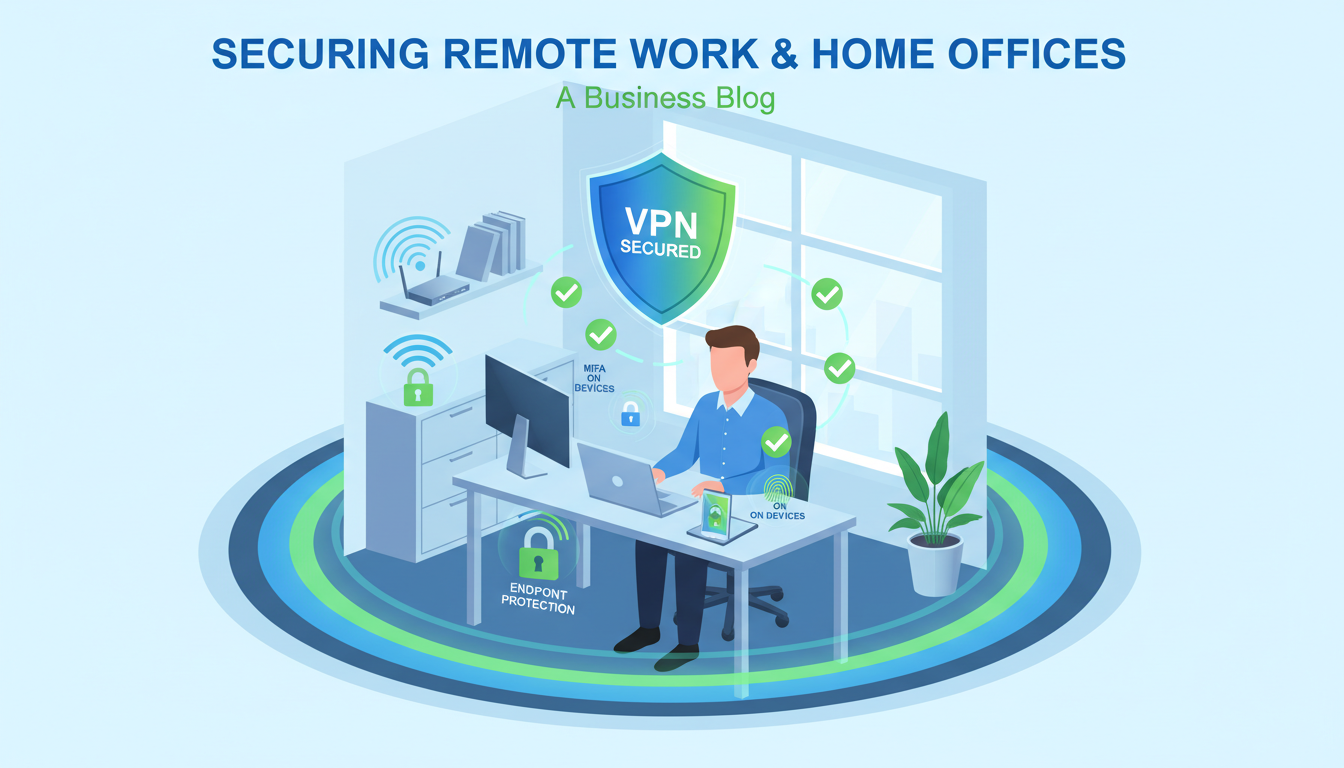
Remote and hybrid working has become a permanent fixture of UK business life. What began as an emergency response to the pandemic has evolved into the default working model for millions of employees across the country. While this shift has delivered benefits in terms of flexibility, productivity, and employee satisfaction, it has also created significant cyber security challenges that many businesses have yet to fully address.
When your staff work from a centrally managed office, you have control over the network, the devices, the security tools, and the physical environment. When they work from home, that control evaporates. Home networks are typically unsecured, shared with family members, and connected to consumer-grade routers with default passwords. Personal devices may be used for work tasks. Sensitive documents are viewed on screens visible to household members. And the informal, unstructured nature of home working can erode security-conscious behaviour that the office environment naturally reinforces.
This guide provides a comprehensive framework for securing remote workers and home offices, covering the technical controls, policies, and training that UK businesses need to implement to protect their data and systems in a distributed working environment.
The Remote Working Threat Landscape
Understanding the specific threats facing remote workers is essential for designing effective countermeasures. The threat landscape for home-based workers differs significantly from the office environment in several key ways.
Phishing attacks have become more sophisticated and more targeted since the shift to remote working. Attackers exploit the isolation of remote workers - who cannot simply lean over and ask a colleague whether an email looks legitimate - to increase the success rate of phishing campaigns. Business email compromise (BEC) attacks, where an attacker impersonates a senior manager to request urgent payments or data transfers, are particularly effective against remote workers who cannot verify requests in person.
Unsecured home networks are a fundamental vulnerability. Most home broadband routers use default or weak passwords, run outdated firmware, and provide no network segmentation. This means that a compromised smart TV, a child's gaming console infected with malware, or a visitor's infected phone connected to the Wi-Fi can potentially access the same network as your employee's work laptop.
Shadow IT proliferates in remote environments. Without the structure of the office and the oversight of IT support, remote workers often adopt unauthorised tools and services to solve immediate problems - personal file-sharing services, consumer messaging apps, unapproved cloud storage. Each of these creates data leakage risks and security blind spots that your IT team cannot monitor or protect.
Physical security is diminished at home. Laptops are left open and unlocked in shared living spaces. Sensitive documents are printed on home printers and left unsecured. Phone calls discussing confidential business matters are overhead by family members or neighbours. Screen contents are visible to anyone in the room.
The National Cyber Security Centre (NCSC) has published specific guidance for organisations supporting remote workers. Key recommendations include deploying managed devices with full-disk encryption, enforcing multi-factor authentication on all cloud services, using enterprise VPN for access to internal resources, implementing mobile device management (MDM) for remote policy enforcement, and providing regular security awareness training tailored to the home working context. The NCSC emphasises that security measures should be proportionate and user-friendly - overly restrictive controls that impede productivity will drive users to circumvent them, creating greater risk.
Device Security: The Foundation
The single most important decision in remote worker security is whether staff use company-managed devices or their own personal devices (BYOD - Bring Your Own Device). This decision has profound implications for your security posture, your compliance obligations, and your ability to enforce policies.
Company-Managed Devices (Recommended): Providing staff with company-owned laptops that are fully managed by your IT team or provider gives you the greatest control. These devices can be pre-configured with security software, encryption, remote management agents, and approved applications. They can be monitored for compliance, patched centrally, and remotely wiped if lost or stolen. For any business handling sensitive data, company-managed devices should be the standard.
BYOD (Higher Risk): If company devices are not feasible, a BYOD policy allows staff to use their own devices for work. This reduces hardware costs but significantly increases security risk, as you have limited control over personal devices. If you must support BYOD, implement a Mobile Device Management (MDM) solution that can enforce basic security requirements - screen lock, encryption, remote wipe capability - on personal devices without intruding on personal data.
Regardless of the device ownership model, every device used for work must meet minimum security standards. These should be documented in a remote working security policy and enforced through technical controls.
Minimum Device Security Standards
- Full-disk encryption enabled (BitLocker/FileVault)
- Business-grade endpoint protection with EDR
- Automatic operating system updates enabled
- Screen lock after 5 minutes of inactivity
- Local firewall enabled and configured
- USB storage blocked or controlled
- Remote wipe capability for lost/stolen devices
- Approved applications only (no unauthorised software)
Common Device Security Failures
- No disk encryption - data exposed if device stolen
- Consumer antivirus with no central management
- Updates deferred or disabled by users
- No screen lock or excessively long timeout
- Firewall disabled for "convenience"
- USB drives used to transfer files between devices
- No remote wipe capability if device is lost
- Users installing personal software freely
Network Security for Home Workers
Securing the home network is challenging because you do not own or manage the infrastructure. However, there are practical steps that both the organisation and the individual worker can take to reduce network-related risks.
VPN (Virtual Private Network): A corporate VPN encrypts all traffic between the remote worker's device and your organisation's network, protecting data even if the home network is compromised. For businesses with on-premise resources (servers, applications, file shares), a VPN is essential. For businesses that are fully cloud-based, the value of a VPN depends on your specific security requirements - some organisations use always-on VPN to route all traffic through corporate security controls (DNS filtering, web filtering), while others rely on cloud-native security tools instead.
DNS-Level Protection: Cloud-based DNS filtering services like Cisco Umbrella or Cloudflare Gateway can protect remote workers regardless of their network location. By configuring the work device to use a filtered DNS resolver, you can block access to known malicious domains, phishing sites, and inappropriate content - without requiring a VPN or any changes to the home network.
Home Router Guidance: While you cannot manage employees' home routers, you can provide guidance to help them improve their home network security. Recommend changing the default router admin password, enabling WPA3 (or WPA2 at minimum) for Wi-Fi, updating router firmware regularly, and creating a separate Wi-Fi network for work devices if the router supports it. Some organisations provide staff with pre-configured wireless access points that create a secure, segmented work network within the home.
Identity and Access Management
With remote workers accessing business resources from untrusted networks and locations, strong identity and access management becomes even more critical than in an office environment.
Multi-Factor Authentication (MFA): If you implement only one security control for remote workers, make it MFA. Every cloud service, VPN connection, and remote access portal should require multi-factor authentication. The NCSC identifies MFA as one of the most effective defences against account compromise, and the ICO considers its absence when assessing whether an organisation has implemented appropriate security measures under GDPR. Use app-based authenticators (Microsoft Authenticator, Google Authenticator) or hardware tokens (YubiKey) rather than SMS-based MFA, which is vulnerable to SIM-swapping attacks.
Conditional Access Policies: Modern identity platforms like Microsoft Entra ID (Azure AD) support conditional access policies that evaluate multiple signals before granting access. You can configure policies that require MFA from unfamiliar locations, block access from non-compliant devices, restrict access to sensitive applications based on user risk level, and require device compliance checks before granting access to corporate resources. These policies provide adaptive security that is more stringent when risk indicators are higher.
Zero Trust Principles: The traditional security model - trust everything inside the corporate network, block everything outside - is obsolete in a remote working world where there is no meaningful network perimeter. Zero Trust architecture operates on the principle of "never trust, always verify," requiring authentication and authorisation for every access request regardless of where it originates. Implementing Zero Trust for remote workers means verifying user identity, device health, and access context before granting access to any resource.
Data Protection and GDPR Compliance
Remote working creates specific challenges for GDPR compliance. When personal data is accessed, processed, or stored on devices and networks outside your direct control, you must ensure that your data protection measures extend to cover these distributed environments.
Ensure that personal data is not stored locally on remote workers' devices wherever possible. Cloud-based storage (SharePoint, OneDrive) keeps data centralised and protected by your organisational security controls. If local storage is unavoidable, full-disk encryption ensures the data is protected even if the device is lost or stolen.
Implement data loss prevention (DLP) policies that prevent sensitive data from being shared via unauthorised channels. Microsoft 365 DLP can detect and block attempts to email sensitive information (such as credit card numbers, National Insurance numbers, or other personal data) to external recipients, or upload it to unapproved cloud storage services.
Review your privacy impact assessments to ensure they account for remote working scenarios. The ICO has made clear that organisations remain responsible for the security of personal data regardless of where it is processed, and a data breach originating from a remote worker's compromised home network is treated no differently from a breach in the office.
| Security Layer | Office Environment | Remote Worker Equivalent | Implementation |
|---|---|---|---|
| Network Perimeter | Corporate firewall | VPN / ZTNA / DNS filtering | Always-on VPN or cloud security gateway |
| Wi-Fi Security | WPA2/3 Enterprise | Home router hardening guidance | Security guidelines for staff |
| Physical Security | Locked office, access control | Screen lock, privacy screens | Policy and awareness training |
| Device Management | Domain-joined, group policy | MDM / Intune cloud management | Microsoft Intune or equivalent |
| Printing | Managed network printers | Discourage printing, DLP policies | Policy restricting printing of sensitive data |
| Incident Response | IT team on-site | Remote support, remote wipe capability | RMM tools with remote access |
Security Awareness Training for Remote Workers
Technology alone cannot secure remote workers. Human behaviour remains the primary attack vector, and security awareness training tailored to the remote working context is essential.
Training should cover the specific threats facing remote workers: sophisticated phishing attacks, business email compromise, social engineering via phone and messaging apps, the risks of public Wi-Fi, and the importance of physical device security. Use real-world examples of attacks that have targeted UK businesses to make the training relevant and memorable.
Conduct regular phishing simulations to test staff awareness and identify individuals who may need additional training. These simulations should reflect the types of attacks remote workers actually encounter - not just generic "click this link" emails, but convincing impersonations of common services (Microsoft 365 login pages, delivery notifications, HR system alerts) that remote workers interact with daily.
Make security reporting easy and blame-free. Staff should know exactly what to do if they click a suspicious link, receive an unusual request, or lose a device. A clear, simple reporting process - combined with a culture that treats security incidents as learning opportunities rather than occasions for punishment - ensures that incidents are reported quickly and contained before they escalate.
Measuring Remote Security Maturity
Organisations that take remote working security seriously benefit from regularly assessing their maturity across key domains. A structured evaluation helps identify gaps, prioritise investment, and demonstrate due diligence to auditors and regulators alike. The following scores represent benchmarks drawn from industry assessments of mid-sized UK businesses, providing a useful reference point for evaluating your own security posture against current best practices in distributed workforce protection.
These benchmarks reveal a common pattern: organisations tend to invest heavily in device-level controls and identity management, where technology solutions are readily available, whilst underinvesting in the human and procedural elements of security. Network protection scores remain lower because most businesses have limited influence over home broadband environments. Incident response readiness consistently scores lowest because few organisations have adapted their response procedures to account for the complexities of investigating and containing incidents across distributed, home-based workforces. Addressing these imbalances through targeted investment and procedural improvements is essential for building a truly resilient remote working security posture that protects your organisation regardless of where employees are based.
Monitoring and Incident Response
With staff distributed across multiple locations, monitoring for security threats becomes both more important and more challenging. Your security monitoring must extend beyond the office network to cover remote endpoints, cloud services, and identity systems.
Deploy endpoint detection and response (EDR) on all work devices. EDR provides continuous monitoring of endpoint activity, detecting suspicious behaviours such as unusual process execution, lateral movement attempts, and data exfiltration. Unlike traditional antivirus that relies on known malware signatures, EDR uses behavioural analysis to detect previously unknown threats - essential for protecting remote workers who may encounter sophisticated, targeted attacks.
Monitor cloud service activity for signs of account compromise. Unusual sign-in locations, impossible travel scenarios (signing in from London and then Manchester within ten minutes), access from unfamiliar devices, and bulk data downloads are all indicators that should trigger alerts and investigation. Microsoft 365 and Azure AD provide built-in risk detection that can be configured to alert your IT team or automatically enforce additional authentication requirements when anomalies are detected.
Ensure your incident response plan accounts for remote working scenarios. How do you isolate a compromised remote device? How do you conduct forensic analysis on a laptop that is at an employee's home? How do you communicate with affected staff during an incident if email is compromised? These scenarios should be documented, tested, and regularly reviewed.
Need Help Securing Your Remote Workers?
Cloudswitched provides comprehensive remote working security solutions for businesses across the United Kingdom. From device management and endpoint protection to VPN deployment, identity security, and security awareness training, we help you protect your business regardless of where your staff are working. Contact us to discuss your remote security requirements.
EXPLORE CYBER ESSENTIALS CERTIFICATION
CloudSwitched
London-based managed IT services provider offering support, cloud solutions and cybersecurity for SMEs.


