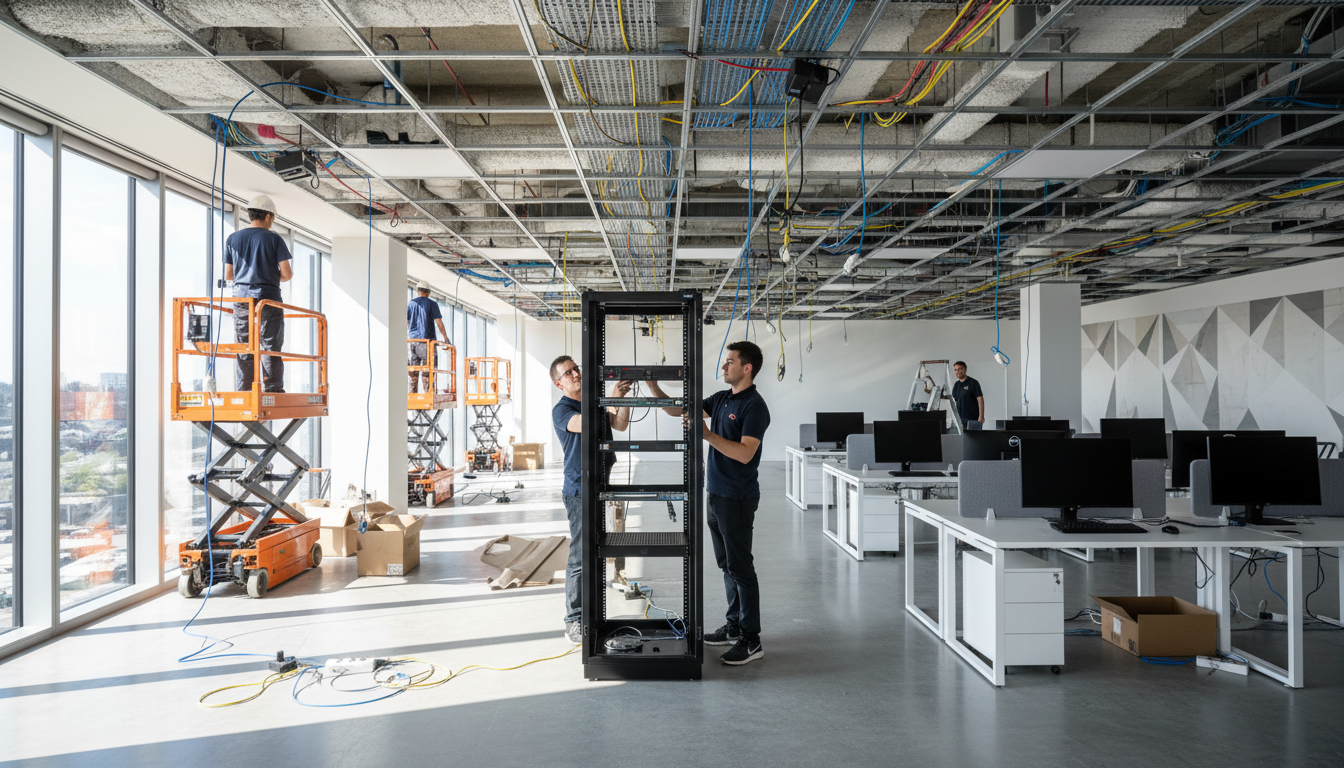
Moving into a new office is one of the most exciting milestones for any growing business. It signals progress, ambition, and a fresh chapter. But behind the buzz of choosing furniture and planning the layout lies a far more consequential task: setting up your IT infrastructure correctly from day one.
Get it right, and your team will hit the ground running with fast, reliable technology that scales alongside your business. Get it wrong, and you could face weeks of disruption, spiralling costs, and security vulnerabilities that put your entire operation at risk.
This guide walks you through every stage of planning, building, and optimising the IT infrastructure in your new office - whether you're a 10-person startup moving out of a co-working space or a 200-person firm relocating to a larger premises. Written specifically for UK businesses, we cover everything from structured cabling and network design to cloud services, cybersecurity, and ongoing management.
Why IT Infrastructure Planning Must Come First
Too many businesses treat IT as an afterthought during an office move. The lease is signed, the interior designer is briefed, desks are ordered - and then someone asks, “What about the internet?” By that point, you’re already behind schedule.
IT infrastructure isn’t just plugging in a router and hoping for the best. It encompasses your entire technology ecosystem: the physical cabling running through walls and ceilings, the network switches and wireless access points distributing connectivity, the servers or cloud services hosting your applications, the security systems protecting your data, and the telephony platforms keeping you connected to clients and colleagues.
Each of these components has dependencies on the others, and many require long lead times. A leased line from a UK provider like BT, Virgin Media Business, or CityFibre can take 60 to 90 working days to install. Structured cabling needs to be completed before walls are plastered and floors are laid. Server rooms require dedicated power supplies, cooling systems, and fire suppression that must be factored into the building’s mechanical and electrical design.
Your IT infrastructure should be designed and installed in parallel with - or even ahead of - your office fit-out. Cabling, power distribution, and network hardware all need to be in place before partition walls go up and carpet tiles go down. Retrofitting cabling after a fit-out is completed typically costs 3–5 times more than doing it during construction.
Phase 1: Assessment and Planning (3–6 Months Before Move)
The planning phase is where the success or failure of your IT infrastructure is determined. Rushing through this stage is the single biggest mistake businesses make. Here’s what needs to happen.
Audit Your Current IT Environment
Before you can plan what your new office needs, you need to understand exactly what you have today. Conduct a thorough audit covering:
- Hardware inventory: Every desktop, laptop, monitor, printer, scanner, server, switch, router, access point, UPS, and peripheral device. Note the age, condition, warranty status, and whether each item will be moved, replaced, or decommissioned.
- Software and licensing: Document all software in use, licence types (perpetual, subscription, site-based, device-based), and any location-specific restrictions in your agreements.
- Network architecture: Map your current network topology including VLANs, subnets, firewall rules, VPN configurations, and bandwidth usage patterns.
- Cloud services: List every cloud platform, SaaS application, and third-party service your business relies on, along with account ownership and integration dependencies.
- Telephony: Document your current phone system - whether it’s traditional ISDN, SIP trunks, or a cloud-hosted VoIP platform - including numbers, call routing rules, and any contractual obligations.
- Data and compliance: Identify where sensitive data resides, what regulatory requirements apply (GDPR, industry-specific regulations), and any data residency obligations.
Define Your Requirements
With a clear picture of your current state, define what your new office needs to support - not just today, but for the next 3 to 5 years. Key questions include:
- How many staff will the office accommodate at full capacity?
- Will you adopt hot-desking, fixed desks, or a hybrid model?
- What are your bandwidth requirements for day-to-day operations?
- Do you need on-premises servers, or can everything move to the cloud?
- What meeting room technology do you need (video conferencing, digital signage, room booking)?
- Are there any specialist IT requirements (design studios, trading floors, laboratories)?
- What level of redundancy and business continuity do you require?
Survey the New Premises
Before signing a lease or committing to a fit-out, have an IT professional survey the building. They should assess:
| Survey Area | What to Check | Common Issues |
|---|---|---|
| Incoming connectivity | Fibre availability, duct routes, BT chamber access | No fibre to building; blocked or collapsed ducts |
| Existing cabling | Cat5e/Cat6/Cat6a runs, patch panels, cable condition | Outdated Cat5 cabling; unlabelled or damaged runs |
| Power supply | Total available capacity, distribution boards, UPS provision | Insufficient power for server room or high-density areas |
| Comms room / server room | Size, cooling, power, fire suppression, physical security | No dedicated comms room; shared with building plant |
| Wireless coverage | Building construction materials, floor plate dimensions, interference sources | Thick walls blocking signal; metal-framed partitions |
| Building management | Landlord restrictions, permitted works, shared risers | Restrictions on cabling routes; shared internet provision |
If your new office doesn’t already have a fibre connection, you’ll need to order a leased line. In the UK, this typically requires a wayleave agreement - permission from the landlord and potentially neighbouring property owners for the provider to install cabling. Wayleave disputes are one of the most common causes of leased line delays, sometimes adding months to the installation timeline. Start this process as early as possible and involve your landlord from the outset.
Phase 2: Design and Procurement (2–4 Months Before Move)
Network Design
Your network is the backbone of everything. A well-designed network provides fast, reliable connectivity to every user and device whilst maintaining security and enabling easy management. Here are the core components to plan.
Internet connectivity: For most UK SMEs, we recommend a dedicated leased line as your primary connection. Unlike broadband, a leased line provides symmetrical speeds (equal upload and download), guaranteed bandwidth, and a service level agreement (SLA) with defined fix times. Typical costs for UK leased lines range from £200 to £600 per month depending on bandwidth and location. Consider a secondary connection (such as a business-grade FTTC or 5G backup) for resilience.
Core switching: Invest in enterprise-grade managed switches rather than consumer-grade unmanaged switches. Managed switches give you VLAN segmentation, Quality of Service (QoS) for voice traffic, port security, and detailed monitoring. For a typical SME, a Layer 3 core switch with PoE+ capability to power your wireless access points and IP phones is the foundation.
Wireless infrastructure: Consumer Wi-Fi routers have no place in a business environment. Deploy enterprise wireless access points (from manufacturers like Ubiquiti, Cisco Meraki, Aruba, or Ruckus) with centralised management. Conduct a professional wireless survey to determine the optimal number and placement of access points based on your building’s construction, floor plan, and expected device density.
Structured Cabling
Structured cabling is the physical foundation of your network. Despite the growth of wireless technology, wired connections remain essential for desktops, VoIP phones, printers, access points, CCTV cameras, and meeting room equipment. A properly installed structured cabling system should last 15 to 20 years, long outliving the active equipment connected to it.
For new installations in 2026, we strongly recommend Cat6a cabling as the standard. Cat6a supports 10 Gigabit Ethernet over the full 100-metre channel length, providing ample headroom for future bandwidth growth. While Cat6 is adequate for current Gigabit Ethernet needs, the incremental cost of Cat6a (typically 15–20% more) is a worthwhile investment given the 15+ year lifespan of a cabling installation.
Key cabling considerations:
- Double drops: Install two data points per desk position - one for the PC and one for a VoIP phone or secondary device. Adding outlets later is far more expensive than installing them upfront.
- Floor boxes vs. perimeter trunking: For open-plan areas, floor boxes provide the most flexible desk positioning. Perimeter trunking works well for offices with fixed desk layouts against walls.
- Wireless access point locations: Run cabling to ceiling-mounted positions for each access point, typically one per 50–80 square metres depending on density requirements.
- Meeting rooms: Each meeting room needs data, power, and often HDMI or USB-C connectivity for displays. Plan ceiling connections for projectors or large screens.
- Testing and certification: Insist on full Fluke testing and certification of every cable run. Certified results confirm that each link meets the Cat6a standard end-to-end and provide a warranty-backed guarantee of performance.
Server Room and Comms Room Setup
Even businesses that have moved heavily to the cloud will typically need a comms room (also called an IDF or MDF) to house network switches, patch panels, firewalls, UPS systems, and the incoming internet connection. If you run on-premises servers, this becomes a full server room with additional requirements.
Essential comms room specifications:
- Dedicated, lockable room: Not a cupboard, not under the stairs, not shared with the cleaner’s supplies. Physical security is non-negotiable.
- Climate control: A split air conditioning unit rated for the heat output of your equipment. Servers and switches generate significant heat; an overheating comms room is one of the most common causes of IT outages.
- Power: Dedicated circuits from the building’s distribution board, ideally on a separate phase from general office power. Install a rack-mounted UPS to protect against power cuts and provide clean power.
- Fire suppression: For rooms with servers, consider a gas-based fire suppression system (such as FM-200 or Novec 1230) that extinguishes fires without damaging equipment.
- Cable management: Vertical and horizontal cable management within racks, overhead cable trays, and proper labelling throughout.
- Environmental monitoring: Temperature, humidity, and water leak sensors with alerting to your IT team or managed service provider.
Phase 3: Cloud vs. On-Premises - Making the Right Choice
One of the most consequential decisions you’ll make during your office setup is how much of your IT infrastructure should live on-premises versus in the cloud. There’s no one-size-fits-all answer - the right approach depends on your business type, regulatory environment, budget, and growth plans.
Cloud-First Approach
- Lower upfront capital expenditure - pay monthly
- Scales instantly as your business grows
- Accessible from anywhere - ideal for hybrid working
- Automatic updates and security patches
- Built-in redundancy and disaster recovery
- Reduced on-premises hardware and maintenance
- Typical monthly cost: £30–£80 per user
On-Premises Approach
- Higher upfront cost but lower long-term TCO for large teams
- Full control over data location and access
- Not dependent on internet connectivity
- May be required for certain regulatory compliance
- Better performance for large local file operations
- Requires dedicated IT staff or managed services
- Typical server cost: £3,000–£15,000+ upfront
For most UK SMEs in 2026, a cloud-first, hybrid approach delivers the best balance. This typically means Microsoft 365 or Google Workspace for email and productivity, cloud-hosted line-of-business applications where available, cloud-based VoIP for telephony, and minimal on-premises infrastructure limited to networking equipment, local backup appliances, and any specialist hardware your business requires.
Microsoft 365 for UK Businesses
Microsoft 365 Business Premium remains the gold standard for UK SMEs, providing Exchange Online for email, SharePoint and OneDrive for file storage, Teams for collaboration and meetings, and a comprehensive security suite including Intune device management, Defender for Office 365, and Azure AD conditional access policies. At approximately £16.60 per user per month (as of early 2026), it consolidates what would previously have required multiple on-premises servers and separate security products.
VoIP and Business Telephony
If you’re setting up a new office, there is absolutely no reason to install a traditional phone system. Cloud-hosted VoIP platforms like Microsoft Teams Phone, 8x8, RingCentral, or 3CX provide enterprise-grade telephony with far greater flexibility and lower costs than legacy systems.
Key benefits of cloud telephony for your new office:
- No physical phone system hardware to purchase or maintain
- Port your existing business numbers seamlessly
- Staff can make and receive calls from desk phones, mobiles, or laptops
- Advanced features like auto-attendants, call queues, and call recording included
- Simple to add or remove users as your team changes
- Typically £8–£20 per user per month including UK calling
Phase 4: Cybersecurity - Building Security In, Not Bolting It On
A new office is a rare opportunity to build security into your infrastructure from the ground up rather than retrofitting it later. With UK businesses facing an average of 10 cyber attacks per day (according to the UK Government’s Cyber Security Breaches Survey), security must be a foundational element of your IT setup, not an afterthought.
Essential Security Layers
Next-generation firewall: Deploy a business-grade firewall (such as Fortinet FortiGate, SonicWall, or WatchGuard) at your network perimeter. These provide stateful packet inspection, intrusion prevention (IPS), web filtering, application control, and VPN termination. A basic appliance suitable for a 50-user office typically costs £800–£2,500 plus annual licensing for security services.
Network segmentation: Use VLANs to separate your network into logical segments - corporate devices, guest Wi-Fi, VoIP phones, CCTV, and IoT devices should all be on isolated network segments with controlled access between them.
Endpoint protection: Deploy a modern endpoint detection and response (EDR) solution on every device. Traditional antivirus is no longer sufficient against today’s threats. Solutions like Microsoft Defender for Business, CrowdStrike, or SentinelOne provide real-time threat detection, automated response, and forensic investigation capabilities.
Multi-factor authentication (MFA): Enforce MFA on every account, every application, without exception. This single measure prevents the vast majority of account compromise attacks. Microsoft Authenticator, Google Authenticator, or hardware keys like YubiKey are all suitable options.
Email security: Layer additional email security on top of your cloud provider’s built-in protection. Advanced threat protection services scan attachments in sandboxed environments, rewrite URLs to check them at click time, and use AI to detect business email compromise attempts.
Backup and disaster recovery: Follow the 3-2-1 backup rule: three copies of your data, on two different media types, with one copy offsite. For cloud-first businesses, this means backing up your Microsoft 365 or Google Workspace data to a third-party backup service (the cloud providers’ built-in retention is not a substitute for proper backup), plus regular snapshots of any on-premises systems.
| Security Layer | Solution Examples | Typical Cost (50 users) | Priority |
|---|---|---|---|
| Next-gen firewall | FortiGate, SonicWall, WatchGuard | £1,200–£3,000/year | Critical |
| Endpoint protection (EDR) | Defender for Business, CrowdStrike | £2,400–£6,000/year | Critical |
| Email security | Mimecast, Proofpoint, Barracuda | £1,800–£4,500/year | Critical |
| Cloud backup | Veeam, Datto, Acronis | £1,200–£3,600/year | Critical |
| Security awareness training | KnowBe4, Proofpoint SAT | £1,000–£2,500/year | High |
| Password manager | 1Password Business, Keeper | £1,500–£3,000/year | High |
| Vulnerability scanning | Qualys, Nessus, Intruder | £1,000–£4,000/year | Medium |
Cyber Essentials Certification
If your business doesn’t already hold Cyber Essentials certification, your office move is the perfect time to achieve it. Cyber Essentials is a UK Government-backed scheme that demonstrates your business meets a baseline of cybersecurity hygiene. Many UK organisations, particularly those tendering for government contracts, now require their suppliers to hold Cyber Essentials certification. The certification process costs from £300 for Cyber Essentials to £1,500+ for Cyber Essentials Plus (which includes independent testing).
Phase 5: The Move Itself - Execution and Cutover
With your new infrastructure designed, procured, and installed, the move itself requires meticulous planning to minimise disruption to your business. The goal is to keep downtime as close to zero as possible.
Recommended Move Timeline
For most businesses, we recommend a phased approach rather than a “big bang” migration:
Minimising Downtime
The most effective strategy for minimising downtime during an office move is to run parallel systems. Have your new internet connection and core network operational at the new office before the move date. If you’re using cloud services, your team can work from the new office immediately - they simply need their laptop, a desk, and an internet connection.
For on-premises servers, plan the migration for a weekend or bank holiday. Take full backups before shutting down production servers, transport them securely (not in the boot of someone’s car), and have your IT team on-site at both locations to manage the cutover. Test every critical system before declaring the migration complete.
If you’re running public-facing services, remember that changing your internet connection means changing your public IP address. Update DNS records in advance (lower the TTL to 300 seconds a week before the move, then update the records and restore the TTL afterwards). Ensure any IP-based access control lists (ACLs) at third-party services are updated with your new IP range. Forgetting this step is a surprisingly common cause of post-move disruption.
Phase 6: Meeting Room Technology
Meeting room technology has become one of the most critical aspects of office IT infrastructure. With hybrid working now the norm across UK businesses, every meeting room needs to support seamless video conferencing for remote participants.
At minimum, each meeting room should have:
- A large display (55” minimum for small rooms, 65–75” for larger rooms, or a dual-screen setup)
- A dedicated video conferencing system (Microsoft Teams Rooms, Zoom Rooms, or equivalent)
- Quality audio - a soundbar or ceiling microphone array, not laptop speakers
- Wireless presentation capability (for ad-hoc screen sharing without cables)
- A room booking system integrated with your calendar platform
| Room Type | Capacity | Recommended Setup | Budget Range |
|---|---|---|---|
| Huddle space | 2–4 people | 32–43” display, Teams/Zoom bar device | £1,500–£3,000 |
| Small meeting room | 4–8 people | 55” display, video bar, table microphone | £3,000–£6,000 |
| Medium meeting room | 8–16 people | 65–75” display, PTZ camera, ceiling mics | £6,000–£12,000 |
| Boardroom | 16–24 people | Dual 75” displays, multiple cameras, ceiling mic array | £12,000–£25,000 |
| All-hands / town hall | 25+ people | Projector or LED wall, PA system, multiple cameras | £20,000–£50,000+ |
Phase 7: Budgeting for Your New Office IT
Understanding the full cost of IT infrastructure for a new office helps you avoid nasty surprises and make informed decisions about where to invest and where to economise. Here is a realistic breakdown for a typical 50-person UK office.
In total, a 50-person office should budget between £58,000 and £137,000 for IT infrastructure capital costs, depending on the scale and complexity of the setup. Ongoing monthly costs for connectivity, cloud services, security subscriptions, and managed IT support typically run between £4,000 and £10,000 per month.
Many businesses prefer to structure IT costs as operational expenditure (OpEx) rather than capital expenditure (CapEx). Leasing hardware, subscribing to cloud services, and engaging a managed IT provider converts large upfront investments into predictable monthly costs. This approach is particularly attractive for businesses wanting to preserve cash flow or those with investors who prefer to see recurring costs rather than large capital outlay. Speak to your accountant about the tax implications - the UK’s Annual Investment Allowance (AIA) can make CapEx purchases tax-efficient too.
Phase 8: Ongoing Management and Support
Your IT infrastructure doesn’t stop needing attention once the move is complete. In fact, the first few weeks in a new office typically generate a surge of IT issues as staff adapt to new systems, overlooked configuration issues surface, and real-world usage patterns reveal bottlenecks that weren’t apparent during testing.
Managed IT Services vs. In-House IT
For most UK SMEs, a managed IT services partner provides better coverage, deeper expertise, and lower overall cost than hiring in-house IT staff. A managed service provider (MSP) like Cloudswitched gives you access to a full team of engineers, 24/7 monitoring, and strategic IT planning for a predictable monthly fee.
Managed IT Services (MSP)
- Access to a full team of specialists
- 24/7 monitoring and proactive maintenance
- Predictable monthly costs (£40–£100 per user/month)
- No recruitment, training, or absence cover challenges
- Strategic technology planning and roadmap
- Vendor management and procurement support
- Scalable - support grows with your business
In-House IT Team
- Dedicated resource with deep knowledge of your business
- Immediate physical presence on site
- Salary £35,000–£65,000+ per person plus NI, pension, benefits
- Single points of failure - holidays, sickness, resignation
- Limited breadth of expertise (one person can’t know everything)
- Recruitment difficulties in competitive UK IT market
- No cover outside office hours without additional hires
What Ongoing IT Management Should Include
Whether you use an MSP or have an in-house team, these activities should be happening regularly after your office setup:
- Patch management: Firmware updates for firewalls, switches, and access points; OS and application updates for all devices.
- Backup monitoring: Daily verification that backups are completing successfully and periodic test restores.
- Security monitoring: Review of firewall logs, endpoint alerts, and email security reports.
- Performance monitoring: Network bandwidth utilisation, internet throughput, wireless client density, and application response times.
- User support: Help desk for day-to-day issues like printer problems, application errors, and new starter setup.
- Quarterly reviews: Strategic review meetings to assess performance, plan improvements, and align IT with business objectives.
- Annual penetration testing: External vulnerability assessment and penetration test to verify your security posture.
Common Mistakes to Avoid
After helping hundreds of UK businesses set up their new office IT, we see the same mistakes repeated. Here are the most costly ones and how to avoid them:
| Mistake | Consequence | How to Avoid It |
|---|---|---|
| Ordering internet too late | No connectivity on move day; weeks of using 4G dongles | Order leased line 90+ days before move date |
| Using existing old cabling | Intermittent network faults, slow speeds, no warranty | Test and certify all existing cabling; replace if substandard |
| Skipping the wireless survey | Dead zones, dropped connections, poor video call quality | Commission a professional predictive wireless survey |
| No UPS protection | Equipment damage and data loss from power issues | Install UPS for all network and server equipment |
| Ignoring scalability | Expensive rip-and-replace within 2–3 years | Design for 150% of current capacity from the start |
| No backup internet connection | Complete business standstill if primary line fails | Install a secondary connection with automatic failover |
| Treating security as optional | Data breaches, regulatory fines, reputational damage | Build security into the design from day one |
Your New Office IT Checklist
Use this checklist to ensure nothing falls through the cracks during your office IT setup:
- 3–6 months before: Complete IT audit, define requirements, survey new premises, order leased line
- 2–3 months before: Finalise network design, procure hardware, engage cabling contractor
- 1–2 months before: Install cabling and comms room, commission network hardware, configure firewall
- 2–4 weeks before: Deploy wireless, telephony, and meeting room systems; begin parallel running
- 1 week before: Full end-to-end testing, DNS changes, staff communication
- Move weekend: Physical move, server migration, cutover
- Week 1 after: On-site IT support, issue resolution, user acceptance testing
- Month 1 after: Performance review, fine-tuning, documentation update
How Cloudswitched Can Help
At Cloudswitched, we specialise in designing, building, and managing IT infrastructure for UK businesses. We’ve guided organisations of all sizes through office moves - from 10-person startups to 500-person enterprises - and we understand the unique challenges of getting IT right in a new space.
Our office IT setup service covers every aspect outlined in this guide: from initial site surveys and network design through to cabling installation, hardware deployment, security configuration, and ongoing managed support. We work alongside your fit-out contractors, landlord, and telecoms providers to ensure everything comes together on time and on budget.
Whether you’re planning a move in the next few months or exploring options for the future, we’re here to help you build an IT infrastructure that your business can rely on.
Planning a New Office? Let’s Talk IT Infrastructure
Our team has delivered hundreds of successful office IT projects across the UK. From site surveys and network design to full deployment and ongoing support, we handle everything so you can focus on running your business. Get in touch for a free, no-obligation consultation.
GET IN TOUCH
CloudSwitched
London-based managed IT services provider offering support, cloud solutions and cybersecurity for SMEs.


