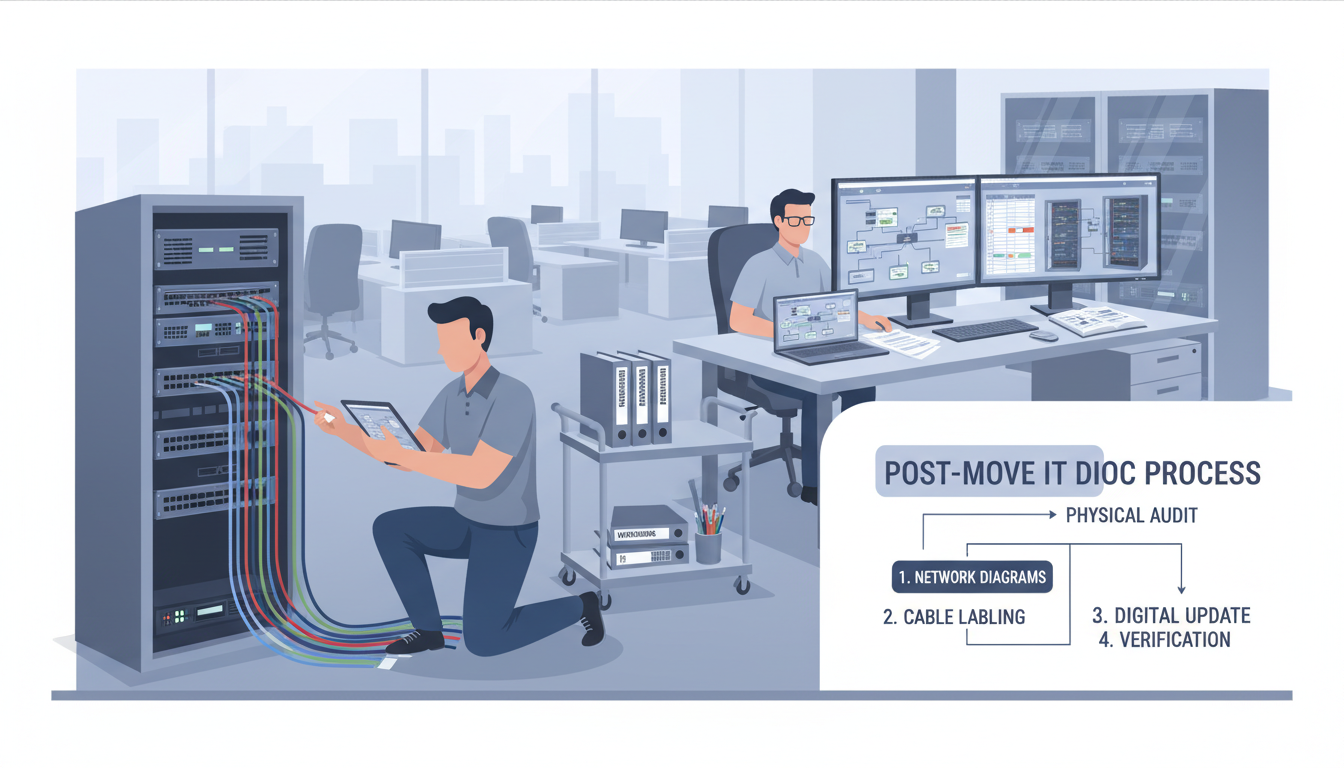
An office move is one of the most complex projects any business can undertake, and from an IT perspective, the work does not end when the last desk is in place and the internet is connected. One of the most frequently overlooked tasks after an office relocation is updating your IT documentation. This might sound administrative and dull compared to the excitement of a new workspace, but neglecting it creates serious risks that can affect your business for months or even years to come.
Accurate IT documentation is the foundation of effective IT management. It tells your support team what equipment you have, where it is located, how your network is configured, what software licences you hold, and how your systems connect to each other. When this documentation is out of date - which it inevitably becomes after a move - your IT team is essentially flying blind. Troubleshooting takes longer, security gaps go unnoticed, and disaster recovery becomes unreliable.
This guide walks you through every aspect of IT documentation that needs to be reviewed and updated after an office move, with practical checklists and priorities to help you get it done efficiently.
Why IT Documentation Matters More Than You Think
Before diving into the specifics, it is worth understanding why IT documentation deserves your attention. Many business owners and office managers view it as a chore that benefits only the IT department, but the reality is that good documentation protects the entire organisation.
When your IT documentation is accurate and up to date, your IT support team can resolve issues faster because they know exactly what equipment and software is in use and how it is configured. Disaster recovery is reliable because backup procedures reference correct server names, IP addresses, and recovery locations. Security audits are straightforward because you can quickly demonstrate what systems you have and how they are protected. Compliance with regulations such as GDPR is easier to maintain because you can show where data is stored and how it flows through your organisation. Budgeting and planning are more accurate because you have a clear picture of your technology estate, including age, warranty status, and replacement timelines.
After an office move, almost every element of your IT documentation will have changed to some degree. Network configurations are different, physical locations of equipment have changed, cabling runs are new, and even seemingly minor details like printer IP addresses and Wi-Fi access point positions will have shifted. Failing to update this documentation is like moving house and not updating your address - eventually, something important will go to the wrong place.
Research from the IT Service Management Forum (itSMF) suggests that IT engineers spend an average of 35% of their time searching for information that should be readily available in documentation. After an office move, this figure can rise to over 50% as engineers encounter unfamiliar configurations and undocumented changes. For a UK SME paying £450 per day for IT support, that translates to over £225 per day in wasted productivity - a cost that accumulates rapidly over the weeks and months following a relocation.
Network Documentation
Network documentation is arguably the most critical category to update after an office move, because your entire network infrastructure will have changed. Even if you have moved your existing equipment, it will be configured differently in the new space.
Network Topology Diagrams
Your network topology diagram shows how all your network devices - switches, routers, firewalls, wireless access points, and servers - connect to each other and to the internet. After a move, this diagram must be redrawn to reflect the new layout. Include the physical locations of all network equipment, the connections between devices (including cable types and port numbers), VLAN assignments, IP address schemes for each subnet, and the internet connection entry point and ISP details.
IP Address Management
If your new office uses a different IP addressing scheme - which is common, especially if you have changed internet service providers - every static IP assignment must be documented. This includes servers, printers, network-attached storage devices, CCTV systems, access control panels, and any other device with a fixed IP address. DHCP scopes should also be documented, including the range of addresses allocated, the lease duration, and any reservations.
Wi-Fi Documentation
Your wireless network configuration will almost certainly be different in the new office. Document the location of every wireless access point, the SSIDs broadcast by each, the security settings (WPA3 is now the recommended standard), channel assignments, and any guest network configurations. If you conducted a wireless site survey before the move - which we strongly recommend - include the results in your documentation.
| Documentation Area | Key Items to Update | Priority | Typical Timeframe |
|---|---|---|---|
| Network topology | Diagrams, connections, VLANs, subnets | Critical | Week 1 |
| IP address management | Static IPs, DHCP scopes, reservations | Critical | Week 1 |
| Wi-Fi configuration | AP locations, SSIDs, channels, security | High | Week 1 |
| Firewall rules | Inbound/outbound rules, NAT, VPN config | Critical | Week 1 |
| Server documentation | Physical location, specs, roles, backups | High | Week 1-2 |
| Asset inventory | All hardware, serial numbers, locations | High | Week 2 |
| Software licences | Licence keys, assignments, renewal dates | Medium | Week 2-3 |
| User guides | Printer setup, Wi-Fi instructions, contacts | Medium | Week 2-3 |
| Disaster recovery plan | Recovery procedures, contacts, locations | Critical | Week 1-2 |
| Vendor contacts | ISP, support contracts, account numbers | Medium | Week 2 |
Hardware Asset Inventory
An office move is the perfect opportunity to conduct a complete hardware audit. Every device should be accounted for, and the asset inventory should be updated to reflect new locations, any equipment that was retired during the move, and any new equipment that was purchased for the new office.
Your hardware asset inventory should include, for each device: the device type and model, serial number, purchase date and warranty expiry, assigned user or location, operating system and version, network name and IP address (if applicable), and any peripherals connected to it. Pay particular attention to equipment that may have been moved to different floors, departments, or rooms. A laptop that was in Meeting Room A at the old office might now live permanently on a hot desk on the second floor - and your documentation needs to reflect that.
Cabling Documentation
If your new office has structured cabling - and most modern UK offices do - you should have a complete cabling schedule that maps every network point to the corresponding port on your patch panel and switch. This documentation is invaluable when troubleshooting connectivity issues and is often provided by the cabling contractor as part of the installation. If you do not have it, request it immediately. Every network port should be labelled consistently, both at the wall outlet and at the patch panel, using a clear numbering scheme.
Physical Equipment Locations
After the move, create or update a floor plan showing the exact location of every significant piece of IT equipment. This includes server racks, network switches, wireless access points, printers, CCTV recorders, UPS units, and any other infrastructure devices. For each item, record the room name or number, the position within the room (which rack, which shelf, which desk), and the power socket and circuit it is connected to. This documentation is invaluable not only for day-to-day management but also for disaster recovery planning, insurance purposes, and facilities management coordination.
Do not overlook equipment that sits outside traditional IT spaces. Many modern offices have wireless access points mounted on ceilings, network switches in under-floor voids or above ceiling tiles, and environmental monitoring sensors in locations that are not immediately obvious. If these devices are not documented, they will eventually be forgotten - and a forgotten access point is both a security vulnerability and a maintenance liability. Include photographs of equipment locations wherever possible, as a visual reference is often more useful than a written description when an engineer needs to locate a specific device quickly.
Software and Licence Documentation
An office move sometimes involves changes to software - perhaps you have upgraded to a new version of your accounting package, switched email providers, or adopted new collaboration tools as part of the transition. All software changes should be documented, including the software name and version, licence type and key, the number of licences owned versus the number in use, the renewal date, and the vendor contact details.
Cloud Service Inventory
In addition to traditional software installed on local machines, most businesses now rely on a significant number of cloud-based services. An office move is the ideal time to compile a complete inventory of every cloud service your organisation uses, including the service name and provider, the subscription tier and cost, the number of user licences, the account owner and administrator credentials, the data stored within the service, and the integration points with other systems. Many organisations are surprised to discover the extent of their cloud footprint when they conduct this audit - it is not uncommon for a mid-sized business to be using thirty or more cloud services, some of which were adopted by individual departments without central IT oversight.
Whilst cloud services are not directly affected by a physical office move in the way that on-premise systems are, the move may trigger changes that impact your cloud environment. A new internet connection with a different public IP address may require updates to IP-based access restrictions on cloud services. Changed internal IP ranges may affect VPN configurations that provide secure access to cloud platforms. DNS changes during the transition may temporarily disrupt authentication flows that rely on domain verification. Documenting your cloud service inventory ensures these dependencies are identified and managed proactively rather than discovered when something stops working.
Additionally, check that all software licence agreements are still valid for your new location. Some enterprise software licences are tied to specific sites or geographic locations, and moving offices may require you to update your licence terms. This is particularly relevant for UK organisations that have relocated from one jurisdiction to another - for example, moving from England to Scotland - as some regulatory requirements may differ.
Disaster Recovery and Business Continuity
Your disaster recovery (DR) plan is only as good as the information it contains. After a move, critical elements of your DR plan will be outdated, and relying on the old plan during an actual disaster could have severe consequences.
Key elements to update include: the location of backup servers and storage media, network recovery procedures (which will reference new IP addresses and configurations), contact lists for key personnel (phone numbers may have changed if you have a new phone system), alternate site arrangements (the old office was probably your alternate site - what is it now?), and recovery time objectives that may need revision based on new infrastructure capabilities.
Testing Your Updated DR Plan
Updating the documentation alone is not sufficient - you must test the updated disaster recovery plan to confirm it works in the context of your new office environment. Schedule a tabletop exercise within the first month after the move, walking through your most critical recovery scenarios step by step. Does the team know where the backup media is stored in the new building? Can they access the server room outside business hours? Do the emergency contact numbers still work? Are the recovery procedures accurate with the new network configuration? These questions can only be answered through testing, and the answers frequently reveal gaps that would be catastrophic during an actual disaster.
Consider conducting a partial technical recovery test as well, restoring a non-critical system from backup to verify that the entire recovery chain functions correctly in the new environment. This tests not just the backup media integrity but also the network connectivity, the DNS resolution, the authentication systems, and all the other infrastructure components that must be functioning for a recovery to succeed. A recovery plan that has been tested in the new office provides genuine confidence; a plan that has merely been updated on paper provides only the illusion of preparedness.
Documentation Updated After Move
- Issues resolved in minutes with accurate reference
- Disaster recovery tested and validated
- GDPR compliance easily demonstrated
- New staff onboarded quickly with clear guides
- IT budgeting accurate and forward-looking
- Security audit passes without issues
- Vendor relationships managed smoothly
Documentation Left Outdated
- Troubleshooting takes hours instead of minutes
- Disaster recovery fails when needed most
- GDPR compliance gaps create ICO risk
- New staff struggle with undocumented systems
- Unexpected costs from forgotten renewals
- Security audit reveals unknown vulnerabilities
- Vendor disputes over incorrect account details
Creating a Documentation Update Schedule
Trying to update everything at once is overwhelming and impractical. Instead, create a structured schedule that prioritises the most critical documentation first and works through the remaining items over a period of two to four weeks after the move.
During the first week, focus on network documentation, firewall configurations, and disaster recovery plans - these are the elements that matter most if something goes wrong. In the second week, tackle hardware inventory, server documentation, and IP address management. During weeks three and four, address software licences, user guides, vendor contacts, and any remaining items. By the end of the fourth week, your documentation should be fully up to date and ready to support your operations in the new office.
Assign clear ownership for each documentation area. The network engineer should own network documentation. The IT manager should own the asset inventory and licence register. The service desk lead should own user-facing guides and procedures. When everyone knows what they are responsible for, the work gets done. When nobody is assigned, it does not.
Using the Move as a Documentation Reset
Rather than viewing post-move documentation as a burden, consider reframing it as a strategic opportunity. Most organisations accumulate years of documentation debt - outdated procedures, inaccurate diagrams, missing configuration records, and inherited documentation from previous IT providers that nobody has verified. An office move provides a natural reset point where you can build your documentation from scratch, creating a clean, accurate, and comprehensive record of your technology environment as it exists today.
Take this opportunity to standardise your documentation format and establish clear maintenance procedures going forward. Define templates for each documentation category, set review schedules (quarterly for critical documentation, annually for lower-priority items), and build documentation updates into your change management process so that every significant IT change is accompanied by a corresponding documentation update. The effort you invest in establishing good documentation habits now will pay dividends for years to come, reducing support costs, improving security, and ensuring that your IT environment remains manageable as your business grows and evolves in its new premises.
Tools for Managing IT Documentation
The days of maintaining IT documentation in spreadsheets and Word documents are - or should be - behind us. Modern documentation tools make it far easier to keep your records current, searchable, and accessible to the people who need them.
Popular documentation platforms used by UK IT teams include IT Glue, Hudu, and Confluence. These platforms allow you to create structured, searchable documentation with version history, access controls, and integrations with your other IT management tools. If you use a managed service provider, they will typically maintain documentation on your behalf using one of these platforms, but you should always have access to your own documentation and ensure you receive copies if the relationship ends.
For smaller organisations that cannot justify a dedicated documentation platform, Microsoft SharePoint or even a well-organised shared drive can work - the key is consistency and discipline. Create a clear folder structure, use standardised templates, and make documentation updates a regular part of your IT routine rather than a one-off project that only happens after a crisis.
Need Help With IT Documentation After Your Office Move?
Cloudswitched specialises in office move IT services for businesses across the United Kingdom. Our team handles everything from network configuration and cabling to comprehensive documentation updates, ensuring your new office is fully operational and properly documented from day one. Contact us to discuss your upcoming move.
Explore IT Office Move Services
CloudSwitched
London-based managed IT services provider offering support, cloud solutions and cybersecurity for SMEs.


