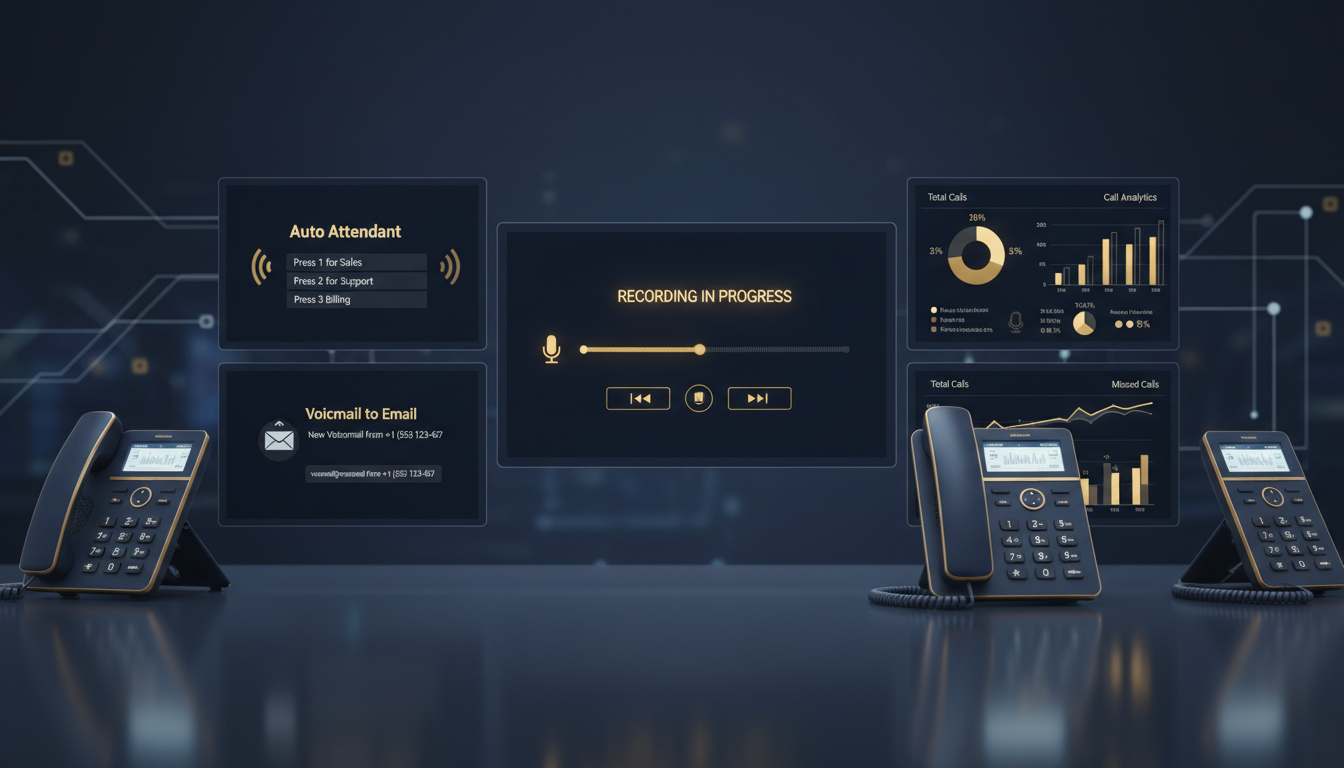
The moment your organisation selects a business phone line powered by VoIP, you unlock a catalogue of features that traditional landlines could never deliver. Call recording, auto attendants, intelligent call routing, voicemail-to-email transcription, real-time analytics - these are not premium add-ons reserved for enterprise budgets. They are standard capabilities baked into modern VoIP for office UK deployments, and understanding exactly what each feature does, how it works, and why it matters is the difference between a phone system that merely functions and one that actively drives revenue, compliance, and operational efficiency.
This guide is an exhaustive walkthrough of every major VoIP feature available to UK businesses in 2026. Whether you are a two-person consultancy in Edinburgh, a 200-seat contact centre in London, or a growing professional services firm evaluating a VoIP phone system Glasgow deployment, every section below is written to help you understand the practical, day-to-day impact of each feature - not just the marketing bullet point. We cover the legal landscape around call recording business UK, the architecture behind a robust auto attendant phone system, and every other feature that transforms a basic phone line into a genuine competitive advantage.
We are going to cover every feature in depth: call recording and UK legal compliance, auto attendant configuration, interactive voice response (IVR), voicemail-to-email, call queuing, real-time call analytics, CRM integration, presence and availability, hunt groups, ring groups, softphones, mobile apps, and the specific opportunities available in the Glasgow VoIP market. By the end, you will know precisely which features your organisation needs, which ones are nice-to-have, and how to deploy them without disrupting your daily operations.
Call Recording: The Foundation of Compliance and Quality
Call recording business UK is arguably the single most consequential feature available on a modern business phone line. It transforms your telephone system from a transient communication channel into a permanent, searchable record of every customer interaction, every verbal agreement, every complaint, and every training opportunity. For regulated industries - financial services, legal practices, healthcare providers, insurance brokers - call recording is not optional. It is a legal requirement enforced by the FCA, ICO, and sector-specific regulators.
But even for businesses with no regulatory obligation to record calls, the feature delivers extraordinary value. Sales managers can review calls to identify why certain representatives close deals at twice the rate of others. Customer service teams can use recordings to resolve disputes without he-said-she-said ambiguity. Training programmes become dramatically more effective when new staff can listen to real examples of excellent (and poor) customer interactions. And in the unfortunate event of a legal dispute, a recorded call is evidence that holds up in court - whereas a hastily scribbled note does not.
UK Legal Framework for Call Recording
Recording business calls in the UK is governed by three overlapping legal frameworks, and getting any one of them wrong can result in significant fines, reputational damage, or both. The first is the Telecommunications (Lawful Business Practice) (Interception of Communications) Regulations 2000 (commonly known as the LBP Regulations). These regulations permit businesses to record calls without the consent of the other party for specific purposes: ensuring compliance with regulatory procedures, establishing the existence of facts (such as verbal contracts), ascertaining standards of service, preventing or detecting crime, and ensuring the effective operation of the telecommunications system.
The second framework is the UK General Data Protection Regulation (UK GDPR) and the Data Protection Act 2018. Call recordings are personal data. This means your organisation must have a lawful basis for processing them, must inform data subjects that recording takes place (typically via an automated announcement at the start of the call), must store them securely, must not retain them longer than necessary, and must be able to provide copies to individuals who submit Subject Access Requests (SARs). Your privacy notice must explicitly reference call recording.
The third framework applies to regulated industries. FCA-regulated firms, for example, must record and retain all calls relating to transactions and the conclusion of agreements for a minimum of six months - and in some cases up to five years. The Markets in Financial Instruments Directive II (MiFID II) extends this to cover a broader range of communications. Failure to maintain adequate recordings can result in enforcement action, fines, and loss of authorisation.
Always configure your VoIP system to play a recording announcement before every call is recorded - even if LBP Regulations technically permit recording without consent for legitimate business purposes. The ICO has consistently taken the position that transparency is best practice, and failing to inform callers can trigger complaints that consume far more resources than a simple automated announcement. Most auto attendant phone system platforms allow you to insert a recording notification as the first step in your call flow.
How VoIP Call Recording Works Technically
Modern VoIP call recording operates at one of three levels. Server-side recording captures the audio stream at the cloud platform level - your provider's infrastructure intercepts and stores the audio as calls transit through their SIP servers. This is the most common approach for hosted VoIP and UCaaS platforms because it requires zero configuration on the end user's device. Every call, inbound and outbound, is captured automatically.
Client-side recording captures audio on the user's device - typically a softphone application running on a PC or laptop. This approach gives users manual control over which calls are recorded (useful for organisations that only record calls with explicit consent) but introduces risk: users can forget to press record, and if the device fails, the recording is lost.
Network-level recording uses port mirroring or session border controllers (SBCs) to capture SIP traffic at the network layer. This is more common in large on-premises deployments and is typically unnecessary for cloud-based VoIP for office UK systems.
Regardless of the method, recordings should be stored in encrypted format (AES-256 is the standard), accessible only to authorised personnel, and subject to automated retention policies that delete recordings after your defined retention period expires. The best platforms also provide full-text transcription powered by speech recognition, allowing you to search recordings by keyword - invaluable when you need to find a specific call among thousands.
| Recording Feature | Basic VoIP | Business VoIP | Enterprise UCaaS |
|---|---|---|---|
| Automatic call recording | Manual only | All calls, configurable | All calls + AI transcription |
| Storage duration | 30 days | 12 months | Unlimited / custom retention |
| Encryption at rest | None | AES-256 | AES-256 + customer-managed keys |
| Searchable transcriptions | ✗ | Basic keyword search | Full NLP-powered search + sentiment |
| FCA/MiFID II compliance | ✗ | ✓ With add-on | ✓ Built-in, auditable |
| SAR (Subject Access Request) export | Manual CSV | One-click export | Automated SAR workflow |
| Recording announcement | Manual greeting | Automated pre-call message | Multi-language, context-aware |
| Quality scoring | ✗ | Basic rating system | AI-powered quality analysis |
Auto Attendant: Your Always-On Digital Receptionist
An auto attendant phone system is the feature that separates a professional business from one that sounds like it is run from a kitchen table. When a customer rings your business phone line, the auto attendant greets them with a professional recorded message and presents a menu of options - "Press 1 for Sales, Press 2 for Support, Press 3 for Accounts" - that routes the call to the correct department or individual without requiring a human receptionist to answer and manually transfer the call.
The impact is immediate and measurable. A well-configured auto attendant eliminates the cost of a dedicated receptionist (£22,000–£28,000 per year in most UK cities), ensures calls are answered on the first ring even during lunch breaks and holidays, and projects an image of professionalism that influences how customers perceive your organisation. Research consistently shows that callers form judgements about a business within the first seven seconds of a phone interaction - and a polished auto attendant greeting creates a dramatically better first impression than an unanswered phone ringing into voicemail.
Single-Level vs Multi-Level Auto Attendant
A single-level auto attendant presents one menu with a fixed set of options. This is sufficient for most small businesses with straightforward departmental structures. A multi-level (or nested) auto attendant allows callers to navigate through multiple layers of menus - for example, pressing 2 for Support, then choosing between Technical Support, Billing Support, or Product Returns. Multi-level attendants are essential for larger organisations with complex departmental structures, but they must be designed carefully to avoid frustrating callers with excessive menu depth. The golden rule: no caller should ever need to navigate more than three menu levels to reach a human being.
Time-Based and Conditional Routing
Modern auto attendant phone system platforms support sophisticated conditional logic. During business hours (say, 09:00–17:30 Monday to Friday), calls route through the standard menu. Outside business hours, a different greeting plays - "Thank you for calling. Our offices are currently closed. Please leave a message and we will return your call on the next working day" - and calls route to voicemail or an out-of-hours emergency number.
But time-based routing is just the beginning. Holiday calendars ensure that bank holidays and company-specific closure days trigger appropriate greetings. Geographic routing can direct calls to different offices based on the caller's area code. VIP routing can recognise specific inbound numbers (your top 20 clients, perhaps) and skip the menu entirely, connecting them directly to their account manager. Skills-based routing can match callers to the agent best qualified to handle their query based on the options they selected.
Best Practices for Auto Attendant Configuration
The most common mistake businesses make with their auto attendant is treating it as an afterthought. A poorly designed menu - too many options, confusing language, no option to speak to a human - will drive callers away. Here are the principles that Cloudswitched applies when configuring auto attendants for UK businesses:
First, limit your main menu to four or five options. Cognitive research shows that callers struggle to remember more than five choices presented verbally. If you need more granularity, use a multi-level structure rather than cramming eight options into the top level. Second, always include a "Press 0 to speak to a person" option. Some callers - particularly older demographics - become frustrated by automated menus and will simply hang up if they cannot reach a human. Third, place the most commonly selected option first. If 60% of your calls are for Sales, make Sales option 1. Fourth, keep each greeting under 30 seconds. Callers who must wait through a 90-second corporate message before hearing menu options will abandon the call. Fifth, re-record your greetings professionally at least once a year to keep them current - stale greetings that reference "our new opening hours" from 2024 undermine credibility.
Record your auto attendant greetings in a quiet environment using a professional voiceover artist - or at minimum, the most articulate person in your organisation reading from a carefully written script. Avoid recording in an open-plan office where background noise will bleed into the audio. Most VoIP providers allow you to upload pre-recorded WAV or MP3 files directly through their admin portal, so you can prepare the perfect greeting at your leisure rather than recording it live through a phone handset.
Interactive Voice Response (IVR): Beyond Simple Menus
While an auto attendant routes calls based on keypad selections, a full Interactive Voice Response (IVR) system takes interaction to a fundamentally different level. IVR systems can collect data from callers - account numbers, order references, dates of birth, postcodes - process that data against backend databases in real time, and either provide information automatically (account balances, delivery status, appointment confirmations) or use the collected data to route the call to the most appropriate agent with full context already on their screen.
The distinction matters for any organisation that handles high call volumes. A basic auto attendant says "Press 1 for Accounts." An IVR says "Please enter your account number followed by the hash key," looks up the account, determines that the caller has an outstanding invoice, and routes the call to the billing team with the caller's account details, payment history, and outstanding balance already displayed on the agent's screen before they even pick up. The result: faster call resolution, fewer transfers, and a dramatically better customer experience.
For UK businesses operating VoIP for office UK systems, IVR capabilities are typically available as a standard feature on business-tier plans or as a modestly priced add-on. The key architectural components are a call flow designer (usually a visual drag-and-drop interface in your provider's admin portal), database integration (connecting the IVR to your CRM, ERP, or custom database), and text-to-speech or pre-recorded prompts for each step in the flow.
Speech Recognition and Conversational IVR
The most advanced IVR systems in 2026 use natural language processing (NLP) to allow callers to speak naturally rather than pressing buttons. Instead of "Press 1 for Sales," the system says "How can I help you today?" and the caller responds "I'd like to check on my order." The NLP engine interprets the intent, extracts relevant entities (like an order number if mentioned), and routes the call accordingly.
Conversational IVR is particularly effective for businesses with complex routing needs or diverse customer queries. It eliminates the frustration of navigating nested menus and can handle a wider range of requests in a single interaction. However, it requires careful tuning - the NLP model must be trained on your specific domain vocabulary, and you must define robust fallback paths for queries the system cannot understand. A conversational IVR that frequently misinterprets callers is worse than a well-designed keypad menu.
Voicemail-to-Email: Never Miss a Message Again
Voicemail-to-email is one of those VoIP features that sounds simple but has a transformative effect on how your team handles communications. When a caller leaves a voicemail, the system automatically converts the audio message into an email - complete with the audio file as an attachment and, on better platforms, a full text transcription of the message - and delivers it to the recipient's inbox within seconds.
The practical impact is significant. Without voicemail-to-email, checking messages requires dialling into a voicemail system, entering a PIN, and listening to messages sequentially. This is slow, inconvenient, and almost impossible to do efficiently when you are in a meeting, travelling, or working remotely. With voicemail-to-email, messages arrive in the same inbox you are already monitoring throughout the day. You can scan the transcription, assess urgency, and respond appropriately - all without picking up a phone.
For businesses using a VoIP phone system Glasgow or anywhere else in the UK, voicemail-to-email also creates a searchable archive of every message received. Need to find that voicemail from a supplier three weeks ago where they quoted a price? Search your email. Need to forward a voicemail to a colleague? Forward the email. Need to save a voicemail as evidence in a dispute? It is already a file in your email system, automatically backed up by your email provider's infrastructure.
Advanced implementations go further. Voicemail-to-text transcription means you can read the gist of a message in seconds without listening to the audio. Priority detection can flag urgent-sounding voicemails (based on keywords like "urgent," "complaint," or "deadline") and route them to a priority inbox or trigger a mobile notification. Integration with your CRM can automatically log voicemails against the correct customer record based on caller ID matching.
Call Queuing: Managing High Volume Without Losing Callers
Call queuing is essential for any business that receives more simultaneous inbound calls than it has available agents to answer them. Rather than presenting callers with a busy signal or immediately diverting them to voicemail, a call queue holds them in line, plays hold music or periodic announcements ("Your call is important to us. You are currently number three in the queue and your estimated wait time is two minutes"), and connects them to the next available agent in order.
The feature is standard on virtually every VoIP for office UK platform, but the sophistication of the implementation varies enormously. Basic queues simply hold calls in first-in-first-out (FIFO) order. Advanced queues support priority levels (VIP customers jump the queue), skills-based routing (callers needing technical support are only routed to technically qualified agents), weighted distribution (experienced agents receive a higher proportion of calls), and overflow rules (if the queue exceeds 10 callers or 5 minutes wait time, route to a backup team or external overflow service).
Queue management also includes the caller's experience while waiting. The best systems alternate between hold music and informational messages at configurable intervals - for example, playing 30 seconds of music, then a message about your new product offering, then more music, then an announcement about your website's self-service portal. This turns dead wait time into a marketing opportunity while also reducing perceived wait duration (callers perceive varied content as shorter than continuous hold music).
Callback Queuing
One of the most valuable modern queue features is callback queuing (sometimes called virtual queuing). Instead of holding the line, the system offers callers the option to hang up and receive an automatic callback when an agent becomes available - preserving their position in the queue. The caller goes about their day, and their phone rings when it is their turn. This dramatically improves caller satisfaction, reduces abandoned calls, and lowers your telephony costs (you are not paying for the duration the caller would have spent on hold).
Call Analytics and Reporting: Data-Driven Telephony
Call analytics transform your business phone line from a communication tool into a source of business intelligence. Every call generates data: duration, wait time, time to answer, outcome (answered, missed, abandoned, voicemail), caller number, destination extension, time of day, day of week. Aggregated and visualised, this data reveals patterns that are invisible to anyone simply answering the phone day by day.
The most immediate application is staffing optimisation. Call volume analytics show you exactly when your busiest periods occur - perhaps Monday mornings between 09:00 and 11:00, or the last Thursday of every month when invoices go out. Armed with this data, you can schedule additional staff during peak periods and reduce staffing during quiet times. For businesses operating a VoIP phone system Glasgow or any UK city, this alone can justify the investment in a feature-rich VoIP platform.
Beyond staffing, call analytics reveal sales performance (which representatives convert the highest percentage of inbound enquiries?), customer service quality (what is your average time to answer, and how does it compare to your SLA targets?), marketing effectiveness (which campaigns are generating inbound calls, and from which geographic areas?), and system health (are there patterns of dropped calls, poor audio quality, or failed transfers that indicate a technical problem?).
Real-Time Dashboards vs Historical Reports
Real-time dashboards display live data: how many calls are currently in the queue, how many agents are available, what is the longest current wait time, how many calls have been answered versus missed in the current hour. These dashboards are typically displayed on wall-mounted screens in contact centres, giving supervisors instant visibility into current performance and enabling them to react quickly to emerging problems (for example, pulling agents from email duty onto the phones when the queue spikes).
Historical reports aggregate data over time - daily, weekly, monthly, quarterly - and present trends, averages, and comparisons. They are the basis for strategic decisions: do we need to hire another team member? Is our customer service improving or declining? Are we meeting our SLA commitments? Which office location handles the most calls per agent?
| Analytics Metric | What It Measures | Business Impact | Target Benchmark |
|---|---|---|---|
| Average Speed of Answer (ASA) | Mean time from call entering queue to agent answering | Customer satisfaction, abandonment rate | < 20 seconds |
| First Call Resolution (FCR) | Percentage of calls resolved without callback or transfer | Efficiency, customer effort score | > 75% |
| Abandonment Rate | Percentage of queued calls where caller hangs up before answer | Revenue loss, customer frustration | < 5% |
| Average Handle Time (AHT) | Total call duration including hold and wrap-up time | Agent productivity, staffing needs | 3–6 minutes |
| Service Level | Percentage of calls answered within target time (e.g., 80/20) | SLA compliance, operational planning | 80% in 20 seconds |
| Call Transfer Rate | Percentage of calls transferred to another agent or department | Routing effectiveness, training needs | < 15% |
| Peak Hour Volume | Busiest hour by call count across the week | Staffing schedules, overflow planning | Varies by business |
| After-Hours Call Volume | Calls received outside business hours | Auto attendant effectiveness, out-of-hours coverage | Monitor and adapt |
CRM Integration: Connecting Calls to Customer Context
CRM integration is the feature that bridges the gap between your telephone system and your customer database. When a call comes in, the VoIP system looks up the caller's number in your CRM (Salesforce, HubSpot, Microsoft Dynamics, Zoho, Pipedrive, or virtually any modern platform), retrieves the customer record, and displays it on the agent's screen - either as a pop-up window or embedded directly in the CRM interface - before they even answer the phone.
This is not a cosmetic convenience. It fundamentally changes the quality of every customer interaction. Without CRM integration, the agent answers the call, asks the caller to identify themselves, manually searches for their record, and then begins addressing their query - a process that typically adds 30–60 seconds to every call and forces the customer to repeat information they have already provided in previous interactions. With CRM integration, the agent greets the caller by name, sees their purchase history, open support tickets, recent emails, and notes from previous calls - all before saying "Good morning."
The integration works bidirectionally. Inbound calls trigger screen pops and automatic call logging. Outbound calls can be initiated directly from the CRM - clicking a phone number in a customer record launches the call through the VoIP system. Call outcomes, notes, and recordings are automatically logged against the customer record. This eliminates the manual data entry that agents despise and that managers cannot reliably enforce.
Integration Depth: Click-to-Call vs Deep Integration
Not all CRM integrations are equal. At the basic level, you get click-to-call functionality (clicking a phone number in your CRM initiates a call) and manual call logging. At the intermediate level, you get automatic screen pops for inbound calls and automatic call log creation. At the advanced level, you get full workflow automation - calls trigger CRM workflows (for example, a missed call from a prospect automatically creates a follow-up task assigned to their account manager), call recordings are attached to the customer record, AI-powered call summaries are generated and logged, and CRM data influences call routing (high-value customers are routed to senior agents).
For UK businesses evaluating VoIP for office UK solutions, the depth of CRM integration should be a primary selection criterion. The efficiency gains compound over time: a 45-second saving per call multiplied by 50 calls per agent per day multiplied by 250 working days per year equals 156 hours of agent time saved per year per agent. That is the equivalent of an additional month of productive work time.
When evaluating VoIP providers for CRM integration, test the integration with your actual CRM instance rather than relying on marketing materials. Some providers advertise "Salesforce integration" but deliver only basic click-to-call, while others provide deep, bidirectional sync with custom field mapping, workflow triggers, and embedded diallers. Ask to see a live demonstration with your CRM during the evaluation process - not a generic demo environment.
Presence and Availability Management
Presence is a feature that displays the real-time availability status of every user in your organisation - available, on a call, in a meeting, away, do not disturb, offline. It sounds simple, but it solves one of the most persistent productivity drains in any multi-person business: the blind transfer. Without presence information, an agent transferring a call to a colleague has no idea whether that colleague is at their desk, on another call, in a meeting, or on holiday. The result: failed transfers, calls bouncing back to the queue, and frustrated customers who have already explained their issue once.
With presence, the agent can see at a glance that their colleague is available before transferring. If the colleague is busy, the agent can see when they are expected to become available, or can identify an alternative colleague who is free. For businesses using Microsoft Teams, Slack, or similar collaboration platforms alongside their business phone line, VoIP presence integration ensures that your phone status and your chat status are synchronised - setting yourself to "Do Not Disturb" in Teams automatically sets your phone to DND, and vice versa.
Presence also feeds into intelligent call routing. If a caller selects a specific extension but that user is marked as unavailable, the system can automatically offer alternatives: "That extension is currently busy. Would you like to hold, leave a voicemail, or be transferred to another team member?" This dynamic routing eliminates dead ends and ensures callers are never left in limbo.
Hunt Groups and Ring Groups: Ensuring Every Call Gets Answered
Hunt groups and ring groups are closely related features that determine how incoming calls are distributed across a team of users. Understanding the distinction - and choosing the right configuration - is critical for any business that receives calls intended for a department rather than a specific individual.
Ring Groups
A ring group causes all phones in the group to ring simultaneously when a call comes in for that group's number. The first person to pick up gets the call. This is ideal for small teams where any member can handle any call - for example, a sales team of three people sharing a single sales line. The advantage is speed: the call is answered by whoever is available first. The disadvantage is that it provides no load balancing - if one team member is faster at picking up than the others, they may end up handling a disproportionate share of calls.
Hunt Groups
A hunt group distributes calls according to a defined algorithm. The most common patterns are:
Sequential (Linear) Hunt: The system calls each member in a fixed order. Extension 101 rings first; if unanswered after four rings, extension 102 rings; then 103, and so on. This ensures a predictable escalation path and is common in businesses where a primary contact should handle calls whenever possible, with others serving as backup.
Round Robin: Each new call starts with the next member in the rotation. The first call goes to extension 101, the next to 102, then 103, then back to 101. This provides fair call distribution across the team.
Longest Idle: The call is routed to the agent who has been idle (not on a call) for the longest time. This produces the most even call distribution based on actual workload and is the preferred model for contact centres.
Weighted: Calls are distributed according to assigned weights - a senior agent might be assigned 40% of calls while two junior agents each receive 30%. This is useful for teams with varying experience levels.
Ring Group
Hunt Group
Softphones and Mobile Apps: Your Office Phone, Everywhere
A softphone is a software application that turns any computer, tablet, or smartphone into a fully functional business phone. It connects to your VoIP system over the internet, presenting the user with a familiar dial pad interface, call controls (hold, transfer, mute, conference), access to the company directory, voicemail, call history, and - critically - the same business phone line number and extension they use in the office. To the caller, there is no perceptible difference between reaching someone on a desk phone in the office and reaching them on a softphone in a coffee shop.
For UK businesses in 2026, softphones have moved from a nice-to-have remote working tool to a core component of the telephone system. The hybrid working model that became standard following the pandemic means that on any given day, a significant proportion of your team may be working from home, a co-working space, a client site, or in transit. Without softphones, these team members are effectively unreachable on the business phone system unless they divert their extension to a mobile number - which incurs mobile call charges, exposes personal mobile numbers, and loses all the advanced features (recording, CRM integration, call routing) that make your VoIP system valuable.
Desktop vs Mobile Softphones
Desktop softphones run on Windows or macOS and are optimised for use with a headset at a desk. They typically offer the richest feature set: full CRM integration, video calling, screen sharing, team messaging, presence indicators, and the ability to manage complex call flows (multi-party conferences, attended transfers, call parking). For office-based and home-based workers, a desktop softphone with a quality headset provides call quality that matches or exceeds a traditional desk phone.
Mobile softphone apps run on iOS and Android and are designed for users on the move. They connect over Wi-Fi or mobile data (4G/5G), presenting the user's business number as the outbound caller ID and routing inbound calls to the app. Battery optimisation, push notifications for incoming calls, and seamless handoff between Wi-Fi and cellular data are critical considerations when evaluating mobile softphone quality. The best apps also support features like call recording, voicemail transcription, and CRM screen pops - though the smaller screen necessarily limits the richness of the interface compared to a desktop client.
Increasingly, VoIP for office UK providers are converging desktop and mobile apps into a single unified client - one application that adapts its interface based on the device, maintaining the same account, presence status, call history, and messaging across all devices simultaneously. This convergence eliminates the friction of managing separate applications and ensures a consistent experience regardless of where and how the user is working.
The Glasgow VoIP Market: Local Considerations for Scottish Businesses
Glasgow is Scotland's largest city and commercial capital, home to over 12,000 registered businesses spanning financial services, technology, creative industries, manufacturing, legal services, and a rapidly growing start-up ecosystem. The VoIP phone system Glasgow market has specific characteristics that businesses should understand when selecting a provider and configuring their system.
Internet infrastructure in Glasgow is generally excellent. CityFibre's full-fibre network covers a substantial portion of the city, and Virgin Media's cable network provides widespread gigabit connectivity. BT's Openreach FTTP rollout is progressing through the city centre and surrounding suburbs. For VoIP, which requires minimal bandwidth per call (approximately 100kbps per concurrent call for HD audio), Glasgow businesses typically have more than sufficient connectivity. However, businesses in some outlying areas of Greater Glasgow - parts of East Dunbartonshire, Renfrewshire, and South Lanarkshire - may still rely on FTTC connections with lower upload speeds, which can affect call quality when multiple concurrent calls are in progress.
The Glasgow business landscape has several sector-specific VoIP requirements. The city's large legal sector (Glasgow is home to over 1,000 solicitor practices) needs call recording business UK compliance, secure client communications, and integration with legal practice management software like LEAP, Clio, or Osprey. Financial services firms concentrated in the IFSD (International Financial Services District) require FCA-compliant recording, MiFID II archiving, and rigorous data sovereignty guarantees. The creative and technology sectors in areas like Finnieston and the Merchant City prioritise collaboration features - video conferencing, screen sharing, team messaging - alongside traditional voice capabilities.
Local Glasgow Number Portability
Businesses moving to a VoIP system in Glasgow can port their existing 0141 numbers to any UK VoIP provider. Number portability is a regulatory right under Ofcom rules, and the porting process typically takes 5–10 working days. This is critical: changing your business telephone number means updating every piece of marketing material, website, business card, directory listing, and customer record. Number portability eliminates this disruption entirely - your callers continue to dial the same number, and calls are transparently routed through your new VoIP platform.
For businesses establishing a new Glasgow presence, VoIP makes geographic flexibility possible in ways that traditional telephony never could. A business physically located in Edinburgh, London, or anywhere else can operate a Glasgow 0141 number on their VoIP system, giving them a local presence in the city without a physical office. Conversely, a Glasgow-based business can add numbers for any UK area code - 020 for London, 0131 for Edinburgh, 0161 for Manchester - to present a national or multi-regional presence from a single Glasgow location.
Advanced Features: Conference Calling, Call Parking, and Whisper
Beyond the core features covered above, modern VoIP platforms offer a range of advanced capabilities that can significantly enhance how your team communicates. Conference calling allows multiple parties to join a single call - either ad-hoc (an agent adds a third party to an existing call) or scheduled (a dial-in bridge number that participants join at a set time). Most VoIP for office UK platforms support conferences of 10–50 participants as standard, with enterprise plans supporting hundreds.
Call parking is a feature that allows an agent to "park" an active call in a virtual holding area, where any other agent in the organisation can retrieve it. This is useful in scenarios where a call needs to be transferred to someone who is not at their desk - rather than performing a blind transfer that may go unanswered, the agent parks the call, announces it over the office messaging system ("Call for Dave on park slot 1"), and Dave picks it up from whatever phone is nearest. It is a modern equivalent of the "hold and page" system used in traditional PBX environments, but without the overhead of a public address system.
Call whisper and call barge are supervisory features used primarily in sales and contact centre environments. Call whisper allows a supervisor to speak to the agent during a live call without the customer hearing - coaching the agent in real time on how to handle a difficult objection, providing information the agent needs, or guiding a trainee through their first few calls. Call barge allows the supervisor to join the conversation, speaking to both the agent and the customer - useful for escalation scenarios where a senior staff member needs to take over a call. Both features require appropriate authorisation controls to prevent misuse.
Find Me / Follow Me
Find Me / Follow Me (sometimes called sequential ringing or personal ring rules) allows an individual user to define a sequence of devices that should ring when someone calls their extension. For example: ring the desk phone for four rings; if unanswered, ring the mobile app; if still unanswered after four more rings, ring the home phone; finally, send the caller to voicemail. The rules can be time-based (during office hours, ring the desk phone first; outside hours, ring the mobile only) and can be overridden manually when the user's schedule changes.
This feature is invaluable for businesses where staff move between locations - visiting client sites, working from home on certain days, or travelling for business. The caller simply dials one number and the system intelligently tracks down the user across their devices. Combined with the mobile softphone app discussed earlier, Find Me / Follow Me ensures that important calls reach the right person regardless of their physical location.
Implementing VoIP Features: A Phased Approach
One of the most common mistakes UK businesses make when deploying a new business phone line VoIP system is attempting to activate every feature simultaneously. The result is overwhelmed staff, misconfigured call flows, and a chaotic first week that sours the team's perception of the new system. A phased approach - activating features in stages based on priority and complexity - produces dramatically better outcomes.
Phase 1: Core Telephony (Week 1–2)
Port existing numbers, configure extensions, set up basic auto attendant with business hours routing, activate voicemail-to-email for all users, deploy desk phones and/or softphones. Goal: replicate existing functionality on the new platform with zero disruption to daily operations.
Phase 2: Team Features (Week 3–4)
Configure hunt groups and ring groups for each department, set up call queuing for customer-facing teams, implement presence management, activate Find Me / Follow Me for key staff. Goal: improve call distribution and ensure every inbound call reaches the right person.
Phase 3: Compliance and Recording (Week 5–6)
Enable call recording with appropriate legal announcements, configure retention policies aligned with regulatory requirements, set up encrypted storage and access controls, train staff on recording access and SAR procedures. Goal: achieve full compliance with UK data protection and sector-specific regulations.
Phase 4: Integration and Intelligence (Week 7–8)
Activate CRM integration with screen pop and automatic call logging, deploy call analytics dashboards, configure IVR with database lookups if required, enable AI transcription for call recordings. Goal: connect the phone system to your business processes and begin generating actionable data.
Phase 5: Optimisation (Month 3+)
Review call analytics to identify routing improvements, refine auto attendant menus based on actual caller behaviour, adjust queue overflow thresholds based on real data, expand softphone deployment to additional staff, evaluate advanced features (conversational IVR, AI call scoring) based on business needs. Goal: continuous improvement driven by data.
Feature-by-Feature Priority Matrix for UK Businesses
Not every VoIP feature is equally important for every business. A two-person consultancy has different priorities from a 200-seat contact centre. The following matrix maps features to business types, helping you prioritise your VoIP for office UK deployment based on your organisation's specific profile.
| Feature | Solo / Micro (1–5) | SME (6–50) | Mid-Market (51–250) | Enterprise (250+) |
|---|---|---|---|---|
| Auto attendant | Essential | Essential | Essential | Essential |
| Voicemail-to-email | Essential | Essential | Essential | Essential |
| Softphone / mobile app | Essential | Essential | Essential | Essential |
| Call recording | Recommended | Essential | Essential | Essential |
| Hunt groups / ring groups | Not needed | Essential | Essential | Essential |
| Call queuing | Not needed | Recommended | Essential | Essential |
| CRM integration | Nice to have | Recommended | Essential | Essential |
| Call analytics | Nice to have | Recommended | Essential | Essential |
| IVR with database lookup | Not needed | Nice to have | Recommended | Essential |
| Presence management | Not needed | Recommended | Essential | Essential |
| Conversational IVR (NLP) | Not needed | Not needed | Nice to have | Recommended |
| Call whisper / barge | Not needed | Not needed | Recommended | Essential |
| Callback queuing | Not needed | Nice to have | Recommended | Essential |
| AI transcription | Nice to have | Recommended | Essential | Essential |
Cost Considerations: What VoIP Features Actually Cost in the UK
One of the most attractive aspects of modern VoIP is that the vast majority of features discussed in this guide are included in standard business plans - you do not pay separately for auto attendant, voicemail-to-email, ring groups, or softphone apps. These are table-stakes features that every reputable UK provider includes from the base tier upward. The features that typically carry additional costs are call recording storage beyond the standard allocation, advanced IVR with database integration, AI-powered transcription and analytics, premium CRM integrations, and compliance-specific archiving for regulated industries.
For a typical UK SME deploying a VoIP phone system Glasgow or any other UK city, realistic monthly per-user costs in 2026 fall into the following bands: basic plans (auto attendant, voicemail-to-email, softphone, ring groups) range from £8 to £15 per user per month. Business plans adding call recording, analytics, CRM integration, and advanced queuing run £15 to £28 per user per month. Enterprise plans with AI features, compliance archiving, and custom IVR typically cost £25 to £45 per user per month. These prices include unlimited UK calling in most cases - a significant cost advantage over traditional systems where every outbound call carried a per-minute charge.
When calculating the total cost of ownership, factor in hardware costs (IP desk phones range from £50 for basic models to £350 for executive-grade devices with colour screens and Bluetooth - though softphones eliminate this cost entirely), implementation fees (reputable providers like Cloudswitched include professional setup, configuration, and training in the deployment), and the savings you will realise: elimination of line rental charges (£15–£25 per line per month on traditional systems), reduced or eliminated per-minute call charges, removal of maintenance contracts for on-premises hardware, and the productivity gains from features like CRM integration, presence, and analytics.
Security and Reliability: Protecting Your Business Communications
Any feature is only valuable if the underlying system is secure and reliable. VoIP systems face specific security threats that traditional phone lines did not: toll fraud (unauthorised parties making expensive international calls on your account), eavesdropping (intercepting unencrypted call data), denial of service attacks (flooding your SIP infrastructure to prevent legitimate calls), and vishing (voice phishing attacks targeting your staff).
A well-architected VoIP for office UK deployment mitigates these risks through multiple layers of defence. Transport Layer Security (TLS) encrypts the signalling channel (the SIP messages that set up, manage, and tear down calls). Secure Real-time Transport Protocol (SRTP) encrypts the media channel (the actual audio data). Together, these ensure that even if someone intercepts your network traffic, they cannot listen to your calls or manipulate your call routing.
Additional security measures include strong authentication (complex passwords and, ideally, multi-factor authentication for the admin portal), IP address whitelisting (restricting SIP registration to known IP addresses), intrusion detection systems that monitor for unusual call patterns (a sudden spike in international calls at 3:00 AM is an almost certain indicator of toll fraud), and regular security audits of your configuration.
Reliability is equally critical. Your business phone line must be available when customers call. Leading UK VoIP providers operate geo-redundant infrastructure - multiple data centres in different physical locations, with automatic failover if one data centre experiences an outage. Service level agreements (SLAs) should guarantee 99.99% uptime or better, which equates to less than 53 minutes of downtime per year. Ask about the provider's incident history, their disaster recovery procedures, and their monitoring capabilities - a provider that detects and resolves issues before customers notice them is fundamentally different from one that waits for complaint calls.
Choosing the Right Provider: What to Look For
With dozens of providers offering VoIP for office UK solutions, selecting the right partner requires systematic evaluation. The features themselves are important, but equally critical are the provider's support capabilities, their track record with businesses of your size and sector, and their ability to grow with you as your needs evolve.
Support responsiveness is a non-negotiable criterion. When your phone system has an issue at 09:00 on a Monday morning and customers cannot reach you, the difference between a provider that answers support calls in 60 seconds and one that takes 4 hours to respond to a ticket is the difference between a minor inconvenience and a business-impacting incident. Ask about support hours (24/7 or business hours only?), support channels (phone, email, live chat?), average response times, and escalation procedures. For businesses in Glasgow and Scotland, check whether the provider has local support staff or whether all support is routed through a centralised centre - local knowledge can be invaluable when troubleshooting connectivity issues that are specific to certain ISPs or geographic areas.
Training and onboarding quality directly affects adoption. The most feature-rich VoIP system in the world delivers zero value if your team does not know how to use it. Look for providers that include structured onboarding programmes - not just a link to a knowledge base, but live training sessions tailored to your specific configuration, role-based training (receptionist training is different from sales agent training is different from manager training), and follow-up sessions after the first month to address questions that arise from real-world usage.
Scalability matters even if you are small today. The provider you choose should be able to support you at 5 users, 50 users, and 500 users without requiring a platform migration. Ask about the maximum number of concurrent calls their platform supports, whether there are limits on the number of auto attendant menus, call queues, or ring groups you can configure, and what happens if you outgrow your current plan tier - is it a seamless upgrade or a disruptive migration?
Why Cloudswitched for Your UK VoIP Deployment
Cloudswitched is a London-based managed IT services provider specialising in VoIP and unified communications for UK businesses. We do not simply sell you a phone system and disappear - we design, deploy, configure, and manage your entire communications infrastructure, ensuring every feature discussed in this guide is correctly implemented, fully optimised, and actively maintained.
Our approach to VoIP phone system Glasgow and UK-wide deployments is rooted in understanding your business first. We begin with a thorough discovery process: how many users, what call volumes, which features are critical, what CRM and business systems you use, what regulatory requirements apply, and what your growth plans look like over the next 2–3 years. From this, we design a system architecture that meets your current needs with clear pathways for expansion.
We handle every aspect of the deployment: number porting, hardware procurement and pre-configuration, network assessment and optimisation, auto attendant phone system design and recording, hunt group and queue configuration, CRM integration, call recording business UK compliance setup, user training, and ongoing management. Our UK-based support team is available to resolve issues quickly, and our proactive monitoring detects and addresses problems before they affect your users.
Whether you are a five-person legal practice in Glasgow needing compliant call recording, a 50-person sales operation in London needing CRM-integrated dialling, or a 200-seat contact centre needing advanced IVR and analytics, Cloudswitched has the expertise, the platform partnerships, and the operational discipline to deliver a business phone line solution that works from day one and improves over time.
Ready to Transform Your Business Communications?
Speak with a Cloudswitched VoIP specialist to discover which features will deliver the greatest impact for your organisation. We offer free, no-obligation consultations for UK businesses of all sizes - from a two-person start-up to a multi-site enterprise. Let us show you what a properly configured VoIP system can do.
Frequently Asked Questions About VoIP Features
Is call recording legal in the UK without informing the caller?
Under the Lawful Business Practice Regulations 2000, UK businesses can record calls without the caller's consent for specific legitimate purposes including ensuring regulatory compliance, establishing facts, and monitoring service quality. However, the ICO strongly recommends informing callers that recording is taking place, and UK GDPR requires transparency about personal data processing. Best practice - and the approach Cloudswitched always recommends - is to play an automated recording announcement at the start of every call. This protects your organisation legally and builds caller trust.
How much bandwidth does a VoIP system need?
Each concurrent VoIP call requires approximately 85–100kbps of bandwidth using the G.711 codec (the standard for HD voice) in each direction. A 10-user office where a maximum of 5 calls might be active simultaneously needs approximately 500kbps (0.5Mbps) of dedicated bandwidth for voice. Most UK broadband connections provide far more than this. The critical factor is not total bandwidth but rather quality of service (QoS) - your network must be configured to prioritise voice traffic over other data to prevent jitter and packet loss, which cause audio quality degradation.
Can I keep my existing phone number when switching to VoIP?
Yes. Number portability is a regulatory right in the UK. You can port any existing geographic number (01/02 prefix), non-geographic number (03 prefix), or mobile number to a VoIP provider. The porting process typically takes 5–10 working days and is managed by your new provider. During the port, there is no downtime - calls continue to route to your existing system until the port completes, at which point they seamlessly switch to your new VoIP platform.
What happens to my VoIP phones if the internet goes down?
This is one of the most common concerns about VoIP, and modern systems have robust failover mechanisms. If your primary internet connection fails, most VoIP platforms automatically redirect inbound calls to pre-configured failover destinations - typically mobile phones or an alternative office location. Softphone apps on mobile devices continue to function over 4G/5G. Some providers offer 4G failover routers that automatically switch to cellular data when the primary broadband connection drops, maintaining desk phone functionality. For businesses where telephone availability is absolutely critical, Cloudswitched recommends a redundant internet connection (e.g., a primary fibre line with a 4G backup) as part of the overall system design.
How does auto attendant differ from IVR?
An auto attendant phone system presents callers with a menu of options (press 1, 2, 3) and routes the call based on their selection. An IVR (Interactive Voice Response) goes further: it collects data from callers (account numbers, order references), processes that data against backend databases, and can provide information or route calls based on the results. An auto attendant says "Press 1 for Sales." An IVR says "Please enter your account number" and then routes the call based on the account status. Most small businesses need only an auto attendant; businesses with higher call volumes or complex routing needs benefit from IVR.
Do I need physical desk phones, or can we use softphones only?
Many UK businesses are moving to softphone-only deployments, particularly those with hybrid or remote working models. A quality headset (£30–£80) paired with a desktop softphone application provides call quality equal to or better than a traditional desk phone. However, some users - particularly receptionists, front desk staff, and executives - prefer the tactile familiarity and dedicated functionality of a physical handset. The right approach depends on your team's preferences and work patterns. Most Cloudswitched deployments use a hybrid model: softphones for the majority of users, with desk phones for reception and shared areas like meeting rooms and kitchens.
The Future of VoIP Features: What Is Coming Next
VoIP feature development is accelerating rapidly, driven by advances in artificial intelligence, machine learning, and natural language processing. Several emerging capabilities are poised to become mainstream within the next 12–24 months, and understanding them now helps you choose a provider positioned to deliver them.
AI-Powered Real-Time Agent Assistance: During a live call, AI monitors the conversation and provides the agent with real-time suggestions - relevant knowledge base articles, recommended responses, objection handling scripts, and compliance reminders. This goes beyond post-call analysis to actively improve the quality of every conversation while it is happening.
Sentiment Analysis: AI analyses the caller's tone, word choice, and speech patterns in real time to detect frustration, satisfaction, or confusion. Supervisors receive alerts when sentiment drops below a threshold, enabling proactive intervention before a negative experience escalates into a complaint.
Automated Call Summaries: Instead of agents manually writing call notes after each interaction, AI generates structured summaries - key topics discussed, action items agreed, follow-up dates committed - and logs them automatically in the CRM. This saves agent time and produces more consistent, accurate records.
Predictive Analytics: Machine learning models analyse historical call data to predict future patterns - staffing needs for the coming week, likely call volumes during a marketing campaign, which customers are most likely to call about a specific issue. This moves telephony management from reactive to proactive.
Deeper Conversational IVR: Natural language understanding continues to improve, making conversational IVR systems more capable of handling complex, multi-turn interactions without human intervention. The aspiration is an IVR that can handle 60–70% of routine queries entirely autonomously, reserving human agents for complex cases that genuinely require human judgement.
For UK businesses deploying a business phone line today, the practical implication is clear: choose a provider with a demonstrated track record of feature innovation and a platform architecture that can incorporate AI capabilities as they mature. A VoIP system deployed in 2026 should be a platform that grows in capability over time, not a static system that requires replacement in three years.
Conclusion: Features That Drive Business Outcomes
The VoIP features covered in this guide - call recording business UK compliance, auto attendant phone system configuration, IVR, voicemail-to-email, call queuing, analytics, CRM integration, presence, hunt groups, ring groups, softphones, and mobile apps - are not abstract technology capabilities. They are tools that directly affect whether customers can reach you, how professional you sound when they do, how efficiently your team handles calls, and how much actionable intelligence you extract from your telephone activity.
The businesses that thrive in 2026 are those that treat their business phone line not as a utility to be tolerated but as a strategic asset to be optimised. Every missed call is a missed opportunity. Every poorly routed call wastes time. Every unrecorded call is compliance risk and lost training potential. Every call that lacks CRM context is a suboptimal customer experience.
Whether you are evaluating a VoIP phone system Glasgow deployment for the first time, considering an upgrade from a basic hosted solution, or looking to add specific features like call recording or IVR to your existing platform, the path to implementation is straightforward: understand which features matter most for your business, select a provider that delivers them reliably, and deploy them in a structured, phased manner that ensures adoption without disruption.
Cloudswitched is here to guide you through every step. From initial assessment to full deployment, from feature configuration to ongoing optimisation, we make VoIP work for UK businesses - simply, reliably, and with measurable impact on your bottom line.

CloudSwitched
London-based managed IT services provider offering support, cloud solutions and cybersecurity for SMEs.


