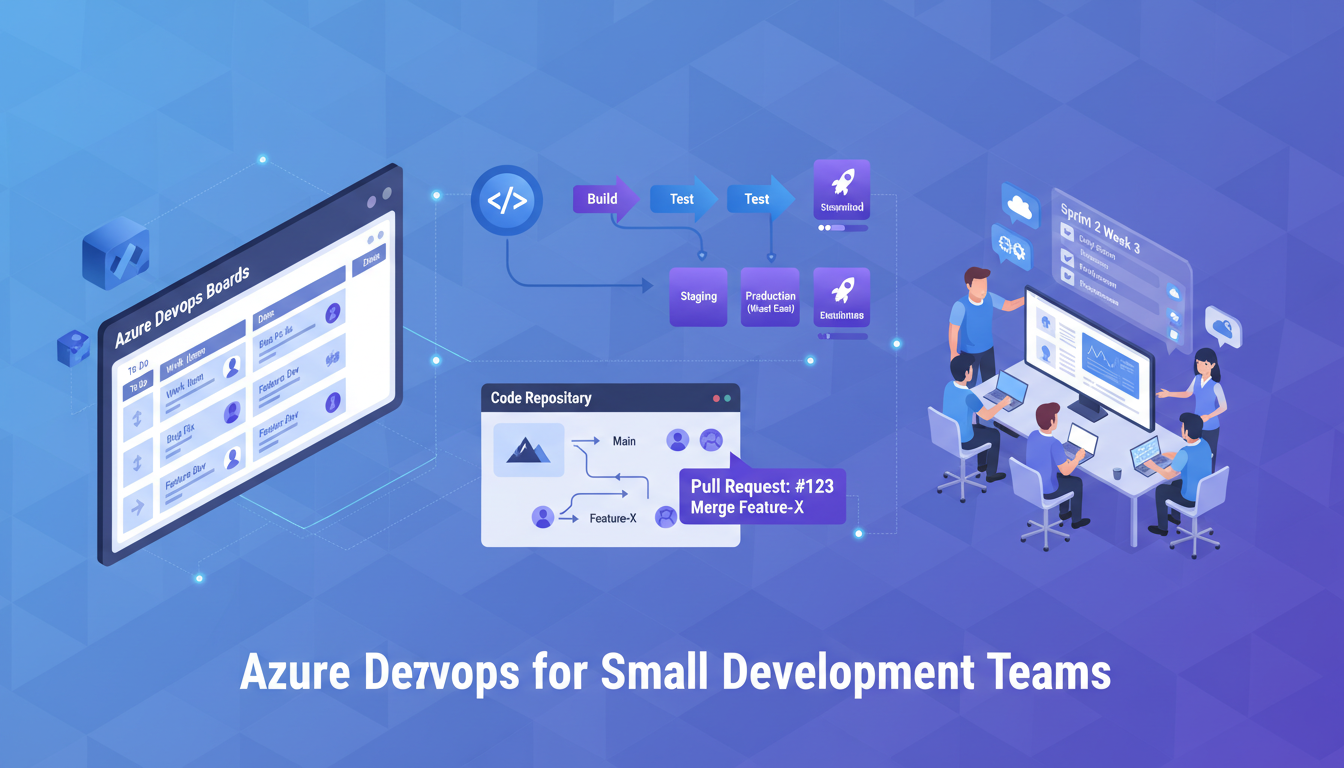
Azure DevOps is often perceived as an enterprise platform - a complex, heavyweight tool designed for large development teams with dedicated DevOps engineers and sprawling CI/CD pipelines. This perception, while understandable given Microsoft's enterprise heritage, is fundamentally wrong. Azure DevOps is one of the most accessible, cost-effective, and powerful development platforms available to small teams, and for UK-based development teams of two to fifteen people, it offers capabilities that can genuinely transform how you build, test, and deploy software.
The platform provides five integrated services - Azure Boards for work tracking, Azure Repos for source control, Azure Pipelines for CI/CD, Azure Test Plans for testing, and Azure Artifacts for package management - any of which can be adopted independently or used together as a complete development lifecycle platform. For small teams, this modularity is key: you can start with just the pieces you need and grow into the rest as your practices mature.
This guide is written specifically for small UK development teams - whether you are a startup in Shoreditch, an agency in Manchester, or a product team in Edinburgh - who want to adopt Azure DevOps without the enterprise overhead. We will cover practical setup, sensible workflows, and the configurations that deliver maximum value with minimum complexity.
Why Azure DevOps Makes Sense for Small Teams
Small development teams have different needs from enterprise teams, and they face different constraints. Budget is typically tighter, there is rarely a dedicated DevOps engineer, and the overhead of complex tooling can consume a disproportionate amount of a small team's capacity. Azure DevOps addresses these constraints in several important ways.
Generous Free Tier
Azure DevOps offers a genuinely useful free tier: up to five users with access to all services, unlimited private Git repositories, one free Microsoft-hosted CI/CD pipeline with 1,800 minutes per month, and 2 GiB of Azure Artifacts storage. For a small team, this is often sufficient to run your entire development operation without paying a penny. When you do need to scale beyond five users, additional users cost approximately £5 per month each - a fraction of what comparable platforms charge.
Single Platform, Integrated Experience
Small teams often cobble together a collection of separate tools - GitHub for code, Jira for tracking, Jenkins for CI, and a shared spreadsheet for test plans. Each tool requires its own setup, maintenance, and mental context switching. Azure DevOps provides all of these capabilities in a single integrated platform where work items link to code commits, commits trigger pipelines, pipeline results feed back to work items, and everything is visible in a unified dashboard. This integration eliminates the friction that costs small teams hours every week.
Microsoft Ecosystem Integration
For UK businesses already invested in the Microsoft ecosystem, using Microsoft 365 for email and collaboration, Azure for cloud infrastructure, or Dynamics 365 for CRM, Azure DevOps provides seamless integration that amplifies the value of your existing subscriptions. Single sign-on through Microsoft Entra ID means your team uses the same credentials across all Microsoft services, simplifying identity management and reducing the administrative burden of maintaining separate user accounts across multiple platforms.
Azure DevOps integrates directly with Microsoft Teams, enabling pipeline notifications, work item updates, and code review requests to appear in your team's collaboration channels. For small teams that already live in Teams throughout their working day, this means critical development events surface naturally without requiring team members to check a separate dashboard. The integration extends to Visual Studio and VS Code as well, allowing developers to manage work items, create pull requests, and trigger pipelines directly from their development environment.
Scaling Without Re-Platforming
One of the most significant advantages for small teams is that Azure DevOps scales with you. The platform that serves a three-person startup is the same platform used by organisations with thousands of developers. This means you will never face the disruptive and costly process of migrating to a more capable platform as your team grows. Your repositories, pipelines, work item history, and team processes carry forward seamlessly. For UK startups and growing businesses, this continuity is invaluable: you invest in learning and configuring a platform once, and it grows with you indefinitely.
Both are Microsoft products, and the choice depends on your context. Azure DevOps provides a more complete project management experience with Azure Boards, better integration with the wider Azure cloud ecosystem, and a more structured approach to work tracking and release management. GitHub excels at open-source collaboration, has a larger developer community, and offers GitHub Actions as a powerful CI/CD alternative. For small UK teams building commercial software - particularly those already using Azure or Microsoft 365 - Azure DevOps typically provides better out-of-the-box value. For teams contributing to or building open-source projects, GitHub is the natural choice.
Getting Started: A Practical Setup Guide
Setting up Azure DevOps for a small team should take less than a day. Here is a practical guide that avoids enterprise complexity while establishing solid foundations.
Create Your Organisation and Project
Navigate to dev.azure.com and sign in with your Microsoft account or create a new one. Create an organisation - this is your top-level container, typically named after your company. Within the organisation, create a project for each product or client engagement. For most small teams, a single project is sufficient to start with. Choose "Agile" as your process template - it provides a sensible set of work item types (Epics, Features, User Stories, Tasks, Bugs) without the ceremonial overhead of CMMI or the minimalism of Scrum.
Configure Azure Repos
Azure Repos supports Git natively, so if your team already uses Git, the transition is straightforward. Create your repository, set up branch policies that require at least one reviewer for pull requests to your main branch, and configure a sensible branching strategy. For small teams, we recommend a simplified trunk-based development approach: work on short-lived feature branches, create pull requests for review, and merge to main frequently. Avoid long-lived branches and complex branching models like GitFlow - they introduce unnecessary overhead for small teams.
Set Up Azure Boards
Azure Boards provides Kanban boards, sprint planning, and backlog management. For a small team, start with a simple Kanban board with columns for New, Active, In Review, and Done. As your process matures, you can add sprints, capacity planning, and more sophisticated workflows. The key is to start simple and add complexity only when it solves a real problem.
Connecting Work Items to Code
One of Azure Boards' most powerful features for small teams is the ability to link work items directly to code changes. When a developer creates a branch or makes a commit, they reference the work item ID (for example, prefixing a commit message with #1234), and Azure DevOps automatically creates a traceable link between the requirement and the code that implements it. This traceability is invaluable when investigating bugs, understanding why a particular change was made, or demonstrating compliance with audit requirements. For UK businesses operating in regulated sectors such as financial services or healthcare, this built-in traceability can significantly reduce the effort required to demonstrate development governance.
Azure Boards also supports customisable dashboards that provide at-a-glance visibility into your team's progress. For a small team, a dashboard showing the current sprint burndown, active pull requests, recent pipeline runs, and any critical bugs provides a comprehensive view of project health without requiring anyone to compile status reports manually. These dashboards can be shared with stakeholders, product owners, account managers, or clients, providing transparency without exposing sensitive technical details.
Migrating from Other Tools
If your team is currently using Jira, Trello, or another work tracking tool, Azure DevOps provides import utilities and APIs that can migrate your existing data. The transition need not be abrupt: many teams run both systems in parallel for a sprint or two whilst the team adjusts to the new workflow. For teams migrating from GitHub, Azure DevOps can import repositories including full commit history, branches, and tags. The key is to plan the migration during a natural break in your development cycle, such as between sprints or after a major release, to minimise disruption to ongoing work.
| Azure DevOps Service | What It Replaces | Setup Time | Small Team Value |
|---|---|---|---|
| Azure Boards | Jira, Trello, Monday.com, spreadsheets | 1-2 hours | High - integrated work tracking |
| Azure Repos | GitHub, Bitbucket, GitLab | 30 minutes | High - unlimited private repos, branch policies |
| Azure Pipelines | Jenkins, CircleCI, GitHub Actions | 2-4 hours | Very High - automated build and deploy |
| Azure Test Plans | TestRail, spreadsheets, ad-hoc testing | 1 hour | Medium - structured testing workflows |
| Azure Artifacts | npm registry, NuGet.org, private feeds | 30 minutes | Medium - private package hosting |
Azure Pipelines: CI/CD Without the Complexity
Azure Pipelines is where the real transformation happens for small teams. Continuous Integration and Continuous Deployment automate the build, test, and deployment of your code, eliminating manual steps, reducing errors, and enabling you to ship faster with greater confidence.
For small teams, we recommend starting with YAML pipelines rather than the classic visual editor. While the visual editor is easier to learn initially, YAML pipelines are stored alongside your code, version-controlled, reviewable in pull requests, and portable. A basic YAML pipeline that builds your application and runs unit tests on every push to main can be set up in under an hour.
As your confidence grows, extend the pipeline to deploy to Azure App Service, Azure Kubernetes Service, or any hosting environment. Azure Pipelines supports deployment to virtually any platform - not just Azure. You can deploy to AWS, on-premises servers, or any environment accessible via SSH or API.
Pipeline Templates and Reusability
As your pipeline configurations grow, Azure Pipelines supports templates that allow you to define common build and deployment steps once and reuse them across multiple pipelines. For a small agency managing several client projects, this means you can define a standard .NET build template, a standard Node.js deployment template, and a standard security scanning step, then compose project-specific pipelines from these reusable building blocks. This approach reduces duplication, ensures consistency, and means that improvements to a template automatically benefit every pipeline that uses it.
Azure Pipelines also integrates with a wide range of third-party services through its marketplace extensions. Need to run SonarQube code analysis? There is an extension for that. Want to deploy to Kubernetes? Built-in support. Need to notify your team via Slack rather than Teams? An extension handles it. The marketplace contains thousands of community-contributed and Microsoft-verified extensions, many of which are free, that extend the platform's capabilities without requiring custom scripting.
Managing Secrets and Service Connections
One area where small teams frequently make mistakes is the handling of secrets: database connection strings, API keys, deployment credentials, and similar sensitive values. Azure Pipelines provides variable groups and integration with Azure Key Vault specifically to address this. Secrets stored in pipeline variables are encrypted at rest, masked in logs, and accessible only to pipelines with explicit permissions. For small teams without dedicated security expertise, this built-in secret management provides a level of protection that would otherwise require significant effort to implement.
Service connections in Azure Pipelines define how your pipeline authenticates with external services for deployment. Rather than embedding credentials in your pipeline code, you create a service connection once, for example to your Azure subscription or an SSH-accessible server, and reference it by name in your pipelines. This centralised approach means that when credentials rotate, you update them in one place rather than across every pipeline, and it provides a clear audit trail of which pipelines have access to which environments.
Best Practices for Small Teams
Enterprise DevOps practices do not always translate directly to small teams. Here are the practices that deliver the most value when your team has fewer than 15 people.
Keep It Simple
Resist the temptation to implement every feature and practice simultaneously. Start with source control, add CI, then add CD, then add work tracking. Each step should solve a specific pain point. If you are not experiencing a problem, do not implement a solution for it yet.
Automate the Painful Things First
Identify the manual steps in your development process that are most error-prone, time-consuming, or frustrating, and automate those first. For most small teams, this means automated builds on every commit, automated deployment to a staging environment, and automated notifications when builds break. These three automations alone can save a small team 5-10 hours per week.
Use Pull Requests Consistently
Even in a two-person team, pull requests add value. They create a record of why changes were made, catch bugs before they reach production, share knowledge across the team, and establish a discipline that scales as your team grows. Configure branch policies to require at least one approval before merging to main, and treat code review as a learning opportunity rather than a gatekeeping exercise.
Documentation as Code
Small teams often struggle with documentation: there is never enough time, and written documents quickly become outdated. Azure DevOps supports a Wiki feature that integrates directly with your project, allowing you to create and maintain documentation alongside your code. Better still, the Wiki can be backed by a Git repository, meaning documentation changes are version-controlled, reviewable, and subject to the same quality standards as your code. For small UK teams building products or providing services to clients, maintaining up-to-date technical documentation in the project Wiki eliminates the common problem of knowledge being trapped in individuals' heads.
Consider documenting your architecture decisions, deployment procedures, on-call runbooks, and API specifications in the project Wiki. When a team member is on holiday or leaves the company, this documentation becomes invaluable. For small teams where every person holds critical knowledge, making that knowledge explicit and accessible is not optional: it is essential for business continuity.
Monitoring and Feedback Loops
DevOps is not just about deployment: it is about the entire feedback loop from code commit to production monitoring. Azure DevOps integrates with Azure Monitor and Application Insights to close this loop, enabling your team to see not just whether a deployment succeeded, but how it is performing in production. For small teams, configuring Application Insights in your application provides real-time performance telemetry, error tracking, and usage analytics without requiring a separate monitoring infrastructure.
When a production issue is detected, Azure DevOps can automatically create a work item linked to the relevant telemetry data, ensuring that bugs surfaced by monitoring flow directly into your development backlog. This automated feedback loop means that production issues are never lost in an email thread or forgotten in a chat message: they are tracked, prioritised, and resolved through the same workflow as all other development work.
Small Team DevOps Done Right
- Simple branching strategy (trunk-based)
- Automated CI/CD from day one
- Pull requests with peer review
- Kanban board for work visibility
- Infrastructure as Code for environments
- Incremental adoption - add complexity as needed
Common Small Team Anti-Patterns
- Complex branching models (GitFlow in a 3-person team)
- Manual builds and deployments
- Direct commits to main with no review
- Work tracked in heads, emails, and spreadsheets
- Manual server configuration with no documentation
- Attempting enterprise practices without enterprise resources
Security Considerations
Even small teams must take security seriously. Azure DevOps provides several security features that should be configured from the start. Enable multi-factor authentication for all team members through Microsoft Entra ID. Use service connections with minimal permissions for pipeline deployments. Store secrets in Azure Key Vault or pipeline variables marked as secret - never in code. Review and restrict project permissions so team members have only the access they need. Enable audit logging to track changes to project settings, permissions, and pipeline configurations.
For teams building applications that handle personal data subject to UK GDPR, Azure DevOps's compliance with ISO 27001, SOC 2, and the UK Government's Cloud Security Principles provides a solid foundation. Your code, work items, and pipeline data are stored in Microsoft's European data centres, ensuring UK data residency requirements can be met.
Implementing Security in Your Pipelines
Beyond platform-level security, small teams should embed security practices directly into their development pipelines. Azure Pipelines supports the integration of static application security testing (SAST) tools such as SonarQube, Checkmarx, and Microsoft's own Security DevOps extensions. These tools analyse your code for common vulnerabilities, including SQL injection, cross-site scripting, and insecure cryptographic usage, as part of every build, catching security issues before they reach production. For small teams that cannot afford dedicated security testing, automated pipeline security scanning provides a meaningful safety net.
Dependency scanning is another critical practice that is straightforward to implement in Azure Pipelines. Tools such as OWASP Dependency-Check and GitHub Advanced Security (which integrates with Azure DevOps) can identify known vulnerabilities in your project's third-party dependencies and alert your team before vulnerable packages reach production. Given that the majority of modern application code consists of third-party libraries, dependency scanning is one of the highest-value security practices a small team can adopt.
Access Control and Governance
Azure DevOps provides granular access control at the organisation, project, repository, and pipeline levels. For small teams, the default permission groups, Project Administrators, Contributors, and Readers, are usually sufficient. However, as your team grows or you begin working with external contractors, implementing more specific permissions becomes important. Consider creating separate security groups for contractors with limited access, restricting who can approve deployments to production, and ensuring that administrative permissions are held by a minimum of two team members to avoid single points of failure.
Branch policies provide another layer of governance that is particularly valuable for small teams. Beyond requiring pull request reviews, you can configure policies that require successful builds before merging, enforce comment resolution, limit merge types (such as requiring squash merges for a cleaner history), and require linked work items. These policies encode your team's quality standards into the platform itself, ensuring consistency even when team members are under pressure to ship quickly.
Need Help Setting Up Azure DevOps?
Cloudswitched helps small UK development teams adopt Azure DevOps efficiently - from initial setup and pipeline configuration to ongoing support and optimisation. Whether you are starting from scratch or migrating from another platform, we ensure your team gets maximum value with minimum overhead. Get in touch to discuss your development workflow.
GET IN TOUCH
CloudSwitched
London-based managed IT services provider offering support, cloud solutions and cybersecurity for SMEs.


