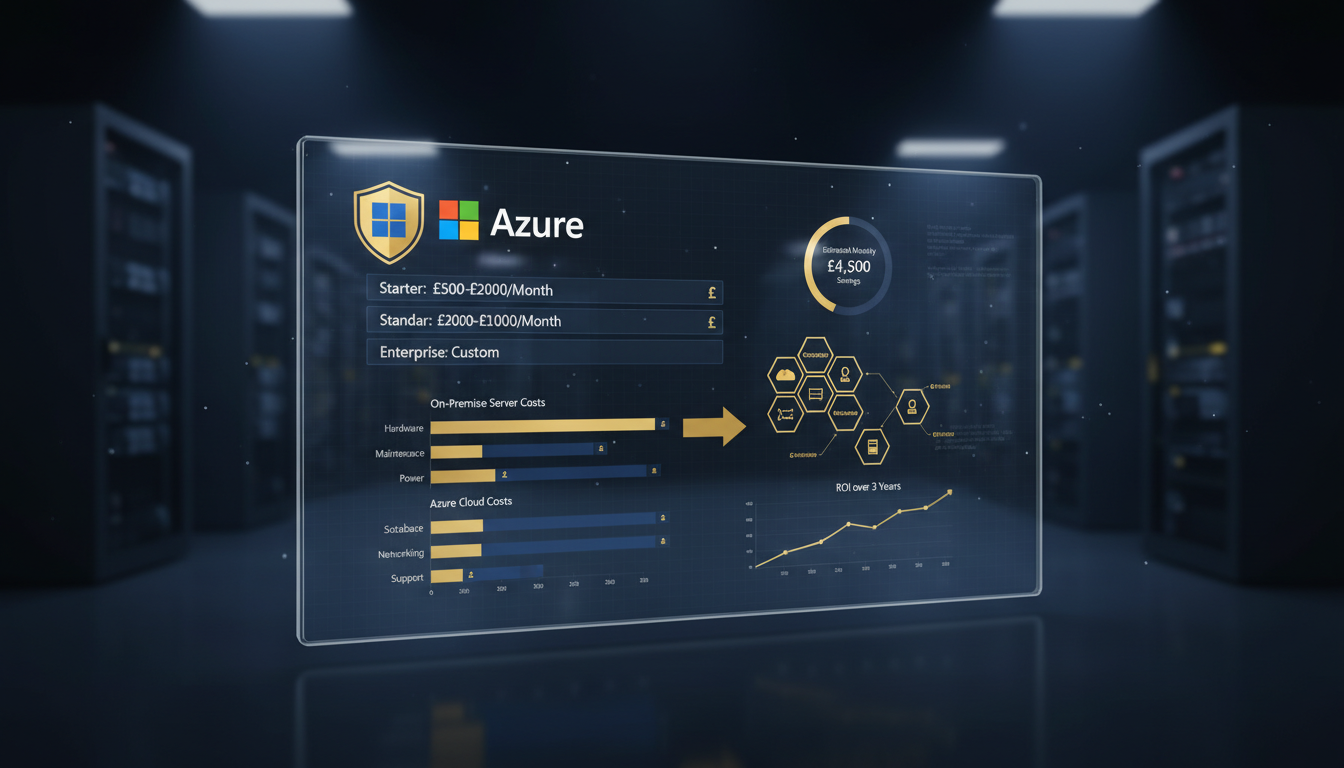
Understanding the true cost of migrating from on-premises infrastructure to Microsoft Azure is one of the most critical - and frequently misunderstood - aspects of any cloud transformation project. For UK businesses in 2026, the pricing landscape has evolved significantly: new reservation models, updated licensing programmes, shifting bandwidth costs, and a maturing professional services market mean that the numbers quoted even two years ago are no longer reliable. Whether you're a 50-person SME running a single server rack or a mid-market enterprise with hundreds of virtual machines, getting a realistic handle on on-premise to Azure migration cost is essential before committing budget and resources.
This comprehensive pricing guide breaks down every cost component involved in an Azure migration for UK organisations - from initial assessment fees and licensing considerations through to compute, storage, bandwidth, professional services, and ongoing management. We'll examine Azure cost optimisation UK strategies that can reduce your total spend by 30–60%, explore SME-specific pricing considerations, and provide the realistic budgeting frameworks you need to secure stakeholder buy-in and avoid the nasty surprises that derail poorly planned migrations.
The reality is that cloud migration planning UK businesses undertake today looks fundamentally different from five years ago. The tooling is better, the pricing models are more flexible, and the professional services ecosystem is more competitive. But the complexity hasn't diminished - if anything, the sheer number of Azure services, pricing tiers, and discount programmes means that accurate cost modelling requires more expertise, not less. A well-planned migration can deliver substantial savings over your current on-premises costs. A poorly planned one can end up costing significantly more than the infrastructure it replaced.
The True Cost of On-Premises Infrastructure: Your Baseline
Before you can accurately model on-premise to Azure migration cost, you need to understand what your current infrastructure is actually costing you. Most UK businesses significantly underestimate their on-premises costs because many expenses are hidden, distributed across departments, or simply accepted as "the cost of doing business." A thorough baseline is essential for an honest comparison.
Hardware and Capital Expenditure
On-premises infrastructure is capital-intensive. Servers, storage arrays, networking equipment, UPS systems, and racks represent significant upfront investments that depreciate over 3–5 years. For a typical UK SME running 10 physical servers, the hardware capital expenditure cycle looks something like £80,000–£150,000 every 4–5 years - money that must be budgeted, approved, procured, and deployed well in advance of when it's actually needed.
But hardware costs extend beyond the servers themselves. You need to factor in: warranty and extended support contracts (typically 15–20% of hardware cost annually after the initial warranty period), spare parts and redundant components, storage area network (SAN) or network-attached storage (NAS) infrastructure, network switches, firewalls, and load balancers, and the inevitable emergency replacements when hardware fails unexpectedly. For UK organisations co-locating in a data centre, rack space costs range from £100–£300 per month per rack unit, plus power charges of £0.15–£0.25 per kWh - and server rooms are power-hungry environments.
Software Licensing
Microsoft licensing alone represents a substantial cost for most UK businesses. Windows Server licences, SQL Server licences, System Centre, and the various CALs (Client Access Licences) required for on-premises deployments add up quickly. A single SQL Server Enterprise licence with Software Assurance can cost over £15,000 per two-core pack - and a typical database server requires 8–16 cores. That's £60,000–£120,000 just for the database licence, before you factor in Windows Server, backup software, antivirus, and management tools.
The critical insight for Azure migration assessment cost modelling is that many of these licences can be repurposed through Azure Hybrid Benefit, dramatically reducing your Azure compute costs. We'll explore this in detail in the optimisation section, but the key takeaway is: your existing licence investments don't disappear when you migrate - they become discount levers.
Personnel and Operational Costs
The largest hidden cost of on-premises infrastructure is people. In the UK, a mid-level systems administrator commands a salary of £45,000–£65,000, whilst a senior infrastructure engineer ranges from £65,000–£90,000. For most SMEs, infrastructure management consumes 40–60% of IT team capacity - time spent on patching, monitoring, troubleshooting hardware failures, managing backups, and performing routine maintenance rather than delivering business value.
When calculating your on-premises baseline, include: direct personnel costs (proportional IT staff time on infrastructure), training and certification costs, on-call and out-of-hours support costs, and the opportunity cost of technical talent maintaining legacy infrastructure instead of driving innovation. A honest accounting typically reveals that personnel costs are 2–3x the hardware costs over a five-year cycle.
When building your on-premises cost baseline for an Azure migration assessment, don't forget to include the "invisible" costs: the productivity lost during server outages, the revenue impact of scheduled maintenance windows, the cost of electricity and cooling for your server room, and the insurance premiums for your hardware assets. UK businesses that conduct a thorough baseline typically discover their true on-premises costs are 30–50% higher than they initially estimated.
| Cost Category | Typical UK SME (10 Servers) | Mid-Market (50 Servers) | Enterprise (200+ Servers) |
|---|---|---|---|
| Hardware (annualised over 5-year cycle) | £20,000–£30,000/yr | £80,000–£150,000/yr | £300,000–£600,000/yr |
| Software licensing | £15,000–£35,000/yr | £60,000–£120,000/yr | £200,000–£500,000/yr |
| Data centre / hosting | £5,000–£15,000/yr | £25,000–£60,000/yr | £100,000–£250,000/yr |
| Personnel (infrastructure portion) | £30,000–£55,000/yr | £120,000–£200,000/yr | £400,000–£800,000/yr |
| Maintenance and support contracts | £8,000–£15,000/yr | £30,000–£60,000/yr | £100,000–£200,000/yr |
| Total annual on-premises cost | £78,000–£150,000/yr | £315,000–£590,000/yr | £1,100,000–£2,350,000/yr |
Azure Migration Assessment Costs
Every successful Azure migration begins with a thorough Azure migration assessment - and this assessment itself carries costs that must be budgeted. The good news is that the assessment phase is relatively inexpensive compared to the migration itself, and the insights it delivers can prevent costly mistakes that dwarf the assessment fee many times over.
Microsoft Azure Migrate Tool (Free)
Microsoft's Azure Migrate provides free automated discovery and assessment capabilities. The tool deploys a lightweight appliance into your on-premises environment that discovers servers, applications, and databases, maps dependencies, and generates sizing recommendations and cost estimates for Azure. For VMware environments, discovery is agentless; for physical servers and Hyper-V, it uses an agent-based approach.
Whilst Azure Migrate is free, running it effectively requires expertise. You need to configure the appliance correctly, ensure it has network access to all discovery targets, allow it to collect performance data over a meaningful period (typically 30 days for accurate right-sizing), and interpret the results in the context of your business requirements - not just the technical data.
Professional Assessment Services
For most UK businesses, a professional Azure migration assessment conducted by a Microsoft partner delivers significantly more value than a self-service approach. A professional assessment goes beyond automated discovery to include: application owner interviews and business requirements documentation, compliance and regulatory analysis (particularly important for UK-regulated industries), licensing optimisation modelling (identifying Hybrid Benefit and reservation opportunities), network architecture design and bandwidth requirements, risk assessment and mitigation planning, and a detailed migration roadmap with timeline and resource requirements.
At Cloudswitched, our Azure migration assessment for UK SMEs typically falls in the £5,000–£12,000 range and includes a full environment discovery, application portfolio analysis, licensing optimisation review, cost projection model, and a prioritised migration roadmap. The assessment pays for itself many times over by identifying optimisation opportunities that reduce ongoing Azure costs and preventing migration mistakes that would be far more expensive to fix after the fact.
What a Good Assessment Delivers
A thorough assessment should produce several concrete deliverables: a complete infrastructure inventory with dependencies mapped, a per-workload migration strategy recommendation (rehost, replatform, refactor, replace, retain, or retire), a detailed Azure cost model comparing monthly and annual costs against your on-premises baseline, a licensing optimisation plan showing Hybrid Benefit and reservation savings, a network architecture design, a migration wave plan with timelines, and a risk register with mitigation strategies. Without these deliverables, you're essentially guessing - and guessing with cloud costs is an expensive proposition.
Azure Compute Costs: The Largest Line Item
For most UK migrations, compute - the virtual machines running your workloads - represents the single largest cost component. Understanding Azure's compute pricing model and the levers available to reduce it is fundamental to accurate cloud migration planning UK budgeting.
Pay-As-You-Go Pricing
Azure's baseline pricing model charges by the second for virtual machine usage. You select a VM size (which determines the CPU, memory, storage, and network capabilities) and pay for every second the VM is running. This is the most flexible option - you can start and stop VMs at will and only pay for what you use - but it's also the most expensive per-hour rate.
For UK businesses using the UK South (London) region, pay-as-you-go pricing for common VM sizes in April 2026 looks approximately as follows. Note that Azure pricing changes frequently and the figures below are indicative - always verify against the Azure Pricing Calculator for current rates.
| VM Size | vCPUs | RAM (GB) | Pay-As-You-Go (£/month) | 1-Year RI (£/month) | 3-Year RI (£/month) |
|---|---|---|---|---|---|
| B2s (burstable, light workloads) | 2 | 4 | £32 | £20 | £13 |
| D2s v5 (general purpose) | 2 | 8 | £72 | £44 | £29 |
| D4s v5 (general purpose) | 4 | 16 | £144 | £88 | £58 |
| D8s v5 (general purpose) | 8 | 32 | £288 | £176 | £116 |
| E4s v5 (memory-optimised) | 4 | 32 | £192 | £117 | £77 |
| E8s v5 (memory-optimised) | 8 | 64 | £384 | £234 | £154 |
| F4s v2 (compute-optimised) | 4 | 8 | £128 | £78 | £51 |
Reserved Instances: The Primary Savings Lever
Azure Reserved Instances (RIs) offer significant discounts - typically 35–40% for a one-year commitment and 55–63% for three years - in exchange for committing to a specific VM size and region for the reservation period. For predictable, always-on workloads (which describes most production servers), RIs are the single most impactful cost optimisation available.
The reservation is a billing construct, not a technical one. You're not locked into a specific VM - you're committing to a specific amount of compute capacity. If your workloads change, Azure offers instance size flexibility within the same VM family, and you can exchange reservations for different sizes or regions if your needs evolve.
For UK businesses with stable workloads, three-year RIs represent exceptional value. The discount is substantial (up to 63% off pay-as-you-go), and the commitment aligns naturally with typical IT planning horizons. The primary risk - that you over-commit and pay for capacity you don't use - can be mitigated through careful right-sizing during the assessment phase and ongoing monitoring after migration.
Azure Savings Plans
Introduced as a complement to Reserved Instances, Azure Savings Plans offer a more flexible commitment model. Instead of committing to a specific VM size and region, you commit to a consistent hourly spend amount (e.g., £10/hour) for one or three years. Azure automatically applies the best discount across your qualifying compute usage, regardless of VM size, family, or region.
Savings Plans are ideal for organisations whose compute requirements vary - perhaps you're planning to right-size VMs, change regions, or shift between VM families. The discounts are slightly lower than equivalent RIs (typically 5–10% less), but the flexibility is valuable for environments that are still being optimised.
Reserved Instances
Savings Plans
The optimal strategy for most UK businesses is to layer both Reserved Instances and Savings Plans. Use RIs for your stable production workloads where you're confident about the VM size and region, and layer a Savings Plan on top for variable workloads and development environments. This combination typically delivers 45–55% savings off pay-as-you-go pricing across your entire Azure compute estate.
Azure Hybrid Benefit: Leveraging Existing Licences
Azure Hybrid Benefit (AHB) is one of the most powerful - and frequently underutilised - cost optimisation tools available to UK businesses migrating to Azure. If your organisation has existing Windows Server or SQL Server licences with active Software Assurance (or equivalent subscription licences), you can apply those licences to Azure VMs and reduce your compute costs by up to 40% for Windows Server and up to 55% for SQL Server.
How Azure Hybrid Benefit Works
Without AHB, when you provision a Windows Server VM in Azure, the hourly rate includes both the compute cost and the Windows Server licence cost. With AHB enabled, you "bring your own licence" - Azure only charges for the underlying Linux-rate compute, and your existing licence covers the Windows Server component. The savings are substantial: for a D4s v5 VM in UK South, the Windows Server licence component is approximately £55/month. Across 20 VMs, that's £1,100/month or £13,200 per year in savings - simply by applying licences you've already paid for.
For SQL Server, the savings are even more dramatic. Azure SQL Database and SQL Server on Azure VMs both support Hybrid Benefit, and the SQL Server licence component is significantly more expensive than Windows Server. A single SQL Server Enterprise licence with 8 cores can save over £3,000/month when applied through AHB.
Stacking Hybrid Benefit with Reserved Instances
The most powerful cost optimisation strategy combines AHB with Reserved Instances. These discounts stack multiplicatively - you get the RI discount on the base compute cost, and AHB removes the licence component entirely. For a Windows Server VM, this combination can reduce costs by up to 72% compared to pay-as-you-go pricing with included licences. For SQL Server workloads, the combined savings can exceed 80%.
Let's illustrate with a concrete example. Consider a D8s v5 VM (8 vCPUs, 32 GB RAM) running Windows Server in UK South:
| Pricing Model | Monthly Cost | Savings vs PAYG |
|---|---|---|
| Pay-as-you-go (Windows included) | £288 | - |
| Pay-as-you-go + Hybrid Benefit | £178 | 38% |
| 1-year RI (Windows included) | £176 | 39% |
| 1-year RI + Hybrid Benefit | £108 | 63% |
| 3-year RI (Windows included) | £116 | 60% |
| 3-year RI + Hybrid Benefit | £81 | 72% |
The difference is staggering. Over three years, that single VM costs £10,368 at pay-as-you-go versus £2,916 with a 3-year RI and Hybrid Benefit - a saving of £7,452. Multiply across a fleet of 20 production VMs and you're looking at annual savings exceeding £49,000. This is why a thorough licensing review is an essential component of any Azure migration assessment.
Storage, Networking, and Bandwidth Costs
Whilst compute dominates the Azure bill for most UK organisations, storage and networking costs require careful planning to avoid unexpected charges - particularly bandwidth egress fees, which catch many first-time cloud adopters off guard.
Azure Storage Pricing
Azure offers multiple storage services, each with different pricing characteristics. For migration purposes, the most relevant are:
Managed Disks are the primary storage for VM workloads. They come in four performance tiers: Standard HDD (cheapest, suitable for dev/test and infrequently accessed data), Standard SSD (good balance for general workloads), Premium SSD (high-performance for production databases and latency-sensitive applications), and Ultra Disk (extreme performance for the most demanding workloads). For a typical UK SME migration, expect to budget £0.03–£0.15 per GB/month depending on the tier, with most production workloads on Premium SSD at approximately £0.12 per GB/month.
Blob Storage costs are tiered by access frequency: Hot (£0.018/GB/month, frequent access), Cool (£0.009/GB/month, infrequent access with 30-day minimum), Cold (£0.004/GB/month, rare access with 90-day minimum), and Archive (£0.001/GB/month, offline with hours-long retrieval). For backup and archival data - which many UK businesses have in large volumes - the Cold and Archive tiers offer dramatically lower costs than on-premises storage.
Bandwidth and Egress Costs
This is where many UK businesses encounter surprises. Azure charges for data leaving its network (egress) but not for data entering it (ingress). Data transfers within a region are free, but data leaving Azure - whether to the internet, to on-premises networks, or to other Azure regions - incurs charges.
For UK South, standard egress pricing starts at approximately £0.07/GB for the first 10 TB/month, decreasing for higher volumes. For organisations with significant outbound data flows, these costs can add up quickly. A business serving 5 TB of data per month to users would face approximately £350/month in egress charges.
The key mitigations are: use Azure CDN for content delivery (significantly cheaper than direct egress), keep data flows within Azure where possible, use Azure ExpressRoute with unlimited data for predictable high-volume transfers, and architect your applications to minimise unnecessary data movement.
ExpressRoute Costs for UK Businesses
For organisations requiring dedicated, private connectivity to Azure, ExpressRoute is the premium option. In the UK, ExpressRoute pricing includes a circuit fee (based on bandwidth - from £43/month for 50 Mbps to £4,100/month for 10 Gbps) plus a data transfer fee. With the Unlimited data plan, you pay a higher circuit fee but eliminate per-GB egress charges - which is typically more cost-effective for organisations transferring more than 5 TB/month.
For most UK SMEs, a site-to-site VPN (approximately £115/month for a VpnGw1 gateway) provides sufficient connectivity. ExpressRoute is generally justified for mid-market and enterprise organisations with latency-sensitive workloads, high-volume data transfers, or compliance requirements mandating private connectivity.
Professional Services and Migration Execution Costs
The hands-on work of planning and executing an Azure migration requires skilled professionals - whether your in-house team, a Microsoft partner, or a combination of both. For most UK organisations, engaging a specialist partner for cloud migration planning UK projects delivers better outcomes and lower total costs than attempting to self-deliver, particularly for the first major migration.
Migration Partner Fees
UK-based Microsoft partners typically charge for migration services on either a fixed-fee or time-and-materials basis. Fixed-fee engagements are more common for well-defined rehost migrations, whilst complex projects involving replatforming or refactoring tend to use time-and-materials with a not-to-exceed budget.
Typical day rates for Azure migration consultants in the UK range from £800–£1,500 for a senior consultant, depending on specialisation and the partner's market position. For a migration project, you'll typically need a mix of roles: a solutions architect (for design and oversight), a migration engineer (for hands-on execution), and a project manager (for coordination and stakeholder management).
In-House Team Costs
Even when engaging a partner, your in-house team will be heavily involved in the migration. Application owners need to participate in assessment workshops, test migrated workloads, and sign off on cutovers. Your IT team needs to manage the hybrid networking, DNS changes, user communication, and the dozens of operational details that a partner cannot handle alone.
Budget for 20–40% of your IT team's capacity being consumed by migration activities during the active migration phase. For a UK SME with a four-person IT team, that translates to roughly one full-time person for the duration of the migration - a cost of £4,000–£6,000 per month in personnel time.
Training and Upskilling
Post-migration, your team needs to manage Azure. This requires new skills - Azure administration, networking, security, and cost management are all distinct disciplines from their on-premises equivalents. Budget £2,000–£5,000 per team member for formal Azure training and certification (AZ-104 Azure Administrator and AZ-500 Azure Security Engineer are the most relevant for operations staff), plus the productivity dip during the learning curve.
Many UK organisations underinvest in training, leading to a prolonged period of inefficient Azure management, unnecessary spending, and increased reliance on partner support. A well-trained team pays for itself within months through better cost management and fewer operational incidents.
Azure Migration Cost for UK SMEs: Realistic Budgets
Small and medium enterprises represent the bulk of UK businesses migrating to Azure in 2026, and their cost profile is distinct from larger organisations. Azure migration for SME UK projects tend to be smaller in scope but proportionally higher in per-server cost due to the fixed overhead of assessment, planning, and partner engagement. The key is right-sizing the approach to match the organisation's scale and complexity.
Typical SME Scenarios
Let's examine three representative Azure migration for SME UK scenarios with realistic cost breakdowns. These assume engagement with a UK-based Microsoft partner for the migration, which is the most common approach for organisations without deep in-house Azure expertise.
Scenario 1: Small Office (1–2 Servers, 20 Users)
A typical small UK business running a single on-premises server for file sharing, Active Directory, and a line-of-business application. The server is 4–5 years old and approaching end of life.
Migration approach: Rehost the server to an Azure VM, migrate file shares to Azure Files or SharePoint Online, and move Active Directory to Azure AD (Entra ID). Total project duration: 2–4 weeks.
One-time costs: Assessment and planning: £2,000–£4,000. Migration execution: £4,000–£8,000. Training: £1,000–£2,000. Total one-time: £7,000–£14,000.
Monthly Azure costs: D2s v5 VM (2 vCPUs, 8 GB RAM): £72 pay-as-you-go / £29 with 3-year RI + AHB. 256 GB Premium SSD: £31. Azure Backup: £15. Networking (VPN gateway): £115. Azure Files (500 GB): £45. Total monthly: approximately £235–£278 (optimised) to £278–£320 (pay-as-you-go).
Scenario 2: Growing SME (5–10 Servers, 50–100 Users)
A mid-sized UK SME running multiple servers: domain controllers, file servers, a SQL Server database for their ERP system, a web server, and a terminal services server. The business is growing and the current infrastructure is constraining expansion.
Migration approach: Rehost domain controllers and terminal services to Azure VMs, replatform the SQL database to Azure SQL Managed Instance, migrate file shares to Azure Files with Azure File Sync, and move the web application to Azure App Service. Total project duration: 6–10 weeks.
One-time costs: Assessment and planning: £5,000–£10,000. Migration execution: £15,000–£30,000. Licensing review and optimisation: £2,000–£3,000. Training: £3,000–£6,000. Total one-time: £25,000–£49,000.
Monthly Azure costs (optimised with 3-year RIs and AHB): 2x D2s v5 VMs (domain controllers): £58. 1x D4s v5 VM (terminal services): £58. Azure SQL Managed Instance (4 vCores): £285. Azure App Service (P1v3): £95. Azure Files (2 TB): £180. Azure Backup: £65. Networking: £165. Monitoring and security: £85. Total monthly: approximately £991.
Scenario 3: Established SME (15–25 Servers, 150–250 Users)
A well-established UK business with a more complex infrastructure: multiple domain controllers, file servers, several SQL databases, line-of-business applications, a development environment, and disaster recovery requirements. The business needs improved resilience and scalability.
Migration approach: A phased migration over 12–16 weeks, combining rehost, replatform, and selective replace strategies. Multiple migration waves, starting with non-production workloads.
One-time costs: Assessment and planning: £8,000–£15,000. Migration execution: £35,000–£60,000. Licensing review and optimisation: £3,000–£5,000. Landing zone design and build: £5,000–£10,000. Training: £5,000–£10,000. Total one-time: £56,000–£100,000.
Monthly Azure costs (optimised): £2,800–£4,500 depending on workload mix and optimisation level.
For Azure migration for SME UK projects, don't overlook the hidden savings that rarely appear in formal cost comparisons: the elimination of hardware refresh capital expenditure cycles, the reduction in unplanned downtime (Azure's SLA-backed availability far exceeds typical on-premises infrastructure), the productivity gains from anywhere-access to Azure-hosted resources, and the ability to scale resources up or down without procurement cycles. These soft savings often equal or exceed the direct infrastructure cost reductions.
Ongoing Azure Management and Optimisation Costs
Migration is not a one-time event - it's the beginning of a new operational model. Ongoing Azure management requires continuous attention to cost optimisation, security posture, performance monitoring, and governance. The organisations that achieve the best cost outcomes are those that treat Azure cost optimisation UK as an ongoing discipline, not a one-time exercise.
Managed Service Provider Costs
Many UK businesses engage a managed service provider (MSP) to handle day-to-day Azure operations post-migration. MSP pricing models vary, but the most common for UK SMEs are: a percentage of Azure spend (typically 15–25% of your monthly Azure bill), a fixed monthly fee per server/service (typically £100–£300 per managed server), or a tiered support package (bronze/silver/gold at fixed monthly rates). For a UK SME spending £3,000/month on Azure, expect to budget £500–£900/month for managed services covering monitoring, patching, backup management, security, and cost optimisation.
At Cloudswitched, our managed Azure services for UK businesses include proactive monitoring, patching, security management, backup verification, and - critically - ongoing Azure cost optimisation UK reviews that continuously identify and implement savings opportunities. Our clients typically see their Azure costs decrease by 10–15% in the first year of managed services through optimisation alone, more than offsetting the management fee.
Azure Cost Optimisation: A Continuous Discipline
Azure cost optimisation UK involves a systematic, ongoing approach to reducing Azure spend without compromising performance or availability. The key strategies, ranked by typical impact, are:
Right-sizing: The most common waste in Azure is over-provisioned VMs. Organisations migrate based on on-premises sizing (which is often over-specified) and never adjust. Azure Advisor analyses your VM utilisation and recommends downsizing when CPU, memory, or network usage is consistently low. Right-sizing typically saves 20–30% on compute costs.
Reserved Instances and Savings Plans: As discussed, committing to 1- or 3-year reservations saves 35–63%. The key is reviewing and adjusting reservations quarterly as your workload mix evolves.
Azure Hybrid Benefit: Applying existing licences saves 40–55% on qualifying VMs. This is often left unconfigured - or partially configured - costing organisations thousands of pounds per month.
Auto-shutdown for non-production: Development, testing, and staging environments rarely need to run 24/7. Configuring auto-shutdown schedules (e.g., off at 7pm, on at 7am weekdays) for non-production VMs saves 65–75% on those machines.
Storage tier optimisation: Moving infrequently accessed data to Cool or Archive tiers reduces storage costs by 50–95%. Lifecycle management policies can automate this based on age or access patterns.
Orphaned resource cleanup: Over time, Azure environments accumulate orphaned resources - unused disks, unattached public IPs, empty resource groups, and defunct network interfaces. Regular cleanup eliminates these phantom costs.
Azure Migration Pricing: Hidden Costs to Budget For
Even the most diligent cloud migration planning UK projects encounter costs that weren't in the original budget. Here are the most common hidden costs and how to account for them in your planning.
Data Transfer During Migration
Moving large volumes of data from on-premises to Azure takes time and bandwidth. Whilst ingress to Azure is free, the migration process itself consumes your internet bandwidth - potentially impacting business operations if you're sharing the connection. For organisations with more than 10 TB to migrate, consider using Azure Data Box (a physical appliance shipped to your premises for offline data transfer) at approximately £450 per device, or scheduling data transfers during off-peak hours over a VPN.
Extended Parallel Running
During migration, you'll run both your on-premises and Azure environments simultaneously. For simple migrations, this parallel running period might be a few days per workload. For complex migrations with multiple waves, it could extend to several months. During this period, you're paying for both environments - and your on-premises costs don't stop until the last workload is migrated and the infrastructure is decommissioned.
Budget for 2–4 months of parallel running costs for a typical UK SME migration, and 4–8 months for mid-market and enterprise projects. This is often the single largest "hidden" cost in a migration budget.
Application Remediation
Some applications don't migrate cleanly. Hard-coded IP addresses, dependencies on specific server names, incompatible operating system versions, and obsolete middleware can all require remediation work before or after migration. Budget a contingency of 10–20% of your migration services cost for application remediation - the assessment should identify the most likely issues, but surprises are inevitable.
Post-Migration Optimisation
Your Azure environment immediately after migration is almost never optimally configured. VMs are sized based on pre-migration estimates, reservations haven't been purchased yet (you need real usage data first), and storage tiers haven't been optimised for actual access patterns. Budget for a dedicated optimisation exercise 30–60 days post-migration, either using your own team or engaging a partner for a focused review.
| Hidden Cost Category | SME Budget Allowance | Mid-Market Budget Allowance |
|---|---|---|
| Data transfer and migration tooling | £500–£2,000 | £2,000–£10,000 |
| Parallel running (additional on-prem costs) | £3,000–£8,000 | £15,000–£40,000 |
| Application remediation | £2,000–£6,000 | £8,000–£25,000 |
| Post-migration optimisation | £2,000–£4,000 | £5,000–£15,000 |
| Unexpected licensing gaps | £1,000–£3,000 | £5,000–£15,000 |
| Additional security tooling | £1,000–£3,000 | £3,000–£10,000 |
| Total hidden cost contingency | £9,500–£26,000 | £38,000–£115,000 |
The Azure Migration Timeline and Cost Phases
Understanding when costs are incurred helps with cash flow planning - a particularly important consideration for UK SMEs where capital allocation decisions require board approval and lead times. Here's a typical timeline for an Azure migration for SME UK project, showing when each cost component is typically invoiced.
Phase 1: Assessment and Planning (Weeks 1–4) - £5K–£15K
Environment discovery using Azure Migrate, application portfolio analysis, licensing review, cost modelling, and migration roadmap development. This phase produces the business case and detailed plan that enables informed decision-making. Professional services costs are front-loaded here, but Azure consumption is minimal (just the assessment tooling, which is free).
Phase 2: Foundation Build (Weeks 3–6) - £3K–£10K
Azure landing zone deployment: subscription setup, virtual networking, VPN or ExpressRoute connectivity, identity integration, security baselines, and monitoring. Azure consumption starts here but is modest - networking and identity services only. Professional services for architecture design and implementation.
Phase 3: Pilot Migration (Weeks 5–8) - £5K–£15K
First wave of low-risk workloads migrated. Azure consumption increases as VMs come online. Parallel running begins for migrated workloads. Methodology validation and process refinement. Professional services for hands-on migration execution and testing.
Phase 4: Production Migration (Weeks 8–16) - £10K–£40K
Main migration waves execute. Azure consumption reaches full run-rate as production workloads come online. Parallel running costs peak. Professional services for complex workload migration, database migration, and cutover management. This is the most expensive phase of the project.
Phase 5: Optimisation (Weeks 14–20) - £2K–£8K
Right-sizing based on real Azure performance data. Reserved Instance and Savings Plan purchases. Azure Hybrid Benefit configuration verification. Storage tier optimisation. Non-production auto-shutdown schedules. On-premises decommissioning begins. This phase reduces monthly Azure costs by 30–50% from the initial run-rate.
Phase 6: Steady State (Ongoing) - Monthly Azure + MSP fees
Transition to managed operations. Ongoing cost optimisation, security management, patching, and monitoring. Quarterly reservation and spend reviews. Progressive modernisation of rehosted workloads. On-premises infrastructure fully decommissioned and parallel running costs eliminated.
Azure Cost Optimisation Strategies for UK Businesses
Effective Azure cost optimisation UK is not a one-time activity - it's an ongoing discipline that should be embedded in your cloud operations from day one. Here are the most impactful strategies, with specific guidance for UK organisations.
Azure Advisor and Cost Management
Azure Advisor is Microsoft's built-in recommendation engine that analyses your resource configuration and usage patterns to identify cost savings, performance improvements, security enhancements, and operational excellence opportunities. For cost optimisation specifically, Advisor identifies: under-utilised VMs that can be right-sized or shut down, opportunities to purchase Reserved Instances based on your usage patterns, unattached managed disks and public IP addresses, and idle resources consuming budget unnecessarily.
Azure Cost Management provides the analytical tools to understand where your money is going. Cost analysis dashboards, budget alerts, and anomaly detection help you stay on top of spending and catch unexpected increases before they become significant. Set up budget alerts at 50%, 75%, and 90% of your expected monthly spend as an early warning system.
Tagging Strategy for Cost Allocation
A well-implemented tagging strategy is essential for cost visibility in Azure. Tags allow you to categorise resources by department, project, environment (production/development/test), owner, and cost centre - enabling detailed cost allocation and chargeback. Without tags, it's impossible to answer basic questions like "how much does the finance department's infrastructure cost?" or "what are we spending on development environments?"
Implement mandatory tags through Azure Policy to ensure every resource is tagged at creation. The minimum recommended tags for UK businesses are: Environment (production/staging/development/test), Department or CostCentre, Project or Application, Owner (the person responsible), and ManagedBy (manual/automation/partner).
Azure Spot VMs for Non-Critical Workloads
Azure Spot VMs utilise surplus Azure capacity at discounts of up to 90% compared to pay-as-you-go pricing. The trade-off is that Azure can reclaim Spot VMs with 30 seconds' notice when it needs the capacity back. This makes Spot VMs unsuitable for production workloads but excellent for batch processing, build servers, development environments, and any workload that can tolerate interruption.
For UK businesses with development and test environments, using Spot VMs can reduce those costs by 60–90%. A D4s v5 VM that costs £144/month at pay-as-you-go might cost as little as £15–£30/month as a Spot VM - savings of over £1,300/year per machine.
Compliance and Security Cost Considerations
UK businesses operate under a specific regulatory framework that directly impacts Azure migration costs. UK GDPR, the Data Protection Act 2018, and sector-specific regulations (FCA for financial services, CQC and NHS DSPT for healthcare, Ofsted for education) all impose requirements that influence architecture decisions and associated costs.
Data Residency and UK Regions
Azure's UK South (London) and UK West (Cardiff) regions ensure data residency within the United Kingdom. There's no premium for using UK regions - pricing is consistent across regions within the same geography. However, if you need geo-redundant storage or disaster recovery across regions, you'll pay for cross-region data replication. For most UK businesses, replicating between UK South and UK West is the optimal approach - your data stays within the UK whilst achieving geographic redundancy.
Security Tooling Costs
Azure provides a comprehensive security stack, but many features carry additional costs beyond the base infrastructure pricing. Microsoft Defender for Cloud (formerly Azure Security Centre) is free in its foundational tier, but the enhanced security features - server protection, SQL protection, container security, and key vault protection - are charged per resource per month. For a UK SME with 10 servers, expect Defender costs of approximately £120–£200/month for comprehensive protection.
Microsoft Sentinel (SIEM and SOAR) provides security information and event management, but costs scale with data ingestion volume. For a typical UK SME, Sentinel ingestion costs range from £200–£500/month. Azure Information Protection, Conditional Access, and Privileged Identity Management are included with certain Microsoft 365 licence tiers, so check your existing subscriptions before budgeting separately.
Compliance Audit and Certification Costs
Post-migration, you may need to update or obtain compliance certifications. Cyber Essentials Plus certification (increasingly expected by UK government and enterprise customers) requires a hands-on technical audit - budget £1,500–£4,000 for the certification process. ISO 27001 certification is more expensive (£5,000–£15,000 for the initial audit), but Azure's pre-existing compliance posture significantly reduces the effort required compared to certifying an on-premises environment.
Building Your Azure Migration Business Case
Securing budget approval for an Azure migration requires a compelling business case that goes beyond simple cost comparison. UK decision-makers - whether C-suite executives, finance directors, or board members - need to understand not just the numbers, but the strategic rationale, the risks, and the expected return on investment.
The Three-Year TCO Comparison
The most effective format for an Azure migration business case is a three-year total cost of ownership comparison that includes all cost components. This aligns with typical UK budget planning horizons and captures the full benefit of reserved instance and savings plan commitments.
Your three-year TCO model should include two scenarios: a "do nothing" baseline (continuing with on-premises infrastructure, including the next hardware refresh cycle) and an "Azure migration" scenario (including all one-time migration costs, ongoing Azure consumption, and managed services). The comparison should show cumulative costs year-by-year, with the crossover point - where Azure becomes cheaper than on-premises - clearly highlighted.
For most UK SMEs, the crossover occurs between months 12 and 24, depending on the migration approach and optimisation level. By year three, the cumulative savings typically range from 25–45% compared to the on-premises baseline.
Beyond Cost: The Strategic Value Proposition
While cost is important, the strongest business cases also articulate the strategic benefits that Azure delivers: elimination of capital expenditure cycles (shifting from CapEx to OpEx), improved business continuity and disaster recovery (Azure's built-in redundancy far exceeds typical on-premises DR), faster time-to-market for new projects (provisioning takes minutes, not weeks), enhanced security posture (benefiting from Microsoft's multi-billion-pound annual security investment), scalability to support business growth without infrastructure constraints, and improved remote and hybrid working capabilities.
For UK businesses navigating economic uncertainty, the shift from capital expenditure to operational expenditure is particularly compelling. Azure eliminates the need for large, periodic hardware investments and replaces them with predictable monthly costs that scale with actual usage.
Stay On-Premises
Migrate to Azure
Common Azure Migration Pricing Mistakes
After helping dozens of UK businesses through their Azure migrations, we've seen the same pricing mistakes repeated across organisations of all sizes. Avoiding these common pitfalls can save your organisation tens of thousands of pounds and months of frustration.
Mistake 1: Lifting On-Premises Sizing Directly to Azure
The most expensive mistake in cloud migration planning UK is simply replicating your on-premises server sizes in Azure without right-sizing. On-premises servers are typically over-provisioned because scaling up later is difficult and time-consuming - you buy capacity for projected peak demand plus a generous margin. In Azure, this over-provisioning translates directly into wasted money. A server running at 15% average CPU utilisation on-premises doesn't need the same specification in Azure - it needs to be right-sized based on actual workload requirements.
Mistake 2: Ignoring Azure Hybrid Benefit
We regularly encounter UK organisations that have been running Azure VMs for months or even years without enabling Hybrid Benefit on eligible machines. Given that AHB can save 40% on Windows Server VMs and 55% on SQL Server, this omission can cost thousands of pounds per month. Ensure your Azure migration assessment includes a comprehensive licensing review, and verify AHB is applied to every eligible resource immediately after migration.
Mistake 3: Leaving Dev/Test Running 24/7
Development and testing environments that run around the clock are a common source of waste. If your developers work standard UK business hours (roughly 08:00–18:00), those environments are idle 60% of the time. Auto-shutdown schedules and Azure Dev/Test pricing (which offers discounted rates for development workloads) can reduce dev/test costs by 65–80%.
Mistake 4: Not Purchasing Reservations
Some organisations avoid Reserved Instances because they perceive the commitment as risky. In practice, for production workloads that will run continuously for the foreseeable future, the risk of not purchasing reservations - and paying 40–63% more for the same compute - far exceeds the risk of the commitment. Start with one-year reservations for your most stable workloads, then move to three-year terms as your confidence grows.
Mistake 5: Underestimating Bandwidth Costs
Azure egress charges catch many UK businesses off guard, particularly those with applications that serve large files or high volumes of data to end users. Model your expected egress volumes during the assessment phase and factor these costs into your budget. If egress costs are significant, consider Azure CDN, Azure Front Door, or architectural changes to reduce outbound data transfers.
Choosing the Right Azure Migration Partner in the UK
For most UK businesses, the choice of migration partner is as consequential as the choice of cloud platform. The right partner brings expertise that accelerates your migration, avoids costly mistakes, and delivers optimised outcomes. The wrong partner can double your costs and timeline whilst delivering a suboptimal result.
What to Look For
When evaluating Azure migration partners for your cloud migration planning UK project, prioritise: Microsoft partnership status - look for Microsoft Solutions Partner for Infrastructure (Azure) or equivalent designation, which requires demonstrated competency and customer references. UK-specific experience - a partner who understands UK compliance requirements, data residency obligations, and the local business context will deliver better outcomes than a global firm applying generic playbooks. Right-sized engagement - an SME doesn't need an enterprise-grade partner charging enterprise-grade fees. Look for a partner whose typical client profile matches your organisation's size and complexity.
End-to-end capability is also critical. The best outcomes come from partners who handle the full lifecycle: assessment, planning, migration execution, optimisation, and ongoing management. Partners who only handle migration execution leave gaps in the assessment and optimisation phases where the most significant cost savings are identified.
Cloudswitched: Your London-Based Azure Migration Partner
As a London-based IT managed service provider specialising in Azure for UK businesses, Cloudswitched delivers the full migration lifecycle - from initial Azure migration assessment through to ongoing management and Azure cost optimisation UK. Our approach is designed specifically for UK SMEs: right-sized engagements, transparent pricing, and a focus on delivering measurable cost savings and operational improvements.
We understand that for UK SMEs, an Azure migration is a significant investment that needs to deliver tangible returns. Our assessment process quantifies your current costs, models your Azure costs under multiple scenarios, and delivers a clear business case with realistic timelines and budgets. Our migration methodology is proven across dozens of UK businesses, and our ongoing managed services ensure your Azure environment stays optimised, secure, and cost-effective long after the migration is complete.
Summary: Azure Migration Cost Framework for UK Businesses
Accurately budgeting for an on-premise to Azure migration cost requires understanding the full spectrum of cost components - from assessment fees and professional services through to ongoing Azure consumption and management. Here's the framework we recommend for UK businesses approaching this investment:
Step 1: Establish your on-premises baseline. Document every cost associated with your current infrastructure - hardware, licensing, personnel, data centre, and maintenance. Be thorough; hidden costs are typically 30–50% of what you initially estimate.
Step 2: Conduct a professional assessment. Invest in a thorough Azure migration assessment that produces detailed deliverables: infrastructure inventory, application portfolio analysis, cost model, licensing optimisation plan, and migration roadmap. The assessment cost (£3,000–£15,000 for SMEs) is trivial compared to the savings it identifies.
Step 3: Model Azure costs with optimisation. Don't budget based on pay-as-you-go pricing - model your costs with Reserved Instances, Azure Hybrid Benefit, right-sizing, and auto-shutdown schedules applied. The optimised cost is the realistic cost for a well-managed Azure environment.
Step 4: Budget for hidden costs. Add 15–25% contingency for parallel running, application remediation, data transfer, and post-migration optimisation. These costs are real and predictable - they should be in the budget, not treated as surprises.
Step 5: Plan for ongoing optimisation. Azure cost management is an ongoing discipline. Budget for managed services or dedicated internal resource to continuously monitor and optimise your Azure spend. The organisations that achieve the best long-term cost outcomes are those that treat optimisation as a permanent operational function.
The UK cloud market in 2026 offers unprecedented value for organisations making the shift from on-premises to Azure. The pricing models are more flexible, the optimisation tools are more powerful, and the professional services ecosystem is more competitive than ever. With proper planning, realistic budgeting, and the right partner, your Azure migration can deliver substantial cost savings whilst transforming your organisation's agility, resilience, and capacity for innovation.
Ready to Understand Your Azure Migration Costs?
Cloudswitched provides comprehensive Azure migration assessments for UK businesses - including infrastructure discovery, cost modelling, licensing optimisation, and a detailed migration roadmap. Get a clear, realistic picture of your migration costs before committing a single pound of budget.

CloudSwitched
London-based managed IT services provider offering support, cloud solutions and cybersecurity for SMEs.


