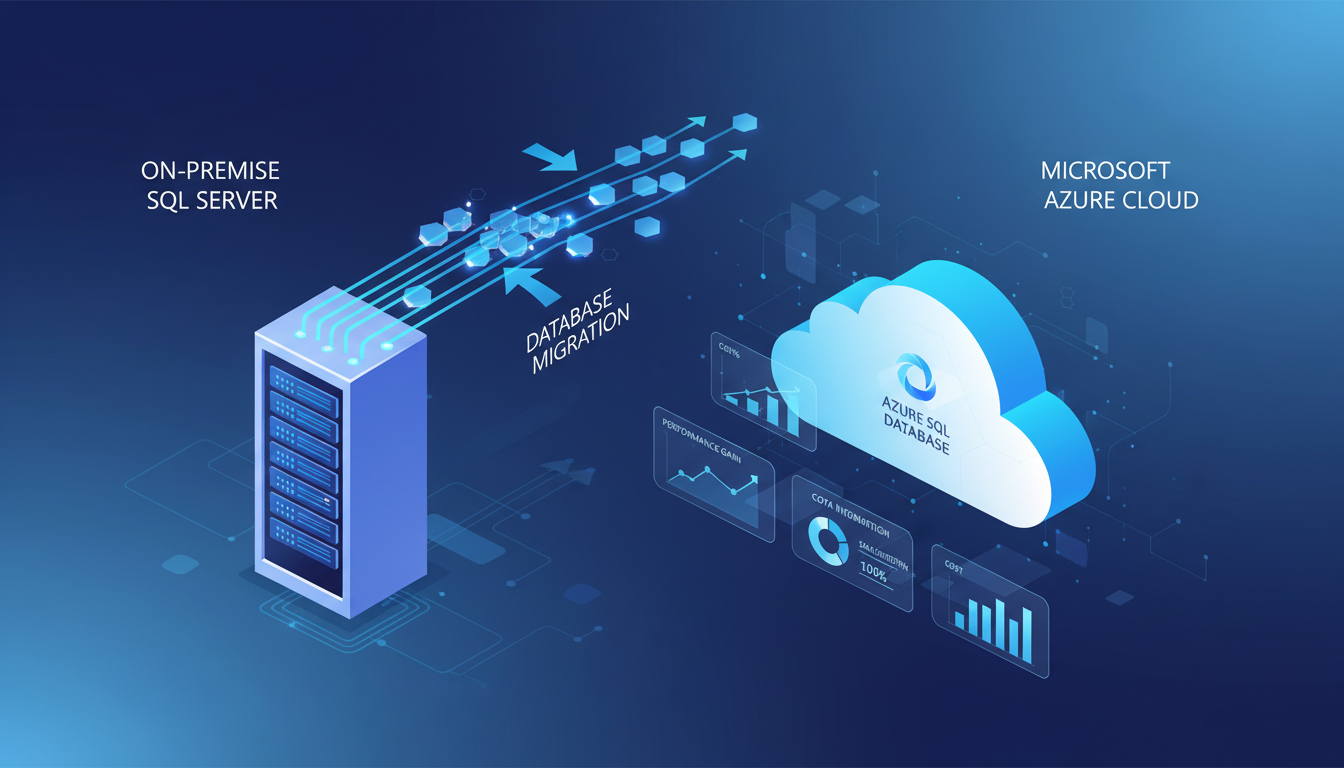
For thousands of UK businesses, Microsoft SQL Server is the engine that powers their most critical applications. From accounting and ERP systems to bespoke line-of-business applications and CRM platforms, SQL Server databases hold the data that drives daily operations. Many of these businesses are now facing a pivotal decision: continue running SQL Server on physical hardware in the office (or in a co-located data centre), or migrate to Azure SQL Database in the cloud.
This decision is not straightforward. It involves considerations around cost, performance, security, compliance, and operational complexity. For UK businesses in particular, there are additional factors such as GDPR data residency requirements, the availability of UK-based Azure data centres, and the practical realities of migrating live databases that support business-critical applications.
This guide compares Azure SQL Database and on-premises SQL Server across every dimension that matters, helping you make an informed decision about whether, when, and how to make the move.
Understanding the Options
Before comparing the two approaches, it is important to understand that Azure actually offers several SQL-related services, each suited to different scenarios.
On-Premises SQL Server
This is the traditional model: you purchase SQL Server licences, install the software on physical or virtual servers in your office or data centre, and manage everything yourself - from hardware maintenance and OS patching to database backups, security configuration, and performance tuning. You have complete control but also complete responsibility.
Azure SQL Database
Azure SQL Database is a fully managed Platform as a Service (PaaS) offering. Microsoft handles the underlying infrastructure, operating system, patching, backups, high availability, and much of the security configuration. You focus on your database schema, queries, and application logic. This is the option that offers the greatest reduction in management overhead.
Azure SQL Managed Instance
This is a middle-ground option that provides near-complete compatibility with on-premises SQL Server features while still being a managed cloud service. It supports features like SQL Server Agent, cross-database queries, CLR integration, and linked servers that Azure SQL Database does not. For businesses with complex on-premises SQL Server deployments, Managed Instance often provides the smoothest migration path.
Choosing Between the Options
The choice between these options depends heavily on your existing SQL Server usage patterns. If your applications use standard T-SQL queries, stored procedures, and common SQL Server features, Azure SQL Database is almost certainly the right choice. It offers the lowest management overhead and the best value for money, and most modern applications are fully compatible with it.
If your applications rely on advanced SQL Server features - SQL Server Agent jobs, cross-database queries, Service Broker, CLR assemblies, or linked servers - Azure SQL Managed Instance is the better option. It provides near-complete compatibility with on-premises SQL Server whilst still offloading infrastructure management to Microsoft. Many UK businesses with complex ERP or accounting systems find that Managed Instance is the path of least resistance for migration.
The key principle is to choose the most managed option that supports your requirements. Every layer of management you delegate to Microsoft is a layer you no longer need to staff, maintain, patch, and troubleshoot. For UK SMEs with limited IT resources, this reduction in operational burden is often as valuable as the direct cost savings.
A fourth option is running SQL Server on an Azure Virtual Machine (IaaS). This gives you a full SQL Server instance in the cloud, identical to what you would run on-premises, but hosted on Azure infrastructure. You manage the operating system and SQL Server yourself, just as you would on-premises. This option offers maximum compatibility but minimum cloud benefit - you still bear the management burden. It is primarily useful as a lift-and-shift stepping stone for businesses that want to move to Azure quickly without re-architecting their databases immediately.
Cost Comparison
Cost is typically the primary driver for UK businesses considering the move to Azure SQL. The comparison is not as simple as monthly subscription versus licence purchase, however. You need to consider the total cost of ownership across multiple dimensions.
Hidden Costs of On-Premises SQL Server
When UK businesses calculate the cost of their on-premises SQL Server infrastructure, they frequently underestimate the true total. The licence fee and server hardware are visible, but numerous hidden costs accumulate over time. Consider the DBA time spent on routine maintenance: applying cumulative updates and service packs, monitoring disk space and performance counters, troubleshooting deadlocks and slow queries, managing backup schedules, and responding to out-of-hours alerts when something fails at 2am on a Saturday.
Then there are the infrastructure costs that are rarely attributed to the database: the proportion of your office electricity bill consumed by the server and its cooling, the proportion of your internet bandwidth used for offsite backup replication, the UPS and generator capacity needed to protect the server during power outages, and the physical security measures required to protect the server room. For a typical UK SME running two or three SQL Server instances, these hidden costs can easily add £500 to £1,000 per month to the true cost of ownership.
There is also the opportunity cost. Every hour your IT team spends patching SQL Server, troubleshooting replication failures, or managing storage capacity is an hour they are not spending on projects that move the business forward. For growing businesses, this opportunity cost often exceeds the direct financial costs. Azure SQL Database eliminates most of this maintenance burden, freeing your IT resources for strategic work rather than infrastructure firefighting.
Finally, consider the cost of downtime. On-premises SQL Server, without expensive high-availability configurations like Always On Availability Groups (which require Enterprise Edition licensing at £15,000+ per core), offers no built-in protection against hardware failure. A single disk failure, memory error, or motherboard fault can take your database offline for hours or days. Azure SQL Database's built-in 99.99% SLA and automatic failover capabilities eliminate this risk entirely, and the cost of even a few hours' downtime for a UK business - lost sales, missed deadlines, idle staff - typically dwarfs a year's Azure SQL subscription.
| Cost Component | On-Premises SQL Server | Azure SQL Database |
|---|---|---|
| Licence cost | £3,500–£15,000+ (perpetual) | Included in service cost |
| Server hardware | £3,000–£15,000 (refresh every 4–5 years) | Not applicable |
| Monthly running cost | Power, cooling, space: £100–£300/month | £100–£1,500/month (varies by tier) |
| Backup infrastructure | £50–£200/month | Included (automated backups) |
| High availability | £5,000–£20,000+ (duplicate hardware) | Built-in (99.99% SLA) |
| DBA/admin time | 10–20 hours/month | 2–5 hours/month |
| Disaster recovery | £200–£800/month (offsite replication) | Geo-replication available from £50/month |
Performance and Scalability
One of the most significant advantages of Azure SQL Database is its ability to scale performance dynamically. With on-premises SQL Server, your performance is limited by the physical hardware you purchased. If your database outgrows the server's CPU or memory capacity, you face a costly hardware upgrade - and potentially downtime during the migration.
Azure SQL Database allows you to scale compute and storage independently, often within minutes and without downtime. During peak periods (month-end processing, seasonal demand spikes), you can temporarily increase the performance tier and scale back down afterwards, paying only for the additional capacity during the period you need it.
Practical Scaling Scenarios
To illustrate the scaling advantage in practical terms, consider a UK retail business whose e-commerce platform runs on SQL Server. During normal trading, the database handles perhaps 50 concurrent connections and processes 200 transactions per hour. During Black Friday and the Christmas trading period, those numbers might increase tenfold. With on-premises SQL Server, the business must either provision hardware for peak capacity (which sits largely idle for 11 months of the year) or accept degraded performance during the busiest and most profitable trading period.
With Azure SQL Database, the business can operate on a Standard S3 tier (100 DTUs) for most of the year, then scale up to a Premium P4 tier (500 DTUs) for the six-week Christmas trading window. The scaling operation takes minutes, requires no downtime, and the additional cost is incurred only for the weeks it is needed. At the end of the trading period, the database scales back down to its normal tier, and costs return to their baseline.
This elasticity also benefits businesses with cyclical workloads. Accountancy firms experience massive database loads during January Self Assessment season and again during April corporation tax deadlines. Payroll bureaux see spikes at month-end. Construction companies need additional capacity during tender submission periods. In every case, Azure SQL Database allows the infrastructure to flex with the business rather than constraining it.
Performance Monitoring and Optimisation
Azure SQL Database includes built-in intelligent performance features that have no equivalent in on-premises SQL Server without expensive third-party tools. Query Performance Insight identifies the most resource-intensive queries and recommends index changes that can improve performance. Automatic tuning can apply these recommendations without human intervention, continuously optimising your database based on actual workload patterns.
For UK businesses without a dedicated DBA, these features are transformative. Rather than relying on periodic manual review of query execution plans - a skilled task that many SMEs simply cannot resource - the database effectively tunes itself. Organisations that have migrated to Azure SQL frequently report that their database performs better in Azure than it did on-premises, not because Azure hardware is faster (though it often is), but because the automatic tuning features identify and resolve performance issues that had gone unnoticed for years on the on-premises installation.
Azure SQL Database Strengths
- Dynamic scaling without hardware changes
- Built-in high availability (99.99% SLA)
- Automated backups with point-in-time restore
- Automatic performance tuning and indexing
- Built-in threat detection and encryption
- No hardware to purchase or maintain
- UK data centres for GDPR compliance
- Pay-as-you-go pricing model
On-Premises SQL Server Strengths
- Full control over the server environment
- No dependency on internet connectivity
- Complete feature set including SQL Agent and CLR
- Predictable fixed costs after initial investment
- No data transfer costs
- Direct access for performance troubleshooting
- Integration with legacy on-premises applications
- No ongoing subscription commitment
Security and Compliance
Security is a critical consideration, particularly for UK businesses handling personal data under GDPR or operating in regulated sectors such as financial services, healthcare, or legal.
Azure SQL Database includes Transparent Data Encryption (TDE) enabled by default, Advanced Threat Protection that detects anomalous database activities, Azure Active Directory integration for identity-based access control, auditing and diagnostic logging, vulnerability assessments, and data masking capabilities. Microsoft's Azure platform holds certifications including ISO 27001, SOC 1/2/3, Cyber Essentials Plus, and NHS Data Security and Protection Toolkit compliance.
On-premises SQL Server can achieve equivalent security, but the burden of implementation and ongoing management falls entirely on your organisation. You need to configure TDE manually, implement your own intrusion detection, manage certificate rotation, maintain audit logs, and ensure your physical server environment meets the same security standards. For many UK SMEs, achieving enterprise-grade database security on-premises is simply not practical given the resources available.
Shared Responsibility in Cloud Security
It is important to understand the shared responsibility model when evaluating Azure SQL security. Microsoft is responsible for the physical security of the data centres, the security of the underlying infrastructure, and the availability of the service. Your organisation remains responsible for managing database access controls, configuring firewall rules, classifying and protecting sensitive data, and ensuring that your applications connect securely.
In practice, this shared model works strongly in favour of most UK businesses. The security measures that Microsoft implements at the infrastructure level - physical access controls, network isolation, DDoS protection, hardware encryption - are far beyond what any SME could afford to implement for an on-premises server room. Your responsibility is limited to the logical security of your database: who can connect, what they can access, and how they authenticate. This is a much more manageable scope than securing the entire stack from physical hardware upwards.
Azure SQL Database also provides advanced data classification capabilities that help UK businesses meet their GDPR obligations. You can tag columns containing personal data, monitor access to sensitive fields, and generate compliance reports showing who accessed what data and when. For businesses subject to Data Subject Access Requests (DSARs), this classification and audit capability can reduce the time needed to respond from days to hours.
GDPR and Data Residency
UK businesses frequently raise data residency as a concern when considering cloud services. The good news is that Azure operates two data centre regions in the United Kingdom: UK South (London) and UK West (Cardiff). When you create an Azure SQL Database in either of these regions, your data is stored physically within the UK, satisfying both GDPR data residency requirements and any contractual obligations that specify UK-based data storage.
Microsoft also provides contractual commitments through its Data Protection Addendum (DPA) and complies with the UK GDPR framework. The ICO has published guidance confirming that cloud services can be used in compliance with GDPR provided appropriate contractual safeguards are in place - which Microsoft's standard terms provide.
Data Sovereignty and International Considerations
For UK businesses with international operations, Azure SQL's geo-replication capabilities provide an elegant solution to the competing demands of data residency and global performance. You can maintain your primary database in UK South for compliance purposes whilst creating read-only replicas in other Azure regions to serve users in those geographies with lower latency. Each replica stores data within its respective region, so you can tailor your data residency approach to the regulatory requirements of each jurisdiction.
Following the UK's departure from the European Union, data transfers between the UK and the EU are governed by adequacy provisions. Azure's regional deployment model means you can keep EU customer data in EU regions and UK customer data in UK regions, avoiding the complexities of cross-border data transfers entirely. For businesses operating across both markets, this geographical flexibility is a significant advantage over on-premises infrastructure, which by its nature stores all data in a single physical location.
It is also worth noting that Microsoft's contractual protections extend to government access requests. Microsoft publishes a transparency report detailing the number and nature of government requests for customer data, and has a stated policy of challenging requests that it considers overly broad. For UK businesses concerned about data sovereignty, these protections provide an additional layer of assurance beyond what most on-premises environments can offer.
Comparing operational overhead between Azure SQL Database and on-premises SQL Server
Planning the Migration
If you decide to migrate, careful planning is essential. The migration process involves assessing compatibility (using tools like the Azure Database Migration Assessment), choosing the right Azure SQL tier, planning the data transfer method, testing the migrated database thoroughly, and executing the cutover with minimal downtime.
Microsoft provides the Azure Database Migration Service (DMS) as a free tool for migrating on-premises SQL Server databases to Azure. DMS supports both offline migrations (where the database is taken offline during migration) and online migrations (where data is continuously replicated to Azure while the source database remains live, with a brief cutover window). For UK businesses with business-critical databases that cannot tolerate extended downtime, online migration is the recommended approach.
Common Migration Challenges
Whilst Azure provides excellent migration tooling, UK businesses should be aware of several common challenges that can complicate the migration process. The most frequent issue is SQL feature compatibility. Azure SQL Database does not support every feature available in on-premises SQL Server. Features such as SQL Server Agent (for scheduled jobs), cross-database queries, CLR assemblies, and Service Broker are not available in Azure SQL Database, though most are supported by Azure SQL Managed Instance. The Azure Database Migration Assessment tool identifies these incompatibilities before you begin, allowing you to plan appropriate workarounds or choose the right Azure SQL tier.
Connection string changes are another common source of issues. Applications that connect to SQL Server using server names or IP addresses will need their connection strings updated to point to the Azure SQL endpoint. For businesses with numerous applications connecting to the same database - a common scenario with on-premises SQL Server - this can be a substantial coordination exercise. Document every application and service that connects to the database before you begin, and plan the connection string changes as a formal part of the cutover process.
Network latency is a consideration that is sometimes overlooked. On-premises applications accessing an on-premises SQL Server experience sub-millisecond network latency. The same applications accessing Azure SQL Database over the internet will experience latency of 5 to 20 milliseconds. For most applications, this difference is imperceptible. However, applications that make thousands of individual database calls per operation (rather than using efficient set-based queries) may see noticeable performance degradation. These applications should be optimised to reduce the number of database round-trips before or during migration.
Finally, consider your post-migration optimisation period. Once the database is running in Azure, take time to review performance, adjust the service tier if needed, configure alerting, and set up long-term retention policies for backups. Many businesses rush through the migration and then neglect this optimisation phase, missing opportunities to improve performance and reduce costs. Allow at least two weeks of active monitoring and tuning after the production cutover before considering the migration complete.
Ready to Migrate Your SQL Server to Azure?
Cloudswitched specialises in Azure SQL migrations for UK businesses. From initial assessment and compatibility analysis through to production cutover and post-migration optimisation, we manage the entire process with minimal disruption to your business. Contact us to discuss your database migration requirements.
PLAN YOUR SQL MIGRATION
CloudSwitched
London-based managed IT services provider offering support, cloud solutions and cybersecurity for SMEs.


