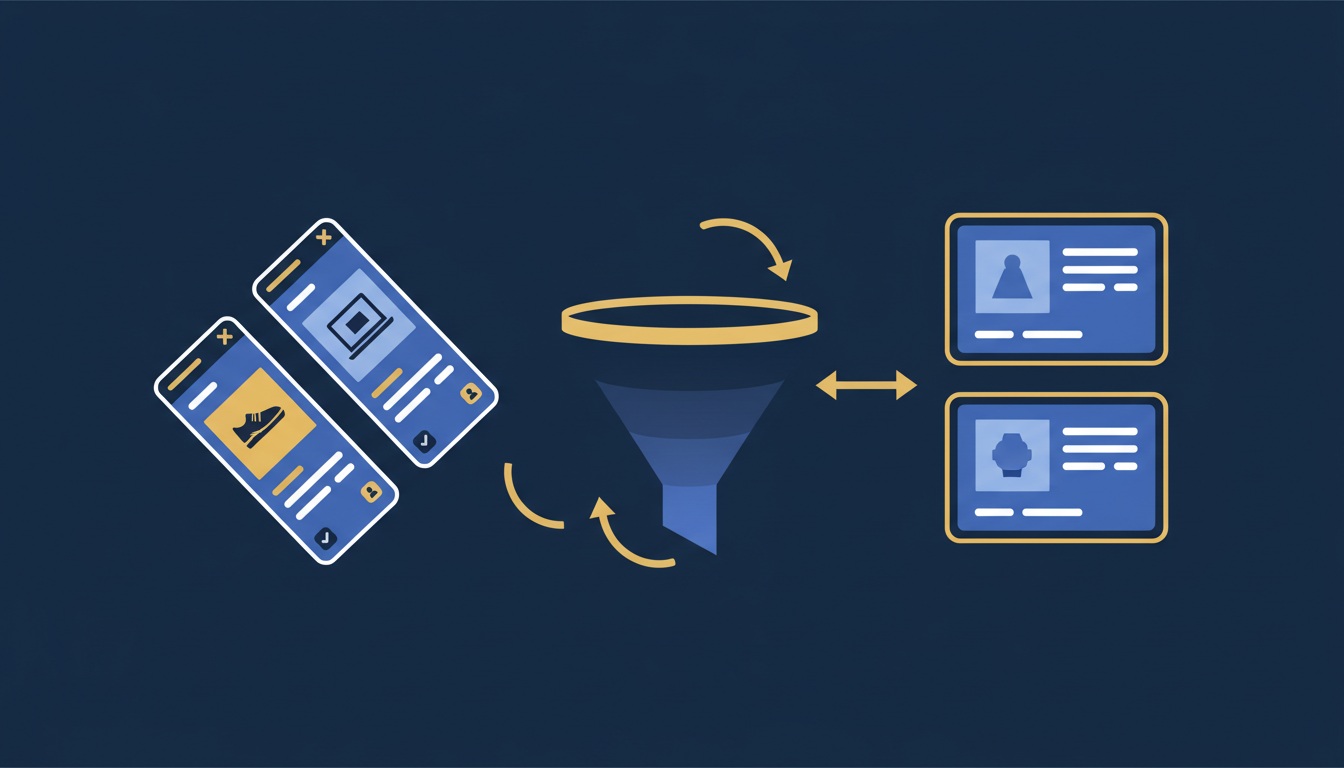
For UK businesses selling physical products online, two of the most powerful advertising channels available are Google Shopping and remarketing campaigns. Together, they form a formidable strategy: Shopping ads capture high-intent buyers actively searching for your products, while remarketing brings back the 97% of visitors who leave your site without converting. Whether you run a boutique e-commerce store in Manchester or a wholesale operation in Birmingham, mastering these two campaign types can dramatically improve your return on ad spend.
This comprehensive guide covers everything UK small and medium-sized enterprises need to know about Google Shopping ads management, from setting up your Merchant Center account and optimising product feeds, to building sophisticated remarketing audiences and measuring what matters. We will explore the differences between Smart Shopping and Standard Shopping campaigns, break down Google Ads remarketing strategies including display, dynamic, and RLSA approaches, and provide practical budget allocation frameworks designed specifically for UK businesses.
If you have been considering PPC for small business UK operations but felt overwhelmed by the complexity of Shopping and remarketing, this guide will give you the clarity and confidence to move forward. Let us start with the fundamentals.
Understanding Google Shopping Ads
Google Shopping ads are the product listing advertisements that appear at the top of Google search results when someone searches for a specific product. Unlike traditional text ads, Shopping ads display a product image, title, price, store name, and sometimes additional information such as reviews and delivery details. This rich visual format makes them incredibly effective for e-commerce businesses.
When a potential customer in the UK searches for "waterproof hiking boots size 10" or "organic dog food delivery," Google Shopping ads present relevant products from merchants who have listed them through Google Merchant Center. The visual nature of these ads means that users can compare products before they even click, resulting in higher-quality traffic and better conversion rates compared to standard text ads.
How Google Shopping Ads Work
Unlike Search campaigns where you bid on keywords, Shopping ads use your product data feed to determine when and where your ads appear. Google matches the product information in your feed - title, description, category, attributes - to user search queries. This means the quality of your product feed directly determines your Shopping campaign performance.
The process works as follows: you upload your product data to Google Merchant Center, link your Merchant Center account to Google Ads, create a Shopping campaign, set your bids and budget, and Google automatically shows your products to relevant searchers. There is no keyword selection involved; instead, you can use negative keywords to prevent your ads from showing for irrelevant searches.
Because Google Shopping ads do not use keyword targeting in the traditional sense, your product feed is your most important asset. Investing time in feed optimisation will yield far greater returns than simply increasing your budget. Many UK businesses overlook this and waste thousands of pounds on poorly structured feeds.
Why Shopping Ads Matter for UK Businesses
For UK e-commerce businesses, Shopping ads are not optional - they are essential. British consumers increasingly begin their product searches on Google, and Shopping ads dominate the visual real estate at the top of search results. With the rise of mobile shopping, where screen space is even more limited, appearing in the Shopping carousel can be the difference between making a sale and losing a customer to a competitor.
Furthermore, Shopping ads tend to deliver a lower cost per acquisition than text ads for product-related searches. Because users see the product image and price before clicking, the traffic you receive is more qualified. People who click on your Shopping ad already know what the product looks like and how much it costs, so they are further along the purchase journey.
Setting Up Google Merchant Center
Google Merchant Center is the platform where you upload and manage your product data. It serves as the bridge between your product catalogue and Google Shopping ads. Setting it up correctly from the start is critical - errors at this stage can prevent your products from appearing in Shopping results or, worse, lead to account suspension.
Step-by-Step Merchant Center Setup
Step 1: Create Your Merchant Center Account
Visit merchants.google.com and sign in with your Google account. Enter your business name, country (United Kingdom), and time zone. Verify and claim your website URL - you can do this via HTML tag, Google Analytics, Google Tag Manager, or DNS record.
Step 2: Configure Tax and Shipping Settings
For UK businesses, VAT is typically included in the product price displayed to consumers. Set your shipping rates accurately - Google requires shipping information and will disapprove products with missing or incorrect shipping data. Include all delivery options: standard, express, click-and-collect if applicable.
Step 3: Create and Upload Your Product Feed
Build your product data feed in a supported format (XML, TSV, or Google Sheets). Include all required attributes: id, title, description, link, image_link, availability, price, brand, GTIN, and condition. For UK listings, ensure prices are in GBP and include VAT.
Step 4: Link to Google Ads
Navigate to Settings > Linked Accounts in Merchant Center and link your Google Ads account. This connection allows you to create Shopping campaigns that pull product data from your feed. Ensure both accounts use the same Google account or that appropriate access permissions are granted.
Step 5: Review Diagnostics and Fix Errors
After uploading your feed, check the Diagnostics tab for errors and warnings. Common issues include missing GTINs, incorrect price formatting, image quality problems, and landing page mismatches. Resolve all errors before launching your Shopping campaign.
Common Merchant Center Pitfalls for UK Businesses
UK merchants frequently encounter specific issues when setting up Merchant Center. Price mismatches between the feed and landing page are the most common cause of product disapprovals - if your feed says £29.99 but your website shows £34.99 (perhaps due to a recent price change), Google will disapprove the product. Ensure your feed updates regularly, ideally multiple times per day.
Another common issue is GTIN (Global Trade Item Number) compliance. Google increasingly requires valid GTINs (EAN-13 for UK products) for branded products. If you sell your own branded products, you may need to register for GS1 UK barcodes. For handmade or custom items, you can set the identifier_exists attribute to "no."
Set up automatic feed fetching in Merchant Center rather than relying on manual uploads. Schedule fetches at least once daily, and more frequently if your prices or stock levels change often. This prevents price mismatch disapprovals and ensures your ads always reflect current availability. Most UK e-commerce platforms like Shopify, WooCommerce, and Magento offer plugins that generate compliant feeds automatically.
Product Feed Optimisation
Your product feed is the foundation of your Shopping campaign performance. Google uses feed data to determine which searches trigger your ads, so optimising your feed is arguably the single most impactful thing you can do for your Google Shopping ads management strategy. Think of your feed as a combination of SEO and advertising - you need to speak both Google's language and your customers' language.
Title Optimisation
Product titles are the most important attribute in your feed. Google heavily weights titles when matching products to search queries. A well-optimised title includes the brand, product type, key attributes (colour, size, material), and model number where relevant.
| Element | Poor Title | Optimised Title | Why It Matters |
|---|---|---|---|
| Brand First | Blue Running Shoes | Nike Air Zoom Pegasus 41 Men's Running Shoes – Blue/White – Size 9 UK | Brand searches are high-intent and the first words carry the most weight |
| Key Attributes | Cotton T-Shirt | Ralph Lauren Classic Fit Cotton Crew Neck T-Shirt – Navy – Medium | Includes colour, size, and material that shoppers filter by |
| Product Type | Garden Tool Set | Spear & Jackson 3-Piece Carbon Steel Garden Tool Set – Trowel, Fork & Transplanter | Specific product descriptions match long-tail searches |
| Model Numbers | Samsung TV 55" | Samsung QE55QN85D 55" Neo QLED 4K Smart TV – 2024 Model – Free UK Delivery | Technical buyers often search by model number |
Description and Category Optimisation
While descriptions carry less weight than titles for ad matching, they still influence relevance. Write natural, keyword-rich descriptions that accurately represent the product. Include dimensions, materials, use cases, and compatibility information. For UK audiences, use British spelling and measurements (centimetres rather than inches where appropriate, stone and pounds for body weight products).
Google product categories should be as specific as possible. Rather than selecting "Clothing," drill down to "Clothing & Accessories > Clothing > Outerwear > Coats & Jackets > Raincoats." The more specific your categorisation, the better Google can match your products to relevant searches.
Image Requirements and Best Practices
Product images must meet Google's requirements: minimum 100x100 pixels for non-apparel, 250x250 for apparel, maximum 64 megapixels, and no larger than 16MB. Images should show the product on a white or neutral background, without watermarks, logos, or promotional text overlaid.
Using Custom Labels Effectively
Custom labels (custom_label_0 through custom_label_4) allow you to segment your products in ways that matter for bidding. Common strategies include labelling by profit margin (high, medium, low), seasonality (summer, winter, evergreen), price range, bestseller status, or clearance items. These labels do not affect how ads are shown but allow you to create separate ad groups with different bids for different product segments.
For example, a UK clothing retailer might use custom_label_0 for season (SS26, AW26), custom_label_1 for margin tier (high_margin, standard_margin, low_margin), and custom_label_2 for performance tier (bestseller, standard, underperformer). This segmentation enables you to bid more aggressively on high-margin bestsellers while maintaining efficiency on lower-value products.
Smart Shopping vs Standard Shopping Campaigns
Google offers two primary Shopping campaign types: Standard Shopping and Performance Max (which replaced Smart Shopping in 2022). Understanding the differences is crucial for choosing the right approach for your business. Many UK businesses running PPC for small business UK strategies default to Performance Max without understanding what they are giving up.
Standard Shopping
Performance Max
When to Choose Standard Shopping
Standard Shopping campaigns are ideal when you need granular control over your bidding strategy, want full visibility into search terms driving clicks, have a large catalogue requiring sophisticated product group structures, or are experienced with Google Ads and comfortable with manual optimisation. They are also preferable when you want to keep Shopping and remarketing as separate, independently managed campaigns.
When to Choose Performance Max
Performance Max is generally recommended for UK SMEs because it leverages Google's machine learning to optimise bids across all networks, requires less manual management time, and can access inventory across Search, Display, YouTube, Gmail, and Discover from a single campaign. For businesses with limited time or expertise in Google Shopping ads management, Performance Max provides a more accessible entry point.
However, be aware of its limitations. Performance Max provides less transparency into what is working and why, makes it harder to control where your budget is being spent across networks, and can cannibalise your other campaigns if not properly structured. Many experienced advertisers run a combination: Performance Max for their core products and Standard Shopping for specific segments where control matters most.
If you are running Performance Max, create asset groups that align with your product categories. Each asset group should have relevant headlines, descriptions, and images specific to that product segment. This gives Performance Max better signals for optimisation and prevents generic creative being shown for specialist products. A UK bicycle retailer, for instance, should have separate asset groups for road bikes, mountain bikes, and accessories rather than lumping everything together.
Understanding Google Ads Remarketing
Google Ads remarketing is the practice of showing targeted advertisements to people who have previously interacted with your website, app, or other digital properties. It is one of the most cost-effective advertising strategies available because you are targeting people who have already expressed interest in your products or services - they are warm leads rather than cold prospects.
Consider this: the average e-commerce conversion rate in the UK is around 2-3%. That means 97-98% of visitors leave without purchasing. Remarketing gives you a second (and third, and fourth) opportunity to bring those visitors back and convert them. Without remarketing, you are paying to acquire traffic once and then hoping for the best. With remarketing, you maximise the value of every click you have already paid for.
Types of Remarketing Campaigns
Google Ads offers several remarketing approaches, each serving different purposes and audiences. Understanding when to use each type is essential for building an effective remarketing strategy as part of your overall PPC packages UK businesses rely on for growth.
| Remarketing Type | How It Works | Best For | Typical UK CPC |
|---|---|---|---|
| Standard Display Remarketing | Shows banner ads across the Google Display Network to past visitors | Brand awareness, staying top of mind | £0.10–£0.50 |
| Dynamic Remarketing | Shows ads featuring the exact products a user viewed on your site | E-commerce, large product catalogues | £0.15–£0.60 |
| RLSA (Remarketing Lists for Search Ads) | Adjusts Search bids or shows different ads to past visitors searching again | High-intent re-engagement, competitive markets | £0.40–£2.00 |
| Video Remarketing | Targets YouTube viewers who have visited your site, or shows ads to people who interacted with your YouTube channel | Brand storytelling, product demonstrations | £0.03–£0.15 (CPV) |
| Customer List Remarketing | Targets users from your email list across Google properties | Re-engaging lapsed customers, upselling | Varies by channel |
Display Remarketing: Staying Visible
Standard display remarketing is the most common form of remarketing and the easiest to set up. When a user visits your website and leaves without converting, a cookie is placed in their browser. As they browse other websites within the Google Display Network - which includes over 2 million sites, reaching over 90% of internet users globally - your banner ads appear, reminding them of your brand and products.
For UK businesses, display remarketing is particularly effective during peak shopping periods such as Black Friday, Christmas, January sales, and bank holiday weekends. Shoppers often research products weeks before purchasing, and display remarketing keeps your brand visible throughout that consideration period.
Creating Effective Display Remarketing Ads
Your remarketing ads should be visually consistent with your website branding, include a clear call to action, and ideally feature an incentive to return (such as a limited-time discount or free shipping offer). Responsive display ads are recommended as they automatically adjust their size and format to fit available ad spaces across the Display Network.
When designing your ads, create multiple variations with different messages: one highlighting a discount, another emphasising free UK delivery, and a third showcasing customer reviews or trust signals. Google will automatically test and optimise which variations perform best for different audience segments.
Click-through rate effectiveness by remarketing ad message type (UK e-commerce average)
Frequency Capping and Ad Fatigue
One of the biggest mistakes in display remarketing is showing ads too frequently. Ad fatigue sets in quickly - after seeing the same ad repeatedly, users become annoyed and may develop negative associations with your brand. Set frequency caps to limit how often your ads are shown to the same person. A good starting point for UK campaigns is 3-5 impressions per user per day, though this should be tested and adjusted based on your audience and industry.
Additionally, rotate your ad creatives regularly. A fresh creative every 2-4 weeks prevents staleness and gives you ongoing data about what messages resonate best with your remarketing audience.
Dynamic Remarketing: Personalised Product Ads
Dynamic remarketing takes standard remarketing to the next level by showing users ads that feature the specific products they viewed on your website. If a customer browsed a pair of Dr. Martens boots on your site but did not purchase, dynamic remarketing will show them an ad featuring those exact boots - complete with current price, image, and a direct link back to the product page.
This level of personalisation dramatically increases click-through and conversion rates compared to generic remarketing ads. Dynamic remarketing is powered by the same product feed you use for Shopping ads, which means if you have already set up Google Merchant Center, you are halfway there.
Setting Up Dynamic Remarketing
To enable dynamic remarketing, you need three components: a Google Merchant Center product feed (which you should already have for Shopping ads), the Google Ads remarketing tag with custom parameters installed on your website, and a dynamic remarketing campaign in Google Ads.
The remarketing tag must pass product IDs that match your Merchant Center feed. When a user views a product, the tag fires and records which product ID was viewed. Google then uses your feed to dynamically generate ads featuring those products. Ensure your tag implementation correctly captures product IDs on product pages, category pages, and the shopping cart.
Dynamic remarketing works best when you segment your audiences by how deep they went in the purchase funnel. Create separate ad groups for product viewers, cart abandoners, and past purchasers. Cart abandoners should see more aggressive offers (perhaps a 10% discount code), while product viewers might respond better to social proof or free delivery messaging. This tiered approach is a cornerstone of effective Google Ads remarketing for UK e-commerce businesses.
Dynamic Remarketing Performance Benchmarks
RLSA: Remarketing Lists for Search Ads
Remarketing Lists for Search Ads (RLSA) is perhaps the most underutilised remarketing strategy among UK businesses, yet it can be one of the most profitable. Unlike display remarketing, which shows banner ads on third-party websites, RLSA adjusts your Search campaign behaviour based on whether the searcher has previously visited your website.
RLSA works in two ways. First, you can increase your bids for past visitors who search again - the "bid-only" approach. If someone previously visited your site and then searches for a relevant term, you bid higher to ensure your ad appears in a prominent position. Second, you can use the "targeting" approach, where you only show certain Search ads to people on your remarketing list, allowing you to bid on broader keywords that would otherwise be too expensive or irrelevant.
RLSA Strategy Examples for UK Businesses
| Strategy | How It Works | Example | Expected Impact |
|---|---|---|---|
| Bid Boost for Past Visitors | Increase bids by 30-50% when a past visitor searches for your target keywords | A London furniture retailer bids higher when someone who previously viewed sofas searches for "corner sofa UK delivery" | 15-25% increase in conversion rate |
| Broad Keyword Targeting | Only show ads for broad keywords to past visitors (targeting mode) | Bid on the generic term "running shoes" but only for users who previously visited your running shoe category page | Access to high-volume keywords at profitable CPA |
| Competitor Conquesting | Bid on competitor brand names but only for your remarketing audience | Show your ad when a past visitor searches for a competitor's brand, reminding them of your offering | Recapture users who are comparison shopping |
| Cart Abandoner Recovery | Show specific Search ads with incentives to users who abandoned their cart | "Complete your order today and get free next-day UK delivery" when a cart abandoner searches again | 20-40% of recovered carts |
| Cross-Sell to Purchasers | Target past purchasers with related product keywords | Show camera accessories ads to someone who bought a camera from your site 30 days ago | Higher lifetime value, lower acquisition cost |
RLSA requires a minimum audience size of 1,000 users to function on the Search network. If your website traffic is below this threshold, focus on building your remarketing lists through Shopping and Display campaigns first, then layer in RLSA once your lists are large enough. This is particularly relevant for UK SMEs with modest traffic volumes who are exploring PPC for small business UK strategies for the first time.
Building Effective Remarketing Audiences
The effectiveness of your remarketing campaigns depends entirely on the quality of your audience segmentation. Rather than remarketing to "all website visitors" as a single group, segment your audiences based on behaviour, intent, and value. This allows you to tailor your messaging and bidding for each segment, dramatically improving performance.
Essential Audience Segments
Every UK e-commerce business should create at least the following remarketing audiences. Each serves a different purpose and should receive different messaging and budget allocation.
Audience Duration Windows
The membership duration of your remarketing lists should reflect your typical purchase cycle. For low-cost impulse purchases (under £30), shorter windows of 7-14 days work best. For considered purchases (£100-£500), 30-60 day windows are appropriate. For high-value purchases (£500+), extend to 90-180 days to capture the longer research and decision-making period.
UK-specific seasonal considerations also matter. Extend your remarketing windows before major shopping events - start building audiences in October for the Christmas period, and ensure your Black Friday audiences capture visitors from early November onwards.
Excluding Converted Users
Always exclude recent purchasers from your acquisition remarketing campaigns. There is no point spending money to show ads for a product someone has already bought. Create a "recent purchasers" audience (typically 7-14 days for consumable products, 30-90 days for durable goods) and apply it as an exclusion to your remarketing campaigns. You can then target these purchasers separately with cross-sell or upsell campaigns.
Budget Allocation: Shopping vs Remarketing
One of the most common questions UK businesses ask when investing in PPC packages UK agencies offer is how to split their budget between Shopping and remarketing campaigns. The answer depends on your business goals, product type, and current performance data, but there are established frameworks that work well for most UK SMEs.
Recommended Budget Split Framework
For most UK e-commerce businesses starting out, we recommend allocating approximately 70-80% of your Google Ads budget to Shopping campaigns and 20-30% to remarketing. Shopping campaigns drive new customer acquisition - they put your products in front of people actively searching to buy. Remarketing maximises the value of that traffic by bringing back visitors who did not convert on their first visit.
As your campaigns mature and your remarketing audiences grow, you may shift more budget toward remarketing, especially if your data shows strong remarketing ROAS. Some mature UK e-commerce operations allocate up to 40% of their budget to remarketing once their audiences reach scale.
Budget Allocation by Business Stage
| Business Stage | Monthly PPC Budget (GBP) | Shopping Allocation | Remarketing Allocation | Focus |
|---|---|---|---|---|
| Startup / New to PPC | £500–£1,500 | 80% | 20% | Build traffic and remarketing lists; simple display remarketing |
| Growing Business | £1,500–£5,000 | 70% | 30% | Expand Shopping; add dynamic remarketing and RLSA |
| Established E-commerce | £5,000–£20,000 | 65% | 35% | Sophisticated audience segmentation; cross-sell remarketing |
| Scale / Enterprise | £20,000+ | 60% | 40% | Full-funnel strategy; video remarketing; customer list targeting |
Never set a fixed budget split and forget it. Review your Shopping and remarketing performance weekly during the first three months, then monthly once campaigns stabilise. If your remarketing campaigns are delivering a higher ROAS than Shopping, gradually shift budget toward remarketing. The optimal split is dynamic and should be informed by your own data, not industry averages. A good local PPC management partner will adjust these allocations continuously based on performance trends.
Measuring Performance: KPIs That Matter
Effective Google Shopping ads management and remarketing require rigorous performance measurement. Without tracking the right metrics, you cannot make informed decisions about budget allocation, bid adjustments, or creative optimisation. Here are the key performance indicators every UK business should monitor.
Shopping Campaign KPIs
Remarketing Campaign KPIs
Remarketing campaigns should be measured differently from prospecting campaigns. Because you are targeting people who have already shown interest, you should expect higher conversion rates and lower CPAs. Key metrics include:
| Metric | What It Measures | UK Benchmark (E-commerce) | Why It Matters |
|---|---|---|---|
| View-Through Conversions | Conversions after seeing (not clicking) a remarketing ad | Varies - track as directional signal | Display remarketing often influences without direct clicks |
| Assisted Conversions | Conversions where remarketing was part of the path but not the last click | Remarketing typically assists 15-25% of conversions | Shows the true value of remarketing beyond last-click attribution |
| List Size Growth | How quickly your remarketing audiences are growing | Depends on traffic volume | Larger lists enable more effective and efficient remarketing |
| Frequency | Average number of times a user sees your remarketing ad | 3-7 per week is optimal | Too high causes fatigue; too low reduces impact |
| ROAS by Audience Segment | Return on spend for each remarketing segment | Cart abandoners: 8-15x; Product viewers: 4-8x | Guides budget allocation between segments |
Attribution Considerations
UK businesses often undervalue remarketing because they rely on last-click attribution, which credits the final touchpoint before a conversion. In reality, remarketing plays a crucial supporting role throughout the customer journey. A customer might discover your product through a Shopping ad, return via a remarketing ad, and finally convert through a branded search. Under last-click attribution, the branded search gets all the credit, but the remarketing ad was essential to the conversion path.
Switch to data-driven attribution in Google Ads if your account has sufficient conversion volume (typically 300+ conversions in the past 30 days). For smaller UK businesses, position-based or linear attribution models provide a more balanced view of remarketing's contribution than last-click.
Common Mistakes UK Businesses Make
Having managed Google Shopping ads management and Google Ads remarketing campaigns for numerous UK businesses, we have identified recurring mistakes that cost businesses money and limit their growth. Avoiding these pitfalls can save you thousands of pounds and months of wasted effort.
Shopping Campaign Mistakes
1. Neglecting the product feed. Many UK businesses set up their product feed once and forget about it. Feed optimisation is an ongoing process. Titles should be refined based on search term data, descriptions updated for seasonal relevance, and pricing kept accurate. A neglected feed leads to poor ad matching and wasted spend.
2. Using a single ad group for all products. Lumping all products into one ad group with a single bid means you are bidding the same amount for a £5 phone case as you are for a £500 laptop. Segment your products by category, brand, margin, or performance tier and set appropriate bids for each segment.
3. Ignoring negative keywords. Even though Shopping ads do not use keyword targeting, negative keywords are crucial for preventing your ads from showing for irrelevant searches. Regularly review your search terms report and add negatives for queries that generate clicks but not conversions - terms like "free," "DIY," "repair," "second hand," or competitor brand names you do not want to compete on.
4. Not segmenting by device. Mobile and desktop Shopping ads can perform very differently. Monitor performance by device and apply bid adjustments accordingly. In the UK, mobile accounts for over 60% of e-commerce traffic but often converts at a lower rate than desktop - adjust your bids to reflect this.
Remarketing Mistakes
5. Remarketing to everyone equally. Treating all past visitors the same is a fundamental error. A user who spent 10 minutes browsing products and added items to their cart is vastly more valuable than someone who bounced from your homepage after 5 seconds. Segment and prioritise accordingly.
6. No frequency caps. Without frequency capping, remarketing can become harassment. Users who see your ad 30 times a day will develop negative brand associations. Set frequency caps and refresh your creatives regularly.
7. Not excluding converters. Showing purchase remarketing ads to people who have already bought wastes budget and annoys customers. Always exclude recent purchasers from acquisition remarketing campaigns.
8. Running remarketing without proper consent. UK businesses must comply with GDPR and the Privacy and Electronic Communications Regulations (PECR). Ensure your cookie consent mechanism properly handles marketing cookies, and that your privacy policy clearly describes your remarketing practices. Non-compliance can result in ICO fines and loss of customer trust.
Audit your Shopping and remarketing campaigns quarterly using a structured checklist. Review feed quality scores, search term relevance, audience sizes, frequency metrics, conversion tracking accuracy, and attribution settings. A quarterly audit prevents small issues from becoming expensive problems. Many UK businesses find that professional local PPC management support pays for itself through the waste it eliminates and the opportunities it identifies.
Advanced Strategies for UK E-commerce
Once you have mastered the fundamentals of Shopping and remarketing campaigns, several advanced strategies can further improve your performance. These techniques are particularly effective for UK businesses operating in competitive markets where marginal gains make a significant difference.
Seasonal Campaign Structures
The UK retail calendar has distinct peaks and troughs that should inform your campaign strategy. Build separate campaign structures for key periods: January sales, Valentine's Day, Easter, summer, back-to-school (August/September), Black Friday/Cyber Monday, and Christmas. Each period should have tailored product priorities, bid adjustments, and remarketing creatives.
Begin building your remarketing audiences 4-6 weeks before each peak period. For Christmas, start in October. For Black Friday, start in early November. The larger your remarketing audiences heading into these peaks, the more effectively you can compete during the highest-converting days of the year.
Shopping Campaign Priority Structures
Advanced advertisers use campaign priority settings (High, Medium, Low) in Standard Shopping to create a "funnel" structure that captures different types of searches at different bid levels. This technique is sometimes called "cascading Shopping campaigns" or the "alpha/beta/gamma" structure.
High Priority Campaign - Generic Searches
Set to High priority with a low bid. This campaign catches broad, generic searches (e.g., "running shoes") at a low cost. Add all branded and specific product name terms as negatives so they pass through to lower-priority campaigns. This captures top-of-funnel traffic inexpensively.
Medium Priority Campaign - Product-Specific Searches
Set to Medium priority with a moderate bid. This catches more specific searches (e.g., "Nike Pegasus 41 running shoes") that are filtered out of the High priority campaign by negative keywords. Add brand-name negatives so exact product searches fall to the Low priority campaign.
Low Priority Campaign - Brand and Model Searches
Set to Low priority with the highest bid. This catches the most specific, highest-intent searches (e.g., "Nike Air Zoom Pegasus 41 men's blue size 9 UK buy") that have been filtered down through the priority cascade. These searches have the highest conversion rate, justifying the higher bid.
Cross-Channel Remarketing Synergies
For maximum impact, coordinate your Google Ads remarketing with other channels. If you are running email marketing, synchronise your remarketing messaging with your email campaigns. A customer who receives an abandoned cart email and then sees a remarketing ad with the same product and offer is significantly more likely to convert than one who only sees one or the other.
Similarly, integrate your Shopping and remarketing data with Google Analytics 4 to understand the full customer journey. GA4's path analysis tools reveal how Shopping and remarketing touchpoints interact, helping you optimise the entire conversion funnel rather than individual campaigns in isolation.
Practical Advice for UK SMEs Getting Started
If you are a UK small or medium-sized business considering PPC for small business UK strategies that include Shopping and remarketing, here is a practical, step-by-step approach to getting started without overwhelming your team or budget.
Month 1-2: Foundation
Start by setting up Google Merchant Center and creating a well-optimised product feed. Launch a Standard Shopping or Performance Max campaign with a modest daily budget (£20-50/day depending on your product range). Install the Google Ads remarketing tag on your website with proper custom parameters for dynamic remarketing. Begin building your remarketing audiences - you need at least 1,000 users for display remarketing and 1,000 for RLSA.
Month 3-4: Expansion
Once your remarketing lists reach minimum thresholds, launch display remarketing campaigns targeting cart abandoners and product viewers. Refine your Shopping campaign based on search term data - add negative keywords, adjust bids by product group, and optimise your product feed titles based on what terms are driving conversions. If your audiences are large enough, add RLSA bid adjustments to your existing Search campaigns.
Month 5-6: Optimisation
Introduce dynamic remarketing to show personalised product ads. Test different audience durations and messaging strategies. Review attribution models and consider switching from last-click to a model that better captures remarketing's contribution. Begin experimenting with video remarketing on YouTube if budget permits.
What to Look for in PPC Packages
Many UK SMEs choose to work with a professional agency for their PPC packages UK businesses need rather than managing campaigns in-house. When evaluating providers, look for the following:
Feed management included. Your Shopping campaign performance is only as good as your product feed. Ensure any PPC package includes ongoing feed optimisation, not just initial setup. Agencies that treat the feed as a "set and forget" element will deliver mediocre results.
Transparent reporting. You should receive detailed reporting that includes ROAS, CPA, conversion rates, and search term analysis - not just clicks and impressions. Insist on access to your Google Ads account and understand that the account belongs to you, not the agency.
Remarketing expertise. Many PPC packages UK agencies offer focus exclusively on Search and Shopping without including remarketing. Given that remarketing typically delivers some of the highest ROAS in a Google Ads account, any comprehensive PPC service should include remarketing campaign setup and management.
UK market knowledge. Generic PPC management is not the same as local PPC management with genuine understanding of UK consumer behaviour, seasonal patterns, regulatory requirements (GDPR, PECR, ASA rules), and competitive dynamics. Choose a partner with proven UK e-commerce experience.
Google Shopping and Remarketing: A Unified Strategy
The most successful UK e-commerce businesses do not treat Shopping and remarketing as separate initiatives - they view them as complementary parts of a single customer acquisition and retention strategy. Shopping campaigns fill the top of your funnel with high-intent traffic, and remarketing ensures you maximise the conversion of that traffic throughout the customer journey.
The Full-Funnel Framework
Stage 1: Discovery (Shopping Ads)
Customer searches for a product and sees your Shopping ad. They click through, browse your site, but leave without purchasing. Your remarketing tag captures their visit and the products they viewed.
Stage 2: Consideration (Display Remarketing)
Over the next few days, the customer sees your display remarketing ads as they browse other websites. These ads keep your brand top of mind and may feature a special offer or social proof to encourage return.
Stage 3: Re-engagement (Dynamic Remarketing)
The customer sees dynamic remarketing ads featuring the exact products they viewed, with current pricing and availability. The personalised nature of these ads is far more compelling than generic banners.
Stage 4: Conversion (RLSA)
The customer returns to Google and searches again. Your RLSA bid adjustment ensures your Search or Shopping ad appears prominently. They click through and complete their purchase, recognising your brand from the remarketing ads they have seen.
Stage 5: Retention (Cross-Sell Remarketing)
After purchase, the customer is moved to your "past purchaser" remarketing list. After an appropriate window (30-60 days), they begin seeing ads for complementary products, increasing their lifetime value.
This full-funnel approach is what separates high-performing UK e-commerce businesses from those that struggle with Google Ads. Each stage builds on the previous one, and together they create a comprehensive system for acquiring, converting, and retaining customers.
Compliance and Privacy Considerations for UK Businesses
UK businesses must navigate a specific regulatory landscape when running remarketing campaigns. Since leaving the EU, the UK has maintained its own version of GDPR (UK GDPR) alongside the Privacy and Electronic Communications Regulations (PECR). These regulations have direct implications for how you implement remarketing.
Cookie Consent Requirements
Remarketing relies on cookies (and increasingly first-party data), which means you need proper consent mechanisms in place. Under PECR, you must obtain explicit consent before placing non-essential cookies, which includes remarketing cookies. Your cookie consent banner must clearly explain what cookies are being used and give users a genuine choice to accept or decline marketing cookies.
The practical impact is that a portion of your website visitors will decline marketing cookies, reducing the size of your remarketing audiences. In the UK, consent rates typically range from 40-70% depending on how your consent mechanism is designed. This makes it even more important to maximise the value of each consented user through effective audience segmentation and messaging.
First-Party Data Strategy
With third-party cookies being phased out and privacy regulations tightening, UK businesses should invest in first-party data collection. Encourage email sign-ups, loyalty programme registrations, and account creation. This first-party data can be used for Customer Match remarketing in Google Ads, which is not reliant on cookies and typically delivers higher match rates and better performance.
Google's Enhanced Conversions feature, which hashes first-party data to improve conversion tracking accuracy, is increasingly important for UK advertisers. Implement Enhanced Conversions to maintain measurement accuracy as the cookie landscape continues to evolve.
Invest in server-side tagging for your Google Ads remarketing and conversion tracking. Server-side tagging runs through your own domain, reducing the impact of browser-based cookie restrictions and ad blockers. While it requires more technical setup than standard client-side tagging, it provides more reliable data collection - which is essential for both accurate reporting and effective remarketing. A specialist in local PPC management can help implement server-side tagging as part of a comprehensive tracking strategy.
Choosing the Right Google Ads Management Partner
For many UK SMEs, managing Shopping and remarketing campaigns in-house is not practical. The complexity of feed optimisation, audience segmentation, bid management, creative testing, and compliance requirements demands specialist expertise. Choosing the right Google Shopping ads management partner can be the difference between profitable growth and wasted investment.
What to Look For
At Cloudswitched, we specialise in Google Shopping ads management and Google Ads remarketing for UK businesses. As a London-based IT managed service provider, we understand the unique challenges UK SMEs face - from navigating GDPR compliance to competing with larger retailers during peak trading periods. Our PPC packages UK businesses trust include comprehensive Shopping campaign setup, feed optimisation, remarketing strategy, and transparent reporting that shows you exactly where your money is going and what it is delivering.
Whether you need full-service local PPC management or strategic support alongside your in-house team, we tailor our approach to your business goals, budget, and growth ambitions. Our clients typically see a 3-5x improvement in ROAS within the first six months of working with us, driven by feed optimisation, intelligent audience segmentation, and continuous performance refinement.
Frequently Asked Questions
How much should a UK small business spend on Google Shopping ads?
There is no one-size-fits-all answer, but most UK SMEs start with £500-£1,500 per month for Shopping campaigns alone. The key is not the total budget but the ROAS it delivers. Start with a budget you can sustain for at least 3 months (it takes time for campaigns to optimise), measure performance rigorously, and scale what works. A well-managed £1,000/month Shopping campaign that delivers 5x ROAS is worth far more than a £5,000/month campaign delivering 1.5x.
How long does it take for Shopping campaigns to become profitable?
Most UK e-commerce Shopping campaigns reach profitability within 4-8 weeks, assuming the product feed is well-optimised and products have competitive pricing. The first 2-4 weeks are typically a learning period where Google's algorithms gather data. Performance improves steadily as you refine your feed, add negative keywords, and adjust bids based on real data. Remarketing campaigns can become profitable even faster - often within the first week - because you are targeting warm audiences.
Can I run Shopping and remarketing campaigns myself?
Yes, particularly with Performance Max which simplifies campaign management. However, PPC for small business UK operations often delivers better results when managed by specialists because of the technical complexity involved in feed optimisation, audience segmentation, bid management, and compliance. The time you spend learning and managing campaigns is time not spent running your business. Many UK SMEs find that the improved ROAS from professional management more than covers the management fee.
What is the difference between remarketing and retargeting?
In practice, these terms are used interchangeably in the UK market. Technically, "remarketing" traditionally referred to email-based re-engagement (and is the term Google uses), while "retargeting" referred to ad-based re-engagement. Today, both terms describe the practice of showing ads to people who have previously interacted with your business online.
Do I need a separate remarketing budget or does it come from my Shopping budget?
We recommend separate budgets for Shopping and remarketing campaigns. This ensures that your remarketing campaigns are not starved of budget during high-traffic Shopping periods, and gives you clearer performance data for each campaign type. If you use Performance Max, remarketing is partially built into the campaign, but we still recommend running supplementary standalone remarketing campaigns for maximum control and coverage.
Summary: Your Shopping and Remarketing Action Plan
Google Shopping and remarketing campaigns represent two of the highest-ROI advertising channels available to UK e-commerce businesses. Shopping ads capture high-intent buyers at the moment of search, while remarketing ensures you convert the maximum percentage of that traffic by staying visible throughout the purchase journey.
Success requires attention to fundamentals: a well-optimised product feed, intelligent audience segmentation, appropriate budget allocation, and rigorous performance measurement. Avoid the common mistakes we have outlined - particularly feed neglect, poor audience segmentation, and inadequate frequency management - and you will outperform the majority of your competitors.
Whether you manage campaigns in-house or work with a specialist local PPC management partner like Cloudswitched, the principles remain the same. Start with a solid foundation, measure everything, test continuously, and let data guide your decisions. The UK e-commerce market is competitive, but businesses that master Shopping and remarketing have a significant and sustainable advantage.
Ready to Transform Your Google Shopping & Remarketing Performance?
Cloudswitched helps UK businesses build and manage high-performing Google Shopping and remarketing campaigns. From product feed optimisation and audience strategy to ongoing campaign management and transparent reporting, our London-based team delivers measurable results. Book a free consultation to discuss your goals and discover how our PPC packages can accelerate your e-commerce growth.

Cloudswitched
London-based managed IT services provider offering support, cloud solutions and cybersecurity for SMEs.


