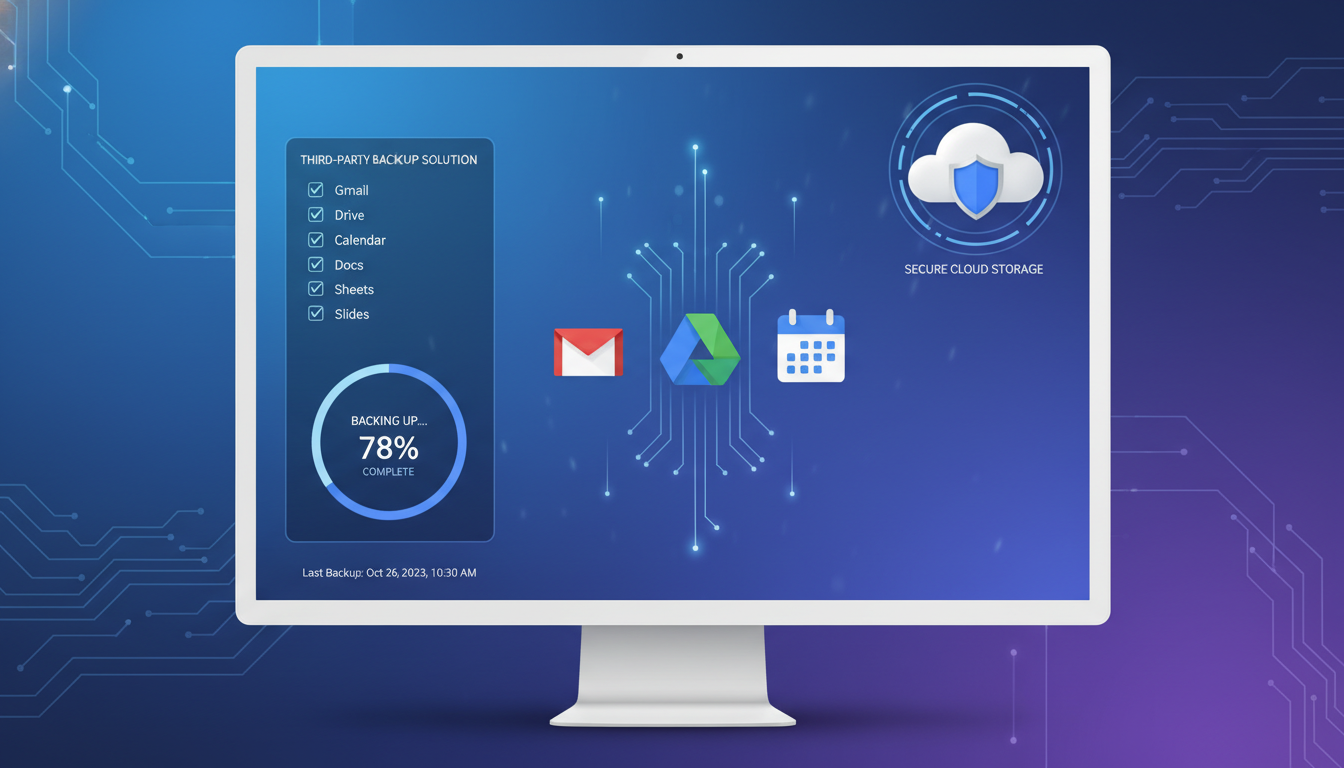
If your business runs on Google Workspace - formerly G Suite - you might assume that Google takes care of backing up all your data. After all, Google is one of the world's largest and most sophisticated technology companies, with infrastructure that spans the globe. Surely your emails, documents, spreadsheets, and files are safe in their hands?
The reality is more nuanced and, for many UK businesses, more concerning than they realise. While Google provides exceptional infrastructure reliability and protects against hardware failures, natural disasters, and system outages at their end, they do not protect your data against accidental deletion by users, malicious deletion by disgruntled employees, ransomware attacks, synchronisation errors that overwrite files, or administrative mistakes that wipe entire accounts. These are your responsibilities, not Google's.
This guide explains why backing up Google Workspace data is essential, what Google's native protection does and does not cover, the backup options available to UK businesses, and how to implement a robust backup strategy that protects your organisation's most valuable digital assets.
The Shared Responsibility Model
Google operates under what the industry calls the shared responsibility model. Google is responsible for the availability and reliability of the Google Workspace platform itself - the servers, storage, networking, and software that make Gmail, Drive, Calendar, and other services function. They guarantee 99.9% uptime in their SLA and replicate data across multiple data centres to protect against infrastructure failures.
However, the data that your organisation creates, stores, and manages within Google Workspace is your responsibility. If a user permanently deletes an important email, if an administrator accidentally removes a user account, if ransomware encrypts files in Google Drive, or if a former employee deliberately deletes shared documents before leaving - Google's infrastructure redundancy does not help you. The deletion is faithfully replicated across all of Google's data centres, and the data is gone.
Google's terms are clear on this point. Their responsibility is to provide the service and maintain the infrastructure. They explicitly do not guarantee recovery of deleted data beyond the limited retention windows built into the platform. The Google Workspace Administrator Help documentation states that after data is permanently deleted and retention periods have expired, Google cannot recover it. This is not a flaw in Google's service - it is the standard shared responsibility model used by all major cloud providers.
What Google Workspace Natively Protects
Before discussing third-party backup solutions, it is important to understand the protection that Google Workspace does provide. Google offers several built-in safeguards that provide limited data recovery capabilities.
Trash and Recovery
When a user deletes a file from Google Drive, it goes to the Trash folder where it remains for 30 days before being permanently deleted. During this 30-day window, the user can restore the file themselves. Similarly, deleted emails in Gmail are moved to the Trash folder for 30 days. After the user empties Trash or after 30 days, the data is permanently deleted from the user's perspective.
Admin Console Recovery
Google Workspace administrators have an additional 25-day recovery window after a user permanently deletes data. Using the Admin Console, an administrator can recover a deleted user's files for up to 25 days after the user empties their Trash. This gives a combined maximum of 55 days from the initial deletion - 30 days in Trash plus 25 days of admin recovery.
Google Vault
Google Vault is an add-on service (included with Business Plus and Enterprise plans) that provides data retention, legal hold, and eDiscovery capabilities. Vault can retain data indefinitely based on retention rules, even after users delete it. However, Vault is a compliance and legal tool, not a backup tool. It does not provide point-in-time recovery, it cannot restore files to their original locations, and its search and export capabilities are designed for legal investigations rather than disaster recovery.
| Protection Feature | What It Covers | Retention Period | Recovery Capability |
|---|---|---|---|
| User Trash | Files deleted by user (Drive, Gmail) | 30 days | User self-service restore |
| Admin Console Recovery | Data after user empties Trash | 25 days after permanent delete | Admin restores to user account |
| Version History | Previous versions of Google Docs/Sheets/Slides | 30 days (or 100 versions) | User can revert to previous version |
| Google Vault | Retention and legal hold | Configurable (indefinite possible) | Search and export only - not point-in-time restore |
| Infrastructure Redundancy | Hardware failures, data centre outages | Continuous | Automatic - transparent to users |
Why You Need Third-Party Backup
The native protections described above leave significant gaps that third-party backup solutions are designed to fill.
Point-in-Time Recovery
Third-party backup solutions take regular snapshots of your Google Workspace data, creating restore points that you can go back to at any time. If ransomware encrypts files in Google Drive, you can restore the entire drive to its state before the attack. If a user overwrites an important spreadsheet, you can recover the exact version from any previous backup point. This granular, point-in-time recovery is the single most important capability that native Google tools cannot provide.
Extended Retention
Google's retention windows are limited. Third-party backup solutions retain data for as long as you need - typically years rather than days. This is essential for regulatory compliance. UK GDPR requires organisations to retain certain records for defined periods, and many businesses have contractual obligations that require data retention beyond Google's native capabilities. Financial services firms regulated by the FCA, for example, must retain certain records for a minimum of five years.
Protection Against Administrative Errors
If an administrator accidentally deletes a user account or misconfigures retention policies, native Google tools may not help. Third-party backups exist outside the Google Workspace environment entirely, meaning they are unaffected by administrative actions within Google. This independence is what makes them a true backup rather than simply an extension of Google's built-in features.
Choosing a Google Workspace Backup Solution
The market for Google Workspace backup solutions has matured significantly, and there are now several excellent options available to UK businesses. When evaluating solutions, consider the following criteria.
Data Coverage
Ensure the solution backs up everything in your Google Workspace environment: Gmail (emails, labels, and attachments), Google Drive (files, folders, and permissions), Google Contacts, Google Calendar, Google Sites, and Shared Drives. Some solutions also back up Google Chat history and Google Meet recordings. The more comprehensive the coverage, the better your protection.
Data Residency
For UK businesses subject to GDPR, data residency matters. Ensure your backup solution stores data in locations that comply with your data protection obligations. Many providers offer UK or EU data centre options, and for businesses with strict data sovereignty requirements, some solutions can store backups in UK-based data centres exclusively. Discuss this with your provider and ensure it is documented in your data processing agreement.
Recovery Capabilities
The whole point of a backup is the ability to restore. Evaluate how easy and fast it is to recover data. Can you restore individual emails, files, or contacts? Can you restore to the original location or an alternate account? Can you export data in standard formats? How long does a full account restore take? Test the recovery process before you need it in an emergency - discovering that your backup solution is difficult to use during an actual data loss event is the worst possible time to learn.
What to Look for in a Backup Solution
- Automated daily backups (at minimum)
- Point-in-time recovery with granular restore
- UK or EU data residency options
- Coverage for all Google Workspace services
- Easy search and recovery interface
- GDPR-compliant data processing agreement
- Encryption in transit and at rest
- Scalable pricing per user
Warning Signs to Watch For
- No UK or EU data centre option
- Manual backup processes only
- Limited to Drive backup only (no Gmail, Calendar, etc.)
- No point-in-time recovery capability
- Slow or complex recovery process
- No data processing agreement available
- Backup data stored unencrypted
- No retention policy controls
Implementing Your Backup Strategy
Once you have selected a backup solution, implementation involves several key steps. First, connect the solution to your Google Workspace environment using a service account with the necessary API permissions. Most solutions provide step-by-step setup guides for this process, and your IT provider can handle the configuration to ensure it is done correctly and securely.
Configure your backup schedule and retention policies. Daily backups are the minimum for most businesses. Set retention periods based on your regulatory and business requirements - many UK businesses retain backups for at least one year, with some keeping them for three to seven years depending on their industry and obligations.
Test your backups regularly. At least quarterly, perform a test restore of different data types - emails, Drive files, calendar entries, contacts - to verify that backups are working correctly and that you can recover data when needed. Document the test results and the time taken for each recovery scenario. This documentation is valuable for compliance audits and for setting realistic recovery time expectations with management.
Train your team. Ensure that your IT administrators know how to perform restores, and that end users know the correct procedure for reporting data loss. The faster a data loss event is reported, the more recovery options are available. A well-informed team can mean the difference between a minor inconvenience and a major business disruption.
Google Workspace Backup and GDPR Compliance
For UK businesses, Google Workspace backup has specific GDPR implications that must be addressed. Under UK GDPR, organisations must implement appropriate technical measures to protect personal data against accidental loss, destruction, or damage. A robust backup solution directly supports this obligation and demonstrates to the ICO that your organisation takes data protection seriously.
However, backups also create data retention considerations. Personal data that has been deleted from your live Google Workspace environment to comply with a data subject's right to erasure may still exist in your backups. Your data retention policy should address this scenario explicitly, defining how long backup copies are retained and under what circumstances backup data will be purged. Most UK data protection advisors agree that retaining backup copies for a reasonable period (typically aligned with your backup rotation schedule) is acceptable, provided this is documented in your privacy notice and data retention policy.
Ensure your backup provider has signed a data processing agreement that complies with UK GDPR requirements. This agreement should define the provider's obligations regarding data security, breach notification, sub-processor management, and data deletion upon termination of the service. The agreement should also confirm where backup data is stored and that appropriate safeguards are in place if data is transferred outside the UK.
Data Protection Maturity Benchmarks
Evaluating your organisation's current data protection maturity helps pinpoint the most critical gaps to address. The following benchmarks reflect typical scores among UK small and medium-sized businesses that rely on Google Workspace without a dedicated third-party backup strategy in place.
These figures highlight a common pattern: most organisations score poorly on recovery testing and disaster recovery preparedness, even when they have some form of backup in place. A backup solution that has never been tested in a realistic recovery scenario offers a false sense of security and may fail precisely when it is needed most.
Backup Best Practices for Google Workspace
Implementing a backup solution is only the first step. Following best practices ensures that your backups are reliable, comprehensive, and genuinely useful when you need them most.
The 3-2-1 Backup Rule
The 3-2-1 rule is a time-tested principle: maintain three copies of your data, on two different types of storage media, with one copy stored offsite. For Google Workspace, this means your primary data in Google's cloud, your backup in a separate cloud backup service, and ideally a periodic export stored in a different location. While the third copy may seem excessive for cloud-to-cloud backup, it provides protection against the unlikely but not impossible scenario of your backup provider experiencing a catastrophic failure.
Retention Policy Design
Design your retention policies based on regulatory requirements, contractual obligations, and business needs rather than simply accepting the backup provider's defaults. UK GDPR requires that personal data is not retained longer than necessary for the purpose for which it was collected, so your backup retention must balance the need for recovery capability with the obligation not to retain data indefinitely. For most UK businesses, retaining daily backups for 30 days, weekly backups for 12 months, and monthly backups for three to seven years provides a good balance.
Backup Monitoring and Alerting
Backups that fail silently are worse than no backups at all because they create a false sense of security. Configure your backup solution to send daily confirmation that backups completed successfully, and set up alerts for any failures, partial completions, or anomalies such as a sudden significant change in the volume of data being backed up. Your managed IT provider should include backup monitoring as part of their standard service, reviewing backup status daily and investigating any issues immediately.
Disaster Recovery Planning with Google Workspace Backups
Having backups is essential, but knowing how to use them in a crisis is equally important. A disaster recovery plan for your Google Workspace environment should document specific recovery procedures for different scenarios: restoring a single accidentally deleted file, recovering an entire user's mailbox after a ransomware incident, rebuilding Shared Drive permissions after an administrative error, and performing a full organisational recovery after a major security incident.
For each scenario, document the recovery steps, the people responsible, the expected recovery time, and any dependencies. Test these procedures at least annually - ideally more frequently - to ensure they work as expected and that the people responsible know what to do. The middle of a crisis is not the time to discover that your recovery process has never been tested or that the administrator who knows how to use the backup tool has left the company.
Consider the business impact of different recovery timeframes. How long can your business operate without email? Without access to shared documents? Without calendar data? These recovery time objectives (RTOs) should drive your choice of backup solution and your disaster recovery planning. A solution that takes 48 hours to restore a full mailbox may be adequate for some businesses but completely unacceptable for others that rely on email for time-sensitive client communications.
The Cost of Not Backing Up
The cost of a Google Workspace backup solution is typically between £2 and £5 per user per month - a fraction of the cost of the Google Workspace subscription itself. Against this modest cost, consider the potential impact of data loss: staff time wasted recreating lost documents, missed deadlines due to inaccessible files, reputational damage from being unable to deliver client work, regulatory penalties for failing to retain required records, and the simple frustration and morale impact of losing months or years of accumulated work.
For a 50-person UK business, the annual cost of comprehensive Google Workspace backup is approximately £1,200 to £3,000. The average cost of a single data loss incident for a UK SME is £4,500. The mathematics speaks for itself - backup is not an optional expense, it is a basic business insurance policy that every Google Workspace user should have in place.
Need Google Workspace Backup?
Cloudswitched provides comprehensive Google Workspace backup services for UK businesses, with automated daily backups, UK-based data storage, and rapid point-in-time recovery. We handle the setup, monitoring, and testing so you can focus on your business, knowing your data is protected. Get in touch to learn more about our Google Workspace backup solutions.
GET IN TOUCH
CloudSwitched
London-based managed IT services provider offering support, cloud solutions and cybersecurity for SMEs.


