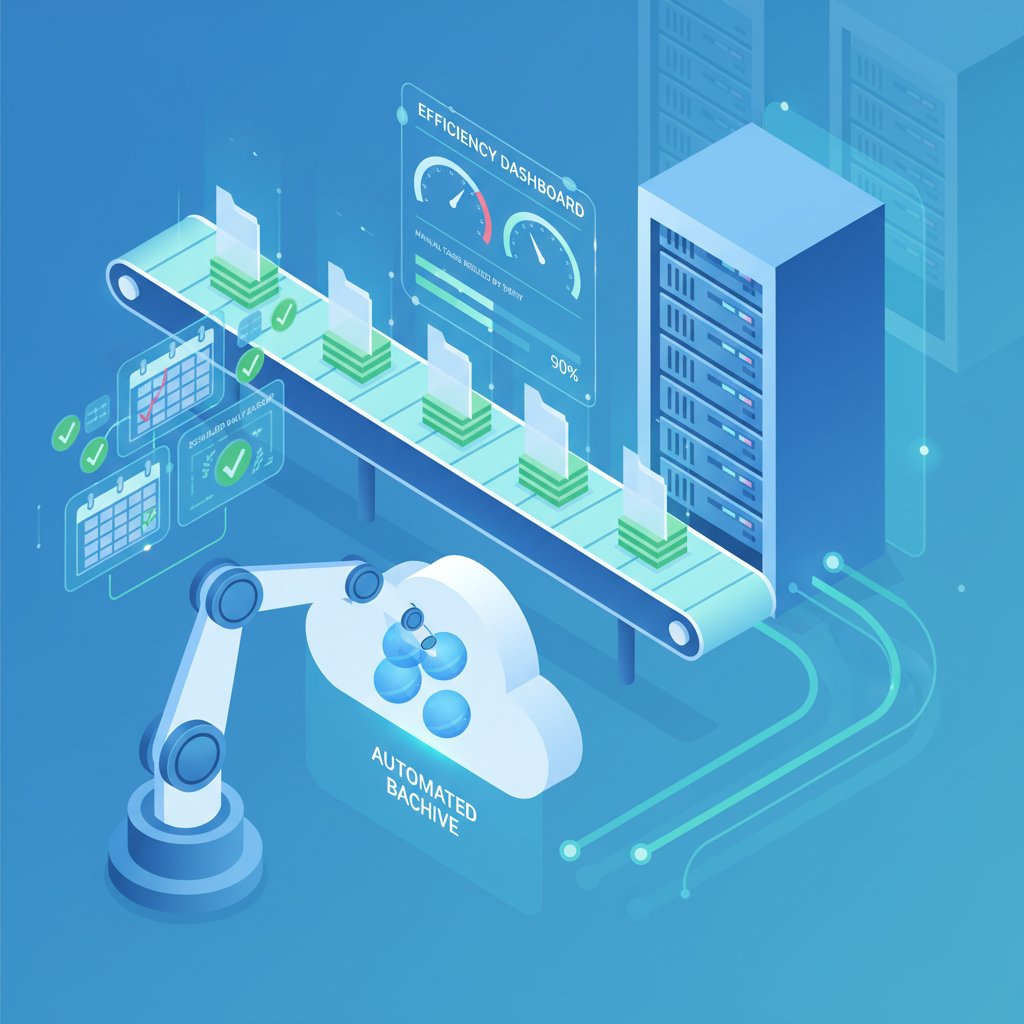
Backup Automation: Reducing Manual IT Tasks
Published: March 2026
For many UK small and medium-sized enterprises, backup management remains one of the most labour-intensive responsibilities within the IT department. Technicians spend hours every week configuring backup jobs, verifying completion, troubleshooting failures, and compiling compliance reports - all tasks that could be handled more efficiently through automation. In an era where data volumes are growing exponentially and regulatory requirements are tightening, relying on manual backup processes is no longer sustainable.
Backup automation transforms the way organisations protect their data by replacing repetitive, error-prone manual tasks with intelligent, policy-driven workflows. From scheduling and orchestration to self-healing job recovery and automated compliance reporting, modern backup platforms offer a comprehensive suite of automation capabilities that free IT teams to focus on strategic initiatives rather than routine maintenance.
This guide explores every facet of backup automation - comparing manual and automated approaches, examining scheduling and verification systems, diving into PowerShell and CLI scripting, and calculating the return on investment for UK businesses. Whether you’re managing backups for a ten-person office or a multi-site enterprise, the principles and tools discussed here will help you build a more resilient, efficient, and compliant data protection strategy.
Manual vs Automated Backup Processes
Understanding the fundamental differences between manual and automated backup workflows is the first step toward building a business case for automation. Manual processes depend entirely on human intervention at every stage, whilst automated systems operate independently according to predefined policies and schedules.
- IT staff manually initiates each backup job
- Schedules tracked via spreadsheets or calendars
- Verification requires manual log review
- Failure response depends on staff availability
- Compliance reports compiled by hand monthly
- Retention policies enforced through manual deletion
- Capacity planning based on periodic spot-checks
- Escalation relies on individual awareness
- Jobs trigger automatically on schedule or event
- Centralised orchestration engine manages all schedules
- Automated integrity checks and restore testing
- Self-healing retries and instant alert escalation
- Compliance reports generated automatically on demand
- Policy engine enforces retention and lifecycle rules
- Predictive analytics forecast capacity needs
- Tiered alerting with automatic escalation paths
In a manual environment, the backup administrator might spend 30 minutes each morning reviewing overnight job logs, another 20 minutes troubleshooting any failures, and periodic time throughout the day managing ad-hoc backup requests. Over a week, this easily accumulates to 8–12 hours of labour dedicated solely to backup operations. Multiply this across an organisation with multiple sites or complex infrastructure, and the cost becomes significant.
Automated backup systems, by contrast, handle the entire lifecycle without human intervention unless an exception occurs that exceeds predefined thresholds. The platform schedules jobs, monitors progress, verifies data integrity, retries failures, and reports on compliance - all without a technician lifting a finger. Human involvement shifts from routine execution to exception management and strategic oversight.
Backup Scheduling and Orchestration
Effective backup automation begins with intelligent scheduling and orchestration. Rather than relying on simple time-based triggers, modern backup platforms offer sophisticated scheduling capabilities that optimise resource utilisation, minimise production impact, and ensure complete coverage across the entire infrastructure.
Advanced Scheduling Capabilities
Contemporary backup solutions support multiple scheduling paradigms beyond basic daily or weekly intervals. Event-driven scheduling triggers backups in response to specific conditions - such as a database reaching a certain change threshold, a virtual machine being provisioned, or an application deployment completing. This ensures critical data is protected at the moment it changes, not just at arbitrary time intervals.
Window-based scheduling allows administrators to define permissible backup windows during off-peak hours, with the orchestration engine automatically distributing jobs across available time slots. If a backup window is too short to complete all scheduled jobs, the platform prioritises based on data criticality and SLA requirements, deferring lower-priority workloads to the next available window.
Orchestration and Dependencies
In complex environments, backup jobs often have dependencies - an application-consistent backup of a database server might require quiescing the application first, or a file server backup might need to wait until a preceding replication job completes. Orchestration engines manage these dependencies automatically, ensuring jobs execute in the correct sequence without manual coordination.
For UK SMEs running hybrid environments with both on-premises servers and cloud workloads, orchestration becomes particularly valuable. The backup platform can coordinate protection across physical servers, virtual machines, SaaS applications, and cloud infrastructure - all from a single policy framework, eliminating the need for separate manual processes for each environment.
Automated Verification and Testing
Creating backups is only half the equation - verifying that those backups are actually recoverable is equally critical. Yet in manual environments, restore testing is frequently neglected because it consumes too much time and too many resources. Automation eliminates this gap by making verification a seamless, integrated part of the backup workflow.
Integrity Verification
Automated verification operates at multiple levels. At the most basic level, checksum validation confirms that backup data has not been corrupted during transfer or storage. More advanced systems perform block-level comparison between source data and backup copies, identifying any discrepancies that might indicate silent corruption or incomplete transfers.
For application-aware backups, verification extends to checking application consistency. An automated system can mount a database backup in an isolated environment, run consistency checks, and confirm the database is in a clean, recoverable state - all without any manual intervention. This level of verification would be impractical to perform manually on a regular basis, yet automation makes it routine.
Automated Restore Testing
The gold standard of backup verification is a successful restore test. Automated restore testing spins up an isolated recovery environment, restores data from the most recent backup, validates application functionality, and then tears down the test environment - all on a scheduled basis. Some platforms can even perform automated screenshot verification of restored virtual machines, confirming that the operating system boots and applications launch correctly.
For organisations subject to regulatory requirements, automated restore testing provides documented evidence that backups are recoverable. Each test generates a detailed report including timestamps, data volumes, restoration duration, and verification results - precisely the documentation auditors require.
Alert and Notification Systems
Effective backup automation requires intelligent alerting that surfaces genuine issues without overwhelming administrators with noise. The goal is to ensure that no critical failure goes unnoticed whilst avoiding the alert fatigue that causes real problems to be overlooked.
Tiered Alert Architecture
Modern backup platforms implement tiered alerting based on severity and urgency. Informational alerts - such as successful job completions or routine status updates - are logged but not actively notified. Warning alerts, indicating potential issues like a backup running longer than expected or storage utilisation approaching thresholds, trigger notifications to the primary administrator. Critical alerts, such as consecutive job failures or data integrity issues, escalate immediately to senior staff and, if unacknowledged, to management.
This tiered approach ensures the right people receive the right information at the right time. A junior technician receives routine warnings during business hours, whilst critical overnight failures page the on-call engineer directly. If the on-call engineer doesn’t acknowledge within 15 minutes, the alert escalates to the IT manager.
Multi-Channel Delivery
Automation extends to the delivery channels themselves. Alerts can be routed through email, SMS, Microsoft Teams, Slack, PagerDuty, or custom webhook integrations depending on severity and time of day. A non-urgent warning might generate an email and a Teams message, whilst a critical failure simultaneously sends an SMS and creates a high-priority ticket in the service desk.
Risks of Manual Backup Processes
Organisations relying on manual backup management face several significant risks that automation directly addresses:
- Missed backups: Human oversight means jobs are forgotten during holidays, staff absences, or busy periods - leaving data unprotected for days or weeks
- Undetected failures: Without automated monitoring, backup failures can go unnoticed until a restore is needed - by which point data may be permanently lost
- Inconsistent retention: Manual deletion of expired backups is error-prone, leading to either premature deletion or unnecessary storage costs
- Compliance gaps: Hand-compiled reports are vulnerable to omissions and inaccuracies, creating regulatory exposure during audits
- Slow recovery: Without tested, documented restore procedures, recovery during a crisis takes significantly longer and is more likely to fail
- Key-person dependency: Backup knowledge concentrated in one or two individuals creates a critical vulnerability when those staff are unavailable
Self-Healing Backup Jobs
One of the most powerful automation capabilities is self-healing - the ability for the backup system to automatically detect, diagnose, and remediate common failure conditions without human intervention. Self-healing transforms backup management from reactive troubleshooting to proactive resilience.
Automatic Retry and Recovery
When a backup job fails, an automated system doesn’t simply generate an alert and wait for human intervention. Instead, it analyses the failure reason and applies appropriate remediation. Network timeouts trigger automatic retries with exponential backoff. Storage capacity issues initiate automated cleanup of expired data to free space. Locked files are handled by scheduling a retry after a configurable delay, often resolving the issue without any human involvement.
More sophisticated self-healing mechanisms can restart stalled backup services, switch to alternative network paths if the primary route is congested, or failover to a secondary backup target if the primary becomes unavailable. Each remediation action is logged and reported, maintaining full auditability whilst eliminating the manual effort of investigating and resolving routine failures.
Predictive Issue Prevention
Advanced automation platforms go beyond reactive self-healing to predictive prevention. By analysing trends in job duration, data change rates, and storage consumption, the system can identify potential issues before they cause failures. If backup windows are consistently narrowing due to data growth, the platform alerts administrators with sufficient lead time to adjust schedules or add capacity - preventing failures rather than merely recovering from them.
PowerShell and CLI Automation Scripts
Whilst graphical management consoles provide convenience, true automation power lies in scripting. PowerShell and command-line interfaces allow administrators to create sophisticated automation workflows that extend far beyond what the GUI offers, integrating backup operations with broader IT management processes.
PowerShell for Backup Automation
PowerShell has become the de facto automation language for Windows-centric backup environments. Most enterprise backup solutions provide comprehensive PowerShell modules that expose the full functionality of the platform through cmdlets. This enables administrators to script complex workflows that would be tedious or impossible to achieve through the GUI.
A typical PowerShell automation workflow might include pre-backup health checks (verifying target storage availability, confirming application services are running), job initiation with dynamic parameter selection (choosing full or incremental based on day of week or change rate), post-backup verification (mounting and testing restored data), and reporting (compiling results and emailing stakeholders). All of this executes unattended, triggered by Windows Task Scheduler or a centralised automation platform.
Example Automation Patterns
Common PowerShell automation patterns for backup management include automated onboarding of new servers (discovering new virtual machines and automatically applying appropriate backup policies), storage lifecycle management (identifying and archiving aged backup data to lower-cost storage tiers), cross-platform coordination (triggering Linux backup scripts via SSH after Windows jobs complete), and automated documentation generation (producing up-to-date backup architecture diagrams and policy summaries from live configuration data).
CLI Tools for Multi-Platform Environments
For organisations running mixed environments, CLI tools provide platform-agnostic automation capabilities. Tools like Restic, Borg, and Duplicati offer powerful command-line interfaces that work identically across Windows, Linux, and macOS. Combined with configuration management tools like Ansible or Terraform, these CLI tools enable infrastructure-as-code approaches to backup management where backup policies are defined in version-controlled configuration files and deployed automatically across the entire estate.
Automation Quick Wins
You don’t need to automate everything at once. Start with these high-impact, low-effort automation improvements:
- Automated email reports: Schedule daily backup status summaries to arrive in your inbox before you start work - takes 15 minutes to configure and saves 30 minutes daily
- Failure retry policies: Configure automatic retries for transient failures (network timeouts, locked files) - eliminates 60–70% of manual troubleshooting
- Storage threshold alerts: Set up automated warnings at 75% and 90% capacity - prevents emergency storage crises
- New VM auto-protection: Configure policies to automatically back up newly created virtual machines - closes the protection gap for new workloads
- Automated log cleanup: Schedule periodic purging of old backup logs and expired catalogues - maintains system performance without manual housekeeping
Policy-Based Backup Management
Policy-based management is the foundation of scalable backup automation. Rather than configuring individual backup jobs for each server or application, administrators define policies that specify what to protect, how frequently, where to store the data, and how long to retain it. The backup platform then automatically applies these policies to matching workloads, ensuring consistent protection without per-asset configuration.
Policy Design Principles
Effective backup policies are built around business requirements rather than technical constraints. A well-designed policy framework starts with data classification - categorising workloads by criticality, regulatory requirements, and recovery objectives. Critical production databases might receive continuous data protection with 15-minute recovery point objectives, whilst development environments receive daily backups with 24-hour RPOs.
Policies should be hierarchical, with organisation-wide defaults that can be overridden at the department, application, or individual workload level. This approach provides consistent baseline protection whilst accommodating specific requirements. For example, a default policy might specify daily backups with 30-day retention, but the finance department’s policy extends retention to seven years to meet regulatory requirements.
Automatic Policy Application
The true power of policy-based management emerges when policies are applied automatically. Using tags, naming conventions, or resource group membership, the backup platform can automatically assign appropriate policies to new workloads as they are provisioned. A new virtual machine tagged “production” and “database” automatically receives the high-frequency, long-retention database protection policy without any manual intervention.
This automatic application is particularly valuable in dynamic environments where workloads are frequently created and destroyed. In cloud and containerised environments, manual backup configuration simply cannot keep pace with the rate of change. Policy-based automation ensures every workload is protected from the moment it is created.
Backup Automation Features by Tool
The backup automation market offers a range of solutions suited to different organisational sizes and requirements. The following comparison highlights key automation features across popular platforms available to UK businesses.
| Feature | Veeam Backup | Acronis Cyber Protect | Datto SIRIS | Azure Backup |
|---|---|---|---|---|
| Automated Scheduling | Advanced with SLA policies | Centralised plan-based | Continuous with interval control | Policy-driven with Azure Policy |
| Self-Healing/Auto-Retry | Configurable retry with backoff | Automatic retry engine | Intelligent auto-retry | Built-in retry logic |
| Automated Restore Testing | SureBackup with screenshots | Automated validation | Backup verification built-in | Manual via Azure Site Recovery |
| PowerShell/CLI Support | Full PowerShell module | CLI and REST API | Partner API access | Azure PowerShell and CLI |
| Policy-Based Management | SLA-driven policies | Protection plans | Profile-based policies | Azure Policy integration |
| Automated Compliance Reports | Built-in with Veeam ONE | Advanced reporting suite | Automated reporting | Azure Monitor workbooks |
| Alert Escalation | Tiered with SNMP/webhook | Multi-channel alerting | Integrated PSA alerting | Azure Monitor action groups |
| Starting Price (UK SME) | From £350/year per socket | From £70/year per workload | From £200/month per device | From £8/month per instance |
Each platform has distinct strengths. Veeam excels in virtualised environments with its comprehensive orchestration and SureBackup verification. Acronis provides strong all-in-one protection combining backup with cybersecurity. Datto SIRIS is purpose-built for managed service providers supporting multiple SME clients. Azure Backup integrates natively with Microsoft cloud workloads at competitive per-instance pricing.
Automated Compliance Reporting
For UK organisations subject to GDPR, FCA regulations, NHS data standards, or industry-specific compliance frameworks, backup reporting is not optional - it’s a regulatory requirement. Manual compliance reporting is time-consuming, error-prone, and difficult to maintain consistently. Automation transforms compliance from a burden into a by-product of normal operations.
Continuous Compliance Monitoring
Automated compliance monitoring continuously evaluates backup operations against defined regulatory requirements. The system tracks whether all regulated data is being backed up according to policy, whether retention periods meet regulatory minimums, whether encryption standards are maintained, and whether access controls are properly enforced. Any deviation from compliance requirements generates an immediate alert rather than being discovered during the next manual audit.
Automated Report Generation
Scheduled compliance reports compile all relevant metrics automatically - backup success rates, recovery point achievement, retention compliance, encryption status, and access audit trails. These reports can be generated in formats suitable for different audiences: executive summaries for board reporting, detailed technical reports for IT management, and audit-ready documentation for regulatory inspectors.
For GDPR compliance specifically, automated reporting can track data subject backup locations (supporting right-to-erasure requests), document cross-border data transfers (ensuring adequacy decisions are respected), and maintain records of processing activities related to backup operations. This level of documentation would be prohibitively expensive to maintain manually but is trivially easy with automation.
Reducing Human Error in Backups
Human error is the single largest cause of backup failures and data loss incidents. According to industry research, human mistakes account for approximately 40% of all data loss events in SME environments. Automation directly addresses this risk by removing human decision-making from routine operations where consistency and precision are paramount.
Common Human Errors in Backup Management
The most frequent human errors in manual backup environments include misconfigured backup jobs (wrong source paths, incorrect exclusion filters, or inappropriate scheduling), forgotten backups during staff holidays or transitions, premature deletion of backup data before retention periods expire, failure to update backup configurations when infrastructure changes, and incorrect restore procedures during high-pressure disaster recovery situations.
Each of these errors can have severe consequences. A misconfigured exclusion filter might silently skip critical database files for months before anyone notices. A forgotten backup during a two-week holiday leaves the organisation exposed to data loss throughout that period. Premature deletion of backup data can make recovery from ransomware attacks impossible if the attack is discovered after the deleted backups would have been needed.
How Automation Eliminates Error
Automation addresses human error at multiple levels. At the configuration level, policy-based management ensures consistent settings across all workloads - eliminating the risk of individual misconfiguration. At the execution level, automated scheduling guarantees jobs run regardless of staff availability. At the verification level, automated testing confirms backups are recoverable without relying on a technician’s judgement. At the lifecycle level, policy-driven retention enforcement prevents both premature deletion and unnecessary storage costs.
Perhaps most importantly, automation provides a safety net during disaster recovery - the most stressful and error-prone phase of backup operations. Automated runbooks guide the recovery process step by step, reducing the risk of mistakes made under pressure. Pre-tested recovery procedures, validated through automated restore testing, give teams confidence that the documented process actually works.
ROI of Backup Automation for UK SMEs
Calculating the return on investment for backup automation requires considering both direct cost savings and indirect benefits including risk reduction, compliance efficiency, and staff productivity improvements. For UK SMEs, the financial case is compelling.
Direct Cost Savings
The most immediately quantifiable savings come from reduced labour costs. A typical UK SME with 50–200 employees dedicates between 10 and 20 hours per week to manual backup administration. At average UK IT professional salaries, this represents £15,000 to £30,000 annually in labour costs. Full backup automation typically reduces this to 2–4 hours per week of oversight and exception management, saving £12,000 to £24,000 per year in labour alone.
Storage optimisation through automated lifecycle management delivers additional savings. Intelligent automation identifies and removes redundant backup copies, compresses and deduplicates data more effectively, and moves aged data to lower-cost storage tiers automatically. UK SMEs typically save 20–35% on backup storage costs through automation, representing £3,000 to £8,000 annually depending on data volumes.
Indirect Benefits and Risk Reduction
The indirect benefits of backup automation often exceed the direct savings. Faster disaster recovery reduces business downtime costs - critical for organisations where every hour of downtime costs thousands of pounds in lost revenue and productivity. Automated compliance reporting reduces the cost of audit preparation, which can otherwise consume weeks of staff time annually. Reduced human error decreases the probability of data loss incidents, each of which can cost UK SMEs between £20,000 and £150,000 in recovery costs, regulatory fines, and reputational damage.
Investment and Payback Period
The investment required for backup automation varies significantly based on the chosen platform and existing infrastructure. Cloud-based automation platforms typically cost between £200 and £800 per month for a mid-sized UK SME, whilst on-premises solutions range from £5,000 to £25,000 in initial licensing plus annual maintenance. Most organisations achieve full payback within 6–12 months, with ongoing annual savings of £15,000 to £30,000 thereafter.
When evaluating ROI, it’s essential to include the cost of not automating. A single significant data loss incident - whether from ransomware, hardware failure, or human error - can cost more than a decade of automation platform licensing. The question for UK SMEs is not whether they can afford to automate, but whether they can afford not to.
Building the Business Case
When presenting the automation business case to decision-makers, frame the discussion around three pillars: efficiency (quantified labour savings and operational improvements), resilience (reduced risk of data loss and faster recovery), and compliance (automated regulatory reporting and documented evidence of data protection). Together, these pillars make a compelling argument that transcends simple cost reduction and positions backup automation as a strategic investment in business continuity.
For UK SMEs specifically, the current regulatory landscape - with GDPR penalties of up to 4% of global annual turnover - adds urgency to the automation case. Demonstrating that backup operations are automated, monitored, and compliant provides substantial protection in the event of a regulatory investigation. The cost of this assurance through automation is a fraction of the potential penalties for non-compliance.
Implementation Roadmap
Transitioning from manual to automated backup management should be approached methodically. A phased implementation reduces risk, builds team confidence, and delivers incremental value at each stage.
Phase 1: Assessment and Foundation (Weeks 1–2)
Begin by documenting current backup processes, identifying all protected workloads, and mapping dependencies. Audit existing backup configurations for completeness and accuracy. This assessment reveals the gaps and inefficiencies that automation will address, and provides a baseline for measuring improvement.
Phase 2: Core Automation (Weeks 3–6)
Implement automated scheduling and basic policy-based management. Configure tiered alerting and notification channels. Enable automatic retry for common failure conditions. This phase delivers the most significant immediate time savings, typically reducing manual effort by 40–50%.
Phase 3: Advanced Automation (Weeks 7–10)
Deploy automated restore testing, self-healing capabilities, and compliance reporting. Develop PowerShell or CLI scripts for organisation-specific workflows. Integrate backup automation with broader IT management platforms (service desk, monitoring, configuration management). This phase pushes manual effort reduction to 70–80%.
Phase 4: Optimisation and Continuous Improvement (Ongoing)
Refine policies based on operational data. Implement predictive analytics for capacity planning. Expand automation to cover edge cases and new workload types. Regularly review and update automation rules to reflect changing business requirements. This ongoing phase maintains and improves automation effectiveness over time.
Automation Potential by Backup Task
Based on current enterprise backup platforms, the following tasks offer the greatest scope for full automation within a typical UK SME environment:
Conclusion
Backup automation represents one of the highest-impact, lowest-risk investments a UK SME can make in its IT infrastructure. By replacing manual, error-prone processes with intelligent, policy-driven automation, organisations simultaneously reduce costs, improve resilience, strengthen compliance, and free valuable IT staff to focus on initiatives that drive business growth.
The technology is mature, the tools are accessible, and the business case is clear. Every hour spent manually managing backups is an hour that could be invested in innovation, improvement, or strategic planning. For UK SMEs operating in an increasingly regulated, data-dependent business environment, the transition from manual to automated backup management is not merely an operational improvement - it’s a competitive necessity.
Automate Your Backup Operations
Ready to eliminate manual backup tasks and build a more resilient data protection strategy? Our team specialises in designing and implementing backup automation solutions tailored to UK SME requirements, compliance obligations, and budgets. From initial assessment through full deployment, we’ll help you reclaim your IT team’s time and strengthen your data protection posture.
Get in Touch
CloudSwitched
London-based managed IT services provider offering support, cloud solutions and cybersecurity for SMEs.


