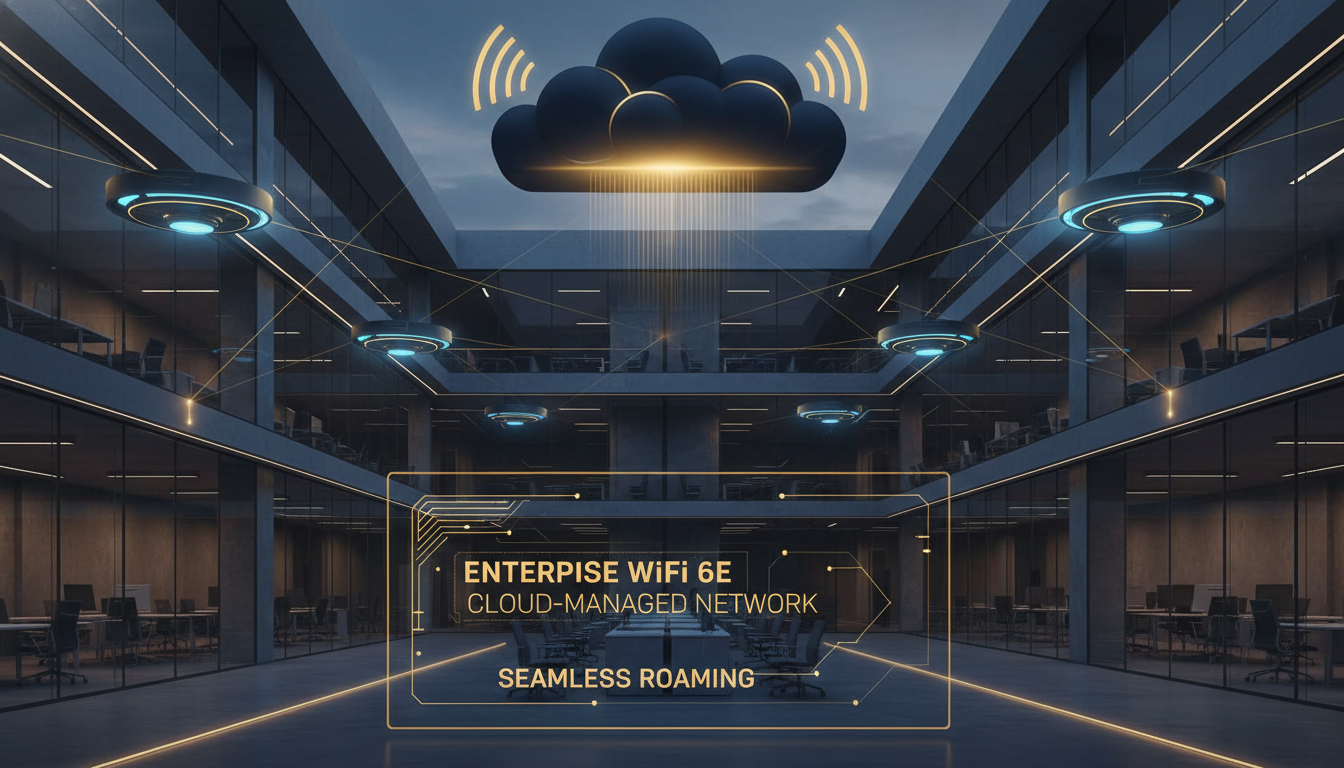
Every modern British business - from a ten-person accountancy practice in Bristol to a 5,000-employee logistics operation spread across warehouses in the Midlands - depends on wireless connectivity as the primary way people and devices access the network. The days of plugging an Ethernet cable into a desktop tower are largely over. Laptops, tablets, smartphones, handheld scanners, IoT sensors, VoIP handsets, and an ever-growing constellation of connected devices all demand reliable, high-performance WiFi. When the wireless network falters, productivity drops, customer experience degrades, and operations grind to a halt. Getting enterprise WiFi solutions right is no longer a nice-to-have - it is fundamental infrastructure, as critical as electricity and water.
Yet the gap between consumer-grade WiFi and genuine enterprise wireless infrastructure remains poorly understood by many organisations. A consumer access point from a high-street retailer might cost under fifty pounds and serve a household adequately. But deploying the same technology in an office with 200 concurrent users, or a warehouse spanning 20,000 square metres, or a multi-floor headquarters with reinforced concrete between levels, is a recipe for frustration, support tickets, and lost revenue. Wireless access points designed for enterprise environments are fundamentally different - engineered for density, reliability, security, manageability, and longevity in ways that consumer products simply cannot match.
This guide covers everything a UK business needs to know about enterprise WiFi and wireless access points - from the technology standards that matter (WiFi 6, 6E, and 7) through to platform comparisons (Cisco Meraki, HPE Aruba, and Ubiquiti UniFi), deployment scenarios (offices, warehouses, factories, outdoor areas), cloud managed WiFi platforms, WPA3 security, high-density design, multi-site management, and the practical considerations of wireless network installation UK businesses face. Whether you are planning a greenfield deployment, refreshing ageing infrastructure, or expanding to additional sites, the information here will help you make informed decisions and avoid costly mistakes.
Understanding WiFi Standards: WiFi 6, 6E, and 7
The WiFi landscape has evolved dramatically over the past five years, and understanding the current generation of standards is essential for making smart procurement decisions. The three standards that matter for UK enterprise deployments today are WiFi 6 (802.11ax), WiFi 6E (802.11ax extended to 6 GHz), and the emerging WiFi 7 (802.11be). Each builds upon its predecessor, but the differences between them have significant practical implications for performance, capacity, and future-proofing.
WiFi 6 (802.11ax) - The Current Enterprise Baseline
WiFi 6, ratified in 2020, introduced several technologies that specifically address the challenges of dense enterprise environments. OFDMA (Orthogonal Frequency Division Multiple Access) allows an access point to serve multiple clients simultaneously by dividing channels into smaller sub-channels called Resource Units. In practical terms, this means a WiFi 6 access point can handle many more concurrent connections without the performance degradation that plagued WiFi 5 in busy environments. MU-MIMO (Multi-User, Multiple Input, Multiple Output) was enhanced to support both downlink and uplink simultaneous transmission to multiple devices - WiFi 5 only supported downlink MU-MIMO. BSS Colouring allows access points to differentiate between their own transmissions and those from neighbouring access points, reducing co-channel interference in dense deployments. And Target Wake Time (TWT) enables IoT devices to negotiate specific wake-up schedules with the access point, dramatically extending battery life for wireless sensors and other low-power devices.
For UK businesses deploying new wireless access points today, WiFi 6 represents the minimum standard you should consider. WiFi 5 access points are still functional, but they lack the density-handling capabilities that modern workplaces demand. The price premium for WiFi 6 over WiFi 5 has effectively disappeared, making there no compelling reason to deploy the older standard in new installations.
WiFi 6E - The 6 GHz Advantage
WiFi 6E extends the WiFi 6 standard into the 6 GHz frequency band. In the UK, Ofcom has allocated the lower portion of the 6 GHz band (5925–6425 MHz) for indoor low-power wireless use, adding approximately 500 MHz of new spectrum - effectively tripling the available WiFi spectrum compared to the traditional 2.4 GHz and 5 GHz bands combined. This is the single largest expansion of WiFi spectrum in the technology's history, and its impact on enterprise deployments is profound.
The 6 GHz band offers three critical advantages. First, it is clean spectrum - only WiFi 6E (and later) devices can access it, which means there is no co-existence overhead from legacy devices. In a conventional 5 GHz deployment, a single WiFi 4 laptop connecting at low data rates forces the access point to protect its transmissions with slower modulation, reducing effective throughput for every other client on that channel. In the 6 GHz band, every device speaks WiFi 6E, enabling consistently high performance. Second, the additional spectrum provides more non-overlapping channels - up to seven 80 MHz channels or three 160 MHz channels in the UK allocation - reducing co-channel interference in dense deployments. Third, the wider channels enable multi-gigabit throughput to individual clients, supporting bandwidth-hungry applications like high-resolution video conferencing, cloud-based design tools, and large file transfers.
WiFi 7 (802.11be) - What Is Coming Next
WiFi 7 is the next generation standard, with the full specification expected to be finalised in late 2025 and enterprise access points becoming widely available through 2026. The headline features include Multi-Link Operation (MLO), which allows a single device to transmit and receive across multiple frequency bands simultaneously - for example, using both the 5 GHz and 6 GHz bands at once for aggregated throughput and seamless failover. 320 MHz channel widths in the 6 GHz band (where spectrum regulations permit) will further increase peak throughput. And 4K-QAM modulation increases the data encoded per symbol compared to WiFi 6's 1024-QAM, providing an additional throughput boost in close-range, high signal-to-noise scenarios.
For UK businesses making purchasing decisions today, WiFi 7 access points from leading vendors like Cisco Meraki, HPE Aruba, and others are beginning to ship. However, the client device ecosystem is still catching up - most laptops, tablets, and smartphones in circulation today support WiFi 6 or WiFi 6E at best. The practical recommendation is to deploy WiFi 6E for current needs, selecting platforms and vendors that have a clear WiFi 7 upgrade path, rather than waiting for WiFi 7 and delaying infrastructure improvements that would deliver immediate benefits.
Performance comparison across WiFi generations in enterprise density scenarios (80+ concurrent clients per AP)
Indoor vs Outdoor Wireless Access Points
One of the first decisions in any wireless access point installation UK project is selecting the right form factor for each deployment location. Indoor and outdoor access points are engineered for fundamentally different environments, and deploying the wrong type leads to premature failure, poor performance, or both.
Indoor Access Points
Indoor wireless access points are designed for ceiling or wall mounting in climate-controlled environments. They typically feature omnidirectional internal antennas that provide roughly circular coverage patterns, optimised for the typical ceiling height of 2.7 to 3.5 metres found in UK commercial buildings. Indoor models prioritise aesthetics - they are slim, unobtrusive, and available in white or neutral colours that blend into office ceilings. Thermal management is designed for ambient temperatures of 0–40 degrees Celsius, and the enclosures are not weatherproofed.
Indoor access points are further differentiated by density rating. Entry-level models (typically 2x2 MIMO with dual-band WiFi 6) are suitable for low-density environments like individual offices, hotel rooms, and small meeting rooms where fewer than 30 concurrent clients are expected. Mid-range models (4x4 MIMO, dual or tri-band, WiFi 6 or 6E) handle standard office densities of 30–60 concurrent clients per access point. High-density models (tri-band WiFi 6E with dedicated scanning radios and external antenna options) are engineered for auditoriums, lecture theatres, trading floors, and conference venues where 100+ concurrent clients per access point are common.
Outdoor Access Points
Outdoor wireless access points are ruggedised for external deployment. They feature IP67-rated enclosures (dust-tight and protected against temporary immersion in water), operating temperature ranges of -40 to 65 degrees Celsius, and UV-resistant housings that will not degrade in sunlight. Antenna options vary significantly - some outdoor models include omnidirectional antennas for general area coverage (car parks, courtyards, outdoor dining areas), whilst others feature directional or sector antennas for longer-range point-to-area coverage (stadiums, industrial yards, campus pathways).
For UK deployments specifically, outdoor access points must contend with the British climate - persistent rain, high humidity, temperature fluctuations, and wind. The IP67 rating is essential, not optional. Additionally, outdoor installations must comply with UK planning regulations if mounting equipment on building exteriors is visible from a public highway, and lightning protection should be considered for pole-mounted installations in exposed locations. PoE reach can also be a challenge for outdoor deployments where the access point is far from the nearest network switch - the maximum cable run for standard PoE is 100 metres, so outdoor locations may require intermediate PoE injectors or switches deployed in weatherproof enclosures.
| Characteristic | Indoor Access Points | Outdoor Access Points |
|---|---|---|
| Enclosure Rating | Standard plastic housing | IP67 weatherproof, UV-resistant |
| Temperature Range | 0 to 40 °C | -40 to 65 °C |
| Antenna Type | Internal omnidirectional | Omnidirectional, directional, or sector |
| Mounting | Ceiling tile, wall, or desk | Pole, wall bracket, or mast |
| Typical Coverage | 15–30 metres radius | 50–200+ metres depending on antenna |
| Client Density | 30–150 concurrent users | 50–500+ with sector antennas |
| UK Compliance | Standard Ofcom indoor power limits | Ofcom outdoor DFS and power limits |
| Price Range (per AP) | £300–£1,800 | £600–£2,500 |
When planning a wireless access point installation UK project that includes both indoor and outdoor coverage, ensure you select access points from the same vendor and management platform. Mixing vendors - for example, using Meraki indoors and UniFi outdoors - creates two separate management planes, doubles your troubleshooting complexity, and prevents seamless client roaming between indoor and outdoor spaces. A unified platform with both indoor and outdoor models delivers a far better experience for both users and IT administrators.
Cloud Managed WiFi: Why It Matters for UK Businesses
The shift towards cloud managed WiFi represents the most significant change in how enterprise wireless networks are deployed and operated since WiFi itself became mainstream. Traditional enterprise WiFi architectures required on-premises wireless LAN controllers (WLCs) - dedicated hardware or virtual appliances that centralised access point management within your data centre or server room. These controllers were expensive (often £10,000–£50,000+ depending on scale), required specialist expertise to configure and maintain, needed regular firmware updates, and represented a single point of failure unless deployed in high-availability pairs.
Cloud managed WiFi platforms eliminate the on-premises controller entirely. Instead, access points connect securely to a cloud-hosted management platform over the internet. Configuration, monitoring, firmware updates, RF optimisation, and security policy enforcement are all handled through a browser-based dashboard or API - accessible from anywhere, requiring no VPN, no on-premises infrastructure, and no specialist wireless engineering skills. The access points themselves contain sufficient local intelligence to continue forwarding traffic if the cloud connection is temporarily lost - the management plane is in the cloud, but the data plane remains local.
Key Benefits of Cloud Managed WiFi
Zero-touch provisioning. A new access point can be shipped directly to a remote site, connected to the network by anyone (a receptionist, a facilities manager, a local IT contact), and it automatically configures itself by pulling its settings from the cloud. This capability is transformative for UK organisations with distributed sites - retail chains, estate agents, dental practices, franchise businesses - where deploying a specialist engineer to each site for initial setup would be prohibitively expensive.
Centralised visibility. Every access point across every site appears in a single dashboard. You can see client counts, bandwidth utilisation, channel assignments, interference levels, and client health metrics for your London office and your Edinburgh branch from the same screen. When a user calls the helpdesk to report WiFi problems, the IT team can immediately see that user's connection history, signal strength, roaming events, and the performance of the access point they are connected to - without leaving their desk or asking the user to run diagnostic tools.
Automatic RF optimisation. Cloud platforms continuously analyse RF telemetry from all access points and automatically adjust channel assignments, transmit power levels, and band steering thresholds to maintain optimal performance. In a traditional deployment, this optimisation would require periodic site surveys and manual adjustments - tasks that are expensive, disruptive, and frequently neglected. With cloud managed WiFi, optimisation is continuous and automatic.
Simplified multi-site management. For UK organisations with multiple locations, cloud management is the only practical way to maintain consistent WiFi policies, security settings, and user experience across all sites without dedicating engineering resources to each location. Changes made in the dashboard - a new SSID, an updated security policy, a firmware upgrade - can be applied across every site simultaneously or rolled out gradually with scheduled deployment windows.
Average percentage improvements reported by UK organisations within 12 months of migrating to cloud managed WiFi (industry survey data, 2025)
Enterprise WiFi Platform Comparison: Meraki vs Aruba vs UniFi
The enterprise WiFi market in the UK is dominated by three platforms that represent distinctly different approaches to wireless networking. Cisco Meraki leads the cloud managed WiFi segment, HPE Aruba offers a hybrid approach spanning both on-premises and cloud management, and Ubiquiti UniFi provides a budget-friendly option that has found significant traction in the SMB and mid-market segments. Understanding the strengths, weaknesses, and ideal use cases for each platform is essential for making the right choice for your organisation.
Cisco Meraki - The Cloud-First Market Leader
Cisco Meraki pioneered cloud managed WiFi and remains the market leader in this category. Every Meraki access point is managed exclusively through the Meraki cloud dashboard - there is no option for on-premises management, and the devices require an active subscription licence to function. This all-in approach delivers an exceptionally polished management experience. The dashboard is intuitive, the RF optimisation algorithms are mature and effective, and the integration between Meraki wireless, switching, and security products creates a unified management experience that no other vendor fully matches.
Meraki's access point portfolio spans from entry-level WiFi 6 models suitable for small offices through to tri-band WiFi 6E and WiFi 7 models designed for ultra-high-density environments. The platform includes features like integrated Bluetooth Low Energy for location analytics, dedicated security radios for wireless intrusion detection, and adaptive radio management that continuously optimises the RF environment. For UK organisations that value operational simplicity and are comfortable with the subscription licensing model, Meraki is the benchmark against which all other platforms are measured.
HPE Aruba - Enterprise Depth with Cloud Flexibility
HPE Aruba (formerly Aruba Networks, now part of Hewlett Packard Enterprise) offers the broadest range of deployment options. Aruba access points can be managed by on-premises Mobility Controllers (for organisations that require local control), by Aruba Central (a cloud management platform that competes directly with Meraki's dashboard), or by a combination of both. This flexibility makes Aruba attractive to larger UK enterprises, government organisations, and NHS trusts that may have policy or regulatory requirements mandating on-premises management for certain environments.
Aruba's technical capabilities are deep. The platform includes AI-powered RF optimisation (AIOps), advanced location services, role-based access control that integrates with ClearPass Policy Manager, and support for the full range of WiFi standards including WiFi 7. Aruba also offers the broadest range of access point form factors in the industry - from compact wall-plate models for hotel rooms and student accommodation to ruggedised outdoor models and hazardous-location certified access points for industrial environments. The trade-off is complexity - Aruba's management interfaces and configuration options reflect its enterprise heritage and can require more expertise to configure optimally than Meraki's more streamlined approach.
Ubiquiti UniFi - Budget Performance
Ubiquiti's UniFi platform has disrupted the enterprise WiFi market by offering hardware performance that approaches enterprise-grade at price points typically 60–70% lower than Meraki or Aruba. UniFi access points are managed through the UniFi Network Application (formerly UniFi Controller), which can be self-hosted on a local server, run on a UniFi Dream Machine/Dream Machine Pro, or hosted in Ubiquiti's cloud. There are no per-device licence fees - once you buy the hardware, the management platform is included.
This pricing model has made UniFi enormously popular with UK SMBs, schools, and hospitality businesses operating on tight budgets. The hardware is genuinely capable - UniFi WiFi 6 and 6E access points deliver strong throughput and handle moderate density environments well. However, UniFi's management platform lacks the depth of Meraki or Aruba in areas like RF analytics, troubleshooting tools, and enterprise security integrations. Support is community-driven rather than backed by enterprise SLAs, which can be a concern for mission-critical deployments. And UniFi's software quality has historically been inconsistent, with firmware updates occasionally introducing regressions that Meraki and Aruba users rarely encounter.
Cisco Meraki
HPE Aruba
Ubiquiti UniFi
The total cost of ownership for enterprise WiFi extends far beyond the hardware price. When comparing platforms, factor in licensing fees (Meraki and Aruba Central), management infrastructure costs (UniFi requires a self-hosted controller or Dream Machine), engineering time for deployment and ongoing management, support SLAs, and the cost of downtime. In our experience deploying all three platforms for UK businesses, Meraki's higher upfront cost is frequently offset by dramatically lower operational costs - particularly for organisations with limited in-house networking expertise.
High-Density WiFi Deployments: Offices, Conference Venues, and Education
High-density WiFi design is the most technically demanding aspect of enterprise wireless deployment, and it is where the difference between a properly engineered solution and a "just add more access points" approach becomes starkly apparent. High-density environments - open-plan offices with 200+ users per floor, conference centres hosting events with thousands of attendees, university lecture theatres, trading floors, call centres, and NHS waiting areas - require a fundamentally different design approach to standard office WiFi.
The Density Challenge
WiFi is a shared medium. Every device connected to an access point contends for airtime - the finite amount of time available for transmitting data on a given channel. In a low-density environment with 20 devices per access point, contention is minimal and every device gets ample airtime. As density increases to 50, 100, or 200+ devices per access point, contention becomes the dominant factor limiting performance. It does not matter how fast the access point's radio is if each device only gets a fraction of a second of airtime every minute.
The solution is not simply adding more access points. Placing access points too close together causes co-channel interference (CCI) - access points on the same channel interfere with each other, reducing effective throughput for everyone. Proper high-density design requires careful channel planning, power control, antenna selection, and capacity engineering to ensure that each access point serves an appropriate number of clients with sufficient airtime per device.
Design Principles for High-Density Environments
Reduce cell sizes. In high-density deployments, access points are configured with lower transmit power to create smaller coverage cells. This ensures each access point serves a manageable number of clients. The trade-off is that more access points are needed to cover the same area - a high-density office floor might need double or triple the access point count of a standard deployment.
Maximise channel reuse. With WiFi 6E and its access to the 6 GHz band, high-density deployments have access to significantly more non-overlapping channels. In the 5 GHz band alone, the UK has approximately 19 non-overlapping 40 MHz channels (subject to DFS restrictions). Adding the 6 GHz band provides seven additional 80 MHz channels. Proper channel planning ensures that no two adjacent access points share the same channel.
Use directional antennas. Standard omnidirectional antennas radiate signal in all directions, which is wasteful in high-density scenarios where you need to confine coverage to specific areas. Directional antennas - available as external options for some enterprise access points - focus the signal toward the intended coverage area and reduce interference with adjacent cells.
Band steering and load balancing. Modern enterprise access points can steer dual-band clients to the less congested 5 GHz or 6 GHz bands, and balance clients across multiple access points to prevent any single AP from becoming overloaded. These features are managed automatically by cloud managed WiFi platforms like Meraki and Aruba Central, but they need to be enabled and configured appropriately for the specific density profile of each environment.
Warehouse, Factory, and Industrial WiFi
Warehouse and factory WiFi is a specialised discipline that presents challenges rarely encountered in office environments. UK businesses operating logistics centres, manufacturing plants, cold storage facilities, and distribution hubs require enterprise WiFi solutions that contend with vast open spaces, metal racking, moving heavy machinery, extreme temperatures, and devices operating at significant distances from access points. The consequences of WiFi failure in these environments are immediate and measurable - handheld scanners that cannot connect mean pallets that cannot be tracked, automated guided vehicles that stop moving, and assembly line systems that lose connectivity to their control servers.
Environmental Challenges
Metal racking and shelving. Warehouses are full of metal - racking systems, steel shelving, roller conveyors, and metal-clad walls. Metal reflects and absorbs radio signals, creating dead spots, multipath interference, and unpredictable coverage patterns. Standard office WiFi design rules do not apply. Access points must be positioned above or within racking aisles, and site surveys using specialised tools (not just predictive modelling) are essential to identify and resolve coverage gaps.
Large open spaces. A typical UK distribution centre might span 10,000 to 50,000 square metres with 10-metre-high ceilings. Covering this area requires access points with sufficient range and, critically, the right antenna configuration. Mounting an access point on a 10-metre ceiling with a standard omnidirectional antenna results in poor signal strength at ground level where the handheld scanners operate. Directional downtilt antennas or access points mounted at racking height (3–4 metres) deliver significantly better results.
Temperature extremes. Cold storage facilities operate at -25 to -30 degrees Celsius, which is outside the operating range of standard indoor access points. Specialist access points rated for extended temperature ranges, or access points deployed in heated enclosures, are required for freezer environments. Even ambient warehouses in the UK can see temperatures below 0 degrees Celsius in winter if they are not heated.
Interference from machinery. Forklifts, conveyor motors, and other industrial equipment generate electromagnetic interference that can degrade WiFi performance. Site surveys should include RF spectrum analysis to identify and characterise interference sources, enabling access points to be configured to avoid affected frequencies.
Best Practices for Industrial WiFi
Always conduct a physical site survey - predictive surveys based on floor plans are insufficient for industrial environments. Use ruggedised access points (IP67 rated) in environments with dust, moisture, or temperature extremes. Deploy access points at racking height rather than ceiling height where possible. Ensure sufficient AP density for seamless roaming - handheld scanner users moving through aisles need sub-50 millisecond roaming to avoid connection drops. Select access points that support fast roaming protocols (802.11r, 802.11k, 802.11v). And always design with redundancy - if a single access point failure creates a coverage gap that halts warehouse operations, the deployment is not resilient enough.
| Industrial Environment | Key WiFi Challenge | Recommended AP Type | Typical AP Density |
|---|---|---|---|
| Ambient warehouse | Metal racking, large coverage area | Indoor high-power or outdoor-rated | 1 AP per 300–500 m² |
| Cold storage (-25°C) | Extreme cold, condensation | Extended-temp rated, heated enclosure | 1 AP per 200–400 m² |
| Manufacturing floor | EMI from machinery, metal structures | Industrial-rated, external antennas | 1 AP per 200–350 m² |
| Loading dock | Open-air/indoor transition, vehicle movement | Outdoor-rated, IP67 | 1 AP per 150–300 m² |
| Automated fulfilment centre | AGV connectivity, ultra-low latency | High-density WiFi 6E, fast roaming | 1 AP per 150–250 m² |
For warehouse and logistics WiFi in the UK, always test roaming performance with the actual handheld devices your operation will use - not just laptops or smartphones. Warehouse scanners from vendors like Zebra, Honeywell, and Datalogic have different WiFi chipsets, roaming behaviours, and antenna characteristics than consumer devices. A network that works perfectly with an iPhone may drop connections repeatedly with a Zebra TC52. Cloudswitched performs roaming validation testing with client-specific devices as a standard part of every wireless network installation UK warehouse project.
Multi-Site WiFi Management for UK Organisations
Managing WiFi across multiple sites is one of the strongest arguments for cloud managed WiFi platforms, and it is a scenario that applies to a vast number of UK organisations. Retail chains, restaurant groups, estate agencies, dental practices, accountancy firms, hotel groups, charities, and any business with more than one location faces the challenge of delivering consistent WiFi quality, security, and user experience across all sites - ideally without requiring specialist networking staff at each location.
The Multi-Site Challenge
Without a centralised management platform, each site operates as an independent wireless network. SSIDs, security policies, VLAN configurations, and firmware versions diverge over time. A change that needs to be applied across all sites - say, adding a new guest WiFi network with captive portal authentication - must be configured at each site individually. Troubleshooting a WiFi issue at a remote site requires either sending an engineer or attempting to diagnose the problem over the phone with non-technical local staff. And getting a holistic view of WiFi health across the entire estate requires logging into each site's management interface separately.
Cloud managed WiFi solves these problems comprehensively. A single dashboard shows every access point at every site. Configuration changes can be applied to one site, a group of sites, or the entire estate simultaneously. Firmware updates are scheduled centrally and rolled out automatically. And when a user reports a WiFi problem at a remote branch, the IT team can see that user's connection in real time from headquarters - complete with signal strength, throughput, roaming history, and the health of the access point they are connected to.
Configuration Templates and Groups
Leading cloud managed WiFi platforms support configuration templates or groups that enable consistent policy deployment across sites. In Meraki, this is achieved through network templates - you define a template with your standard SSIDs, VLANs, security policies, and traffic shaping rules, and then bind individual site networks to that template. Changes to the template automatically propagate to all bound networks. Aruba Central offers a similar concept through groups and templates. This approach ensures that every site in your estate conforms to the same security baseline whilst allowing local overrides where necessary - for example, a site with a specific guest WiFi requirement or a warehouse that needs different VLAN configurations.
Centralised Reporting and Analytics
Multi-site organisations need estate-wide reporting to identify trends, spot problems before they affect users, and demonstrate WiFi quality to stakeholders. Cloud platforms provide dashboards showing aggregate metrics - total client counts across all sites, average connection quality, bandwidth trends, and security events. This data is invaluable for capacity planning (identifying sites approaching their WiFi capacity limit), proactive maintenance (spotting an access point with degrading performance before users complain), and business intelligence (correlating WiFi usage patterns with business metrics).
WPA3 Security: Protecting Your Enterprise Wireless Network
Wireless security has evolved significantly since the days of WEP and WPA, and the current generation - WPA3 - represents a substantial improvement in how wireless access points protect the data transmitted over your network. For UK organisations handling sensitive data, operating under regulatory frameworks like UK GDPR, or providing WiFi to the public, understanding and deploying WPA3 is essential.
What WPA3 Improves Over WPA2
Simultaneous Authentication of Equals (SAE). WPA3-Personal replaces WPA2's Pre-Shared Key (PSK) authentication with SAE, a more robust key exchange protocol based on the Dragonfly handshake. The critical improvement is forward secrecy - even if an attacker captures encrypted WiFi traffic and subsequently obtains the network password, they cannot decrypt the previously captured traffic. With WPA2-PSK, an attacker who obtains the password can decrypt all captured traffic retroactively. SAE also provides protection against offline dictionary attacks - an attacker cannot capture the authentication handshake and then brute-force the password offline, which was a well-known vulnerability in WPA2.
192-bit security suite for enterprise. WPA3-Enterprise offers an optional 192-bit security mode that uses CNSA (Commercial National Security Algorithm) suite cryptographic algorithms. This provides a higher security baseline suitable for government, defence, and financial services environments. In the UK context, this is relevant for organisations working with OFFICIAL-SENSITIVE or higher classification data, or those operating within the financial services sector under FCA oversight.
Enhanced Open (OWE). For guest and public WiFi networks, WPA3 introduces Opportunistic Wireless Encryption (OWE), also known as Enhanced Open. Traditional open WiFi networks transmit all data in the clear - anyone within range can capture and read the traffic. OWE provides automatic encryption for each client session without requiring a password, protecting users on open networks from passive eavesdropping. For UK hospitality businesses, retail environments, and public venues offering guest WiFi, OWE is a significant security improvement that does not add any friction for users.
Deploying WPA3 in UK Enterprises
The practical challenge with WPA3 deployment is client compatibility. Whilst all wireless access points shipped in the last three years support WPA3, many client devices in circulation - particularly older laptops, IoT devices, and legacy operational technology - only support WPA2. The recommended approach is to configure access points in WPA3-Transition mode (also called WPA2/WPA3 mixed mode), which allows both WPA2 and WPA3 clients to connect to the same SSID. WPA3-capable clients use SAE for enhanced security, whilst WPA2-only clients fall back to PSK. Over time, as your device estate is refreshed, the proportion of WPA3 clients will increase naturally.
For enterprise environments using 802.1X (RADIUS-based) authentication, the migration to WPA3-Enterprise is more straightforward - the underlying EAP authentication methods (EAP-TLS, PEAP, EAP-TTLS) are compatible with both WPA2-Enterprise and WPA3-Enterprise, so enabling WPA3 on the SSID does not require changes to your RADIUS infrastructure. Ensure your RADIUS server supports the required TLS versions (TLS 1.2 minimum for WPA3-Enterprise, TLS 1.3 for the 192-bit mode).
Relative security strength of wireless authentication protocols for enterprise deployments
The Wireless Network Installation Process in the UK
A successful wireless network installation UK project follows a structured methodology that ensures the deployed network meets performance requirements, complies with regulations, and delivers reliable service from day one. Cutting corners during the installation process - skipping the site survey, deploying access points based on guesswork, or neglecting post-installation validation - invariably leads to poor WiFi performance, user complaints, and costly remedial work.
Stage 1: Requirements Gathering and Scoping
Define the business requirements that the wireless network must satisfy. How many concurrent users per area? What applications will run over WiFi (video conferencing, cloud applications, VoIP, handheld scanners)? What throughput per user is acceptable? Are there specific security requirements (WPA3-Enterprise, 802.1X, NAC)? Is guest WiFi required? What is the expected growth over the next 3–5 years? This information drives every subsequent design decision.
Stage 2: Physical Site Survey
A professional wireless site survey is the foundation of any reliable deployment. Survey engineers walk the site with specialised equipment (typically an Ekahau Sidekick or similar) to measure existing RF conditions, identify sources of interference, assess building materials and their impact on signal propagation, and determine optimal access point placement. For the UK, this includes assessing wall construction (brick, plasterboard, glass, concrete), ceiling types (suspended tiles, concrete soffit, metal deck), and any RF-hostile features like lift shafts, fire doors, and metallic window films. The output is a heat map showing predicted coverage and a placement plan specifying exact AP locations.
Stage 3: Network Design and Bill of Materials
Based on the survey results and business requirements, produce a detailed design specifying access point models and quantities, mounting locations, PoE switch requirements, cabling runs, SSID architecture, VLAN design, security policies, and integration with existing infrastructure (Active Directory, RADIUS, DNS, DHCP). The bill of materials covers all hardware, licensing, cabling, mounting hardware, and any ancillary equipment like PoE injectors for locations beyond standard cable reach.
Stage 4: Structured Cabling Installation
Each access point requires a Cat6 or Cat6A Ethernet cable run from the nearest comms room to the mounting location. In the UK, all structured cabling must comply with BS EN 50174 installation standards and be installed by qualified cabling engineers. Cable routes typically run through ceiling voids, cable trays, or conduit. For retrofitting WiFi into existing UK buildings, this cabling phase is often the most time-consuming and disruptive part of the project - particularly in listed buildings or buildings with asbestos-containing materials in the ceiling void, which require specialist handling.
Stage 5: Access Point Deployment and Configuration
Mount access points at surveyed locations, connect cabling, and power on. With cloud managed WiFi platforms, the configuration is pre-staged in the cloud dashboard - access points download their settings automatically upon first connection. Verify that every AP appears online in the dashboard, confirm power levels and channel assignments, and test basic connectivity from each coverage zone. This phase is significantly faster with cloud-managed platforms than with traditional controller-based solutions.
Stage 6: Post-Installation Validation Survey
Conduct a validation survey using the same equipment used for the initial site survey to verify that actual coverage matches the design. Test throughput at representative locations, verify roaming performance by walking between AP coverage zones whilst running continuous traffic, and confirm that security policies are enforced correctly. Address any coverage gaps or performance issues identified during validation. This step is frequently skipped by less rigorous installers - and it is the step that catches the problems that would otherwise become user complaints.
Stage 7: Handover and Documentation
Deliver comprehensive documentation including as-built floor plans with AP locations, configuration records, test results, coverage heat maps, and a management guide. Provide training to the IT team or managed service provider on dashboard navigation, common troubleshooting procedures, and change management processes. Transition to ongoing management - either in-house or through a managed WiFi service from a specialist provider like Cloudswitched.
Choosing the Right Wireless Access Points for Your UK Business
Selecting the right wireless access points for your specific environment requires matching device capabilities to your business requirements. The market offers hundreds of access point models across dozens of vendors, and the differences between them - in throughput, density handling, feature set, and price - are significant. The following framework helps UK businesses navigate this decision systematically.
Key Selection Criteria
WiFi standard support. At minimum, select WiFi 6 (802.11ax) access points. For new deployments where budget permits, WiFi 6E provides meaningful advantages in dense environments and future-proofs your investment. WiFi 7 access points are emerging but the client ecosystem is not yet mature - consider them for specific high-performance zones rather than wholesale deployment.
Radio configuration. Dual-band (2.4 GHz + 5 GHz) is the minimum. Tri-band (2.4 GHz + 5 GHz + 6 GHz) is recommended for high-density environments or where future-proofing justifies the premium. Some enterprise access points include a dedicated scanning radio that continuously monitors the RF environment for interference, rogue access points, and security threats without impacting client-serving radios.
MIMO configuration. 2x2 MIMO is suitable for low-density environments. 4x4 MIMO provides double the spatial streams and significantly better performance in dense environments. For most UK office deployments, 4x4 MIMO access points represent the sweet spot between performance and cost.
PoE requirements. Ensure your network switches provide the correct PoE standard for your chosen access points. WiFi 6 access points typically require 802.3at (PoE+, 30W). WiFi 6E and WiFi 7 access points often require 802.3bt (PoE++, 60W or 90W) to power all radios at full capability. Deploying a WiFi 6E access point on a switch that only provides 802.3af (15.4W) will result in the access point operating in a degraded mode with reduced radio capabilities.
Management platform. This is arguably the most important decision, as it locks you into a management ecosystem. Choose between Cisco Meraki (cloud-only, best-in-class dashboard, subscription licensing), HPE Aruba (cloud or on-premises, deep enterprise features), Ubiquiti UniFi (budget-friendly, self-hosted management, no licence fees), or other platforms like Juniper Mist (AI-driven, strong for campus environments) or Ruckus (excellent RF performance, available in cloud and on-premises variants).
Importance weighting of selection criteria when choosing enterprise wireless access points (based on post-deployment satisfaction surveys)
Enterprise WiFi for Specific UK Sectors
Different sectors face distinct WiFi challenges that influence platform selection, design approach, and security requirements. Understanding these sector-specific considerations ensures your enterprise WiFi solutions deployment is fit for purpose within your industry context.
Healthcare and NHS Environments
WiFi in UK healthcare settings must support clinical applications (electronic patient records, medication management systems, nurse call integration), medical devices (infusion pumps, patient monitors, mobile ultrasound), and staff and patient/visitor connectivity - all on the same infrastructure. The security requirements are stringent: NHS Digital's Data Security and Protection Toolkit mandates specific controls around network access and data protection. Wireless access for medical devices must be isolated from general staff and patient traffic using separate VLANs and security policies. Roaming performance is critical - clinical staff move between wards, departments, and buildings throughout their shifts, and connection drops during patient interactions are unacceptable. The physical environment is challenging too: hospital buildings often feature reinforced concrete construction, lead-lined radiology rooms, and Faraday-cage-like MRI suites that create severe RF propagation challenges.
Education - Schools, Colleges, and Universities
UK educational institutions face unique density patterns. A lecture theatre that is empty during the summer can have 300 students with laptops, tablets, and smartphones during term time. Examination halls require reliable WiFi for online assessments with zero tolerance for disconnections. BYOD policies mean supporting an enormous variety of device types and operating systems. Content filtering is mandatory under Ofsted expectations (for schools) and institution policies. And budgets are perpetually constrained, making cost-effective enterprise WiFi solutions essential. WiFi 6E is particularly valuable in education because the clean 6 GHz spectrum supports high-density lecture environments without the interference that plagues the 2.4 GHz and 5 GHz bands in campus settings where dozens of SSIDs from neighbouring buildings are visible.
Hospitality - Hotels, Restaurants, and Events
Guest WiFi is a fundamental expectation in UK hospitality. Hotel guests expect seamless connectivity from reception through corridors, rooms, conference facilities, and outdoor areas - and they expect it to work flawlessly for streaming, video calls, and business applications. The wireless access point installation UK approach for hotels differs significantly from offices: wall-plate access points in each room provide dedicated per-room coverage, corridor access points handle roaming between rooms, and high-density access points serve conference and event spaces. Captive portal integration for guest authentication, bandwidth management to prevent individual users from monopolising the connection, and separation between guest and back-of-house networks are standard requirements.
Retail and High Street
Retail WiFi serves both operational needs (point-of-sale systems, stock management, handheld devices) and customer-facing applications (customer WiFi, location analytics, digital signage). Multi-site retail chains with 50 to 500+ locations are the archetypal use case for cloud managed WiFi - the ability to manage every store's WiFi from a single dashboard, deploy consistent policies across the estate, and troubleshoot remote stores without dispatching engineers is transformative. Location analytics - using WiFi probe requests and Bluetooth beacons to understand customer footfall patterns, dwell times, and movement through the store - is an increasingly important capability that enterprise access points with integrated BLE support enable.
Total Cost of Ownership: What Enterprise WiFi Really Costs in the UK
Understanding the true cost of enterprise WiFi solutions requires looking beyond the per-unit price of wireless access points to encompass the full lifecycle of the deployment. UK businesses frequently underestimate the total cost of ownership because they focus on hardware acquisition cost and overlook the significant expenses involved in design, installation, management, and ongoing optimisation.
Cost Components
Hardware. Access points, PoE switches, cabling, mounting hardware, and any ancillary equipment. For a typical UK office of 200 users across two floors, expect to deploy 12–18 access points, 2–4 PoE switches, and the associated structured cabling. Hardware costs vary dramatically by platform - from approximately £3,000–£5,000 for UniFi, through £8,000–£15,000 for Aruba, to £12,000–£22,000 for Meraki (including the first year of licensing).
Licensing. Meraki requires per-device annual licensing (typically £150–£400 per AP per year depending on licence tier and term length). Aruba Central licensing runs £80–£250 per AP per year. UniFi has no per-device licensing. Over a five-year lifecycle, licensing can equal or exceed the initial hardware cost for subscription-based platforms.
Professional services. Site survey, design, installation, and validation. For a wireless network installation UK project covering a single 200-person office, professional services from a qualified installer typically cost £5,000–£15,000 depending on complexity. Multi-site deployments scale accordingly.
Ongoing management. Whether provided by an in-house IT team or a managed service provider, the wireless network requires continuous monitoring, firmware management, security policy updates, and periodic optimisation. The operational cost advantage of cloud managed WiFi platforms is most apparent here - they reduce the skill level and time required for ongoing management compared to traditional controller-based or standalone AP deployments.
| Cost Category | Cisco Meraki (5-year) | HPE Aruba (5-year) | Ubiquiti UniFi (5-year) |
|---|---|---|---|
| Hardware (15 APs + switches) | £14,000–£20,000 | £12,000–£18,000 | £3,500–£6,000 |
| Licensing (5-year term) | £8,000–£14,000 | £5,000–£10,000 | £0 |
| Professional installation | £6,000–£12,000 | £6,000–£12,000 | £4,000–£8,000 |
| Ongoing management (5 years) | £5,000–£10,000 | £8,000–£15,000 | £12,000–£25,000 |
| Total 5-Year TCO | £33,000–£56,000 | £31,000–£55,000 | £19,500–£39,000 |
Indicative 5-year TCO for a 200-user UK office deployment across three leading platforms. Management costs for UniFi are higher due to increased engineering time for troubleshooting and manual optimisation.
Common Enterprise WiFi Mistakes UK Businesses Make
Having deployed enterprise WiFi solutions for hundreds of UK organisations, the Cloudswitched team has identified recurring mistakes that lead to poor WiFi performance, wasted budget, and frustrated users. Avoiding these pitfalls can save your organisation significant time, money, and reputational damage.
Mistake 1: Skipping the Site Survey
The most common and most costly mistake. Deploying access points based on floor plan estimates, vendor coverage calculators, or "one AP per room" rules of thumb invariably produces poor results. Every building is different - wall materials, ceiling heights, interference sources, and user density patterns are unique. A professional site survey costs a fraction of the total project budget and prevents the remedial work that is far more expensive than doing it right the first time.
Mistake 2: Deploying Consumer-Grade Equipment
Consumer mesh WiFi systems (Google Nest, TP-Link Deco, Netgear Orbi) are designed for homes with 5–15 devices. They lack enterprise features like VLAN segmentation, 802.1X authentication, centralised management, PoE power, and the density-handling capabilities needed for business environments. Deploying them in a 50-person office might work initially, but performance degrades rapidly as device counts increase and the limitations of consumer-grade RF management become apparent.
Mistake 3: Ignoring the Wired Infrastructure
Your wireless access points are only as good as the network they connect to. Deploying WiFi 6E access points capable of multi-gigabit throughput but connecting them to an old 100 Mbps switch creates a bottleneck that negates the wireless performance upgrade. Similarly, running Cat5 cabling (limited to 100 Mbps) to WiFi 6 access points wastes the AP's capabilities. Always assess and upgrade the wired infrastructure - switches, cabling, and internet bandwidth - as part of any wireless refresh.
Mistake 4: Over-Deploying Access Points
Counter-intuitively, deploying too many access points is worse than deploying too few. Excessive AP density causes co-channel interference, where access points on the same channel interfere with each other, reducing throughput for every client on the network. It also causes "sticky client" problems, where devices associate with a distant AP and refuse to roam to a closer one because the signal from both is adequate. Proper design with appropriate AP count, power levels, and channel planning outperforms "carpet bombing" every time.
Mistake 5: Neglecting Ongoing Management
WiFi is not a "deploy and forget" technology. RF environments change as buildings are modified, furniture is moved, new interference sources appear, and client device populations evolve. Firmware updates address security vulnerabilities and performance improvements. Security policies need updating as threats evolve. Organisations that treat WiFi as static infrastructure inevitably experience degrading performance over time. Cloud managed WiFi platforms make ongoing management far easier than traditional approaches, but the management still needs to happen - either in-house or through a managed service provider.
If your organisation has deployed WiFi more than four years ago and has not refreshed the infrastructure, you are almost certainly running WiFi 5 (or older) access points that lack the density-handling and security capabilities of current WiFi 6/6E technology. A WiFi health assessment - where an engineer evaluates your current deployment against current best practices and your actual usage patterns - is a low-cost way to determine whether a refresh would deliver meaningful improvements. Cloudswitched offers complimentary WiFi assessments for UK businesses as part of our enterprise WiFi solutions consultancy.
Future-Proofing Your Enterprise WiFi Investment
Network infrastructure is a long-term investment - access points, switches, and cabling are typically deployed for five to seven years before the next refresh cycle. Making smart decisions now about platform selection, cabling standards, and WiFi technology ensures your investment delivers value throughout its operational life and does not require premature replacement.
Cabling for the Future
Always specify Cat6A cabling for new installations. Cat6A supports 10 Gbps Ethernet over distances up to 100 metres, which accommodates multi-gigabit access point uplinks (2.5G, 5G, and 10G) and high-power PoE (802.3bt). Cat6A also handles PoE power more efficiently than Cat5e or Cat6 due to its thicker conductors and better shielding, reducing cable bundle heating in ceiling voids. The incremental cost of Cat6A over Cat6 during a new installation is modest - typically 10–15% - but re-cabling later is dramatically more expensive and disruptive.
Platform Longevity
Choose a cloud managed WiFi platform from a vendor with a proven track record and a clear product roadmap. Meraki, Aruba, and Juniper Mist have all demonstrated multi-year investment in their platforms. Smaller vendors may offer competitive features today but lack the financial resources and market position to sustain long-term platform development. For a five-to-seven-year investment, vendor stability matters.
WiFi 7 Readiness
Whilst WiFi 7 client devices are not yet mainstream, they will be within the lifecycle of access points deployed today. Selecting platforms that support WiFi 7 (or have announced WiFi 7 access points that integrate with the same management platform) ensures you can add WiFi 7 capabilities incrementally as client devices catch up - without replacing your entire management infrastructure.
IoT and Operational Technology
The number of WiFi-connected devices in UK businesses is growing exponentially, driven by IoT - environmental sensors, smart lighting controls, HVAC integration, security cameras, badge readers, and operational technology. Your WiFi infrastructure must accommodate this growth in device count, traffic volume, and the diverse requirements of IoT devices (many of which only support 2.4 GHz WiFi 4 or WiFi 5). Proper VLAN segmentation, network access control, and capacity planning for IoT traffic should be part of every enterprise WiFi solutions design.
UK enterprise wireless adoption and growth projections (analyst consensus, 2026)
Why UK Businesses Choose Cloudswitched for Enterprise WiFi
Deploying enterprise WiFi solutions that genuinely deliver - consistent coverage, reliable performance, robust security, and manageable ongoing operations - requires expertise that spans wireless engineering, network design, security architecture, and project management. Cloudswitched is a London-based IT managed service provider that specialises in cloud managed WiFi and wireless network installation UK projects for businesses of all sizes.
What Sets Cloudswitched Apart
Vendor-neutral expertise. We design and deploy solutions across all leading platforms - Cisco Meraki, HPE Aruba, Ubiquiti UniFi, and others. Our recommendations are based on your specific requirements, budget, and operational capabilities - not on vendor incentives or partnership quotas. If UniFi is the right fit for your business, that is what we will recommend and deploy, even though Meraki generates higher margins for us.
Professional site surveys. Every Cloudswitched wireless access point installation UK project includes a comprehensive physical site survey using Ekahau professional survey tools. We do not estimate, guess, or rely on vendor calculators. We measure your specific environment and design your network based on real RF data.
End-to-end delivery. From initial consultation and design through procurement, installation, configuration, validation, and ongoing management - Cloudswitched handles the entire lifecycle. We work with qualified cabling partners for structured cabling installations, manage vendor relationships for hardware procurement, and provide ongoing managed WiFi services that keep your network performing at its best.
UK-wide coverage. Based in London with field engineers across England, Scotland, and Wales, we deliver wireless network installation UK projects nationwide. Multi-site rollouts - deploying consistent WiFi across 10, 50, or 200+ locations - are a core competency.
Managed WiFi service. After deployment, our managed WiFi service provides continuous monitoring, proactive optimisation, firmware lifecycle management, security policy updates, and responsive support. Your WiFi does not degrade over time because we actively manage it - adjusting configurations, resolving emerging issues, and optimising performance as your environment evolves.
Ready to Transform Your Business WiFi?
Whether you need a single-site WiFi upgrade, a multi-site rollout across the UK, or a managed WiFi service that keeps your network running flawlessly, Cloudswitched has the expertise and experience to deliver. Get in touch for a complimentary WiFi assessment and discover what enterprise-grade wireless can do for your organisation.

CloudSwitched
London-based managed IT services provider offering support, cloud solutions and cybersecurity for SMEs.


