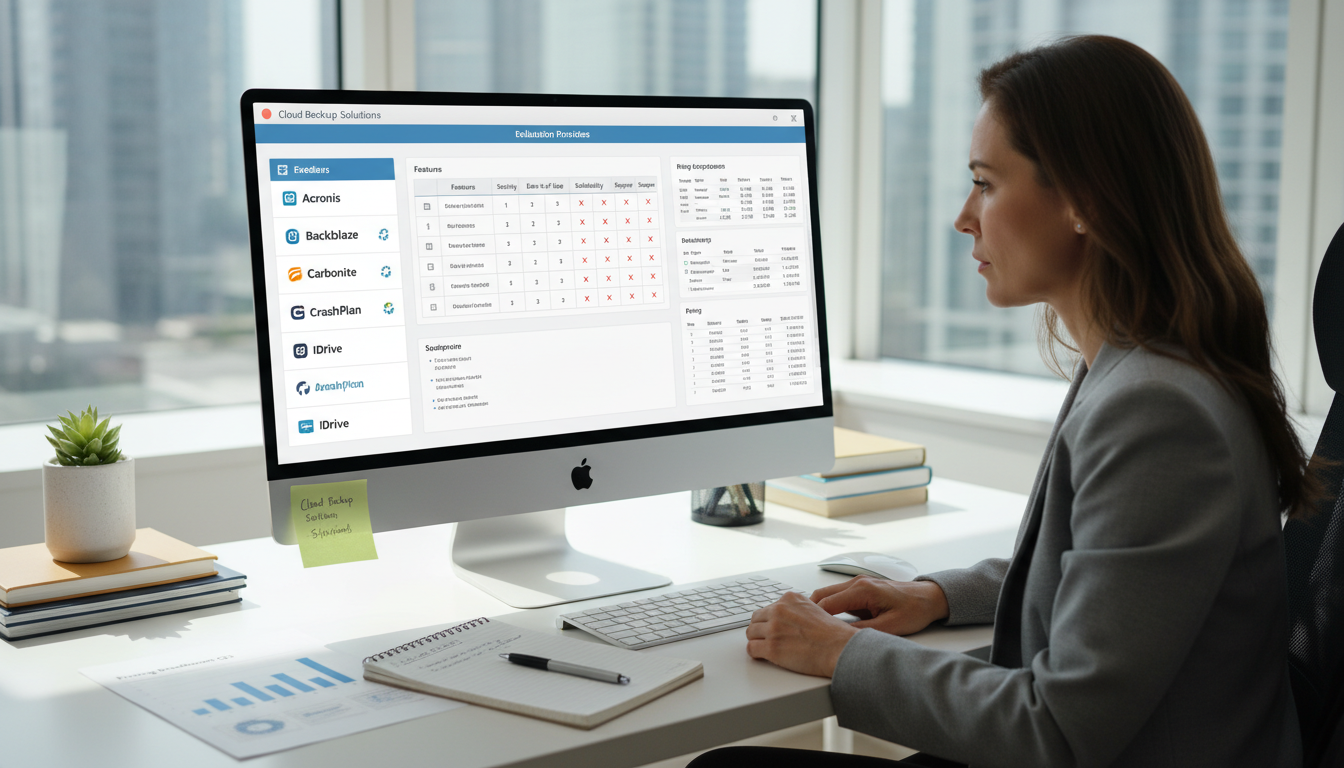
Data is the lifeblood of every modern business. Your financial records, client databases, project files, email correspondence, and operational documents represent years of accumulated work and institutional knowledge. Losing this data - whether through ransomware attack, hardware failure, accidental deletion, or natural disaster - can cripple a business. Studies consistently show that a significant proportion of small businesses that suffer major data loss never fully recover.
Cloud backup has emerged as the gold standard for data protection, offering automated, offsite, and scalable protection that far exceeds what most businesses could achieve with on-premises backup solutions alone. But the cloud backup market is crowded, with dozens of providers offering seemingly similar services at wildly different price points. Choosing the wrong provider can leave you with backup systems that look good on paper but fail catastrophically when you actually need to restore data.
This guide helps UK businesses navigate the cloud backup market, explaining what to look for, what questions to ask, and how to evaluate providers against the criteria that actually matter when disaster strikes.
What Cloud Backup Actually Means
Cloud backup is the process of copying your data from its primary location - your servers, workstations, or cloud platforms - to secure storage hosted in a remote data centre, accessible via the internet. Unlike simple file synchronisation services such as OneDrive or Dropbox, true backup solutions maintain versioned copies of your data over time, meaning you can restore files as they existed at a specific point in the past. This is critical for recovering from ransomware, where your current files are encrypted but historical versions remain clean.
Cloud backup encompasses several categories: file and folder backup, which protects individual files and directories; image-based backup, which captures an entire system including operating system, applications, and data for bare-metal recovery; Microsoft 365 backup, which protects Exchange Online mailboxes, SharePoint sites, OneDrive files, and Teams data; and database backup, which protects SQL Server, MySQL, PostgreSQL, and other database systems with transaction-level consistency.
It is worth understanding the distinction between backup and disaster recovery. Backup is the process of creating and storing copies of data so it can be retrieved if the original is lost. Disaster recovery encompasses a broader set of policies, tools, and procedures designed to enable the recovery of an entire IT infrastructure following a catastrophic event. Many cloud backup providers now bundle disaster recovery capabilities - such as spinning up virtual machines directly from backup images in the cloud - into their platform, blurring the line between the two. For UK businesses evaluating providers, understanding whether you need pure backup, disaster recovery as a service (DRaaS), or a combination of both is an essential first step.
One of the most common and dangerous misconceptions among UK businesses is the belief that Microsoft backs up your Microsoft 365 data. Microsoft provides infrastructure-level redundancy to keep the service running, but under their Shared Responsibility Model, protecting your data is explicitly your responsibility. Deleted emails, corrupted SharePoint sites, and ransomware-encrypted OneDrive files are your problem, not Microsoft's. A dedicated Microsoft 365 backup solution is essential for any business using the platform.
Key Criteria for Evaluating Cloud Backup Providers
1. Data Sovereignty and UK Data Centres
For UK businesses handling personal data subject to GDPR, the physical location of your backup data matters. Data stored in the UK or EU benefits from the data protection framework you are already operating under. Data stored outside these jurisdictions - particularly in countries without an adequacy decision - creates additional compliance obligations and risks.
Ask every potential provider where their data centres are located and whether you can specify UK-only storage. Reputable providers such as Veeam, Datto, and Acronis offer UK data centre options. Some providers allow you to choose specific Azure or AWS regions, giving you precise control over data residency.
The importance of UK data residency extends beyond GDPR. Many industry bodies and regulatory frameworks - including the NHS Data Security and Protection Toolkit, FCA operational resilience requirements, and certain government procurement standards - explicitly require or strongly recommend that data remains within the United Kingdom. Even where not strictly mandated, keeping backup data in UK data centres simplifies your compliance posture, reduces legal complexity around cross-border data transfers, and provides a straightforward answer when clients, auditors, or regulators ask where their data is stored.
2. Recovery Time and Recovery Point Objectives
Two metrics define the effectiveness of any backup solution. The Recovery Point Objective (RPO) is how much data you can afford to lose - it determines how frequently backups run. An RPO of four hours means backups run at least every four hours, so you could lose up to four hours of work in a worst-case scenario. The Recovery Time Objective (RTO) is how quickly you need to be back up and running - it determines how fast restores must complete.
| Business Type | Recommended RPO | Recommended RTO | Backup Frequency |
|---|---|---|---|
| E-commerce / Online Retail | 1 hour | 2 hours | Continuous or hourly |
| Professional Services | 4 hours | 4 hours | Every 4 hours minimum |
| Manufacturing | 4 hours | 8 hours | Every 4 hours minimum |
| Legal / Accounting | 1 hour | 2 hours | Continuous or hourly |
| General Office | 8 hours | 24 hours | Daily minimum |
It is important to recognise that RPO and RTO are not one-size-fits-all values. Different systems within the same organisation may have very different recovery requirements. Your email system and core line-of-business application may need an RPO of one hour and an RTO of two hours, whilst archived project files from completed engagements may be perfectly well served by a daily backup with a 24-hour recovery window. A good provider allows you to apply different backup policies to different systems, enabling you to balance protection levels against cost.
3. Ransomware Protection
Ransomware is the most significant data loss threat facing UK businesses today. A backup solution that can be encrypted or deleted by the same ransomware that attacks your production systems provides no protection at all. Look for providers that offer immutable backups - backup copies that cannot be modified or deleted for a defined retention period, even by an administrator with full access. Air-gapped or isolated backup storage that is not directly accessible from your production network provides an additional layer of protection.
The sophistication of ransomware attacks targeting UK businesses has increased markedly. Modern ransomware variants specifically seek out and attempt to destroy backup copies before encrypting production data, as attackers know that businesses with intact backups are far less likely to pay a ransom. Some variants lie dormant for weeks or months, encrypting data gradually so that backup copies themselves become infected. This means your backup solution must not only be immutable but must also maintain sufficient version history to allow you to roll back to a known-clean state, even if the infection began several weeks before detection. A minimum of 30 days of versioned history is recommended for most UK businesses; organisations in high-risk sectors should consider 60 to 90 days.
4. Monitoring and Alerting
A backup that fails silently is worse than no backup at all, because it gives you a false sense of security. Your cloud backup provider must offer proactive monitoring with immediate alerts when backups fail, when they complete with warnings, or when backup sizes change unexpectedly. Daily backup status emails, dashboard reporting, and integration with your IT provider's monitoring platform are essential features.
The best monitoring systems provide a centralised dashboard where your IT team or managed service provider can see the status of every protected device at a glance. Look for providers that offer role-based access, allowing your backup administrator to see detailed job logs whilst giving management a simplified overview of protection status. Integration with popular monitoring platforms such as ConnectWise, Datto RMM, or NinjaOne is particularly valuable for businesses that work with a managed IT provider, as it allows your provider to monitor backups alongside your other infrastructure without requiring separate login credentials or management consoles.
5. Encryption and Security Standards
Your backup data is a complete copy of your most sensitive business information, which makes it an attractive target for attackers. End-to-end encryption is non-negotiable. Data should be encrypted before it leaves your premises (in transit) using TLS 1.2 or higher, and remain encrypted whilst stored in the cloud (at rest) using AES-256 encryption. Some providers offer customer-managed encryption keys, meaning that even the backup provider cannot access your data - this is particularly important for businesses handling highly sensitive information such as legal case files, medical records, or financial data.
According to the UK Cyber Security Breaches Survey, 50% of UK businesses reported experiencing some form of cyber security breach or attack in the preceding twelve months. For businesses storing backup data in the cloud, the security posture of the backup provider is effectively an extension of your own security perimeter. Ask providers about their SOC 2 Type II certification, ISO 27001 accreditation, and Cyber Essentials Plus status. A provider that cannot demonstrate these baseline certifications should be treated with considerable caution, regardless of how competitive their pricing may appear.
6. Backup Scope and Application Coverage
Many businesses discover too late that their backup solution only protects part of their environment. A comprehensive cloud backup strategy must cover physical servers (including operating system, applications, and data), virtual machines (Hyper-V and VMware), cloud platforms (Microsoft 365, Google Workspace), endpoint devices (laptops and workstations used by remote workers), and line-of-business applications (accounting software, CRM systems, bespoke databases). Evaluate whether the provider supports all the systems in your environment today and can accommodate new systems as your infrastructure evolves.
Pay particular attention to Microsoft 365 backup capabilities. Many providers treat Microsoft 365 as an add-on rather than a core feature, which often results in limited mailbox retention, no SharePoint or Teams backup, and slow restore performance. Given that Microsoft 365 is the primary productivity platform for the vast majority of UK businesses, your backup provider must treat it as a first-class citizen with full coverage across Exchange Online, SharePoint Online, OneDrive for Business, and Microsoft Teams - including Teams chat history and channel files.
Essential Provider Features
- UK-based data centres with data sovereignty guarantees
- Immutable backup copies resistant to ransomware
- Automated monitoring with failure alerts
- Granular restore: file, folder, mailbox, or full system
- Regular automated restore testing
- End-to-end AES-256 encryption at rest and in transit
- Transparent per-GB or per-device pricing
- 24/7 UK-based support for restore emergencies
Provider Red Flags
- No UK data centre option or unclear data location
- No immutability or ransomware-specific protections
- No proactive monitoring - you must check manually
- All-or-nothing restore with no granular options
- No restore testing capability or history
- Unclear encryption standards or key management
- Hidden egress charges or restore fees
- Support only available during business hours
Cloud Backup Provider Evaluation Scorecard
When assessing cloud backup providers, it helps to score each candidate against the criteria that matter most to your business. The scorecard below illustrates how a well-qualified provider typically scores across the key evaluation dimensions. Use this as a template for your own provider assessments, adjusting the weightings to reflect your organisation's priorities and regulatory requirements.
Providers scoring above 80 across most dimensions are generally well-suited for UK businesses with moderate to high data protection requirements. Pay particular attention to any dimension where a provider scores below 70, as this often indicates a fundamental gap that cannot be easily remedied through configuration changes or contract negotiations alone.
Testing Your Backups: The Most Neglected Step
A backup is only as good as your ability to restore from it. Yet research consistently shows that a third of UK businesses have never tested restoring data from their backups. When a crisis hits and the backup proves corrupt, incomplete, or unrestorable, the consequences are devastating.
Your cloud backup provider should support and encourage regular restore testing. At a minimum, conduct a file-level restore test monthly - pick a random file or folder and verify it restores correctly. Quarterly, test a full system restore to verify that you can recover an entire server or workstation. Annually, conduct a complete disaster recovery drill that simulates a total loss scenario and measures your actual RTO against your target.
Scalability and Long-Term Growth Planning
Your backup requirements today are not your backup requirements in two years. UK businesses generate increasingly large volumes of data year on year, and your backup provider must be able to accommodate this growth without forcing expensive upgrades, service disruptions, or architectural changes. Research indicates that the average UK SME's data footprint is growing at approximately 25-30% per annum, driven by increasing use of cloud applications, digital communications, and multimedia content.
When evaluating scalability, consider how the provider handles storage growth. Does your plan include a fixed allocation that incurs overage charges, or does it scale automatically with usage? Fixed allocations can be cost-effective if you can accurately predict your data growth, but they carry the risk of unexpected overage fees or, worse, backups silently failing because your allocation has been exceeded. Automatic scaling eliminates this risk but requires clear pricing visibility so that costs do not spiral unexpectedly.
Also consider how the provider accommodates changes to your infrastructure. If you add new servers, migrate to a new cloud platform, or acquire another business, your backup solution must be flexible enough to incorporate these changes quickly. Providers that require lengthy onboarding processes, dedicated infrastructure provisioning, or contract renegotiation for every change to your environment will create friction that delays your protection and increases your risk exposure during transitions. The best providers offer self-service portals where new devices and workloads can be added to backup policies within minutes, not days.
Migration and Vendor Lock-In Considerations
Choosing a backup provider is not a decision you make once and forget. Business needs change, providers change their offerings and pricing, and you may find after twelve months that the provider you selected is no longer the best fit. The ease with which you can migrate away from a provider is a critical evaluation criterion that many businesses overlook during the initial selection process.
Vendor lock-in in the backup space typically manifests through proprietary data formats, high egress fees, and contractual minimum terms. Some providers store your backup data in proprietary formats that can only be read by their own restoration tools, making it extremely difficult to migrate to a competing provider without a complete re-backup of your entire environment. Others charge substantial fees for downloading your own data - sometimes £0.05 to £0.15 per gigabyte - which can amount to thousands of pounds for organisations with large backup repositories.
Before committing to a provider, ask these questions: Can you export backup data in a standard format? What are the egress fees for downloading data? What is the minimum contract term, and what are the early termination penalties? Does the provider offer a migration assistance programme? Providers that are confident in the quality of their service will typically offer reasonable contract terms, standard data formats, and minimal exit barriers. Providers that rely on lock-in to retain customers are generally those you should avoid entirely.
Managed vs Self-Service Backup Solutions
UK businesses broadly have two options when it comes to cloud backup: self-service solutions where you manage the backup infrastructure yourself, and managed backup services where a provider handles everything on your behalf. The right choice depends on your internal IT capabilities, the criticality of your data, and your appetite for operational responsibility.
Self-service backup platforms such as Veeam Cloud Connect, Acronis Cyber Protect Cloud, and MSP360 give you direct control over backup configuration, scheduling, retention policies, and restore operations. These platforms are powerful and flexible, but they require dedicated IT expertise to configure correctly, monitor consistently, and troubleshoot when issues arise. For businesses with an in-house IT team or a managed IT partner, self-service platforms can offer the best combination of control and cost-effectiveness.
Managed backup services, by contrast, handle the entire backup lifecycle on your behalf. A managed backup provider configures your backup jobs, monitors them daily, investigates and resolves failures, conducts regular restore tests, and provides detailed reporting on your backup health. This model is particularly well-suited to UK SMEs without dedicated IT staff, as it eliminates the risk of backup neglect - the gradual degradation that occurs when backups are configured once and then ignored until a crisis forces attention.
The cost difference between self-service and managed backup is often smaller than businesses expect. Whilst the headline per-gigabyte rate for self-service storage may be lower, the total cost of ownership must include the time your staff spend managing, monitoring, and troubleshooting backups. For a typical UK SME with 500 GB of protected data across servers, workstations, and Microsoft 365, a managed backup service typically costs between £200 and £500 per month - a modest investment compared to the consequences of unprotected or poorly managed data.
Cost Considerations
Cloud backup pricing models vary significantly between providers. Common models include per-device pricing (a fixed monthly fee per protected server or workstation), per-GB pricing (charges based on the volume of data stored), per-user pricing (common for Microsoft 365 backup), and tiered or bundled pricing that combines multiple protection types.
When comparing costs, look beyond the headline per-GB or per-device rate. Evaluate the total cost including ingress and egress charges for uploading and downloading data, restore fees that some providers charge for data recovery, overage charges if you exceed your storage allocation, and the cost of additional features like immutability, extended retention, or compliance reporting. A provider that appears cheaper per gigabyte but charges £0.10 per GB for restore downloads will cost significantly more than a provider with a higher base rate but free restores, especially during a large-scale recovery.
It is also worth considering the hidden cost of inadequate backup. The Federation of Small Businesses estimates that data loss incidents cost UK SMEs an average of £65,000 per event when factoring in lost productivity, recovery costs, regulatory penalties, and reputational damage. Against this figure, even a premium backup service costing £500 per month - £6,000 per year - represents exceptional value for money. The cheapest backup solution is rarely the most economical when the full risk picture is considered.
Choosing a cloud backup provider is one of the most consequential technology decisions a UK business can make. The right provider delivers peace of mind, regulatory compliance, and rapid recovery when disaster strikes. The wrong provider delivers a false sense of security that evaporates precisely when you need it most. Invest the time to evaluate providers thoroughly, test relentlessly, and never assume your backups work until you have proven they do.
Need Reliable Cloud Backup for Your Business?
Cloudswitched provides managed cloud backup services for UK businesses, protecting servers, workstations, and Microsoft 365 data with UK-based storage, immutable copies, and verified restores. We monitor every backup, test restores regularly, and respond within minutes when recovery is needed.
Explore Cloud Backup Solutions
CloudSwitched
London-based managed IT services provider offering support, cloud solutions and cybersecurity for SMEs.


