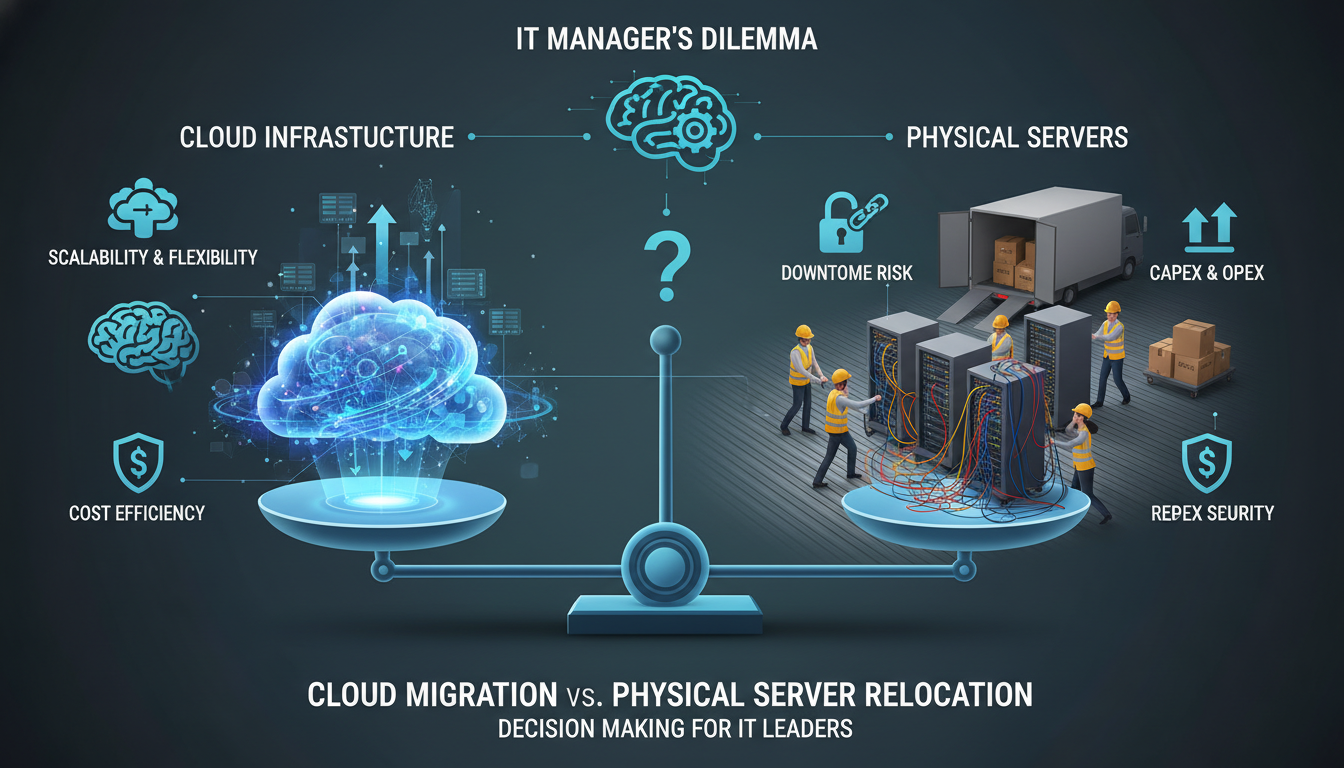
When a UK business relocates its office, one of the most critical decisions it faces is what to do with its IT infrastructure. The days when this simply meant disconnecting servers, loading them into a van, and reconnecting them at the new site are rapidly fading. Today, businesses have a genuine choice: physically move their existing on-premises servers to the new location, or use the office move as a catalyst to migrate their entire infrastructure to the cloud.
Both approaches have their merits, and the right choice depends on your specific circumstances - your budget, timeline, technical requirements, and long-term business strategy. Making the wrong choice can result in extended downtime, data loss, unexpected costs, and frustrated staff. Making the right choice can transform your move from a stressful disruption into a genuine improvement in how your business operates.
This comprehensive guide compares cloud migration and physical server moves across every dimension that matters to a UK business, helping you make an informed decision that serves your organisation well beyond moving day.
Understanding Your Two Options
Before diving into the comparison, let us clearly define what each option involves and what it means for your business in practical terms.
Physical Server Move
A physical server move means disconnecting your existing server hardware from its current location, transporting it to your new office, and reconnecting it there. This includes servers, network-attached storage, switches, firewalls, UPS systems, and all associated cabling. The process requires careful planning, professional handling, and typically results in a period of downtime during which your staff cannot access business systems.
Cloud Migration
Cloud migration means moving your workloads - applications, data, email, file storage - from your physical servers to cloud platforms such as Microsoft Azure, Amazon Web Services, or Microsoft 365. Your physical servers are decommissioned, and your new office requires only internet connectivity, a firewall, a network switch, and Wi-Fi access points. All your business applications and data live in secure UK data centres rather than on hardware in your office.
Cloud Migration Advantages
- Zero downtime during the physical move
- No risk of hardware damage in transit
- Eliminates server room requirements at new site
- Automatic backups and disaster recovery
- Work from anywhere capability built in
- Scales effortlessly as your business grows
- Enterprise-grade security included
- Predictable monthly costs (OpEx model)
Physical Move Advantages
- No need to change existing applications
- Familiar environment for IT staff
- No ongoing cloud subscription costs
- Full control over hardware and data
- May suit specialised legacy applications
- No dependency on internet connectivity
- One-time move cost rather than ongoing
- Regulatory compliance with data locality
The Cost Comparison
Cost is invariably the first question business owners ask, and it is a legitimate concern. However, comparing costs between these two options requires looking beyond the immediate expense and considering the total cost of ownership over three to five years.
Physical Server Move: True Costs
The direct cost of physically moving servers typically ranges from £2,000 to £10,000 depending on the complexity. This covers specialist IT relocation engineers, transportation in climate-controlled vehicles, reconnection and testing at the new site, and the inevitable troubleshooting when something does not come back online cleanly.
But the direct moving cost is only part of the story. You also need to factor in the cost of downtime during the move - which can run to thousands of pounds per hour for some businesses - the ongoing cost of maintaining ageing hardware, electricity for running and cooling servers, the space cost of a dedicated server room in your new office, and the eventual cost of replacing the hardware when it reaches end of life.
Cloud Migration: True Costs
Cloud migration has higher upfront costs than a simple physical move. A typical migration for a 20-50 user business ranges from £5,000 to £25,000 depending on complexity. This covers assessment and planning, the migration itself, testing, training, and post-migration support.
The ongoing costs include cloud hosting fees (typically £500-£3,000 per month depending on workloads), Microsoft 365 or Google Workspace licences, and internet connectivity. However, you eliminate server hardware maintenance, electricity costs, server room space, and the capital expenditure of future hardware replacements.
| Cost Factor | Physical Move (3-Year) | Cloud Migration (3-Year) |
|---|---|---|
| Initial Move/Migration | £3,000-£8,000 | £8,000-£20,000 |
| Hardware Maintenance | £3,000-£8,000/year | £0 |
| Server Room (space + power) | £2,000-£5,000/year | £0 |
| Cloud Hosting Fees | £0 | £6,000-£36,000/year |
| Hardware Replacement (Year 3-4) | £15,000-£40,000 | £0 |
| Downtime During Move | £2,000-£10,000 | £0-£500 |
| Typical 3-Year Total (25 users) | £40,000-£85,000 | £30,000-£65,000 |
Downtime and Business Continuity
For many businesses, downtime is the deciding factor. Every hour your systems are offline costs you money - in lost productivity, missed orders, delayed invoices, and frustrated customers.
A physical server move inevitably involves downtime. The servers must be shut down, disconnected, transported, reconnected, and tested. Even with meticulous planning, this process typically takes 4-12 hours for a small business environment and can stretch to 24-48 hours if complications arise. And complications do arise - a server that will not boot after being moved, a RAID array that needs rebuilding, a firewall configuration that does not match the new network layout.
Cloud migration, by contrast, can often be completed with zero downtime for end users. The migration itself happens in the background - data is copied to the cloud whilst your existing servers continue to operate. When the migration is complete, you simply cut over to the cloud systems. If this is done over a weekend, your staff arrive on Monday morning to find everything working exactly as before, just faster and more reliable.
A 35-person law firm in Manchester was relocating to new offices in Spinningfields. Their existing setup included two on-premises servers running their practice management software, document management system, and Exchange email. The initial plan was to physically move the servers, but after analysis, the downtime risk was deemed too high - solicitors needed access to case files at all times. Instead, they migrated to Azure and Microsoft 365 over a three-week period with zero downtime. On moving day, staff simply connected to Wi-Fi at the new office and continued working as normal. The firm also eliminated £4,200 per year in server room costs at the new premises.
Security Considerations
Security is a critical factor in this decision, particularly given the UK's stringent data protection requirements under the UK GDPR and the Data Protection Act 2018.
Physical server moves introduce security risks that are often overlooked. Hardware being transported is vulnerable to theft, damage, and environmental hazards. During the move, your firewall and security systems are offline, leaving a gap in protection. If you are in a regulated industry, you may need to demonstrate chain of custody for the hardware during transit.
Cloud platforms like Microsoft Azure operate from Tier 3+ data centres with physical security that no small business could replicate - biometric access controls, 24/7 security guards, CCTV, and environmental monitoring. Data is encrypted both in transit and at rest. Security patches are applied automatically. And Microsoft, Amazon, and Google invest billions of pounds annually in security research and protection - more than any SME could ever spend.
For UK businesses handling personal data, it is worth noting that both Microsoft Azure and AWS operate data centres within the United Kingdom, meaning your data can remain on UK soil even in the cloud. This simplifies GDPR compliance and addresses common concerns about data sovereignty.
The Timeline Factor
Your office move timeline significantly influences which option is feasible. Physical server moves require relatively short planning periods - typically 2-4 weeks of preparation followed by the move itself. Cloud migration is a longer process, typically requiring 4-12 weeks depending on the complexity of your environment.
If your move date is imminent and you have not started planning, a physical server move may be the pragmatic choice simply because there is not enough time for a full cloud migration. However, if you have at least two months' notice - which is typical for most office relocations - cloud migration is almost always achievable within the timeline.
The Hybrid Approach
Not every business needs to choose one option exclusively. A hybrid approach - migrating some workloads to the cloud while physically moving others - can offer the best of both worlds.
This is particularly relevant for businesses that run specialised or legacy applications that cannot easily be moved to the cloud. For example, you might migrate email, file storage, and standard business applications to Microsoft 365 and Azure, whilst physically moving a server that runs a bespoke manufacturing application. This approach reduces the scope and risk of the physical move whilst capturing many of the benefits of cloud migration.
Over time, even these legacy workloads can often be modernised and migrated to the cloud, but the office move does not need to be the moment you tackle that particular challenge.
Insurance and Liability During Server Relocation
When physically relocating servers, insurance is a frequently overlooked consideration that can carry significant financial consequences if things go wrong. Standard business insurance policies rarely cover IT equipment during transit, and the specialised nature of server hardware means that replacement costs can be substantial - often running into tens of thousands of pounds for even a modest server environment.
According to the British Insurance Brokers Association, fewer than 30% of UK businesses maintain adequate coverage for IT equipment during an office relocation. If a server is dropped during loading, exposed to moisture in transit, or damaged by vibration on the road, the hardware replacement cost is only the beginning of the problem. The data stored on those drives may be irreplaceable without recent backups, and the business interruption whilst replacement hardware is procured, configured, and restored can dwarf the cost of the physical equipment several times over.
Professional IT relocation firms typically carry goods-in-transit insurance, but coverage limits may not reflect the true value of your data and the consequential business impact of extended downtime. Before committing to a physical move, verify exactly what is covered under the relocation company policy, confirm the excess amounts, and understand the claims process in detail. Request certificates of insurance from any company you engage, and review whether your own business interruption insurance would respond to an extended outage caused by transit damage. Many business owners are surprised to discover that their existing policies contain exclusions for IT equipment in transit or impose sub-limits far below the actual replacement cost.
With cloud migration, this entire category of risk is eliminated. Your data resides in geographically redundant data centres with enterprise-grade physical protection, multiple backup systems, and no transit whatsoever. Cloud provider service level agreements typically guarantee 99.9% or higher availability, backed by financial credits if those commitments are not met. There are no loading docks, no delivery vans, and no anxious moments as your business-critical infrastructure travels across town on the back of a lorry.
Environmental and Sustainability Considerations
Sustainability is an increasingly important factor in UK business decisions, driven both by genuine environmental concern and by the growing expectations of clients, investors, and regulators. The environmental impact of your IT infrastructure choice deserves serious consideration as part of your relocation planning, particularly given the UK government commitment to reaching net zero carbon emissions by 2050.
On-premises servers consume significant energy - not only to power the servers themselves, but to cool them. A typical small server room housing two to four servers can consume between 10,000 and 25,000 kWh of electricity annually, generating approximately 2 to 5 tonnes of CO2 emissions based on the current UK grid carbon intensity. These figures increase substantially if the cooling systems are inefficient, which is common in server rooms that were never purpose-designed for the heat loads they carry.
Major cloud providers have made enormous investments in renewable energy and operational efficiency. Microsoft has committed to becoming carbon negative by 2030 and has achieved a Power Usage Effectiveness rating of 1.18 across its global data centre portfolio - meaning that for every watt used for actual computing, only 0.18 watts are consumed by cooling and infrastructure overhead. By comparison, a typical small business server room operates at a PUE of 2.0 or higher, effectively doubling its energy consumption through inefficient cooling. This efficiency gap means that the same computing workload generates significantly less carbon when run in a hyperscale cloud data centre than in an office server room.
For UK businesses reporting under the Streamlined Energy and Carbon Reporting framework - which applies to all large companies and qualifying LLPs - eliminating on-premises servers can meaningfully reduce reported energy consumption and associated carbon emissions. Even smaller businesses not subject to SECR requirements benefit from demonstrating environmental responsibility, particularly when tendering for contracts with larger organisations that increasingly assess supply chain sustainability as part of their procurement processes.
A 2024 survey by the Carbon Trust found that 47% of UK SMEs now actively consider the environmental impact of their IT infrastructure when making technology procurement decisions, up from just 19% in 2020. Cloud migration aligns well with this accelerating trend, enabling businesses to reduce their direct energy consumption whilst benefiting from the massive scale efficiencies and renewable energy investments that only hyperscale cloud providers can achieve.
Practically speaking, a cloud migration during your office move also simplifies the environmental requirements of your new premises. Without servers to house and cool, you eliminate the need for a dedicated server room, the associated air conditioning infrastructure, and the electrical capacity to support high-power equipment. This can meaningfully reduce fit-out costs at your new office and provides greater flexibility in how you utilise your available floor space - converting what would have been an energy-hungry server room into productive workspace that generates revenue rather than consuming electricity.
Staff Wellbeing and Change Management
The human dimension of an IT infrastructure change is consistently underestimated in relocation planning, yet it frequently determines whether the transition is perceived as a success or failure by the people who matter most - your staff. Technology decisions are ultimately people decisions, and how your team experiences the move will shape their productivity and morale for months afterwards.
A physical server move, whilst technically straightforward, creates genuine anxiety among staff. Employees worry about potential data loss, fear extended periods without access to critical systems, and feel unsettled by the disruption to their established routines. Even when the physical move executes perfectly, the period of uncertainty leading up to it can measurably reduce productivity as staff spend time backing up personal files, worrying about project deadlines that fall near the move date, and mentally preparing for disruption. Research by the Chartered Management Institute found that IT-related anxiety during office relocations reduces team productivity by an average of 12% in the weeks surrounding the move.
Cloud migration, when properly managed, can transform the staff experience entirely. The transition period extends over several weeks rather than concentrating into a single high-stress weekend, and end users typically notice minimal change in their daily workflow. More significantly, the end result - faster systems, improved reliability, and the genuine ability to work from anywhere - is something most employees actively welcome. The ability to work effectively from home, a coffee shop, a client site, or a train with exactly the same access to every business system represents a meaningful improvement in working life.
A 2024 report by the Chartered Institute of Personnel and Development found that 73% of UK employees now consider flexible working arrangements to be a significant factor when evaluating their employment, and cloud-based IT infrastructure is the essential foundation that makes genuine flexible working possible. An office move that simultaneously delivers cloud migration and flexible working capability can be positioned as a positive investment in staff wellbeing and talent retention rather than merely a logistical disruption to endure.
Regardless of which approach you choose, structured change management is essential for a smooth transition. Communicate early and frequently about what is happening, why the decision was made, and what it specifically means for each team. Provide hands-on training for any new systems or changed processes. Designate IT champions within each department who can offer first-line support and reassurance to their colleagues. Most importantly, plan for a settling-in period after the move during which additional IT support is readily available to address the inevitable questions and minor issues that arise when people adjust to any change in their working environment.
Making Your Decision
The right choice for your business depends on several factors working together. Consider cloud migration if you have at least six weeks before the move, your applications are standard business software, your team works remotely at least some of the time, you want to eliminate ongoing server maintenance costs, and you are planning for business growth. Consider a physical move if your timeline is extremely tight, you run highly specialised legacy applications that cannot be cloud-hosted, you have very recently invested in new server hardware, or you have regulatory requirements that mandate on-premises data storage.
For most UK small businesses relocating in 2025 and beyond, cloud migration is the superior choice. It costs less over three to five years, eliminates downtime on moving day, improves security and reliability, enables flexible working, and removes the burden of hardware maintenance. The office move simply provides the perfect catalyst for a change that would benefit your business regardless.
Planning an Office Move? Let Us Handle Your IT
Cloudswitched specialises in IT office relocations across the UK. Whether you choose cloud migration, a physical server move, or a hybrid approach, our team ensures zero disruption to your business. We handle every aspect - from planning and migration to testing and support on moving day.
Final Thoughts
An office move is one of the few moments in a business's life when fundamental infrastructure changes are not only possible but expected. Use this opportunity wisely. Take the time to properly evaluate your options, consult with IT professionals who understand both approaches, and make a decision based on long-term value rather than short-term convenience. Whether you choose cloud migration or a physical move, the key to success is thorough planning, professional execution, and a clear understanding of your business requirements.

CloudSwitched
London-based managed IT services provider offering support, cloud solutions and cybersecurity for SMEs.


