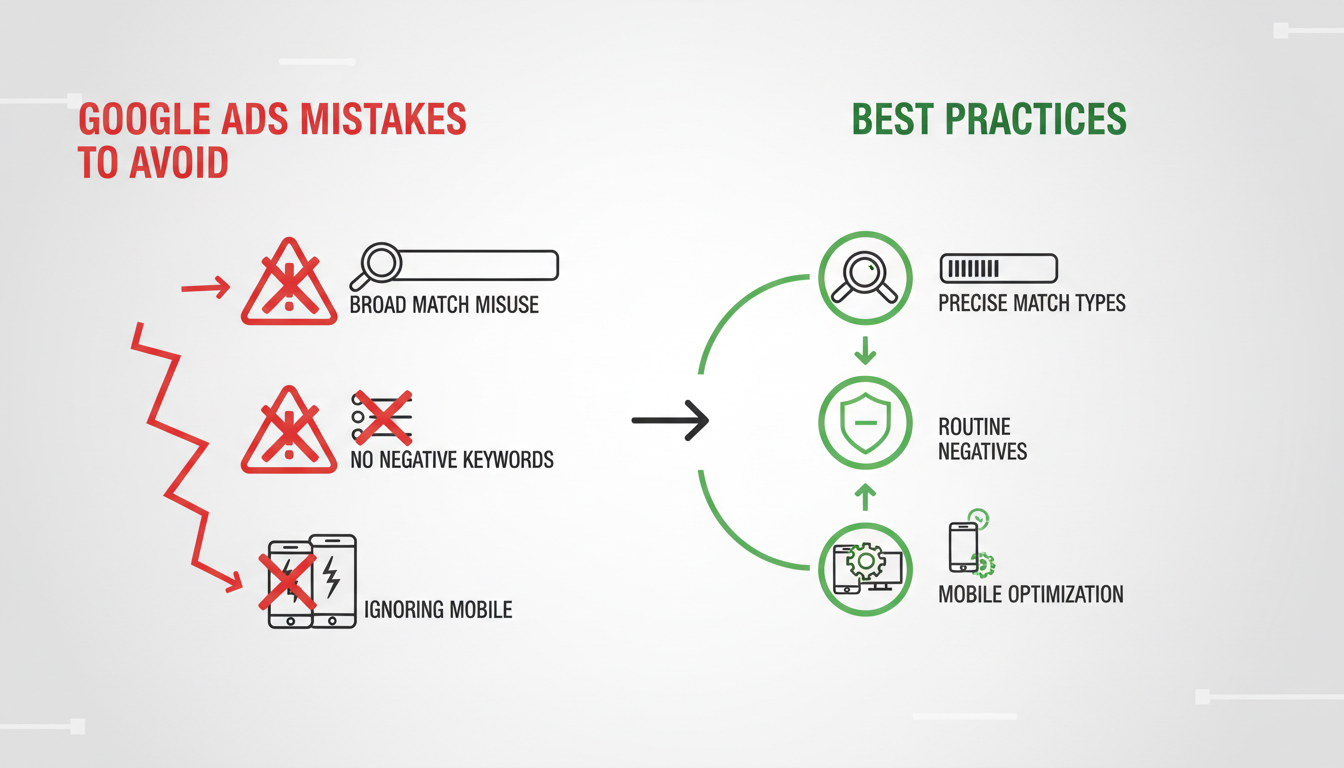
Google Ads is deceptively easy to set up but remarkably difficult to do well. The gap between a mediocre campaign and a high-performing one often comes down to avoiding a handful of common Google Ads mistakes that silently drain budgets and suppress results. After managing hundreds of campaigns across every industry, we at Cloudswitched have compiled the most damaging and most common mistakes we see.
Whether you're managing your own campaigns or evaluating your current agency's work, this guide will help you identify and fix the issues that are most likely holding your account back.
Mistake 1: Poor or Missing Conversion Tracking
This is the number one mistake and the most damaging. Without accurate conversion tracking, you're flying completely blind. You cannot know which keywords, ads, or campaigns are actually generating leads or sales. Every optimisation decision you make is based on guesswork rather than data.
Common conversion tracking problems include: no tracking set up at all, tracking that fires on page loads rather than actual form submissions, duplicate conversion counting (the same lead counted multiple times), tracking only some conversion actions while missing others (especially phone calls), and using the wrong attribution model for your sales cycle.
In the UK market, we see this issue disproportionately affecting small and medium-sized businesses that set up their own Google Ads without professional guidance. A recent industry survey found that 38% of UK small business advertisers have no conversion tracking whatsoever, and a further 26% have tracking that is either incomplete or misconfigured. The financial impact is staggering: without conversion data, Google's Smart Bidding strategies cannot function correctly, often resulting in cost per acquisition figures that are two to four times higher than they should be. For a business spending £2,000 per month, that could mean £1,000 or more wasted every single month.
Use Google Tag Assistant and the Google Ads conversion diagnostics tool to verify that every conversion action is firing correctly. Test each form submission, phone call, and chat widget individually. Then cross-reference your Google Ads conversion count with your actual CRM records for a two-week period. If the numbers diverge by more than 15%, you have a tracking problem that needs immediate attention.
Mistake 2: Not Using Negative Keywords
This is the fastest way to waste money in Google Ads. Without negative keywords, your ads appear for searches that are completely irrelevant to your business. A plumber bidding on “plumber” might show up for “plumber salary”, “plumber training courses”, or “Super Mario plumber game.”
Build negative keyword lists for common categories: career-related terms, DIY and free resources, educational queries, competitor names (if appropriate), and geographic exclusions. Apply these at the campaign or account level and review your search terms report at least weekly.
For UK businesses, there are several categories of negative keywords that apply universally and should be added to every account from day one. These include job-related terms (salary, vacancies, careers, apprenticeship, NVQ, training course), free resource terms (free, DIY, how to, tutorial), and geographic exclusions for areas outside your service region. A London-based solicitor, for example, should exclude terms like “solicitor jobs”, “free legal advice”, “solicitor salary UK”, and every major city outside their catchment area. We typically build negative keyword lists of 200–500 terms for new accounts, which immediately eliminates the vast majority of irrelevant traffic.
Mistake 3: Sending All Traffic to the Homepage
Your homepage is designed to serve everyone. But the person who searched “commercial electrician London” doesn't want to see your full service menu, your company history, and your latest blog posts. They want to see that you offer commercial electrical services in London, see your credentials, and have a clear way to get a quote.
Dedicated landing pages that match the search intent of each ad group consistently convert 2–5x better than generic homepages. The upfront investment in creating these pages pays for itself many times over through improved conversion rates and lower costs per lead.
The data on this point is unequivocal. According to UK marketing benchmarks, the average homepage conversion rate for paid traffic sits at around 2.4%, whereas a well-designed, intent-matched landing page typically converts at 5–12%. For a business paying £3 per click, that difference means the cost per lead drops from approximately £125 on the homepage to £35–£60 on a dedicated landing page. Over a monthly budget of £3,000, that translates to roughly 50–85 leads instead of 24 - more than double the results from the same spend. The landing page does not need to be complex; a clear headline matching the search query, bullet points highlighting key benefits, social proof such as reviews or accreditations, and a prominent call-to-action are sufficient to dramatically improve conversion rates.
Create a dedicated landing page template that you can quickly adapt for each service or product line. The page should include a headline matching the ad copy, a clear value proposition, 3–5 bullet points, at least one testimonial or review, trust badges (Google Reviews rating, accreditations), and a prominent contact form or phone number. For UK service businesses, including your local phone number (not an 0800 number) builds trust with local customers.
Mistake 4: Ignoring Match Type Strategy
Google's keyword match types (Broad, Phrase, and Exact) determine how closely a search query must match your keyword before triggering your ad. Using the wrong match types - particularly over-reliance on Broad Match without proper negative keywords - is one of the most expensive mistakes.
| Match Type | Keyword | Could Match | Risk Level |
|---|---|---|---|
| Broad Match | plumber london | handyman services, drain cleaning, boiler repair | High |
| Phrase Match | “plumber london” | emergency plumber london, best plumber london reviews | Medium |
| Exact Match | [plumber london] | plumber london, london plumber, plumber in london | Low |
Mistake 5: Not Testing Ad Copy
Many accounts run the same ad copy for months or even years without testing alternatives. With Responsive Search Ads, you should be using all 15 headline slots and 4 description slots, providing Google with enough variations to find winning combinations. Review asset-level performance monthly and replace underperforming headlines and descriptions with new variations.
In the UK specifically, ad copy that references local context tends to outperform generic messaging. Mentioning specific cities, regions, or even local landmarks in your headlines can significantly improve click-through rates. A headline like “Trusted Solicitors in Manchester” will typically outperform “Expert Legal Services” by 25–40% in CTR for Manchester-area searches. Similarly, including trust signals that resonate with UK consumers - such as Google Reviews ratings, Trustpilot scores, years of trading history, and professional accreditations like ISO, Checkatrade, or CHAS - can meaningfully improve ad performance.
Mistake 6: Wrong Location Targeting Settings
Google's default location targeting is “Presence or interest: People in, regularly in, or who've shown interest in your targeted locations.” This means your ads for “plumber in London” could show to someone in Manchester who simply researched London plumbers.
❌ Default Setting (Usually Wrong)
“Presence or interest” - Shows ads to people who are interested in the location, even if they're physically elsewhere. This wastes budget on non-local traffic for most local businesses.
✅ Recommended Setting
“Presence: People in or regularly in your targeted locations” - Only shows ads to people physically in your target area. The right choice for most local and service-area businesses.
Well-Managed Google Ads Account
Neglected Google Ads Account
Mistake 7: Set-It-and-Forget-It Management
Google Ads is not a one-time setup. It requires ongoing management, testing, and optimisation. The competitive landscape changes constantly - new competitors enter, costs shift, seasonal patterns emerge, and Google regularly updates its algorithms and features.
At minimum, a well-managed account needs weekly search terms reviews and negative keyword additions, bi-weekly ad copy performance reviews, monthly bidding strategy assessment, monthly budget allocation review based on performance, and quarterly strategic reviews covering campaign structure, targeting, and expansion opportunities.
The impact of active versus passive management is measurable and significant. A study of UK SME advertising accounts found that businesses that actively managed their Google Ads at least weekly achieved a 47% lower cost per acquisition compared to those that made changes less than once per month. The most impactful weekly tasks are reviewing the search terms report and adding negative keywords, checking for any ads that have been disapproved, and monitoring quality score trends. Monthly tasks should include analysing device performance (adjusting bids for mobile versus desktop), reviewing geographic performance data, testing new ad copy variations, and evaluating whether your bidding strategy is still appropriate for your account's current conversion volume.
Mistake 8: Ignoring Mobile Performance
Over 60% of Google searches now come from mobile devices. If your landing pages aren't mobile-optimised, load slowly on mobile, or have forms that are difficult to complete on a phone, you're losing the majority of your potential conversions. Check your mobile conversion rate versus desktop - if there's a massive gap, your mobile experience likely needs improvement.
Mistake 9: Poor Campaign Structure
We frequently see accounts where all keywords are thrown into a single campaign or a handful of oversized ad groups. This makes it impossible to write relevant ad copy for each keyword theme, set appropriate budgets per service or product line, create targeted landing page experiences, or use the right bidding strategy for different campaign goals.
A well-structured account has campaigns organised by service or product category, ad groups themed around tightly related keywords (ideally 5–20 keywords per group), ad copy that directly references the ad group's keyword theme, and landing pages that match the searcher's specific intent.
Mistake 10: Not Using All Available Ad Extensions
Extensions are free to add and significantly improve your ad's visibility and click-through rate. Yet many accounts only use one or two types, or none at all. At minimum, every account should use sitelinks (with descriptions), callouts, structured snippets, and call extensions. Most businesses should also add location extensions, price extensions, and image extensions.
Google Ads Account Health Scorecard
Based on hundreds of UK account audits, here is how the average Google Ads account scores across key performance dimensions. Scores below 70 indicate areas that are likely costing you money and should be prioritised for improvement.
Wasted Ad Spend by Mistake Type
Not all mistakes cost the same amount. The chart below shows the average percentage of monthly budget typically wasted by each mistake type, based on data from UK account audits conducted by Cloudswitched.
If you suspect your account has multiple issues, prioritise fixes in order of financial impact. Start with negative keywords (fastest to implement, largest immediate savings), then fix conversion tracking (essential for all future optimisation), then address landing pages (biggest long-term conversion improvement). Most UK businesses can reduce their wasted spend by 30–50% within the first month simply by addressing the top three mistakes on this list.
Your Mistake Checklist
| Mistake | Impact | Fix Difficulty |
|---|---|---|
| Missing conversion tracking | Critical | Medium |
| No negative keywords | Critical | Easy |
| Homepage as landing page | High | Medium |
| Wrong match types | High | Easy |
| No ad copy testing | High | Easy |
| Wrong location targeting | High | Easy |
| Set and forget | High | Ongoing |
| Ignoring mobile | High | Medium |
| Poor campaign structure | High | Hard |
| Missing extensions | Medium | Easy |
Worried Your Account Has These Issues?
Cloudswitched offers comprehensive Google Ads management that catches and fixes these mistakes from day one. Our team proactively monitors, optimises, and reports on your campaigns. Plans from £399/month.
View Google Ads ServicesStop Wasting Money on Google Ads Mistakes
Cloudswitched provides expert Google Ads management for UK businesses, ensuring your campaigns are free from the costly mistakes that drain budgets and suppress results. From comprehensive account audits to full ongoing management, our certified team delivers measurable improvements from month one.

CloudSwitched
London-based managed IT services provider offering support, cloud solutions and cybersecurity for SMEs.


