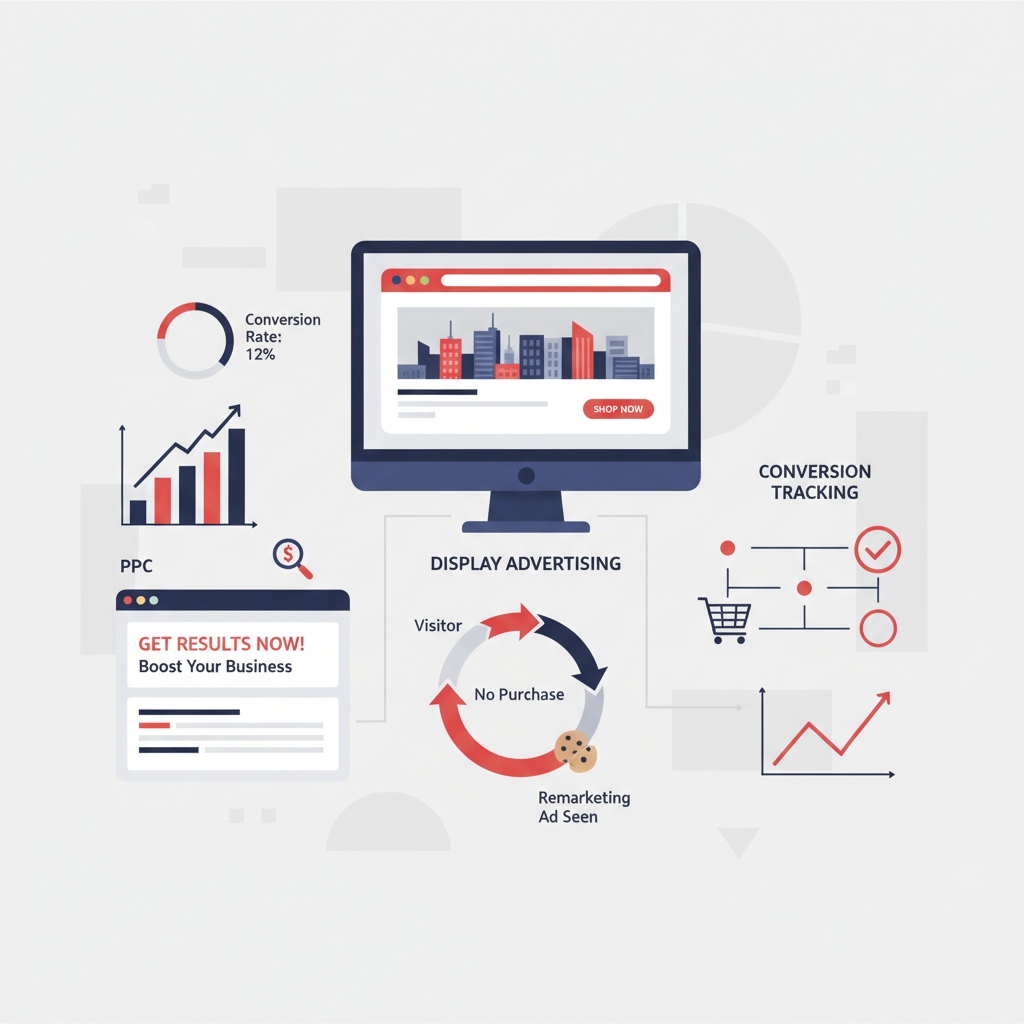
For small businesses across the United Kingdom, Google Ads represents one of the most powerful tools available to generate leads, drive sales, and build brand awareness. Whether you operate a local plumbing service in Birmingham, an e-commerce shop based in Manchester, or a consultancy firm in Edinburgh, understanding how to leverage Google Ads can be the difference between steady growth and stagnation.
This comprehensive guide walks you through everything you need to know about Google Ads as a small business owner in the UK. From the fundamentals of how the platform works to advanced strategies that can maximise your return on investment, we cover it all so you can make informed decisions about your advertising spend.
Why Google Ads Matters for Small Businesses
Google processes over 8.5 billion searches per day globally, and the UK accounts for a significant share of that traffic. When someone in your area searches for a product or service you offer, Google Ads gives you the ability to appear at the very top of the results page - ahead of organic listings, ahead of your competitors, and right where potential customers are looking.
Unlike traditional advertising channels such as print, radio, or television, Google Ads operates on a pay-per-click (PPC) model. This means you only pay when someone actually clicks on your advert and visits your website. For small businesses with limited budgets, this is enormously advantageous because every pound spent goes towards generating genuine interest rather than broad, untargeted exposure.
The platform also gives you extraordinary control over your targeting. You can choose exactly which keywords trigger your adverts, which geographic areas you want to reach, what times of day your adverts appear, and how much you are willing to pay per click. This level of precision simply is not available through most other advertising channels.
Understanding How Google Ads Works
At its core, Google Ads is an auction system. When a user types a search query into Google, an instantaneous auction takes place among all advertisers who have bid on keywords relevant to that query. However, winning the auction is not simply about who bids the most money. Google uses a combination of your bid amount and your Quality Score to determine your Ad Rank, which in turn determines your position on the page.
Your Quality Score is a rating from 1 to 10 that Google assigns based on three factors: the expected click-through rate of your advert, the relevance of your advert to the search query, and the quality of your landing page experience. This means that a well-crafted advert with a highly relevant landing page can outrank a competitor who is bidding significantly more per click.
This system rewards advertisers who provide genuine value to searchers. For small businesses, this is encouraging news because it means you do not necessarily need the largest budget to achieve strong results - you need smart strategy, compelling adverts, and a well-optimised website.
Types of Google Ads Campaigns
Google Ads offers several campaign types, each suited to different business goals. Understanding which type aligns with your objectives is crucial before you start spending money.
Search Campaigns are the most common type for small businesses. These are the text adverts that appear at the top and bottom of Google search results pages. They are triggered by specific keywords and are ideal for capturing high-intent traffic - people who are actively searching for what you offer. If someone in Leeds searches "emergency electrician near me," a well-targeted search campaign ensures your business appears prominently.
Display Campaigns show visual banner adverts across Google's Display Network, which includes millions of websites, apps, and Google-owned properties like YouTube and Gmail. These are best suited for building brand awareness and remarketing to people who have previously visited your website.
Shopping Campaigns are designed specifically for e-commerce businesses. They display product images, prices, and your business name directly in search results, making them highly effective for driving online sales. If you sell products online, Shopping campaigns should be a priority.
Video Campaigns run on YouTube and across Google's video partner sites. They are excellent for storytelling, brand building, and reaching audiences with engaging visual content. While they require video assets, even short, simple videos can perform well.
Performance Max Campaigns are Google's newest campaign type, using artificial intelligence to optimise your adverts across all Google channels simultaneously - Search, Display, YouTube, Gmail, Maps, and Discover. They are particularly useful for businesses that want broad reach with minimal manual management.
Setting Up Your Google Ads Account
Getting started with Google Ads is straightforward, but there are several important steps to follow to ensure your account is properly configured from the outset. First, visit ads.google.com and create an account using your business Google account. Google will attempt to guide you through a simplified setup wizard, but we recommend switching to Expert Mode immediately - this gives you full control over your campaign settings and avoids the limitations of the simplified Smart Campaign format.
Once in Expert Mode, you will need to configure your billing information. Google Ads in the UK charges in pounds sterling and accepts most major credit and debit cards as well as direct debit. Set a daily budget that you are comfortable with - you can always adjust this later as you gather data on what works.
Before creating your first campaign, take time to set up conversion tracking. This is absolutely essential because without it, you will have no way of knowing which clicks are actually generating valuable actions on your website, such as phone calls, form submissions, or purchases. Google's conversion tracking code is a small snippet of JavaScript that you place on your website's thank-you or confirmation pages.
Always start in Expert Mode rather than Smart Campaign mode. Smart Campaigns severely limit your control over targeting, bidding, and ad copy. Expert Mode gives you access to all features and allows you to make data-driven optimisations that significantly improve performance over time.
Keyword Research for UK Small Businesses
Keywords are the foundation of any successful Google Ads campaign. Choosing the right keywords determines who sees your adverts and how much you pay per click. Google's Keyword Planner tool, available free within your Google Ads account, is the best place to start your research.
Begin by brainstorming a list of terms that potential customers might use when searching for your products or services. Think about the specific language your customers use - not industry jargon. For example, a plumber might target "boiler repair" rather than "central heating system maintenance," because the former is how most homeowners actually search.
Pay close attention to search intent. Keywords can be broadly categorised into informational intent (people seeking knowledge), navigational intent (people looking for a specific website), and commercial or transactional intent (people ready to buy or hire). For small businesses, focusing on commercial and transactional keywords typically delivers the best return because these searchers are closer to making a purchasing decision.
Location-based keywords are particularly important for UK small businesses that serve specific areas. Adding your city, town, or region to your keywords - such as "accountant in Bristol" or "wedding photographer Surrey" - helps you reach local customers while keeping costs manageable. These localised keywords typically have lower competition and cost per click than their generic counterparts.
Consider using long-tail keywords, which are longer, more specific phrases. While they generate fewer searches individually, they tend to have higher conversion rates and lower costs. "Affordable kitchen renovation company in North London" will attract far more qualified leads than simply bidding on "kitchen renovation."
Keyword Match Types Explained
Understanding the different keyword match types is fundamental to controlling your Google Ads spend and ensuring your adverts reach the right audience. The table below outlines the three main match types available in Google Ads, how they work, and when to use each one for maximum effectiveness in a UK small business context.
| Match Type | Syntax | Example Keyword | Triggers For | Best Used When |
|---|---|---|---|---|
| Exact Match | [keyword] | [plumber leeds] | Exact query or very close variants only | You want maximum control and relevance |
| Phrase Match | "keyword" | "plumber in leeds" | Queries containing the phrase meaning | You want targeted reach with some flexibility |
| Broad Match | keyword | plumber leeds | Related searches, synonyms, and variations | You want maximum reach with Smart Bidding |
For most UK small businesses, we recommend starting with a combination of exact match and phrase match keywords. Exact match gives you the tightest control over which searches trigger your adverts, while phrase match provides a modest expansion that can uncover valuable search queries you may not have considered. Broad match should generally be reserved for campaigns with robust negative keyword lists and automated bidding strategies, as it can quickly consume your budget on tangential searches without proper guardrails in place. As your campaign matures and you gather more data, you can gradually test broader match types to expand your reach whilst maintaining profitability.
Writing Effective Ad Copy
Your ad copy is the first impression potential customers have of your business. In Google Ads, you typically have limited character space, so every word must count. For responsive search ads - the current standard format - you can provide up to 15 headlines of 30 characters each and up to 4 descriptions of 90 characters each. Google's AI then tests different combinations to find the best-performing variations.
Strong ad copy addresses the searcher's need directly, includes a clear call to action, and differentiates your business from competitors. Mentioning specific benefits such as "Free Delivery," "24/7 Support," or "No Hidden Fees" can significantly improve click-through rates. Including your location, such as "Serving Greater Manchester," builds trust and relevance for local searches.
Use ad extensions (now called assets) to provide additional information and increase your advert's visibility on the page. Sitelink extensions add extra links to specific pages on your website. Callout extensions highlight key selling points. Call extensions display your phone number directly in the advert, making it easy for mobile users to ring you with a single tap.
Budgeting and Bidding Strategies
One of the most common questions small business owners ask is, "How much should I spend on Google Ads?" The honest answer is that it depends on your industry, your competition, and your goals. However, most small businesses in the UK can start seeing meaningful results with a budget of £500 to £1,500 per month.
Google Ads uses a daily budget system. If you set a monthly budget of £900, you would set your daily budget to approximately £30. Google may spend slightly more or less on any given day, but your monthly spend will not exceed your daily budget multiplied by the average number of days in a month.
For bidding strategies, newcomers should consider starting with Manual CPC (cost per click), which gives you direct control over how much you bid for each keyword. As you gather conversion data - typically after 30 or more conversions - you can switch to automated strategies such as Target CPA (cost per acquisition) or Maximise Conversions, which use Google's machine learning to optimise your bids in real time.
Never set your budget without first establishing proper conversion tracking. Without it, automated bidding strategies have no data to optimise towards, and you will have no way to measure your return on investment. Always verify your conversions are recording correctly before scaling your spend.
Optimising Your Campaigns for Better Results
Launching your Google Ads campaigns is only the beginning. The real value comes from ongoing optimisation - regularly reviewing your data and making adjustments to improve performance over time. Here are the key areas to focus on.
Search Terms Report: Review this report weekly to see the actual search queries that triggered your adverts. You will invariably find irrelevant terms that are wasting your budget. Add these as negative keywords to prevent your adverts from showing for those queries in the future. For example, a premium furniture retailer might add "cheap," "free," and "DIY" as negative keywords.
Ad Testing: Continuously test different headlines, descriptions, and calls to action. Even small changes in wording can lead to significant improvements in click-through rates and conversion rates. Run tests for at least two weeks before drawing conclusions, as shorter periods may not provide statistically significant data.
Landing Page Quality: Your adverts are only as effective as the pages they lead to. Ensure your landing pages load quickly (under 3 seconds), are mobile-friendly, and provide a clear path to conversion. The messaging on your landing page should directly match the promise made in your advert. If your advert promotes "50% Off First Service," that offer must be prominently displayed on the landing page.
Bid Adjustments: Use bid adjustments to increase or decrease your bids based on device type, time of day, day of the week, and geographic location. If you find that mobile users convert at a higher rate, increase your mobile bid adjustment. If enquiries drop off after 6pm, reduce your evening bids.
Quality Score Monitoring: Keep a close eye on your Quality Scores. A score below 5 suggests your adverts or landing pages need improvement. Focus on improving ad relevance and landing page experience to bring your scores up, which in turn lowers your cost per click.
Campaign Health Benchmarks for UK Small Businesses
To give you a clear picture of where strong UK small business campaigns typically perform, the following benchmark scores illustrate healthy targets across the most important metrics. If your own campaigns fall significantly below these thresholds, it is a strong signal that targeted optimisation could yield meaningful improvements to your return on investment and overall campaign efficiency.
Quality Score is particularly impactful for small businesses because it directly influences your cost per click. An average Quality Score of 7 or above means you are paying less per click than competitors with lower scores, effectively stretching your budget further. Landing page experience scores above 80 indicate that your site provides a fast, relevant, and user-friendly experience - which Google rewards with lower costs and higher ad positions. Budget utilisation above 85% shows that your campaigns are spending efficiently without leaving potential impressions on the table.
Common Mistakes to Avoid
Many small businesses waste significant money on Google Ads by making avoidable errors. The most common mistake is using broad match keywords without sufficient negative keywords, which causes your adverts to show for a vast range of irrelevant searches. Always start with phrase match or exact match keywords and expand carefully.
Another frequent error is sending all advert traffic to your homepage rather than dedicated landing pages. Your homepage is designed for general browsing; a landing page is designed for conversion. The difference in conversion rates can be dramatic - often 3 to 5 times higher for dedicated landing pages.
Neglecting mobile optimisation is equally damaging. Over 60% of Google searches in the UK now come from mobile devices. If your website does not load quickly and display properly on smartphones, you are wasting a substantial portion of your advertising budget.
Finally, many small business owners set up their campaigns and then forget about them. Google Ads requires regular attention and optimisation. Plan to spend at least 2 to 3 hours per week reviewing your campaigns, adjusting bids, testing new ad copy, and refining your keyword list.
Measuring Success and Key Metrics
Understanding your campaign metrics is essential for making informed decisions. The most important metrics for small businesses are:
Click-Through Rate (CTR): The percentage of people who see your advert and click on it. A good CTR for search campaigns is typically between 3% and 7%, though this varies by industry. A low CTR suggests your ad copy or targeting needs improvement.
Conversion Rate: The percentage of clicks that result in a desired action on your website. Average conversion rates in the UK sit around 3% to 5% for most industries, though some sectors see rates above 10%. Improving your conversion rate has a direct impact on your cost per acquisition.
Cost Per Acquisition (CPA): How much you pay, on average, for each conversion. This is arguably the most important metric because it directly relates to your profitability. Compare your CPA against the lifetime value of a customer to determine whether your campaigns are generating a positive return.
Return on Ad Spend (ROAS): The revenue generated for every pound spent on advertising. A ROAS of 4:1 means you generate £4 in revenue for every £1 spent. For most small businesses, a ROAS of 3:1 or higher indicates a healthy, sustainable campaign.
DIY vs Professional Management: Which Path Is Right for You?
One of the most important decisions a small business owner faces is whether to manage Google Ads campaigns in-house or to engage a professional agency. Both approaches have merit, and the right choice depends on your available time, technical confidence, and growth ambitions. The comparison below highlights the key differences to help you make an informed decision about your advertising strategy.
DIY Campaign Management
Professional Management
Many small business owners begin by managing their own campaigns to learn the fundamentals, which is a perfectly valid approach. However, as your monthly spend grows beyond the five hundred to one thousand pound mark, the complexity of maintaining competitive campaigns increases significantly. At that point, the cost of professional management is often more than offset by improved performance, reduced wasted spend, and the time freed up to focus on running your core business operations.
Getting Professional Help
While it is entirely possible to manage Google Ads yourself, many small business owners find that working with an experienced agency delivers significantly better results. A skilled Google Ads professional can save you from costly mistakes, implement advanced strategies, and free up your time to focus on running your business.
When choosing an agency, look for Google Partner certification, transparent reporting, and a track record of working with businesses similar to yours. Be wary of agencies that require long-term contracts or are unwilling to share access to your Google Ads account - you should always retain ownership of your account and data.
The right partner will take time to understand your business goals, target audience, and competitive landscape before launching any campaigns. They should provide regular, detailed reporting that shows not just clicks and impressions, but meaningful business outcomes like leads, sales, and return on investment.
Ready to Grow Your Business with Google Ads?
Our team of certified Google Ads specialists helps UK small businesses generate more leads and sales through expertly managed campaigns. Get a free audit of your existing campaigns or a tailored strategy for getting started.
Get Your Free Google Ads Consultation
CloudSwitched
London-based managed IT services provider offering support, cloud solutions and cybersecurity for SMEs.


