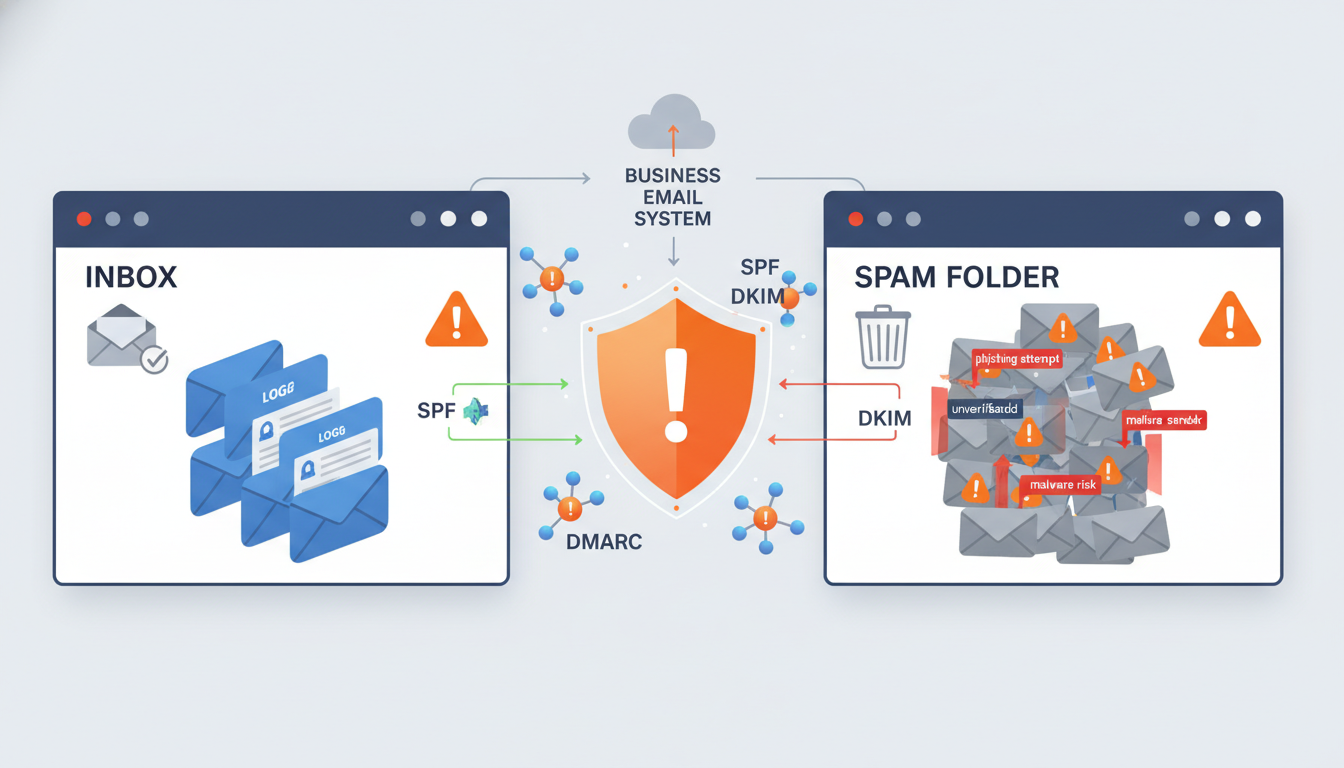
Every day, billions of emails are sent worldwide, and a staggering proportion never reach their intended recipients. For UK businesses relying on email for sales outreach, customer communication, and marketing campaigns, poor deliverability translates directly into lost revenue and damaged relationships.
Email deliverability is not simply about whether your email was "sent" - it's about whether it actually arrived in the recipient's inbox rather than their spam folder, promotions tab, or worse, being silently rejected by the receiving mail server. This guide explains the technical and strategic factors that determine where your emails land and what you can do to ensure they reach the inbox consistently.
Why Email Deliverability Matters More Than Ever
The email landscape has changed dramatically in recent years. Major providers like Google and Microsoft have tightened their filtering algorithms, and new requirements introduced in 2024 by Google and Yahoo mean that bulk senders must now meet stricter authentication standards or face outright rejection. For UK businesses, this shift demands attention.
Consider the financial impact. If your sales team sends 500 prospecting emails per week and 30% land in spam, that's 150 potential conversations lost every single week. Over a year, assuming even a modest 2% conversion rate on those emails, you're losing approximately 156 potential deals. For a business with an average deal value of £5,000, that's nearly £780,000 in missed pipeline annually.
The Three Pillars of Email Authentication
Email authentication is the foundation of deliverability. Without it, receiving servers have no way to verify that your emails genuinely come from your domain, making them far more likely to be filtered as spam or phishing attempts. There are three key authentication protocols every UK business must implement.
SPF (Sender Policy Framework) tells receiving servers which mail servers are authorised to send email on behalf of your domain. It works through a DNS TXT record that lists the IP addresses and services permitted to send as your domain. When a receiving server gets an email claiming to be from your domain, it checks your SPF record to verify the sending server is authorised.
DKIM (DomainKeys Identified Mail) adds a cryptographic signature to your outgoing emails. The receiving server uses the public key published in your DNS to verify the signature, confirming that the email hasn't been tampered with in transit and genuinely originated from your domain. DKIM is particularly important because it survives email forwarding, unlike SPF.
DMARC (Domain-based Message Authentication, Reporting and Conformance) builds on SPF and DKIM by telling receiving servers what to do when authentication fails. You can instruct servers to monitor (p=none), quarantine (p=quarantine), or reject (p=reject) unauthenticated emails. DMARC also provides reporting, sending you aggregate data about who is sending email using your domain.
Google and Yahoo now require all bulk senders (those sending more than 5,000 emails per day) to have valid SPF, DKIM, and DMARC records. Even if you send fewer emails, having these records significantly improves your deliverability with all major providers. Microsoft has announced similar requirements taking effect in 2025.
Setting Up Authentication: A Step-by-Step Approach
Implementing email authentication correctly requires careful planning. Mistakes in your DNS records can cause legitimate emails to be rejected, so follow this phased approach.
Phase 1: Audit your current state. Before making changes, check your existing authentication records using tools like MXToolbox, DMARC Analyser, or Google's Check MX tool. Document what records exist, identify any syntax errors, and note which third-party services send email on your behalf (marketing platforms, CRM systems, helpdesk tools, etc.).
Phase 2: Configure SPF. Create or update your SPF record to include all legitimate sending sources. A typical SPF record for a UK business using Microsoft 365 and a marketing platform might look like: v=spf1 include:spf.protection.outlook.com include:sendgrid.net -all. The -all at the end tells receiving servers to reject emails from unlisted sources.
Phase 3: Enable DKIM. Configure DKIM signing for each service that sends email on your behalf. In Microsoft 365, this involves creating CNAME records for your custom domain. Most third-party email services provide their own DKIM keys and DNS records to add.
Phase 4: Deploy DMARC gradually. Start with a monitoring-only policy: v=DMARC1; p=none; rua=mailto:dmarc@yourdomain.co.uk. Monitor the reports for 4-8 weeks to identify any legitimate sending sources that aren't properly authenticated. Once you're confident all legitimate senders pass authentication, move to p=quarantine and eventually p=reject.
| DMARC Policy | What Happens to Failed Emails | When to Use | Risk Level |
|---|---|---|---|
| p=none | Delivered normally, reports sent | Initial deployment, monitoring phase | Low (no impact on delivery) |
| p=quarantine | Sent to spam/junk folder | After confirming all senders authenticated | Medium (may affect legitimate email) |
| p=reject | Blocked entirely | Full confidence in authentication setup | High (blocks unauthenticated email) |
Understanding Sender Reputation
Authentication gets your foot in the door, but sender reputation determines whether your emails reach the inbox or the spam folder. Mailbox providers maintain reputation scores for both your sending IP addresses and your domain, and these scores are influenced by recipient engagement, complaint rates, bounce rates, and sending patterns.
Domain reputation has become the primary factor in recent years. Even if you change your sending IP or email service provider, your domain reputation follows you. This makes it essential to protect your domain's reputation through consistent good practices.
Engagement metrics play a crucial role. When recipients open your emails, click links, reply, and move emails from spam to their inbox, these positive signals boost your reputation. Conversely, when recipients delete emails without opening them, mark them as spam, or never engage, your reputation suffers.
List Hygiene: The Foundation of Good Reputation
Your email list quality is arguably the single most important factor in deliverability. Sending to invalid addresses, inactive recipients, or people who never opted in damages your reputation quickly and can take months to repair.
Remove hard bounces immediately. A hard bounce means the email address doesn't exist. Continuing to send to these addresses signals to mailbox providers that you're not maintaining your list, which is a hallmark of spammers. Most email platforms handle this automatically, but verify that yours does.
Monitor soft bounces. Soft bounces indicate temporary delivery failures - a full mailbox, a server outage, or a message that's too large. If an address consistently soft bounces over several sends, remove it from your list.
Re-engage or remove inactive subscribers. If someone hasn't opened or clicked any of your emails in 6-12 months, they're likely not interested. Send a re-engagement campaign offering them the chance to stay subscribed, and remove anyone who doesn't respond. This improves your engagement rates and signals to mailbox providers that your recipients want your emails.
Use double opt-in for new subscribers. Double opt-in requires new subscribers to confirm their email address by clicking a link in a confirmation email. This eliminates typos, fake addresses, and bot sign-ups from your list. Whilst it may reduce your sign-up rate slightly, the quality improvement is substantial.
Use an email verification service like ZeroBounce, NeverBounce, or BriteVerify to validate your list before sending campaigns. These services check each address against multiple databases and identify invalid, disposable, and role-based addresses. Cleaning your list before a campaign can improve deliverability by 10-15%.
The difference between a properly authenticated email infrastructure and one without authentication is stark. Organisations that invest in complete email authentication consistently achieve superior inbox placement rates and stronger sender reputation scores compared to those relying on content quality alone.
Fully Authenticated Setup
No Authentication
Content Optimisation for Deliverability
The content of your emails also affects deliverability. Spam filters analyse your subject lines, body content, HTML structure, and link patterns to determine whether your email looks like spam.
Subject lines: Avoid all-caps, excessive punctuation (especially multiple exclamation marks), and classic spam trigger words like "free," "urgent," "act now," or "limited time offer." These phrases aren't automatically blocked, but they contribute to a spam score that, combined with other factors, can tip the balance. Write subject lines that are specific, relevant, and honest about the email's contents.
HTML structure: Use clean, well-formatted HTML. Avoid excessively large images with minimal text (a common spam tactic), hidden text, or complex HTML that renders differently across email clients. Maintain a healthy text-to-image ratio - aim for at least 60% text and no more than 40% images by visual area.
Links: Don't use URL shorteners in emails, as they're commonly associated with spam and phishing. Use full, branded URLs instead. Avoid having too many links in a single email, and ensure all links point to legitimate, non-blacklisted domains. Include your physical business address and a clear unsubscribe link - both are legal requirements under UK GDPR and PECR.
Personalisation: Personalised emails perform better with spam filters because they demonstrate a genuine relationship between sender and recipient. Use the recipient's name, reference their company or recent interactions, and tailor content to their interests where possible.
Sending Patterns and Infrastructure
How you send your emails matters as much as what you send. Sudden spikes in volume, inconsistent sending patterns, and poor infrastructure choices all negatively impact deliverability.
Warm up new domains and IPs. If you're sending from a new domain or a new dedicated IP address, you need to warm it up gradually. Start by sending small volumes (50-100 emails per day) to your most engaged recipients, then gradually increase volume over 4-6 weeks. This builds a positive reputation before you expose the domain to high-volume sending.
Maintain consistent sending volumes. Mailbox providers are suspicious of domains that go from sending 100 emails per week to 10,000 overnight. Maintain a consistent sending schedule and gradually increase volume when needed.
Segment your sends. Don't send the same email to your entire list. Segment by engagement level, interest, purchase history, or other relevant criteria. This ensures each recipient gets relevant content, improving engagement rates and protecting your reputation.
Consider dedicated sending infrastructure. If you send high volumes, a dedicated IP address gives you full control over your reputation. On shared IPs (common with entry-level email platform plans), other senders' behaviour can affect your deliverability.
Monitoring and Troubleshooting Deliverability
Deliverability isn't a set-and-forget proposition. You need to monitor your performance continuously and act quickly when problems arise.
Track key metrics. Monitor your open rates, click rates, bounce rates, and spam complaints across every send. Sudden drops in open rates often indicate deliverability problems before they become severe. Most email platforms provide these metrics, but tools like Google Postmaster Tools and Microsoft SNDS offer additional insight into how their platforms specifically view your domain.
Check blacklists regularly. Your domain or sending IPs can be added to email blacklists if your sending practices trigger spam filters. Use tools like MXToolbox or MultiRBL to check your status against major blacklists. If you find yourself listed, follow the blacklist operator's delisting process - this typically involves demonstrating that you've identified and fixed the root cause.
Use seed testing. Before sending a campaign to your full list, send test emails to seed addresses at major providers (Gmail, Outlook, Yahoo). Check where the email lands - inbox, promotions, or spam - and adjust your content and sending configuration accordingly.
Monitor DMARC reports. Your DMARC aggregate reports tell you exactly how your emails are being authenticated and handled by receiving servers. Use a DMARC reporting tool (like DMARC Analyser, Valimail, or Agari) to visualise these reports and quickly identify authentication failures or unauthorised senders using your domain.
UK-Specific Considerations
UK businesses face specific regulatory requirements that intersect with email deliverability. Understanding these helps you stay compliant whilst maintaining strong deliverability.
PECR (Privacy and Electronic Communications Regulations): These regulations govern electronic marketing in the UK. For business-to-consumer marketing, you need explicit consent before sending marketing emails. For business-to-business marketing, a soft opt-in applies - you can email existing customers about similar products without explicit consent, but must always provide an easy opt-out.
UK GDPR: Email addresses are personal data under UK GDPR. You must have a lawful basis for processing them, provide clear privacy information, and honour data subject access requests and erasure requests. Your unsubscribe process must be simple and effective - ideally a single-click unsubscribe link.
ICO enforcement: The Information Commissioner's Office actively enforces email marketing regulations. Fines for unsolicited marketing emails can reach up to £500,000 under PECR. Beyond the legal risk, sending to recipients who haven't consented generates high spam complaint rates, directly harming your deliverability.
Before exploring advanced techniques, evaluate your current email infrastructure against these essential health benchmarks. Each metric represents a critical component of deliverability, and falling below the recommended threshold on any single measure can undermine your overall inbox placement rates.
Advanced Techniques for UK Businesses
Once you've mastered the fundamentals, several advanced techniques can further improve your deliverability.
BIMI (Brand Indicators for Message Identification): BIMI displays your brand logo next to your emails in supporting mailbox providers. It requires a verified DMARC policy (p=quarantine or p=reject) and a Verified Mark Certificate (VMC). Whilst still gaining adoption, BIMI increases brand recognition and recipient trust, improving engagement rates.
ARC (Authenticated Received Chain): ARC preserves email authentication results when messages pass through intermediary servers (like mailing lists or forwarding services). Implementing ARC helps maintain authentication through complex email routing scenarios.
Feedback loops: Register for feedback loops with major mailbox providers. When a recipient marks your email as spam, the provider sends you a notification, allowing you to immediately remove that address from your list. This prevents repeated sends to complainers and protects your reputation.
Subdomain strategy: Use separate subdomains for different types of email - transactional, marketing, and internal. For example, mail.yourdomain.co.uk for transactional, news.yourdomain.co.uk for marketing, and your bare domain for internal communication. This isolates reputation, so a marketing campaign gone wrong doesn't affect your transactional email delivery.
Building a Long-Term Deliverability Strategy
Email deliverability is not a problem you solve once - it's an ongoing discipline that requires consistent attention and adaptation. As mailbox providers continue to evolve their filtering algorithms and introduce new requirements, your practices must evolve with them.
Start with the fundamentals: implement SPF, DKIM, and DMARC; clean your email lists; and monitor your key metrics. Then progressively layer on advanced techniques as your email programme matures. Regular audits - at least quarterly - help you catch issues before they become serious problems.
Invest in your team's knowledge. Email deliverability sits at the intersection of IT, marketing, and compliance. Ensure that everyone involved in sending email understands the basics of authentication, list management, and content best practices. A single poorly managed campaign can damage a domain's reputation that took months to build.
Finally, consider working with a deliverability specialist if your business relies heavily on email for revenue generation. The return on investment is substantial when you consider the value of emails that currently never reach their intended recipients.
Struggling with Email Deliverability?
Our email infrastructure specialists help UK businesses configure authentication, improve sender reputation, and ensure critical emails reach the inbox. We'll audit your current setup and implement best-practice configurations across your Microsoft 365 environment.
Explore Cloud Email Solutions
CloudSwitched
London-based managed IT services provider offering support, cloud solutions and cybersecurity for SMEs.


