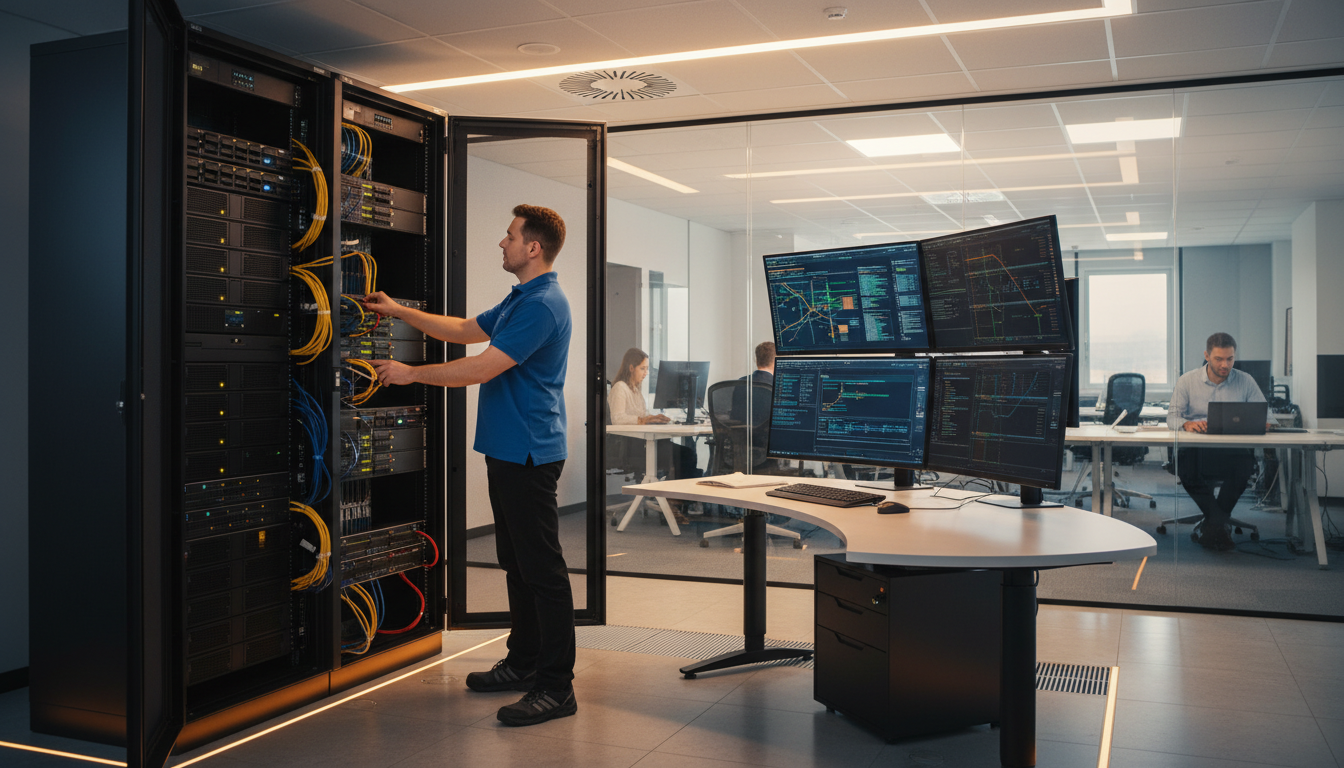
In an era where virtually every aspect of a modern UK business depends upon reliable, secure, and performant technology, the role of onsite IT support has never been more important. From the moment employees arrive at the office and log into their workstations, through every email sent, every database query executed, every video conference joined, and every cloud application accessed, technology underpins the core operations of organisations across every sector of the British economy. Yet despite this near-total dependence on IT infrastructure, a surprising number of UK businesses continue to operate without a structured, professional approach to managing their technology estate. Some rely on the well-meaning but frequently overwhelmed "tech-savvy" member of staff who inherited IT responsibilities through circumstance rather than qualification. Others depend entirely on remote support desks that, while useful for certain categories of issue, simply cannot replicate the speed, context, and human connection that comes from having a knowledgeable professional physically present in your workplace. This comprehensive guide examines everything you need to know about IT administration services in the United Kingdom - what they involve, how they are delivered, what they cost, and why they represent one of the most valuable investments a growing business can make.
The landscape of IT admin services UK businesses can access has evolved dramatically over the past decade. Where once the choice was binary - hire a full-time IT manager or muddle through without one - today’s market offers a rich spectrum of options ranging from fully managed IT administration services delivered by specialist providers through to flexible, part-time onsite IT engineer arrangements that give smaller businesses access to enterprise-grade expertise at a fraction of the cost of a permanent hire. The COVID-19 pandemic accelerated the adoption of hybrid working models, which in turn created new complexities around network security, device management, remote access, and data protection that many businesses were ill-equipped to handle. As organisations settle into post-pandemic working patterns and face an increasingly hostile cyber threat landscape, the need for competent, proactive IT administration has become not merely a convenience but a genuine business imperative. Whether you are a 10-person startup in Shoreditch, a 200-employee manufacturing firm in Birmingham, or a multi-site professional services business with offices across the South East, this guide will help you understand the full scope of what a dedicated IT administrator can deliver for your organisation and how to structure an engagement that maximises value while minimising cost.
Throughout this guide, we will explore the day-to-day realities of onsite IT support, from the proactive maintenance routines that prevent problems before they occur through to the reactive troubleshooting skills that minimise downtime when the unexpected happens. We will examine the specific duties that fall under the umbrella of IT administration, including server management, network infrastructure, user support, security operations, backup and disaster recovery, vendor management, and strategic planning. We will compare different service delivery models, analyse costs in the context of the current UK market, and provide practical frameworks for evaluating whether your business needs a full-time dedicated IT administrator, a part-time onsite IT engineer, or a blended approach that combines onsite presence with remote monitoring and support. By the time you finish reading, you will have a thorough, actionable understanding of how professional IT admin services UK organisations rely upon can transform your technology operations from a source of frustration and risk into a genuine competitive advantage.
What Does Onsite IT Administration Actually Involve?
The term “IT administration services” encompasses a remarkably broad range of activities, and one of the most common misconceptions among business owners and senior managers is that IT administration is primarily about fixing things when they break. In reality, a competent dedicated IT administrator spends the majority of their time on proactive, preventative work designed to ensure that systems remain stable, secure, and performant - with the result that there are far fewer things to fix in the first place. Understanding the full scope of what onsite IT administration involves is essential for setting realistic expectations, defining service level agreements, and ensuring that nothing falls through the cracks in your technology management strategy.
At the highest level, onsite IT support can be divided into several interconnected domains, each of which requires specific skills, tools, and processes. These domains include infrastructure management (servers, storage, and networking), end-user computing (workstations, peripherals, and productivity software), security operations (threat prevention, detection, and response), data management (backup, recovery, and compliance), vendor and licence management, and strategic IT planning. A skilled onsite IT engineer is expected to operate competently across all of these domains, though most will have particular strengths in one or two areas depending on their background and certifications. Larger organisations may employ multiple administrators with complementary specialisms, while smaller businesses typically rely on a single generalist who can turn their hand to whatever the day demands. The common thread across all of these activities is that they are performed with an intimate knowledge of the specific business context - the applications, workflows, user behaviours, and business priorities that shape how technology should be configured, maintained, and evolved over time.
The physical presence aspect of onsite IT support is what distinguishes it from purely remote managed services. While remote monitoring and management tools have become extraordinarily capable, there remains a significant category of IT work that simply cannot be performed from a distance. Hardware failures, cabling work, server room maintenance, peripheral troubleshooting, hands-on training for less technical users, physical security audits, and the countless small interactions that build trust between the IT function and the wider business - all of these require a person to be physically present. Furthermore, the contextual awareness that comes from being embedded within a business environment - understanding the daily rhythms of the organisation, knowing which users need extra support, recognising early warning signs of infrastructure stress - provides an onsite IT engineer with insights that no remote monitoring tool can replicate. This contextual intelligence enables faster diagnosis, more effective prioritisation, and more accurate capacity planning, all of which contribute directly to reduced downtime and improved user satisfaction.
| IT Administration Domain | Key Activities | Typical Time Allocation | Criticality |
|---|---|---|---|
| Infrastructure Management | Server patching, storage monitoring, hardware lifecycle | 25–30% | Critical |
| Network Operations | Switch/router config, Wi-Fi, VPN, firewall rules | 15–20% | Critical |
| End-User Support | Helpdesk tickets, hardware swaps, onboarding/offboarding | 20–25% | High |
| Security Operations | Patch management, AV, EDR, access control, incident response | 15–20% | Critical |
| Backup & Disaster Recovery | Backup verification, DR testing, restore procedures | 5–10% | Critical |
| Vendor & Licence Management | Renewals, procurement, SLA tracking, audits | 5–8% | Medium |
| Strategic Planning & Documentation | Roadmaps, budgets, policy writing, knowledge base | 5–10% | High |
A Day in the Life of an Onsite IT Administrator
To truly appreciate the value that a dedicated IT administrator brings to a UK business, it helps to walk through a typical working day. While no two days are ever identical - and the ability to adapt to the unexpected is one of the defining characteristics of a good IT administrator - there is a recognisable structure that underpins the daily routine. This structure reflects the balance between proactive maintenance and reactive support that defines effective IT administration services, and it illustrates how a skilled professional manages the competing demands of keeping systems running, keeping users productive, and keeping the business secure.
The day typically begins between 07:30 and 08:00, before the majority of users arrive. This early start is deliberate: it provides a window of quiet time during which the administrator can review overnight monitoring alerts, check backup completion logs, verify that scheduled maintenance tasks (such as Windows updates or antivirus definition pushes) completed successfully, and address any issues that emerged while the office was empty. A quick walk through the server room or comms cabinet - checking indicator lights, listening for unusual fan noise, verifying that environmental conditions are within tolerance - takes only a few minutes but can catch developing hardware failures before they cause an outage. By the time the first users begin logging in, the onsite IT engineer has already identified and prioritised the day’s workload, dealt with any overnight incidents, and is ready to provide a seamless start to the working day.
The core of the morning is typically spent on a combination of proactive maintenance tasks and user support. Proactive work might include applying security patches to servers that were deferred from the overnight maintenance window, reviewing firewall logs for suspicious activity, auditing user account permissions to ensure compliance with the principle of least privilege, or conducting capacity planning analysis on storage arrays and database servers. Interspersed with this planned work are the inevitable interruptions: a user whose laptop will not connect to the wireless network, a printer that has developed a paper jam, a request to set up a new starter’s account and workstation, a query about how to use a particular feature of Microsoft 365. A skilled dedicated IT administrator handles these interruptions efficiently and with good grace, understanding that user support is not a distraction from “real” IT work but a fundamental part of the role. The ability to context-switch between deep technical work and accessible, jargon-free communication with non-technical colleagues is one of the most important soft skills an IT administrator can possess.
The afternoon often brings more substantial project work: configuring a new switch for a network expansion, testing a disaster recovery procedure, migrating a file share to SharePoint Online, or evaluating a new endpoint detection and response solution. Many administrators also use the afternoon for vendor calls, licence renewals, and procurement activities. The end of the day typically involves a final review of the monitoring dashboard, documenting any changes made during the day (a critical discipline that is too often neglected), updating the helpdesk system, and preparing for any after-hours maintenance that may be scheduled for the evening or weekend. Throughout it all, the physical presence of the onsite IT engineer means that problems are spotted sooner, resolved faster, and communicated more effectively than would be possible with a purely remote support model.
07:30 - Pre-Start System Review
Review overnight alerts, check backup logs, verify scheduled tasks completed. Walk-through of server room for visual and audible hardware checks. Prioritise the day’s workload based on findings.
08:30 - User Arrival Support Window
Address login issues, connectivity problems, and urgent tickets raised before close of previous business day. Ensure all core services are operational as staff begin their working day.
09:30 - Proactive Maintenance Block
Apply security patches, review firewall and SIEM logs, audit user permissions, run vulnerability scans. Address any findings from overnight monitoring before they impact users.
11:00 - Reactive Support & Ticket Resolution
Work through helpdesk queue: hardware faults, software configuration, printer issues, new user onboarding. Face-to-face deskside support for complex or training-related tickets.
13:30 - Project & Infrastructure Work
Network expansions, server upgrades, cloud migrations, DR testing, policy development. Larger initiatives that require focused, uninterrupted technical effort.
15:30 - Vendor & Procurement Management
Supplier calls, licence renewals, hardware procurement, SLA reviews. Evaluate quotations, negotiate terms, coordinate deliveries and installations.
16:30 - Documentation & Handover
Document all changes made during the day, update knowledge base, close resolved tickets, prepare handover notes for any after-hours maintenance. Final dashboard review before departing.
Benefits of Onsite IT Support vs Remote-Only Models
The debate between onsite IT support and remote-only managed services is one that virtually every UK business must confront at some point in its growth journey. Both models have legitimate advantages, and the optimal approach for any given organisation depends on factors including company size, industry sector, regulatory requirements, the complexity of the technology estate, and the level of in-house technical competence. However, the evidence consistently suggests that businesses which include an onsite component in their IT support arrangements experience fewer critical incidents, faster resolution times, higher user satisfaction, and better alignment between their technology strategy and their business objectives. Understanding the specific benefits of having an onsite IT engineer physically present in your workplace is essential for making an informed decision about how to structure your IT administration services.
The most immediately tangible benefit of onsite IT support is speed of response. When a critical system fails, a server goes down, or a security incident is detected, every minute of delay translates directly into lost productivity, lost revenue, and potentially lost data. A remote support desk can begin diagnosis quickly, but there are numerous scenarios in which remote access is insufficient: a server that has crashed and will not boot, a network switch that has failed and disconnected an entire floor, a hardware fault that requires physical inspection, or a security incident that demands immediate isolation of affected equipment. In these situations, having a dedicated IT administrator already on site eliminates the delay inherent in dispatching an engineer, which even with the best-resourced managed service providers typically takes a minimum of two to four hours. For businesses where downtime costs are measured in thousands of pounds per hour, this response time advantage alone can justify the investment in onsite presence.
Beyond speed of response, the depth of contextual knowledge that an onsite professional develops is a significant and frequently underestimated advantage. An onsite IT engineer who works with your business day in and day out develops an intimate understanding of your infrastructure that simply cannot be replicated by a remote engineer who supports dozens of different clients. They know which servers are most critical, which users are most likely to encounter specific problems, which applications have known quirks, which vendors are responsive and which are not, and where the undocumented dependencies lie that could cause cascading failures. This institutional knowledge enables faster diagnosis, more accurate root cause analysis, and more effective preventative action. It also means that the administrator can provide genuinely tailored advice about technology investments, rather than the generic recommendations that remote providers - who lack this depth of context - are often limited to offering.
Onsite IT Administration
- ✓ Immediate physical access to all infrastructure
- ✓ Deep contextual knowledge of the business
- ✓ Face-to-face user support builds trust and satisfaction
- ✓ Proactive identification of physical environment issues
- ✓ Hands-on hardware troubleshooting and replacement
- ✗ Higher cost than remote-only for small businesses
- ✗ Coverage limited to working hours unless on-call arranged
- ✗ Single point of knowledge risk without documentation
Remote-Only Managed Services
- ✓ Lower entry cost for very small businesses
- ✓ 24/7 monitoring and alerting capabilities
- ✓ Access to wider team with diverse specialisms
- ✗ No physical presence for hardware issues
- ✗ Dispatch delays of 2–4 hours minimum for onsite visits
- ✗ Limited contextual understanding of your business
- ✗ Impersonal support experience for end users
- ✗ Generic recommendations lacking business-specific insight
Hybrid Model (Onsite + Remote)
- ✓ Combines physical presence with 24/7 remote monitoring
- ✓ Access to specialist expertise beyond the onsite engineer
- ✓ Cost-effective for mid-sized businesses (50–250 users)
- ✓ Scalable coverage that grows with the business
- ✓ Built-in redundancy if onsite administrator is unavailable
- ✗ Requires clear delineation of responsibilities
- ✗ Coordination overhead between onsite and remote teams
User satisfaction is another area where onsite IT support consistently outperforms remote-only alternatives. There is a fundamental human element to IT support that technology alone cannot address. When a user is struggling with a technical problem, the ability to walk to the IT desk (or have the IT administrator come to their workstation) and receive face-to-face assistance creates a qualitatively different experience from raising a ticket and waiting for a remote engineer to dial in. The onsite IT engineer can see the user’s screen, observe their workflow, ask clarifying questions in real time, and provide hands-on training that addresses the root cause of recurring issues rather than merely treating the symptoms. This personal interaction builds trust between the IT function and the wider business, which in turn encourages users to report problems earlier, follow security policies more willingly, and engage more constructively with technology change programmes. Survey data from UK businesses consistently shows that organisations with onsite IT support achieve user satisfaction scores 20 to 35 percentage points higher than those relying exclusively on remote support.
Proactive Maintenance: The Core of Professional IT Administration
If reactive support - fixing things when they break - is the visible face of IT administration services, then proactive maintenance is the invisible backbone that keeps the entire technology estate running smoothly. The distinction between a competent dedicated IT administrator and a mere break-fix technician lies precisely in the emphasis placed on prevention over cure. Proactive maintenance encompasses the full range of scheduled, systematic activities designed to identify and address potential problems before they impact users or business operations. It includes patching, monitoring, capacity planning, lifecycle management, security hardening, and documentation - all of which require discipline, technical knowledge, and a genuine commitment to operational excellence.
Patch management is arguably the single most important proactive maintenance activity and one that demands careful, methodical execution. Every month, Microsoft alone releases dozens of security updates for Windows Server, Windows desktop, Office applications, and ancillary products, each of which must be evaluated for relevance, tested for compatibility with your specific application stack, scheduled for deployment during an appropriate maintenance window, and verified as successfully installed. Add to this the patches required for third-party applications (Adobe, Java, Chrome, Firefox, Zoom, and hundreds of others), firmware updates for servers, switches, firewalls, and storage arrays, and the security definition updates for endpoint protection and anti-spam solutions, and the scale of the task becomes apparent. A well-structured patch management process - implemented by a competent onsite IT engineer - typically follows a weekly cadence for critical security updates and a monthly cadence for less urgent patches, with emergency out-of-cycle patching reserved for actively exploited zero-day vulnerabilities. Each patching cycle should be documented, tested in a staging environment where possible, and accompanied by a rollback plan in case of unexpected compatibility issues.
Monitoring and alerting form the second pillar of proactive maintenance. A properly configured monitoring system provides real-time visibility into the health and performance of every critical component of the technology estate - servers, storage, network devices, internet connections, cloud services, and key applications. The monitoring should track not only binary up/down status but also performance metrics such as CPU utilisation, memory consumption, disk space, network throughput, and response times, with thresholds configured to generate alerts when values deviate from established baselines. The art of monitoring lies in setting thresholds that are sensitive enough to provide early warning of developing problems without generating so many alerts that the administrator becomes desensitised to them - a phenomenon known as alert fatigue that is one of the most common reasons monitoring systems fail to deliver their intended value. A good dedicated IT administrator continuously tunes their monitoring system, adjusting thresholds based on observed patterns and business requirements, and regularly reviews historical data to identify trends that may indicate emerging capacity constraints or reliability issues.
Capacity planning and hardware lifecycle management are proactive disciplines that require the onsite IT engineer to think months and years ahead, rather than merely responding to the demands of today. Storage capacity is one of the most common areas where businesses are caught off guard: data growth is relentless, and a storage array that had ample headroom eighteen months ago may now be approaching critical thresholds. Similarly, server processing capacity, network bandwidth, and cloud service limits all need to be monitored against growth projections and scaled proactively before constraints begin to impact performance. Hardware lifecycle management ensures that equipment is refreshed before it reaches end of life - the point at which the manufacturer ceases to provide security updates and spare parts, and the risk of failure increases significantly. A good IT administration services provider will maintain a hardware asset register that tracks the age, warranty status, and projected replacement date of every significant component, enabling timely budgeting and procurement that avoids both the risk of running on unsupported equipment and the disruption of emergency replacements.
Server and Network Management
Server and network infrastructure form the foundation upon which all other IT services are built, and their management is perhaps the most technically demanding aspect of the onsite IT support role. A typical UK business of 50 to 200 employees will operate a server estate that might include domain controllers running Active Directory, file and print servers, database servers hosting line-of-business applications, email infrastructure (whether on-premises Exchange or a hybrid Exchange/Microsoft 365 configuration), and potentially virtualisation hosts running VMware vSphere or Microsoft Hyper-V. Each of these servers requires ongoing attention: operating system updates, application patches, performance tuning, log review, capacity monitoring, and regular health checks that verify core services are functioning correctly. The dedicated IT administrator must understand not only the individual servers but also the complex interdependencies between them - the replication topologies, the trust relationships, the shared storage configurations, and the failover mechanisms that determine how the infrastructure responds when individual components fail.
Network management is equally critical and has grown substantially more complex as businesses have adopted hybrid working models, cloud services, and increasingly sophisticated security architectures. The onsite IT engineer is responsible for the design, configuration, monitoring, and troubleshooting of the entire local area network, including managed switches, wireless access points, firewalls, VPN concentrators, and the structured cabling that connects everything together. VLAN configuration must be maintained to provide appropriate network segmentation - separating guest Wi-Fi from the corporate network, isolating IoT devices, and creating dedicated segments for sensitive systems such as finance and HR. Quality of Service policies must be tuned to prioritise latency-sensitive traffic such as VoIP and video conferencing over bulk data transfers. Firewall rules must be reviewed regularly to ensure they remain appropriate, removing obsolete rules that may create unnecessary attack surface while adding new rules to accommodate legitimate traffic flows. The move to Software-Defined Wide Area Networking (SD-WAN) and Zero Trust Network Access (ZTNA) architectures is adding further complexity to the network management role, requiring administrators to develop skills in cloud-native networking technologies alongside their traditional LAN and WAN expertise.
Wireless networking deserves particular attention, as it has become the primary means of connectivity for the majority of users in most modern UK offices. The demands placed on enterprise Wi-Fi have increased exponentially in recent years, driven by the proliferation of wireless devices (laptops, smartphones, tablets, IoT sensors), the bandwidth requirements of cloud applications and video conferencing, and the expectation of seamless roaming throughout the workplace. A professional IT admin services UK deployment will include a properly surveyed wireless network with access points positioned to provide consistent coverage and capacity throughout the premises, centralised management through a wireless LAN controller or cloud management platform, and security configured in accordance with WPA3-Enterprise standards with certificate-based authentication where possible. Regular wireless surveys should be conducted to identify dead spots, interference sources, and capacity bottlenecks, with the network adjusted accordingly. The increasing density of Wi-Fi 6 and Wi-Fi 6E access points, coupled with the growing complexity of radio frequency management in multi-tenancy buildings, makes wireless networking one of the areas where professional onsite IT support delivers the greatest value over remote-only alternatives.
End-User Support and Service Desk Operations
While infrastructure management and security operations may be the most technically complex aspects of IT administration services, end-user support is the activity that has the most direct and visible impact on the daily experience of everyone in the organisation. A dedicated IT administrator who excels at user support can transform the relationship between a business and its technology, turning what is often a source of frustration and lost productivity into a smooth, reliable enabler of work. Conversely, poor user support - slow response times, unhelpful interactions, unresolved recurring issues - can undermine the credibility of the entire IT function and breed a culture of workarounds and shadow IT that creates security risks and data management nightmares.
Effective user support begins with a well-structured ticketing system that provides a clear, consistent process for users to report issues and request services. The onsite IT engineer should implement and maintain a helpdesk platform - whether a dedicated ITSM tool such as Freshdesk, Zendesk, or the free-tier options like osTicket, or a simpler system integrated into Microsoft Teams or SharePoint - that captures the details of every request, assigns appropriate priority levels, and tracks resolution through to completion. Priority classification should follow an agreed scheme: Priority 1 for issues affecting multiple users or critical business services (target resolution within one hour), Priority 2 for issues affecting a single user’s ability to work (target resolution within four hours), Priority 3 for issues causing inconvenience but not preventing work (target resolution within one business day), and Priority 4 for requests and enhancements (target resolution within five business days). These targets should be documented in a service level agreement that has been reviewed and agreed with business stakeholders, ensuring that expectations are aligned and that the IT administrator has clear guidance on how to prioritise competing demands.
The onboarding and offboarding of users is a particularly important process that illustrates the value of having structured IT admin services UK businesses can depend upon. When a new employee joins the organisation, the IT administrator must provision their user account, configure their email and calendar, assign appropriate group memberships and access permissions, set up their workstation or laptop with the correct software and configuration, enrol their device in the mobile device management system, provide initial training on key systems and security policies, and ensure they have the physical peripherals they need (monitor, keyboard, mouse, headset, phone). When an employee leaves, the process runs in reverse - but with the added urgency and security sensitivity of ensuring that access is revoked promptly and completely, data is preserved in accordance with retention policies, and any company equipment is recovered. A well-documented onboarding and offboarding checklist, maintained by the dedicated IT administrator, ensures that no steps are missed and that the process is executed consistently regardless of who performs it.
Security Duties and Cyber Resilience
In today’s threat landscape, security is not a separate function bolted onto the side of IT administration services - it is woven through every aspect of the role. The United Kingdom’s National Cyber Security Centre (NCSC) reports that cyber attacks against UK businesses are increasing in both frequency and sophistication, with small and medium enterprises increasingly targeted by threat actors who recognise that these organisations often lack the dedicated security resources of larger enterprises. The onsite IT engineer serves as the front line of an organisation’s cyber defence, responsible for implementing, maintaining, and monitoring the layered security controls that protect the business against a constantly evolving array of threats including ransomware, phishing, business email compromise, insider threats, and supply chain attacks.
Endpoint security is the first layer of defence and one that requires constant attention. Every device that connects to the corporate network - whether a desktop workstation, a laptop, a mobile phone, or an IoT device - represents a potential entry point for attackers and must be protected accordingly. The dedicated IT administrator is responsible for deploying and managing endpoint detection and response (EDR) solutions across the entire device estate, ensuring that definitions are updated, that scans are running, and that any detections are investigated and remediated promptly. Beyond traditional anti-malware, modern endpoint security includes application control (whitelisting authorised software and blocking everything else), device encryption (BitLocker on Windows, FileVault on macOS), USB device control, web content filtering, and email security filtering. Each of these controls must be configured, monitored, and periodically reviewed to ensure it remains effective against current threats without creating unacceptable friction for legitimate users.
Identity and access management (IAM) is another critical security domain that falls squarely within the remit of onsite IT support. The principle of least privilege - ensuring that every user has access to the minimum set of resources required to perform their role and no more - is the foundation of effective access control, but maintaining it requires ongoing effort. User accounts must be provisioned with appropriate group memberships, shared resource permissions must be reviewed regularly to remove accumulated access creep, privileged accounts (domain administrators, service accounts with elevated rights) must be tightly controlled and monitored, and multi-factor authentication must be enforced for all users, particularly when accessing cloud services and remote access solutions. The onsite IT engineer should conduct quarterly access reviews in which the permissions of all users are verified against their current roles, and any discrepancies are corrected. Stale accounts - those belonging to former employees or inactive contractors - should be identified and disabled promptly, as they represent a significant security risk if compromised.
Data protection and compliance add a further dimension to the security responsibilities of the IT administration services provider. UK businesses must comply with the UK General Data Protection Regulation (UK GDPR) and the Data Protection Act 2018, which impose strict requirements on how personal data is collected, processed, stored, and protected. The IT administrator plays a crucial role in implementing the technical measures that support compliance: encryption of data at rest and in transit, access controls that restrict personal data to authorised personnel, audit logging that records who accessed what data and when, and data loss prevention controls that prevent sensitive information from being exfiltrated via email, USB drives, or cloud storage. While the IT administrator is not typically responsible for the legal and procedural aspects of data protection (that role falls to the Data Protection Officer), they are responsible for implementing and maintaining the technical controls that the DPO specifies, and for providing evidence of those controls during regulatory audits or in the event of a data breach.
Distribution of Security Incidents by Type (UK SMEs, 2025)
Service Levels and Engagement Models for UK Businesses
One of the most important decisions a UK business must make when procuring IT administration services is choosing the engagement model that best fits its size, complexity, budget, and strategic objectives. The market offers considerable flexibility, ranging from ad-hoc break-fix arrangements through to fully embedded, full-time onsite IT support engagements. Each model has its own cost profile, advantages, and limitations, and selecting the right one requires a clear-eyed assessment of your organisation’s actual needs rather than an assumption that the most comprehensive (and most expensive) option is necessarily the best. The following table summarises the most common engagement models available in the UK market and their typical characteristics.
| Engagement Model | Typical Business Size | Monthly Cost Range | Onsite Presence | Best Suited For |
|---|---|---|---|---|
| Ad-Hoc Break-Fix | 1–15 users | £500–£1,500 | As needed (reactive) | Micro-businesses with minimal IT complexity |
| Part-Time Onsite (1–2 days/week) | 15–50 users | £1,200–£2,800 | 1–2 days per week | SMEs needing regular proactive maintenance |
| Part-Time Onsite (3–4 days/week) | 30–80 users | £2,500–£4,200 | 3–4 days per week | Growing businesses with increasing IT demands |
| Full-Time Dedicated IT Administrator | 50–200 users | £3,800–£6,500 | 5 days per week | Businesses requiring daily onsite expertise |
| Full-Time + Remote NOC Backup | 100–500 users | £5,500–£9,000 | 5 days + 24/7 remote monitoring | Mid-market businesses needing round-the-clock coverage |
| Multi-Admin Team (2–3 engineers) | 200–1,000 users | £9,000–£18,000 | Full coverage with shift overlap | Larger organisations or multi-site operations |
For businesses in the 15-to-50-user range, a part-time onsite IT engineer arrangement typically represents the optimal balance between cost and coverage. Under this model, a qualified engineer visits your premises on one or two agreed days per week to perform proactive maintenance, resolve accumulated support tickets, conduct project work, and provide face-to-face user support. Between visits, basic monitoring and critical incident response are handled remotely. This approach gives the business the benefits of a physical onsite presence - the contextual knowledge, the hands-on hardware support, the personal relationship with users - at roughly one-third to one-half the cost of a full-time arrangement. The key to making this model work effectively is clear prioritisation: the onsite IT engineer must have a structured plan for each visit that focuses on high-priority proactive tasks, while remote support is reserved for genuine emergencies between visits.
As businesses grow beyond 50 users, or when the complexity of the IT estate increases due to regulatory requirements, multi-site operations, or the adoption of more sophisticated technologies, the case for a full-time dedicated IT administrator becomes compelling. At this scale, the volume of daily support requests, the frequency of infrastructure changes, and the depth of proactive work required typically exceed what can be accomplished in one or two days per week. A full-time onsite IT support engagement provides consistent coverage throughout the working week, enables the administrator to undertake larger project work without being constantly pulled back to catch up on accumulated maintenance, and ensures that institutional knowledge is continuously maintained. The cost of a full-time engagement - typically £3,800 to £6,500 per month depending on the region and required expertise level - must be weighed against the fully loaded cost of directly employing an IT professional (salary, employer’s National Insurance contributions, pension contributions, training, tools, and management overhead), which in many cases is comparable or even higher.
Cost Analysis: What Does Onsite IT Administration Really Cost?
Understanding the true cost of IT administration services requires looking beyond the headline monthly fee and considering the total cost of ownership, the cost of not having adequate IT support, and the return on investment that professional IT management delivers. UK businesses frequently make the mistake of viewing IT support as a pure cost centre, when in reality it is a risk mitigation investment that protects against the far greater costs of downtime, data loss, security breaches, and regulatory non-compliance. A structured cost analysis helps business owners and finance directors make informed decisions about the appropriate level of investment in their onsite IT support arrangements.
The direct costs of engaging an onsite IT engineer or dedicated IT administrator vary significantly depending on several factors: the geographic location (London and the South East command a 15-to-25 per cent premium over other regions), the required level of expertise (a senior engineer with specialist certifications costs more than a generalist), the number of onsite days per week, the scope of services included, and whether additional services such as 24/7 monitoring, out-of-hours emergency support, or project work are bundled into the agreement or charged separately. As a general guide, UK businesses should budget in the range of £30 to £50 per user per month for a comprehensive managed IT admin services UK package that includes part-time onsite presence, remote monitoring, helpdesk support, and basic project work. Full-time dedicated onsite arrangements typically run to £45 to £75 per user per month, depending on the factors listed above.
However, the more instructive calculation is the cost of inadequate IT support. Research from the Federation of Small Businesses and the UK Government’s Cyber Security Breaches Survey consistently demonstrates that UK businesses without professional IT management experience significantly higher rates of downtime, more frequent and more severe security incidents, and greater difficulty recovering from disruptions. The average cost of a significant IT outage for a UK SME is estimated at £8,600 per hour when accounting for lost revenue, lost productivity, emergency remediation costs, and reputational damage. A single ransomware incident can cost a small business between £25,000 and £115,000 in ransom payments, remediation, legal fees, and regulatory fines - and that figure does not account for the intangible costs of customer trust erosion and employee morale damage. When viewed through this lens, the £3,000 to £6,000 per month investment in professional onsite IT support represents exceptional value, particularly for businesses whose operations are critically dependent on technology availability.
Backup, Disaster Recovery, and Business Continuity
No examination of IT administration services would be complete without a thorough discussion of backup, disaster recovery (DR), and business continuity planning (BCP). These interconnected disciplines represent the safety net that protects a business when everything else fails - when hardware breaks beyond repair, when ransomware encrypts critical data, when a fire or flood destroys physical infrastructure, or when a configuration error causes a cascade of system failures. The dedicated IT administrator is responsible for designing, implementing, testing, and maintaining the backup and DR systems that ensure the business can recover from any plausible disaster scenario within acceptable timeframes and with acceptable data loss. The emphasis on “testing” in that sentence is deliberate and critical: a backup that has never been tested is not a backup but merely a hope, and hope is not a strategy.
A robust backup strategy follows the 3-2-1 rule: maintain at least three copies of all important data, stored on at least two different types of media, with at least one copy held offsite or in the cloud. For a typical UK business, this might translate to local backups stored on a dedicated NAS or backup appliance for rapid recovery, with copies replicated to a geographically separate data centre or cloud storage provider for protection against site-level disasters. The onsite IT engineer must configure backup schedules that balance the need for frequent recovery points against the practical constraints of backup windows, storage capacity, and network bandwidth. Critical systems - databases, email, file shares containing active project data - should be backed up at minimum daily, with transaction log backups or continuous data protection providing recovery granularity of minutes rather than hours. Less critical systems may be backed up weekly or on a longer cycle, but no system that contains data of business value should be excluded entirely from the backup scope.
Disaster recovery testing is the area where many businesses fall short, and where a competent dedicated IT administrator adds significant value. A comprehensive DR test - in which critical systems are actually restored from backup to verify that the recovery process works and that the recovered data is usable - should be conducted at minimum quarterly, with simpler verification checks (confirming that backup jobs completed successfully, spot-checking a random selection of files) performed daily. The DR test should simulate realistic scenarios: restoring a single file from a specific point in time, recovering an entire server from bare metal, rebuilding a database from backup after a simulated ransomware attack. The results of each test should be documented, including the time taken for recovery (which should be compared against the agreed Recovery Time Objective), any issues encountered, and any corrective actions taken. Businesses that discover their DR plans do not work as expected during a routine test are fortunate; businesses that discover this during an actual disaster are not.
Choosing the Right IT Administration Provider
Selecting the right provider for your IT admin services UK requirements is a decision that will have a significant and lasting impact on your business. The UK market for managed IT services is mature and competitive, with thousands of providers ranging from sole traders and micro-businesses to large national and multinational organisations. This abundance of choice is broadly beneficial for buyers, but it also means that quality, capability, and value for money vary enormously. A structured evaluation process is essential for identifying the provider that best matches your specific requirements, and cutting corners at the selection stage inevitably leads to regret further down the line.
Technical competence is obviously a prerequisite, but it is surprisingly difficult to assess from proposals and presentations alone. Look for providers whose engineers hold relevant industry certifications: Microsoft Certified Solutions Expert (MCSE) or the modern Microsoft 365 Certified: Enterprise Administrator Expert for Microsoft environments, Cisco CCNA or CCNP for networking, CompTIA Security+ or Certified Information Systems Security Professional (CISSP) for security, and VMware Certified Professional (VCP) for virtualised environments. Certifications alone do not guarantee competence, but they do demonstrate a commitment to professional development and a baseline level of verified knowledge. Ask specifically about the qualifications and experience of the engineer(s) who would actually be assigned to your account, not just the headline certifications of the company. A provider that employs a few highly certified senior engineers but routinely assigns junior staff to client sites is not delivering the quality implied by their credentials. The best onsite IT support providers are transparent about the individuals who will be working in your business and are willing to arrange introductions before the engagement begins.
Beyond technical skills, evaluate the provider’s approach to service management, reporting, and continuous improvement. A professional IT administration services provider should offer regular service reviews (typically monthly or quarterly) at which performance metrics are presented, issues are discussed, and the technology roadmap is reviewed and updated. They should maintain comprehensive documentation of your environment and make it available to you - if the engagement ends, you should not be left without the documentation needed to manage your own infrastructure. They should have a clear escalation process for issues that exceed the capabilities of the assigned engineer, with access to specialist resources in areas such as cybersecurity, cloud architecture, and compliance. And they should be willing to commit to measurable service level targets, with transparent reporting against those targets, rather than offering vague assurances about “excellent service” that cannot be objectively evaluated.
The Strategic Value of IT Administration
The most sophisticated UK businesses recognise that IT administration services deliver value far beyond keeping the lights on and fixing broken equipment. A skilled dedicated IT administrator who understands both the technology landscape and the business context is uniquely positioned to identify opportunities where technology can be leveraged to improve efficiency, reduce costs, enhance customer experience, and create competitive advantage. This strategic dimension of the role is what distinguishes a truly excellent IT administrator from a competent technician, and it is the area where the long-term, embedded nature of onsite IT support delivers its greatest returns.
Consider the role of IT in supporting business process improvement. An onsite IT engineer who spends their days immersed in the business observes the workflows, bottlenecks, and pain points that technology could address. They see the accounts team manually entering data from invoices because the existing system lacks OCR capability. They notice the sales team struggling with a CRM that does not integrate with the email platform. They observe the warehouse team relying on paper-based stock counts because the inventory system was never properly configured. Each of these observations represents an opportunity for the IT administrator to propose a targeted technology intervention that delivers measurable business value - and their intimate knowledge of both the business problem and the existing technology estate means their recommendations are practical, realistic, and achievable within the constraints of the organisation’s budget and change capacity. A remote support provider, lacking this day-to-day visibility into business operations, would never identify these opportunities.
Strategic IT planning is another area where the dedicated IT administrator adds substantial value. This includes developing technology roadmaps that align IT investment with business strategy, advising on the timing and approach for major initiatives such as cloud migration or digital transformation, conducting cost-benefit analyses for proposed technology investments, and ensuring that the business is positioned to adopt emerging technologies when the time is right. The administrator should maintain a rolling three-to-five-year technology plan that anticipates hardware refresh cycles, software licence renewals, infrastructure capacity requirements, and the evolving threat landscape. This forward-looking approach enables the business to budget for technology investment in a planned, predictable manner rather than lurching from one emergency expenditure to the next - a pattern that is both financially inefficient and operationally disruptive.
Common Challenges and How to Overcome Them
Even with the best onsite IT support arrangements in place, UK businesses encounter a number of recurring challenges that can undermine the effectiveness of their IT administration. Recognising these challenges and implementing appropriate countermeasures is essential for maximising the value of your investment in IT admin services UK providers deliver.
The single-point-of-failure risk is perhaps the most commonly cited concern with onsite IT support models that rely on a single individual. If the dedicated IT administrator is away due to illness, holiday, or personal circumstances, the business may find itself without IT coverage at a critical moment. This risk can be mitigated through several complementary strategies: maintaining comprehensive, up-to-date documentation that enables a substitute engineer to pick up the thread quickly; establishing a clear escalation path to the provider’s wider team for issues that cannot wait; ensuring that monitoring and alerting systems are configured to notify multiple recipients; and cross-training a non-IT member of staff on basic first-line tasks such as password resets, printer restarts, and rebooting frozen workstations. The best IT administration services providers build these mitigations into their standard service delivery model, recognising that continuity of service is as important as the quality of service delivered on any individual day.
Scope creep is another common challenge, particularly in smaller businesses where the boundary between IT responsibilities and general office administration can become blurred. An onsite IT engineer may find themselves being asked to manage the telephone system (which is fair enough if it is a VoIP system), fix the photocopier (which may or may not be IT-related depending on how it is networked), manage the CCTV system, programme the building access control system, set up AV equipment in meeting rooms, troubleshoot the coffee machine (“it has a touchscreen, so it’s IT, right?”), and perform various other tasks that, while sometimes technology-adjacent, are not within the agreed scope of service. While a degree of flexibility is both reasonable and appreciated, unchecked scope creep can distract the administrator from their core responsibilities and lead to a situation where critical maintenance tasks are neglected because the administrator was spending their time on activities that should be handled by facilities management or other functions. A clear scope of service document, reviewed and agreed at the outset of the engagement, provides the framework for managing these boundaries professionally.
Future Trends in UK IT Administration
The role of the onsite IT engineer is evolving rapidly in response to technological, economic, and regulatory forces that are reshaping the UK IT landscape. Understanding these trends is important for businesses that want to ensure their IT administration services remain fit for purpose not just today but for the years ahead. While the fundamental disciplines of IT administration - infrastructure management, security, user support, and strategic planning - will remain relevant, the tools, techniques, and priorities are shifting in ways that have significant implications for how these services are delivered and consumed.
Artificial intelligence and automation are already transforming the operational aspects of IT admin services UK organisations depend upon. AI-powered monitoring systems can detect anomalies that would be invisible to traditional threshold-based alerting, identifying subtle patterns in system behaviour that precede failures. Automated remediation scripts can resolve common incidents without human intervention, freeing the administrator to focus on more complex and strategic work. Chatbot-based service desks can handle routine user queries - password resets, how-to questions, status checks - at any time of day or night, improving user experience while reducing the volume of tickets that require human attention. However, these technologies augment rather than replace the human IT administrator: the judgement, contextual awareness, relationship-building, and strategic thinking that a skilled dedicated IT administrator provides remain beyond the capabilities of current AI systems, and the onsite presence that enables hands-on hardware work, physical security audits, and face-to-face user support cannot be replicated by software.
The Zero Trust security model is another trend that is fundamentally changing how onsite IT support professionals approach network architecture and access control. Zero Trust assumes that no user, device, or network segment should be trusted by default, regardless of whether it is inside or outside the corporate perimeter. Every access request must be verified, authorised, and encrypted, and access should be granted on a least-privilege, just-in-time basis. Implementing Zero Trust requires significant changes to traditional network architectures, identity management systems, and security monitoring capabilities, and the onsite IT engineer will play a central role in planning and executing this transition. The adoption of cloud-delivered security services - Secure Access Service Edge (SASE), Security Service Edge (SSE), and Cloud Access Security Brokers (CASB) - is accelerating this shift, and IT administrators must develop expertise in these technologies alongside their traditional on-premises skills.
Sustainability and energy efficiency are becoming increasingly important considerations in UK IT administration, driven by both regulatory pressure (the UK Government’s Net Zero Strategy and the Energy Savings Opportunity Scheme) and corporate social responsibility commitments. The dedicated IT administrator has a direct role to play in reducing the environmental impact of the technology estate: consolidating underutilised servers through virtualisation, implementing power management policies on workstations and monitors, optimising cooling systems in server rooms, selecting energy-efficient hardware during procurement, and accurately measuring and reporting on IT energy consumption. As businesses face increasing pressure to demonstrate their environmental credentials to customers, investors, and regulators, the ability to manage the IT estate with sustainability in mind is becoming a valued differentiator in the IT administration services market.
Frequently Asked Questions
What qualifications should an onsite IT administrator have?
A competent onsite IT engineer should hold a combination of vendor-specific and vendor-neutral certifications relevant to your technology environment. For Microsoft-centric businesses (which represents the majority of UK organisations), look for Microsoft 365 Certified: Enterprise Administrator Expert or Microsoft Certified: Azure Administrator Associate as core credentials. CompTIA Network+ and Security+ provide a solid vendor-neutral foundation in networking and cybersecurity. For businesses with significant networking infrastructure, Cisco CCNA or equivalent qualifications demonstrate hands-on network management competence. Beyond certifications, practical experience is paramount: a minimum of three to five years of hands-on experience in a similar business environment, ideally with exposure to the specific applications and systems your business uses. The best IT administration services providers will match engineers to clients based on relevant experience as well as formal qualifications, ensuring that the assigned individual can be productive from day one rather than spending weeks learning your environment.
How many users can a single onsite IT administrator effectively support?
The optimal ratio of IT administrators to users depends on several factors, including the complexity of the technology estate, the technical literacy of the user base, the industry sector, and the level of proactive work required. As a general guideline, a single dedicated IT administrator can effectively support between 50 and 150 users in a standard office environment with a moderately complex infrastructure (Windows domain, Microsoft 365, two to four line-of-business applications, standard networking). Businesses with higher complexity - those in regulated industries, those running legacy applications, those with multiple sites, or those with a particularly high volume of change - should plan for a lower ratio, potentially as few as 30 to 50 users per administrator. At the other end of the spectrum, businesses with a simple, predominantly cloud-based technology estate and a technically literate user base may find that a single onsite IT engineer can comfortably support up to 200 users. The key metric is not headcount alone but the volume and complexity of work generated, which should be monitored through the helpdesk system and reviewed regularly.
What is the difference between onsite IT support and managed IT services?
The terms are often used interchangeably, but there is an important distinction. Onsite IT support specifically refers to the provision of IT engineering resource that is physically present at the client’s premises, typically on a scheduled or full-time basis. Managed IT services is a broader term that encompasses the full range of outsourced IT management activities, which may include remote monitoring and management (RMM), helpdesk support, cloud management, security operations, backup management, vendor management, and strategic IT consulting - not all of which require a physical onsite presence. Many UK businesses opt for a hybrid model that combines onsite IT support on an agreed schedule with remote managed services for monitoring, after-hours coverage, and specialist escalation. The optimal balance depends on your specific needs, but the key point is that onsite IT support and managed services are complementary rather than mutually exclusive, and most IT admin services UK providers offer flexible packages that blend both elements.
How do I measure the effectiveness of my IT administration services?
Measuring the effectiveness of your IT administration services requires a combination of quantitative metrics and qualitative assessment. Key performance indicators (KPIs) that should be tracked include: mean time to respond (MTTR) and mean time to resolve for support tickets by priority level; first-call resolution rate (the percentage of issues resolved at first contact without escalation); system uptime percentages for critical services; patch compliance rates (the percentage of devices with current security patches applied within the agreed timeframe); backup success rates and DR test pass rates; the ratio of proactive to reactive work (a healthy target is 60:40 or better in favour of proactive); and user satisfaction scores gathered through periodic surveys. Qualitative measures include the quality of documentation, the administrator’s communication skills and rapport with users, their proactiveness in identifying and recommending improvements, and the alignment of the technology roadmap with business strategy. A good onsite IT support provider will present these metrics at regular service reviews and use them as the basis for continuous improvement.
Can onsite IT administration help with regulatory compliance?
Absolutely, and for businesses in regulated industries, this may be one of the most valuable aspects of professional IT admin services UK providers deliver. UK GDPR, the Data Protection Act 2018, the Network and Information Systems (NIS) Regulations, PCI DSS for businesses handling payment card data, and various sector-specific regulations (such as FCA rules for financial services or CQC standards for healthcare) all impose technical requirements that fall squarely within the dedicated IT administrator’s remit. These include implementing appropriate access controls, maintaining encryption standards, configuring audit logging, managing data retention and disposal, conducting regular vulnerability assessments, and providing evidence of these controls during audits. An experienced onsite IT engineer will not only implement these controls but also maintain the documentation and audit trails that demonstrate compliance, which can be invaluable during regulatory inspections or in the event of a data breach investigation. For businesses pursuing Cyber Essentials or Cyber Essentials Plus certification - which is increasingly a prerequisite for winning government and large enterprise contracts - the IT administrator will typically lead the certification process.
What should I include in a service level agreement for onsite IT support?
A well-drafted SLA for onsite IT support should cover the following areas at minimum: scope of services (a detailed description of what is and is not included, to prevent scope creep and manage expectations); service hours (the days and times during which onsite and remote support is available, including any out-of-hours provisions); incident response and resolution targets (differentiated by priority level, with clear definitions of what constitutes each priority); proactive maintenance commitments (specifying the frequency and scope of scheduled maintenance activities); reporting requirements (the format, frequency, and content of service reports); escalation procedures (how issues beyond the capability of the assigned engineer are handled); change management processes (how changes to the environment are proposed, approved, and implemented); documentation obligations (what documentation must be maintained and how it is made accessible to the client); business continuity provisions (what happens when the primary engineer is unavailable); termination provisions (notice periods, handover requirements, and the return of documentation and access credentials); and performance review processes (how and when the SLA is reviewed and updated). The SLA should be treated as a living document that evolves with the business, reviewed at minimum annually and updated whenever there are significant changes to the technology estate or business requirements.
Transform Your Business IT with Professional Onsite Administration
Whether you need a part-time onsite IT engineer to keep your systems running smoothly or a full-time dedicated IT administrator to manage your entire technology estate, Cloudswitched delivers expert IT administration services tailored to UK businesses of every size. Our experienced engineers integrate seamlessly with your team, providing the proactive maintenance, responsive support, and strategic guidance that keeps your business productive, secure, and competitive. Contact us today for a free IT health check and discover how professional onsite IT support can transform your technology operations.
Get Your Free IT Health Check →
CloudSwitched
London-based managed IT services provider offering support, cloud solutions and cybersecurity for SMEs.


