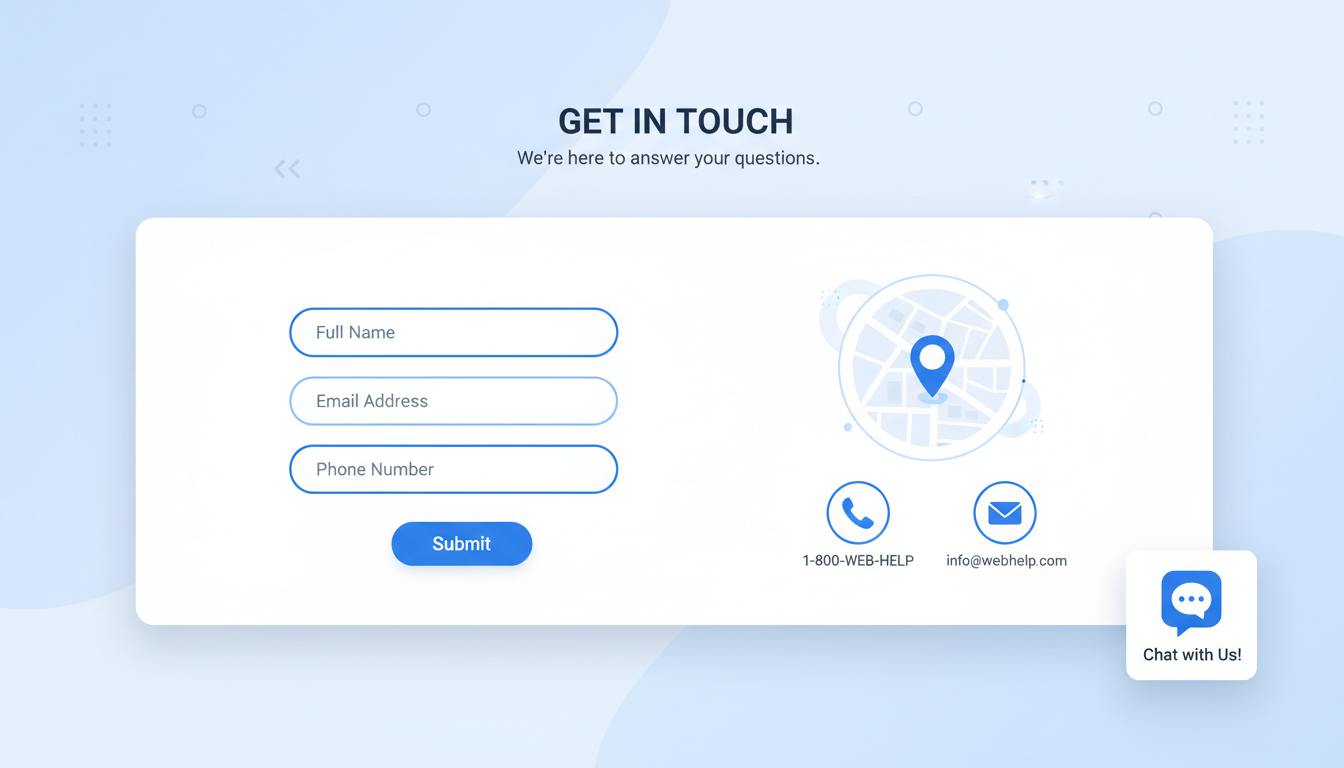
The contact page is one of the most visited pages on any business website, yet it is frequently one of the most neglected. Across the UK, countless businesses invest thousands of pounds in beautiful homepages, compelling service pages, and sophisticated marketing funnels, only to funnel all of that effort into a contact page that consists of a bare form, a generic email address, and a phone number in small text. This is a missed opportunity of considerable proportions.
Your contact page is where website visitors become leads, where prospects become clients, and where existing customers seek support. It is a conversion page, a trust signal, and a customer experience touchpoint all in one. Getting it right can measurably increase your enquiry volume, improve the quality of leads you receive, and reduce the friction between interest and action. Getting it wrong means losing potential business to competitors whose contact experience is smoother, more reassuring, and more professional.
This guide covers everything UK businesses need to know about creating a contact page that works - from layout and form design to trust signals, accessibility, and the technical considerations that affect whether your enquiries actually arrive.
In working with UK businesses across various industries, we have seen the same pattern repeatedly: contact page improvements are among the highest-return changes a business can make to its website. Unlike broader SEO or content marketing efforts that take months to bear fruit, contact page optimisation often yields measurable results within weeks. A clearer layout, a shorter form, a more compelling call to action - these seemingly small changes can transform your website from a digital brochure into a genuine lead generation engine.
What Every Contact Page Must Include
Before discussing design and optimisation, let us establish the baseline. Every business contact page should include certain fundamental elements that visitors expect and need.
A Contact Form
The contact form is the primary action element on most contact pages. It should capture the minimum information needed to respond meaningfully - typically name, email address, phone number (optional), and a message field. Every additional field you add reduces completion rates, so resist the temptation to ask for company size, budget, industry, and how they heard about you all in the initial form. You can gather that information later, once the conversation has started.
Phone Number
Despite the dominance of digital communication, many people - particularly in the UK - still prefer to pick up the phone. Display your phone number prominently and make it clickable (using tel: links) for mobile users. If you have specific hours when the phone is answered, state them clearly to manage expectations.
Email Address
Some visitors prefer to compose their own email rather than using a form. Provide a direct email address as an alternative. Use a professional address (info@yourbusiness.co.uk) rather than a free email provider (yourbusiness@gmail.com), which undermines credibility.
Physical Address
For UK businesses, displaying a physical address is both a trust signal and, for many business types, a legal requirement under the Companies Act 2006. An interactive map showing your location is a valuable addition, particularly for businesses that receive visitors.
Operating Hours and Response Times
Visitors want to know when they can expect a response. Stating your operating hours and typical response time removes uncertainty and manages expectations effectively. A simple line such as “We aim to respond to all enquiries within two business hours during office hours (Monday to Friday, 9am to 5:30pm)” provides clarity and reassurance. Businesses that display response time commitments on their contact page consistently receive more form submissions than those that leave visitors guessing about when - or whether - they will hear back.
Social Media Links
For businesses active on social media, including links to your profiles gives visitors an alternative way to connect and also reinforces your broader brand presence. Some visitors, particularly younger demographics, may prefer to reach out via direct message on LinkedIn or Instagram rather than completing a traditional web form. Including these options ensures you are meeting visitors on their preferred platform rather than forcing them into a single communication channel that may not suit their habits or preferences.
Poor Contact Page
- Form with 10+ required fields
- No phone number visible
- Gmail or Hotmail email address
- No physical address or map
- No indication of response times
- Generic "Submit" button text
- No confirmation message after submission
Effective Contact Page
- Simple form with 4-5 fields maximum
- Prominent, clickable phone number
- Professional email on own domain
- Address with interactive map
- Clear response time commitment
- Action-oriented button ("Get Your Free Quote")
- Confirmation page with next steps
Form Design Best Practices
The contact form is where most contact pages succeed or fail. A well-designed form feels effortless; a poorly designed one creates friction that drives visitors away. Here are the principles that separate effective forms from frustrating ones.
Minimise Field Count
Research consistently shows that form completion rates drop with each additional field. A form with three fields converts approximately 25% better than a form with six fields. Ask yourself for each field: "Do I absolutely need this information to respond to the enquiry?" If the answer is no, remove it.
Use Smart Field Types
Use the correct HTML input types for each field. Email fields should use type="email" so mobile devices show the appropriate keyboard. Phone fields should use type="tel". This small detail significantly improves the mobile experience, and mobile devices account for over 60% of UK web traffic.
Label Fields Clearly
Every form field should have a visible label above or beside it. Placeholder text inside the field is not an adequate substitute for a label - it disappears when the user starts typing, leaving them unsure what the field was asking for. This is particularly problematic for users with cognitive disabilities, and fails WCAG 2.1 accessibility guidelines that UK public sector websites must follow under the Public Sector Bodies Accessibility Regulations 2018.
Provide Meaningful Error Messages
When a visitor makes an error in your form - entering an invalid email address, for example, or leaving a required field blank - the error message should be specific, helpful, and positioned directly beside the offending field. Generic messages such as “Please correct the errors below” displayed at the top of the form force the visitor to hunt for the problem. Instead, use inline validation that highlights the specific field and explains exactly what needs correcting: “Please enter a valid email address (example: name@company.co.uk)”. This approach reduces frustration and significantly decreases form abandonment rates.
Design the Confirmation Experience
What happens after a visitor submits your form is just as important as the form itself. A clear confirmation message should appear immediately, thanking the visitor and setting expectations for when and how you will respond. Many businesses redirect to a dedicated thank-you page, which also presents an opportunity to suggest next steps - browsing your blog, following you on social media, or downloading a relevant resource. If your form simply clears itself without any feedback, the visitor is left uncertain about whether their submission was received, which is a surprisingly common and entirely avoidable failing on UK business websites.
| Form Element | Best Practice | Common Mistake | Impact on Conversions |
|---|---|---|---|
| Number of fields | 3-5 fields maximum | 10+ fields with many required | Each field over 5 reduces submissions by ~7% |
| Submit button text | Action-specific ("Get Your Quote") | Generic ("Submit") | Specific text increases clicks by up to 30% |
| Field labels | Visible labels above or beside fields | Placeholder text only | Proper labels improve completion by 20% |
| Error messages | Inline, specific, beside the field | Generic error at top of form | Inline errors reduce abandonment by 22% |
| Mobile layout | Full-width single-column fields | Multi-column fields on small screens | Single column improves mobile completion by 35% |
| Confirmation | Clear success message with next steps | No feedback after submission | Confirmation reduces duplicate submissions by 40% |
Trust Signals That Convert Visitors
By the time a visitor reaches your contact page, they are considering doing business with you. But consideration is not commitment - they still need reassurance that contacting you is a good idea. Trust signals provide that reassurance.
Response time commitment. Stating "We respond to all enquiries within 2 business hours" sets expectations and demonstrates professionalism. It tells the visitor that their message will not disappear into a void.
Testimonials or reviews. A brief testimonial from a satisfied client placed near the contact form reinforces the visitor's decision to reach out. Choose testimonials that speak to the experience of working with you, not just the outcomes.
Accreditations and certifications. For UK IT businesses, logos for Cyber Essentials, Microsoft Partner, ISO 27001, or CompTIA certifications demonstrate credibility. For other industries, relevant professional body memberships serve the same purpose.
Privacy assurance. A brief statement explaining how you will use their data - and a link to your privacy policy - addresses GDPR concerns and demonstrates that you take data protection seriously. Under UK GDPR, you need a lawful basis for processing enquiry data, and consent via the form is the most straightforward approach.
Team photographs and biographies. Putting faces to the business humanises your brand and builds a sense of personal connection. A small section near the contact form introducing the people who will handle the enquiry - complete with professional headshots and brief biographies - makes the prospect of reaching out feel less transactional and more personal. Visitors are far more likely to submit an enquiry when they feel they are contacting real, identifiable people rather than an anonymous corporate entity hidden behind a generic email address.
Case studies and portfolio pieces. If your work speaks for itself, let it do exactly that. A brief showcase of recent projects or client successes positioned near the contact form reinforces the quality of your work at the precise moment the visitor is deciding whether to get in touch. Keep these concise - a thumbnail image, a one-line description, and a link to the full case study is entirely sufficient. The goal is to provide a final nudge of confidence, not to distract the visitor from the primary action of completing the contact form and starting a conversation.
Under UK GDPR, every contact form that collects personal data must have a clear privacy notice explaining what data you collect, why you collect it, how long you retain it, and the individual's rights. Best practice is to include a brief statement below the form ("We'll use your details to respond to your enquiry. See our Privacy Policy for details.") with a link to your full privacy policy. If you intend to add the person to a marketing list, you must obtain explicit, separate consent via an unchecked checkbox - pre-ticked boxes are not valid consent under UK law.
Technical Considerations
A beautifully designed contact form is worthless if submissions do not arrive. Technical reliability is the unseen foundation of an effective contact page.
Email Deliverability
If your form sends submissions via email, ensure your sending infrastructure is properly configured with SPF, DKIM, and DMARC records. Without these, form submissions may be flagged as spam by your email provider and never seen. Test your form regularly by submitting test enquiries and verifying they arrive promptly.
Consider implementing a server-side logging mechanism that records every form submission in a database, regardless of whether the email notification is delivered successfully. This provides a safety net - if email delivery fails for any reason, the enquiry data is still captured and can be retrieved. Many content management systems and form plugins offer this functionality natively, and for custom-built forms, it requires only a few additional lines of code. This dual approach - database storage plus email notification - ensures you never lose a genuine enquiry due to a transient email delivery issue.
Spam Protection
Contact forms are targeted by spam bots. Implement protection such as Google reCAPTCHA, honeypot fields (hidden fields that only bots fill in), or rate limiting. However, balance spam protection with usability - aggressive CAPTCHA challenges frustrate legitimate visitors and reduce form completions.
Mobile Responsiveness
With over 60% of UK web traffic coming from mobile devices, your contact page must work perfectly on phones and tablets. Test on multiple devices and screen sizes. Ensure form fields are large enough to tap easily, that the keyboard type matches the field (email keyboard for email fields, phone keyboard for phone fields), and that the form does not require horizontal scrolling.
Page Load Speed
A contact page that takes more than three seconds to load on a mobile connection will lose a significant proportion of visitors before they even see your form. Optimise images, minimise unnecessary JavaScript, and ensure your hosting infrastructure can deliver pages quickly. Google's Core Web Vitals - Largest Contentful Paint, First Input Delay, and Cumulative Layout Shift - provide measurable benchmarks for page performance. If your contact page includes an embedded interactive map, ensure it loads lazily so it does not block the initial page render. Every fraction of a second matters when a potential customer is deciding whether to wait or press the back button.
Form Submission Reliability
Nothing erodes trust faster than a form that fails silently. Implement proper error handling so that if a submission fails - due to a server error, network timeout, or any other issue - the visitor receives a clear message explaining the situation and suggesting an alternative way to get in touch. Retain the form data so the visitor does not have to re-enter everything from scratch. Test your form submission process regularly and set up monitoring alerts that notify you immediately if the submission success rate drops below an acceptable threshold.
Measuring Contact Page Performance
You cannot improve what you do not measure. Set up analytics tracking for your contact page to understand how it performs and where opportunities for improvement exist.
Track the page visit-to-submission ratio. If 1,000 people visit your contact page monthly but only 20 submit the form, your 2% conversion rate indicates significant room for improvement. Track form abandonment - how many people start filling in the form but do not complete it? This reveals friction points in your form design. Track submission sources - which pages do visitors come from before reaching the contact page? This helps you understand which content drives the most valuable enquiries.
Google Analytics 4 can track all of these metrics with proper event configuration. Setting up conversion tracking for form submissions allows you to attribute enquiries to specific marketing channels, campaigns, and content pieces, giving you the data needed to optimise your marketing investment.
A/B testing is another powerful tool for contact page optimisation. Test variations of your page - different form layouts, button colours, headline text, or trust signal placement - and measure which version generates more submissions. Even small changes can produce meaningful improvements. For example, changing a submit button from “Submit” to “Get Your Free Consultation” can increase conversions by twenty to thirty per cent, because it frames the action in terms of value to the visitor rather than as a mechanical process.
Heat mapping tools such as Hotjar or Microsoft Clarity provide visual data about how visitors interact with your contact page. You can see where they click, how far they scroll, and where they hesitate or abandon the form. This qualitative data complements your quantitative analytics and often reveals insights that conversion rates alone cannot - for example, that visitors are attempting to click on an element that is not actually interactive, or that a particular form field consistently causes hesitation and delays.
Accessibility Requirements
Contact page accessibility is not optional - it is both a legal requirement and a business imperative. Under the Equality Act 2010, UK businesses must make reasonable adjustments to ensure their services are accessible to people with disabilities. For websites, this means meeting at minimum WCAG 2.1 Level AA standards.
For contact forms specifically, ensure all fields have associated labels (using the HTML label element with a matching for attribute), error messages are announced to screen readers, the form can be completed using keyboard alone (without requiring a mouse), colour is not the only indicator of errors, and sufficient colour contrast exists between text and backgrounds.
Testing your contact page with a screen reader (such as NVDA, which is free) and testing keyboard navigation reveals accessibility issues that visual inspection alone will miss. These improvements benefit all users, not just those with disabilities - clearer forms, better error messages, and logical navigation improve the experience for everyone.
Beyond basic compliance, there are additional accessibility enhancements that demonstrate genuine commitment to inclusivity. Providing alternative contact methods - such as a text relay service number for deaf or hard-of-hearing users, or a textphone number - shows that you have considered the needs of all potential customers. If your business serves customers who may have English as a second language, consider offering the contact page in additional languages or providing a clear statement that multilingual support is available upon request.
Regular accessibility audits, conducted at least annually, help ensure your contact page remains compliant as your website evolves. Automated testing tools such as axe or WAVE can identify many common issues, but manual testing with assistive technologies remains the gold standard. Recruiting users with disabilities to test your contact page provides invaluable feedback that no automated tool can replicate. The investment in accessibility is not merely about legal compliance - it expands your potential customer base, improves your search engine rankings, and signals to all visitors that your business values quality and attention to detail in everything it does.
Need a Website That Converts?
Cloudswitched designs and builds websites for UK businesses that are optimised for conversions, accessibility, and performance. From contact page design to full website development, we create digital experiences that turn visitors into clients. Get in touch to discuss your project.
GET IN TOUCH
CloudSwitched
London-based managed IT services provider offering support, cloud solutions and cybersecurity for SMEs.


