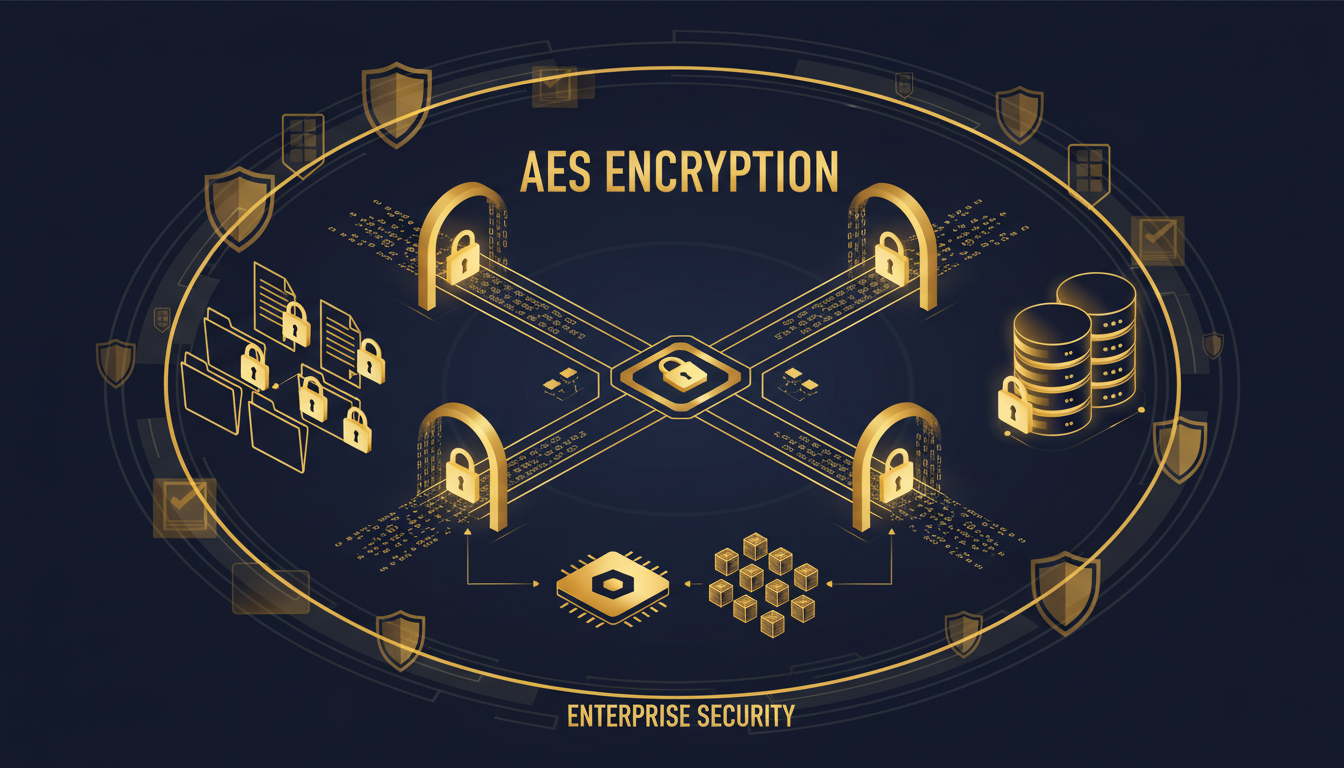
Data encryption is one of the most fundamental and effective security measures available to businesses, yet it remains widely misunderstood and inconsistently implemented across UK organisations. In an era where data breaches dominate headlines, where GDPR mandates the protection of personal data, and where the UK’s National Cyber Security Centre (NCSC) explicitly recommends encryption as a core security control, every business needs to understand what encryption is, how it works, and how to implement it effectively.
This guide provides a comprehensive, practical overview of data encryption for UK business owners and decision-makers. It avoids unnecessary technical complexity whilst providing sufficient detail to make informed decisions about encryption in your organisation. Whether you are trying to meet GDPR requirements, pursuing Cyber Essentials certification, protecting sensitive client data, or simply wanting to ensure that a lost laptop does not become a data breach, this guide will show you the way.
What Is Encryption and How Does It Work?
At its simplest, encryption is the process of converting readable data (plaintext) into an unreadable format (ciphertext) using a mathematical algorithm and a secret key. Only someone with the correct key can reverse the process (decrypt the data) and read the original information. Without the key, the encrypted data is meaningless - a random-looking string of characters that cannot be interpreted regardless of how much computing power is applied.
Think of encryption like a high-security safe. You put your documents inside, lock it with a combination, and the documents are inaccessible to anyone who does not know the combination. Even if someone steals the safe, they cannot read the documents without the correct combination. Encryption works the same way, but with mathematical guarantees of security rather than physical barriers.
Modern encryption algorithms are extraordinarily strong. AES-256, the encryption standard used by the UK Government, banks, and military organisations worldwide, would take billions of years to crack using brute force with current computing technology. When properly implemented, encryption provides effectively unbreakable protection for your data.
It is worth understanding the distinction between symmetric and asymmetric encryption, as both are used extensively in business technology. Symmetric encryption uses the same key to encrypt and decrypt data. It is fast and efficient, making it ideal for encrypting large volumes of data at rest, and AES-256 is a symmetric algorithm. Asymmetric encryption uses a pair of mathematically related keys: a public key for encryption and a private key for decryption. This is used primarily for secure key exchange and digital signatures. In practice, most encryption systems combine both approaches. Asymmetric encryption establishes a secure connection and exchanges a symmetric key, which is then used for the actual data encryption. Understanding this distinction helps you evaluate encryption products and have informed conversations with your IT provider about which approaches are appropriate for different use cases in your organisation.
GDPR does not explicitly require encryption, but it comes very close. Article 32 requires organisations to implement “appropriate technical and organisational measures” to ensure a level of security appropriate to the risk, and specifically mentions “the pseudonymisation and encryption of personal data” as examples. The ICO has stated that encryption is one of the most effective measures for protecting personal data. Critically, if encrypted data is breached, the ICO may consider the encryption as a mitigating factor when determining enforcement action. In practice, any UK business processing personal data should treat encryption as a baseline requirement, not an optional enhancement.
Types of Encryption: What You Need to Know
There are several different types of encryption, each designed for different purposes. Understanding these types helps you make the right decisions about which encryption to implement and where.
Encryption at Rest
Encryption at rest protects data that is stored on a device or in a storage system. This includes data on laptop hard drives, server disks, USB drives, mobile phones, cloud storage, and databases. If an encrypted device is lost, stolen, or accessed by an unauthorised person, the data on it remains protected because it cannot be read without the encryption key.
For UK businesses, encryption at rest is particularly important for laptops and mobile devices that leave the office. A lost, unencrypted laptop containing client data is a reportable data breach under GDPR. A lost, encrypted laptop is still a security incident, but the data is protected and the regulatory consequences are significantly less severe.
Encryption in Transit
Encryption in transit protects data as it moves across networks - from your computer to a web server, between your office and a cloud service, or between two office locations. The most common example is HTTPS (the padlock icon in your web browser), which encrypts the connection between your browser and the website you are visiting using TLS (Transport Layer Security).
For businesses, encryption in transit is essential for email (particularly if you send sensitive information), file transfers, VPN connections, and any communication between your office network and cloud services. Without encryption in transit, data can be intercepted and read by anyone with access to the network path - including on public Wi-Fi networks in coffee shops, hotels, and airports.
End-to-End Encryption
End-to-end encryption (E2EE) is a specific form of encryption in transit where only the sender and the intended recipient can read the data. The service provider that transmits the data cannot decrypt it. WhatsApp and Signal use end-to-end encryption for messages, meaning that even WhatsApp/Signal themselves cannot read your messages.
For UK businesses, the choice of encryption type depends on the specific risk being addressed. If your primary concern is the loss or theft of physical devices, encryption at rest is your priority. If you are worried about data interception during transmission, particularly for remote workers using public Wi-Fi networks, encryption in transit is critical. If you handle highly confidential communications such as legal advice, financial data, or medical records, end-to-end encryption offers the strongest protection against both external attackers and insider threats at service providers. Most businesses need a combination of all three types, applied consistently across their entire technology estate to ensure comprehensive protection.
| Encryption Type | What It Protects | Common Implementations | Business Priority |
|---|---|---|---|
| At Rest - Full Disk | All data on a device’s hard drive | BitLocker (Windows), FileVault (Mac) | Essential for all laptops and mobile devices |
| At Rest - File/Folder | Specific files or folders | Azure Information Protection, 7-Zip | High for sensitive documents |
| At Rest - Database | Data stored in databases | SQL Server TDE, Azure SQL encryption | Essential for databases with personal data |
| In Transit - Web | Browser to server communication | HTTPS / TLS | Essential for all websites |
| In Transit - Email | Email content during transmission | TLS, S/MIME, Microsoft 365 encryption | High for businesses sending sensitive data |
| In Transit - VPN | All traffic through VPN tunnel | IPsec, WireGuard, Azure VPN | Essential for remote workers |
| End-to-End | Data from sender to recipient only | Signal, WhatsApp, ProtonMail | High for confidential communications |
Practical Encryption for UK Businesses
Understanding encryption theory is useful, but what matters most is practical implementation. Here are the specific encryption measures that every UK business should implement, in order of priority.
1. Full Disk Encryption on All Devices
Every laptop, desktop, and mobile device that accesses business data should have full disk encryption enabled. On Windows devices, this means enabling BitLocker (included in Windows 10/11 Pro and Enterprise). On macOS, this means enabling FileVault. On iOS and Android, encryption is enabled by default on modern devices, but you should verify this and enforce it through mobile device management policies.
BitLocker is particularly important for Windows laptops, which represent the vast majority of business devices in the UK. When BitLocker is enabled, the entire hard drive is encrypted using AES-256. If the laptop is lost or stolen, the data is completely inaccessible without the user’s Windows password or the BitLocker recovery key. For businesses using Microsoft 365 Business Premium or Microsoft Intune, BitLocker can be centrally managed and recovery keys automatically stored in Azure AD.
Managing encryption at scale requires a systematic approach, particularly as your business grows beyond a handful of devices. Create a device register that records every laptop, desktop, tablet, and phone that accesses business data, along with its encryption status and the location of its recovery key. For businesses with more than 20 devices, manual tracking becomes unreliable. Use Microsoft Intune or a similar mobile device management platform to enforce encryption policies automatically and monitor compliance centrally. Devices that fail to meet your encryption requirements should be automatically blocked from accessing corporate data until they are brought into compliance. This zero-trust approach ensures that a single overlooked device does not create a gap in your encryption coverage.
2. Email Encryption
Email is one of the most common ways sensitive data leaves an organisation, and unencrypted email is essentially the digital equivalent of sending a postcard - anyone handling it along the way can read it. Microsoft 365 supports several levels of email encryption.
At the basic level, TLS (Transport Layer Security) encrypts the connection between email servers. Microsoft 365 enforces TLS by default for connections to other major email providers (Google, Microsoft, etc.), meaning that email between these providers is encrypted in transit. However, if the recipient’s email server does not support TLS, the email may be sent unencrypted.
For higher-security requirements, Microsoft 365 Message Encryption allows you to send encrypted emails that recipients can only read after verifying their identity. This is particularly useful for sending sensitive client information, financial data, or legal documents. The recipient receives a notification with a link to view the encrypted message, and must authenticate before accessing it.
One often-overlooked aspect of email encryption is the challenge of encrypted email archives and search. When emails are encrypted in transit, they are typically decrypted upon delivery and stored in the recipient’s mailbox in readable form. However, if you use client-side encryption tools such as S/MIME certificates, emails remain encrypted in the mailbox and cannot be searched using standard tools. This creates a practical tension between security and usability that businesses must navigate carefully. For most UK SMEs, enforcing TLS for all email in transit and using Microsoft 365 Message Encryption for sensitive individual messages provides the best balance of security, usability, and compliance with GDPR requirements.
3. Cloud Storage Encryption
If you use Microsoft 365, your data in OneDrive, SharePoint, and Exchange Online is encrypted at rest using AES-256 and in transit using TLS 1.2. This encryption is enabled by default and managed by Microsoft. However, it is important to understand that this protects your data from physical theft of Microsoft’s servers or interception during transit - it does not protect against someone with a valid username and password accessing your data through normal means. For that, you need access controls, MFA, and Conditional Access policies.
Encryption and Cyber Essentials
Cyber Essentials is the UK Government’s cyber security certification scheme, and many UK businesses are pursuing it either voluntarily or as a requirement for government contracts. While Cyber Essentials does not specifically require encryption, Cyber Essentials Plus (the more rigorous certification) tests for full disk encryption on devices that can be taken off-site. For businesses pursuing Cyber Essentials Plus, enabling BitLocker on all Windows laptops and FileVault on all Macs is a mandatory step.
Even if you are not pursuing Cyber Essentials certification, the standard provides an excellent framework for baseline security. Encryption is one of the five core controls (alongside firewalls, secure configuration, access control, and malware protection), and implementing it demonstrates the level of security that customers, partners, and regulators increasingly expect from professional organisations.
With Proper Encryption
- Lost laptop - data protected, limited GDPR impact
- Intercepted email - content unreadable to attacker
- Stolen backup drive - data inaccessible without key
- Database breach - encrypted data useless to attacker
- ICO investigation - encryption as mitigating factor
- Cyber Essentials Plus - encryption requirement met
- Client confidence - demonstrable data protection
Without Encryption
- Lost laptop - full data breach, mandatory ICO notification
- Intercepted email - sensitive data fully exposed
- Stolen backup drive - all data readable
- Database breach - personal data fully compromised
- ICO investigation - inadequate security measures
- Cyber Essentials Plus - certification failed
- Client confidence - data protection concerns
Common Encryption Mistakes
While encryption is a powerful tool, it must be implemented correctly to be effective. Several common mistakes can undermine the protection that encryption provides.
The most common mistake is poor key management. Encryption is only as strong as the protection of the encryption keys. If the BitLocker recovery key is stored on a Post-it note stuck to the laptop, the encryption is worthless. Keys should be stored securely - in Azure AD for BitLocker, in a hardware security module for server certificates, or in a dedicated key management system.
Another common mistake is encrypting data at rest but not in transit, or vice versa. Both are necessary for comprehensive protection. Data that is encrypted on your server but sent unencrypted over the network can be intercepted during transmission. Data that is encrypted during transmission but stored unencrypted on the server can be compromised through a server breach.
A third mistake is assuming that cloud services handle all encryption automatically. While Microsoft 365 and Azure encrypt data by default, this does not cover every scenario. Data downloaded to local devices, data shared via email, and data exported to USB drives may all leave the encrypted environment. A comprehensive encryption strategy addresses the full lifecycle of data, not just its storage in the cloud.
A fourth common mistake, increasingly prevalent as businesses adopt more cloud services, is failing to understand the difference between platform-managed encryption and customer-managed encryption. When Microsoft encrypts your data in SharePoint using their own keys, they control the encryption. In the event of a legal dispute, a government request, or a compromise of Microsoft’s key management infrastructure, your data could theoretically be decrypted without your involvement. For most UK businesses, platform-managed encryption provides adequate protection. However, organisations handling extremely sensitive data - legal firms managing privileged communications, healthcare providers storing patient records, or financial services firms subject to FCA requirements - should evaluate customer-managed keys, also known as Bring Your Own Key or BYOK, which give the business direct control over the encryption keys and the ability to revoke access unilaterally.
Getting Started: A Practical Encryption Plan
Implementing encryption across your organisation does not need to be complicated or expensive. Most of the tools you need are already included in your existing software licences. Here is a practical, phased approach for a UK SME.
In the first week, enable BitLocker on all Windows laptops and FileVault on all Macs. Verify that mobile device encryption is active on all phones and tablets. Store recovery keys in Azure AD or a secure location. In the second week, verify that TLS is enforced for email, configure Microsoft 365 Message Encryption for sensitive emails, and review your VPN configuration to ensure it uses strong encryption. In weeks three and four, audit your cloud storage encryption settings, review database encryption for any systems holding personal data, implement a policy for USB and removable media encryption, and document your encryption policies and procedures.
The total cost of this plan for a business already using Microsoft 365 Business Premium is essentially zero in software terms - all the necessary encryption tools are included. The only cost is the time required for configuration, which an experienced IT provider can complete in a few hours. Compared to the potential cost of a data breach (the average UK SME data breach costs £4,960 according to the UK Government’s Cyber Security Breaches Survey, and can cost far more in reputational damage and lost business), encryption is one of the highest-return security investments you can make.
Once your encryption programme is in place, measure its effectiveness by tracking your encryption coverage rate: the percentage of devices, email connections, cloud storage accounts, and databases that are confirmed to be encrypted. Aim for 100 per cent coverage on all business-critical systems within the first month, and 100 per cent across your entire technology estate within three months. Use your device management platform to generate regular compliance reports and address any gaps immediately. Encryption is not a one-time project - it is an ongoing discipline that requires monitoring and enforcement as new devices are added, new employees join, and new cloud services are adopted. Build encryption verification into your onboarding process for new staff and new technology, ensuring that protection is applied from day one rather than retrofitted after the fact.
Protect Your Business Data with Encryption
Cloudswitched helps UK businesses implement comprehensive encryption across their entire technology estate. From BitLocker deployment and email encryption to cloud security configuration and GDPR compliance, we ensure your data is protected at rest, in transit, and everywhere in between. Contact us for a free security assessment.
Explore Cyber Essentials Certification
CloudSwitched
London-based managed IT services provider offering support, cloud solutions and cybersecurity for SMEs.


