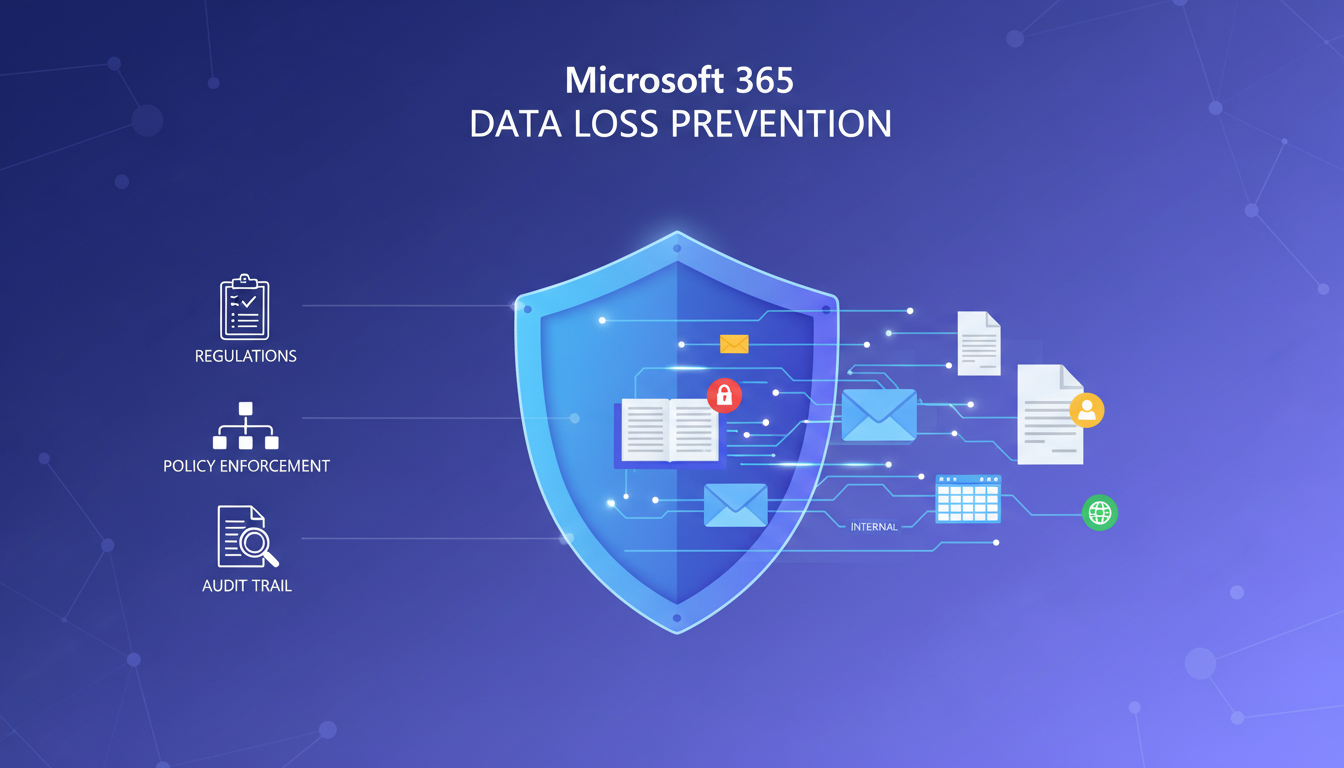
Data Loss Prevention - commonly abbreviated to DLP - is one of the most powerful yet underused security features available in Microsoft 365. For UK businesses handling sensitive information, whether that is customer personal data protected under GDPR, financial records subject to FCA regulations, or confidential intellectual property, DLP policies provide an automated safety net that prevents sensitive data from leaving your organisation through email, chat, file sharing, or cloud storage.
Despite its importance, many UK businesses either ignore DLP entirely or implement it so loosely that it provides little practical protection. This guide walks you through the process of setting up effective DLP policies in Microsoft 365, from understanding what DLP can protect against to configuring specific policies for the most common UK business scenarios.
The consequences of failing to protect sensitive data are severe and well-documented. The ICO has issued fines totalling millions of pounds to UK organisations that failed to prevent data breaches, and the reputational damage from a data leak can far exceed the financial penalty. DLP does not eliminate the risk entirely, but it significantly reduces the likelihood of accidental data exposure - which remains the single most common cause of data breaches in UK businesses.
What DLP Actually Does
At its core, DLP is a set of policies that automatically detect and optionally block the transmission of sensitive information. When a user attempts to send an email, share a file via OneDrive or SharePoint, or post a message in Microsoft Teams that contains data matching a DLP policy, the system can take one of several actions: allow the action with no intervention, show the user a warning that they may be sharing sensitive information and ask them to confirm, block the action entirely and notify the user, or block the action and notify both the user and a compliance administrator.
DLP policies identify sensitive information using a combination of pattern matching (such as recognising the format of a National Insurance number, credit card number, or passport number), keyword detection (identifying terms commonly associated with sensitive data), and context analysis (examining the surrounding text to reduce false positives). Microsoft 365 includes over 200 built-in sensitive information types, many of which are specifically designed for UK data formats and regulatory requirements.
DLP capabilities in Microsoft 365 vary by licence tier. Basic DLP for Exchange Online is available in most business plans, but comprehensive DLP across Teams, SharePoint, OneDrive, and endpoint devices requires Microsoft 365 Business Premium, E3, or E5 licences. Before configuring DLP, verify that your current licence tier supports the policies you need. If you are on Microsoft 365 Business Basic or Standard, you may need to upgrade to unlock full DLP functionality.
Where Data Leaks Happen
Understanding the channels through which sensitive data most commonly leaves UK organisations is essential for prioritising your DLP policies. Email remains the dominant vector for data leakage, but cloud file sharing and instant messaging platforms have grown significantly as remote and hybrid working has become standard practice across the United Kingdom. Research from the UK Cyber Security Breaches Survey shows that the distribution of leakage channels is shifting, and modern DLP strategies must address all of them to be effective.
These figures highlight why a comprehensive DLP strategy must extend beyond email protection alone. Microsoft 365 DLP policies can cover all of these channels within a single unified framework, provided you have the appropriate licensing tier and take the time to configure policies for each service. Organisations that protect only email leave more than half of their data leakage channels entirely unmonitored.
Planning Your DLP Policies
Effective DLP implementation starts with planning, not configuration. Before creating any policies, you need to understand what sensitive data your organisation handles, where it resides, how it flows through your systems, and what the regulatory requirements are for protecting it.
For most UK businesses, the sensitive data types that require DLP protection include personal data as defined by GDPR (names combined with addresses, email addresses, phone numbers, National Insurance numbers, dates of birth), financial data (bank account numbers, sort codes, credit card numbers, salary information), health data (medical records, health conditions, NHS numbers), and business-confidential information (trade secrets, pricing strategies, unreleased product information, board minutes).
UK-Specific Sensitive Information Types
| Information Type | Pattern Example | Applicable Regulation | Risk Level |
|---|---|---|---|
| National Insurance Number | AB 12 34 56 C | GDPR, DPA 2018 | High |
| NHS Number | 943 476 5919 | GDPR, NHS Standards | High |
| UK Passport Number | 925076473 | GDPR, DPA 2018 | High |
| UK Bank Account | Sort code + 8-digit account | GDPR, FCA | High |
| Credit/Debit Card Number | 4XXX XXXX XXXX XXXX | PCI DSS, GDPR | Critical |
| UK Driving Licence | JONES 710238 AB1CD | GDPR, DPA 2018 | Medium |
DLP Across Microsoft 365 Services
One of the greatest strengths of Microsoft 365 DLP is the ability to enforce consistent data protection policies across multiple services simultaneously. However, each service has unique characteristics that affect how DLP policies are applied and how users interact with them. Understanding these differences is essential for building effective, layered protection across your entire digital workplace.
Exchange Online - Email Protection
Email remains the primary channel through which sensitive data leaves UK organisations, making Exchange Online DLP your most critical protection layer. When a user composes an email in Outlook - whether using the desktop client, Outlook on the web, or the mobile application - that contains content matching a DLP policy, the system evaluates the message before it is sent. For policies configured with policy tips, the user sees an inline notification in their email client explaining that the message contains sensitive information and advising them on the appropriate course of action.
Exchange Online DLP can evaluate email body content, subject lines, and attachments - including the contents of Word documents, Excel spreadsheets, PowerPoint presentations, and PDF files attached to messages. This deep content inspection is particularly important because employees frequently attach spreadsheets containing customer personal data, financial reports with sensitive figures, or documents with embedded National Insurance numbers without realising the compliance implications of sending them externally.
For UK businesses, configure Exchange Online DLP rules to scan for outbound emails containing combinations of personal identifiers. A single National Insurance number in an email might be a legitimate HR communication, but an email containing fifty National Insurance numbers being sent to an external Gmail address is almost certainly a data breach in progress. Use threshold-based rules to distinguish between routine business communications and potential data exfiltration attempts. The ICO has specifically noted that volume-based detection is one of the most effective technical measures organisations can deploy to prevent large-scale data breaches.
SharePoint Online and OneDrive for Business
SharePoint and OneDrive present a different DLP challenge compared to email. Rather than intercepting data in transit, DLP policies for these services protect data at rest - scanning files stored in document libraries and personal drives for sensitive content and restricting how those files can be shared. This is a fundamentally different model that requires careful consideration of access patterns and sharing workflows.
When a file containing sensitive data is uploaded to SharePoint or OneDrive, the DLP policy evaluates the content and applies the configured restrictions. These restrictions can prevent the file from being shared externally, restrict it to specific users or groups, or display a policy tip to the file owner explaining that the document contains sensitive information and is subject to sharing restrictions. The evaluation happens asynchronously, so there may be a brief period after upload before the policy is enforced - something to be aware of for extremely time-sensitive data.
This capability is particularly important for UK organisations that use SharePoint as a document management system. It is common for HR departments to store employee records containing personal data in SharePoint document libraries, for finance teams to maintain spreadsheets with salary information and bank details in shared drives, and for legal teams to hold documents containing sensitive client information in collaboration sites. Without DLP policies applied to these locations, any user with access to these libraries could inadvertently share sensitive files externally using the standard SharePoint sharing interface - potentially exposing thousands of records with a single misconfigured sharing link.
Microsoft Teams - Chat and Channel Protection
Microsoft Teams DLP is often overlooked during initial deployments, yet Teams has become the primary communication channel for many UK organisations since the shift to hybrid working. DLP policies for Teams scan messages sent in both private chats and channel conversations for sensitive content. When a match is detected, the message can be blocked entirely or replaced with a notification explaining that the content has been removed due to a DLP policy violation.
Teams DLP is particularly important because the informal, conversational nature of Teams chat means employees are more likely to share sensitive information casually. Common scenarios include pasting a customer National Insurance number into a chat for a quick query, sharing a screenshot of a financial report in a channel, forwarding sensitive information received by email into a Teams conversation for group discussion, or sharing login credentials and access tokens through direct messages. These seemingly innocent actions can create significant compliance risks, especially when the Teams channel includes external guests or when the conversation is subject to regulatory retention requirements.
Configure Teams DLP policies to scan both the text content of messages and the content of files shared through Teams chats and channels. Pay particular attention to channels that include guest users from external organisations, as these represent the highest risk for inadvertent data sharing outside your corporate boundary. Consider implementing stricter DLP rules for channels with external participants compared to internal-only conversations.
Step-by-Step Configuration
With your planning complete, you can now create DLP policies in the Microsoft Purview compliance portal (formerly the Microsoft 365 compliance centre). The following steps walk through creating a policy to protect UK personal data - the most common requirement for UK businesses.
Step 1: Access the compliance portal. Navigate to compliance.microsoft.com and sign in with an account that has compliance administrator permissions. Select "Data loss prevention" from the left navigation, then select "Policies."
Step 2: Create a new policy. Click "Create policy." Microsoft provides several templates specifically designed for UK regulatory requirements. Select "UK Financial Data" or "UK Personally Identifiable Information (PII)" as your starting template, or select "Custom policy" if you need to define your own sensitive information types.
Step 3: Name and describe your policy. Give your policy a clear, descriptive name such as "UK PII Protection - Email and File Sharing" and add a description that explains what the policy protects and why. This documentation is invaluable for audit purposes and for colleagues who manage the policy in future.
Step 4: Choose locations. Select which Microsoft 365 services the policy applies to. For comprehensive protection, enable the policy for Exchange email, SharePoint sites, OneDrive accounts, and Teams chat and channel messages. You can also apply policies to specific users, groups, or sites rather than the entire organisation - useful for a phased rollout.
Step 5: Configure policy rules. Define what the policy should detect and what action it should take. For a UK PII protection policy, configure rules to detect UK National Insurance numbers, UK passport numbers, and combinations of names with addresses, email addresses, or phone numbers. Set the action to "Show policy tip and send notification" for low-volume matches and "Block sharing and send notification" for high-volume matches (which may indicate a data export or breach).
DLP Best Practices
- Start in test mode before enforcing
- Use policy tips to educate users first
- Begin with high-confidence detections only
- Review false positives weekly and tune rules
- Cover all channels: email, Teams, SharePoint
- Include UK-specific data types
- Document policies for audit compliance
- Review and update policies quarterly
Common DLP Mistakes
- Enforcing strict blocking immediately
- Ignoring user feedback and false positives
- Covering only email, ignoring Teams and OneDrive
- Using default templates without customisation
- Setting too many low-confidence rules
- No incident response process for DLP alerts
- Never reviewing or updating policies
- No user training on DLP policy tips
User Training and Building a DLP-Aware Culture
Technology alone cannot prevent data loss. Even the most sophisticated DLP policies will fail if your workforce does not understand why those policies exist, what they protect, and how to work effectively within the boundaries they create. Building a DLP-aware culture is arguably as important as the technical implementation itself, and UK businesses that invest in user education consistently report fewer policy violations, fewer false positive escalations, and smoother DLP deployments overall.
Communicating the Purpose of DLP to Staff
Before enabling DLP policies in your production environment, communicate clearly with your entire workforce about what is changing and why. Frame DLP as a protective measure that exists to help employees avoid accidentally causing a data breach - not as a surveillance tool designed to monitor or restrict their work. Staff who understand that DLP protects both the organisation and them personally are far more likely to cooperate with the system rather than resent it or attempt to circumvent it.
Under UK GDPR, individuals within an organisation can face personal liability for data breaches in certain circumstances, particularly where negligence can be demonstrated. Making staff aware of this fact - without resorting to scare tactics - provides a compelling personal incentive for compliance. The ICO has published guidance specifically addressing the importance of staff awareness as a component of an adequate data protection programme, and this guidance can serve as a useful foundation for internal communications about DLP.
Hold briefing sessions for each department, tailored to their specific workflows and data handling patterns. The finance team needs to understand why DLP might flag their routine communications containing bank details and how to use the override process when sharing data with approved external contacts such as auditors and HMRC. The HR team needs to understand how DLP protects the employee personal data they handle daily, including payroll information, disciplinary records, and recruitment data. The sales team needs to understand the restrictions on sharing customer information with external partners, prospects, and third-party CRM platforms. Generic, one-size-fits-all training is far less effective than department-specific guidance that addresses the real workflows your staff encounter every day.
Leveraging Policy Tips as Teaching Moments
Microsoft 365 DLP policy tips are not merely warnings - they are powerful, contextual training tools that reach users at the exact moment when education is most relevant. When configured thoughtfully, policy tips educate users in real time about what constitutes sensitive data and why it requires protection. Customise your policy tip text to be specific and helpful rather than generic. Instead of a vague message such as "This message contains sensitive content," use specific language that identifies the type of sensitive data detected, explains why it is protected, and offers guidance on what the user should do instead.
Monitor policy tip override rates as a key measure of training effectiveness. If a high percentage of users are overriding policy tips without providing a legitimate business justification, this indicates either that the policy is generating too many false positives - which is a technical issue requiring rule adjustment - or that users do not fully understand the importance of the policies and are treating the tips as nuisances to be dismissed. Both scenarios require different remediation approaches, and distinguishing between them is essential for maintaining an effective, well-calibrated DLP programme that earns the trust of your workforce.
Regular Refresher Training and Departmental Champions
Data protection training should not be a one-off event during DLP deployment. Schedule quarterly refresher sessions that cover recent DLP incidents within your organisation (anonymised where appropriate to protect individual privacy), any changes to policies or new sensitive data types being protected, emerging threats and social engineering tactics that target data exfiltration, and reminders about proper procedures for handling sensitive data in everyday work. UK businesses regulated by the FCA, those handling NHS data, or those processing data for government contracts may have specific training frequency requirements mandated by their regulatory framework, and these should be incorporated into your DLP training calendar.
Consider appointing DLP champions within each department - trusted, technically confident team members who receive additional training on DLP policies and serve as the first point of contact for colleagues who have questions or encounter issues. This distributed support model reduces the burden on your central IT or compliance team and provides faster, more contextual assistance to users experiencing DLP-related difficulties in their daily work. Champions can also provide valuable feedback on policy effectiveness and help identify false positive patterns that might otherwise go unreported.
Testing and Tuning Your Policies
The single most important piece of advice for DLP implementation is this: always start in test mode. Microsoft 365 allows you to create DLP policies in "test mode with policy tips" or "test mode without policy tips." This enables you to see what the policy would flag and block without actually preventing users from working. Run each policy in test mode for at least two weeks, reviewing the results daily, before enabling enforcement.
During the testing phase, pay close attention to false positives - legitimate communications that are incorrectly flagged as containing sensitive data. False positives are the biggest threat to DLP adoption because they cause user frustration and erode trust in the system. If users learn that DLP warnings are frequently wrong, they will begin ignoring them entirely, defeating the purpose of the protection.
Tune your policies by adjusting confidence levels, adding exceptions for known legitimate data flows, and refining keyword lists. For example, if your finance team regularly sends legitimate emails containing bank account numbers, you might create an exception that allows members of the finance team to share this data type with specific approved external contacts while maintaining the restriction for all other users.
Measuring DLP Effectiveness and Reporting
Implementing DLP policies without measuring their effectiveness is akin to installing a burglar alarm and never verifying whether it functions correctly. To justify the investment in DLP configuration and ongoing management, and to demonstrate compliance to regulators and auditors, you need clear metrics that quantify how well your DLP programme is performing and where improvements are needed.
Key Performance Indicators for DLP
Track these metrics on a monthly basis to assess the health and maturity of your DLP deployment. The number of policy matches by type and severity tells you how frequently sensitive data is being detected in outbound communications and shared files. A sudden spike in matches might indicate a new business process that needs policy accommodation, whilst a steady decline over time might suggest that user awareness is genuinely improving as a result of your training programme.
The false positive rate - measured as the percentage of DLP matches that turn out to be legitimate business activities incorrectly flagged by your policies - is one of the most important indicators of policy quality. Aim for a false positive rate below 10 percent, and investigate urgently if it exceeds 20 percent, as this level of inaccuracy will rapidly erode user trust in the system. The user override rate tracks how often users bypass DLP warnings by providing a business justification, and unusually high override rates may indicate that policies are too aggressive or that additional staff training is required. Finally, the time to resolve DLP incidents measures how quickly your compliance or IT team investigates and resolves DLP alerts, which is critical given the 72-hour ICO breach notification deadline under UK GDPR.
Compliance Reporting for UK Regulations
UK businesses subject to GDPR, FCA regulation, NHS data protection standards, or public sector data handling requirements need to demonstrate to regulators that they have implemented appropriate technical measures to protect personal data. DLP reports serve as tangible, auditable evidence of your compliance efforts and can significantly strengthen your position in the event of a regulatory investigation.
Generate quarterly compliance reports that summarise the total number of sensitive data items detected and protected by DLP policies across all channels, the types of sensitive data most frequently flagged and the channels through which they were detected, any policy violations that resulted in actual data exposure and the remediation actions taken, improvements made to policies based on ongoing monitoring and false positive analysis, and training activities completed during the reporting period along with their measurable impact on policy compliance rates.
These reports are invaluable during ICO audits and assessments. They demonstrate that your organisation takes a proactive, systematic approach to data protection rather than merely reacting to incidents after they occur. The reports also provide essential input for your Record of Processing Activities (ROPA), which is a mandatory requirement under UK GDPR for organisations that process personal data at scale or handle special category data.
For organisations with board-level reporting requirements or those seeking Cyber Essentials certification, prepare an executive summary that translates DLP metrics into business language. Rather than reporting raw policy match numbers, frame the data in terms of risk reduction and business value. For example, a statement such as "Our DLP policies prevented 47 instances of sensitive customer data being shared externally this quarter, representing a 23 percent reduction from the previous quarter and avoiding potential exposure of approximately 12,000 customer records" helps senior leadership understand the tangible, quantifiable value of the DLP investment and supports continued funding for data protection initiatives.
Monitoring and Incident Response
Once your DLP policies are live, ongoing monitoring is essential. The Microsoft Purview compliance portal provides a DLP dashboard showing policy matches, user overrides, false positive reports, and incident trends. Review this dashboard at least weekly to identify emerging patterns, recurring false positives that need rule adjustments, and potential policy violations that require investigation.
Establish a clear incident response process for DLP alerts. When a DLP policy blocks a high-severity action - such as an attempt to email a large volume of personal data to an external address - someone in your organisation needs to investigate promptly. Was it a legitimate business need that requires a policy exception, or was it an attempted data exfiltration? Having a defined process ensures alerts are investigated consistently and promptly, rather than accumulating unread in a compliance mailbox.
Data Loss Prevention in Microsoft 365 is not a set-and-forget technology. It requires ongoing attention, tuning, and user education to be effective. But when implemented well, it provides a critical layer of protection that helps your organisation comply with GDPR, prevent accidental data breaches, and build a culture of data awareness among your staff.
Protect Your Business Email and Sensitive Data
Cloudswitched helps UK businesses implement comprehensive Data Loss Prevention across Microsoft 365. From policy design and deployment to ongoing monitoring and compliance reporting, our cloud email solutions ensure your sensitive data stays protected without disrupting the productivity of your team.
Explore Cloud Email Solutions
CloudSwitched
London-based managed IT services provider offering support, cloud solutions and cybersecurity for SMEs.


