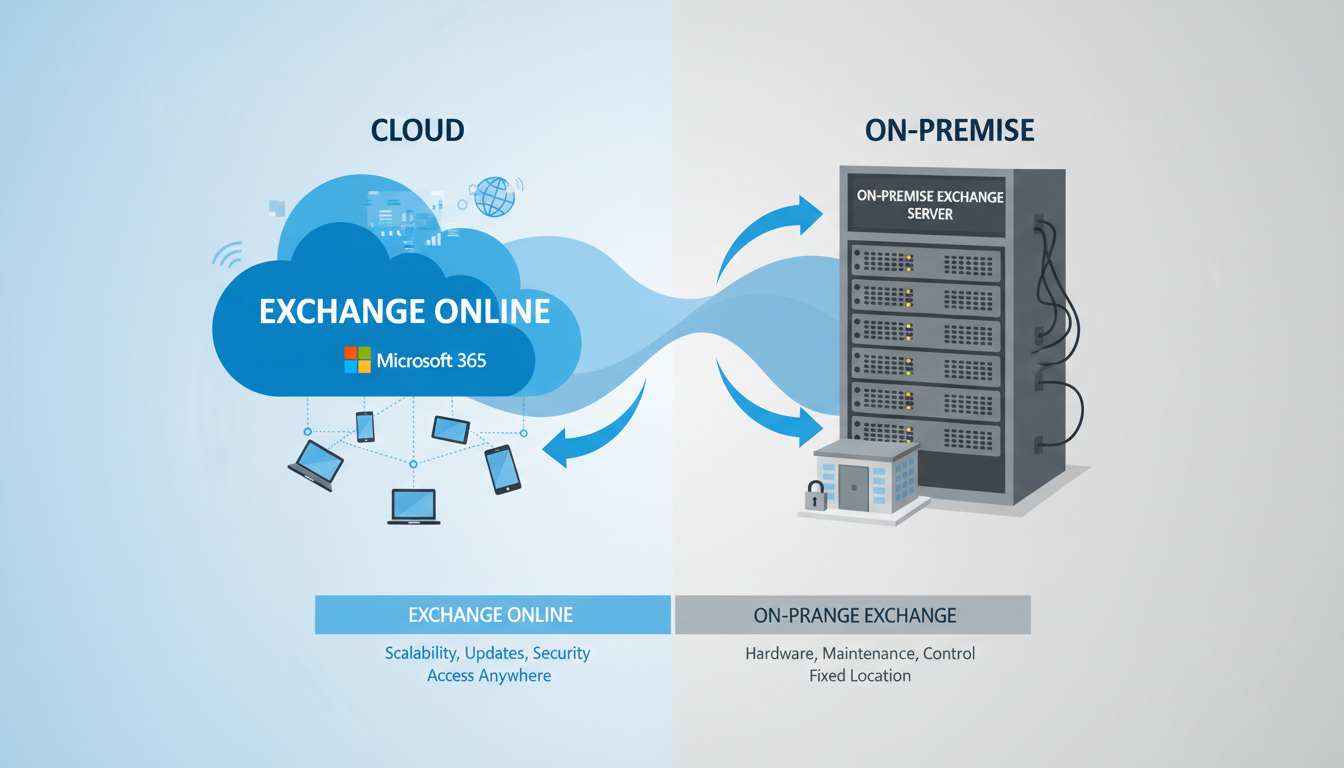
For over two decades, Microsoft Exchange Server has been the backbone of business email for organisations across the United Kingdom. Installed on physical servers in offices and data centres from Edinburgh to Exeter, on-premises Exchange has provided the reliable email, calendaring, and contact management that businesses depend on every day. But the world has changed, and with it, the calculus of running your own email server.
Exchange Online - the cloud-hosted version of Exchange, delivered as part of Microsoft 365 - now offers the same enterprise-grade functionality without the burden of managing physical hardware, applying security patches, maintaining high availability, or worrying about server room cooling. For UK businesses still running on-premises Exchange, the question is no longer whether to migrate but when and how.
This comprehensive guide compares on-premises Exchange with Exchange Online across every dimension that matters to UK businesses: cost, security, compliance, reliability, functionality, and migration complexity. Whether you are running Exchange 2013, 2016, or 2019, this guide will help you make an informed decision about your email future.
The Case for Leaving On-Premises Exchange Behind
Running your own Exchange server was once the only option for businesses that needed professional email. Today, it comes with significant costs and risks that many organisations underestimate.
Hardware and Infrastructure Costs
An on-premises Exchange deployment requires at least one physical server (ideally two for redundancy), with sufficient CPU, RAM, and storage to handle your mailbox database. For a business with 50 users, the server hardware alone typically costs between £5,000 and £15,000, with a replacement cycle of three to five years. Add to this the cost of Windows Server licences, Exchange Server licences, Client Access Licences (CALs), antivirus software, backup infrastructure, and a UPS for power protection.
Then there is the hidden cost of the environment itself. The server needs a temperature-controlled room, a reliable power supply, and physical security. Many UK SMEs keep their Exchange server in a cupboard or under a desk, where it is exposed to heat, dust, and the risk of being accidentally unplugged - hardly the enterprise environment this critical system deserves.
Security and Patching Burden
Exchange Server has been one of the most targeted platforms by cyber attackers in recent years. The Hafnium attacks of 2021 exploited zero-day vulnerabilities in on-premises Exchange, compromising tens of thousands of servers globally, including many UK businesses. The ProxyLogon and ProxyShell vulnerability chains that followed reinforced the message: running your own Exchange server means accepting responsibility for a complex, high-value target that requires constant vigilance.
Microsoft releases Exchange security updates monthly, and critical patches sometimes arrive out of cycle. Each update must be tested and applied promptly. Fall behind on patching, and your server becomes an easy target. The NCSC has repeatedly warned UK organisations about the risks of unpatched Exchange servers, and ICO enforcement actions have specifically cited outdated email systems as evidence of inadequate data protection measures.
On-Premises Exchange
- Capital expenditure on server hardware every 3-5 years
- Monthly patching and update responsibility
- Manual backup configuration and monitoring
- Single point of failure without redundancy investment
- Physical security and environment requirements
- Exchange admin expertise required on staff or retainer
- Limited mobile and remote access without additional config
- End-of-life risk as Microsoft retires server versions
Exchange Online
- Predictable monthly per-user subscription
- Microsoft manages all patching and updates
- Built-in geo-redundant backup and recovery
- 99.99% financially backed uptime SLA
- No server room or physical infrastructure needed
- Reduced need for specialist Exchange admin skills
- Native mobile, web, and desktop access everywhere
- Always running the latest version with new features
UK Cloud Email Adoption: The Numbers
The shift from on-premises email to cloud-hosted solutions has accelerated sharply across the United Kingdom. Research from the UK Cloud Industry Forum and the Department for Science, Innovation and Technology paints a clear picture: organisations of all sizes are abandoning self-hosted infrastructure in favour of managed cloud services. The trend is particularly pronounced in email, where the operational overhead of self-hosting has become increasingly difficult to justify against the mature, feature-rich offerings from cloud providers.
According to industry surveys and government data, the following breakdown illustrates cloud email adoption rates across UK business segments. Larger enterprises moved first, but SMEs have closed the gap rapidly as licensing costs have fallen and migration tooling has matured. The remaining hold-outs tend to be organisations in heavily regulated sectors or those with highly customised Exchange configurations that require careful planning before migration.
The data reveals an important insight: even among the smallest UK businesses, more than half have already transitioned away from self-hosted email. For micro businesses, the shift is often driven by the sheer impracticality of maintaining server hardware when the business lacks dedicated IT staff. For larger organisations, the motivation is typically risk reduction and the desire to redirect IT resources from infrastructure maintenance toward strategic projects that drive business growth.
Cost Comparison: A Realistic UK Analysis
The cost comparison between on-premises Exchange and Exchange Online is more nuanced than many vendors suggest. Let us break it down honestly for a typical UK business with 50 users.
| Cost Category | On-Premises (Annual) | Exchange Online (Annual) | Notes |
|---|---|---|---|
| Server hardware (amortised) | £2,500 | £0 | Based on £10K server replaced every 4 years |
| Windows Server licence | £800 | £0 | Standard edition |
| Exchange Server licence | £700 | £0 | Standard edition, amortised |
| CALs (50 users) | £1,200 | £0 | Exchange Standard CALs |
| Microsoft 365 subscription | £0 | £3,960 | Exchange Online Plan 1 at £6.60/user/month |
| Backup solution | £1,500 | £0 | Third-party backup software and storage |
| IT support and admin time | £4,800 | £1,200 | Estimated 8 hrs/month vs 2 hrs/month |
| Electricity and cooling | £720 | £0 | Server power consumption 24/7 |
| Total Annual Cost | £12,220 | £5,160 | 58% cost reduction with Exchange Online |
Hidden Costs That Tip the Balance Further
The table above captures the most visible costs, but several hidden expenses often go unaccounted for in on-premises budgets. Downtime is the most significant. When an on-premises Exchange server fails - whether due to a hardware fault, a botched update, or a storage failure - the business loses email access until the problem is resolved. For a business where email drives revenue, even a few hours of downtime can cost thousands of pounds in lost productivity and missed opportunities. A 2024 survey by the Federation of Small Businesses found that unplanned IT outages cost UK SMEs an average of £1,200 per hour in lost productivity.
There is also the opportunity cost of IT staff time. Every hour your IT team spends managing Exchange infrastructure is an hour they are not spending on projects that drive business growth - implementing new collaboration tools, improving cyber security posture, or supporting digital transformation initiatives. For businesses with a single IT generalist (common among UK SMEs with 20 to 100 employees), Exchange management can consume 20 to 30 per cent of their available time, leaving little capacity for proactive improvements.
Insurance and compliance costs add another layer. Cyber insurance premiums have increased sharply across the UK market, and insurers are increasingly asking detailed questions about email infrastructure. Organisations running end-of-life or unpatched Exchange servers may face higher premiums or find it difficult to obtain cover at all. The cost of a data breach involving email - including ICO notification requirements, forensic investigation, and reputational damage - dwarfs the savings from avoiding a cloud subscription.
Security Advantages of Exchange Online
Security is perhaps the strongest argument for migrating to Exchange Online, particularly for UK SMEs that lack dedicated security teams. Microsoft invests over $1 billion annually in cyber security and employs more than 3,500 security professionals. Their security operations centres monitor for threats 24 hours a day, 365 days a year. No SME - and very few large enterprises - can match this level of security investment.
Exchange Online includes Exchange Online Protection (EOP) as standard, providing enterprise-grade email filtering against spam, malware, and phishing. For businesses requiring advanced protection, Microsoft Defender for Office 365 adds safe attachments (sandboxed detonation of suspicious files), safe links (real-time URL scanning), anti-impersonation protection, and advanced threat analytics.
Data Loss Prevention (DLP) policies can be configured to automatically detect and prevent the sharing of sensitive information via email - for example, blocking emails that contain National Insurance numbers, payment card details, or medical records from being sent to external recipients. For UK businesses subject to GDPR, this capability is invaluable.
Multi-factor authentication, conditional access policies, and advanced audit logging come built into the platform. These controls, which would require significant additional investment to implement on-premises, are available out of the box with Exchange Online. The ability to enforce device compliance policies - ensuring that only managed, encrypted devices can access business email - is particularly valuable for organisations with remote or hybrid workforces, which now describes the majority of UK knowledge-worker businesses.
A common concern for UK businesses considering Exchange Online is where their data is stored. Microsoft has committed to storing Exchange Online data for UK tenants in its UK data centres (located in London and Durham). This means your email data remains within the United Kingdom, which simplifies data protection compliance and addresses data sovereignty concerns. You can verify your data location in the Microsoft 365 admin centre under Settings > Org Settings > Organisation Profile > Data Location.
Compliance, GDPR, and UK Regulatory Considerations
For UK businesses operating under the UK GDPR and the Data Protection Act 2018, email compliance is not optional - it is a legal obligation. The Information Commissioner has made clear that organisations must implement appropriate technical and organisational measures to protect personal data, and email systems are one of the most common vectors for data breaches.
Exchange Online provides a comprehensive compliance toolkit that would be prohibitively expensive to replicate on-premises. Retention policies allow organisations to automatically retain email for specified periods (critical for regulated industries such as financial services, where FCA rules require retention of business communications for five to seven years). eDiscovery capabilities enable organisations to search across all mailboxes for specific content - essential when responding to Subject Access Requests under GDPR, which must be fulfilled within one calendar month.
Information barriers can prevent specific groups of users from communicating with each other via email - a requirement in financial services to manage conflicts of interest. Sensitivity labels allow organisations to classify and protect email content based on its confidentiality level, with automatic encryption applied to messages marked as confidential or highly confidential. These labels can be applied automatically using machine learning or manually by users, and they travel with the message regardless of where it is forwarded.
For organisations subject to audit requirements, the Microsoft 365 unified audit log provides a detailed, tamper-resistant record of all user and administrator activity within the email environment. This includes mailbox access, permission changes, mail flow rules, and data export activities - providing the evidence trail that auditors and regulators expect to see.
Reliability and Business Continuity
Business continuity is a critical concern for any organisation that depends on email for daily operations - which, in practice, means every business. On-premises Exchange provides exactly as much reliability as your own infrastructure allows. If your server has a hardware failure, if the power goes out, if your internet connection drops, or if your building floods, your email goes down with it. Achieving genuine high availability with on-premises Exchange requires at minimum a Database Availability Group (DAG) spanning two servers, ideally in separate physical locations, with load balancing and automated failover. The cost and complexity of this configuration puts it beyond the reach of most UK SMEs.
Exchange Online, by contrast, is built on a globally distributed infrastructure with automatic data replication across multiple data centres. Microsoft maintains at least three copies of your mailbox data across geographically separated facilities. If one data centre experiences an outage, traffic is automatically redirected to another, typically without users noticing any interruption. The 99.99 per cent uptime SLA - backed by financial credits if Microsoft fails to meet it - translates to less than 53 minutes of permitted downtime per year. In practice, most UK tenants experience significantly higher availability than this.
For disaster recovery planning, Exchange Online eliminates one of the most complex and expensive requirements: maintaining an off-site replica of your email system. With on-premises Exchange, a robust DR plan might involve replicating mailbox databases to a secondary site, maintaining standby hardware, and regularly testing failover procedures. With Exchange Online, disaster recovery is handled entirely by Microsoft, and your email remains accessible from any device with an internet connection even if your office is completely inaccessible.
The Migration Process
Migrating from on-premises Exchange to Exchange Online is a well-established process, but it requires careful planning and execution. The approach depends on your current Exchange version, the number of mailboxes, your hybrid requirements, and your tolerance for downtime.
Cutover Migration
Best suited for small organisations with fewer than 150 mailboxes, a cutover migration moves all mailboxes to Exchange Online in a single operation. DNS records are updated to point to Exchange Online, and the on-premises server is decommissioned. This is the simplest approach but requires a maintenance window during which email delivery may be interrupted.
Staged Migration
For larger organisations, a staged migration moves mailboxes in batches over a period of days or weeks. This reduces risk and allows any issues to be identified and resolved before the full migration is complete. Coexistence between on-premises and cloud is maintained during the migration period.
Hybrid Migration
A hybrid deployment maintains a permanent connection between on-premises Exchange and Exchange Online, allowing mailboxes to be moved individually with minimal disruption. This approach is common for larger organisations that need to maintain some on-premises infrastructure during an extended transition period, or that have regulatory requirements preventing full cloud adoption.
What to Prepare Before Migration
Successful migration requires thorough preparation. Start by auditing your current environment: How many mailboxes do you have? How large are they? Do you have shared mailboxes, distribution groups, or public folders? Are there any mailbox rules, delegates, or send-as permissions that need to be preserved?
Clean up your Active Directory. Exchange Online relies on Azure AD (now Entra ID) for identity management, and any inconsistencies in your on-premises directory will cause synchronisation problems. Ensure that all user accounts have valid email addresses, that there are no duplicate proxy addresses, and that any inactive accounts are either disabled or removed.
Verify your DNS records. You will need to update MX records, autodiscover records, and SPF, DKIM, and DMARC records during migration. Understanding your current DNS configuration before you start prevents confusion and delays during the cutover.
Communicate with your users. Email migration affects everyone in the organisation, and clear communication reduces anxiety and support requests. Inform staff of the timeline, explain what will change (and what will not), and provide guidance on any actions they need to take, such as re-signing into Outlook or updating mobile email settings.
Real-World Migration Scenarios for UK Businesses
To illustrate how migration works in practice, consider three typical UK business scenarios that reflect the challenges and outcomes we see regularly.
A 30-Person Accountancy Practice in Manchester
This firm was running Exchange Server 2016 on aging hardware that was approaching its fifth year. With the server nearing end of warranty and Exchange 2016 approaching extended support deadlines, the partners decided to migrate. The firm had 30 user mailboxes, five shared mailboxes for departments, and a public folder used for a shared contacts list. Their main concern was preserving historical emails required for HMRC correspondence and client records. A cutover migration was completed over a weekend, with all mailbox data (including seven years of archived correspondence) transferred successfully. The old server was decommissioned the following month, freeing up an entire cupboard in their office. Monthly IT costs dropped by £380, and staff reported improved email access on mobile devices as an unexpected benefit.
A 120-Person Manufacturing Company in Birmingham
This company operated Exchange Server 2019 in a small on-site server room alongside their ERP system. With multiple shifts and shop-floor staff who accessed email via shared terminals, the migration needed careful planning around user training and device access. A staged migration was chosen, moving office-based staff first over two weeks, then extending to production supervisors and quality managers in a second wave. The biggest challenge was reconfiguring their ERP system to send automated email notifications through Exchange Online rather than the on-premises server. The project took six weeks from planning to completion. The company now saves approximately £9,600 annually in direct costs and has repurposed their IT administrator from Exchange maintenance to a broader digital transformation role, implementing new shop-floor data collection systems.
A 200-Person Legal Firm in London
Regulated by the Solicitors Regulation Authority and handling sensitive client data daily, this firm had the most complex requirements. They needed to maintain email retention for at least six years, implement information barriers between departments handling conflicting interests, and demonstrate compliance with the SRA Standards and Regulations. A hybrid migration was chosen, allowing a gradual transition over three months while maintaining seamless internal communication. Advanced compliance features including retention policies, eDiscovery, and sensitivity labels were configured during the Microsoft 365 tenant setup phase. The legal firm found that Exchange Online actually improved their compliance posture compared to their on-premises setup, where retention had been managed through manual archiving processes that were inconsistently applied across departments.
Ready to Move to Cloud Email?
Cloudswitched has migrated thousands of UK mailboxes from on-premises Exchange to Microsoft 365. Our proven migration process minimises downtime, preserves all data, and ensures a smooth transition for your team. Whether you are a small practice or a large enterprise, we tailor the approach to your specific needs and compliance requirements.
Explore Cloud Email Solutions
CloudSwitched
London-based managed IT services provider offering support, cloud solutions and cybersecurity for SMEs.


