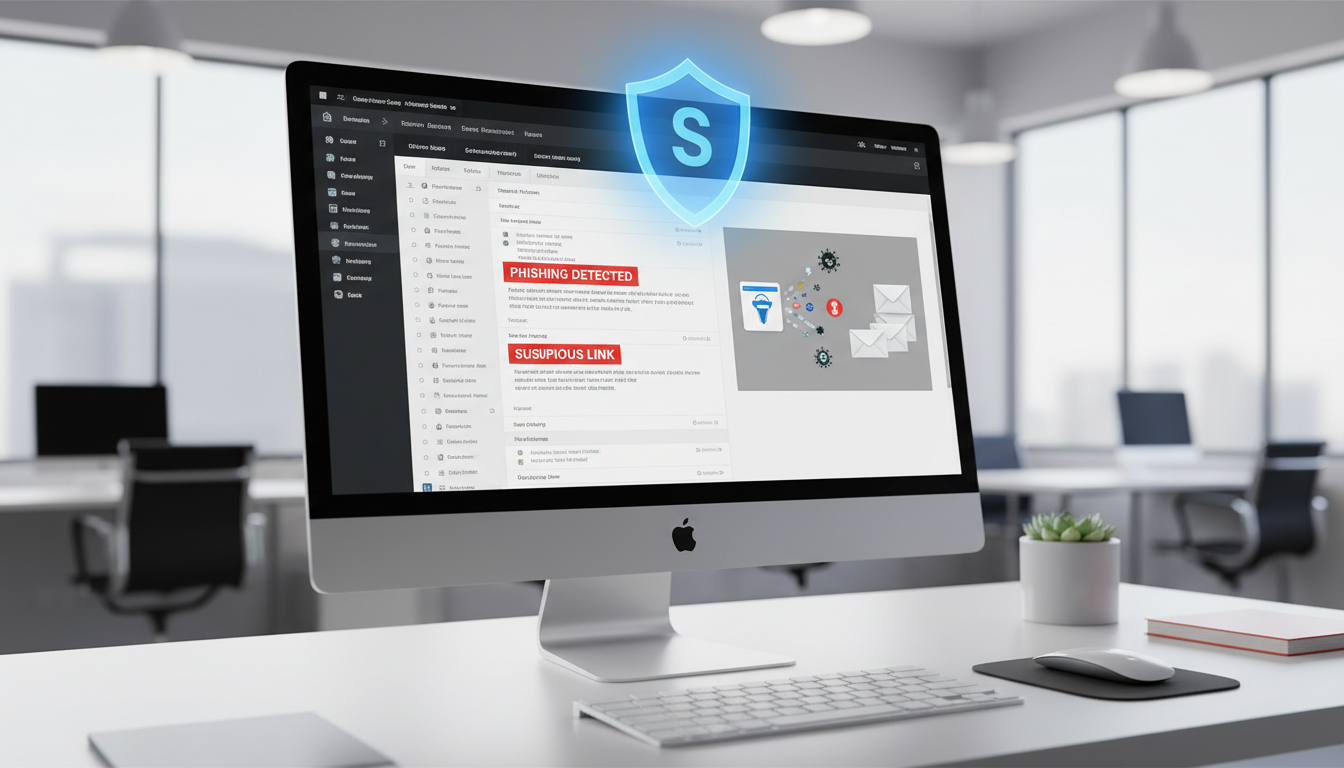
Email remains the primary communication tool for UK businesses of every size - and, consequently, the primary attack vector for cyber criminals. According to the UK Government's Cyber Security Breaches Survey, the vast majority of identified attacks against UK businesses arrive via email, whether as phishing messages, malware-laden attachments, business email compromise attempts, or fraudulent invoice requests.
For small businesses, the threat is particularly acute. Smaller organisations typically have fewer security controls, less staff awareness, and smaller budgets for cyber security - making them attractive targets for attackers who know that a single successful phishing email can yield valuable data, financial transfers, or a foothold for ransomware deployment.
This guide provides a comprehensive overview of email security for UK small businesses, covering the threats you face, the defences available, and a practical roadmap for implementing robust email protection without requiring a specialist security team or an enormous budget.
The Threat Landscape: Understanding Email-Based Attacks
To defend against email threats effectively, you first need to understand the types of attacks you face. Modern email attacks are sophisticated, varied, and increasingly difficult for untrained users to identify.
Phishing
Phishing emails impersonate a trusted entity - a bank, a supplier, a government agency, or a colleague - to trick the recipient into revealing sensitive information, clicking a malicious link, or opening a dangerous attachment. Phishing can be broad and untargeted (sent to thousands of recipients simultaneously) or highly targeted (spear phishing), where the attacker researches their victim and crafts a convincing, personalised message.
Business Email Compromise (BEC)
BEC attacks are among the most financially damaging email threats. The attacker either compromises a legitimate email account or spoofs one to send convincing requests - typically asking for a financial transfer, a change to payment details, or the disclosure of sensitive data. CEO fraud, where an attacker impersonates a senior executive and instructs the finance team to make an urgent payment, is a classic example. UK businesses lost over £50 million to BEC attacks in 2025 alone.
Malware and Ransomware
Malicious attachments - often disguised as invoices, delivery notifications, or shared documents - can install malware on the recipient's device. Ransomware, which encrypts your files and demands payment for the decryption key, is frequently delivered via email. A single employee opening a malicious attachment can compromise your entire network within minutes.
Invoice and Payment Redirect Fraud
A particularly insidious form of email attack targets the payment processes that every business relies upon. In an invoice redirect attack, a criminal intercepts or mimics legitimate email communication between your business and a supplier, then sends a convincing email requesting that future payments be directed to a new bank account - one controlled by the attacker. These emails are often timed to coincide with genuine invoice cycles and may include accurate details about real orders or contracts, making them extremely difficult to identify without robust verification procedures in place.
UK small businesses are especially vulnerable to this type of fraud because payment processes are often handled by a small team or even a single person, with limited segregation of duties or verification steps. The National Fraud Intelligence Bureau has reported a significant increase in invoice redirect fraud targeting UK SMEs, with average losses running into tens of thousands of pounds per incident. Implementing a simple verification policy - such as always confirming bank detail changes via a phone call to a known number, never via the email that requested the change - can prevent these attacks almost entirely.
Beyond individual verification procedures, consider implementing dual-authorisation for any payment above a defined threshold. This means that no single person can authorise a significant payment without a second team member confirming the request. While this adds a small amount of friction to your payment process, it creates a critical checkpoint that has proven highly effective at preventing fraudulent payments from being processed, even when a convincing phishing email has fooled the initial recipient.
Supply Chain Email Attacks
An increasingly prevalent threat that UK small businesses must understand is the supply chain email attack. In this scenario, attackers compromise the email account of one of your suppliers, partners, or professional advisers - such as your accountant, solicitor, or a key vendor - and then use that legitimate, trusted email account to send you convincing messages. Because the email genuinely comes from a known contact's real address, it bypasses many technical controls and is exceptionally difficult for recipients to identify as malicious. The trust relationship between your business and the compromised sender makes these attacks particularly devastating.
Defending against supply chain attacks requires a combination of technical controls (email authentication that detects anomalies in sending patterns), process controls (verbal verification of any change to payment details or sensitive requests), and relationship management (encouraging your suppliers and partners to maintain their own email security to a high standard). Consider including email security requirements in your supplier contracts and conducting periodic reviews of your most critical supplier relationships to identify potential weak links in your communication chain.
The Rising Threat of AI-Generated Phishing
The emergence of sophisticated artificial intelligence tools has fundamentally changed the phishing landscape. Historically, many phishing emails could be identified by poor grammar, awkward phrasing, or generic salutations. AI-generated phishing emails are grammatically flawless, contextually relevant, and can be personalised at scale. Attackers can now use publicly available information - from LinkedIn profiles, company websites, and social media accounts - to craft highly targeted messages that reference genuine projects, colleagues, or recent events within your organisation.
For UK small businesses, this means that traditional advice like look for spelling mistakes is no longer sufficient as a primary defence against sophisticated phishing attempts. Staff must be trained to scrutinise the context and intent of messages, not just their surface appearance. Does this request make sense given our normal processes? Is there unusual urgency? Am I being asked to bypass a standard procedure? These behavioural indicators are far more reliable than linguistic ones in an era where AI can produce polished, convincing text in seconds and tailor it to each individual recipient.
Essential Email Security Controls
Protecting your business email requires a layered approach. No single control is sufficient on its own, but together they create a defence-in-depth that significantly reduces your risk.
1. Email Authentication (SPF, DKIM, DMARC)
These three protocols prevent attackers from sending emails that appear to come from your domain. SPF specifies which mail servers are authorised to send email from your domain. DKIM adds a cryptographic signature to verify the email has not been tampered with. DMARC ties SPF and DKIM together and tells receiving servers what to do with emails that fail authentication. Every UK business should have all three configured, with DMARC at a p=reject policy for maximum protection.
2. Multi-Factor Authentication (MFA)
MFA is the single most effective control against email account compromise. Even if an attacker obtains a user's password through phishing, they cannot access the account without the second authentication factor. MFA should be mandatory for every email account in your organisation, without exception. The Microsoft Authenticator app or a FIDO2 security key are the recommended methods - SMS-based MFA, while better than nothing, is vulnerable to SIM-swapping attacks.
3. Advanced Threat Protection
If you use Microsoft 365, enable Microsoft Defender for Office 365 (formerly Advanced Threat Protection). This provides Safe Attachments (which detonates attachments in a sandbox to detect malware before delivery), Safe Links (which scans URLs in real-time when clicked, protecting against links that are clean at delivery but weaponised later), and anti-phishing policies that use machine learning to detect impersonation attempts. For Google Workspace users, the Advanced Protection Programme provides similar capabilities.
The National Cyber Security Centre (NCSC) provides comprehensive email security guidance for UK organisations. Key recommendations include: implementing SPF, DKIM, and DMARC with a reject policy; using TLS encryption for email in transit; enabling MFA on all email accounts; training staff to recognise phishing; implementing anti-malware scanning for attachments; and using email filtering to block known malicious senders. The NCSC also provides the free Mail Check service for public sector organisations and recommends that private sector businesses use commercial equivalents to monitor their email authentication configuration.
4. Email Filtering and Anti-Spam
A robust email filtering solution should sit between the internet and your mailboxes, scanning every incoming email for spam, phishing, malware, and other threats before it reaches your users. Most business email platforms include built-in filtering, but dedicated third-party solutions like Mimecast, Proofpoint, or Barracuda provide more advanced detection capabilities, particularly for sophisticated phishing and zero-day threats.
5. Data Loss Prevention (DLP)
DLP policies prevent sensitive data from being sent via email - either accidentally or deliberately. You can configure rules that detect and block emails containing credit card numbers, National Insurance numbers, financial data, or other sensitive information. Both Microsoft 365 and Google Workspace include DLP capabilities that can be configured to warn users, require approval, or block outbound emails that match specified data patterns.
| Security Control | Protects Against | Cost (Microsoft 365) | Implementation Difficulty |
|---|---|---|---|
| SPF, DKIM, DMARC | Domain spoofing, impersonation | Free (DNS configuration) | Medium |
| Multi-Factor Authentication | Account compromise, credential theft | Included in all plans | Easy |
| Defender for Office 365 | Phishing, malware, malicious URLs | £1.50–4.20/user/month | Medium |
| Data Loss Prevention | Accidental data exposure | Business Premium+ plans | Medium |
| Email encryption | Interception of sensitive emails | Business Premium+ plans | Easy |
| Conditional Access | Unauthorised device/location access | Business Premium+ plans | Medium–Hard |
| Security Awareness Training | User error, social engineering | £2–5/user/month | Easy |
Zero Trust and Conditional Access for Email
The traditional security model - where anyone inside the corporate network is trusted - is fundamentally inadequate for modern email security. The zero-trust approach assumes that no user, device, or connection should be automatically trusted, even if they are inside your organisation's network. Every access request must be verified based on multiple factors including user identity, device health, location, and the sensitivity of the data being accessed. This shift in mindset is essential for protecting against both external attackers and insider threats.
For email, zero trust translates into Conditional Access policies that control how and when users can access their mailboxes. Microsoft 365 Business Premium and Google Workspace Enterprise both support Conditional Access rules that can block email access from unmanaged personal devices, require re-authentication when accessing email from an unusual location or country, restrict access to email attachments on mobile devices to prevent data leakage, and automatically sign users out after a period of inactivity. These policies create multiple layers of verification that significantly reduce the risk of unauthorised email access, even if an attacker obtains a user's credentials through phishing or credential stuffing.
Implementing Conditional Access does not require an enterprise-level IT department. Most policies can be configured through the Microsoft 365 or Google Workspace admin console in under an hour. Start with the highest-impact, lowest-disruption policies - such as blocking access from countries where your business has no operations - and gradually tighten controls as your team adapts to the new security posture. The goal is to make legitimate access seamless whilst making illegitimate access significantly more difficult for any attacker.
Security Awareness Training
Technology alone cannot protect your business from email threats. Your employees are both your greatest vulnerability and your most valuable defence. A well-trained workforce that can recognise and report phishing attempts is more effective than any single technical control.
Security awareness training should be ongoing, not a one-off annual exercise. The most effective programmes combine regular short training modules (five to ten minutes per month), simulated phishing campaigns that test employees with realistic fake phishing emails, immediate feedback when someone clicks a simulated phishing link, and regular reporting on organisational performance so leadership can see where additional training is needed.
Building a Phishing-Resistant Culture
Effective security awareness goes beyond periodic training sessions and simulated phishing campaigns. It requires building a culture where questioning suspicious communications is encouraged and rewarded, not punished. Employees who report a suspicious email should receive positive reinforcement, even if the email turns out to be legitimate. Conversely, no employee should ever be shamed or disciplined for falling for a simulated phishing email - the purpose of simulations is to identify training needs, not to catch people out. A blame-free reporting culture dramatically increases the likelihood that genuine phishing attempts will be flagged before they cause harm.
Consider appointing security champions within each team or department - individuals who receive additional training and serve as first points of contact when colleagues encounter suspicious communications. These champions create a distributed network of awareness that supplements your formal training programme and provides immediate, accessible guidance when employees are unsure about a message. Security champions also help to normalise security-conscious behaviour within their teams, making it part of everyday working practice rather than an imposed obligation from the IT department.
Regular communication from leadership about the importance of email security reinforces the message that this is a business priority, not just an IT concern. When the managing director or chief executive visibly participates in security training, reports a suspicious email, or communicates about a recent threat, it sends a powerful signal that email security is taken seriously at every level of the organisation. This top-down commitment is one of the strongest predictors of a genuinely security-conscious organisational culture that can withstand sophisticated social engineering attacks.
Incident Response: What to Do When an Attack Succeeds
Despite your best efforts, there is always a possibility that an email attack will succeed. Having a pre-defined incident response plan ensures that you can act quickly to minimise the damage.
If a user clicks a phishing link and enters their credentials, immediately reset the compromised account's password, revoke all active sessions, check for email forwarding rules that the attacker may have created (this is a common persistence technique), review the account's recent sent items and deleted items for signs of misuse, and enable or strengthen MFA if it was not already in place.
If a user opens a malicious attachment, isolate the affected device from the network immediately, do not shut down the device (this may destroy forensic evidence), contact your IT support provider or incident response team, and scan all connected systems for indicators of compromise.
Documenting and Learning from Security Incidents
Every email security incident, whether a near-miss or a successful attack, provides valuable learning opportunities that should be captured and acted upon. Establish a standardised incident documentation process that records what happened, when it was detected, how it was detected, what actions were taken, what the business impact was, and what improvements could prevent a similar incident in future. This documentation serves multiple purposes: it builds institutional knowledge, supports regulatory compliance, and provides evidence of due diligence in the event of a future investigation by the ICO or other regulatory body.
After each incident, conduct a formal lessons-learned review with all relevant stakeholders. Avoid assigning blame - the focus should be on understanding what controls failed or were absent, and what changes would be most effective at preventing recurrence. Common outcomes include updates to filtering rules, additional training on specific attack types, changes to business processes, or investments in new security tools. Tracking these improvements over time demonstrates a mature, continuously improving security posture that regulators and auditors look upon favourably.
Consider maintaining an incident register that tracks all email security events, categorised by type, severity, and outcome. Reviewing this register quarterly reveals patterns and trends that may not be visible from individual incidents - for example, an increasing frequency of BEC attempts targeting your finance team, or a pattern of phishing emails exploiting a specific brand or service. These insights enable you to proactively strengthen your defences in areas of greatest risk, rather than simply reacting to each incident in isolation as it occurs.
Signs of a Secure Email Environment
- SPF, DKIM, and DMARC at p=reject across all domains
- MFA enforced on 100% of email accounts
- Advanced threat protection scanning all inbound email
- Regular security awareness training and phishing simulations
- DLP policies preventing sensitive data leakage
- Incident response plan documented and tested
- Email logs monitored for suspicious activity
Signs of a Vulnerable Email Environment
- No SPF, DKIM, or DMARC records configured
- MFA not enabled or optional for users
- Relying solely on built-in spam filtering
- No security awareness training programme
- No policies around handling suspicious emails
- No incident response plan for email compromise
- Shared passwords or generic email accounts in use
Compliance and Regulatory Requirements
UK businesses have specific regulatory obligations around email security. Under UK GDPR, you must implement appropriate technical and organisational measures to protect personal data - and since email is a primary channel for personal data, this directly requires robust email security. The ICO has taken enforcement action against organisations that suffered data breaches due to inadequate email security, including failures to implement MFA and insufficient phishing protections.
For businesses pursuing Cyber Essentials certification - which is mandatory for government contracts involving sensitive data and increasingly expected by private sector clients - email security controls including anti-malware, access controls, and patch management are assessed as part of the scheme. Cyber Essentials Plus, the higher-level certification, includes a technical audit that specifically tests email security by sending simulated malicious emails to the organisation's users.
Article 32 of UK GDPR requires that organisations implement appropriate technical and organisational measures to ensure a level of security appropriate to the risk. For email, this means: encryption of personal data in transit (TLS), access controls including MFA, regular testing and evaluation of security measures, the ability to restore availability and access to personal data promptly in the event of an incident, and a process for regularly reviewing the effectiveness of these measures. Failure to comply can result in fines of up to £17.5 million or 4% of global turnover - a potentially catastrophic sum for any small business.
Industry-Specific Email Security Requirements
Beyond the general requirements of UK GDPR and Cyber Essentials, many industries have sector-specific regulations that impose additional email security obligations. Financial services firms regulated by the FCA must comply with operational resilience requirements that include email system availability and data protection. Healthcare organisations handling NHS data must meet the Data Security and Protection Toolkit standards, which include specific controls around email security and the protection of patient information in transit. Legal firms face particular scrutiny from the Solicitors Regulation Authority regarding the protection of confidential client communications.
Accounting practices, similarly, must protect client financial data in accordance with both GDPR and the ethical standards set by their professional bodies. For businesses in these regulated sectors, email security is not merely a best practice but a professional and legal obligation, with potential consequences ranging from regulatory fines to the loss of professional accreditation. The reputational damage from a publicised email breach in a trust-dependent sector such as law or finance can be even more costly than the regulatory penalties themselves.
If your business operates in a regulated sector, it is worth engaging with a specialist IT security provider who understands the specific requirements of your industry. A generic email security setup may meet basic standards but fall short of the sector-specific controls that regulators expect to see. A provider with experience in your industry can help you implement controls that satisfy your regulatory obligations while remaining practical and proportionate for a small business, avoiding both under-investment that leaves you exposed and over-investment in controls that exceed your actual risk profile.
Building Your Email Security Roadmap
Implementing comprehensive email security does not need to happen overnight. A phased approach allows you to make immediate improvements to your most critical vulnerabilities while building towards a fully secure email environment over time.
Month One (Quick Wins): Enable MFA on all email accounts. Configure SPF if not already in place. Review and remove any unnecessary email forwarding rules. Ensure anti-malware scanning is enabled on your email platform.
Month Two (Authentication): Configure DKIM for all email-sending services. Publish a DMARC record with p=none and begin monitoring reports. Review your email platform's security settings and enable all available protections.
Month Three (Advanced Protection): Enable advanced threat protection (Defender for Office 365 or equivalent). Begin security awareness training for all staff. Move DMARC to p=quarantine.
Month Four and Beyond (Continuous Improvement): Move DMARC to p=reject. Implement DLP policies for sensitive data. Conduct regular simulated phishing campaigns. Review and update policies quarterly. Consider pursuing Cyber Essentials certification to validate your security posture externally.
Measuring Your Email Security Maturity
As your email security programme matures, it becomes important to measure its effectiveness objectively rather than simply assuming that having controls in place equates to being secure. Establish key performance indicators that track the metrics most relevant to your security posture: the percentage of email accounts with MFA enabled, the phishing simulation click rate over time, the average time to detect and respond to a suspected compromise, the number of incidents per quarter, and the DMARC compliance rate for your domains. Tracking these metrics monthly or quarterly provides a clear picture of whether your security is improving, stagnating, or declining.
Benchmark your metrics against industry standards where possible. The NCSC publishes guidance on expected security maturity levels for UK organisations, and many industry bodies provide sector-specific benchmarks. If your phishing simulation click rate is fifteen per cent and the industry average for businesses with a mature training programme is under five per cent, that gap highlights an area requiring immediate attention. Conversely, if your DMARC compliance is at one hundred per cent with a reject policy, you can be confident that your domain authentication is operating at the highest standard available.
Consider conducting an annual external email security assessment, where an independent specialist tests your defences by simulating realistic attack scenarios against your organisation. This provides an objective, third-party view of your security posture that internal metrics alone cannot deliver. The findings from these assessments typically identify blind spots and weaknesses that are invisible from the inside, and the resulting recommendations provide a clear and prioritised roadmap for the year ahead. For UK small businesses, this investment - typically costing a few hundred to a few thousand pounds - provides valuable assurance and often identifies quick wins that more than justify the expense.
Protect Your Business Email
Cloudswitched provides comprehensive email security for UK small businesses, from initial configuration of SPF, DKIM, and DMARC through to advanced threat protection, security awareness training, and ongoing monitoring. Do not wait for an attack to expose your vulnerabilities.
Explore Cloud Email Solutions
CloudSwitched
London-based managed IT services provider offering support, cloud solutions and cybersecurity for SMEs.


