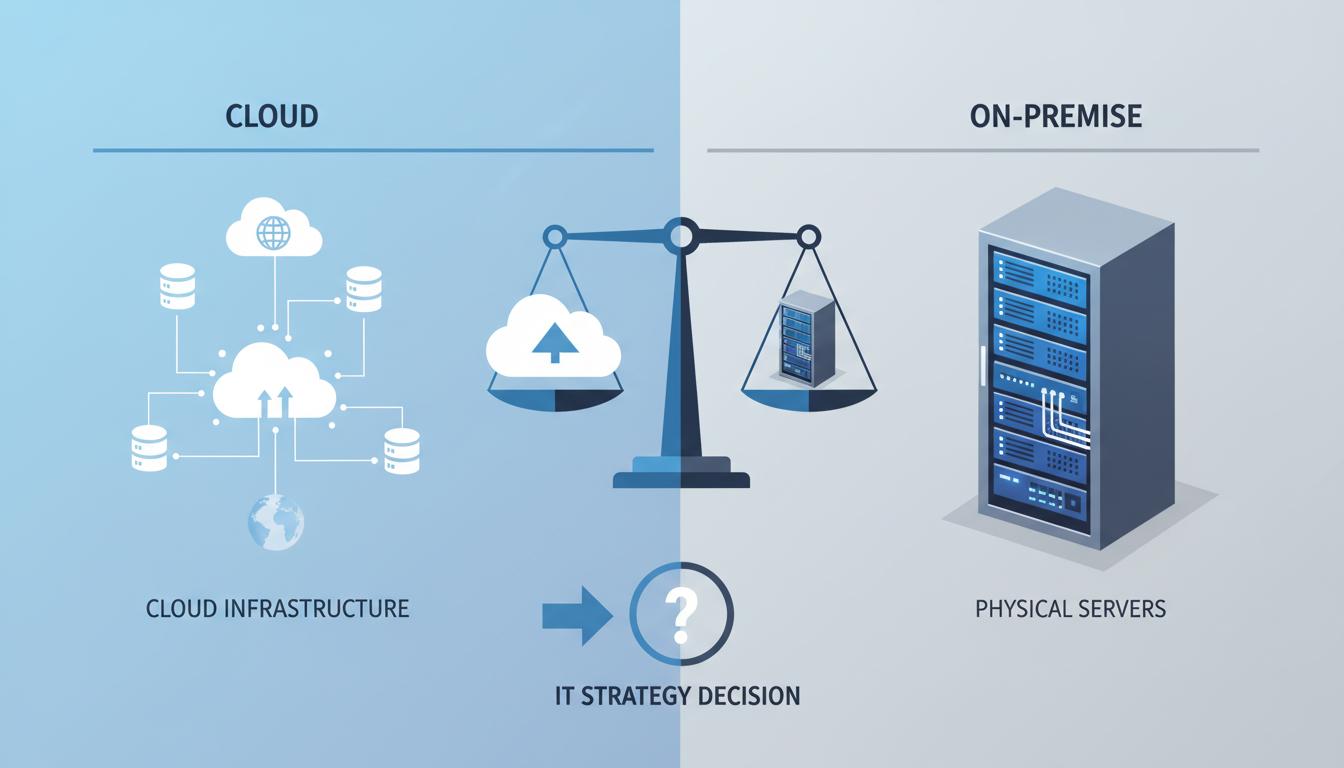
The decision between cloud infrastructure and on-premises servers is one of the most consequential technology choices a UK business can make. It affects your capital expenditure, operational costs, security posture, compliance obligations, scalability, and ability to innovate. Yet too often, this decision is driven by vendor marketing or industry trends rather than a rigorous evaluation of what actually suits your organisation's needs.
This guide provides a structured framework for evaluating cloud versus on-premises infrastructure. We cover the financial models, technical considerations, security implications, and compliance factors that UK businesses must weigh. The answer is rarely a binary choice - most organisations end up with a hybrid approach - but understanding the trade-offs is essential for making informed decisions.
The Financial Reality: CapEx vs OpEx
The most commonly discussed difference between cloud and on-premises is the financial model. On-premises infrastructure is a capital expenditure (CapEx) model: you purchase hardware, pay for installation, and depreciate the asset over three to five years. Cloud infrastructure is an operational expenditure (OpEx) model: you pay monthly or hourly for the resources you consume.
However, the financial comparison is more nuanced than it first appears.
On-premises true costs extend well beyond the hardware purchase price. You must account for data centre space (whether owned or co-located), power and cooling, network connectivity, hardware maintenance contracts, operating system and software licences, backup infrastructure, disaster recovery provisions, and the staff required to manage it all. Many organisations underestimate these "hidden" costs by 40–60%.
Cloud true costs also extend beyond the headline compute pricing. Data egress charges, premium support tiers, reserved instance commitments, storage costs that grow with data accumulation, and the licensing implications of bringing existing software to the cloud all add up. Cloud cost management is an ongoing discipline, not a one-time calculation.
On-Premises Costs
Cloud Costs
The Five-Year Total Cost of Ownership
A meaningful financial comparison requires a five-year total cost of ownership (TCO) analysis. This timeframe captures a full hardware lifecycle for on-premises and provides enough data to account for cloud cost variability.
Your TCO analysis should include the following cost categories:
| Cost Category | On-Premises | Cloud |
|---|---|---|
| Hardware / Compute | Server purchase, storage arrays, networking | VM instances, managed services |
| Software Licences | OS, database, management tools | Included or separate licensing |
| Facilities | Rack space, power, cooling, physical security | Not applicable |
| Networking | WAN links, load balancers, firewalls | VPN, ExpressRoute, egress charges |
| Staff | Server admins, storage admins, network engineers | Cloud engineers (potentially fewer) |
| Backup & DR | Backup hardware, off-site storage, DR site | Azure Backup, geo-replication |
| Maintenance | Hardware warranties, parts replacement | Included in service pricing |
For most UK SMEs with variable or growing workloads, cloud infrastructure delivers a lower TCO over five years. However, for organisations with stable, high-utilisation workloads that have already invested in data centre facilities, on-premises can be more economical - particularly when using Azure Hybrid Benefit to reduce cloud licensing costs if you do choose to migrate later.
The five-year TCO comparison becomes even more revealing when you factor in the opportunity cost of capital. Money invested in server hardware is locked into a depreciating asset that generates no return beyond its operational function. The same capital deployed elsewhere in the business - in sales, marketing, product development, or market expansion - could generate significantly higher returns. For growing UK businesses, this opportunity cost is often the most compelling financial argument for cloud adoption, even when the raw TCO numbers are comparable between the two approaches.
It is also important to consider the impact of technology refresh cycles on your TCO calculation. On-premises hardware typically requires replacement every three to five years, creating periodic capital spikes that can strain budgets. Cloud infrastructure eliminates these refresh cycles entirely - the provider continuously upgrades the underlying hardware, and your workloads benefit automatically. This smoothing of expenditure is particularly valuable for organisations with limited capital budgets or those seeking more predictable financial planning.
Scalability and Agility
Cloud infrastructure offers a fundamental advantage in scalability and agility that on-premises simply cannot match.
Cloud scalability is near-instantaneous. Need twice the compute capacity for a product launch? Add instances in minutes. Experiencing a traffic spike? Auto-scaling adds capacity automatically and removes it when demand subsides. This elasticity means you never need to over-provision for peak demand or suffer degraded performance during unexpected load.
On-premises scalability is measured in weeks or months. Ordering, shipping, racking, and configuring new hardware takes time. This means you must forecast capacity needs well in advance and either over-provision (wasting capital) or under-provision (risking performance issues). For organisations with predictable, steady workloads, this is manageable. For organisations experiencing growth or seasonal variation, it is a significant constraint.
Development agility is dramatically different between the two models. Cloud environments can be provisioned in minutes using Infrastructure as Code, enabling development teams to create, test, and tear down environments on demand. On-premises environments require procurement approvals, hardware availability, and manual provisioning - a process that can take weeks and directly slows your development velocity.
Even if your production workloads remain on-premises, consider using cloud infrastructure for development and testing environments. This "hybrid by purpose" approach gives your development teams the agility of cloud whilst keeping production data in your data centre. It is a low-risk way to begin your cloud journey.
Security: Dispelling the Myths
Security concerns are frequently cited as a reason to remain on-premises. The assumption - "my data is more secure in my own data centre" - is often incorrect, but the reality is nuanced.
Cloud security advantages: Major cloud providers invest billions annually in security infrastructure, employ dedicated security research teams, and maintain compliance certifications that most individual organisations could never afford. Physical security at Azure data centres exceeds what all but the most security-conscious organisations achieve. Security patching, firmware updates, and infrastructure hardening are handled automatically.
On-premises security advantages: You have complete control over your security configuration. There is no shared infrastructure with other tenants. Your data never traverses the public internet (unless you choose to expose it). For organisations with very specific security requirements or those operating in highly classified environments, this control is essential.
The reality: Most security breaches result from misconfigurations, unpatched systems, weak credentials, and human error - not from fundamental infrastructure weaknesses. These risks exist in both cloud and on-premises environments. The question is not which platform is inherently more secure, but which platform your organisation can secure more effectively given your resources and expertise.
Compliance and Data Sovereignty
For UK organisations subject to regulatory requirements, compliance is a critical factor in the cloud vs on-premises decision.
UK GDPR requires that personal data is processed in accordance with the regulation, with appropriate technical and organisational measures. Both cloud and on-premises can satisfy these requirements - the key is proper implementation. Azure's UK data centre regions ensure data residency within the UK, and Microsoft's compliance certifications provide evidence of appropriate security measures at the platform level.
Sector-specific regulations may impose additional constraints. Financial services organisations regulated by the FCA must comply with outsourcing requirements when using cloud services. Healthcare organisations must satisfy the NHS DSPT. Government organisations may need to meet specific classification requirements. In most cases, major cloud providers have obtained the necessary certifications, but your organisation must still configure and operate the environment compliantly.
Data sovereignty concerns are particularly relevant post-Brexit. UK organisations must ensure that data transfers outside the UK comply with UK GDPR requirements, including the use of approved transfer mechanisms. Azure's UK regions and Microsoft's data processing agreements address many of these concerns, but organisations must still conduct due diligence.
On-premises does not automatically mean compliant. Many on-premises environments have unpatched systems, weak access controls, inadequate monitoring, and undocumented configurations. A well-configured cloud environment is often more compliant than a poorly managed on-premises one. Compliance depends on how you manage the environment, not where it is located.
Reliability and Disaster Recovery
Business continuity is a critical consideration for any infrastructure decision.
Cloud reliability benefits from the massive scale of the provider's infrastructure. Azure offers SLAs ranging from 99.9% to 99.999% depending on the service and configuration. Built-in features such as availability zones, geo-replication, and automatic failover provide resilience that would be extremely expensive to replicate on-premises. However, cloud outages do occur - they are typically well-communicated and resolved quickly, but they are outside your control.
On-premises reliability is entirely within your control, which is both an advantage and a responsibility. You can design for exactly the level of redundancy your business requires. However, achieving the equivalent of Azure's multi-region redundancy requires significant investment in multiple data centre locations, network connectivity, and failover automation.
Disaster recovery is where cloud infrastructure provides a compelling advantage. Replicating your environment to a secondary Azure region is relatively straightforward and cost-effective - you pay for storage and a minimal compute footprint until a disaster occurs. Achieving equivalent DR with on-premises infrastructure requires a secondary data centre site, duplicate hardware, network connectivity, and complex replication configuration.
The chart above summarises the relative cost advantage of cloud versus on-premises infrastructure across common workload categories. For workloads with variable demand, development and testing environments, and disaster recovery scenarios, cloud infrastructure typically delivers significant cost savings. Conversely, workloads with sustained high utilisation and legacy applications that are expensive to migrate may be more economical to retain on-premises. These figures represent typical UK mid-market scenarios and will vary based on your specific circumstances.
The Hybrid Approach: Best of Both Worlds
For most UK organisations, the optimal solution is not purely cloud or purely on-premises - it is a thoughtful hybrid approach that places each workload in the environment where it runs best.
Workloads suited to cloud:
- Applications with variable or unpredictable demand
- Development and testing environments
- Disaster recovery and backup targets
- New applications being developed with cloud-native architectures
- Collaboration and productivity tools (Microsoft 365)
- Customer-facing web applications and APIs
Workloads suited to on-premises:
- Applications with strict data sovereignty requirements that cannot be met by cloud regions
- Legacy applications with dependencies that are difficult to migrate
- Workloads with sustained, predictable high utilisation
- Systems requiring ultra-low latency to local users or devices
- Applications in highly classified government environments
A Framework for Decision-Making
For each workload, evaluate the following criteria to determine the most appropriate hosting environment:
For each criterion, score the workload on a scale that indicates whether cloud or on-premises is more appropriate. The aggregate score provides a data-driven recommendation, though qualitative factors (team skills, strategic direction, existing investments) should also influence the final decision.
When designing a hybrid architecture, it is essential to plan the interconnection between cloud and on-premises environments carefully. Azure ExpressRoute and AWS Direct Connect provide dedicated private connections that bypass the public internet, delivering lower latency and more consistent performance for hybrid workloads. These connections also reduce data egress costs for organisations that transfer large volumes of data between environments. For UK businesses, both services offer London-based connection points, minimising the physical distance and therefore the latency of the interconnection.
Identity and access management across hybrid environments deserves particular attention. Maintaining separate identity systems for cloud and on-premises creates security gaps and administrative overhead. Azure Active Directory can extend your on-premises Active Directory to the cloud, providing single sign-on and consistent access policies across both environments. This unified identity approach simplifies user management, strengthens security, and reduces the friction that employees experience when moving between cloud and on-premises applications throughout their working day.
Common Evaluation Mistakes
Our experience helping UK organisations with this decision has revealed several recurring evaluation errors:
Comparing only compute costs. Organisations frequently compare the price of a cloud VM to the price of a physical server, ignoring the full cost of on-premises infrastructure. This leads to a conclusion that cloud is significantly more expensive, when a comprehensive TCO analysis often tells a different story.
Assuming cloud is always cheaper. Conversely, some organisations assume cloud will automatically save money. For stable, high-utilisation workloads with existing data centre facilities, on-premises can be more economical. The financial case depends entirely on your specific workload profile.
Ignoring the migration cost. The cost of migrating from on-premises to cloud - application refactoring, data transfer, staff retraining, parallel running - can be substantial. This cost must be included in your financial analysis and amortised over the comparison period.
Overweighting security concerns. Security concerns are legitimate but are frequently overstated. Evaluate your actual security risks and capabilities rather than relying on assumptions about cloud security. For most organisations, a well-configured cloud environment is more secure than their current on-premises setup.
Making a binary decision. The choice is not cloud or on-premises - it is which workloads go where. A nuanced, workload-by-workload evaluation produces better outcomes than a wholesale migration in either direction.
Another frequently encountered error is failing to account for the skills transition required when moving to cloud infrastructure. Your existing IT team may have deep expertise in managing physical infrastructure - server hardware, storage arrays, network switches - but lack experience with cloud-native services, Infrastructure as Code, and cloud security models. Investing in training or hiring cloud-skilled staff is a necessary component of any migration plan, and the associated costs should be included in your financial analysis. Many UK organisations underestimate this skills gap, leading to suboptimal cloud configurations and higher-than-expected operational costs during the initial transition period.
Before embarking on a formal evaluation, it is valuable to understand the common patterns that emerge when UK organisations complete this analysis. In our experience, businesses with fewer than 50 employees and limited IT staff almost always benefit from a predominantly cloud-based approach, as the operational burden of on-premises infrastructure is disproportionately high relative to their resources. Mid-sized organisations with 50 to 500 employees typically benefit from a hybrid model, retaining specific workloads on-premises whilst leveraging cloud for scalability, disaster recovery, and new development. Larger enterprises with established data centre investments and dedicated infrastructure teams have the most nuanced decision to make, often running sophisticated hybrid environments with workload placement driven by detailed per-application analysis.
Steps to a Sound Decision
- Inventory your workloads - create a comprehensive list of all applications, databases, and services, with their current resource utilisation, growth trajectory, and business criticality.
- Classify each workload - assess data sensitivity, compliance requirements, performance needs, scalability requirements, and migration complexity.
- Calculate the TCO for each scenario - build detailed five-year cost models for cloud, on-premises, and hybrid options for each workload category.
- Assess organisational readiness - evaluate your team's cloud skills, your governance maturity, and your operational processes.
- Define your target architecture - determine which workloads belong in cloud, on-premises, or a hybrid configuration, with clear justification for each decision.
- Plan the transition - develop a phased migration roadmap that minimises risk and disruption, with clear milestones and success criteria.
- Establish governance - implement cost management, security policies, and operational procedures for your chosen environment.
Need Help Evaluating Your Infrastructure Options?
Our consultants provide objective, vendor-neutral assessments to help UK businesses determine the right mix of cloud and on-premises infrastructure. We deliver comprehensive TCO analyses, risk assessments, and migration roadmaps tailored to your organisation's specific needs.
Explore Virtual CIO Services
CloudSwitched
London-based managed IT services provider offering support, cloud solutions and cybersecurity for SMEs.


