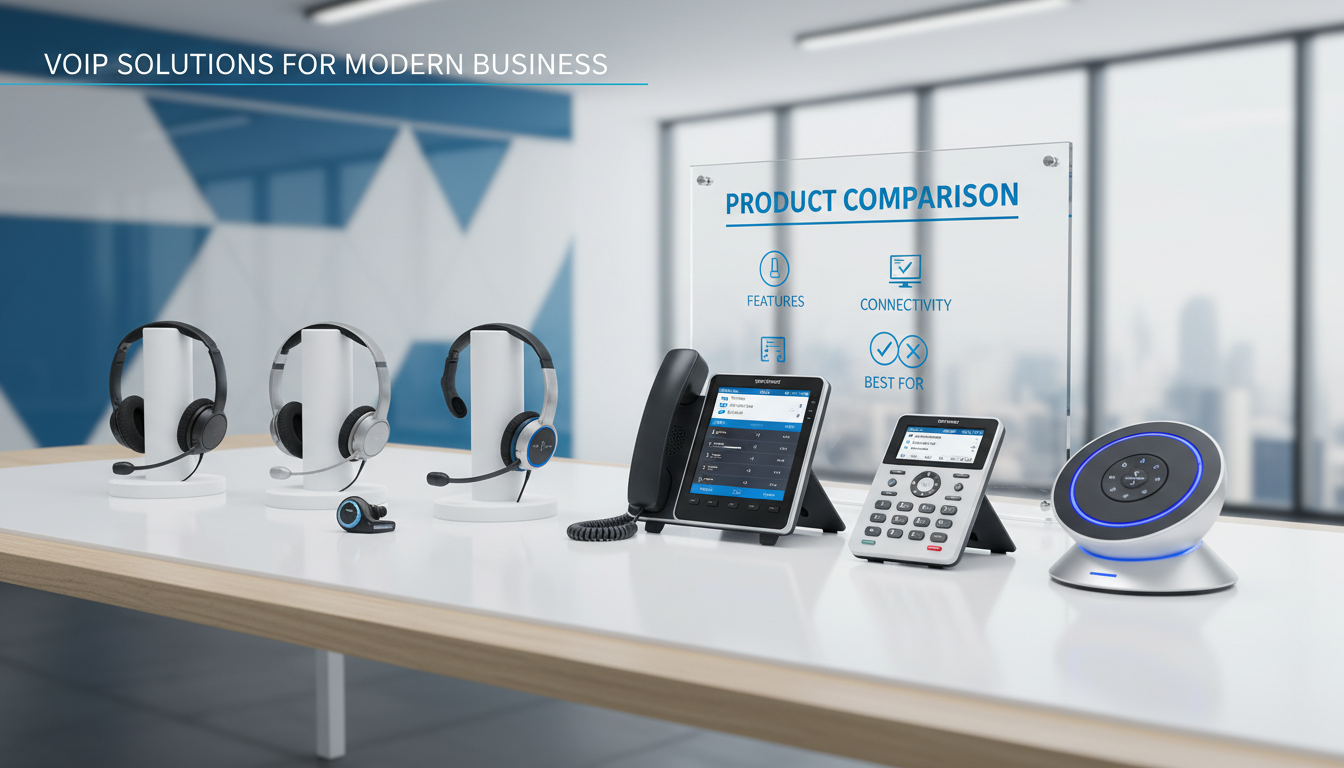
Switching to VoIP is only half the battle. The other half - the half that determines whether your team actually enjoys using the system - is choosing the right headsets and hardware to go with it. A crystal-clear VoIP platform paired with a £15 headset from a bargain bin is like buying a luxury car and fitting it with bicycle tyres. The experience will be underwhelming, your staff will complain, and your clients will notice.
For UK businesses making the move to hosted VoIP or upgrading an existing setup, the hardware decisions can feel overwhelming. Wired or wireless? USB or Bluetooth? Desk phones or softphones? Speakerphones or video bars for the boardroom? And with dozens of brands competing for attention - Poly, Jabra, Yealink, EPOS, Cisco - how do you know which kit is actually worth the investment?
This guide cuts through the noise. We’ll walk you through every category of VoIP hardware, explain what matters for different roles in your business, cover UK pricing ranges, and help you make confident purchasing decisions that your team will thank you for.
Why VoIP Hardware Matters More Than You Think
It is tempting to treat headsets and peripherals as an afterthought - a minor line item compared to the cost of your VoIP platform licence. But the hardware is the point of contact between your team and your callers. Every conversation, every sales pitch, every support call, and every board meeting flows through these devices. When the hardware is poor, the entire VoIP investment is undermined.
Common complaints we hear from UK businesses that skimped on hardware include echo on calls, background noise bleeding through, headsets that become uncomfortable after an hour, wireless devices that drop connection mid-conversation, and equipment that simply refuses to work reliably with their chosen VoIP platform. All of these problems are avoidable with the right purchasing decisions upfront.
The good news is that VoIP hardware has improved dramatically in recent years. Noise cancellation technology that was once reserved for £300+ premium headsets is now available in the £80–£150 range. Wireless range has extended well beyond the desk. And platform compatibility has become far more standardised, with most major brands now certified for Microsoft Teams, Zoom, and other popular platforms.
Types of VoIP Headsets: A Complete Breakdown
Before diving into specific products or brands, it is essential to understand the four main categories of VoIP headsets and where each one excels. The right type depends on your team’s working environment, mobility needs, and the nature of their calls.
Wired USB Headsets
The workhorse of the VoIP world. Wired USB headsets plug directly into your computer and draw power from the USB connection, meaning there is no battery to charge and no wireless interference to worry about. They offer consistently reliable audio quality and are the most cost-effective option for teams that spend most of their time at a fixed desk.
Best for: Call centre agents, reception staff, finance teams, and anyone who remains at their desk for the majority of the working day. Also ideal for hot-desking environments where staff plug in and go.
UK price range: £30–£120 for professional-grade models
Wireless DECT Headsets
DECT (Digital Enhanced Cordless Telecommunications) headsets use a dedicated wireless frequency that is separate from your Wi-Fi network, which means they do not compete for bandwidth and offer exceptional audio stability. They typically provide a wireless range of 30–50 metres indoors, allowing users to walk around the office while on a call.
Best for: Office managers, executives, and anyone who needs to move between rooms or walk to a colleague’s desk while maintaining a call. Particularly popular in open-plan offices where staff need the freedom to step into a quiet area for important conversations.
UK price range: £100–£280 depending on range and features
Bluetooth Headsets
Bluetooth headsets offer the flexibility of pairing with multiple devices - your laptop, your mobile phone, and sometimes your desk phone simultaneously. This multi-device connectivity makes them popular with staff who regularly switch between devices throughout the day. However, Bluetooth typically offers a shorter wireless range (around 10–15 metres) and can occasionally be affected by interference from other wireless devices.
Best for: Sales teams, field-based staff who split time between office and mobile, executives who need seamless switching between laptop and smartphone, and hybrid workers who use the same headset at home and in the office.
UK price range: £70–£250 for business-grade models
Dual-Connectivity Headsets (DECT + Bluetooth)
The premium option that combines the stability of DECT for desk-based VoIP calls with the flexibility of Bluetooth for mobile devices. These headsets can connect to your computer via a DECT dongle and simultaneously pair with your smartphone via Bluetooth, giving you the best of both worlds.
Best for: Directors, senior managers, and anyone who needs to handle both desk-based VoIP calls and mobile calls without switching headsets. Particularly valuable for executives who attend back-to-back calls on different platforms.
UK price range: £180–£350 for professional models
Wireless (DECT/Bluetooth)
Wired USB
Desk Phones vs Softphones: Do You Still Need Physical Handsets?
One of the biggest decisions in any VoIP deployment is whether to invest in physical desk phones or rely entirely on softphone applications running on laptops and desktops. The answer is rarely all-or-nothing - most UK businesses benefit from a hybrid approach.
When Desk Phones Still Make Sense
Physical VoIP desk phones are far from obsolete. Modern IP phones from brands like Yealink, Poly, and Cisco offer touchscreen displays, built-in Bluetooth, integrated Wi-Fi, and superb audio quality. They are purpose-built for voice communication, which means they deliver a level of reliability and audio clarity that is difficult to match with a software-based solution running on a general-purpose computer.
Desk phones are particularly valuable for reception desks where staff need to handle high call volumes with features like line keys, BLF (Busy Lamp Field) indicators, and one-touch transfer. They are also popular in meeting rooms and executive offices where a dedicated phone provides a professional, always-ready communication point without needing to open a laptop.
Popular UK desk phone models and prices:
| Model | Type | Best For | UK Price (ex. VAT) |
|---|---|---|---|
| Yealink T33G | Entry-level IP phone | General office use, hot desks | £55–£70 |
| Yealink T46U | Mid-range colour screen | Managers, team leads | £110–£140 |
| Yealink T58W | Premium smart media phone | Executives, directors | £200–£250 |
| Poly VVX 250 | Mid-range colour screen | General office, reception | £90–£120 |
| Poly VVX 450 | High-end 12-line phone | Reception, call-heavy roles | £150–£190 |
| Cisco IP Phone 8845 | Video-capable desk phone | Executives, video-first offices | £220–£300 |
When Softphones Are the Better Choice
Softphones - VoIP applications that run on your computer or mobile - have become the default choice for many UK businesses, particularly those with hybrid or remote workforces. Platforms like Microsoft Teams, Zoom Phone, 3CX, and RingCentral all include softphone functionality, allowing staff to make and receive calls from any device with an internet connection.
The key advantage is flexibility. A softphone works wherever your laptop works - at home, in the office, at a client site, or in a coffee shop. There is no hardware to maintain, no desk to be tethered to, and no additional cost beyond the platform licence and a good headset.
For most UK SMEs with hybrid teams, the optimal setup is softphones for the majority of staff paired with desk phones for reception and any role that handles 50+ calls per day. This gives you flexibility where it matters and reliability where call volume demands it. Budget accordingly: £80–£180 per person for a quality headset, plus £55–£250 per desk phone where needed.
Conference Room Hardware: Speakerphones, Video Bars, and Room Systems
Individual headsets are only part of the picture. Meeting rooms, huddle spaces, and boardrooms each need their own audio and video hardware to support group VoIP calls, video conferences, and hybrid meetings where some participants are remote.
USB and Bluetooth Speakerphones
A speakerphone is the simplest way to enable group calls in a small meeting room or huddle space. Modern USB/Bluetooth speakerphones from Jabra, Poly, and EPOS deliver remarkably clear audio for groups of 2–8 people, with built-in microphone arrays that pick up voices from around the table and noise-cancelling technology that suppresses background noise.
Top picks for UK businesses:
| Device | Room Size | Key Features | UK Price (ex. VAT) |
|---|---|---|---|
| Jabra Speak 510 | 2–4 people | USB + Bluetooth, portable, 15-hour battery | £90–£110 |
| Jabra Speak 750 | 4–8 people | Full duplex audio, linkable for larger rooms | £200–£250 |
| Poly Sync 20 | 2–4 people | Smart mic, USB-C + Bluetooth, portable | £100–£130 |
| Poly Sync 60 | 6–12 people | Three mic arrays, IP54 rated, daisy-chainable | £350–£420 |
| EPOS Expand 80 | 6–10 people | Adaptive beamforming, echo cancellation | £300–£380 |
Video Bars and All-in-One Room Systems
For meeting rooms where video conferencing is a regular occurrence, an all-in-one video bar combines camera, microphone, and speaker into a single device that mounts below or above your display. These devices are increasingly popular in UK offices because they dramatically simplify room setup while delivering professional-quality video and audio.
Leading video bar options:
| Device | Room Size | Key Features | UK Price (ex. VAT) |
|---|---|---|---|
| Poly Studio | Small–medium (up to 8) | 4K camera, auto-framing, NoiseBlockAI | £550–£700 |
| Jabra PanaCast 50 | Medium (up to 10) | 180° panoramic view, Whiteboard mode, AI | £700–£900 |
| Yealink MeetingBar A20 | Small–medium (up to 8) | Built-in Teams/Zoom, dual screen support | £800–£1,000 |
| Poly Studio X50 | Medium–large (up to 14) | Built-in Teams/Zoom, Director AI camera | £1,800–£2,200 |
| Cisco Room Bar | Medium (up to 10) | AI noise removal, people focus, Webex native | £2,000–£2,800 |
Before investing in meeting room hardware, confirm compatibility with your VoIP and video conferencing platforms. A £2,000 video bar that is not certified for your platform can deliver a worse experience than a £100 speakerphone that is. Always check the manufacturer’s certification list for Microsoft Teams, Zoom, Webex, or whichever platform your business uses. Certification matters because it ensures features like call controls, presence indicators, and firmware updates work correctly.
Choosing by Role: Hardware Recommendations for Every Position
One of the most common mistakes UK businesses make is issuing the same headset to every member of staff. A receptionist handling 80+ calls per day has fundamentally different needs to a software developer who joins two video meetings per week. Matching hardware to role is the single most effective way to maximise both satisfaction and return on investment.
Reception and Front Desk
Reception staff need speed, reliability, and comfort. They handle the highest call volumes in the business, frequently transfer calls, and need to sound professional on every single one. A wired USB headset with a noise-cancelling microphone is typically the best choice - no battery to die mid-call, no wireless interference, and a lightweight design that stays comfortable for eight hours.
Recommended: Jabra Biz 2300 USB (£60–£80) or Poly EncorePro 520 (£70–£95). Pair with a Yealink T46U or Poly VVX 450 desk phone for dedicated line keys and BLF monitoring.
Sales Teams
Sales staff need mobility and multi-device flexibility. They switch between laptop calls, mobile conversations, and CRM-based dialling throughout the day. A wireless Bluetooth headset that pairs with both their laptop and smartphone is essential, with a boom microphone that ensures their voice comes through clearly even from a busy sales floor.
Recommended: Jabra Evolve2 65 (£140–£180) or Poly Voyager Focus 2 (£160–£200). The active noise cancellation on both models helps sales staff concentrate in open-plan environments.
Call Centre and Support Agents
For teams spending 6–8 hours per day on calls, comfort is non-negotiable. Look for headsets with memory foam ear cushions, adjustable headbands, and ultra-lightweight designs. A noise-cancelling boom microphone is critical to ensure callers hear the agent clearly, not the person at the next desk.
Recommended: EPOS Impact SC 260 USB (£70–£90) or Jabra Biz 2400 II (£90–£120). Both are designed specifically for all-day wear in contact centre environments.
Executives and Directors
Executives prioritise premium audio quality, aesthetics, and seamless multi-device connectivity. They attend board calls, client meetings, and confidential conversations where audio clarity and discretion are paramount. A dual-connectivity (DECT + Bluetooth) headset with active noise cancellation is the standard choice.
Recommended: Jabra Evolve2 85 (£250–£300) or Poly Voyager Surround 85 (£280–£350). Both offer premium build quality, industry-leading ANC, and the polished appearance expected in an executive setting.
Hybrid and Remote Workers
Staff who split time between home and office need a headset that travels well and works everywhere. Portability, battery life, and the ability to pair with personal and work devices are key considerations. A foldable design with a carrying case is a practical bonus.
Recommended: Jabra Evolve2 55 (£120–£150) or EPOS Adapt 561 (£130–£170). Both are lightweight, foldable, and offer excellent battery life for a full working day away from a charger.
Noise Cancellation: What to Look For
Noise cancellation has become the most important feature in VoIP headsets for UK offices, driven by the prevalence of open-plan layouts and hybrid working. But not all noise cancellation is created equal, and understanding the different types will help you make a more informed choice.
Passive Noise Isolation
This is the physical blocking of sound achieved by the headset’s ear cushions forming a seal around or over the ear. Over-ear headsets with thick memory foam cushions provide the best passive isolation. It costs nothing extra and is effective against general background noise, but it does nothing to cancel out specific frequencies like voices or traffic.
Active Noise Cancellation (ANC)
ANC uses built-in microphones to detect external sound and generates an inverse sound wave to cancel it out. This technology is remarkably effective against consistent, low-frequency noise like air conditioning, traffic hum, and office ventilation. Premium ANC headsets can reduce background noise by 25–35 dB, which is the difference between a noisy open-plan office and near-silence.
Microphone Noise Cancellation
This is arguably more important than what you hear - it determines what callers hear. Advanced boom microphones with multiple noise-cancelling elements ensure that your voice comes through clearly while ambient noise is suppressed. Look for headsets that specify “noise-cancelling microphone” as a distinct feature, not just noise-cancelling speakers.
When evaluating headsets, test the microphone noise cancellation, not just the speaker ANC. Many headsets offer excellent noise cancellation for the wearer but transmit every surrounding conversation to the caller. Ask your supplier for a demonstration call from a noisy environment to test both sides of the audio experience.
Comfort for All-Day Use: Features That Matter
Any headset feels comfortable for the first 30 minutes. The true test is how it feels at 3pm after five hours of continuous wear. For staff who spend significant time on calls, comfort directly affects productivity, concentration, and even staff retention. Here are the features that make the difference.
A quick note on mono versus stereo: reception and call centre staff often prefer mono (single-ear) headsets so they can remain aware of their surroundings and hear colleagues. Knowledge workers and executives typically prefer stereo (dual-ear) headsets for immersive audio and better noise isolation during focused calls.
Platform Compatibility: Getting It Right First Time
Not every headset works flawlessly with every VoIP platform. While most modern business headsets will function at a basic level with any platform, certified compatibility ensures that advanced features - in-line call controls, presence syncing, firmware updates, and intelligent mute indicators - work correctly.
The major platforms and their certification programmes:
| Platform | Certification Programme | Best Compatible Brands |
|---|---|---|
| Microsoft Teams | Teams Certified | Jabra, Poly, EPOS, Yealink |
| Zoom | Zoom Certified | Poly, Jabra, Yealink, EPOS |
| Cisco Webex | Webex Compatible | Cisco, Poly, Jabra |
| 3CX | 3CX Supported | Yealink, Jabra, Poly, Fanvil |
| RingCentral | RingCentral Certified | Poly, Jabra, Yealink |
If your business uses Microsoft Teams as its primary communication platform, invest in Teams-certified devices. Non-certified headsets will make and receive calls, but you will lose the dedicated Teams button, automatic presence updates, and seamless integration with the Teams interface. The difference in day-to-day usability is significant, and staff will notice.
UK Pricing Guide: What to Budget for VoIP Hardware
Understanding realistic UK pricing helps you build an accurate budget. The following ranges reflect current 2026 market prices (excluding VAT) from major UK distributors and are based on the professional-grade models we recommend to our clients.
Example Budget: 30-Person UK Office
To illustrate realistic spending, here is a sample hardware budget for a 30-person UK SME with a typical mix of roles:
| Item | Qty | Unit Cost | Total |
|---|---|---|---|
| Wireless headsets (general staff) | 20 | £140 | £2,800 |
| Wired USB headsets (call-heavy roles) | 5 | £75 | £375 |
| Premium ANC headsets (executives) | 3 | £280 | £840 |
| IP desk phones (reception + meeting rooms) | 4 | £130 | £520 |
| Speakerphones (huddle spaces) | 2 | £120 | £240 |
| Video bar (main boardroom) | 1 | £750 | £750 |
| Total hardware investment | £5,525 |
At approximately £184 per person, this is a one-off investment that will last 3–5 years and dramatically improve call quality, staff comfort, and professional image on every conversation your business has.
Top Brands: Who to Trust for VoIP Hardware
The VoIP hardware market is dominated by a handful of established brands that have built their reputations over decades of professional audio engineering. Here is our assessment of the major players from a UK business perspective.
Jabra
Danish-owned Jabra (part of GN Audio) is arguably the most popular headset brand in UK offices. Their Evolve, Engage, and Biz ranges cover every use case from contact centres to executive suites. Jabra headsets are consistently well-built, offer excellent noise cancellation, and are among the first to receive Microsoft Teams and Zoom certification. Their management software, Jabra Direct, makes fleet deployment straightforward for IT teams.
Poly (formerly Plantronics + Polycom)
Poly has deep roots in both headset and conference room hardware. Their Voyager headset range is a staple of UK sales floors, while their Studio and Sync product lines dominate meeting room setups. Now part of HP, Poly benefits from extensive enterprise support and an enormous installed base in UK businesses. Their EncorePro line remains the contact centre standard.
EPOS (formerly Sennheiser Communications)
EPOS brings Sennheiser’s audiophile heritage to the business communication space. Their headsets are known for premium audio quality and exceptional comfort, making them popular choices for staff who spend extended periods on calls. The Adapt range offers versatile options for hybrid workers, while the Impact range targets traditional desk-based users.
Yealink
Chinese manufacturer Yealink has established itself as the value leader in VoIP hardware. Their IP desk phones offer excellent build quality and feature sets at price points significantly below Poly and Cisco equivalents. Yealink is particularly strong in the desk phone and video conferencing space, with their T-series phones and MeetingBar devices earning widespread adoption across UK SMEs.
Cisco
Cisco remains the enterprise standard, particularly for businesses already invested in the Cisco or Webex ecosystem. Their hardware is premium-priced but offers deep integration with Cisco networking and collaboration infrastructure. For pure Webex environments, Cisco hardware delivers the most seamless experience, but the premium pricing makes them less competitive for businesses using other platforms.
Common Mistakes to Avoid
Having supported hundreds of VoIP hardware deployments across London and the wider UK, we see the same mistakes repeated frequently. Here are the pitfalls to avoid.
Buying consumer headsets for business use. Consumer Bluetooth headsets (AirPods, Sony WH-1000XM series, Bose QuietComfort) may have excellent noise cancellation, but they lack boom microphones, business call controls, platform certification, and fleet management capabilities. They also tend to transmit more background noise to callers than purpose-built business headsets.
Issuing one headset model to everyone. As we covered above, different roles have different needs. A single-model approach inevitably leaves some staff with hardware that does not suit their working patterns.
Ignoring the microphone. Buyers fixate on speaker quality and noise cancellation for the wearer, but the microphone is what callers experience. A headset with a mediocre microphone undermines your professional image on every call.
Forgetting about meeting rooms. Individual headsets are useless when four people need to join a call together from a meeting room. Budget for speakerphones or video bars alongside personal headsets.
Not checking platform certification. A headset that is not certified for your VoIP platform will work, but you will miss features like call controls, presence indicators, and one-touch mute - features that save seconds on every call and minutes across every day.
Overlooking warranty and support. Business headsets from brands like Jabra, Poly, and EPOS typically carry 2–3 year warranties. Budget headsets from unknown brands may save £30 upfront but cost far more when they fail within months and need replacing.
Deployment Tips for IT Teams
Once you have selected your hardware, a structured deployment ensures a smooth rollout and minimises support tickets.
Standardise on 2–3 models. Rather than offering unlimited choice, select two or three headset models that cover your organisation’s needs. This simplifies procurement, reduces the range of issues your IT team needs to troubleshoot, and allows bulk purchasing discounts.
Use management software. Jabra Direct, Poly Lens, and EPOS Connect all offer centralised device management. You can push firmware updates, configure settings, and monitor device health across your entire fleet from a single console.
Pre-configure before distribution. Pair wireless headsets with their dongles, install any required drivers or software, and verify that call controls work with your VoIP platform before handing devices to staff. A five-minute setup at the IT bench prevents a 20-minute support call later.
Provide a 30-second guide. Most headset issues are user error - wrong audio device selected, mute button accidentally pressed, or Bluetooth not paired. A simple, visual quick-start card included with each headset dramatically reduces day-one support requests.
Keep spare stock. Maintain a small buffer of each headset model (we recommend 10% of your fleet size) to cover breakages, new joiners, and warranty replacements without emergency purchasing delays.
Future-Proofing Your Investment
VoIP hardware evolves rapidly, but sensible purchasing decisions can extend the useful life of your investment. Look for headsets and devices that support firmware updates over USB or wirelessly - this allows manufacturers to improve noise cancellation algorithms, add platform features, and fix compatibility issues long after purchase.
Consider the trajectory of your business. If you plan to grow significantly, choose headset models from ranges that offer both entry-level and premium options with the same management software. This allows you to scale your fleet without managing multiple incompatible ecosystems.
Finally, think about sustainability. Several major brands now offer refurbishment and recycling programmes for end-of-life headsets. Jabra’s Evolve2 range, for example, uses up to 54% recycled plastics, and Poly offers a trade-in programme for old devices. For UK businesses with ESG commitments, choosing manufacturers with strong sustainability credentials adds value beyond the specification sheet.
Conclusion
The right VoIP headsets and hardware transform your communication system from a functional tool into a genuine business advantage. Clear audio, comfortable headsets, reliable conference room equipment, and seamless platform integration all contribute to better conversations, happier staff, and a more professional impression on every call.
The investment does not need to be enormous. For most UK SMEs, a thoughtful hardware budget of £150–£250 per person - covering headsets, shared meeting room devices, and any desk phones - delivers a setup that will serve your team well for three to five years. The key is matching hardware to roles, choosing certified devices for your platform, and investing in quality where it matters most: the microphone your callers hear and the comfort your team feels all day.
If you are planning a VoIP deployment or upgrading your existing hardware, our team can help you select the right combination of headsets, desk phones, and conference room equipment for your specific needs and budget.
Need Help Choosing the Right VoIP Hardware?
Whether you are deploying VoIP for the first time or upgrading your headsets and meeting room equipment, Cloudswitched can recommend the ideal hardware for every role in your business. Get in touch for a free, no-obligation consultation where we’ll assess your needs and provide a tailored hardware specification with UK pricing.

CloudSwitched
London-based managed IT services provider offering support, cloud solutions and cybersecurity for SMEs.


