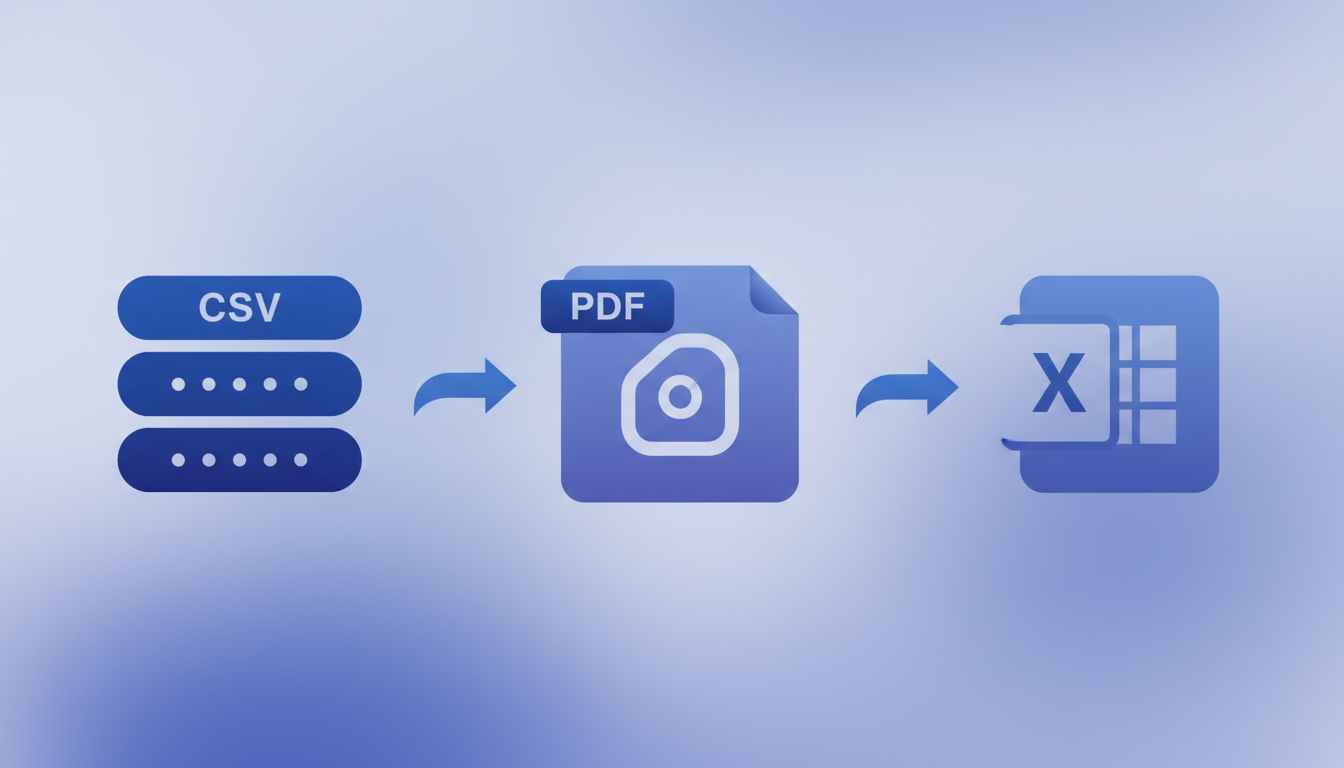
How to Export Database Data to CSV, PDF and Excel
Exporting data from databases into accessible formats like CSV, PDF, and Excel remains one of the most fundamental and frequently performed tasks in UK business technology. Despite the rise of sophisticated dashboards and real-time analytics platforms, the humble data export continues to serve critical functions - feeding external systems, satisfying regulatory reporting requirements, enabling offline analysis, sharing information with stakeholders who lack database access, and creating permanent records for audit purposes. Getting exports right, with proper formatting, automation, and compliance safeguards, is far more important than many organisations realise.
For UK businesses, data exports carry additional weight due to the regulatory landscape. UK GDPR, FCA reporting, HMRC submissions, and sector-specific regulations mandate that data be extractable in specific formats with appropriate controls. A poorly designed export process can lead to data quality issues, compliance failures, and significant manual overhead that drains productivity.
This guide provides a comprehensive walkthrough of database export methods across the three most commonly requested formats - CSV, PDF, and Excel - covering manual techniques, automation strategies, formatting best practices, and the compliance considerations that UK businesses must keep firmly in mind throughout.
Choosing the right export format for each use case is a strategic decision that affects not just the immediate recipient but the entire downstream workflow. CSV is ideal when data will be imported into another system or processed programmatically, as its simplicity ensures maximum compatibility across platforms and programming languages. Excel is the right choice when human users need to analyse, filter, sort, or present data, leveraging the rich formatting and formula capabilities that business users are already familiar with. PDF is appropriate when data presentation must be fixed and tamper-proof, such as for regulatory submissions, customer invoices, and board-level reporting. Many organisations benefit from generating the same underlying data in multiple formats simultaneously, serving different audiences from a single automated pipeline, which reduces duplication of effort and ensures consistency across all outputs.
CSV Exports: The Universal Data Format
CSV (Comma-Separated Values) remains the workhorse of data interchange. Its simplicity - plain text with comma delimiters - makes it readable by virtually every application, from spreadsheets and databases to programming languages and cloud platforms. For UK businesses, CSV is often the mandated format for regulatory submissions, system integrations, and data migrations. Understanding how to produce clean, reliable CSV exports from your database is an essential skill.
Most database systems provide built-in CSV export capabilities. SQL Server offers BCP (Bulk Copy Program) for command-line exports and the Import/Export Wizard. MySQL provides SELECT INTO OUTFILE, whilst PostgreSQL offers the COPY command for fast bulk exports. For programmatic exports, Python with pandas or C# with CsvHelper provide fine-grained control over formatting and encoding.
Common CSV Pitfalls
CSV exports that appear straightforward can harbour subtle issues that cause problems downstream. Character encoding mismatches - particularly when dealing with pound sterling symbols, accented characters in customer names, or special characters in address fields - are the most common source of CSV export failures in UK environments. Always specify UTF-8 encoding with BOM (Byte Order Mark) for CSV files that will be opened in Excel, as Excel defaults to ANSI encoding on many UK Windows installations.
Beyond character encoding, CSV exports from UK databases must handle several format-specific challenges. Field delimiters can cause issues when data values themselves contain commas - addresses, product descriptions, and free-text fields frequently include commas that will be misinterpreted as field separators unless properly quoted. The standard approach is to enclose any field containing commas, line breaks, or double quotes within double-quote characters, and to escape embedded double quotes by doubling them. When generating CSV exports for systems outside the UK, consider whether the receiving system expects comma delimiters or semicolons, as many European systems default to semicolons due to the use of commas as decimal separators in Continental Europe. Failing to account for these regional differences can cause entire import processes to fail at the receiving end, wasting time and creating friction with international partners and clients.
A persistent frustration for UK businesses is that Excel frequently misinterprets CSV data upon opening. Dates in DD/MM/YYYY format may be swapped to MM/DD/YYYY, leading zeros on reference numbers get stripped, and long numeric strings like bank sort codes are rendered in scientific notation. Solutions include using a .txt extension with the Text Import Wizard, prefixing numeric fields with an equals sign and quotes in the CSV, or bypassing CSV entirely and generating native Excel files where precise formatting matters.
Excel Exports: Rich Formatting and Business Familiarity
Excel remains the dominant data analysis tool in UK businesses, and exporting database data directly into formatted Excel workbooks eliminates the CSV compatibility headaches entirely. Modern Excel formats (.xlsx) support up to 1,048,576 rows and 16,384 columns, along with multiple worksheets, formatting, formulas, charts, and data validation rules - all of which can be programmatically generated during the export process.
For SQL Server environments, SSIS provides robust Excel export capabilities. For programmatic exports, popular libraries include EPPlus and ClosedXML for .NET, openpyxl and XlsxWriter for Python, and Apache POI for Java. These allow you to create professionally formatted workbooks with headers, number formatting, conditional formatting, and even pivot tables.
Excel Export Best Practices
Professional Excel exports go beyond dumping data into cells. Column headers should be bold with background colours for readability. Numeric columns should use appropriate formatting - currency with pound signs, dates in DD/MM/YYYY format. Auto-filters should be applied to header rows and column widths auto-fitted to content. For multi-sheet workbooks, a summary sheet helps users navigate large exports.
| Export Library | Language | Formatting Support | Performance | Licence |
|---|---|---|---|---|
| EPPlus | .NET / C# | Full (styles, charts, pivots) | Excellent | Polyform Noncommercial |
| ClosedXML | .NET / C# | Good (styles, formulas) | Good | MIT |
| openpyxl | Python | Good (styles, charts) | Moderate | MIT |
| XlsxWriter | Python | Good (styles, charts) | Excellent | BSD |
| Apache POI | Java | Full (styles, charts, macros) | Good | Apache 2.0 |
Template-driven Excel exports represent a powerful approach for UK businesses that need consistently branded, professionally formatted reports. Rather than building Excel formatting programmatically each time, you create a master template workbook with pre-configured styles, headers, logos, and formatting rules, then populate it with fresh data during each export run. This approach ensures visual consistency across reports, simplifies maintenance when branding or formatting requirements change, and significantly reduces the code complexity of your export routines. Libraries like EPPlus and openpyxl support template-based workflows natively, making this approach straightforward to implement even for teams without deep Excel automation experience. Many UK financial services firms use this technique to produce branded client reports that meet strict corporate identity guidelines whilst being generated entirely from database queries.
PDF Exports: Professional Presentation and Compliance
PDF exports serve a different purpose from CSV and Excel. Where CSV and Excel facilitate further data manipulation, PDF creates fixed, presentation-ready documents that preserve formatting across every device and platform. UK businesses most commonly use PDF exports for board reports, regulatory submissions, customer-facing documents, audit records, and any context where the visual presentation of data matters as much as the data itself.
Generating PDF reports from database data typically involves a reporting engine that combines data with a predefined layout. SSRS has native PDF rendering. Crystal Reports and JasperReports offer sophisticated layout control. For lighter requirements, libraries like iTextSharp (.NET), ReportLab (Python), or wkhtmltopdf provide programmatic PDF creation without a full reporting platform.
UK businesses with regulatory archival requirements should consider generating PDF/A format, an ISO-standardised subset of PDF designed for long-term digital preservation. PDF/A files are self-contained, embedding all fonts and colour profiles, and prohibit features like encryption and external references that could prevent future access. This makes PDF/A particularly suitable for financial records, legal documents, and compliance archives where documents must remain readable for years or decades.
The choice of PDF generation approach depends heavily on the complexity and visual requirements of your reports. For simple tabular data, lightweight libraries that convert HTML tables to PDF provide a quick and maintainable solution - you design the report layout in HTML and CSS, which most developers find easier than working with PDF-specific layout APIs. For complex multi-page reports with headers, footers, page numbers, and mixed content types, a dedicated reporting engine like SSRS or JasperReports offers far greater control and reliability. The growing popularity of headless browser-based PDF generation, using tools like Puppeteer or Playwright, bridges the gap by allowing you to design in full HTML and CSS whilst producing high-fidelity PDF output that matches the browser rendering exactly. This approach has gained significant traction among UK development teams because it leverages existing web development skills and produces pixel-perfect results without requiring specialist PDF knowledge.
Automating Data Exports
Manual data exports are a significant drain on productivity in most UK organisations. Automating recurring exports - whether daily sales summaries, weekly management reports, or monthly regulatory submissions - eliminates human error, ensures consistency, and frees staff time for higher-value analytical work. The approach to automation depends on your technology stack, but the core pattern is consistent: schedule a trigger, execute a query, format the output, and deliver the result.
SQL Server Automation
For SQL Server environments, SQL Server Agent provides native job scheduling capabilities. A typical automated export job executes a stored procedure that queries the required data, formats it using SSIS or a CLR stored procedure, writes the output file to a designated location, and optionally sends it via Database Mail. For more sophisticated workflows, SSIS packages provide visual design of complex export pipelines with error handling, logging, and conditional logic.
Cross-Platform Automation
For MySQL, PostgreSQL, or cloud databases, automation typically involves Python or PowerShell scripts combined with system schedulers (cron on Linux, Task Scheduler on Windows) or cloud-native services like Azure Functions or AWS Lambda. Python scripts using pandas for data manipulation and XlsxWriter for Excel output provide a flexible, cross-platform approach for virtually any database backend.
Monitoring the health and reliability of automated export processes is essential but frequently overlooked. A failed export that goes undetected can mean missed regulatory deadlines, delayed business decisions, or broken downstream integrations. Implement alerting that notifies the appropriate team when an export fails, completes with warnings, or produces output that deviates significantly from expected parameters such as row count ranges or file size thresholds. Maintaining a dashboard that shows the status of all scheduled exports, their last successful run, and any pending failures provides operational visibility that prevents small issues from escalating into significant problems. Many UK organisations find that export monitoring pays for itself within the first quarter by catching failures that would previously have gone unnoticed for days or even weeks.
Choosing Between Manual and Automated Export Solutions
One of the most significant decisions UK businesses face when establishing their data export processes is whether to invest in a dedicated automated export platform or continue with manually maintained export scripts. Both approaches have their place, but the trade-offs are substantial and become more pronounced as export volumes and complexity increase. Understanding these differences helps organisations allocate their technology budgets more effectively and avoid the hidden costs that accumulate when manual processes scale beyond their practical limits.
Automated export platforms provide a managed environment where exports are configured through a visual interface, scheduled with built-in reliability, and monitored with alerts and dashboards. Manual export scripts, typically written in Python, PowerShell, or T-SQL, offer maximum flexibility and zero licensing costs but require ongoing development and maintenance effort that is often underestimated at the outset. The comparison below highlights the key differences between these two approaches for typical UK business environments.
Automated Export Platform
Manual Export Scripts
For smaller organisations with limited export needs - perhaps a single weekly CSV extraction - manual scripts may suffice. However, as the number of exports grows, the complexity of formatting requirements increases, and compliance obligations tighten, the operational burden of maintaining manual scripts escalates rapidly. UK businesses that have transitioned to automated export platforms typically report time savings of 60 to 80 percent on export-related tasks, along with significant improvements in data quality and compliance posture. The upfront investment in an automated platform pays for itself within months through reduced staff time, fewer errors, and eliminated compliance risks that could otherwise result in regulatory penalties.
Scheduled Exports and Delivery
Automated generation is only half the equation - the exports also need to reach the right people at the right time. Common delivery mechanisms include email attachments for smaller files, shared network drives or SharePoint for internal distribution, SFTP for secure external transfers, and cloud storage services like Azure Blob Storage or Amazon S3 for scalable, secure file hosting with controlled access links.
For UK businesses, the delivery method must align with the sensitivity of the data being exported. Sending a CSV containing customer personal data as an unencrypted email attachment, for example, would likely violate UK GDPR principles around data security. Secure delivery mechanisms - encrypted email, SFTP with access controls, or time-limited download links from cloud storage - should be standard practice for any export containing personal or commercially sensitive data.
| Delivery Method | Best For | Max File Size | Security Level | Automation Ease |
|---|---|---|---|---|
| Email attachment | Small, non-sensitive reports | 10-25 MB | Low-Medium | Easy |
| SharePoint / OneDrive | Internal team distribution | 250 GB | Medium-High | Medium |
| SFTP | External partner transfers | Unlimited | High | Medium |
| Azure Blob / AWS S3 | Large files, API integration | Unlimited | High | Medium |
| Secure download link | External stakeholders | Varies | Medium-High | Easy |
Formatting and Data Quality Considerations
The quality and usability of exported data depends as much on formatting decisions as on the underlying query. Date formats are a persistent source of confusion in UK environments - always use DD/MM/YYYY format and be explicit about timezone handling, particularly for businesses operating across time zones. Currency values should include the pound sign and use two decimal places consistently. Large numbers should include thousands separators for readability in Excel and PDF outputs.
Data quality checks should be embedded in the export process. Automated validation can verify row counts, check for null values in mandatory fields, confirm totals reconcile, and flag anomalies before delivery. Including a metadata header that states the export date, data period, row count, and filters applied gives recipients confidence in the data received.
Establishing and documenting formatting standards across your organisation ensures that all exports follow consistent conventions regardless of who creates them or which system generates them. A formatting standards document should specify date and time formats, currency display rules, numeric precision requirements, null value representation, column naming conventions, and file naming patterns. When every export follows the same rules, recipients can trust the data without having to verify basic formatting assumptions each time they receive a new file. This consistency also reduces support queries from data consumers who would otherwise need to ask clarifying questions about format conventions.
When exporting datasets larger than Excel's row limit of 1,048,576 rows, consider splitting the data across multiple worksheets or files, using CSV format which has no row limit, or implementing pagination in the export process. For very large exports (millions of rows), streaming approaches that write data incrementally rather than loading the entire dataset into memory are essential to avoid out-of-memory errors and excessive processing times.
Compliance and Security in Data Exports
Data exports represent one of the highest-risk activities from a data protection perspective. Every export creates a copy of data that exists outside the governed environment of your database, potentially on laptops, in email inboxes, or on USB drives where it is far harder to control and protect. UK businesses must treat data exports as a controlled activity, with appropriate policies, technical safeguards, and audit trails.
UK GDPR Considerations
Under UK GDPR, personal data exports must comply with data minimisation (export only needed fields), purpose limitation (lawful purpose required), storage limitation (delete when no longer needed), and security (appropriate technical measures). Automated exports should embed these principles - for example, excluding personally identifiable fields unless specifically requested and justified.
Implementing robust security around data exports requires a layered approach that addresses every stage of the export lifecycle. At the database level, ensure that export queries use service accounts with read-only access limited to the specific tables and columns required for each particular export. At the application level, implement request authentication and authorisation so that only approved users and systems can trigger exports. At the transport level, use encrypted channels - TLS for email, SFTP rather than plain FTP, and HTTPS for cloud storage uploads. At the storage level, apply encryption at rest for any exported files held in temporary or permanent storage locations. Finally, at the lifecycle level, implement automatic deletion of exported files after their useful life has passed to minimise the risk of data exposure from archived exports that are no longer needed by anyone in the organisation.
Building a Robust Export Architecture
For organisations with significant export requirements, building a centralised export architecture provides consistency, control, and efficiency. Rather than having individual teams write their own export scripts - leading to duplicated effort, inconsistent formatting, and ungoverned data flows - a centralised export service provides a single, managed interface for all data export needs with built-in formatting, security, and audit capabilities.
A well-designed export architecture includes a request layer for submitting export parameters, a processing layer that executes queries and formats output, a delivery layer for distribution, and an audit layer that logs every export. This can be implemented as stored procedures, a microservice, or a feature within your reporting platform.
Building future-proof export capabilities means anticipating how your data volumes, format requirements, and compliance obligations are likely to evolve over the coming years. Design your export architecture with configurable parameters rather than hard-coded values, so that adding new reports, changing delivery schedules, or modifying format specifications requires configuration changes rather than code rewrites. Use a metadata-driven approach where export definitions are stored in database tables rather than embedded in application logic, enabling business users to manage routine changes without developer involvement. This approach also simplifies auditing, as the export configuration itself becomes a versioned, queryable record of what data has been exported, when it was sent, to whom, and in what format - providing a complete chain of custody for every piece of exported data.
CloudSwitched helps UK businesses design and implement efficient, compliant data export processes that save time. Whether you need to automate recurring exports, build a centralised export platform, or ensure your export processes meet UK GDPR requirements, our team has the database expertise and regulatory knowledge to deliver solutions that work reliably and securely. Contact us to discuss your data export challenges and discover how we can help streamline your reporting workflows.
Streamline Your Database Exports
CloudSwitched helps UK businesses design and implement efficient, automated data export pipelines that save time and ensure full regulatory compliance. Whether you need CSV, PDF, or Excel exports with proper formatting and scheduled delivery, our database reporting specialists can build a solution tailored to your requirements.

CloudSwitched
London-based managed IT services provider offering support, cloud solutions and cybersecurity for SMEs.


