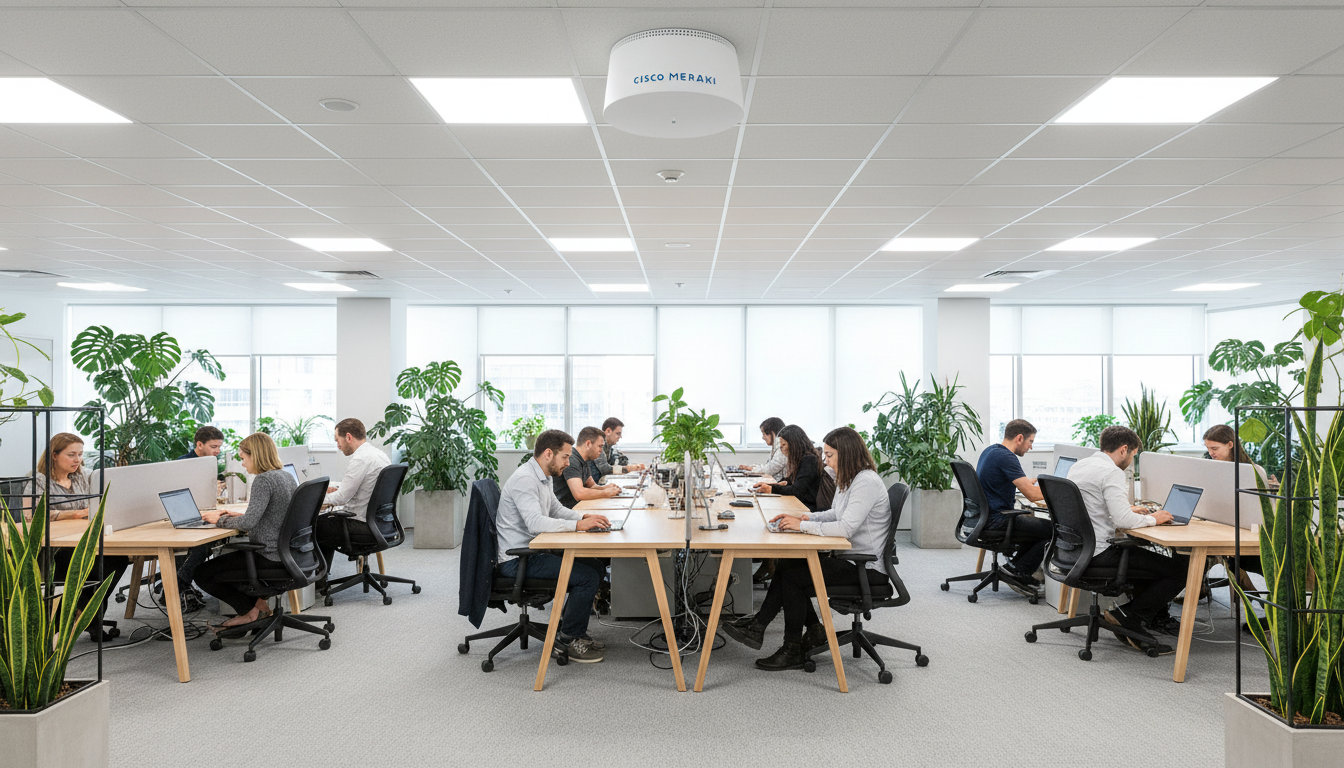
Why UK Small Businesses Are Switching to Cisco Meraki
Managing a business network used to mean server rooms, complex command-line interfaces, and expensive on-site IT engineers. For small & medium-sized businesses across the UK, that traditional model is rapidly being replaced by something far more elegant - Cisco Meraki, a cloud-managed networking platform that puts your entire infrastructure at your fingertips from a single browser-based dashboard.
Whether you run a boutique retail chain in Manchester, a professional services firm in Edinburgh, or a growing tech startup in London, Meraki offers enterprise-grade networking without the enterprise-grade complexity. In this comprehensive guide, we’ll walk you through everything you need to know to get started with Cisco Meraki - from understanding the product lineup to planning your first deployment and calculating the return on investment.
What Is Cisco Meraki & How Does It Work?
Cisco Meraki is a cloud-managed IT platform that encompasses wireless access points, switches, security appliances, cameras, and mobile device management - all controlled through a centralised, web-based dashboard. Unlike traditional networking equipment that requires individual configuration via command-line interfaces, every Meraki device phones home to the Meraki cloud, where policies, firmware updates, and monitoring all happen automatically.
The core principle behind Meraki is simple: the network should be invisible to the people running the business. You shouldn’t need a CCNA certification to manage your office Wi-Fi, and you certainly shouldn’t be paying an engineer £500 per visit to apply a firmware update. Meraki abstracts the complexity away whilst still giving you granular control when you need it.
The Cloud-First Architecture
Every Meraki device maintains a secure, encrypted connection to the Meraki cloud. This means:
- Zero-touch provisioning - plug in a new access point, and it automatically downloads its configuration from the cloud
- Automatic firmware updates - schedule updates during off-hours, applied across all devices simultaneously
- Real-time monitoring - see every client, every application, and every anomaly from anywhere in the world
- Centralised management - manage one site or a hundred from the same dashboard
- Built-in redundancy - if the cloud connection drops, devices continue operating with their last-known configuration
A common concern we hear from UK businesses is “what happens if our internet goes down?” Meraki devices cache their configuration locally, so your network continues to function even if cloud connectivity is temporarily lost. The dashboard simply won’t update until the connection is restored - your users won’t notice a thing.
The Complete Meraki Product Lineup
Meraki offers a full stack of networking hardware, all managed through the same unified dashboard. Here’s what each product family does and why it matters for your business:
| Product Family | Category | What It Does | Ideal For |
|---|---|---|---|
| MR Series | Wireless Access Points | Provides Wi-Fi coverage with built-in analytics, location tracking & RF optimisation | Offices, retail, hospitality, warehouses |
| MS Series | Network Switches | Connects wired devices with PoE, stacking & Layer 3 routing capabilities | Server rooms, desk connectivity, IP phone deployments |
| MX Series | Security & SD-WAN Appliance | Firewall, VPN, content filtering, intrusion prevention & SD-WAN in one box | Internet gateway, branch-to-branch VPN, remote worker security |
| MV Series | Smart Cameras | Cloud-managed surveillance with on-device storage, motion search & analytics | Physical security, footfall analytics, compliance monitoring |
| MT Series | IoT Sensors | Environmental monitoring for temperature, humidity, water leak & door open/close | Server rooms, food storage, pharmaceutical compliance |
| SM | Systems Manager (MDM) | Mobile device management for smartphones, tablets & laptops | BYOD policies, device compliance, remote wipe |
Which Products Does a Typical UK SME Need?
For most small businesses with a single office location, the core trio is:
- 1x MX Security Appliance - your firewall, VPN gateway & internet edge device
- 1–2x MS Switches - to connect your wired devices (desktops, printers, phones, access points)
- 2–4x MR Access Points - for reliable, high-performance Wi-Fi throughout your premises
Every Meraki hardware device requires an active licence subscription to function. This is typically purchased in 1, 3, 5, 7, or 10-year terms. The longer the term, the lower the per-year cost. Most UK businesses opt for a 3 or 5-year licence to balance cost with flexibility. Without a valid licence, the hardware will stop passing traffic after a 30-day grace period.
Meraki vs Traditional Networking: The Key Differences
To truly appreciate what Meraki brings to the table, it helps to compare it directly against the traditional networking approach that many UK businesses still rely on. The differences are stark - particularly when you factor in the total cost of ownership over a 3–5 year period.
Cisco Meraki
Traditional Networking
The contrast is clear, but let’s be fair: traditional networking still has its place for very large enterprises with dedicated network operations centres and bespoke requirements. For UK SMEs with 5 to 500 employees, however, the cloud-managed approach delivers overwhelmingly better value.
Meraki Feature Ratings for Small Business Use
Based on our experience deploying Meraki across hundreds of UK small businesses, here’s how we rate the platform across key criteria that matter most to SMEs:
Pricing Guide: What Does Meraki Actually Cost?
Let’s address the elephant in the room. Meraki is often perceived as “expensive”, but that reputation comes from comparing the upfront hardware cost alone without factoring in the total cost of ownership. When you include the management software, security features, firmware updates, and reduced labour costs, Meraki is often more cost-effective than traditional alternatives over a 3–5 year period.
Typical Meraki Setup for a Small UK Office (10–30 Users)
| Item | Model | Qty | Hardware Cost | 3-Year Licence | Total (Excl. VAT) |
|---|---|---|---|---|---|
| Security Appliance | MX68 | 1 | £620 | £510 | £1,130 |
| Network Switch (24-port PoE) | MS130-24P | 1 | £780 | £330 | £1,110 |
| Wireless Access Points | MR36 | 3 | £1,140 | £690 | £1,830 |
| Installation & Configuration | - | - | - | - | £750 |
| Total | £4,820 |
Typical Meraki Setup for a Medium UK Office (30–80 Users)
| Item | Model | Qty | Hardware Cost | 3-Year Licence | Total (Excl. VAT) |
|---|---|---|---|---|---|
| Security Appliance | MX85 | 1 | £1,450 | £720 | £2,170 |
| Network Switch (48-port PoE) | MS130-48P | 2 | £2,960 | £940 | £3,900 |
| Wireless Access Points | MR46 | 6 | £3,480 | £1,620 | £5,100 |
| Smart Camera | MV12 | 2 | £1,560 | £680 | £2,240 |
| Installation & Configuration | - | - | - | - | £1,500 |
| Total | £14,910 |
As an authorised Cisco Meraki partner, Cloudswitched can often source hardware & licences at competitive partner pricing. We also offer flexible payment plans that spread the cost over the licence term, making Meraki accessible to businesses of all sizes. Ask us about our Meraki-as-a-Service packages starting from £149/month.
Return on Investment: The Numbers That Matter
The true value of Meraki becomes apparent when you look at what it saves you over time. Here’s a breakdown of average savings & efficiency gains reported by UK SMEs after switching to Meraki, based on data we’ve gathered from our own client deployments:
These savings add up quickly. A typical UK SME spending £8,000–£12,000 per year on reactive IT support for network issues can often reduce that to under £3,000 with a properly deployed Meraki network - because problems are identified and resolved proactively before they impact users.
The Meraki Dashboard: Your Network at a Glance
The Meraki dashboard is where the magic happens. It’s a web-based management console accessible from any modern browser - no desktop software, no VPN required, no Java plugins from 2003. Let’s walk through what you’ll see when you log in for the first time.
Dashboard Overview
The main dashboard gives you an immediate health check across your entire network. You’ll see:
- Network-wide status - green/amber/red indicators for every device in your estate
- Client count - how many devices are currently connected, broken down by wired vs wireless
- Bandwidth usage - real-time and historical graphs showing internet consumption
- Top applications - which apps are consuming the most bandwidth (Microsoft 365, Zoom, YouTube, etc.)
- Security events - blocked threats, intrusion attempts, and malware detections
Wireless Configuration
Setting up a new Wi-Fi network takes about 60 seconds. From the dashboard you can:
- Create multiple SSIDs (e.g., “CompanyName-Staff” and “CompanyName-Guest”)
- Set bandwidth limits per SSID or per client
- Enable a branded splash page for guest access
- Configure RADIUS authentication for WPA2-Enterprise
- Schedule SSIDs to turn off outside of business hours
- View a live RF heat map showing signal coverage across your floor plan
Security & Traffic Shaping
The MX security appliance gives you Layer 7 firewall rules, meaning you can create policies based on applications rather than just IP addresses and ports. For example:
- Block social media during working hours but allow it during lunch
- Prioritise Microsoft Teams & Zoom traffic over general browsing
- Block known malicious websites automatically via Cisco’s threat intelligence feed
- Set up site-to-site VPN between offices with a few clicks - no IPsec tunnel configuration required
- Enable Advanced Malware Protection (AMP) to scan file downloads in real time
Some advanced security features such as Intrusion Detection/Prevention (IDS/IPS), Advanced Malware Protection (AMP), and content filtering require the Advanced Security Edition licence rather than the standard Enterprise licence. Make sure you discuss your security requirements with your Meraki partner before purchasing to ensure you get the correct licence tier.
Monitoring & Alerts
One of the most powerful aspects of the Meraki dashboard is its monitoring capability. You can set up email or webhook alerts for virtually any event:
- A device goes offline
- A rogue access point is detected
- Bandwidth usage exceeds a threshold
- A new DHCP client connects for the first time
- VPN tunnel goes down between sites
- A security event is triggered
This proactive alerting means problems are flagged before your users start complaining about slow Wi-Fi or dropped connections. For businesses without a dedicated IT team, this is invaluable.
Step-by-Step: Your First Meraki Deployment
Ready to take the plunge? Here’s a practical walkthrough of what a typical first Meraki deployment looks like for a UK small business. This process assumes you’re working with an experienced Meraki partner like Cloudswitched, though the steps are similar for self-installation.
Phase 1: Site Survey & Design (Week 1)
Before any hardware is ordered, a proper site survey is essential. This involves:
- Physical walkthrough - assessing the premises, ceiling types, wall materials, and potential interference sources
- Wireless heat mapping - using predictive tools to determine optimal access point placement
- Network audit - cataloguing existing devices, switches, cabling infrastructure, and internet connections
- Requirements gathering - understanding user count, application needs, guest access requirements, and security policies
Phase 2: Procurement & Pre-Configuration (Week 2)
Once the design is finalised, hardware & licences are ordered. While we wait for delivery, pre-configuration happens in the Meraki dashboard:
- Organisation & network created in the dashboard
- Device serial numbers registered and assigned to the network
- SSIDs, VLANs, firewall rules, and VPN settings configured
- Firmware schedules and alert policies set up
- Floor plans uploaded and access point positions mapped
Because Meraki uses zero-touch provisioning, all the configuration is done before the hardware arrives. On installation day, the devices simply need to be mounted, plugged in, and connected to the internet - they pull down their configuration automatically. This is why Meraki installations are typically 60–70% faster than traditional deployments.
Phase 3: Installation Day (Week 3)
This is where the hardware goes in. A typical small office installation takes 4–8 hours:
- MX security appliance racked or shelf-mounted and connected to the internet circuit
- MS switches installed in the comms cabinet and patched to existing cabling
- MR access points ceiling-mounted at pre-determined locations and powered via PoE
- Initial verification - all devices showing as online & green in the dashboard
- Wi-Fi coverage testing throughout the premises
Phase 4: Testing & Handover (Week 3–4)
Post-installation testing includes:
- Speed testing at multiple locations across the site
- VPN connectivity verification (if connecting to other sites or cloud services)
- Guest Wi-Fi splash page testing
- Firewall rule verification - ensuring policies block & allow correctly
- Staff training on the dashboard basics
- Documentation pack including network diagrams, credentials, and support details
Common Meraki Deployment Scenarios for UK Businesses
Every business is different, but here are some of the most common scenarios we see across our UK client base:
Scenario 1: Single Office Refresh
A professional services firm in Birmingham with 25 staff replaces ageing, unmanaged switches and consumer-grade Wi-Fi with a full Meraki stack. Result: reliable Wi-Fi across all three floors, guest access for visiting clients, and a dashboard the office manager can monitor without any networking background.
Scenario 2: Multi-Site Retail Chain
A retailer with 12 locations across the Midlands deploys Meraki at each store with auto-VPN connecting them back to head office. POS systems, CCTV, and staff Wi-Fi all run on segregated VLANs. Head office IT manages every location from a single dashboard - no more driving between stores to troubleshoot network issues.
Scenario 3: Hybrid Working & Remote Access
A tech company in Bristol with 40 staff (half working remotely) uses the MX appliance to provide Client VPN access for remote workers. Combined with Meraki Systems Manager on company laptops, they enforce security policies regardless of where employees connect from - home, café, or the office.
Scenario 4: Hospitality & Guest Wi-Fi
A boutique hotel in the Cotswolds uses Meraki MR access points with a custom branded splash page to offer guests seamless Wi-Fi. Location analytics data helps them understand footfall patterns through the lobby, restaurant, and spa areas - insights that inform staffing decisions.
Meraki Licensing Explained
One of the most misunderstood aspects of Meraki is the licensing model. Let’s break it down clearly:
| Licence Tier | Available For | What It Includes | Best For |
|---|---|---|---|
| Enterprise | MR, MS, MV | Cloud management, firmware updates, monitoring, email support | Most SME deployments |
| Advanced Security | MX only | Everything in Enterprise + IDS/IPS, AMP, content filtering, geo-IP blocking | Businesses needing UTM-level security |
| SD-WAN Plus | MX only | Everything in Advanced Security + Umbrella DNS, Meraki Insight WAN health | Multi-site businesses with complex WAN needs |
Cisco recently transitioned Meraki to a co-termination licensing model for new organisations. This means all licences in your organisation share a single expiry date, making renewals far simpler. When you add new devices, the remaining licence pool is automatically redistributed. Speak with your Meraki partner to understand how this affects your specific situation.
Ten Reasons UK SMEs Choose Meraki
To summarise the key benefits, here are the top ten reasons we see small & medium businesses across the UK adopting Cisco Meraki:
- Simplicity - manage your entire network from a browser, no CLI expertise required
- Visibility - see every device, every application, every byte of traffic in real time
- Security - enterprise-grade firewall, IDS/IPS, and threat intelligence built into the platform
- Scalability - start with one site and grow to hundreds without changing your management approach
- Reliability - automatic failover, self-healing mesh networking, and proactive monitoring
- Speed of deployment - zero-touch provisioning means new sites go live in hours, not weeks
- Remote management - troubleshoot and configure from anywhere, no VPN to the device required
- Predictable costs - subscription model means no surprise hardware failures or upgrade costs
- Compliance - detailed logging and reporting for GDPR, PCI-DSS, and Cyber Essentials
- Future-proof - regular feature updates delivered via the cloud, keeping your network current
Frequently Asked Questions
Do I need a fast internet connection for Meraki to work?
The Meraki devices need a basic internet connection to communicate with the cloud management platform, but this uses minimal bandwidth - typically less than 1 Mbps. Your actual network traffic (user data, file transfers, video calls) travels directly between devices and the internet as normal - it does not route through the Meraki cloud. That said, we always recommend a business-grade internet connection with at least 100 Mbps download for any office with more than 10 users.
What happens when the Meraki licence expires?
If your licence expires, there is a 30-day grace period during which the hardware continues to function normally. After 30 days, the devices will stop passing traffic. This is why it’s critical to set renewal reminders or work with a partner like Cloudswitched who manages licence renewals proactively on your behalf.
Can I mix Meraki with existing non-Meraki equipment?
Yes. Meraki devices use standard networking protocols and can coexist with non-Meraki switches, routers, and access points. However, you’ll only be able to manage the Meraki devices through the dashboard - the non-Meraki equipment will still need separate management. For the best experience, we recommend a full Meraki stack, but phased migrations are very common.
Is Meraki suitable for businesses that need to comply with Cyber Essentials?
Absolutely. Meraki’s built-in firewall, automatic firmware updates, access controls, and detailed audit logging make it an excellent foundation for Cyber Essentials and Cyber Essentials Plus certification. Many of our clients have achieved certification with a Meraki-based network as their core infrastructure.
How does Meraki handle GDPR compliance for guest Wi-Fi?
Meraki’s splash page for guest Wi-Fi can be configured to include terms & conditions acceptance, data consent notices, and a privacy policy link. Guest data retention periods can be configured in the dashboard, and all data is stored in EU data centres for GDPR compliance. You can also configure the system to automatically purge guest data after a defined period.
Why Work with Cloudswitched as Your Meraki Partner?
As a Cisco Meraki specialist partner, Cloudswitched brings deep expertise in designing, deploying, and managing Meraki networks for UK small & medium businesses. Here’s what makes us different:
- UK-based team - all our engineers are based in the UK and understand the specific needs of British businesses
- End-to-end service - from initial site survey through to installation, training, and ongoing support
- Partner pricing - as an authorised Meraki partner, we offer competitive pricing on hardware & licences
- Flexible payment options - monthly payment plans and Meraki-as-a-Service packages available
- Proactive monitoring - we monitor your Meraki network 24/7 and resolve issues before they impact your business
- Licence management - we track your licence expiry dates and handle renewals so you never face a service disruption
- Multi-vendor expertise - we integrate Meraki with your broader IT ecosystem including Microsoft 365, cloud services, and VoIP
Getting Started: Your Next Steps
If you’re ready to explore what Cisco Meraki can do for your business, here’s the simplest path forward:
- Book a free consultation - we’ll discuss your current setup, pain points, and objectives
- Receive a tailored proposal - including hardware recommendations, pricing, and a deployment timeline
- Schedule a Meraki demo - see the dashboard in action with a live walkthrough from one of our engineers
- Approve & deploy - we handle everything from procurement to installation to go-live
Most of our UK SME clients go from initial conversation to a fully deployed Meraki network in under four weeks. There’s no long-term contract for our services - we earn your business month after month through the quality of our work and support.
Ready to Transform Your Business Network?
Get in touch with Cloudswitched today for a free, no-obligation consultation about Cisco Meraki. We’ll assess your current infrastructure, recommend the right Meraki solution for your business, and provide a transparent quote - all within 48 hours.

CloudSwitched
London-based managed IT services provider offering support, cloud solutions and cybersecurity for SMEs.


