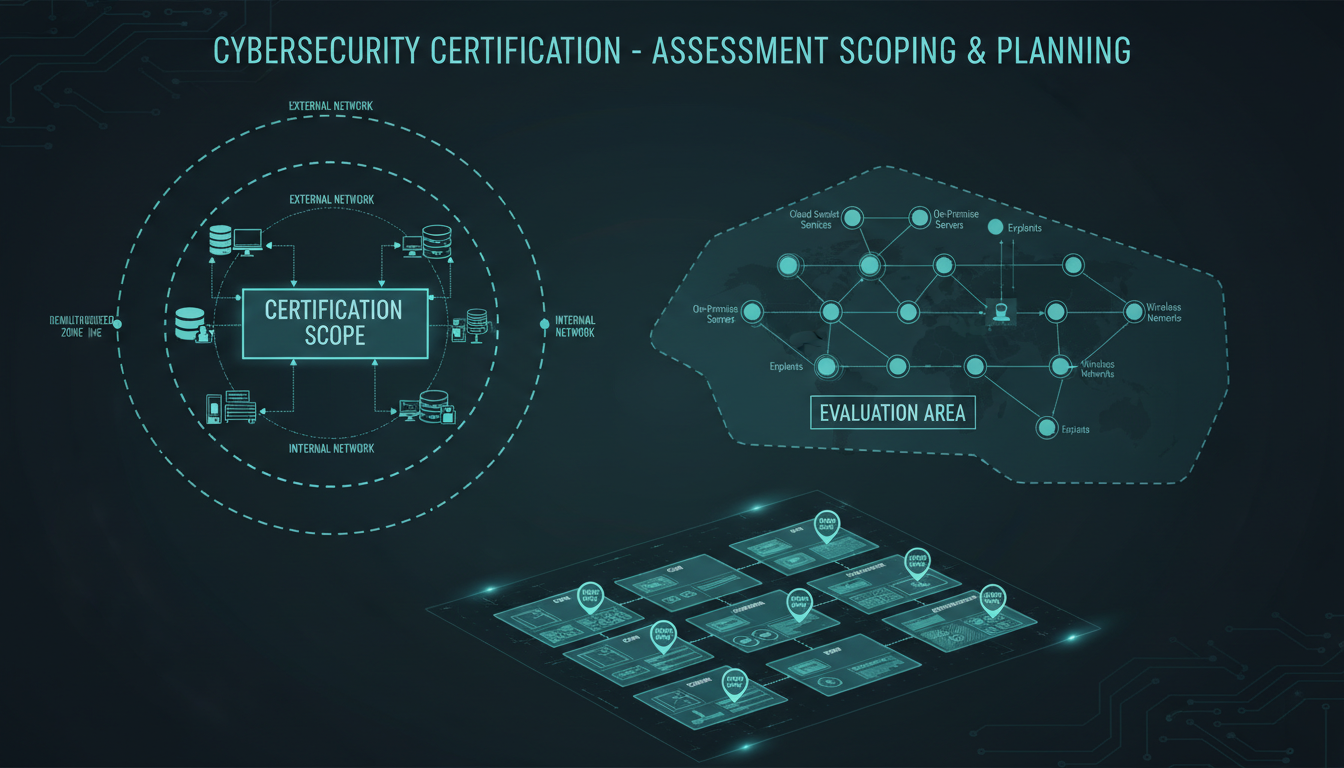
Getting the scope right is one of the most critical - and most misunderstood - parts of achieving Cyber Essentials Plus certification. While Cyber Essentials (the self-assessment level) gives organisations some flexibility in defining their scope, Cyber Essentials Plus involves an independent assessor performing hands-on technical testing of your systems. If your scope is wrong, you'll either fail the assessment, waste money testing systems that didn't need to be included, or - worse - exclude systems that should have been in scope and end up with a certificate that doesn't actually protect your organisation.
This guide explains how scoping works for Cyber Essentials Plus, walks through the decisions you'll need to make, highlights the most common scoping mistakes UK organisations make, and provides a practical framework for getting it right first time.
Understanding the Scoping Rules
The scoping rules for Cyber Essentials Plus are set by the NCSC (National Cyber Security Centre) and administered through IASME, the scheme's governing body. The fundamental principle is straightforward: every device that can access the internet, and every device that processes organisational data, must be in scope.
In practice, this means the scope encompasses far more than most organisations initially expect. It's not just servers and office desktops. It includes laptops used for remote working, mobile phones with company email, tablets used in meetings, cloud services accessed through web browsers, and any network infrastructure that connects these devices to the internet.
The "Organisational Boundary" Concept
Cyber Essentials Plus uses the concept of an "organisational boundary" to define scope. Everything within this boundary that connects to the internet or handles organisational data is in scope. You can define your boundary as:
- The entire organisation - The simplest and most common approach, covering all users, devices, and systems
- A defined subset - A specific office, department, or business unit, provided it operates with a clearly defined and enforced network boundary
Choosing a subset can reduce the scope of testing, but it comes with strict requirements. The subset must be genuinely isolated from out-of-scope systems, and the boundary between in-scope and out-of-scope must be technically enforced - not just an administrative distinction on paper.
Since April 2023, the NCSC has tightened the scoping rules significantly. Home workers' devices, cloud services, and BYOD (bring your own device) policies are now explicitly addressed. If your staff access work email or files from personal devices, those devices may need to be in scope. Review the latest IASME scoping guidance before making assumptions based on older information.
What Must Be in Scope
Let's walk through each category of systems and devices that typically fall within scope for a UK Cyber Essentials Plus assessment.
End-User Devices
Every device used by your staff to access organisational data or the internet for work purposes is in scope. This includes:
- Desktop computers - Office-based workstations, including those in reception, meeting rooms, and shared areas
- Laptops - Whether used in the office, at home, or on the move
- Tablets - iPads, Android tablets, or Surface devices used for work
- Mobile phones - Smartphones with access to company email, Teams, OneDrive, or any other business application
- Thin clients - If staff use thin client terminals to access virtual desktops, both the thin client and the virtual desktop environment are in scope
Servers and Infrastructure
All servers - physical and virtual - that are accessible from the internet or that process organisational data are in scope:
- On-premise servers - File servers, application servers, domain controllers, print servers
- Cloud servers - Virtual machines in Azure, AWS, or Google Cloud that you manage (IaaS)
- Web servers - Your website hosting, if self-managed
- Email servers - On-premise Exchange or similar, if still in use
Network Devices
The network infrastructure that connects everything together is in scope:
- Firewalls - Your internet-facing firewall is always in scope and is one of the primary focus areas for testing
- Routers - Any router that sits between your network and the internet
- Managed switches - Switches with management interfaces accessible on the network
- Wireless access points - All Wi-Fi infrastructure, including guest networks if they share the same physical hardware
Cloud Services
Cloud services are increasingly the most complex element of Cyber Essentials Plus scoping. The key question is: who is responsible for the security configuration?
Your Responsibility (In Scope)
Provider Responsibility (Out of Scope)
In practical terms, this means your Microsoft 365 configuration - including conditional access policies, MFA settings, and admin account security - is in scope, even though the underlying platform is Microsoft's responsibility. Similarly, if you run virtual machines in Azure or AWS, the operating system and application configuration on those VMs is your responsibility and in scope.
The Five Technical Controls Being Tested
Understanding what the assessor will actually test helps inform your scoping decisions. Cyber Essentials Plus tests five technical controls across every in-scope device and system:
1. Firewalls and Internet Gateways
The assessor will test that your internet boundary is properly secured. This includes external vulnerability scanning of your public IP addresses, verification that your firewall rules follow the principle of least privilege, and confirmation that default admin credentials have been changed.
2. Secure Configuration
Every in-scope device must be securely configured. The assessor will check for unnecessary services, default accounts, proper screen lock settings, and evidence that devices have been hardened beyond their factory defaults.
3. User Access Control
The assessor verifies that user accounts follow the principle of least privilege, that admin accounts are only used for admin tasks, that MFA is enforced for cloud services and admin access, and that there's a process for managing joiners, movers, and leavers.
4. Malware Protection
All in-scope devices must have anti-malware protection. For Windows and macOS devices, this typically means endpoint protection software with up-to-date signatures. For mobile devices, the requirement is met through application allowlisting and managed app stores.
5. Patch Management
The assessor will verify that operating systems and applications on in-scope devices are patched within 14 days of critical or high-severity patches being released. This is one of the most common failure points - a single unpatched device can cause a failure.
The following table provides a quick-reference guide to scoping decisions for the most common asset types encountered during Cyber Essentials Plus assessments. Use this alongside your asset register to confirm that every device, service, and infrastructure component has been correctly classified. Getting these classifications right at the start of your preparation eliminates the risk of the assessor identifying in-scope items that you had incorrectly excluded, which can derail an otherwise well-prepared assessment.
| Asset Type | In Scope? | Assessor Focus Area | Preparation Priority |
|---|---|---|---|
| Office desktops and workstations | Yes - always | Patching, AV, secure config, access control | High |
| Remote worker laptops | Yes - always | Patching, firewall, MFA, encryption | High |
| Company-issued mobile phones | Yes - always | OS updates, passcode policy, MDM enrolment | High |
| Personal phones accessing work email | Yes - if accessing org data | MDM or conditional access enforcement | High |
| Internet-facing firewall | Yes - always | Rule audit, default credentials, open ports | Critical |
| Cloud platforms (M365, Google Workspace) | Yes - configuration layer | MFA enforcement, admin account security | Critical |
| Network printers | Yes - if on corporate network | Firmware updates, default passwords | Medium |
| IoT devices on corporate LAN | Yes - unless isolated on separate VLAN | Firmware, network segmentation | Medium |
| Fully managed SaaS (Wix, Squarespace) | Admin credentials only | MFA on admin accounts | Low |
| Home broadband routers | No - consumer devices | N/A (device firewall compensates) | N/A |
Reviewing this table against your own environment often reveals assets that were overlooked during initial scoping conversations. Network printers, conference room displays, and IoT sensors are frequently forgotten until the assessor arrives on site and begins asking questions about every connected device. A thorough walk-through of your offices and a review of your DHCP lease tables can uncover these hidden assets before they become assessment-day surprises.
Common Scoping Mistakes
Having guided dozens of UK organisations through Cyber Essentials Plus, we consistently see the same scoping errors. Avoid these and your assessment will go far more smoothly.
Mistake 1: Forgetting Remote Workers' Devices
If staff work from home - even occasionally - their devices are in scope. This includes the laptop they take home, any personal devices they use to access work email, and the network configuration of their home router (although the router itself is typically out of scope if it's a consumer device not managed by the organisation).
The practical challenge is that remote workers' devices must meet the same patch management, malware protection, and secure configuration standards as office-based devices. If you have 50 staff and 30 of them work from home two days a week on company laptops, those 30 laptops need to be tested and verified.
Mistake 2: Excluding Mobile Phones
Many organisations forget that smartphones with access to company email or applications are in scope. If a staff member has Microsoft Outlook or Teams on their personal phone, that phone is in scope. This is where mobile device management (MDM) becomes critical - it allows you to enforce security policies on mobile devices without managing the entire device.
Mistake 3: Overlooking Cloud Admin Consoles
Your Microsoft 365 admin portal, Azure AD configuration, Google Workspace admin console, and AWS/Azure management consoles are all in scope. The assessor will check that admin accounts have MFA enabled, that global admin access is restricted, and that security settings are properly configured.
Mistake 4: Not Accounting for BYOD
Bring Your Own Device policies create significant scoping complexity. If employees use personal devices to access company data, you have two choices: bring those devices into scope (requiring MDM and security controls) or prevent personal devices from accessing company data entirely. There is no middle ground - you cannot claim personal devices are out of scope while allowing them to access company email.
Mistake 5: Assuming the Website Is Out of Scope
If your website is hosted on infrastructure you manage (your own server, a VPS, or a cloud VM), it's in scope. The web server, its operating system, and the applications running on it will be tested. If your website is hosted on a fully managed platform (like Wix, Squarespace, or a managed WordPress host), the platform provider's infrastructure is out of scope, but your admin access credentials and configuration are still in scope.
Create a detailed asset register before you start the scoping process. List every device, every cloud service, every server, and every network component. Then go through the register line by line and mark each item as in scope or out of scope, with a justification for each decision. This register becomes invaluable during the assessment itself.
Preparing for the Technical Assessment
Once your scope is defined, preparation for the actual assessment involves ensuring every in-scope system meets the five technical controls. This is where most of the real work happens.
Pre-Assessment Readiness Checklist
Work through these items systematically before your assessment date:
- Patch everything - Ensure all operating systems and applications on in-scope devices are fully patched. Check Windows Update, macOS updates, browser versions, Java, Adobe products, and any other third-party software. The 14-day patching window is strictly enforced.
- Review firewall rules - Remove any unnecessary port forwarding rules or permissive firewall policies. Ensure default admin credentials on the firewall have been changed.
- Enforce MFA everywhere - Multi-factor authentication must be enabled for all cloud service admin accounts and should be enabled for all users. Conditional access policies in Azure AD should enforce MFA.
- Remove admin rights - Standard users should not have local administrator rights on their workstations. Review and remove any unnecessary admin privileges.
- Verify malware protection - Confirm that all in-scope devices have active, up-to-date anti-malware protection. Check that real-time scanning is enabled.
- Audit user accounts - Remove any accounts for former employees. Ensure all active accounts follow a sensible naming convention and that shared accounts are eliminated where possible.
- Test screen lock policies - All devices should lock after a maximum of 15 minutes of inactivity (or less, depending on your policy).
- Document your scope - Prepare a clear scope document listing all in-scope devices, systems, and cloud services, along with justifications for any exclusions.
Before your assessment date, it is worth benchmarking your readiness across each of the five technical controls. The scores below represent typical readiness levels we observe when organisations first engage us for pre-assessment support. Most organisations are strongest on malware protection (since modern operating systems include capable built-in tools) and weakest on patch management, where the 14-day window catches many teams off guard. Use these benchmarks to identify where your own preparation efforts should be concentrated.
Organisations that score below 70 in any area should treat that control as a priority remediation item. In our experience, bringing patch management and user access control up to standard typically requires the most effort, particularly for organisations with a mix of operating systems, remote workers, and legacy applications that complicate the update process. Starting remediation at least six weeks before your scheduled assessment date gives sufficient time to address these gaps without rushing.
What Happens During the Assessment
A Cyber Essentials Plus assessment typically takes one to three days, depending on the size and complexity of your organisation. The assessor will:
- External vulnerability scan - Scan your public IP addresses for vulnerabilities, open ports, and misconfigurations
- Internal device testing - Test a sample of in-scope devices for patching, secure configuration, and malware protection
- Cloud configuration review - Check your cloud service configurations against the Cyber Essentials requirements
- User access review - Verify admin account controls, MFA enforcement, and privilege management
- Evidence gathering - Collect screenshots and test results to support the certification decision
The assessor will typically test a representative sample of devices rather than every single device (unless your organisation is small enough to test them all). However, the sample must cover every type of in-scope device, operating system, and location.
Frequently Asked Questions
Q: Can I exclude a legacy system that can't be patched?
A: Potentially, if the system is genuinely isolated from the internet with no route to or from it. This must be technically enforced (e.g., on a separate VLAN with firewall rules preventing internet access), not just an administrative claim. The assessor will verify the isolation.
Q: Do printers need to be in scope?
A: Network printers with management interfaces are in scope if they're on the same network as other in-scope devices. Their firmware should be current, default passwords changed, and unnecessary services disabled.
Q: What about IoT devices like smart displays or sensors?
A: If they're on your corporate network and can access the internet, they're in scope. The easiest approach is often to place IoT devices on a separate, isolated VLAN with restricted internet access, which may allow them to be considered out of scope.
Q: How often do I need to recertify?
A: Cyber Essentials Plus certification is valid for 12 months. You must recertify annually to maintain the certification. Many UK organisations align their recertification with their annual security review cycle.
Q: Can I scope by office if I have multiple sites?
A: Yes, you can certify individual offices or business units separately, provided each has a clearly defined and enforced network boundary. However, if users regularly move between sites or access the same cloud services, the scope may need to encompass all sites.
Data from recent Cyber Essentials Plus assessments across the United Kingdom reveals a consistent pattern in where organisations struggle most. The chart below shows the proportion of first-time assessments that encountered issues in each control area. These figures reinforce the importance of thorough preparation and highlight the areas where expert guidance delivers the greatest return on investment for organisations approaching their first certification.
The dominance of patch management as a failure area is not surprising when you consider the strict 14-day window for critical and high-severity patches. Many organisations have informal patching practices that work well enough day-to-day but fall short of the documented, verifiable process that the assessor expects to see. Investing in automated patch management tooling and establishing a formal patching schedule are two of the highest-impact steps you can take during your preparation phase.
Getting Expert Help with Scoping
Scoping is the single most important decision you'll make in your Cyber Essentials Plus journey. Get it wrong and you'll either fail the assessment or achieve a certificate that doesn't properly protect your organisation. Many UK organisations benefit from working with an experienced partner who can conduct the initial scoping exercise, identify gaps, remediate issues, and manage the relationship with the certification body.
The investment in proper scoping and preparation typically pays for itself by avoiding failed assessments (and the associated re-testing fees), reducing the time your internal IT team spends on preparation, and ensuring you achieve a certificate that provides genuine security value rather than just a compliance tick-box.
Need Help Scoping Your CE+ Assessment?
We've guided organisations across the UK through Cyber Essentials Plus certification. From initial scoping through remediation and assessment day support, we'll make sure you pass first time.
Explore Cyber Essentials Certification
CloudSwitched
London-based managed IT services provider offering support, cloud solutions and cybersecurity for SMEs.


