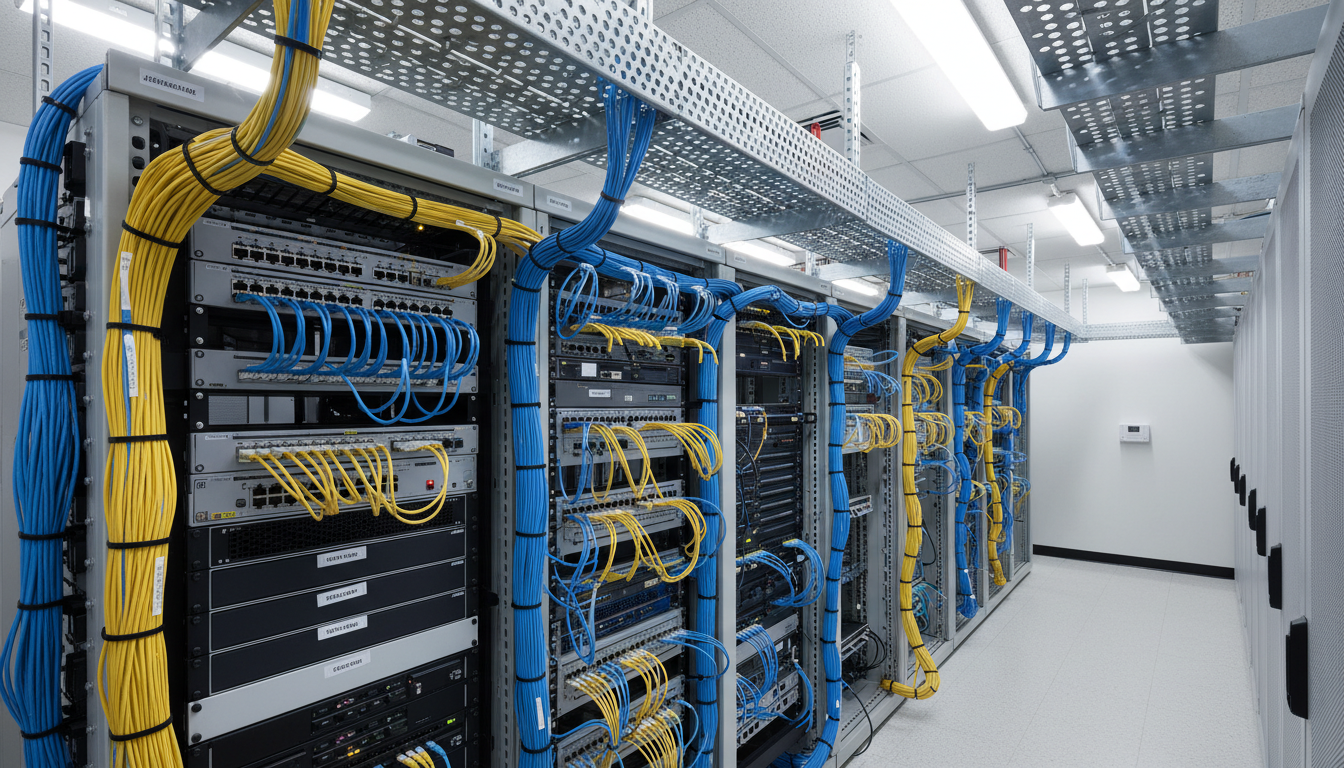
Network cabling is the physical foundation upon which every aspect of your business technology depends. Your Wi-Fi access points, IP telephones, CCTV cameras, printers, servers, and workstations all ultimately connect back to structured cabling that runs through the walls, ceilings, and floors of your premises. Yet despite its critical importance, network cabling is one of the most frequently neglected elements of business IT infrastructure - often installed hastily during a fit-out, with little thought given to standards, future capacity, or quality of workmanship.
For UK businesses, poor cabling is a hidden source of persistent IT problems. Intermittent network dropouts, slow file transfers, degraded video call quality, and unreliable VoIP telephone service can often be traced back to substandard cabling rather than the more obvious suspects like routers, switches, or broadband connections. The frustrating nature of cabling-related issues is that they tend to be intermittent and difficult to diagnose, causing ongoing disruption that never quite gets resolved because the root cause remains hidden behind the walls.
This guide explains the network cabling standards that matter for UK businesses, the differences between cable categories, best practices for installation and testing, and how to ensure your cabling infrastructure supports your business not just today but for the next decade and beyond.
The financial case for investing in quality cabling is compelling when viewed over its full lifespan. A properly designed and installed structured cabling system costs roughly two to five per cent of a typical office fit-out budget, yet it underpins one hundred per cent of the business technology that operates within that space. Conversely, the cost of diagnosing and rectifying cabling faults after installation, which involves disruption to occupied office space, specialist testing equipment, and often partial re-cabling, regularly exceeds the cost of having installed the correct cabling in the first place. Understanding the relevant standards and making informed specification choices at the outset is therefore one of the most cost-effective decisions a business can make during any premises project.
Understanding Cable Categories
Network cables are classified into categories (commonly abbreviated as "Cat") that define their performance characteristics - specifically, the maximum data throughput and bandwidth they can support. Each category represents a step up in performance, and the choice of category has long-term implications for your network's capability. Installing the wrong category today could mean expensive re-cabling within just a few years as your bandwidth requirements grow.
Category 5e (Cat5e) was the standard for business networking for many years and remains common in older UK offices. It supports speeds up to 1 Gbps (Gigabit Ethernet) at frequencies up to 100 MHz. While Cat5e is adequate for basic office tasks - email, web browsing, and document sharing - it is increasingly insufficient for modern demands such as high-definition video conferencing, large file transfers, and cloud-based application delivery. If your premises currently have Cat5e cabling, it will still function, but it should be replaced with a higher category at the next opportunity - particularly if you are undertaking any refurbishment or office move.
Category 6 (Cat6) supports speeds up to 1 Gbps at frequencies up to 250 MHz, with support for 10 Gbps over short distances (up to 55 metres). Cat6 is the minimum standard that should be considered for any new cabling installation in a UK business. It provides a meaningful performance improvement over Cat5e, particularly in environments with high network utilisation, and offers some headroom for future speed increases.
Category 6A (Cat6A) is the current recommended standard for new business cabling installations. It supports 10 Gbps at frequencies up to 500 MHz over the full 100-metre Ethernet distance. Cat6A provides comfortable headroom for future network demands and is the only copper cabling category that fully supports 10 Gigabit Ethernet across a standard structured cabling installation. The incremental cost over Cat6 is modest - typically 15 to 25 per cent more per cable run - making it the best value choice for businesses planning to remain in their premises for five years or more.
Category 8 (Cat8) supports speeds up to 25 or 40 Gbps but is limited to very short distances (30 metres) and is designed primarily for data centre applications. Cat8 is not appropriate for standard office structured cabling and is mentioned here only for completeness.
Shielded vs Unshielded Cabling
Within each cable category, you will encounter both unshielded twisted pair (UTP) and shielded (STP or F/UTP) variants. Unshielded cable relies solely on the twisting of its conductor pairs to reject electromagnetic interference, whilst shielded cable includes an additional metallic foil or braid around the conductor pairs or the entire cable bundle. In the United Kingdom, unshielded Cat6A is the most common choice for standard office environments and performs excellently in the vast majority of commercial settings. Shielded cabling becomes advantageous in electrically noisy environments such as manufacturing facilities with heavy machinery, medical settings with imaging equipment, or premises adjacent to high-power electrical infrastructure.
It is important to understand that shielded cabling requires the entire cabling system to be shielded: cables, patch panels, wall outlets, and patch leads must all be shielded variants, and the shield must be properly grounded at both ends of every run. A partially shielded system, or one with incorrectly grounded shields, can actually perform worse than an equivalent unshielded installation because the ungrounded shield acts as an antenna, attracting interference rather than rejecting it. If your installer recommends shielded cabling, ensure they can demonstrate the specific environmental conditions that justify it and that they commit to proper shield bonding and grounding throughout the installation.
| Category | Max Speed | Max Frequency | Max Distance (10G) | Best For | UK Cost Per Point |
|---|---|---|---|---|---|
| Cat5e | 1 Gbps | 100 MHz | Not supported | Legacy installations only | £50-80 |
| Cat6 | 10 Gbps | 250 MHz | 55 metres | Small offices, budget installs | £65-100 |
| Cat6A | 10 Gbps | 500 MHz | 100 metres | Recommended standard for business | £80-150 |
| Cat8 | 25-40 Gbps | 2000 MHz | 30 metres | Data centres only | £150-250 |
Structured Cabling Standards and Best Practices
Structured cabling refers to the organised, standardised approach to designing and installing network cabling infrastructure. Rather than running cables ad hoc from device to device, structured cabling uses a hierarchical topology with defined components: horizontal cabling (from wall outlets to patch panels), backbone cabling (between floors or buildings), telecommunications rooms, and equipment rooms. This approach is defined by international standards including ISO/IEC 11801 (the international standard), EN 50173 (the European standard), and BS EN 50173 (the British adoption of the European standard).
Compliance with these standards is not just a matter of best practice - it is essential for ensuring reliable performance, obtaining manufacturer warranties, and meeting regulatory requirements. A cabling installation that does not comply with BS EN 50173 may fail to deliver the rated performance of the cable category used, will not be covered by the cabling manufacturer's warranty (which can be up to 25 years for quality installations), and may cause persistent network issues that are expensive and disruptive to diagnose.
A critical element of standards compliance that is often overlooked is the distinction between component testing and installed link testing. Component testing verifies that individual products such as cables, connectors, and patch panels meet their rated specifications in laboratory conditions. Installed link testing, which is what matters for your business, verifies that the complete installed cabling system performs correctly once all components are connected, routed through containment, and terminated. It is entirely possible for individually compliant components to produce a non-compliant installed link if the installation workmanship is poor. Excessive cable pulling tension, tight bends, improper termination technique, or inadequate separation from interference sources can all degrade the performance of otherwise high-quality materials.
When evaluating installers, ask specifically about their testing methodology and the equipment they use. A reputable installer will use a calibrated cable certifier such as a Fluke DSX-8000 or equivalent to test every single installed link against the appropriate standard, typically ISO/IEC 11801 Class EA for Cat6A installations. They should provide you with a complete set of test results in electronic format, showing pass or fail status for each cable run along with the detailed measurement data. These test certificates are not merely a formality; they form the basis of the manufacturer warranty and provide an invaluable reference for future network troubleshooting.
The standard specifies maximum cable run lengths (90 metres for horizontal cabling plus 10 metres for patch leads), minimum bend radius requirements, maximum pulling tension during installation, separation distances from sources of electromagnetic interference (such as power cables and fluorescent lighting), and testing requirements for every installed link. Any installer working on your premises should be able to demonstrate familiarity with and adherence to these requirements. Ask for certification test results for every cable run - this is standard practice for reputable installers.
Fibre Optic vs Copper Cabling
While copper cabling (Cat6A) is the standard choice for horizontal runs to individual workstations and devices, fibre optic cabling has an important role in business networks - particularly for backbone connections between floors, buildings, or to high-bandwidth equipment such as servers and storage systems.
Fibre optic cables transmit data as light pulses rather than electrical signals, giving them several advantages over copper. They support much higher bandwidths over much longer distances - single-mode fibre can carry data at speeds exceeding 100 Gbps over distances of several kilometres. They are immune to electromagnetic interference, making them ideal for environments with heavy electrical equipment. And they do not emit electromagnetic radiation, which can be an advantage in secure or military environments.
The main disadvantage of fibre optic cabling is cost. The cables themselves are more expensive than copper, and the termination, testing, and switching equipment required is significantly more costly. For this reason, fibre is typically used for backbone connections (floor-to-floor and building-to-building links) and server room interconnects, whilst copper Cat6A is used for the horizontal runs to individual desks, access points, and devices.
A sensible cabling strategy for a multi-floor UK office would use fibre optic backbone cabling between the main server room or communications room and each floor's telecommunications closet, with Cat6A copper cabling from the floor closet to individual wall outlets. This provides the bandwidth headroom needed for backbone traffic whilst keeping the cost of individual desk connections reasonable.
The decision between fibre and copper is not always binary, and many modern UK business installations benefit from a thoughtful combination of both technologies deployed where each makes the most sense. For particularly demanding environments such as creative agencies handling large video files, financial services firms running latency-sensitive trading applications, or any business anticipating rapid bandwidth growth, it may be worth extending fibre connections beyond the backbone to serve clusters of high-demand workstations or dedicated server connections. The incremental cost of running fibre to a few strategic locations during the initial installation is minimal compared with retrofitting it later, and it provides options for future network configurations that an entirely copper infrastructure cannot match.
Fibre Optic Advantages
- Supports 10G, 40G, 100G+ speeds easily
- Distance up to several kilometres
- Immune to electromagnetic interference
- No electromagnetic radiation emitted
- Thinner and lighter than equivalent copper
- Future-proof for decades of bandwidth growth
Copper (Cat6A) Advantages
- Lower cost per connection point
- Simpler termination - no specialist tools required
- Powers devices via PoE (Power over Ethernet)
- More robust connectors for desk environments
- Easier to repair and modify
- Widely understood by general IT staff
Power over Ethernet (PoE) Considerations
Power over Ethernet is an increasingly important consideration for business cabling. PoE allows network cables to carry electrical power alongside data, enabling devices such as Wi-Fi access points, IP telephones, CCTV cameras, and door entry systems to receive both their network connection and power supply from a single cable. This eliminates the need for separate power outlets at each device location, simplifying installation and reducing costs - particularly in ceiling-mounted locations where running mains power would be expensive and disruptive.
The current PoE standards support increasing levels of power delivery. IEEE 802.3af (PoE) provides up to 15.4 watts, sufficient for IP phones and basic access points. IEEE 802.3at (PoE+) delivers up to 30 watts, supporting more powerful access points and PTZ cameras. IEEE 802.3bt (PoE++) provides up to 60 or 90 watts, enabling high-power devices such as digital signage displays and multi-radio access points.
Cat6A cabling is the recommended choice for PoE installations because it handles the heat generated by power transmission more effectively than Cat5e or Cat6. When cables carry electrical power, they generate heat - and excessive heat degrades network performance and can reduce cable lifespan. Cat6A's larger conductor gauge and improved shielding help dissipate this heat, maintaining performance even in dense cable bundles carrying PoE to many devices simultaneously.
When planning a PoE deployment, it is essential to consider the total power budget of your network switches. Every PoE-capable switch has a maximum aggregate power budget representing the total watts it can deliver across all of its ports simultaneously. A typical 24-port PoE+ switch might have a power budget of 370 watts, which is sufficient to deliver full PoE+ power to only twelve of its twenty-four ports at the same time. For installations with many PoE devices, you need to carefully calculate the total power draw and ensure your switches can accommodate it, factoring in headroom for future device additions. Under-specifying switch power budgets is a common oversight that leads to devices unexpectedly losing power when additional PoE equipment is connected.
It is also worth considering the implications of PoE for your uninterruptible power supply (UPS) strategy. One of the advantages of PoE is that it centralises power delivery at the switch, meaning a UPS protecting the network switch also protects all PoE-powered devices throughout the building. This is particularly valuable for keeping Wi-Fi access points, IP telephones, and security cameras operational during power outages. However, the increased power draw of PoE switches must be factored into your UPS capacity calculations to ensure adequate runtime during extended outages. A PoE switch drawing 370 watts requires substantially more UPS capacity than a non-PoE switch drawing only 30 to 50 watts.
Planning Your Cabling Installation
A successful cabling installation begins with thorough planning. The decisions you make at the design stage will determine the performance, reliability, and longevity of your network infrastructure for the next 15 to 20 years. Cutting corners at this stage is false economy - retrofitting additional cables or upgrading inadequate cabling is far more expensive and disruptive than getting it right the first time.
Start by assessing your current and anticipated future requirements. Count the number of network points you need today, then add at least 20 to 30 per cent spare capacity to accommodate growth. Consider not just desk positions but also locations for Wi-Fi access points (typically one per 30 to 50 square metres of office space), IP telephones, printers, meeting room displays, CCTV cameras, and building management systems. Each of these devices needs its own network point.
Design your telecommunications rooms (also called comms rooms or wiring closets) with adequate space, power, cooling, and security. These rooms house your patch panels, network switches, and potentially servers and other infrastructure. They should be located centrally to minimise cable run lengths, secured against unauthorised access, and equipped with adequate ventilation or air conditioning to prevent overheating.
Choose your cabling installer carefully. In the UK, reputable installers should hold membership of industry bodies such as the BICSI (Building Industry Consulting Service International) or the FIA (Fire Industry Association, for fire-rated cabling). They should offer a manufacturer-backed warranty on their installation - typically 15 to 25 years - which requires them to be certified by the cable manufacturer and to install according to the manufacturer's specifications. Always request and verify test results for every cable run before accepting the installation as complete.
Beyond selecting the right installer and specifying the correct materials, the project management aspect of a cabling installation deserves careful attention. Cabling work must be coordinated with other building trades including electricians, ceiling contractors, partition installers, and decorators to ensure cables are routed before ceilings are closed, containment is installed before decoration begins, and floor boxes are positioned before carpet is laid. Poor coordination between trades is one of the most common causes of installation delays and quality compromises, as cabling contractors may be forced to improvise cable routes or rush terminations to meet a delayed programme.
Consider appointing a single point of contact within your organisation to manage the cabling project, even if the installation itself is handled entirely by the contractor. This person should attend site regularly during the installation phase, verify that cable routes match the approved design, check that labelling is being applied consistently, and flag any deviations before they become embedded in the finished installation. The cost of correcting cabling issues during installation is a fraction of the cost of rectifying them after the ceiling tiles are replaced, the walls are painted, and the desks are occupied. A modest investment in oversight during the installation phase pays substantial dividends in the quality and reliability of the finished infrastructure.
Common Cabling Mistakes to Avoid
Having surveyed thousands of UK business premises over the years, there are several cabling mistakes that we see with depressing regularity. Awareness of these pitfalls can help you avoid them in your own installation.
Running network cables parallel to power cables is one of the most common errors. Mains power cables generate electromagnetic interference that can degrade network performance, causing packet loss, retransmissions, and reduced throughput. BS EN 50173 specifies minimum separation distances between data and power cables - typically at least 200mm for unscreened cables running parallel. Where cables must cross, they should do so at right angles to minimise interference.
Exceeding the maximum bend radius damages the internal structure of the cable, causing performance degradation that may not be immediately apparent. Cat6A cable should not be bent more tightly than four times the cable's outer diameter. Sharp bends at corners, through cable trays, and at patch panel terminations are common culprits. A good installer will use sweeping bends and appropriate cable management to maintain the minimum bend radius throughout the installation.
Installing insufficient network points seems like a cost-saving measure at the time but inevitably leads to problems within a year or two as the business grows or layout changes. The cost of installing additional cable runs after the initial installation is typically three to five times the cost of including them in the original design. Always overspecify - it is far cheaper to have unused network points than to retrofit additional ones later.
Neglecting labelling and documentation creates an ongoing maintenance nightmare. Every cable, patch panel port, and wall outlet should be clearly labelled with a consistent numbering scheme, and a complete as-built drawing should be produced showing the location and designation of every cable run. Without this documentation, troubleshooting network problems becomes a time-consuming exercise in cable tracing, and future modifications require guesswork rather than certainty.
Cable Testing and Ongoing Verification
Initial certification testing at the time of installation is essential, but cabling performance can degrade over time due to environmental factors, building movement, accidental damage during subsequent building works, or incremental changes to the cable infrastructure such as the addition of patch leads or the relocation of cables within containment. Establishing a programme of periodic re-testing, particularly after any building modifications or when investigating persistent network performance issues, helps to identify degraded links before they cause significant operational disruption. Many managed IT service providers include structured cabling testing as part of their periodic infrastructure audits, and this proactive approach is significantly less costly than the reactive process of tracing intermittent network faults through occupied office space.
When network problems do occur, cable testing should be one of the first diagnostic steps rather than the last resort it often becomes. A systematic approach, starting with a visual inspection of patch panel connections and cable management, progressing to cable certification testing of the suspect links, and then moving to higher-layer diagnostics only once the physical layer has been confirmed as compliant, is far more efficient than the common practice of repeatedly replacing switches, reconfiguring network settings, and blaming the broadband provider before finally discovering that a damaged cable has been the root cause all along. Investing in a basic cable tester for your IT team, or ensuring your IT support provider carries one, can dramatically reduce the time and cost of resolving network incidents.
Need Help with Network Cabling for Your Business?
Cloudswitched designs, installs, and certifies structured cabling systems for UK businesses of all sizes. From Cat6A copper to fibre optic backbone, we ensure your cabling infrastructure meets current standards and future-proofs your network for years to come.
Explore Network Admin Services
CloudSwitched
London-based managed IT services provider offering support, cloud solutions and cybersecurity for SMEs.


