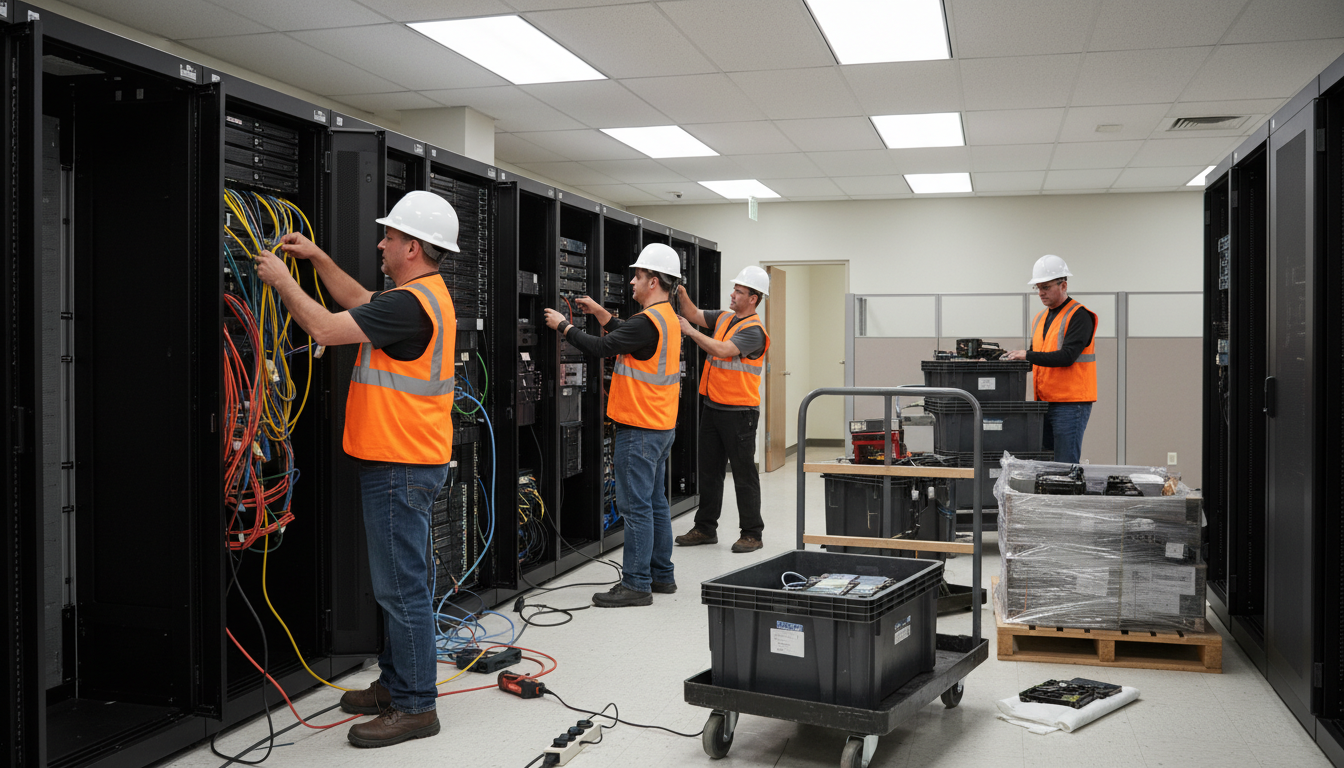
Whether you are relocating to a new office, downsizing after a shift to hybrid working, or closing a site following a merger, IT decommissioning is one of the most overlooked - and most consequential - aspects of shutting down an office. Get it wrong, and you risk data breaches, compliance violations, unexpected costs, and environmental penalties. Get it right, and you protect your data, recover value from old assets, and close the door cleanly on your old premises.
IT decommissioning encompasses far more than simply unplugging computers and throwing them in a skip. It involves the systematic identification, documentation, secure erasure, and responsible disposal or redeployment of every piece of technology in the office - from servers and network switches to desk phones, printers, and the cabling in the walls.
This guide provides a comprehensive, step-by-step approach to IT decommissioning, covering data security obligations, asset recovery, environmental compliance, and the practical logistics of dismantling an office's technology infrastructure.
Why IT Decommissioning Matters
The consequences of poor IT decommissioning are severe and wide-ranging. From a data protection perspective, any device that has ever stored personal or sensitive business data must be securely erased or physically destroyed before disposal. The ICO has repeatedly demonstrated its willingness to fine organisations that fail to protect data on decommissioned equipment. In one high-profile case, a former NHS trust was fined after hard drives containing patient records were found for sale on an internet auction site.
From an environmental standpoint, the Waste Electrical and Electronic Equipment (WEEE) Regulations 2013 place legal obligations on businesses to ensure that electronic waste is recycled or disposed of responsibly. Simply dumping old IT equipment in general waste is illegal and can result in fines from the Environment Agency.
Beyond the regulatory requirements, there are significant business continuity considerations. If your organisation is relocating rather than closing entirely, the decommissioning of the old office must be carefully coordinated with the setup of the new premises. Any data or systems that are not properly migrated before the old office is shut down could leave your team unable to operate effectively from the new location. We have seen businesses lose access to critical financial records, client databases, and operational systems because the decommissioning and migration processes were not properly sequenced or because key dependencies between systems were not identified in advance.
There is also the matter of contractual obligations to your landlord. Most commercial leases in the United Kingdom contain clauses requiring tenants to remove all fixtures and fittings - including IT infrastructure - and return the premises in a specified condition. Failure to do so can result in dilapidation claims, where the landlord charges you for the cost of removing abandoned equipment and making good any damage. These claims can run to thousands of pounds, particularly if IT cabling has been installed throughout the building and the landlord requires its complete removal before handback.
From a financial perspective, poorly managed decommissioning wastes money. Old equipment that could have been resold, refurbished, or donated is instead scrapped. Software licences that could have been transferred or cancelled continue to accrue charges. And rushed, unplanned decommissioning often requires expensive emergency services from IT contractors.
Under the Data Protection Act 2018 and UK GDPR, you remain the data controller for any personal data stored on equipment you are decommissioning, right up until that data is verifiably destroyed. This means you must maintain an auditable chain of custody for every device and obtain certificates of destruction for all data-bearing media. Handing a hard drive to a recycling company without verifying data destruction does not discharge your legal obligation.
The IT Decommissioning Process: Step by Step
Phase 1: Audit and Inventory
Before you disconnect a single cable, you need a complete picture of what exists in the office. This means conducting a thorough IT asset audit that documents every piece of equipment, its location, its age, its condition, and whether it contains any data.
Your inventory should cover servers and storage devices, desktop computers and laptops, monitors and peripherals, network equipment including switches, routers, firewalls, and wireless access points, telephony equipment including desk phones and PBX systems, printers, scanners, and multifunction devices, UPS units and power distribution, security cameras and access control systems, and all structured cabling and patch panels.
Each item should be tagged with a unique identifier and its status recorded in a decommissioning register. This register becomes your primary tracking document throughout the process and your evidence of compliance if ever questioned by a regulator.
A systematic approach to the audit is essential. Start with the server room or communications cupboard, documenting every device in each rack from top to bottom. Then work methodically through the office floor by floor, room by room, desk by desk. Do not overlook communal areas - reception desks, meeting rooms, kitchens, and break rooms often contain IT equipment such as displays, presentation systems, and wireless access points that are easy to miss during a quick walkthrough.
For each item, record not only its physical details but also any software licences associated with it. A desktop computer may have licences for specialist software that could be transferred to machines at your new premises, potentially saving hundreds or even thousands of pounds. Similarly, network equipment may have active support contracts or firmware licences that have residual value. The audit phase is your opportunity to capture all of this information before the equipment is disconnected and the context is lost.
Consider using a dedicated IT asset management tool or a well-structured spreadsheet with photographs for the audit. Photographs are invaluable because they capture details that written descriptions miss - cable connections, rack positions, asset tag locations, and the general condition of equipment. They also provide useful evidence if disputes arise later about what was removed and in what condition it was found at the time of decommissioning.
Phase 2: Data Classification and Migration
Once you know what equipment exists, you need to identify where data lives and ensure it is either migrated to your new environment or securely destroyed. This is more complex than it sounds because data has a habit of hiding in unexpected places.
Beyond the obvious locations - file servers, email servers, databases - data may exist on individual workstation hard drives, in printer memory and hard drives (many modern multifunction printers contain hard drives that cache every document they process), on backup tapes stored in the server room, on USB drives and external hard drives in desk drawers, and in the configuration files of network equipment such as firewalls and switches, which may contain credentials, VPN configurations, and network topology information.
Data migration planning should begin weeks before the physical move, not on the day of decommissioning. Create a migration schedule that prioritises business-critical systems and allows time for thorough testing after each migration. Every migrated dataset should be verified against its source to confirm completeness and integrity before the source system is decommissioned. This verification step is non-negotiable - discovering that a migration was incomplete after the source hardware has been wiped or destroyed is a situation from which you cannot recover.
For organisations moving to cloud-based infrastructure, the decommissioning period offers a natural opportunity to migrate on-premises data and applications to platforms such as Microsoft Azure or Amazon Web Services. However, cloud migration should be planned as a separate project stream, not bolted on to the decommissioning process at the last minute. Rushed cloud migrations frequently result in misconfigured permissions, missing data, and performance issues that undermine user confidence in the new environment and create additional remediation work after the move.
Pay particular attention to archived data and historical records. Many businesses maintain archives of completed projects, former employee records, historic financial data, and legacy application databases that are rarely accessed but must be retained for regulatory or contractual reasons. These archives need to be migrated to appropriate long-term storage - whether cloud-based archival storage, offline media, or a managed archiving service - before the old office is vacated. Retention requirements vary by industry and data type, so consult your compliance team or legal adviser to determine how long each category of archived data must be kept and in what format.
Phase 3: Secure Data Destruction
Every data-bearing device must undergo certified data destruction. There are two primary methods: software-based erasure and physical destruction.
Software-based erasure - also known as data sanitisation - uses specialised tools to overwrite every sector of a storage device with random data, making the original content unrecoverable. This method is suitable for devices that will be resold or redeployed. The erasure must comply with recognised standards such as NIST 800-88 or HMG Infosec Standard 5 (the UK government's standard for data sanitisation). Each device must receive an individual certificate of erasure documenting the serial number, the method used, and the result.
Physical destruction - shredding, degaussing, or incineration - is used for devices that are beyond reuse or that contained particularly sensitive data. A certified destruction company will collect the devices, destroy them at their facility, and provide certificates of destruction. Some organisations require on-site destruction for highly sensitive equipment, where a mobile shredding unit comes to your premises and destroys the devices while you watch.
Software Erasure (Data Sanitisation)
- Device can be resold or redeployed after erasure
- Complies with NIST 800-88 and HMG IS5
- Individual certificates for each device
- Cost-effective at £5 - £15 per device
- Environmentally preferable - extends device lifespan
Physical Destruction
- Device is permanently destroyed - no reuse possible
- Required for damaged drives or highest-sensitivity data
- More expensive at £8 - £25 per device
- Generates e-waste requiring WEEE-compliant recycling
- On-site destruction available for sensitive environments
Phase 4: Asset Disposal and Recovery
Once data has been securely destroyed, you can dispose of the physical equipment. There are several options, and the right choice depends on the age, condition, and type of equipment.
Resale: Equipment that is less than three to four years old and in good condition can often be sold to IT asset disposition (ITAD) companies. Depending on the equipment, you may recover meaningful value - a three-year-old business laptop in good condition typically fetches £80 to £200, while enterprise servers can be worth considerably more.
Donation: Equipment that is too old for commercial resale but still functional can be donated to charities, schools, or community organisations. Several UK charities specialise in refurbishing business IT equipment for reuse, and donation may provide tax benefits.
Choosing the right IT asset disposition partner is critical to maximising value recovery and ensuring compliance. Look for ITAD companies that hold relevant certifications - ADISA (Asset Disposal and Information Security Alliance) certification is the UK industry standard for data-bearing asset disposal, whilst ISO 14001 demonstrates environmental management credentials. A reputable ITAD partner will provide a transparent process with full chain-of-custody documentation, individual asset tracking, certified data destruction, and detailed reporting on the environmental outcomes of their disposal activities.
To maximise the resale value of your decommissioned equipment, plan the disposal timeline carefully. IT equipment depreciates rapidly, so the sooner functional equipment reaches the secondary market, the higher the price it will achieve. Delaying disposal by even a few months can significantly reduce the value recovered. Some ITAD companies offer upfront purchase agreements, paying you a guaranteed amount for your equipment before they collect it, which can simplify budgeting for the decommissioning project. Others work on a revenue-share basis, selling the equipment on the secondary market and sharing the proceeds with you after deducting their processing costs.
WEEE-Compliant Recycling: Equipment that is beyond reuse must be recycled through a registered WEEE compliance scheme. Your ITAD partner should provide WEEE waste transfer notes as proof of compliant disposal.
| Equipment Type | Typical Resale Value | Recommended Disposal Method | Data Destruction Required |
|---|---|---|---|
| Laptops (under 3 years) | £80 - £200 | Resale via ITAD | Yes - software erasure |
| Desktop PCs (under 3 years) | £40 - £120 | Resale or donation | Yes - software erasure |
| Servers | £200 - £2,000+ | Resale via specialist ITAD | Yes - erasure or physical destruction |
| Network switches & routers | £20 - £300 | Resale or recycling | Yes - factory reset and config wipe |
| Monitors | £15 - £60 | Resale or donation | No |
| Printers / MFDs | £10 - £50 | Recycling or donation | Yes - internal hard drive |
Phase 5: Service and Contract Termination
Decommissioning the physical equipment is only part of the process. You also need to terminate or transfer the services and contracts associated with the old office. This includes broadband and leased line circuits (which typically require 30 to 90 days' notice), telephone lines and SIP trunks, software licences tied to the premises, maintenance and support contracts for on-premise equipment, cloud services and subscriptions that were specific to the old site, security alarm monitoring contracts, and any managed print or copier lease agreements.
Failing to cancel services promptly is a common and costly mistake. We have seen businesses continue paying for broadband circuits at vacated offices for months - sometimes years - simply because nobody remembered to cancel the contract.
Software licensing deserves particular attention during the decommissioning process. Enterprise software licences can represent a significant ongoing cost, and many businesses continue paying for licences tied to the old office long after it has been vacated. Review every software subscription, licence agreement, and SaaS platform associated with the site. Licences that are transferable should be migrated to your new environment. Those that are surplus to requirements should be cancelled or, where the licence agreement permits, sold on the secondary software market to recover some of the original investment.
Cloud services are another area where costs can quietly accumulate after an office closure. Virtual machines, storage accounts, backup vaults, and monitoring services that were provisioned to support the old office may continue running and incurring charges unless they are explicitly shut down. Conduct a thorough review of your cloud estate - across all providers - and identify any resources that are no longer needed. Tag them for deletion, but retain backups of any data they contain in case it is needed during the transition period. Set a calendar reminder to delete the backups once the transition is complete and the retention period has expired.
Do not forget about domain names, SSL certificates, and DNS records associated with the old office. If the old site had its own internet presence, email domain, or public-facing services, these may need to be redirected, consolidated, or decommissioned. Expired SSL certificates on forgotten services can create security vulnerabilities, and abandoned DNS records can be exploited by malicious actors through a technique known as dangling DNS or subdomain takeover. A thorough review of all digital assets associated with the premises should form part of every decommissioning plan.
Common IT Decommissioning Mistakes
Starting too late: IT decommissioning should begin planning at least eight to twelve weeks before the office closure date. Rushing the process leads to missed devices, unsecured data, and unnecessary costs.
Forgetting about printers: Modern multifunction printers contain hard drives that store copies of every document they have printed, scanned, copied, or faxed. These devices must be included in your data destruction process.
Ignoring structured cabling: Your lease may require you to remove all IT cabling from the premises. Even if it does not, leaving cables in situ means leaving potential evidence of your network topology for whoever occupies the space next.
Not obtaining destruction certificates: Verbal assurance from a recycling company is not sufficient. You need auditable, written certificates for every data-bearing device, linked to the device's serial number.
Overlooking cloud services: Just because your physical office is closing does not mean your cloud obligations end. Review all cloud subscriptions, storage accounts, and SaaS applications associated with the site and either migrate, archive, or securely delete the data they contain.
Before returning the keys to your landlord, verify that all IT equipment has been removed, all data-bearing devices have destruction certificates, all service contracts have been cancelled or transferred, all structured cabling has been removed (if required by your lease), and the server room or comms cupboard has been left clean and empty. A final walkthrough with your IT decommissioning partner is strongly recommended.
How Much Does IT Decommissioning Cost?
The cost of IT decommissioning varies significantly depending on the size of the office, the volume and type of equipment, and whether you handle it internally or use a specialist partner. As a rough guide, a small office with 20 to 30 workstations might cost between £2,000 and £5,000 for a full decommissioning service. A larger site with server rooms, extensive networking, and 100 or more devices could cost £10,000 to £25,000 or more.
However, these costs should be offset against the value recovered from equipment resale and the avoided costs of compliance failures. A single ICO fine for improper data disposal could dwarf the cost of a properly managed decommissioning project.
Planning Your Decommissioning Timeline
The most common mistake in IT decommissioning is starting too late. A comprehensive timeline should begin eight to twelve weeks before the planned office closure date. The first two weeks should be dedicated to the audit and inventory phase, followed by two weeks for data classification and migration planning. Data destruction and asset disposal typically require two to three weeks, including the time needed to obtain and verify destruction certificates. Contract termination should be initiated as early as possible, given the notice periods involved - particularly for broadband and leased line circuits, which often require 90 days of notice.
Build contingency into your timeline. Decommissioning projects almost always encounter unexpected complications - equipment that was not on the inventory, data that was not included in the migration plan, contracts with termination clauses that differ from what was expected, or ITAD partners who cannot collect equipment on the agreed date. A two-week buffer at the end of your timeline provides the flexibility to handle these surprises without missing your office handback deadline. The cost of overrunning your lease because the decommissioning was not completed on time can be substantial, often running to hundreds of pounds per day in holdover rent, making thorough advance planning one of the most cost-effective investments you can make in the entire decommissioning process.
Planning an Office Closure or Relocation?
Cloudswitched provides end-to-end IT decommissioning services for businesses across the UK. From asset auditing and data destruction to WEEE-compliant recycling and contract termination, we ensure your old office is shut down securely and compliantly.
GET IN TOUCH
CloudSwitched
London-based managed IT services provider offering support, cloud solutions and cybersecurity for SMEs.


