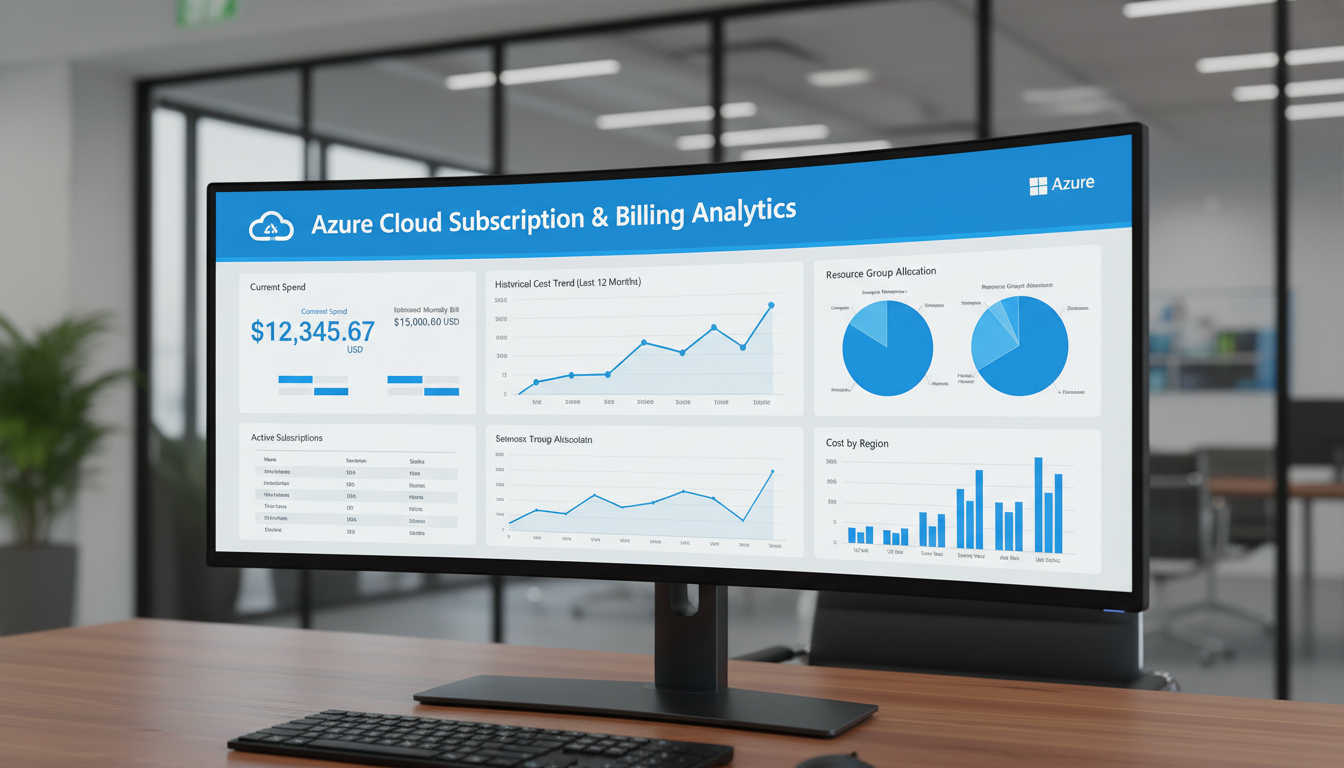
Microsoft Azure's consumption-based pricing model is one of its greatest strengths - you pay only for the resources you use, scaling up and down as your business demands change. But this flexibility comes with a challenge that catches many UK businesses off guard: without careful management, Azure costs can spiral quickly and unpredictably. A forgotten virtual machine running over a bank holiday weekend, an oversized database tier that nobody thought to downscale, or a storage account accumulating data without retention policies can transform a modest monthly bill into a budget-busting surprise.
Effective Azure subscription and billing management is not just a finance concern - it is a core operational discipline that requires collaboration between IT, finance, and business leadership. This guide provides UK businesses with a practical framework for structuring Azure subscriptions, controlling costs, and ensuring that every pound spent on cloud infrastructure delivers genuine business value.
Whether you are running a single subscription for a small business or managing a complex multi-subscription enterprise environment, the principles and practices covered here will help you bring order, visibility, and control to your Azure spending.
Understanding Azure's Billing Hierarchy
Before you can effectively manage Azure costs, you need to understand the billing hierarchy. Azure organises resources in a structured hierarchy that determines how costs are grouped, tracked, and billed.
At the top level is the billing account, which represents your contractual relationship with Microsoft. For most UK businesses, this is either a Microsoft Customer Agreement (the standard for new accounts) or an Enterprise Agreement (for larger organisations). The billing account contains your payment methods, invoices, and billing profiles.
Choosing the Right Agreement Type
The type of billing agreement you hold with Microsoft significantly affects your pricing, payment terms, and available discounts. UK businesses typically operate under one of three agreement types, each suited to different scales and requirements.
A Microsoft Customer Agreement (MCA) is the standard agreement for most UK businesses purchasing Azure directly or through a Microsoft partner. It offers pay-as-you-go pricing with no upfront commitment, making it ideal for businesses that are new to Azure or have unpredictable workloads. The MCA provides access to Azure's full catalogue of services and allows you to take advantage of savings plans and reserved instances as your usage patterns become clearer.
An Enterprise Agreement (EA) is designed for larger organisations with significant and predictable Azure spending - typically committing to a minimum annual spend of around $100,000. In return, EA customers receive discounted pricing, flexible payment terms, and access to additional cost management features. For UK enterprises with substantial Azure estates, the EA pricing advantage can represent savings of 15 to 25 per cent compared to pay-as-you-go rates.
A Cloud Solution Provider (CSP) agreement involves purchasing Azure through a Microsoft partner, who acts as your primary point of contact for billing, support, and licensing. Many UK SMEs prefer the CSP model because it provides a single relationship for both licensing and support, often with the partner adding value through managed services, cost optimisation advice, and consolidated billing across multiple Microsoft products.
Beneath the billing account, billing profiles allow you to generate separate invoices for different parts of your organisation. Each billing profile has its own payment method and generates its own monthly invoice. This is useful for businesses that need to charge Azure costs to different cost centres, departments, or legal entities.
Subscriptions sit beneath billing profiles and serve as the primary container for Azure resources. Every resource you deploy - virtual machines, databases, storage accounts, web apps - lives within a subscription. Subscriptions are the main unit of billing, access control, and policy enforcement. You can have multiple subscriptions under a single billing profile, and this is where thoughtful architecture makes a significant difference to cost management.
For larger UK businesses managing multiple subscriptions, Azure Management Groups provide an additional layer of hierarchy above subscriptions. Management groups allow you to organise subscriptions into a tree structure and apply governance policies, access controls, and compliance requirements at scale. For example, you might have a management group for "Production" and another for "Development," each with different policies regarding allowed VM sizes, required tags, and budget limits. Management groups are not a billing construct - they are a governance tool - but they play a crucial role in cost control by enforcing consistent policies across subscriptions.
Structuring Your Subscriptions
How you structure your Azure subscriptions has a profound impact on your ability to manage costs. There is no single correct approach - the right structure depends on your organisation's size, complexity, and governance requirements. However, several common patterns work well for UK businesses.
The environment-based model uses separate subscriptions for production, development, testing, and staging environments. This provides clear cost separation between environments, prevents development workloads from consuming production budgets, and allows different access controls for each environment. This is the most popular model for UK SMEs and mid-market businesses.
The department-based model creates subscriptions for each business unit or department - for example, separate subscriptions for engineering, marketing, finance, and operations. This simplifies cost allocation and chargebacks, making it clear which department is responsible for which costs.
Naming Conventions and Governance
Regardless of the subscription model you choose, consistent naming conventions are essential for maintaining clarity as your Azure environment grows. A well-designed naming convention makes it immediately apparent what a resource is, what it belongs to, and who is responsible for it - even when viewed by someone unfamiliar with the specific project or workload.
A practical naming convention for UK businesses might follow the pattern: [company]-[environment]-[application]-[resource type]-[region]. For example, a production SQL database for a customer relationship management system hosted in the UK South region might be named cs-prod-crm-sqldb-uksouth. This convention makes resources self-documenting and enables effective filtering, searching, and cost analysis across the estate.
Governance extends beyond naming. Azure Policy provides a powerful mechanism for enforcing organisational standards across your subscriptions. You can create policies that restrict which Azure regions resources can be deployed in - ensuring data sovereignty for UK compliance requirements - limit the sizes and types of virtual machines that can be provisioned, and require specific configurations such as encryption at rest and diagnostic logging. These policies act as automated guardrails, preventing costly mistakes before they occur rather than identifying them after the fact.
| Subscription Model | Best For | Advantages | Considerations |
|---|---|---|---|
| Environment-based | SMEs with simple structures | Clear separation; easy access control | Cross-department costs harder to track |
| Department-based | Organisations needing chargebacks | Clear cost ownership per department | Shared services need careful allocation |
| Application-based | Software companies, complex estates | Full cost visibility per application | More subscriptions to manage |
| Hybrid | Mid-to-large enterprises | Flexible; combines multiple approaches | Requires clear naming conventions and tags |
Essential Cost Management Tools
Azure provides several built-in tools for managing and optimising costs. Understanding and using these tools is fundamental to controlling your Azure spend.
Azure Cost Management + Billing is the primary cost management tool, available directly within the Azure portal at no additional charge. It provides detailed cost analysis views that allow you to break down spending by subscription, resource group, resource type, tag, location, and time period. You can create custom views, export data to CSV for further analysis, and set up automated email reports to keep stakeholders informed.
Azure Budgets allow you to set spending thresholds at the subscription or resource group level, with alerts triggered at configurable percentages of the budget. For example, you might set a monthly budget of £2,000 for your development subscription, with alerts at 50%, 75%, and 90% thresholds. Budgets can also trigger automation - for example, automatically shutting down non-essential virtual machines when spending reaches 80% of the budget.
Azure Advisor provides personalised recommendations for optimising your Azure environment, including cost recommendations. It analyses your resource utilisation and identifies opportunities to save money - such as right-sizing underutilised virtual machines, purchasing reserved instances for predictable workloads, or deleting unused resources.
Automating Cost Controls
While Azure's built-in cost management tools provide excellent visibility, the most effective cost control strategies incorporate automation to enforce policies without relying on manual oversight. Azure Logic Apps and Azure Automation can be configured to take automatic action based on cost or utilisation thresholds - for example, shutting down non-essential virtual machines when a subscription reaches 85 per cent of its monthly budget, or sending a notification to a resource owner when their resources have been underutilised for more than 14 consecutive days.
For UK businesses with more complex requirements, Azure Functions can be used to build custom cost management workflows. A common pattern is a scheduled function that runs nightly, identifies resources that have been idle for a configurable period, and generates a report or takes automated action. This approach is particularly valuable for development and testing environments, where resources are frequently provisioned for short-term purposes and then forgotten.
Third-Party Cost Management Platforms
While Azure's native tools are capable, several third-party platforms offer additional features that can be valuable for UK businesses with complex multi-cloud or multi-subscription environments. Platforms such as CloudHealth, Spot by NetApp, and Apptio Cloudability provide cross-cloud cost visibility, advanced anomaly detection, and more sophisticated recommendation engines. These tools are particularly useful for organisations operating across multiple cloud providers or managing large numbers of subscriptions where Azure's native tools may not provide sufficient depth of analysis.
However, for most UK SMEs and mid-market businesses, Azure's built-in Cost Management + Billing tool, combined with Azure Advisor and a disciplined review cadence, provides more than adequate cost management capability without the additional expense and complexity of a third-party platform.
Tagging Strategy for Cost Allocation
Tags are metadata key-value pairs that you attach to Azure resources for organisation, cost tracking, and automation purposes. A well-designed tagging strategy is essential for accurate cost allocation - without tags, it is extremely difficult to determine which project, department, or client is responsible for specific costs, especially in shared subscriptions.
At a minimum, every Azure resource in your environment should carry tags for cost centre (the department or team responsible for the cost), environment (production, development, testing, staging), project or application name, owner (the person or team accountable for the resource), and created date. Many UK businesses also add tags for client or customer (for agencies and consultancies that deploy resources on behalf of clients), data classification (to support GDPR compliance), and auto-shutdown schedule (to enable automation that turns off resources outside business hours).
Enforce your tagging strategy using Azure Policy. You can create policies that prevent the creation of resources without required tags, automatically inherit tags from the parent resource group, or add default tags to newly created resources. This enforcement prevents the gradual erosion of tagging discipline that inevitably occurs without automated controls.
Building Cost Accountability Through Tag Reporting
Tags only deliver value when they are used to drive reporting and accountability. Establish a monthly cost review process that uses tag-based reporting to allocate costs to their respective owners. Azure Cost Management allows you to group costs by any tag, making it straightforward to produce reports showing spending by department, project, environment, or any other dimension you have tagged.
For UK businesses operating internal chargebacks or showback models, tag-based reporting provides the granularity needed to allocate shared infrastructure costs fairly. For example, if multiple departments share a single Azure subscription, tags enable you to produce monthly reports showing each department's share of the total cost, broken down by resource type. This transparency encourages responsible resource management - teams that can see the direct cost impact of their Azure usage are far more likely to right-size their resources and clean up after themselves.
Consider publishing a monthly Azure cost dashboard that is accessible to all budget holders. This dashboard should show total spend versus budget, spend by department or project, month-on-month trends, and the top ten most expensive resources. Making cost data visible and accessible transforms cloud cost management from a finance exercise into a shared organisational responsibility.
Practical Cost Optimisation Strategies
Beyond the tools Azure provides, several practical strategies help UK businesses reduce their Azure spending without sacrificing performance or capability.
Auto-shutdown for non-production resources: Development and testing virtual machines should not run 24/7. Configure auto-shutdown schedules to turn them off outside business hours and at weekends. A virtual machine that runs only during business hours (10 hours per day, 5 days per week) costs roughly 30 per cent of the same machine running continuously. Across a development environment with ten VMs, this saving alone can amount to thousands of pounds per year.
Storage lifecycle policies: Data stored in Azure Blob Storage often has a lifecycle - it is accessed frequently when new, occasionally after a few weeks, and rarely after a few months. Azure's storage lifecycle policies can automatically move data from Hot storage (highest performance, highest cost) to Cool storage (lower performance, lower cost) to Archive storage (lowest cost, higher retrieval latency) based on age or access patterns. This automated tiering can reduce storage costs by 50 to 80 per cent for data that follows a typical lifecycle pattern.
Reserved Instances and Savings Plans
For workloads that run continuously and predictably - production web servers, database servers, domain controllers, and similar always-on infrastructure - Reserved Instances offer the most significant cost reduction available in Azure. By committing to a one-year or three-year term, you receive a substantial discount compared to pay-as-you-go pricing: typically 30 to 40 per cent for a one-year commitment and up to 65 per cent for a three-year commitment.
Azure Savings Plans offer a more flexible alternative to Reserved Instances. Rather than committing to a specific VM size and region, Savings Plans commit to a fixed hourly spend across any combination of compute services. This flexibility makes Savings Plans particularly attractive for UK businesses whose workloads may shift between VM sizes or regions over the commitment period. The discount is slightly lower than equivalent Reserved Instances, but the flexibility often makes up for the difference.
Azure Hybrid Benefit
UK businesses with existing Windows Server or SQL Server licences purchased through Software Assurance or qualifying subscriptions can take advantage of Azure Hybrid Benefit to significantly reduce their Azure compute costs. By applying existing licences to Azure virtual machines, you avoid paying for the Windows Server or SQL Server licence component of the VM cost, which typically represents 40 to 49 per cent of the total price. For a business running ten Windows Server VMs in Azure, Hybrid Benefit can save thousands of pounds annually.
It is worth conducting a thorough licence inventory before migrating workloads to Azure, as many UK businesses have existing Microsoft licences that they are not aware can be applied to Azure. Your Microsoft licensing partner or a specialist adviser can help identify qualifying licences and calculate the potential savings.
Cost Optimisation Best Practices
- Set budgets and alerts for every subscription
- Review Azure Advisor recommendations monthly
- Auto-shutdown dev/test VMs outside business hours
- Use Reserved Instances for predictable workloads
- Implement storage lifecycle policies
- Tag every resource for cost accountability
- Right-size VMs based on actual utilisation data
- Delete unused resources and orphaned disks
Common Cost Mistakes
- No budget alerts - surprises on the monthly invoice
- Dev VMs running 24/7 including weekends
- Oversized VMs based on guesswork rather than data
- Pay-as-you-go pricing for predictable, steady workloads
- No tagging - impossible to allocate costs accurately
- Forgotten resources from old projects still running
- Premium storage tier for infrequently accessed data
- No regular cost review cadence
Managing Azure subscriptions and billing effectively requires ongoing discipline and attention. It is not a one-time exercise - it is a continuous practice of monitoring, optimising, and refining. UK businesses that invest in proper cost management from the outset will find that Azure delivers exceptional value. Those that do not will find that cloud costs can become one of their largest and most unpredictable expenses.
Need Help Managing Your Azure Costs?
Cloudswitched provides Azure cost management and optimisation services for UK businesses. From subscription architecture through to tagging strategies, budget alerts, and monthly cost reviews, we help you get maximum value from every pound of cloud spend.
Optimise Your Azure Spend
CloudSwitched
London-based managed IT services provider offering support, cloud solutions and cybersecurity for SMEs.


