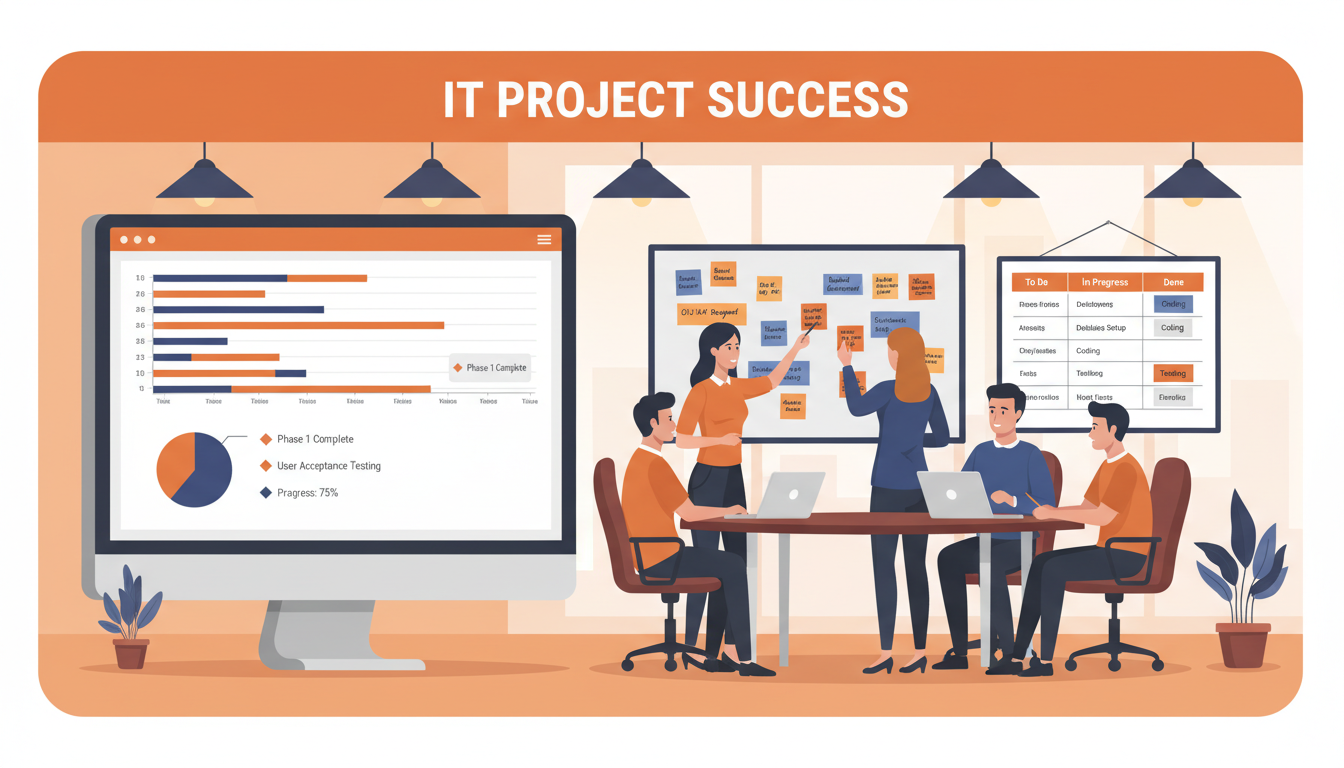
Every business eventually faces a significant IT project. It might be a migration to Microsoft 365, the deployment of a new line-of-business application, a complete network refresh, a cloud migration to Azure, or the IT component of an office relocation. For large enterprises, these projects are handled by dedicated project managers with formal methodologies and substantial budgets. For UK SMEs, the reality is very different.
Small and medium-sized businesses typically lack dedicated IT project management resources. Projects are often managed by the business owner, the office manager, or whoever happens to be most technically inclined. The methodology is informal at best, non-existent at worst. Budgets are tight, timelines are optimistic, and the consequences of failure are disproportionately severe for a smaller organisation.
The result is predictable. Research consistently shows that IT projects in SMEs fail at an alarming rate. They run over budget, exceed their timelines, deliver less than promised, or fail entirely. This is not because SMEs are incapable of executing IT projects - it is because they lack the frameworks, experience, and governance that larger organisations take for granted. This guide provides a practical, proven framework for managing IT projects successfully in an SME environment.
Why IT Projects Fail in SMEs
Before diving into how to manage IT projects successfully, it is worth understanding the most common reasons they fail. These failure modes repeat with remarkable consistency across different types of projects and different industries. Recognising them early allows you to take preventative action.
Inadequate Scoping and Requirements Gathering
The single most common cause of IT project failure is a lack of clear, documented requirements. The project begins with a vague objective - “we need to move to the cloud” or “we need a new CRM system” - without anyone articulating exactly what that means in practical terms. What specific workloads are moving to the cloud? What data needs to migrate? What integrations are required? What does success look like? Without answers to these questions, the project is building on sand.
Scope Creep
Even when requirements are initially well-defined, they have a tendency to expand during the project. A network refresh becomes a network refresh plus a telephony upgrade. A Microsoft 365 migration becomes a migration plus a SharePoint intranet project. Each addition seems small and reasonable in isolation, but cumulatively they transform the project into something far larger, more complex, and more expensive than originally planned.
Unrealistic Timelines and Budgets
SME business owners are often optimistic about what can be achieved, how quickly, and for how much. An IT provider quotes eight weeks for a project, the business owner pushes for four, and neither party pushes back hard enough on the compromises this requires. The result is a rushed implementation that creates problems which take months to resolve.
Poor Vendor Management
Many SMEs entrust their IT projects to external providers without establishing clear accountability structures. The vendor is left to manage themselves, with no independent oversight of their work, timelines, or deliverables. When problems arise - and they invariably do - the business owner lacks the technical knowledge to challenge the vendor's explanations or to determine whether delays are genuinely unavoidable or the result of poor resource allocation on the vendor's side. Without defined milestones, acceptance criteria, and regular reporting, there is no mechanism for early detection of problems. Establishing clear contractual protections, milestone-based payments, and independent technical oversight before the project begins is essential to maintaining vendor accountability throughout the engagement.
Insufficient Change Management
IT projects are not purely technical exercises - they are organisational change initiatives that affect how people work every day. A new CRM system changes how salespeople manage their pipeline. A Microsoft 365 migration changes how everyone communicates, collaborates, and stores their files. A network refresh may require staff to work differently during the transition period, and the new infrastructure may alter established workflows. Without proper change management - including early communication, structured training programmes, and genuine user engagement - even technically successful projects can fail to deliver their intended business benefits because users resist the change or simply do not adopt the new systems effectively. The human element of IT projects is consistently underestimated in SME environments.
Every project is constrained by three factors: scope, time, and cost. These form the “iron triangle” - you can optimise for any two, but the third must flex. Want it fast and cheap? You will need to reduce scope. Want it comprehensive and fast? It will cost more. Want it comprehensive and cheap? It will take longer. Understanding this fundamental trade-off is the first step to realistic project planning. SMEs that try to optimise for all three simultaneously are the ones whose projects fail.
A Practical IT Project Management Framework for SMEs
You do not need PRINCE2 certification or an Agile coach to manage IT projects effectively. What you need is a structured approach that is proportionate to the size and complexity of the project. The following framework has been proven across hundreds of SME IT projects and can be adapted to any type of IT initiative.
Phase 1: Initiation and Scoping
Every IT project, no matter how small, should begin with a formal scoping exercise. This involves defining the project objectives in clear, measurable terms. Not “improve our IT,” but “migrate all email and file storage to Microsoft 365 for 45 users, with full data migration from the existing Exchange server, completed within six weeks, for a budget of £12,000.”
The scoping phase should produce a brief but comprehensive project brief that includes the business case (why are we doing this?), the objectives (what will be achieved?), the scope (what is included and, critically, what is excluded?), the budget (how much will it cost?), the timeline (when will it be completed?), the risks (what could go wrong?), and the stakeholders (who is involved and who makes decisions?).
Phase 2: Planning and Design
With the scope defined, the project moves into detailed planning. This is where the technical design is developed, the implementation plan is created, the migration strategy is defined, and the testing approach is documented. For an SME, this does not need to be a hundred-page document - a clear, concise plan of five to ten pages is usually sufficient.
The plan should break the project into clearly defined phases or milestones, each with specific deliverables and timescales. Identify dependencies - things that must happen before other things can begin. For example, you cannot migrate email to Microsoft 365 until licences have been purchased and the domain has been verified. You cannot install new network switches until the structured cabling is complete.
| Phase | Key Activities | Typical Duration | Common Pitfalls |
|---|---|---|---|
| Initiation | Scoping, business case, stakeholder alignment | 1–2 weeks | Rushing to start without clear requirements |
| Planning | Technical design, migration plan, risk assessment | 1–3 weeks | Underestimating complexity, missing dependencies |
| Execution | Implementation, configuration, data migration | 2–8 weeks | Scope creep, poor communication, insufficient testing |
| Testing | User acceptance testing, performance validation | 1–2 weeks | Skipping testing to meet deadlines |
| Go-Live | Cutover, user training, hypercare support | 1 week | No rollback plan, inadequate user training |
| Closure | Documentation, lessons learned, handover | 1 week | Skipping closure entirely |
Phase 3: Execution
The execution phase is where the actual work happens. For IT projects, this typically involves hardware procurement and staging, software installation and configuration, data migration, integration work, and infrastructure deployment. The key to successful execution is disciplined adherence to the plan, regular progress monitoring, and swift escalation of any issues or risks.
Weekly progress meetings (or more frequent for complex projects) should be held between the project sponsor (typically the business owner or a senior manager) and the project team. These meetings should be short and focused: what was completed this week, what is planned for next week, what issues need to be resolved, and is the project still on track for budget and timeline?
Effective execution also requires a disciplined approach to change control. When someone requests a change to the project scope - whether it is an additional feature, a different configuration, or an expansion of the original objectives - that request should be formally documented, its impact on budget and timeline assessed, and a decision made by the project sponsor before any work begins. This simple discipline prevents the incremental scope creep that derails so many SME IT projects. It does not mean saying no to every change; it means making informed decisions about which changes are worth the additional cost and time, and which are better deferred to a follow-up phase after the core project is complete.
Documentation during execution is equally critical and frequently neglected. Maintain a running log of decisions made, configurations applied, issues encountered, and deviations from the original plan. This documentation proves invaluable during testing, when resolving post-go-live issues, and when planning future projects. For SMEs without dedicated project managers, a shared document or lightweight project management tool such as Microsoft Planner or Trello provides sufficient structure without excessive administrative overhead. The discipline of recording what was done and why takes minimal effort during the project but saves considerable time and frustration afterwards.
Phase 4: Testing and Validation
Testing is the phase most commonly skipped or curtailed in SME IT projects, and it is also the phase whose absence causes the most problems. Every IT project should include formal testing before go-live, and the testing plan should be defined during the planning phase, not made up on the day.
For most SME IT projects, testing should include technical testing (does the system work as configured?), integration testing (does it work with other systems?), user acceptance testing (can real users perform their actual tasks?), and performance testing (does it perform adequately under realistic load?). If the project involves data migration, data validation testing is also essential - verifying that all data has been migrated completely and accurately.
The Role of a Virtual CIO in IT Project Governance
One of the most effective ways for an SME to improve IT project outcomes is to engage a virtual CIO (vCIO). A vCIO provides the strategic oversight, governance, and experience that a full-time Chief Information Officer would bring, but at a fraction of the cost.
In the context of IT projects, a vCIO can help define the business case and ensure the project aligns with wider business strategy. They can evaluate vendor proposals and technology options with the expertise to see beyond sales presentations. They can establish governance frameworks that prevent scope creep and ensure accountability. They can provide independent oversight of the project team, whether internal or external. And they can manage risks proactively rather than reactively.
For a UK SME, engaging a vCIO for the duration of a significant IT project typically costs between £500 and £2,000 per month. When compared to the average £18,500 budget overrun on SME IT projects, this investment pays for itself many times over. It is the difference between hoping a project succeeds and having a experienced professional ensuring it does.
How a vCIO Adds Value Throughout the Project Lifecycle
During the initiation phase, a vCIO helps articulate the business case in terms that resonate with stakeholders, ensuring the project secures the buy-in and budget it needs. During planning, they draw on experience from dozens of similar projects to identify risks and dependencies that a less experienced team might overlook. During execution, they provide independent quality assurance, reviewing deliverables against the original specification and challenging the project team where standards fall short. After go-live, they ensure that post-project reviews are conducted rigorously and that lessons learned are captured for future reference.
Perhaps most importantly, a vCIO brings objectivity. They are not emotionally invested in a particular technology or approach. They have no incentive to recommend expensive solutions when simpler ones will suffice. Their loyalty is to the business outcome, not to a vendor relationship or a technology preference. For UK SMEs considering projects valued at £10,000 or more, engaging a vCIO is one of the most cost-effective risk mitigation strategies available. The governance frameworks they establish also benefit future projects, creating a repeatable approach to IT investment that improves outcomes consistently over time.
With Proper Project Management
- Clear scope and documented requirements
- Realistic budget with contingency
- Defined milestones and progress tracking
- Formal testing before go-live
- Trained users ready for the new system
- Risk register with mitigation plans
- Post-project review and lessons learned
Without Project Management
- Vague objectives, shifting goalposts
- Costs that spiral beyond estimates
- No visibility of progress or problems
- Go-live surprises and outages
- Frustrated, untrained users
- Risks discovered only when they materialise
- Same mistakes repeated on the next project
Common SME IT Projects and How to Approach Them
While the framework above applies to any IT project, certain types of projects are particularly common in UK SMEs. Here is specific guidance for the most frequent ones.
Microsoft 365 Migration
Migrating to Microsoft 365 is one of the most common IT projects for UK SMEs. It involves moving email (typically from an on-premise Exchange server or another provider), migrating files to SharePoint and OneDrive, deploying Teams for collaboration, and configuring security policies. A well-managed migration for a 30-user business typically takes four to six weeks and costs between £5,000 and £12,000 including licences.
The most common pitfalls in Microsoft 365 migrations include underestimating the volume of data to be migrated, failing to account for shared mailbox and distribution list complexity, neglecting to plan for hybrid coexistence during the transition period, and providing inadequate user training on the new platform. Pay particular attention to email routing during the migration - a misconfigured MX record change can result in lost email, which is both operationally disruptive and deeply damaging to client confidence. Engage your IT provider in a detailed migration rehearsal before the live cutover, and always maintain a rollback plan for the first 48 hours. The most successful migrations take a phased approach, moving users in batches rather than all at once, which limits the blast radius of any issues that emerge during the process.
Network Infrastructure Refresh
Replacing ageing network infrastructure - switches, firewalls, wireless access points, and cabling - is a project that many SMEs delay until equipment starts failing. A proactive network refresh, planned and executed properly, minimises disruption and provides a modern, secure, high-performance network foundation. Budget £8,000 to £25,000 depending on office size and complexity.
A successful network refresh begins with a comprehensive site survey and an honest assessment of both current and future requirements. Consider not just today's device count and bandwidth needs, but where the business will be in three to five years. Plan for wireless-first connectivity, particularly if your workforce is increasingly mobile within the office environment. Ensure your new firewall provides unified threat management capabilities including intrusion detection, content filtering, and VPN access for remote workers. Where possible, schedule the most disruptive elements of the installation - such as core switch replacement - outside business hours or over a weekend to minimise operational impact. Document the existing network thoroughly before any work begins, including IP addressing schemes, VLAN configurations, and any bespoke routing or firewall rules that must be replicated on the new equipment.
Cloud Migration
Moving on-premise servers to Azure, AWS, or a UK-hosted platform is a transformative project that eliminates hardware maintenance, improves disaster recovery, and enables remote working. This is also one of the most complex projects an SME can undertake, requiring careful planning of network connectivity, data migration, application compatibility, and security. Budget £10,000 to £40,000 for a full cloud migration.
The key to a successful cloud migration is a thorough application discovery and dependency mapping exercise conducted before any migration work begins. Many SMEs are surprised to discover legacy applications that cannot run in the cloud without modification, databases with complex interdependencies, or line-of-business applications whose licensing terms do not permit cloud deployment. Address these discoveries during the planning phase, not midway through migration when they become blocking issues. Consider a phased migration approach - moving less critical workloads first to build confidence and identify issues before migrating mission-critical systems. Always ensure your internet connectivity has sufficient bandwidth and redundancy to support a cloud-dependent operation, and plan for what happens when that connectivity is interrupted.
Office Relocation with IT Component
An office move is one of the highest-risk IT projects an SME can undertake because it combines technology migration with a hard, immovable deadline - the day you move into the new premises. The IT component of an office relocation includes network infrastructure installation at the new site, internet connectivity provisioning (which can take four to eight weeks with UK providers), telephony migration or deployment, server and equipment physical relocation, printer and peripheral setup, and user workstation deployment. The key to success is starting the IT planning the moment the lease is signed, not three weeks before the move date. Internet connectivity provisioning in particular must be initiated as early as possible, as delays from service providers are common and entirely outside your control.
Measuring Project Success
Every project should define success criteria during the scoping phase and measure against them after completion. Too often, SME IT projects are considered “done” when the technology is installed, without evaluating whether it actually delivered the intended business benefits. A proper post-project review should assess whether the project was delivered on time and on budget, whether the stated objectives were achieved, whether users are productive on the new system, and whether any issues remain unresolved.
This review should happen four to six weeks after go-live, once the dust has settled and users have had time to work with the new systems in their daily routines. The findings should be documented and used to inform future projects - creating an organisational learning loop that improves project outcomes over time.
Building a Continuous Improvement Culture
The most effective SMEs treat each IT project not as an isolated event but as an opportunity to strengthen their organisational capability. Maintain a simple project retrospective template that captures what went well, what could have been improved, and what specific actions will be taken differently next time. Share these findings with everyone involved in the project and store them where they can be referenced when the next initiative begins. Over time, this creates an institutional memory that dramatically improves project outcomes and reduces the likelihood of repeating costly mistakes.
Consider also the long-term operational impact of the project. Has it reduced support ticket volumes? Has it improved system uptime or reliability? Are employees reporting greater productivity or satisfaction with the new technology? These operational metrics, measured over the months following project completion, provide the truest measure of whether the project delivered genuine business value - not just technical functionality but a tangible improvement in how the organisation operates. Tracking these metrics also builds the business case for future IT investment, demonstrating to stakeholders that well-managed IT projects deliver measurable returns.
Need Help Managing an IT Project?
Cloudswitched provides IT project management and virtual CIO services for UK SMEs. Whether you are planning a cloud migration, office move, network refresh, or any other IT initiative, our experienced team ensures your project is delivered on time, on budget, and to the standard your business deserves. Get in touch to discuss your project.
Explore Virtual CIO Services GET IN TOUCH
CloudSwitched
London-based managed IT services provider offering support, cloud solutions and cybersecurity for SMEs.


