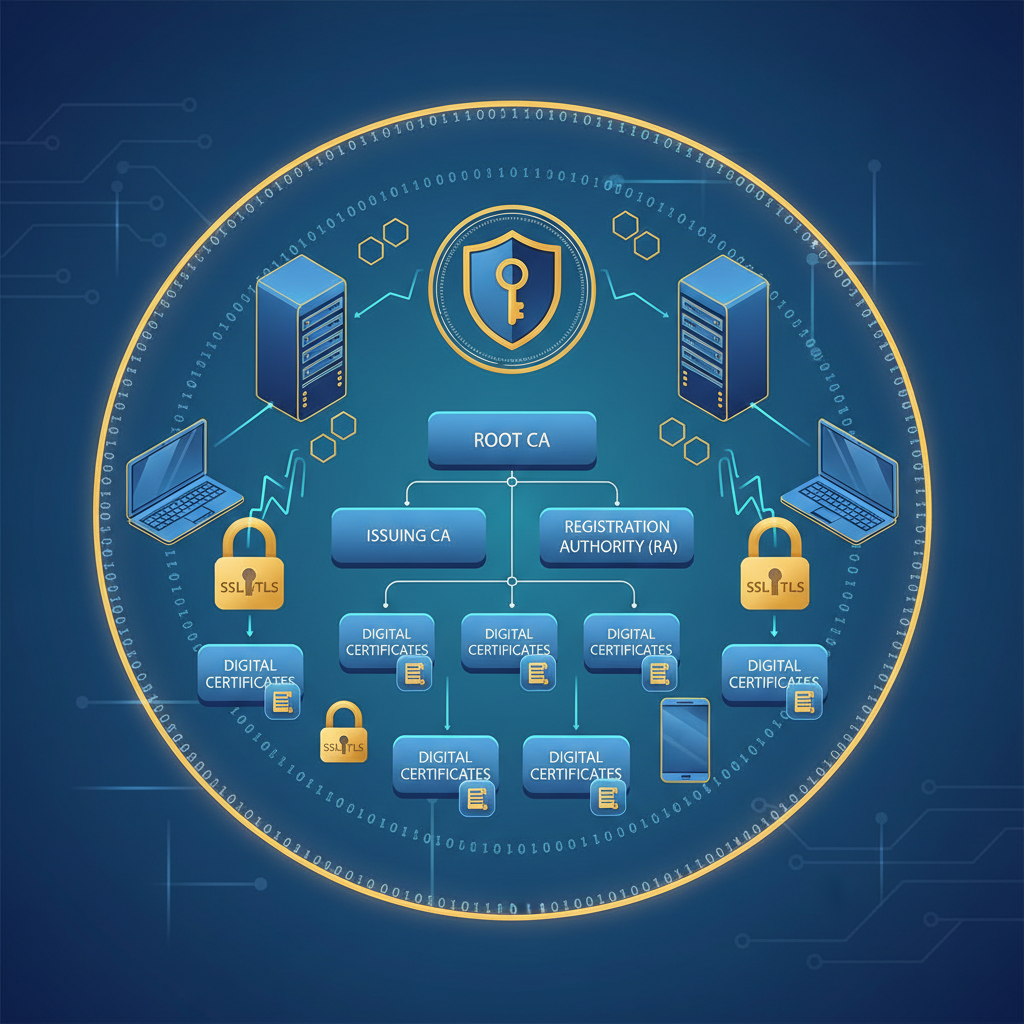
Every time a customer visits your website, submits a form, or connects to your company’s VPN, a silent negotiation takes place behind the scenes. Digital certificates - small cryptographic files that prove identity and enable encryption - are the foundation of that trust. Without them, passwords travel in plain text, websites cannot be verified as genuine, and encrypted tunnels between offices simply do not exist. Certificates are the locks on every digital door your business operates, and Public Key Infrastructure (PKI) is the system that manages those locks.
Yet for many UK businesses, certificate management remains an afterthought - something addressed reactively when a browser displays a frightening “Your connection is not private” warning, or when an internal application suddenly stops working because a certificate expired overnight. The consequences of poor certificate management range from embarrassing (a customer-facing website going down) to devastating (a security breach that compromises sensitive data and triggers UK GDPR enforcement action).
This guide is written for UK IT administrators, network managers, and business decision-makers who want to understand PKI and certificate management in practical terms. We will cover what PKI is, why certificates matter, the different types you will encounter, how to manage their lifecycle effectively, and the tools and best practices that keep your organisation secure and compliant.
What Is Public Key Infrastructure (PKI)?
Public Key Infrastructure is the framework of policies, procedures, hardware, software, and cryptographic technologies that enables secure electronic communication. At its core, PKI solves a fundamental problem: how do two parties who have never met establish trust over an untrusted network like the internet?
The answer lies in asymmetric cryptography - a system where every participant has two mathematically related keys: a public key that can be shared freely, and a private key that must be kept absolutely secret. Data encrypted with the public key can only be decrypted with the corresponding private key, and vice versa. This elegant mathematical relationship enables both encryption (confidentiality) and digital signatures (authentication and integrity).
A digital certificate binds a public key to an identity - a person, a server, a device, or an organisation. It is issued by a trusted third party called a Certificate Authority (CA), which vouches for the identity of the certificate holder. When your browser connects to a website over HTTPS, it checks the site’s certificate to verify that the public key genuinely belongs to the claimed domain, that the certificate was issued by a trusted CA, and that it has not expired or been revoked.
The Components of PKI
A complete PKI ecosystem consists of several interconnected components, each playing a specific role in the trust chain.
Certificate Authority (CA). The trusted entity that issues, signs, and manages digital certificates. The CA verifies the identity of the certificate requester before issuing a certificate, and its own identity is established through a root certificate that is pre-installed in operating systems and browsers.
Registration Authority (RA). An optional component that handles the identity verification process on behalf of the CA. In large organisations, the RA receives certificate requests, validates them against internal policies, and forwards approved requests to the CA for signing.
Certificate Repository. A directory or database where issued certificates and their status information are stored and made available for verification. This often takes the form of an LDAP directory or an HTTP-accessible repository.
Certificate Revocation List (CRL). A regularly published list of certificates that have been revoked before their expiry date - because the private key was compromised, the certificate holder’s identity changed, or the certificate was issued in error. Relying parties check the CRL to ensure a certificate is still valid.
Online Certificate Status Protocol (OCSP). A more modern alternative to CRLs that allows real-time checking of a certificate’s revocation status. Rather than downloading an entire CRL, the relying party sends a query about a specific certificate and receives an immediate response.
Think of PKI like a passport system. The government (root CA) is trusted by everyone. It authorises regional passport offices (intermediate CAs) to issue passports (certificates) to individuals (servers, users, devices). When you present your passport at border control, the officer trusts it because they trust the issuing government. If a passport is reported stolen, it goes on a watch list (CRL/OCSP). The entire system works because everyone agrees to trust the same set of root authorities - and in the digital world, those root CAs are pre-installed in every operating system and browser.
Why Certificates Matter for UK Businesses
Certificates are not an abstract technical concept - they underpin virtually every secure interaction your business has with the digital world. Understanding why they matter helps prioritise their management.
Website Security and Customer Trust
SSL/TLS certificates encrypt the connection between your website and your visitors’ browsers. Without a valid certificate, browsers display prominent warnings that drive customers away. Google has confirmed that HTTPS is a ranking signal, meaning sites without valid certificates are penalised in search results. For UK e-commerce businesses processing card payments, PCI DSS compliance mandates the use of TLS encryption - making certificates a regulatory requirement, not merely a best practice.
Internal Network Security
Certificates secure far more than public-facing websites. Within your organisation, they protect VPN connections, Wi-Fi authentication (802.1X), email encryption (S/MIME), internal web applications, API communications between services, and remote desktop sessions. An expired or misconfigured internal certificate can bring down critical business systems without warning.
Identity Verification
In an era of phishing attacks and impersonation, certificates provide machine-verifiable proof of identity. Client certificates can authenticate users and devices more securely than passwords alone. Code signing certificates verify that software has not been tampered with since it was published. Email certificates prove that a message genuinely came from the claimed sender.
Regulatory Compliance
UK businesses face a growing web of regulatory requirements that either directly mandate or strongly imply the use of certificates. The UK GDPR requires “appropriate technical measures” to protect personal data - encryption via TLS certificates is the most fundamental of these. The NIS Regulations (Network and Information Systems) impose security requirements on essential service providers. PCI DSS requires TLS for any system handling payment card data. Cyber Essentials - increasingly required for UK government contracts - includes requirements around encryption and secure configuration that are typically met through proper certificate management.
Types of Digital Certificates
Not all certificates serve the same purpose. Understanding the different types helps you determine which ones your organisation needs and how to manage them appropriately.
SSL/TLS Certificates
The most widely recognised type, SSL/TLS certificates secure the connection between a web server and a client (typically a browser). They come in several validation levels, each providing a different degree of identity assurance.
Domain Validation (DV) certificates verify only that the applicant controls the domain. They are issued automatically within minutes and are the most common type, used by the vast majority of websites. Let’s Encrypt provides DV certificates free of charge.
Organisation Validation (OV) certificates verify the domain ownership and the legal existence of the organisation. The CA checks business registration details before issuing. OV certificates display the organisation name in the certificate details, providing an additional layer of trust for visitors.
Extended Validation (EV) certificates require the most rigorous verification process, including legal, physical, and operational checks. While browsers no longer display the distinctive green address bar for EV certificates, they still provide the highest level of identity assurance and are favoured by financial institutions, government bodies, and large enterprises.
Wildcard certificates secure a domain and all its first-level subdomains (e.g., *.example.co.uk covers www.example.co.uk, mail.example.co.uk, and shop.example.co.uk). They simplify management when you operate multiple subdomains but represent a higher security risk if the private key is compromised, since all subdomains are affected.
Multi-Domain (SAN) certificates secure multiple distinct domain names under a single certificate using Subject Alternative Names. Useful for organisations that operate several related websites and want to manage fewer certificates.
Client Certificates
Client certificates authenticate users or devices to a server, rather than the other way round. They are commonly used for secure Wi-Fi authentication (802.1X with EAP-TLS), VPN access, mutual TLS (mTLS) for API security, and access to sensitive internal applications. Client certificates provide significantly stronger authentication than username/password combinations because the private key never leaves the client device.
Code Signing Certificates
Code signing certificates are used by software developers and publishers to digitally sign executables, scripts, drivers, and other code. The signature verifies that the code has not been altered since it was signed and confirms the identity of the publisher. Windows, macOS, and mobile platforms all use code signing to determine whether software should be trusted. For UK software companies, code signing certificates are essential for distributing software without triggering security warnings on users’ machines.
Email Certificates (S/MIME)
S/MIME (Secure/Multipurpose Internet Mail Extensions) certificates enable email encryption and digital signing. An encrypted email can only be read by the intended recipient, while a digitally signed email proves the sender’s identity and that the message has not been tampered with. For UK businesses in legal, financial, or healthcare sectors where email confidentiality is paramount, S/MIME certificates provide a robust solution.
Document Signing Certificates
These certificates enable the creation of legally binding digital signatures on documents - PDF contracts, regulatory filings, and official correspondence. Under the UK Electronic Communications Act 2000 and the eIDAS regulation (retained in UK law post-Brexit), digitally signed documents have legal standing equivalent to wet-ink signatures in most contexts.
| Certificate Type | Primary Use | Typical Validity | Approximate Cost (GBP) | Issuer |
|---|---|---|---|---|
| DV SSL/TLS | Website encryption | 90 days – 1 year | Free – £50/year | Public CA (Let’s Encrypt, Sectigo) |
| OV SSL/TLS | Website encryption + identity | 1 year | £40 – £200/year | Public CA (DigiCert, Sectigo, GlobalSign) |
| EV SSL/TLS | High-assurance website identity | 1 year | £100 – £500/year | Public CA (DigiCert, Sectigo) |
| Wildcard SSL/TLS | All subdomains of a domain | 1 year | £50 – £400/year | Public CA |
| Client Certificate | User/device authentication | 1 – 3 years | £10 – £50/cert | Internal or public CA |
| Code Signing | Software integrity verification | 1 – 3 years | £150 – £400/year | Public CA (DigiCert, Sectigo) |
| S/MIME (Email) | Email encryption and signing | 1 – 3 years | £15 – £60/year | Public CA (Sectigo, GlobalSign) |
| Document Signing | Legally binding digital signatures | 1 – 3 years | £150 – £350/year | Public CA (DigiCert, GlobalSign) |
Certificate Authorities: Internal vs. Public
One of the most important architectural decisions in certificate management is whether to use a public CA, an internal (private) CA, or both. Most UK businesses of any significant size end up using a combination.
Public Certificate Authority
- Trusted by all browsers and operating systems automatically
- Essential for public-facing websites and services
- Subject to CA/Browser Forum rules and audit requirements
- Maximum certificate validity of 90 days (from 2025)
- Per-certificate or subscription pricing model
- Limited control over certificate policies and templates
- Identity verification required for each issuance
- Examples: DigiCert, Sectigo, GlobalSign, Let’s Encrypt
Internal (Private) Certificate Authority
- Trusted only within your organisation (requires manual trust configuration)
- Ideal for internal applications, Wi-Fi, VPN, and device authentication
- Full control over policies, templates, and validity periods
- No per-certificate costs after initial setup
- Can issue certificates with custom attributes and extensions
- Requires significant expertise to set up and maintain securely
- Root CA private key protection is absolutely critical
- Examples: Microsoft AD CS, EJBCA, HashiCorp Vault, step-ca
When to Use a Public CA
Use public certificates for anything that needs to be trusted by external parties without additional configuration: your company website, customer-facing web applications, public APIs, email servers that communicate with other organisations, and any service accessed by users outside your organisation. Public CAs are also the right choice when you need recognised identity validation - OV and EV certificates provide verified organisational identity that an internal CA cannot replicate for external audiences.
When to Use an Internal CA
Use an internal CA for services that only need to be trusted within your network: internal web applications, intranet sites, Wi-Fi authentication, VPN certificates, internal API mutual TLS, device certificates for managed endpoints, and test/development environments. An internal CA gives you complete control over certificate issuance, validity periods, and revocation - and eliminates the per-certificate costs that accumulate quickly when you need hundreds or thousands of certificates for devices and users.
Microsoft Active Directory Certificate Services
For UK businesses running a Windows-based infrastructure - which, given Active Directory’s dominance, means the majority - Microsoft Active Directory Certificate Services (AD CS) is the most common internal CA platform. It integrates deeply with Active Directory, Group Policy, and Windows Server, making it a natural choice for organisations already invested in the Microsoft ecosystem.
AD CS Architecture
A properly designed AD CS deployment uses a two-tier or three-tier hierarchy. The root CA sits at the top, is taken offline after issuing certificates to subordinate CAs, and its private key is stored on a Hardware Security Module (HSM) or at minimum an air-gapped machine. Subordinate (issuing) CAs handle the day-to-day certificate issuance and are kept online. This architecture ensures that even if an issuing CA is compromised, the root CA remains safe and can revoke the compromised subordinate.
Certificate Templates
AD CS uses certificate templates to define the properties of certificates it issues: key usage, validity period, subject name format, key size, and which users or computers can enrol. Templates for common use cases - web server, computer authentication, user authentication, workstation authentication, and code signing - are available by default, and custom templates can be created for specific requirements.
Auto-Enrolment
One of AD CS’s most powerful features is auto-enrolment, which uses Group Policy to automatically issue, renew, and replace certificates for domain-joined computers and users without manual intervention. When properly configured, auto-enrolment ensures that every machine on your network has a valid computer certificate, that user certificates are issued and renewed transparently, and that expired certificates are replaced before they cause problems. This is particularly valuable for 802.1X network authentication and VPN certificate-based access.
Microsoft AD CS has become one of the most targeted components in Active Directory environments. Misconfigurations in certificate templates - particularly overly permissive enrolment permissions, templates that allow the requester to specify the subject name, and templates with dangerous Extended Key Usages - can allow attackers to escalate privileges to Domain Admin. The research published as “Certified Pre-Owned” (ESC1 through ESC8 attack paths) documented numerous AD CS misconfigurations that are routinely exploited in real-world attacks. If you run AD CS, auditing your template configurations is not optional - it is an urgent security priority. Tools like Certify and Certipy can help identify vulnerable configurations.
Certificate Lifecycle Management
Certificates are not a “set and forget” technology. Every certificate has a defined lifecycle that must be actively managed to prevent outages, security gaps, and compliance violations.
The Certificate Lifecycle Stages
1. Request and Enrolment. A certificate signing request (CSR) is generated, containing the public key and identity information. The CSR is submitted to a CA for signing. For public certificates, this involves an identity verification process. For internal certificates, it may be automated through AD CS auto-enrolment or ACME protocols.
2. Issuance. The CA validates the request, signs the certificate with its private key, and returns the signed certificate to the requester. The certificate is now active and can be installed on the target server, device, or application.
3. Installation and Configuration. The certificate and its corresponding private key are installed on the target system. Proper configuration includes setting up the complete certificate chain (intermediate certificates), configuring the correct TLS protocols and cipher suites, and testing that the certificate works correctly.
4. Monitoring. Throughout its validity period, the certificate should be monitored for approaching expiry, revocation status, and continued compliance with security policies. Monitoring should be automated and should trigger alerts well in advance of expiry - typically at 30, 14, and 7 days before expiration.
5. Renewal. Before the certificate expires, it must be renewed. Renewal involves generating a new CSR (or reusing the existing key, though generating a new key is better practice), submitting it for signing, and installing the new certificate. Ideally, this process is automated.
6. Revocation. If a certificate needs to be invalidated before its expiry date - because the private key was compromised, the certificate holder left the organisation, or the certificate was issued in error - it is revoked. The CA publishes the revocation through CRLs and OCSP responders so that relying parties know to reject the certificate.
7. Archival and Expiry. After a certificate expires or is revoked, it should be archived for audit purposes and the associated private key securely destroyed (unless needed for decrypting historical data, as with S/MIME encryption keys).
Automated Certificate Renewal: ACME and Let’s Encrypt
Manual certificate renewal is error-prone, time-consuming, and fundamentally unscalable. With certificate validity periods shrinking - major browsers now enforce a maximum of 90 days for publicly trusted certificates - automation is no longer optional. The ACME protocol and Let’s Encrypt have revolutionised how certificates are managed.
What Is ACME?
The Automatic Certificate Management Environment (ACME) protocol, standardised as RFC 8555, automates the process of certificate issuance, renewal, and revocation. An ACME client running on your server communicates with an ACME-compatible CA to prove domain ownership, request certificates, and install them - all without human intervention.
Let’s Encrypt
Let’s Encrypt, operated by the Internet Security Research Group (ISRG), is the world’s largest certificate authority by volume, having issued billions of certificates since its launch. It provides free, automated DV certificates with a 90-day validity period, designed to be renewed automatically every 60 days. For UK businesses running web servers, Let’s Encrypt has eliminated the cost barrier to HTTPS adoption and made automated renewal the default expectation.
ACME Clients
Certbot is the most widely used ACME client, developed by the Electronic Frontier Foundation. It supports Apache, Nginx, and standalone modes, and can be installed on virtually any Linux distribution. Certbot handles the complete lifecycle: requesting the certificate, proving domain ownership (via HTTP-01 or DNS-01 challenges), installing the certificate on your web server, and renewing it automatically via a cron job or systemd timer.
acme.sh is a lightweight, shell-script-based ACME client that supports a vast range of DNS providers for DNS-01 challenges, making it particularly useful for wildcard certificates (which require DNS validation). It is popular among UK hosting providers and system administrators who prefer minimal dependencies.
Caddy is a web server with built-in automatic HTTPS. It handles certificate issuance, renewal, and OCSP stapling entirely automatically - you simply specify your domain name and Caddy does everything else. For new deployments, this represents the simplest path to fully automated certificate management.
win-acme (formerly letsencrypt-win-simple) is an ACME client for Windows Server environments, supporting IIS, Exchange, and Remote Desktop Gateway. For UK businesses running Windows infrastructure that need free, automated certificates for public-facing services, win-acme bridges the gap between Let’s Encrypt and the Windows ecosystem.
ACME uses “challenges” to prove you control a domain before issuing a certificate. HTTP-01 requires placing a specific file on your web server at a known URL - simple and widely supported, but only works for servers that are publicly accessible on port 80. DNS-01 requires creating a specific TXT record in your domain’s DNS - more complex to automate (requiring DNS API access), but it works for servers behind firewalls and is the only method that supports wildcard certificates. For most UK businesses, HTTP-01 is sufficient for standard web server certificates, while DNS-01 is needed for wildcards and internal servers.
Monitoring Certificate Expiry
Even with automated renewal in place, monitoring is essential. Automation can fail silently - a DNS change breaks the validation, a firewall rule blocks the ACME challenge, or a server migration leaves the renewal client behind. Proactive monitoring ensures you catch failures before they become outages.
Monitoring Tools and Approaches
Nagios / Icinga / Zabbix. Traditional network monitoring platforms include certificate expiry checks. They can be configured to alert at 30, 14, and 7 days before expiry, with escalating severity. For UK businesses already running these platforms, adding certificate monitoring is straightforward.
Uptime Robot / StatusCake / Pingdom. Cloud-based monitoring services offer SSL certificate monitoring as part of their feature set. They check your public-facing certificates at regular intervals and send email, SMS, or Slack notifications when expiry approaches. StatusCake, founded in the UK, is popular among UK businesses for its simplicity and competitive pricing.
Keyfactor Command / Venafi. Enterprise certificate lifecycle management platforms provide comprehensive visibility across all certificates in your organisation - public and internal, across servers, load balancers, cloud services, and endpoints. They automate discovery, monitor expiry, enforce policies, and integrate with CAs for automated renewal. For organisations managing hundreds or thousands of certificates, these platforms pay for themselves by preventing outages.
OpenSSL scripts. For smaller environments, a simple script that uses OpenSSL to check certificate expiry dates across your servers and sends email alerts is often sufficient. Many UK system administrators maintain custom monitoring scripts that run via cron and alert the team when any certificate is within 30 days of expiry.
Certificate Transparency logs. Google’s Certificate Transparency (CT) framework requires all publicly trusted CAs to log every certificate they issue in publicly auditable logs. Services like crt.sh allow you to monitor CT logs for certificates issued for your domains - useful for detecting unauthorised certificate issuance (a sign of domain compromise or CA misbehaviour).
Common Certificate Problems and How to Solve Them
Even experienced IT teams encounter certificate-related issues. Here are the most common problems UK businesses face and their solutions.
Expired Certificates
The single most common certificate problem is simply letting a certificate expire. The result is immediate and visible: browsers display full-page warnings for web servers, VPN connections fail, email delivery breaks, and internal applications stop functioning. Prevention is straightforward - maintain a complete inventory, set up monitoring with advance alerts, and automate renewal wherever possible. Recovery requires generating a new certificate or manually renewing the expired one, which can take minutes for DV certificates but hours or days for OV and EV certificates that require re-validation.
Incomplete Certificate Chains
A web server must present not just its own certificate but also the intermediate certificates that link it to the trusted root CA. If the intermediate certificates are missing, some clients (particularly mobile browsers and applications) will reject the connection even though the certificate itself is valid. Use the SSL Labs Server Test (ssllabs.com) to verify your certificate chain is complete.
Certificate Name Mismatches
If the domain name in the browser’s address bar does not match the Common Name or Subject Alternative Names in the certificate, browsers display a warning. This commonly occurs when a website is accessed via a domain not included in the certificate (e.g., the certificate covers www.example.co.uk but the user visits example.co.uk without the www prefix). Ensure your certificate’s SAN field includes all domain variations your users might use.
Mixed Content Errors
When a page served over HTTPS loads resources (images, scripts, stylesheets) over HTTP, browsers block or warn about the insecure content. This often occurs during HTTPS migration when internal links still reference HTTP URLs. Audit your site for mixed content using browser developer tools or online scanners, and update all resource references to use HTTPS or protocol-relative URLs.
Weak Cryptographic Algorithms
Certificates using outdated algorithms (SHA-1, RSA keys under 2048 bits) are rejected by modern browsers and fail compliance audits. Ensure all new certificates use SHA-256 or stronger hashing and RSA 2048-bit keys at minimum (4096-bit preferred), or move to ECDSA (Elliptic Curve) certificates which provide equivalent security with smaller key sizes and faster handshakes.
Private Key Compromise
If a certificate’s private key is exposed - through a server breach, insecure storage, accidental inclusion in a code repository, or improper backup procedures - the certificate must be immediately revoked and replaced. The compromised key allows an attacker to impersonate your server, decrypt intercepted traffic, or sign malicious code. Prevention centres on strict access controls for private keys, using Hardware Security Modules (HSMs) for high-value keys, and never storing private keys in version control, email, or shared drives.
| Problem | Symptoms | Impact | Resolution Time | Prevention |
|---|---|---|---|---|
| Expired certificate | Browser warnings, connection failures | Complete service outage | Minutes to days | Automated monitoring and renewal |
| Incomplete chain | Failures on mobile/certain clients | Partial service disruption | Minutes | SSL Labs testing after installation |
| Name mismatch | Browser security warnings | Customer trust erosion | Hours (new cert required) | Include all domain variants in SAN |
| Weak algorithms | Browser rejection, audit failures | Security vulnerability | Hours (reissuance needed) | Enforce minimum key size policies |
| Private key compromise | None until exploited | Data breach, impersonation | Hours to days | HSMs, access controls, key rotation |
| Revocation check failures | Slow connections, intermittent errors | Degraded user experience | Hours | OCSP stapling, CRL distribution points |
Security Best Practices for Certificate Management
Effective certificate management is a security discipline, not just an operational task. These best practices reflect industry standards and the specific requirements of UK regulatory frameworks.
Maintain a Complete Certificate Inventory
You cannot manage what you cannot see. Maintain a comprehensive inventory of every certificate in your organisation - public and internal, across all servers, cloud services, load balancers, firewalls, and endpoints. Record the certificate’s subject, issuer, serial number, expiry date, key algorithm, key size, the system it is installed on, and the team responsible for it. Automated discovery tools can scan your network to find certificates you did not know existed.
Enforce Minimum Cryptographic Standards
Define and enforce minimum standards for all certificates: RSA 2048-bit keys at minimum (4096-bit for high-value systems), SHA-256 or stronger hashing, TLS 1.2 as the minimum protocol version (TLS 1.3 preferred). Disable support for SSL 3.0, TLS 1.0, and TLS 1.1 across all systems. Regularly audit your certificate estate to ensure compliance with these standards.
Protect Private Keys
Private keys are the crown jewels of your PKI. Store them with the most restrictive file permissions possible. Use Hardware Security Modules (HSMs) for CA keys and high-value server keys. Never transmit private keys via email, chat, or unencrypted channels. Never store them in version control repositories. Implement key escrow procedures for recovery scenarios, and maintain audit logs of all private key access.
Automate Everything Possible
Manual certificate management does not scale and introduces human error. Automate certificate issuance (ACME, AD CS auto-enrolment), renewal (Certbot, win-acme, Caddy), monitoring (Nagios, cloud monitoring services), and deployment (configuration management tools like Ansible, Puppet, or Chef). The goal is for certificates to be renewed and deployed without any human touching the process.
Implement Certificate Pinning Carefully
Certificate pinning - configuring a client to accept only specific certificates or public keys for a given server - can prevent man-in-the-middle attacks even if a CA is compromised. However, pinning is dangerous if mismanaged: if the pinned certificate expires and the replacement was not pinned in advance, clients are permanently locked out. If you implement pinning, pin to the public key rather than the full certificate, include backup pins, and have a robust update mechanism. Note that HTTP Public Key Pinning (HPKP) has been deprecated by browsers due to its risks; modern approaches use Certificate Transparency monitoring instead.
Plan for CA Compromise
Although rare, CA compromises do occur (the DigiNotar incident remains the most notable example). Have a contingency plan that includes the ability to rapidly replace all certificates issued by a compromised CA, relationships with multiple CA providers, and the ability to update trust stores across your organisation if a root CA needs to be removed. For internal CAs, the plan should include offline backup of the root CA key material and tested procedures for rebuilding the CA hierarchy.
Audit and Review Regularly
Conduct quarterly reviews of your certificate estate. Check for certificates approaching expiry, certificates using outdated cryptographic algorithms, unused certificates that should be revoked, AD CS template misconfigurations (especially the ESC1–ESC8 attack paths), and compliance with your defined PKI policies. Annual PKI architecture reviews should assess whether your CA hierarchy, key management practices, and certificate policies remain appropriate for your organisation’s evolving needs.
The CA/Browser Forum has moved to enforce a maximum 90-day validity for publicly trusted SSL/TLS certificates. Apple, Google, and Mozilla have all signalled support for this change. For UK businesses, this means that manual certificate renewal is becoming untenable - renewing every certificate four times a year instead of once is a fourfold increase in administrative burden. If you have not already implemented automated certificate renewal, this is the forcing function. Invest in ACME automation now, or face a mounting operational burden that will inevitably result in expired certificates and service outages.
Compliance Requirements for UK Businesses
Certificate management intersects with multiple regulatory and compliance frameworks that apply to UK businesses. Understanding these requirements ensures your PKI practices meet the necessary standards.
UK GDPR and Data Protection Act 2018
Article 32 of the UK GDPR requires “appropriate technical and organisational measures” to ensure a level of security appropriate to the risk, including “encryption of personal data.” TLS certificates are the primary mechanism for encrypting personal data in transit. Failure to implement proper encryption - which starts with proper certificate management - can be cited as a contributing factor in ICO enforcement actions. The Information Commissioner’s Office has made clear that outdated encryption, expired certificates, and failure to enforce HTTPS are considered inadequate technical measures.
PCI DSS
The Payment Card Industry Data Security Standard requires TLS 1.2 or higher for all connections that transmit cardholder data (Requirement 4.1). It also requires that certificates are issued by trusted CAs, that expired certificates are not used, and that strong cryptographic algorithms are employed. PCI DSS version 4.0, which became mandatory in March 2025, strengthens requirements around certificate management, inventory, and monitoring.
Cyber Essentials and Cyber Essentials Plus
The UK government’s Cyber Essentials scheme, increasingly required for government contracts and recommended by the National Cyber Security Centre (NCSC), includes requirements around secure configuration and encryption that are directly relevant to certificate management. Cyber Essentials Plus, which includes a technical verification audit, specifically checks that TLS is properly configured and that certificates are valid and correctly installed.
NIS Regulations
The Network and Information Systems Regulations 2018 (the UK’s implementation of the EU NIS Directive) impose security requirements on operators of essential services and relevant digital service providers. For organisations in scope - energy, transport, health, water, digital infrastructure, and certain digital services - certificate management forms part of the required security measures under the “appropriate and proportionate technical and organisational measures” obligation.
ISO 27001
ISO 27001, the international standard for information security management, includes controls directly relevant to PKI and certificate management. Annex A control A.10 (Cryptographic controls) requires a policy on the use of cryptographic controls and key management procedures. Organisations pursuing or maintaining ISO 27001 certification must document their PKI policies, key management procedures, and certificate lifecycle management processes.
Certificate Management Maturity Scorecard
Use this scorecard to benchmark your organisation's PKI and certificate management maturity. Organisations scoring above 80% across all dimensions are well positioned to avoid certificate-related outages and maintain regulatory compliance.
Building a Certificate Management Strategy
Effective certificate management requires a deliberate strategy rather than ad hoc responses to individual certificate needs. Here is a practical framework for UK businesses to follow.
Step 1: Discovery and Inventory
Begin by discovering every certificate across your organisation. Scan all internal and external IP ranges, cloud environments, and service configurations. Document each certificate’s details in a centralised inventory. This initial discovery often reveals certificates that IT teams did not know existed - installed by developers, inherited from previous administrators, or created by third-party vendors.
Step 2: Define Policies
Establish clear policies covering: minimum cryptographic standards (key sizes, algorithms, protocol versions), approved CAs (both public and internal), certificate validity periods, key generation and storage requirements, naming conventions, renewal timelines and procedures, revocation procedures, and incident response for key compromise. Document these policies and ensure they are reviewed annually.
Step 3: Implement Automation
Deploy ACME clients for all public-facing certificates. Configure AD CS auto-enrolment for internal certificates. Use configuration management tools to deploy certificates to servers automatically. The less human intervention required in the certificate lifecycle, the fewer errors and outages you will experience.
Step 4: Deploy Monitoring
Implement monitoring that covers both internal and external certificates. Set up tiered alerts (30, 14, 7, and 1 day before expiry) with escalation procedures. Monitor Certificate Transparency logs for your domains. Review monitoring dashboards regularly and treat alert fatigue as a serious operational risk that needs addressing.
Step 5: Test Incident Response
Simulate a certificate-related incident at least annually. Scenarios should include: an expired certificate on a critical system, a compromised private key requiring immediate revocation and replacement, a CA compromise requiring wholesale certificate replacement, and a rogue certificate discovered via CT logs. Test your team’s ability to respond quickly and document the lessons learnt.
The Future of Certificate Management
The certificate management landscape is evolving rapidly, driven by shorter validity periods, increasing automation, and emerging threats.
Shorter certificate lifetimes are becoming the norm. The move to 90-day maximums for public certificates will likely be followed by even shorter periods - Apple has proposed 45-day certificates. This makes automation absolutely essential and manual management completely unviable.
Post-quantum cryptography is on the horizon. Quantum computers, when sufficiently powerful, will be able to break RSA and ECC algorithms that underpin current PKI. NIST has already standardised post-quantum algorithms (CRYSTALS-Kyber for key encapsulation and CRYSTALS-Dilithium for digital signatures), and the transition to quantum-resistant certificates will be a major undertaking for every organisation. UK businesses should begin planning for crypto-agility - the ability to rapidly switch cryptographic algorithms across their certificate estate.
Zero Trust architectures are driving increased demand for certificates. In a Zero Trust model, every connection is authenticated and encrypted, regardless of network location. This means more certificates - for every service, every user, every device - making automated lifecycle management even more critical.
Cloud-native certificate management is simplifying operations for businesses on cloud platforms. AWS Certificate Manager, Azure Key Vault, and Google Cloud Certificate Manager handle certificate issuance, renewal, and deployment for cloud-hosted services with minimal manual intervention. For UK businesses undergoing cloud migration, leveraging these managed services can significantly reduce the operational burden of certificate management.

CloudSwitched
London-based managed IT services provider offering support, cloud solutions and cybersecurity for SMEs.


