One of the first questions every business owner asks when considering Google Ads is a simple one: how much should I spend? It is a perfectly reasonable question, yet the answer is far more nuanced than most people expect. Your ideal Google Ads budget depends on your industry, your geographic targeting, your business goals, and the competitive landscape in your market.
This guide breaks down everything UK businesses need to know about Google Ads budgeting - from understanding how costs are calculated to setting a budget that delivers a genuine return on investment. Whether you are working with a few hundred pounds a month or several thousand, the principles remain the same.
How Google Ads Pricing Works
Google Ads operates on an auction-based, pay-per-click model. You do not pay a flat fee for your adverts to appear. Instead, you pay each time someone clicks on your advert. The amount you pay per click (your CPC) depends on several factors: the competitiveness of the keyword you are bidding on, your Quality Score, and the maximum bid you have set.
The actual cost per click is almost always less than your maximum bid. Google uses a second-price auction system, which means you pay just enough to beat the advertiser ranked below you, rather than your full bid amount. For example, if you bid £3.00 and the next highest bidder bids £2.20, you might pay around £2.21 per click - not the full £3.00.
This system means that your total spend is directly tied to the number of clicks your adverts receive. If you set a daily budget of £20 and your average cost per click is £2.50, you can expect approximately 8 clicks per day. Over a month, that translates to roughly 240 clicks and a total spend of around £600.
It is also worth noting that Quality Score plays a critical role in determining your actual cost per click. Quality Score is Google's rating of the relevance and quality of your keywords, adverts, and landing pages. A higher Quality Score - rated on a scale of 1 to 10 - means you pay less per click and achieve better ad positions. Factors that influence Quality Score include your expected click-through rate, the relevance of your advert copy to the search term, and the user experience on your landing page. Investing time in improving your Quality Score can reduce your costs by as much as 50 per cent for the same ad positions, making it one of the most effective ways to stretch your advertising budget further without spending an additional penny.
Average Cost Per Click by Industry in the UK
Costs vary dramatically by industry. Legal services, financial services, and insurance are among the most expensive sectors, with average CPCs regularly exceeding £10 per click. Meanwhile, retail, hospitality, and local trades tend to have much lower costs, often between £1 and £4 per click.
Understanding where your industry falls on this spectrum is essential for setting realistic budget expectations. Below is a breakdown of typical costs across common UK business sectors.
Setting Your First Budget: A Framework
Rather than picking an arbitrary number, use this structured approach to determine a sensible starting budget for your Google Ads campaigns.
Step 1: Define Your Goal. Start by determining what a conversion is worth to your business. If you are a solicitor and a new client case is worth £2,000 on average, you can afford to spend significantly more to acquire that client than a cafe owner whose average transaction is £8. Calculate the lifetime value of a customer, not just the initial transaction value.
Step 2: Estimate Your Conversion Rate. The average conversion rate for Google Ads across all industries in the UK is approximately 4%. However, this varies widely. E-commerce sites might see 2–3%, while specialist service providers with strong landing pages can achieve 8–12%. If you are just starting out, use 3–5% as a conservative estimate.
Step 3: Calculate Your Target CPA. Your target cost per acquisition (CPA) is the maximum amount you are willing to pay for a conversion while remaining profitable. A simple formula: if your average customer is worth £500 and you want at least a 3:1 return on ad spend, your target CPA should be no more than £167.
Step 4: Work Backwards to Your Budget. Using your estimated CPC and conversion rate, calculate how much you need to spend to generate your desired number of leads or sales. If your average CPC is £3 and your conversion rate is 5%, each conversion costs approximately £60 (£3 divided by 0.05). To generate 10 conversions per month, you need a budget of £600.
| Metric | Conservative | Moderate | Aggressive |
|---|---|---|---|
| Monthly Budget | £500 | £1,500 | £5,000+ |
| Avg. CPC (Service Sector) | £3.00 | £3.00 | £3.00 |
| Monthly Clicks | ~167 | ~500 | ~1,667+ |
| Conversion Rate (est.) | 4% | 5% | 6% |
| Monthly Conversions | ~7 | ~25 | ~100+ |
| Cost Per Conversion | £71 | £60 | £50 |
Daily Budgets vs Monthly Budgets
Google Ads works on a daily budget system, not a monthly one. When you set your campaign budget, you enter a daily figure. Google may spend up to twice your daily budget on any single day if it detects high-quality traffic opportunities, but it will balance this out over the month so your total spend does not exceed your average daily budget multiplied by 30.4 (the average number of days in a month).
To convert your monthly budget to a daily figure, simply divide by 30.4. A monthly budget of £900 becomes a daily budget of approximately £29.60. A monthly budget of £1,500 becomes approximately £49.35 per day.
Be aware that weekends and weekdays often perform differently. If your business receives most enquiries on weekday mornings, you can use ad scheduling to concentrate your budget during those peak periods and reduce spend during quieter times. This ensures your limited budget is allocated to the times that generate the highest quality traffic.
Start with a lower budget for the first 2–4 weeks while you gather data. Use this period to identify which keywords, adverts, and times of day generate the best results. Once you have clear data showing a positive return, increase your budget strategically to scale what is already working.
It is also important to consider the role of ad extensions in maximising the value of your daily budget. Sitelink extensions, callout extensions, structured snippets, and call extensions increase the visual prominence of your adverts without increasing your cost per click. Adverts with extensions typically achieve higher click-through rates because they take up more space on the results page and provide additional information that encourages users to engage. For UK businesses operating on tighter budgets, ad extensions are one of the simplest and most cost-effective ways to improve campaign performance. Google also factors the expected impact of extensions into your Ad Rank, which means well-implemented extensions can improve your ad position without requiring higher bids.
Budget Allocation Across Campaigns
As your Google Ads account grows, you will likely run multiple campaigns targeting different services, products, or customer segments. Deciding how to allocate your total budget across these campaigns is a strategic decision that directly impacts your overall results.
The most effective approach is to allocate budget based on performance and strategic priority. Give more budget to campaigns that are generating conversions at a profitable CPA, and less to campaigns that are underperforming or are in a testing phase.
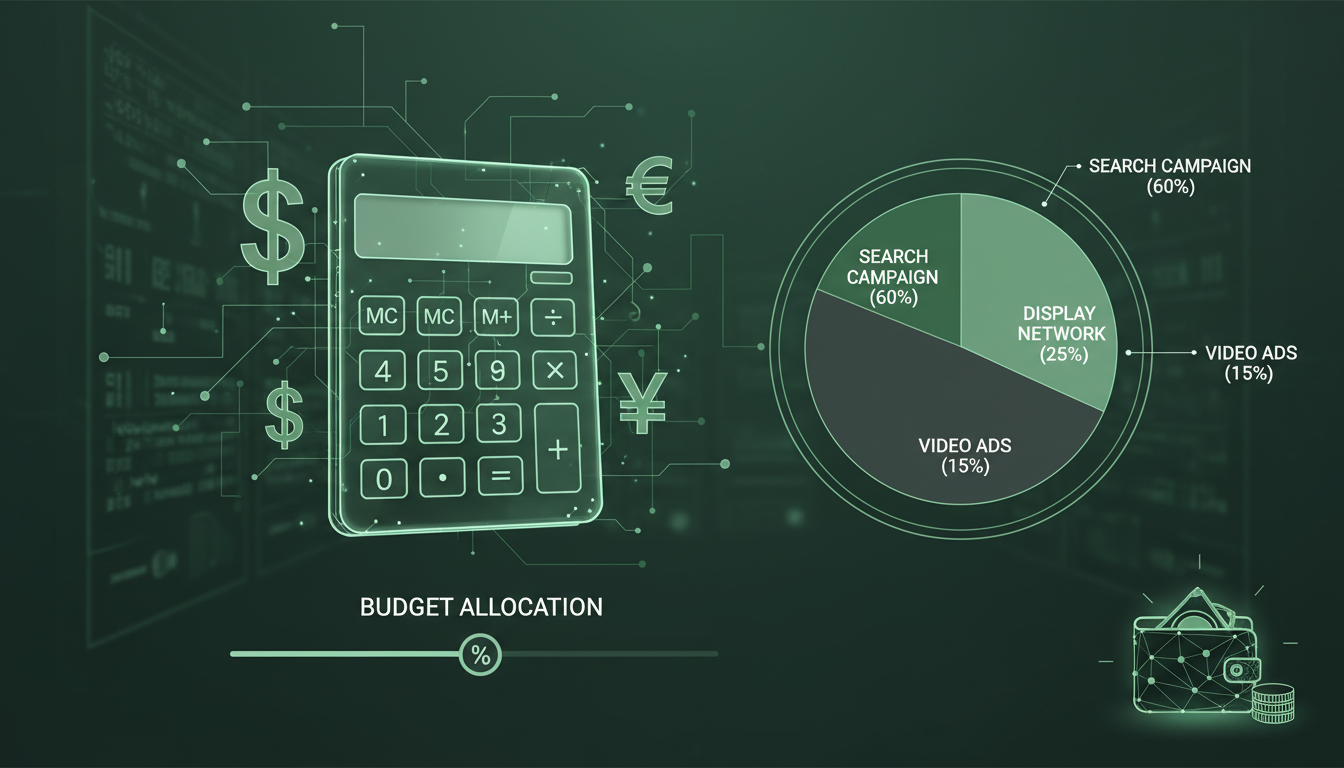
A common allocation strategy for a UK service business with a £2,000 monthly budget might look like this: 60% (£1,200) to your core service campaign that generates the majority of your leads, 25% (£500) to a secondary campaign targeting related services or broader keywords, and 15% (£300) to remarketing campaigns that re-engage previous website visitors.
Do not spread your budget too thinly across too many campaigns. It is better to have two or three well-funded campaigns generating strong results than eight underfunded campaigns that none receive enough clicks to produce meaningful data or conversions.
Bidding Strategies and Their Impact on Budget
Your choice of bidding strategy significantly affects how efficiently your budget is spent. Google Ads offers several options, each suited to different situations and levels of campaign maturity.
Manual CPC: You set the maximum bid for each keyword yourself. This gives you the most control but requires regular monitoring and adjustment. Best for new campaigns where you want to learn how different keywords perform before allowing automation to take over.
Maximise Clicks: Google automatically sets your bids to get the most clicks possible within your daily budget. This is useful for driving traffic in the early stages of a campaign, but it does not consider whether those clicks lead to conversions.
Maximise Conversions: Google uses machine learning to set bids that generate the most conversions within your budget. This requires conversion tracking to be properly configured and works best after you have accumulated at least 30 conversions in the past 30 days.
Target CPA: You set a target cost per acquisition, and Google optimises your bids to achieve that target. This is one of the most popular strategies for established campaigns. However, setting your target too aggressively (too low) can severely limit your ad impressions and volume.
Target ROAS: You set a target return on ad spend, and Google adjusts bids to maximise revenue at that target. This is ideal for e-commerce businesses that track revenue values for each conversion.
Automated bidding strategies require sufficient conversion data to function effectively. If your campaign generates fewer than 15–20 conversions per month, manual or semi-automated strategies (like Maximise Clicks with a bid cap) typically deliver more predictable results than fully automated options.
When deciding how to manage your Google Ads campaigns, UK businesses face a fundamental choice between handling campaigns in-house or engaging a specialist agency. Both approaches have their merits, but the differences in outcomes can be significant, particularly when budgets are limited and every pound must work as hard as possible.
Managed Google Ads (Agency)
DIY Google Ads
Hidden Costs and Budget Drains
Beyond your direct advertising spend, several factors can silently erode your budget if left unchecked. Being aware of these common budget drains helps you keep your spend efficient and your ROI healthy.
Irrelevant Search Terms: Without a robust negative keyword list, your adverts will show for searches that have little or no relevance to your business. Every click on an irrelevant search costs money and generates no return. Review your Search Terms report weekly and add negatives religiously.
Geographic Leakage: If your targeting settings are not configured correctly, your adverts might show to people outside your service area. Always use "Presence" targeting rather than "Presence or interest" to ensure you are reaching people who are physically located in or regularly visit your target area.
Poor Landing Pages: A slow, poorly designed, or irrelevant landing page wastes your advertising budget in two ways. First, visitors leave without converting, meaning you paid for the click but received nothing in return. Second, poor landing page quality lowers your Quality Score, which increases your cost per click over time.
Click Fraud: While less common than many fear, fraudulent clicks from competitors or bots can deplete your budget. Google has built-in fraud detection systems that automatically filter suspicious clicks and issue credits, but it is worth monitoring your traffic for unusual patterns. Third-party click fraud protection tools are available if you suspect a significant problem.
Understanding how your campaigns measure up against industry benchmarks is essential for evaluating performance and making informed budget decisions. The following metrics represent typical targets for well-optimised Google Ads campaigns in the UK market.
When to Increase Your Budget
Knowing when to scale your Google Ads budget is just as important as setting it in the first place. The clearest signal to increase spend is when your campaigns are consistently generating conversions at a CPA that is well within your profitability threshold, and your impression share data shows that you are losing significant visibility due to budget constraints.
Google Ads provides a metric called "Search Lost IS (Budget)" which shows the percentage of impressions you missed because your budget ran out. If this figure is above 20%, it means there is significant untapped demand for your keywords that you are not reaching. Increasing your budget in this situation is likely to generate proportional growth in conversions.
Increase your budget incrementally - 20–30% at a time - rather than doubling it overnight. This allows Google's algorithms to adjust gradually and prevents sudden spikes in cost per click that can occur when you aggressively expand your reach.
When to Reduce Your Budget
There are also situations where reducing your budget is the right move. If your CPA has risen above your profitability threshold and you have exhausted your optimisation options, reducing spend on underperforming campaigns while investigating the root cause is prudent financial management.
Seasonal businesses should adjust their budgets to match demand patterns. A garden landscaping company in the UK would reasonably spend more during spring and summer when demand peaks, and reduce spend significantly during winter when enquiries naturally decline. Planning these seasonal adjustments in advance prevents overspending during quiet periods.
Additionally, if you are spending money on keywords or campaigns that generate clicks but no conversions despite weeks of optimisation, consider pausing those campaigns and reallocating the budget to what is working. There is no virtue in continuing to fund a campaign that consistently fails to deliver results.
Budgeting Mistakes to Avoid
The most damaging budgeting mistake is spending without tracking conversions. If you do not know which clicks are generating leads or sales, you have no way of calculating your return on investment and no basis for budget decisions. Conversion tracking must be your absolute first priority.
Another common error is setting your budget based on what you can afford rather than what makes economic sense. If your data shows that every £1 you spend generates £4 in revenue, limiting your budget to £500 per month when you could profitably spend £3,000 is leaving money on the table. Think of your Google Ads budget as an investment with a measurable return, not simply a cost.
Equally problematic is having unrealistic expectations about how quickly results will come. Google Ads is not a switch you flip for instant results. Most campaigns need 4–8 weeks of data gathering and optimisation before they reach their potential. Cutting your budget prematurely because you did not see immediate results is a waste of the money you have already invested in learning.
Finally, do not ignore the competitive landscape. If your main competitors are all investing heavily in Google Ads, you may need a larger budget to compete effectively for the same keywords. Use the Auction Insights report to see who you are competing against and how your impression share compares to theirs.
Before examining return on investment in detail, it is worth considering how seasonality and market trends affect budget planning over the course of a year. Many UK industries experience predictable fluctuations in demand. For example, accountancy firms see a surge in searches around the self-assessment tax deadline in January, whilst holiday rental companies experience peak interest during summer months. Planning your budget to align with these patterns - increasing spend during periods of high intent and reducing it during quieter months - ensures that your advertising pounds are deployed when they are most likely to generate returns. Additionally, monitoring broader economic indicators and competitor activity can help you anticipate shifts in auction dynamics. During economic uncertainty, some businesses reduce their ad spend, which can create opportunities for those willing to maintain or increase their budgets to capture a larger share of the available demand at a lower cost per click.
Calculating Your Return on Investment
Ultimately, your Google Ads budget should be determined by your return on investment. The formula is straightforward: (Revenue from Google Ads − Cost of Google Ads) / Cost of Google Ads × 100 = ROI percentage.
If you spent £1,000 on Google Ads last month and generated £4,000 in revenue from those adverts, your ROI is 300%. At that rate, increasing your budget makes clear financial sense - every additional pound you spend generates three pounds in profit.
For lead-generation businesses where the sale does not happen immediately online, tracking ROI requires connecting your Google Ads data to your sales pipeline. Tools like a CRM (customer relationship management) system can help you trace which leads originated from Google Ads and what revenue they ultimately generated. This closed-loop reporting gives you the complete picture of your advertising effectiveness.
Review your ROI monthly and use it as the primary driver of your budget decisions. When ROI is strong, invest more. When ROI declines, investigate the cause before adjusting spend. This data-driven approach ensures your advertising budget always works in service of your business growth.
Not Sure What to Spend on Google Ads?
Our Google Ads specialists can analyse your market, competitors, and business goals to recommend the right budget for maximum return. We help UK businesses of all sizes make every pound count.
Get a Free Budget Recommendation
CloudSwitched
London-based managed IT services provider offering support, cloud solutions and cybersecurity for SMEs.


