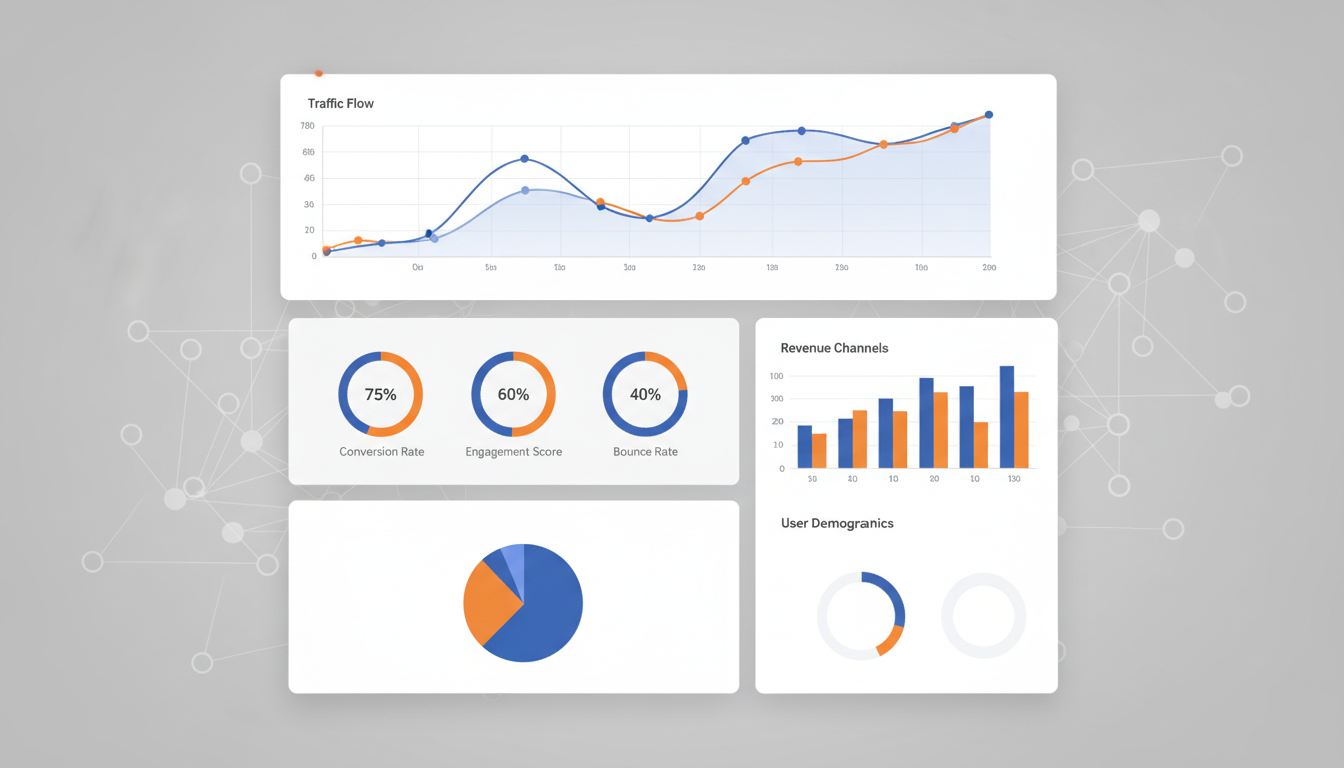
Google Analytics has become the cornerstone of digital measurement for organisations across the United Kingdom, providing essential insights into website performance, audience behaviour, and marketing effectiveness. With the full transition to Google Analytics 4 (GA4), UK businesses face both new opportunities and fresh challenges in understanding how their digital properties perform. Whether you operate an e-commerce platform serving customers across the Home Counties or run a B2B service targeting enterprises in the City of London, mastering GA4 reporting is a fundamental business requirement.
For UK businesses specifically, the reporting landscape carries additional complexity. The intersection of GDPR compliance, the UK Data Protection Act 2018, and the Privacy and Electronic Communications Regulations (PECR) means that how you collect, store, and report on analytics data must be carefully considered. The Information Commissioner's Office (ICO) has issued clear guidance on cookie consent and data processing that directly impacts your analytics configuration.
This comprehensive guide covers every aspect of Google Analytics reporting for UK businesses - from initial GA4 setup through to custom reports, audience insights, conversion tracking, and maintaining compliance with UK data protection regulations. By the end, you will have a clear roadmap for transforming raw analytics data into strategic business decisions.
Understanding GA4: The New Reporting Paradigm
Google Analytics 4 represents a fundamental shift from session-based to event-based tracking. Every interaction - a page view, a button click, a video play, a file download - is recorded as an event with associated parameters. This approach provides far greater flexibility in tracking user interactions and building meaningful reports.
The built-in enhanced measurement features automatically track scrolls, outbound clicks, site searches, video engagement, and file downloads, giving you a rich dataset from the moment GA4 is deployed. The reporting interface features a simplified navigation with Life Cycle reports (Acquisition, Engagement, Monetisation, Retention) and User reports (Demographics, Tech), while the Explorations section enables custom analyses using free-form, funnel, path, and segment overlap techniques.
In GA4, bounce rate is calculated as the inverse of engagement rate. An engaged session lasts longer than 10 seconds, has a conversion event, or has at least 2 page views. Your reported bounce rate in GA4 will differ significantly from Universal Analytics figures - do not compare the two directly when presenting to stakeholders.
Setting Up GA4 for UK-Specific Reporting
Proper configuration is the foundation of meaningful analytics reporting. When creating your GA4 property, ensure you select the correct reporting time zone (GMT/BST) and currency (GBP). These settings affect how your data is aggregated - a seemingly minor detail that causes significant confusion when analysing seasonal trends or revenue figures.
Data Retention and Privacy
GA4 allows you to retain user-level data for either 2 or 14 months. While the 14-month option provides flexibility for year-over-year analysis, you must assess whether this aligns with your UK GDPR obligations. Many UK businesses opt for the shorter retention period, supplementing analysis with aggregated data exported to BigQuery where granular retention policies can be applied.
Enhanced Measurement Configuration
GA4's enhanced measurement features automatically track several common interactions. For most UK business websites, enabling all options provides a solid baseline of behavioural data from day one.
Beyond enhanced measurement, custom events track interactions specific to your operations - enquiry form submissions, consultation bookings, or whitepaper downloads for professional services firms; wishlist additions, product comparisons, or loyalty interactions for e-commerce businesses.
Configuring Data Streams for Multi-Platform UK Businesses
Many UK businesses operate across multiple digital platforms - a primary website, a separate e-commerce store, a mobile application, and perhaps a regional microsite. GA4 supports multiple data streams within a single property, allowing you to aggregate and compare data across all platforms. For organisations with separate domains for England, Scotland, and Welsh-language content, data streams ensure comprehensive measurement without creating reporting silos that fragment your understanding of overall performance.
When configuring data streams, pay close attention to cross-domain measurement settings. If your checkout process redirects users to a different domain (common with third-party payment providers popular in the UK market such as Stripe, WorldPay, or SagePay), configure cross-domain measurement to prevent session fragmentation. Without this configuration, a single user journey will appear as two separate sessions, inflating your traffic figures and understating your conversion rate. A 2025 survey by Econsultancy found that 38% of UK e-commerce businesses had misconfigured cross-domain tracking, resulting in artificially low conversion rates that led to misguided marketing budget decisions.
Building Custom Reports in GA4
GA4's standard reports provide useful overviews, but custom reports extract genuinely actionable insights tailored to your UK business objectives. The Explorations workspace offers powerful analysis techniques that go far beyond standard capabilities.
Free-Form Explorations
Free-form explorations allow you to drag and drop dimensions, metrics, and segments to create pivot tables, scatter plots, line charts, bar charts, and geo maps. For UK businesses, particularly useful configurations include regional performance breakdowns across England, Scotland, Wales, and Northern Ireland, device category analysis, and landing page performance by traffic source.
When building free-form explorations, start with a clear question you want answered. Rather than creating a generic traffic overview, frame your analysis around specific business questions: “Which marketing channels drive the highest-value conversions for our Manchester office?” or “How does mobile conversion rate compare to desktop for customers in the South East?” This question-driven approach ensures your reports deliver insights rather than just raw data points that leave stakeholders confused about next steps.
GA4 Custom Explorations
Standard GA4 Reports
Funnel Analysis for UK Customer Journeys
Funnel explorations visualise the steps users take toward a conversion and identify where they abandon the process. For UK e-commerce businesses subject to Consumer Rights Act 2015 requirements, funnel analysis is valuable for understanding the purchase journey and identifying friction points related to legal disclosures, payment methods, or delivery options.
| Funnel Stage | UK Completion Rate | Key Drop-Off Factors | Priority |
|---|---|---|---|
| Product Page View | 100% (entry) | Irrelevant traffic sources | Medium |
| Add to Basket | 12-18% | Pricing, product info gaps | High |
| Begin Checkout | 45-55% | No guest checkout, delivery costs | Critical |
| Add Payment Info | 75-85% | Limited payment options | High |
| Purchase Complete | 85-92% | Technical errors, timeouts | Critical |
Audience Insights and Segmentation
Understanding who your audience is - not just what they do - is fundamental to effective marketing strategy. GA4's demographic reports provide insights into age, gender, and interests, while geographic reports enable analysis at country, region, and city level. For UK businesses, this granularity supports location-based marketing, identifies underperforming regions, and informs decisions about service delivery areas.
GA4 applies data thresholds to prevent individual identification, meaning demographic data may be partially hidden when sample sizes are small. This is relevant for UK businesses targeting niche markets. Using Google Signals for enhanced demographics requires explicit consent under UK GDPR, managed through your cookie consent mechanism.
Custom audiences in GA4 define specific user groups based on behaviour, demographics, and attributes. A UK financial services firm might define audiences by product interest, engagement level, and region. A retailer might segment by purchase frequency, order value, and category affinity. These audiences enhance reporting through segmented analysis and can be exported to Google Ads for targeted campaigns.
Predictive Audiences for UK Campaign Targeting
GA4 introduces predictive metrics powered by machine learning - purchase probability, churn probability, and predicted revenue. When your property meets the minimum data thresholds (typically 1,000 returning users with relevant events over 28 days), GA4 automatically generates these predictions. For UK retailers experiencing seasonal peaks around Bank Holidays, Black Friday, and the January sales, predictive audiences enable proactive campaign targeting rather than reactive analysis after the event has passed.
A practical example: a UK fashion retailer can create a predictive audience of users likely to purchase within the next seven days and target them with Google Ads remarketing campaigns featuring current promotions. Research from UK retail analytics firms suggests that predictive audience targeting delivers conversion rates 2.5 to 4 times higher than standard remarketing segments, while reducing wasted ad spend on users unlikely to convert. For a mid-size UK retailer spending £15,000 monthly on digital advertising, this improved targeting efficiency can translate to £4,000–£6,000 in recovered ad spend or equivalent incremental revenue each month.
Conversion Tracking and Attribution
In GA4, any event can be marked as a conversion, providing flexibility beyond Universal Analytics' fixed goal structure. Reserve the conversion designation for events representing genuine business value - completed purchases, qualified lead submissions, or booking confirmations.
Attribution Models in GA4
GA4 uses data-driven attribution by default, distributing conversion credit across touchpoints based on machine learning. For UK businesses running multi-channel campaigns - Google Ads, social media, email marketing, organic search - attribution reporting reveals which channels initiate awareness, nurture consideration, and close conversions. This understanding is critical for budget allocation in the competitive UK digital advertising market.
Multi-Touch Attribution for UK Multi-Channel Retailers
UK consumers typically interact with a brand across five to eight touchpoints before making a purchase decision, according to research by the Internet Advertising Bureau UK. For multi-channel retailers operating both physical high street locations and online stores, GA4's attribution reporting becomes even more valuable when combined with offline conversion imports. By uploading in-store purchase data linked to online interactions (through loyalty programmes or email matching), you create a holistic view of the customer journey that spans digital and physical channels.
The Advertising Workspace in GA4 provides dedicated attribution reports showing conversion paths, model comparison tools, and channel grouping performance. For UK businesses investing heavily in paid social alongside Google Ads and organic channels, these reports reveal whether social campaigns are initiating awareness that later converts through brand search - a common pattern that last-click attribution systematically undervalues. Understanding these assisted conversions prevents UK businesses from cutting upper-funnel campaigns that appear unproductive but actually drive significant downstream revenue. Industry data from the UK Digital Marketing Association indicates that businesses using data-driven attribution allocate budgets 23% more effectively than those relying on last-click models.
UK Compliance and Data Protection
Under PECR, you must obtain informed consent before setting non-essential cookies, including GA4 tracking cookies. The ICO has been clear that implied consent is insufficient. The practical impact on reporting is significant - consent rates typically range from 55% to 75% for UK websites, meaning your GA4 data will underrepresent actual traffic.
| Consent Mode Setting | Behaviour When Denied | Data Impact | UK Status |
|---|---|---|---|
| analytics_storage | No analytics cookies | Modelled conversions | Compliant |
| ad_storage | No advertising cookies | Modelled remarketing | Compliant |
| ad_user_data | Data not sent to Ads | Reduced matching | Required |
| ad_personalization | No personalised ads | Generic targeting only | Required |
Google Consent Mode adjusts tag behaviour based on user consent choices. When users decline cookies, Consent Mode sends cookieless pings providing modelled data without individual identification. Implementing this correctly requires coordination between your consent platform, Google Tag Manager, and GA4 property settings.
Server-Side Tagging for Enhanced UK Compliance
Server-side tagging has emerged as a best-practice approach for UK businesses seeking both improved data quality and stronger privacy compliance. By routing analytics data through a server-side Google Tag Manager container (typically hosted on Google Cloud Platform or a UK-based cloud provider), you gain greater control over what data is shared with third parties. Server-side tagging also mitigates the impact of browser-based ad blockers and Intelligent Tracking Prevention (ITP) in Safari, which affects approximately 35% of UK web traffic according to StatCounter data for the British market.
For UK businesses subject to sector-specific regulations - financial services firms regulated by the FCA, healthcare organisations handling NHS data, or legal firms bound by SRA obligations - server-side tagging provides an additional layer of control that simplifies compliance auditing. The server container acts as a data gateway, allowing you to inspect, filter, and redact data before it reaches Google's servers, ensuring no personally identifiable information is transmitted without appropriate consent and legal basis. While server-side tagging requires additional infrastructure investment (typically £50–£200 per month for the hosting environment), the compliance benefits and improved data accuracy represent a compelling return for UK businesses operating in regulated sectors.
Advanced Reporting Techniques
BigQuery Integration
GA4 offers free BigQuery integration, allowing raw event data export for advanced SQL analysis. This is transformative for UK businesses combining analytics with CRM records, transaction databases, and customer service logs. BigQuery also removes sampling limitations that affect large datasets in the GA4 interface.
Looker Studio Dashboards
Custom Looker Studio dashboards combine GA4 data with other sources in a single visual interface. They can be shared across your organisation, scheduled for email distribution, and embedded in internal portals.
Prioritise clarity over comprehensiveness. Senior leadership needs 5-7 key metrics with trends. Marketing teams need channel performance with conversions. Sales teams need lead quality and source attribution. Include date controls aligned with UK business cycles - financial year (April-March), calendar quarters, and key periods such as Black Friday and January sales.
Real-Time Reporting for UK Campaign Launches
GA4's real-time report shows user activity from the last 30 minutes, providing immediate feedback during campaign launches, website updates, and promotional events. For UK businesses running time-sensitive campaigns - flash sales, event registrations, or PR-driven traffic spikes following national media coverage - real-time reporting confirms that tracking is functioning correctly and provides early indicators of campaign performance before full data processing completes.
The DebugView in GA4 is an invaluable companion tool during implementation and troubleshooting. It displays events as they are received from a specific device in real-time, allowing you to verify that custom events fire correctly, parameters are populated accurately, and conversion events trigger as expected. UK development teams should make DebugView verification a standard step in their QA process before any analytics changes go live, preventing data quality issues that compound over time and undermine the reliability of your reports. A common scenario for UK businesses involves verifying that enhanced e-commerce events fire correctly during checkout - including VAT calculations, delivery option selections, and payment method tracking - before peak trading periods when data accuracy is most critical.
Reporting for Different UK Business Types
E-commerce Businesses
Focus on Monetisation reports tracking purchase revenue, average order value, and cart metrics. Combined with acquisition data, these reveal which channels drive the most profitable customers. The e-commerce funnel is essential for resolving conversion barriers, while product performance reports highlight bestsellers and underperformers.
B2B and Professional Services
For B2B firms, focus shifts to lead generation and engagement quality - form conversion rates by source, content engagement metrics for blogs and whitepapers, and returning visitor behaviour. UK B2B sales cycles spanning weeks or months make multi-session analysis and attribution reporting critical.
Local and Regional Businesses
Leverage GA4's geographic reporting alongside Google Business Profile insights. Local performance reports reveal which areas generate valuable traffic, whether local SEO drives relevant visitors, and how offline marketing correlates with website traffic. Multi-location businesses benefit from separate content groups or custom dimensions per location.
Healthcare and NHS-Adjacent Services
UK healthcare providers and NHS-adjacent businesses face unique analytics challenges. The NHS Digital Data Security and Protection Toolkit imposes strict requirements on how patient-related data is handled, and this extends to website analytics. GA4 configuration for healthcare organisations must ensure that no personally identifiable health information is captured in URLs, page titles, or custom events. Common pitfalls include appointment booking URLs containing patient reference numbers and search queries capturing symptom descriptions that constitute special category data under UK GDPR.
Despite these constraints, GA4 provides valuable insights for healthcare organisations - understanding which services patients search for most frequently, identifying content gaps in patient information pages, and measuring the effectiveness of public health campaigns. The key is thoughtful implementation that delivers actionable insights while maintaining the highest standards of data protection that UK healthcare demands. Research from NHS England suggests that trusts with well-implemented analytics frameworks see 15–20% improvements in digital service uptake compared to those without structured reporting.
Charities and Non-Profit Organisations
UK charities registered with the Charity Commission can leverage GA4 reporting to measure fundraising campaign effectiveness, volunteer recruitment conversions, and content engagement for awareness initiatives. Google offers the Google for Nonprofits programme, providing eligible UK charities with access to Google Workspace, Google Ad Grants (up to $10,000 monthly in Google Ads credit), and enhanced analytics support. Tracking donation funnels through GA4 helps charities identify where potential donors abandon the giving process - research from the Charities Aid Foundation indicates that UK online donation abandonment rates exceed 60%, representing significant recoverable revenue for organisations that optimise their digital donation experience.
For UK charities relying on seasonal giving (Christmas appeals, Ramadan campaigns, emergency disaster fundraising), GA4's comparative date range reporting enables year-over-year analysis of campaign performance. Understanding whether this year's Christmas appeal outperformed last year's - and which traffic sources drove the improvement - directly informs future fundraising strategy and resource allocation for marketing teams operating on limited budgets.
Automating Your Analytics Reporting
Scheduled Looker Studio reports ensure stakeholders receive updates at consistent intervals - weekly summaries for marketing, monthly overviews for leadership, daily snapshots for operations. GA4's BigQuery exports provide reliable data pipelines for anomaly detection, trend forecasting, and cross-platform attribution.
For UK businesses working with agencies, automated reporting frameworks ensure transparency. Define metrics that matter, agree on frequency, and automate delivery so both teams work from identical data. This eliminates misaligned reporting periods and delayed performance updates that plague many agency-client relationships.
GA4 Predictive Metrics and Machine Learning
GA4 leverages Google's machine learning capabilities to generate predictive insights that go beyond historical reporting. Three core predictive metrics - purchase probability, churn probability, and predicted revenue - enable forward-looking analysis rather than purely retrospective measurement. For UK businesses with sufficient data volumes, these predictions automatically populate in the GA4 interface and can be used to build predictive audiences for targeted marketing campaigns that anticipate customer behaviour rather than simply reacting to it.
The practical applications for UK businesses are substantial. An e-commerce retailer in Birmingham can identify users with high churn probability and trigger retention email campaigns before they disengage. A SaaS company in Edinburgh can forecast monthly recurring revenue based on user engagement patterns. A travel company in Bristol can predict which website visitors are most likely to book within the next week and prioritise them for remarketing investment. These machine learning capabilities, previously available only to enterprises with dedicated data science teams, are now accessible to any UK business with a properly configured GA4 property and adequate traffic volumes - typically 1,000 or more weekly conversions for purchase predictions.
Cross-Domain Tracking for UK Multi-Brand Businesses
UK corporate groups operating multiple brands often need to track user journeys across separate domains. A hospitality group might run individual websites for each hotel property alongside a central booking platform. A retail conglomerate might maintain distinct brand websites that share a common checkout infrastructure. GA4's cross-domain measurement ensures that a single user navigating between these domains is recognised as one continuous session, preserving the integrity of your conversion funnels and attribution data.
Configuring cross-domain tracking in GA4 involves adding all relevant domains to your data stream's cross-domain measurement settings. GA4 appends a linker parameter to cross-domain links, carrying the client ID between domains. For UK businesses, it is essential to verify that this parameter handling complies with your cookie consent implementation - the linker parameter must only be appended when the user has consented to analytics tracking. Testing cross-domain setups thoroughly using DebugView prevents data fragmentation that would otherwise compromise the accuracy of multi-domain reporting for UK business groups. According to a 2025 UK digital commerce report, businesses that implemented proper cross-domain tracking saw their reported conversion rates increase by an average of 12–18% simply by eliminating the artificial session breaks that were previously inflating traffic counts and deflating conversion metrics.
Common Mistakes to Avoid
Comparing GA4 data directly with Universal Analytics is the most widespread error - different data models and metric definitions make like-for-like comparisons unreliable. Establish new baselines within GA4 and focus on trend analysis from migration forward. Regular implementation audits checking for duplicate events, verifying conversion accuracy, and confirming filters are essential for trustworthy reports.
Over-reporting remains a persistent challenge. Producing 50-page monthly reports that nobody reads wastes analyst time and buries critical insights. Effective analytics reporting is concise, actionable, and audience-appropriate - focus on metrics that drive decisions and always include context alongside the numbers.
Moving Forward with GA4 Reporting
Mastering Google Analytics reporting is an ongoing journey that requires consistent attention, regular skill development, and a commitment to data-driven decision making. The platform continues to evolve - Google regularly introduces new features, reporting capabilities, and machine learning enhancements that UK businesses should monitor and evaluate for relevance to their specific reporting needs.
UK data protection regulations are similarly dynamic. The ICO regularly updates its guidance on cookies, consent, and analytics data processing, and the UK government's evolving approach to data protection reform means that compliance requirements may shift in the coming years. Building flexibility into your analytics configuration - through modular tag management, server-side processing, and well-documented consent mechanisms - ensures your reporting infrastructure can adapt without wholesale reconfiguration.
Establishing a solid foundation - proper GA4 configuration, compliant data collection, well-designed custom reports, predictive audience utilisation, cross-domain tracking, and automated delivery - provides the infrastructure for continuous improvement. For UK businesses lacking in-house analytics expertise, partnering with a specialist reporting consultancy accelerates maturity and ensures that every aspect of your analytics implementation meets both technical best-practice standards and UK regulatory requirements.
Transform Your Analytics into Actionable Business Intelligence
Cloudswitched helps UK businesses build powerful reporting frameworks that turn raw Google Analytics data into strategic insights. From GA4 configuration and custom report development to automated dashboards and compliance auditing, our database reporting specialists deliver the clarity your business needs to make confident, data-driven decisions.

CloudSwitched
London-based managed IT services provider offering support, cloud solutions and cybersecurity for SMEs.


