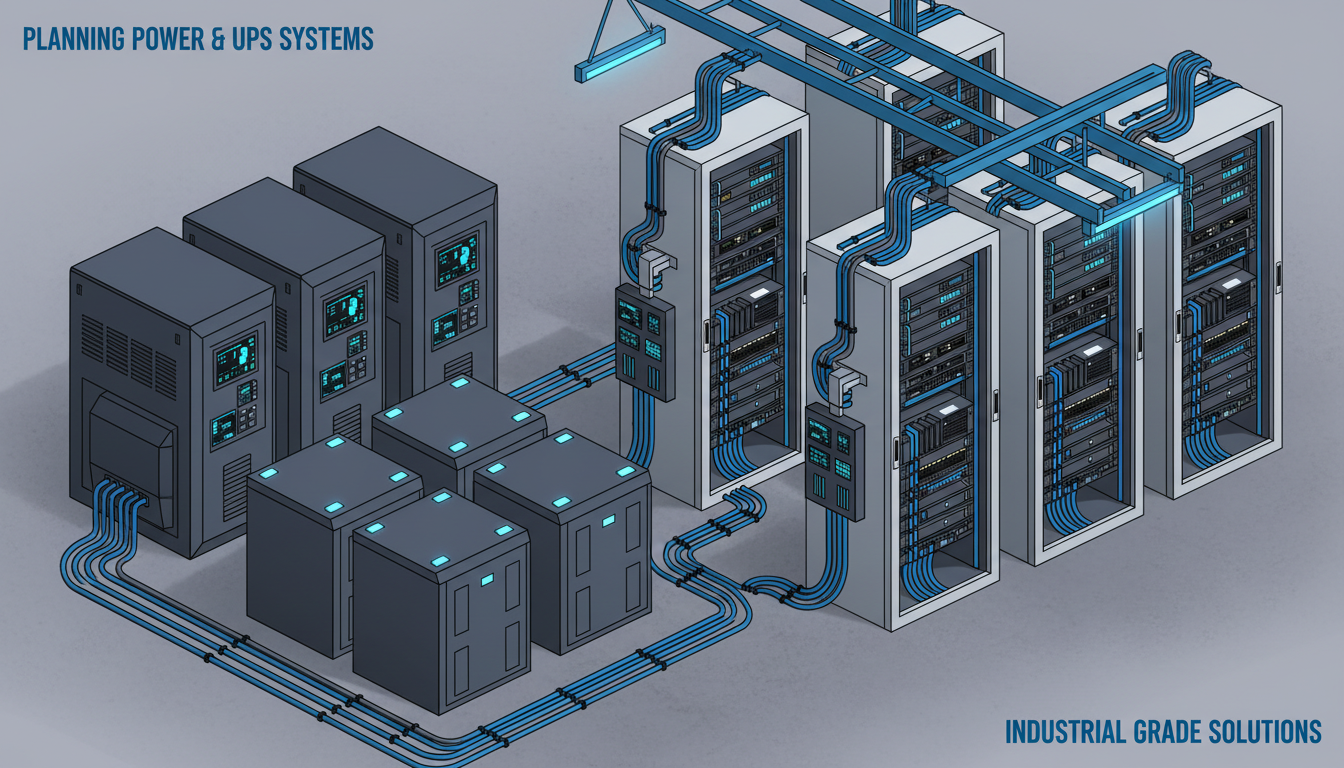
When businesses relocate offices or expand into new premises, the server room is often an afterthought - a cupboard designated for IT equipment with a few power sockets and little else. This approach invites disaster. A poorly planned server room with inadequate power provision and no uninterruptible power supply is a ticking time bomb that can bring your entire business to a halt the moment the electricity supply falters.
In the United Kingdom, power outages affect businesses more frequently than most people realise. National Grid data shows that even brief voltage dips and micro-outages occur regularly across the distribution network. For IT equipment - servers, switches, storage arrays, and firewalls - even a fraction-of-a-second power interruption can cause data corruption, hardware damage, and hours of unplanned downtime.
This guide walks you through the essential steps of planning power and UPS systems for a new server room, covering load calculations, UPS sizing, redundancy, monitoring, and the common mistakes that catch UK businesses out.
Understanding Your Power Requirements
Why Power Assessment Comes First
Many organisations treat server room power planning as a secondary concern, something to be addressed once the racks are installed and the cables are run. This is a fundamental error in project sequencing. Power availability determines every other decision in your server room design, from the number of servers you can deploy to the type of cooling system you require. If you discover halfway through your fit-out that the building's electrical supply cannot support your planned equipment load, you face expensive and time-consuming remediation work that could have been avoided with upfront assessment.
A thorough power assessment also informs your discussions with landlords and facilities managers. If you are leasing office space and plan to build a server room, you need to confirm that the building's incoming electrical supply has sufficient spare capacity to support your requirements. In older UK commercial buildings, the existing supply may already be close to capacity, and arranging an upgrade with the local distribution network operator can take twelve weeks or more. Identifying this constraint early in your office move timeline prevents it from becoming a critical-path blocker.
Furthermore, accurate power planning allows you to right-size your investment. Oversizing your UPS and electrical infrastructure wastes capital expenditure, whilst undersizing creates risk. A methodical approach to power assessment strikes the correct balance between cost efficiency and operational resilience, ensuring every pound spent on power infrastructure delivers genuine protection for your business systems.
The first step in planning server room power is understanding exactly how much electricity your equipment needs. This is not a rough estimate - it requires precise calculation based on the rated power consumption of every device that will be installed in the room.
Calculating Your Total Load
Every piece of IT equipment has a rated power consumption measured in watts (W) or volt-amperes (VA). You need to catalogue every device planned for the server room and add up their maximum power draws. This includes servers, network switches, firewalls, storage arrays, patch panels (which are passive but connected to powered devices), UPS units themselves, and environmental systems like air conditioning units.
It is important to understand the difference between watts and volt-amperes. Watts measure real power - the actual energy consumed. Volt-amperes measure apparent power - the total power drawn from the supply including reactive power. The ratio between them is called the power factor. Modern IT equipment typically has a power factor between 0.9 and 0.99, meaning 1,000 VA of apparent power translates to roughly 900-990 watts of real power. UPS systems are rated in both VA and watts, so you need to ensure your calculations match the correct unit.
| Equipment | Typical Power Draw | Quantity | Total (Watts) |
|---|---|---|---|
| Rack Server (1U) | 300 - 500W | 3 | 900 - 1,500W |
| Network Switch (48-port) | 150 - 370W (PoE) | 2 | 300 - 740W |
| Firewall Appliance | 50 - 150W | 2 | 100 - 300W |
| NAS Storage | 100 - 250W | 1 | 100 - 250W |
| Patch Panel + Cable Management | 0W (passive) | 2 | 0W |
| Server Room Air Conditioning | 1,000 - 3,000W | 1 | 1,000 - 3,000W |
Never plan to use 100% of your available power capacity. Industry best practice recommends loading circuits and UPS systems to no more than 80% of their rated capacity. This provides headroom for power spikes during equipment startup, allows for future growth, and prevents the thermal stress that comes from running electrical systems at maximum capacity continuously. For a server room with a 3,000W total load, you should plan for at least 3,750W of available UPS capacity.
Choosing the Right UPS System
When to Invest in UPS Protection
Some businesses question whether a UPS is truly necessary, particularly those with modest IT requirements or those who have never experienced a significant power event. The answer is almost always yes, and the reasoning is straightforward. The cost of a UPS system - even a high-quality online model - is a fraction of the cost of the downtime, data loss, and equipment damage that a single unprotected power event can cause. For a business running even a single on-premises server, the return on investment for a properly sized UPS is typically measured in months, not years.
The decision becomes even clearer when you consider the full spectrum of power problems that a UPS addresses. Beyond complete power outages, UK businesses routinely experience voltage sags where the supply drops below nominal levels, voltage surges from switching events on the local network, harmonic distortion from nearby industrial equipment, and brief micro-interruptions that are invisible to the lights but devastating to unprotected IT hardware. A quality UPS system protects against all of these conditions, not merely total blackouts.
Businesses that have moved to entirely cloud-based infrastructure may assume they have no need for on-site power protection. However, even a cloud-first organisation typically relies on local network equipment, internet routers, wireless access points, and IP telephone systems that all require clean, uninterrupted power. A power event that takes down your local network renders your cloud services just as inaccessible as if the servers were sitting under your own desk.
A UPS system sits between the mains electricity supply and your IT equipment, providing clean, conditioned power during normal operation and battery backup during outages. There are three main types of UPS, each offering different levels of protection.
UPS Types Compared
An offline (or standby) UPS is the simplest and cheapest option. During normal operation, it passes mains power directly to the equipment. When it detects a power failure, it switches to battery power - but this switchover takes 5-12 milliseconds. While many modern power supplies can tolerate this gap, it is not ideal for sensitive server equipment and offers no protection against power quality issues like voltage sags or electrical noise.
A line-interactive UPS adds voltage regulation to the standby model. It uses an autotransformer to correct voltage fluctuations without switching to battery, extending battery life and providing better protection against brownouts. The switchover time is shorter at 2-4 milliseconds, making it suitable for many small server rooms.
An online (double-conversion) UPS provides the highest level of protection. It continuously converts incoming AC power to DC and back to AC, meaning your equipment always runs on clean, regulated power from the UPS regardless of mains quality. There is zero transfer time during a power failure because the equipment is always running from the inverter. For any server room containing business-critical systems, an online UPS is the recommended choice.
Online (Double-Conversion) UPS
- Zero transfer time - no power interruption
- Complete isolation from mains power quality issues
- Continuous voltage and frequency regulation
- Best protection for sensitive IT equipment
- Suitable for server rooms and data centres
- Higher cost but lowest risk of data loss
- Typically 93-97% energy efficiency
Offline (Standby) UPS
- 5-12ms transfer time during switchover
- No protection against voltage fluctuations
- No frequency regulation
- Risk of data corruption during switchover
- Only suitable for non-critical workstations
- Lower cost but higher risk profile
- Higher efficiency but less protection
Sizing Your UPS Correctly
Accounting for Future Growth
One of the most overlooked aspects of UPS sizing is future capacity planning. IT environments rarely remain static. Businesses add servers, deploy new network equipment, install additional storage, and increase their reliance on local computing resources over time. A UPS that is perfectly sized for today's load may be inadequate within eighteen months as the business grows and its IT requirements evolve.
Industry best practice recommends sizing your UPS to accommodate at least three to five years of anticipated growth. This means estimating not just your current load but projecting how that load is likely to increase based on business expansion plans, technology refresh cycles, and evolving application requirements. If your business plans to add a second server within two years or deploy a local backup appliance, factor those power requirements into your UPS sizing calculations from the outset.
The cost difference between a correctly sized UPS and a slightly larger model is typically modest compared to the expense and disruption of replacing an undersized unit later. Upgrading a UPS often means powering down the protected equipment, which defeats the purpose of having uninterruptible power protection in the first place. Investing in appropriate headroom at the outset avoids this scenario entirely and provides peace of mind as your infrastructure scales.
UPS sizing involves two key calculations: capacity (how much load it can support) and runtime (how long it can sustain that load on battery). Getting either wrong can have serious consequences.
For capacity, take your total calculated load in VA, add the 20% headroom factor, and select a UPS rated at or above that figure. If your total load is 2,500VA, you need a UPS rated at least 3,125VA - in practice, you would select a 3,000VA unit at minimum, or preferably a 5,000VA or 6,000VA unit to allow for growth.
For runtime, consider what needs to happen during a power outage. At minimum, you need enough battery time to perform a graceful shutdown of all servers and critical systems. For most small to medium server rooms, this means 15 to 30 minutes of runtime. If you have a backup generator that takes 30 seconds to start, you might only need 5 to 10 minutes of UPS runtime - but you should always plan for the generator failing to start and allow enough time for manual shutdown.
Electrical Infrastructure Requirements
Working With Qualified Electrical Contractors
Electrical work in a server room environment demands specialist knowledge that goes beyond standard commercial electrical installation. Your electrician needs to understand the specific requirements of IT equipment, including the importance of clean earth connections, the need for dedicated neutral conductors, and the implications of harmonic currents generated by switch-mode power supplies. Engaging a contractor with demonstrable experience in server room and data centre electrical installations ensures the work is completed to the standard your critical systems require.
In the United Kingdom, all electrical installation work must comply with BS 7671, commonly known as the IET Wiring Regulations. For server room installations, several specific sections are particularly relevant, including those covering equipment with high protective conductor currents and installations in locations with significant IT equipment. Your contractor should be registered with a competent person scheme such as NICEIC or NAPIT, providing assurance that the work will be inspected and certified to current standards.
It is also worth considering the commissioning process. Once the electrical installation is complete, a full set of test results should be documented, including insulation resistance, earth fault loop impedance, and RCD trip times. These records form the baseline for future maintenance and provide evidence of compliance should any issues arise. Keep this documentation alongside your server room power distribution diagrams and UPS maintenance records as part of your facilities management file.
Your server room needs dedicated electrical circuits separate from the general office supply. This prevents other equipment - such as kitchen appliances, air conditioning, or heavy machinery - from causing voltage fluctuations that affect your IT systems. In the UK, this means working with a qualified electrician to install dedicated circuits from the distribution board to the server room.
For a small server room, you might need two or three dedicated 32A single-phase circuits. Larger installations may require a three-phase supply. Your electrician should install appropriate circuit breakers, residual current devices (RCDs), and ensure all circuits are properly earthed according to BS 7671 (the IET Wiring Regulations).
Power Distribution Within the Room
Inside the server room, power distribution units (PDUs) distribute electricity from the UPS to individual equipment. Rack-mounted PDUs are the standard approach, providing multiple outlets within each server rack. For redundancy, use dual PDUs per rack connected to separate UPS units, and ensure all servers and critical equipment have dual power supplies connected to different PDUs.
Metered PDUs allow you to monitor power consumption per outlet or per rack, helping you track usage, identify overloaded circuits, and plan capacity. Switched PDUs add remote power cycling capability, allowing your IT team to remotely restart hung equipment without visiting the server room.
UPS Monitoring and Management
Integrating UPS With Business Continuity Plans
A UPS system is not merely an electrical device; it is a critical component of your broader business continuity strategy. The value of a UPS extends far beyond keeping servers running during a power cut. When properly integrated with your disaster recovery and business continuity plans, a UPS becomes the first line of defence in a coordinated response to power-related incidents that could otherwise cascade into significant business disruption.
Your business continuity plan should include specific procedures for power events of varying duration and severity. A brief outage lasting seconds requires no human intervention if your UPS and automated shutdown systems are properly configured. An extended outage lasting hours demands a different response, potentially including staff communication, customer notification, and activation of alternative working arrangements. The UPS provides the bridge between the initial power failure and the activation of these longer-term responses, buying your team the time needed to make informed decisions rather than scrambling in the dark.
Consider running tabletop exercises that simulate power failure scenarios. Walk through the sequence of events: the power fails, the UPS activates, monitoring alerts fire, shutdown scripts execute, and staff receive notifications. Identify any gaps in the process. Does your team know where the UPS is located? Can they access the server room if electronic door locks have failed? Is there a torch available? These seemingly minor details can make the difference between a controlled response and a chaotic one when the lights go out at half past five on a Friday afternoon.
A UPS that cannot communicate with your systems is only half the solution. Modern UPS units include network management cards that connect to your monitoring infrastructure, providing real-time status information and enabling automated responses to power events.
When a power outage occurs, the UPS network management card can send alerts to your IT team via email or SMS, trigger automated shutdown scripts on connected servers, and log the event for later analysis. This automation is critical because power outages often happen outside business hours when nobody is physically present to respond.
Configure your UPS monitoring to alert on battery age, battery health degradation, load approaching capacity, temperature warnings, and of course, any switch to battery operation. Most UPS management software can integrate with your existing monitoring platform - whether that is PRTG, Zabbix, Nagios, or a managed service provider's RMM system.
Battery Maintenance and Replacement
Choosing Between Lead-Acid and Lithium-Ion
The choice between lead-acid and lithium-ion battery technology in your UPS system involves trade-offs across cost, lifespan, weight, and environmental factors. Lead-acid batteries remain the dominant technology in the UK UPS market, primarily because of their lower upfront cost and well-understood maintenance requirements. They are a proven technology that has protected server rooms reliably for decades, and replacement batteries are readily available from multiple suppliers at competitive prices.
Lithium-ion batteries, however, are gaining ground rapidly and offer compelling advantages for businesses willing to invest in the higher initial cost. Their lifespan of eight to ten years is roughly double that of lead-acid equivalents, meaning fewer replacement cycles and less maintenance over the life of the UPS. They are also significantly lighter and more compact, which can be a meaningful advantage in server rooms where space and floor loading are constrained. Additionally, lithium-ion batteries tolerate higher operating temperatures better than lead-acid chemistry, making them more resilient in server rooms where cooling may be imperfect.
When evaluating total cost of ownership over a ten-year period, the calculation often favours lithium-ion despite the higher purchase price. A lead-acid UPS that requires two battery replacements over ten years may ultimately cost more than a lithium-ion system that requires none. Factor in the reduced cooling requirements, lower weight on raised floors, and decreased maintenance overhead, and the economic case for lithium-ion becomes increasingly persuasive for new server room installations.
UPS batteries do not last forever. Lead-acid batteries, which are used in most small to medium UPS systems, have a typical lifespan of three to five years. Lithium-ion batteries, increasingly used in newer UPS models, can last eight to ten years but cost significantly more upfront.
Battery degradation is gradual and often invisible until a power outage reveals that your UPS can only sustain the load for two minutes instead of the expected fifteen. Regular battery testing - ideally every six months - is essential to ensure your UPS will perform when needed. Most UPS management software can schedule automatic battery self-tests and report the results.
Budget for battery replacement on a regular cycle. For a typical 3,000VA UPS with lead-acid batteries, replacement battery packs cost between £200 and £600. This is a small price compared to the cost of a server room going down because batteries failed during an outage.
UPS battery life is directly affected by ambient temperature. Lead-acid batteries are rated for a lifespan at 20-25°C. For every 10°C increase above this range, battery life is roughly halved. A server room running at 35°C will see UPS batteries degrade in half the expected time. This is another compelling reason to invest in proper server room cooling - it protects not just your servers but also your power protection systems.
Common Mistakes to Avoid
Lessons From Real-World Server Room Failures
Understanding why server room power systems fail in practice is just as important as knowing how to design them correctly. One of the most instructive categories of failure involves UPS systems that were installed correctly but never tested under realistic conditions. In these cases, everything appears functional during normal operation - the UPS displays a green status light, monitoring shows no alerts, and the batteries report full charge. Yet when an actual power outage occurs, the UPS fails to sustain the load because the batteries have degraded beyond their useful capacity, a configuration error prevents the transfer to battery power, or the connected load has grown beyond what the UPS can support.
Another common real-world failure pattern involves cascading problems triggered by a single power event. A brief voltage dip causes the air conditioning compressor to restart with a high inrush current, tripping a shared circuit breaker that also feeds the UPS input supply. The UPS switches to battery but, because the air conditioning has stopped, server room temperatures begin to climb. If the outage persists, thermal shutdown thresholds are reached and servers begin powering down to protect themselves. What started as a minor voltage fluctuation has now become a complete server room outage with a complex recovery process.
These scenarios reinforce the importance of dedicated circuits, regular testing, proper capacity planning, and comprehensive monitoring. Each protective measure works in concert with the others. Remove any single element and the entire system becomes vulnerable to the kind of cascading failures that turn a minor power event into a major business incident.
Through years of supporting server room installations across the UK, certain mistakes appear repeatedly. The most common is undersizing the UPS - calculating the load for current equipment but failing to account for growth, the 80% derating factor, or the power consumption of cooling systems.
Another frequent error is connecting non-essential equipment to the UPS. Monitors, desk fans, phone chargers, and printers should not be powered by the UPS - they drain battery runtime that should be reserved for critical systems. Label UPS-protected sockets clearly and educate staff about what should and should not be plugged in.
Failing to test the UPS regularly is perhaps the most dangerous mistake. A UPS that has not been tested may appear operational but fail when actually needed. Schedule quarterly tests where you simulate a power failure and verify that the UPS sustains the load for the expected duration and that automated shutdown scripts execute correctly.
Finally, many businesses neglect to maintain documentation. Your server room should have a clear diagram showing the power distribution path from the mains supply through the UPS to each piece of equipment, along with load calculations, battery replacement dates, and emergency procedures.
Planning a Server Room for Your New Office?
Cloudswitched helps UK businesses design and implement server rooms with proper power planning, UPS systems, and environmental controls. Whether you are moving to new premises or upgrading an existing setup, our engineers ensure your critical infrastructure is protected against power events. Talk to us about your requirements.
GET IN TOUCH
CloudSwitched
London-based managed IT services provider offering support, cloud solutions and cybersecurity for SMEs.


