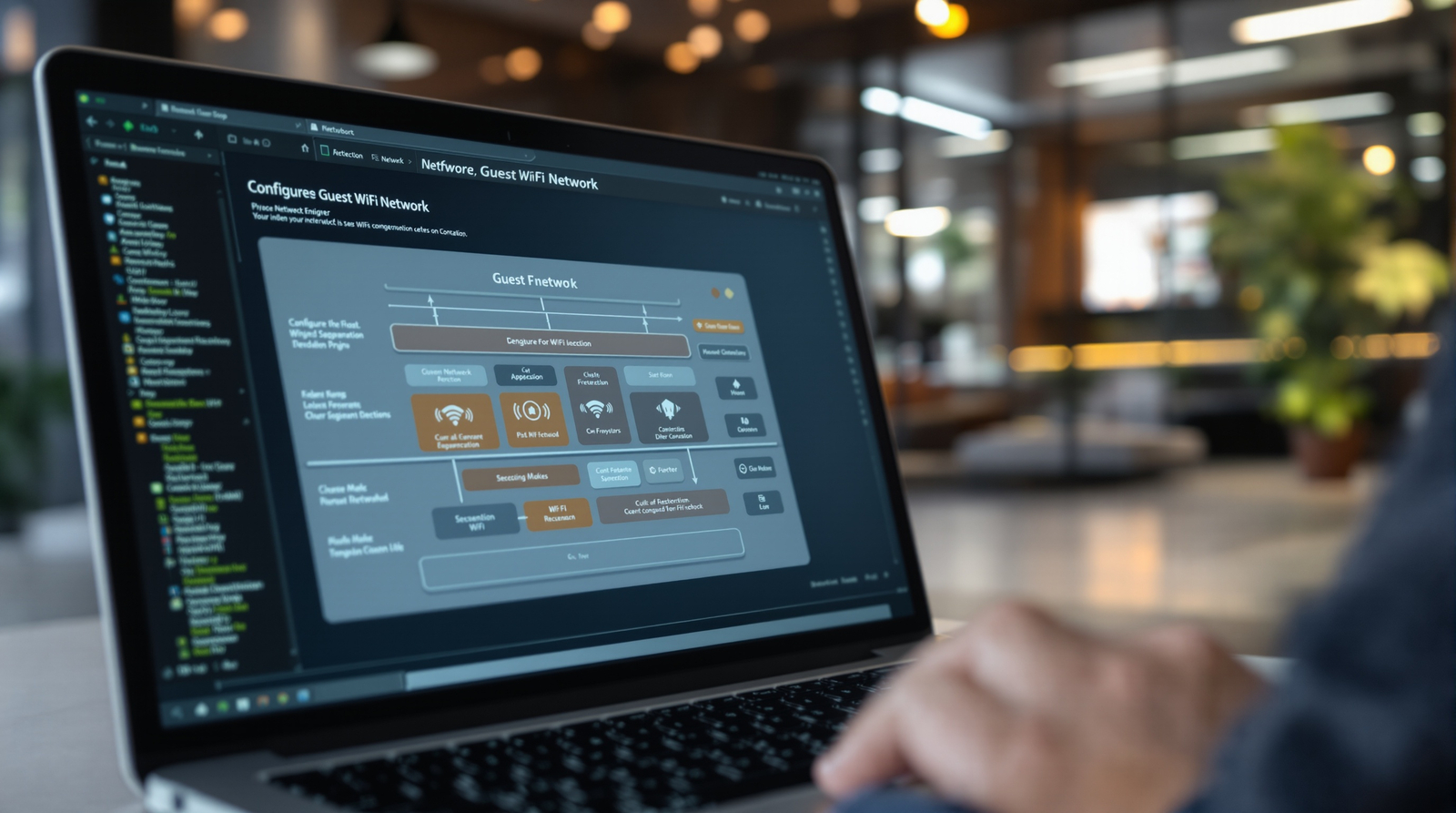
Providing wireless internet access to visitors, clients, and contractors has become a basic expectation in modern business environments. Whether you are hosting a client meeting, welcoming a supplier for an on-site visit, or accommodating temporary staff, your guests will almost certainly need to connect to the internet during their time in your office. Yet giving visitors access to your corporate network - even indirectly - introduces significant security risks that many UK businesses fail to adequately address.
A guest network, when properly configured, solves this problem by providing internet access to visitors whilst keeping them completely isolated from your internal business systems. However, a poorly configured guest network can be worse than no guest network at all, creating a false sense of security whilst actually exposing your organisation to data breaches, malware infections, and compliance violations.
This guide explains how to set up a guest wireless network that genuinely protects your business, covering the technical configuration, security policies, and compliance considerations that UK organisations need to address.
The challenge is that guest network configuration sits at the intersection of several disciplines - networking, security, compliance, and user experience. Get any one of these wrong and you either frustrate your visitors with an unusable connection, expose your business to unnecessary risk, or both. Many IT providers treat guest Wi-Fi as an afterthought, bolting it on without the architectural thinking that genuine security demands. The result is networks that look secure on the surface but crumble under scrutiny.
What follows is not a superficial overview. This is the same methodology our network engineers apply when designing guest network solutions for UK businesses ranging from ten-person offices to multi-site enterprises with hundreds of daily visitors. Every recommendation is grounded in real-world implementation experience and aligned with current UK regulatory requirements.
Why Guest Network Security Matters
The risks of providing unsecured or poorly secured guest access extend far beyond a visitor accidentally accessing a shared folder. Consider the following scenarios, all of which have occurred at real UK businesses.
A visitor connects their laptop to your network. Unbeknownst to them - and to you - their device is infected with ransomware that propagates across network shares. Within hours, your file server, accounting system, and customer database are encrypted. Without proper network segmentation, the guest device had direct access to the same network segment as your critical business systems.
A contractor working on-site uses the shared Wi-Fi password to connect their personal phone. They browse to a compromised website, which downloads malware that begins scanning the network for vulnerabilities. Because the guest and corporate traffic share the same network, the malware discovers and exploits an unpatched printer, using it as a pivot point to access your internal systems.
A disgruntled former employee, still in possession of the Wi-Fi password that has not been changed in two years, sits in the car park and connects to your network. From there, they access internal file shares and download confidential client data. Under UK GDPR, your business is now liable for a data breach that could result in ICO investigation and substantial fines.
These scenarios illustrate a critical point that many business owners overlook: the threat does not need to be sophisticated or intentional to cause serious damage. The majority of guest network security incidents stem from negligence rather than malice - an infected device, an outdated operating system, or a misconfigured network that inadvertently bridges guest and corporate traffic. The consequences, however, are identical regardless of intent. Data is exposed, systems are compromised, and your business bears the regulatory and financial burden of remediation.
The reputational damage from a guest-network-related breach can be particularly acute. Clients and partners who learn that their data was compromised because your business failed to isolate visitor traffic from production systems will rightly question your technical competence. In sectors where trust is paramount - legal, financial, healthcare, and professional services - such an incident can lead to client attrition that far exceeds the direct costs of the breach itself. Insurance claims, forensic investigation fees, and mandatory breach notifications compound the financial impact further.
Under UK GDPR, your business is responsible for protecting personal data stored on your systems, regardless of how a breach occurs. If a visitor's device introduces malware that leads to a data breach, or if inadequate network segmentation allows unauthorised access to personal data, your organisation bears the legal responsibility. The ICO considers network segmentation and access control to be fundamental components of the "appropriate technical measures" required by Article 32 of UK GDPR. Failure to implement proper guest network isolation could therefore be treated as a compliance failing in its own right.
The Architecture of a Secure Guest Network
A properly secured guest network is built on the principle of complete isolation. Guest devices should have access to the internet and nothing else - no file shares, no printers, no internal applications, no other guest devices, and absolutely no route to your corporate network. Achieving this requires several layers of technical configuration working together.
VLAN Segmentation
The foundation of guest network security is VLAN (Virtual Local Area Network) segmentation. A VLAN creates a logically separate network within your physical network infrastructure. Guest traffic is assigned to a dedicated VLAN that is completely isolated from your corporate VLAN at the switch level. Even though guest and corporate devices may connect through the same physical access points, their traffic never intersects because it is tagged and routed separately.
The key advantage of VLAN-based segmentation for guest networks is that it operates at Layer 2 of the network stack, meaning isolation is enforced at the most fundamental level of network communication. Even if a guest device attempts to manually configure its IP address to match your corporate subnet, it cannot cross the VLAN boundary because the switch physically separates the traffic at the frame level. This is fundamentally more secure than software-based isolation methods, which can sometimes be circumvented by knowledgeable attackers.
When planning your VLAN architecture for guest access, it is important to consider not just the primary guest VLAN but also how it interacts with your broader segmentation strategy. Many businesses benefit from creating separate VLANs for different categories of visitor - a VLAN for casual guests who need basic internet access, and a separate VLAN for contractors or partners who may require limited access to specific internal resources under controlled conditions. This tiered approach provides flexibility without compromising the security of your core network infrastructure.
Most business-grade wireless access points and managed switches support multiple VLANs. When a guest connects to your guest SSID (the network name they see on their device), their traffic is automatically tagged with the guest VLAN ID and handled according to rules that prevent any communication with corporate VLAN resources.
Firewall Rules and Access Control
VLAN segmentation provides the foundation, but firewall rules enforce the isolation. Your firewall should include explicit rules that block all traffic from the guest VLAN to the corporate VLAN, block guest devices from communicating with each other (client isolation), allow guest traffic to reach the internet via specific permitted protocols (HTTP, HTTPS, DNS), and block guest access to your firewall management interface and any other network infrastructure.
These rules should follow the principle of least privilege: deny everything by default, then explicitly permit only what is necessary. A guest needs to browse the internet and check email - they do not need access to anything on your internal network.
Bandwidth Management
Without bandwidth controls, a single guest streaming video or downloading large files could consume your entire internet connection, degrading performance for your business users. Implement Quality of Service (QoS) policies that prioritise corporate traffic over guest traffic, and consider setting per-user bandwidth limits on the guest network. A reasonable limit of 5-10 Mbps per guest device provides a good experience for web browsing and email without risking your primary business bandwidth.
Implementing effective bandwidth management requires understanding how your internet connection is utilised during peak periods. Conduct a baseline assessment of your bandwidth consumption before configuring guest QoS policies, so that you can set limits based on actual data rather than assumptions. Many modern firewalls and wireless controllers provide real-time traffic analytics that make this assessment straightforward.
Beyond simple bandwidth caps, consider implementing application-level controls on the guest network. Blocking peer-to-peer protocols, restricting video streaming to standard definition, and preventing large file uploads can dramatically reduce the bandwidth impact of guest usage without noticeably affecting the visitor experience. These controls also serve a security function, as peer-to-peer protocols and large file transfers are common indicators of malicious activity or data exfiltration attempts.
Authentication and Access Control Options
How guests authenticate to your network significantly impacts both security and user experience. There are several approaches, each with different trade-offs.
Pre-Shared Key (Simple Password)
The simplest approach is a shared password that all guests use. This is easy to implement but has significant drawbacks: the password inevitably spreads beyond your control, former visitors retain access indefinitely unless you change it regularly, and there is no way to identify individual users or track their activity. If you use this approach, change the password at least monthly and display it on a notice in reception rather than sharing it electronically.
Captive Portal with Terms Acceptance
A captive portal intercepts guest connections and presents a web page requiring them to accept your acceptable use policy before gaining internet access. This approach provides legal protection by establishing that guests agreed to your terms, creates a log of who accessed the network and when, and allows you to display your branding and any relevant information. For UK businesses, a captive portal that logs MAC addresses and connection times also helps demonstrate compliance with the Investigatory Powers Act 2016, which requires communications providers to retain certain connection data.
Sponsored Access
Under a sponsored access model, guests cannot self-register. Instead, a staff member must authorise each guest connection, typically by entering their own credentials and the guest's details into the captive portal. This provides the strongest access control for guest networks, as every connection is explicitly approved and attributed. It is particularly appropriate for businesses in regulated sectors or those handling sensitive data.
Time-Limited Vouchers
Reception staff issue unique access codes that expire after a set period - typically one day. This approach combines reasonable security with good user experience. Each voucher is unique, so access cannot be shared indefinitely, and expired vouchers automatically stop working. Many business-grade wireless systems include built-in voucher management features.
| Method | Security Level | User Experience | Admin Effort | Compliance Support |
|---|---|---|---|---|
| Shared Password | Low | Excellent | Minimal | Poor |
| Captive Portal | Medium | Good | Low | Good |
| Sponsored Access | High | Moderate | Medium | Excellent |
| Time-Limited Vouchers | Medium-High | Good | Medium | Good |
Content Filtering and Legal Obligations
When you provide internet access to guests, you assume a degree of responsibility for how that access is used. Implementing content filtering on your guest network is not merely good practice - it protects your business from legal liability.
At minimum, your guest network should block access to categories of content that could create legal problems: illegal material, malware distribution sites, and content that could constitute a hostile working environment. DNS-based filtering services such as Cisco Umbrella, Cloudflare Gateway, or OpenDNS provide an effective and straightforward way to implement content filtering without inspecting encrypted traffic.
You should also consider blocking bandwidth-intensive services such as video streaming and large file downloads to protect your business connectivity. This can be achieved through application-aware firewall rules or by restricting the ports and protocols available to guest traffic.
Logging and Record Keeping
Comprehensive logging of guest network activity is essential for both security monitoring and legal compliance. Your guest network infrastructure should record connection events (when devices join and leave the network), authentication records (who approved access and when), DHCP lease assignments (which IP address was assigned to which device), and DNS query logs (which domains guest devices attempted to resolve). These records serve multiple purposes: they support incident investigation if a security event occurs, they demonstrate due diligence to regulators, and they provide evidence in the event of any legal dispute arising from guest network misuse.
Under the Investigatory Powers Act 2016, businesses that provide internet access to third parties may be required to retain certain connection data for up to twelve months. Whilst the precise obligations depend on the nature and scale of the service you provide, maintaining comprehensive guest network logs is a prudent measure that protects your business regardless of whether the Act directly applies to your situation. Ensure that your logging infrastructure has adequate storage capacity and that logs are protected against tampering or unauthorised access.
Guest Network Best Practices
- Full VLAN isolation from corporate network
- Client isolation between guest devices
- Captive portal with terms acceptance
- DNS-based content filtering
- Bandwidth limits per user
- Automatic session expiry
- Regular password rotation
- Connection logging for compliance
Common Guest Network Mistakes
- Same VLAN as corporate devices
- No client isolation enabled
- No terms of use or logging
- No content filtering
- Unlimited bandwidth allocation
- Passwords that never change
- Password shared via email or social media
- No monitoring of guest traffic patterns
Implementing Guest Networks with Common UK Hardware
Most business-grade networking equipment supports guest network configuration. Here is a brief overview of how the feature works on platforms commonly used by UK SMEs.
Cisco Meraki
Meraki's cloud-managed platform makes guest network configuration particularly straightforward. Through the Meraki Dashboard, you can create a separate SSID for guests, assign it to a dedicated VLAN, enable client isolation, configure a customisable splash page (captive portal), set bandwidth limits, and apply content filtering - all from a single web interface. Meraki also supports integration with Active Directory for sponsored access and provides detailed usage analytics for guest connections.
Ubiquiti UniFi
UniFi controllers support multiple SSIDs with VLAN tagging, guest policies including bandwidth limits and client isolation, and a built-in guest portal with customisable landing pages. The UniFi controller can generate time-limited vouchers for guest access and maintains logs of all guest connections. For UK SMEs on a tighter budget, UniFi provides excellent guest network functionality at a lower price point than enterprise platforms.
Fortinet FortiGate
FortiGate firewalls combined with FortiAP wireless access points provide comprehensive guest network security. FortiGate's application control and web filtering features allow granular control over what guest users can access, and the platform's security fabric architecture ensures that guest traffic is inspected and controlled at every level. This is particularly suitable for businesses with elevated security requirements.
Monitoring and Maintaining Your Guest Network
Setting up a guest network is not a one-time task. Ongoing monitoring and maintenance are essential to ensure it continues to protect your business effectively. Review guest network usage logs regularly to identify unusual patterns that might indicate misuse or compromise. Update your content filtering rules as new threats emerge. Test your VLAN isolation periodically to confirm that guest devices genuinely cannot reach corporate resources - configuration drift during routine network changes can inadvertently weaken your segmentation.
Consider conducting penetration testing of your guest network annually, or whenever significant changes are made to your network infrastructure. A professional penetration tester will attempt to breach the isolation between your guest and corporate networks, identifying any weaknesses before a genuine attacker can exploit them. For businesses seeking Cyber Essentials Plus certification, this type of testing directly supports the certification process.
Incident Response for Guest Network Events
Despite your best efforts, security incidents involving the guest network may still occur. Having a documented incident response procedure specific to guest network events ensures that your team can react quickly and effectively. This procedure should define who is responsible for isolating the guest network in an emergency, how guest devices are identified and disconnected, what forensic data should be preserved from logs and network captures, and how the incident is reported internally and, where necessary, to the ICO or other regulatory bodies.
Regularly test your incident response procedure through tabletop exercises that simulate common guest network scenarios: a compromised visitor device, a denial-of-service attack originating from the guest VLAN, or an unauthorised attempt to bridge guest and corporate networks. These exercises reveal gaps in your procedures and ensure that staff know their responsibilities before a real incident occurs. The NCSC provides excellent guidance on developing and testing incident response plans, which can be adapted to cover guest network-specific scenarios.
Periodic Security Reviews
Schedule quarterly reviews of your guest network configuration as part of your broader network security governance. During each review, verify that VLAN isolation is intact by running test traffic between guest and corporate segments, confirm that firewall rules have not been inadvertently modified during routine maintenance, review guest network usage logs for anomalous patterns, update content filtering categories to reflect new threat intelligence, and ensure that authentication mechanisms (captive portal, voucher system, or sponsored access) are functioning correctly. These reviews need not be lengthy - a structured two-hour review each quarter is sufficient for most businesses - but they must be consistent and documented.
Secure Guest Wi-Fi for Your Business
Cloudswitched designs and implements secure guest network solutions for UK businesses of all sizes. From VLAN configuration and captive portal setup to ongoing monitoring and compliance support, we ensure your visitors stay connected without compromising your security. Get in touch to arrange a network security review.
Explore Network Admin Services
CloudSwitched
London-based managed IT services provider offering support, cloud solutions and cybersecurity for SMEs.


