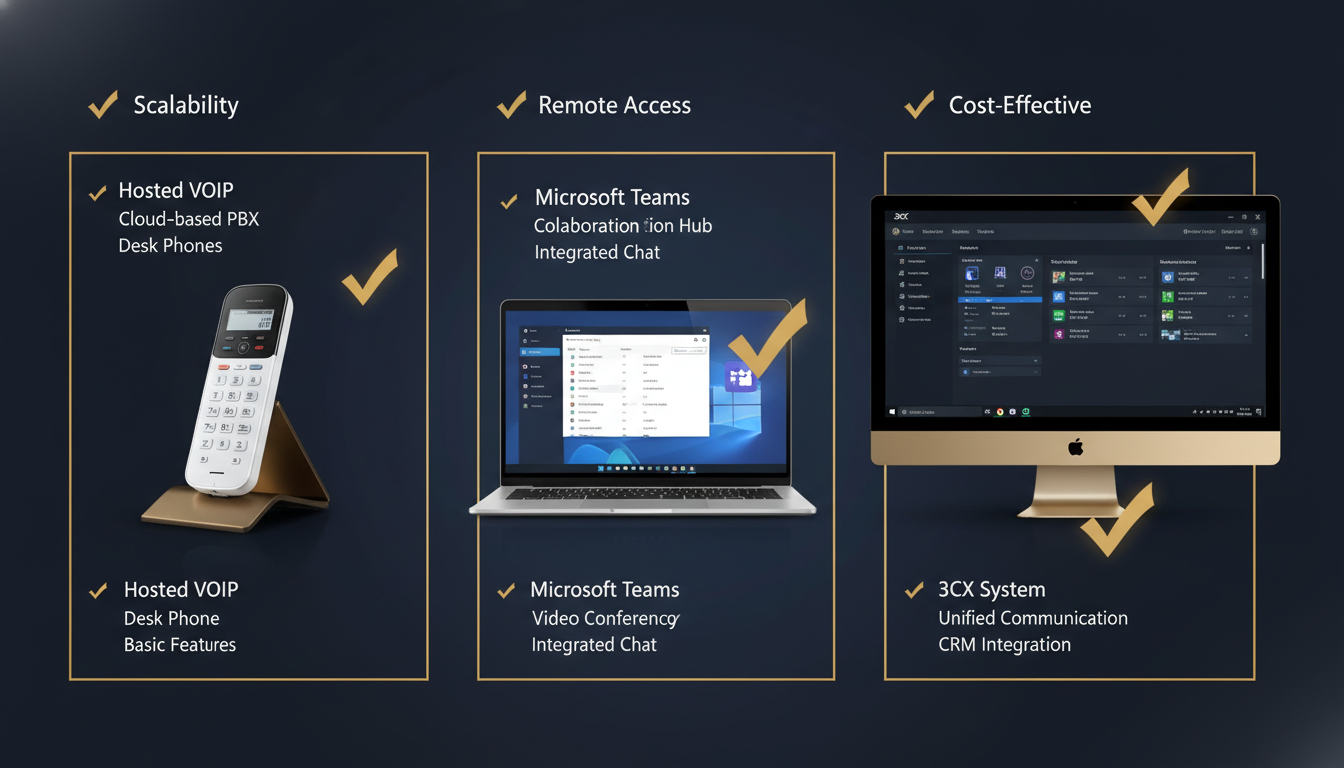
Choosing the right business phone system in 2026 is no longer a simple matter of picking up a desk phone and dialling. The landscape of enterprise communications has transformed dramatically, with organisations across the United Kingdom facing a pivotal decision: should they invest in a hosted phone system, adopt Microsoft Teams calling, or deploy a 3CX phone system? Each path offers distinct advantages, trade-offs, and long-term implications for how your team communicates, collaborates, and serves customers.
This comprehensive comparison guide examines every critical dimension of these three leading approaches to business telephony. Whether you are a growing SME in Manchester exploring hosted VoIP UK solutions for the first time, a London-based enterprise evaluating whether your existing Microsoft 365 investment can double as a Teams phone system, or an IT director weighing the control and flexibility of a 3CX phone system, this article delivers the detailed, unbiased analysis you need to make a confident decision.
We will explore feature sets, pricing models, call quality benchmarks, integration ecosystems, administrative capabilities, mobile experiences, scalability, security, and real-world deployment considerations - all through a distinctly UK lens, reflecting local regulatory requirements, provider availability, and the practical realities of running a hosted phone system in Britain.
Understanding the Three Contenders: A Foundation for Comparison
Before we dive into the granular comparison, it is essential to understand what each of these solutions fundamentally represents, because they are not merely different brands offering the same product. Each reflects a distinct philosophy about how business communications should work, who should control them, and where they fit within your broader technology strategy.
What Is a Hosted Phone System?
A hosted phone system - also known as hosted VoIP, cloud PBX, or virtual phone system - is a telephony solution where all the infrastructure, software, and call-processing logic resides in the cloud, managed entirely by a specialist provider. Your business simply connects IP phones, softphones, or mobile applications to the service via the internet. There is no on-premises PBX hardware to maintain, no complex wiring closets, and no need for in-house telephony expertise.
The hosted VoIP UK market has matured enormously since the early days of internet telephony. Today's providers deliver enterprise-grade reliability, crystal-clear HD voice, sophisticated call routing, unified communications features, and seamless integrations with business applications - all on a predictable per-user, per-month subscription model. Leading UK hosted VoIP providers include names such as Gamma, 8x8, RingCentral, Vonage Business, and numerous specialist MSPs like Cloudswitched who offer white-glove deployment and ongoing management.
The defining characteristic of a hosted phone system is that you are outsourcing the complexity. The provider handles uptime, security patches, feature updates, disaster recovery, and capacity planning. You focus on running your business. For many UK organisations, particularly those with 10 to 500 employees, this hands-off approach delivers the best balance of capability and simplicity.
What Is Microsoft Teams Calling?
Microsoft Teams calling extends the familiar Teams collaboration platform - already used by millions for chat, video meetings, and file sharing - into a full-featured business telephone system. Through Microsoft's Phone System add-on licence and a PSTN connectivity option (either Microsoft Calling Plans or Direct Routing via a third-party SIP trunk provider), Teams can make and receive calls to standard phone numbers, acting as your organisation's primary phone system.
The appeal of the Teams phone system is immediately obvious: if your employees already live in Microsoft Teams for their daily work, why introduce a separate application for voice calls? By consolidating collaboration and telephony into a single platform, you reduce context-switching, simplify training, and potentially lower costs by eliminating a standalone phone system. Microsoft Teams calling transforms Teams from a collaboration tool into a unified communications powerhouse.
However, the Teams phone system is not a simple plug-and-play addition. It requires careful licensing (Microsoft 365 Business Voice, Teams Phone Standard, or E5 licences), PSTN connectivity decisions, number porting, compliance configuration, and often the involvement of a Microsoft-certified partner for proper deployment. The feature set, while impressive for an integrated solution, may not match the depth of a dedicated telephony platform in areas such as call centre functionality, advanced call routing, or CRM integrations.
What Is 3CX?
The 3CX phone system occupies a distinctive middle ground. Originally launched as an on-premises software PBX that ran on Windows or Linux servers, 3CX has evolved into a flexible platform that can be deployed on-premises, in a private cloud, or hosted by 3CX itself. It appeals strongly to IT-savvy organisations and managed service providers who want granular control over their telephony environment without the capital expenditure of traditional PBX hardware.
A 3CX phone system is fundamentally software-based, supporting standards-based SIP trunking from any provider. This means you choose your own SIP trunk supplier, negotiate your own call rates, and retain full control over the telephony infrastructure. For UK businesses, this flexibility is particularly attractive because it allows them to select best-in-class UK SIP providers offering competitive domestic and international calling rates, local number ranges, and UK-specific compliance features.
The trade-off with 3CX is that it requires more technical involvement than a fully hosted solution. Someone needs to manage the server (even if it is a cloud VM), apply updates, configure SIP trunks, and handle troubleshooting. For organisations with capable IT teams or those who partner with an experienced MSP, this is a worthwhile exchange for the control and cost savings 3CX delivers.
Before comparing specific features, audit your current call volumes, peak concurrent call counts, and existing software stack. A hosted phone system that integrates seamlessly with your CRM will deliver more productivity gains than the cheapest option with no integrations. Similarly, if your team already uses Microsoft 365 extensively, the Teams phone system may offer hidden value through reduced context-switching alone.
Feature-by-Feature Comparison: The Complete Breakdown
Let us now examine the critical feature categories that should inform your decision. Each subsection provides a direct three-way comparison, highlighting where each solution excels and where it falls short.
Core Calling Features
All three platforms deliver the fundamental calling features that any modern business expects: inbound and outbound calls, call transfer (attended and blind), call hold, call forwarding, voicemail, and caller ID. But the depth and sophistication of these features varies considerably once you look beyond the basics.
A dedicated hosted phone system typically offers the richest native telephony feature set. This includes advanced call routing with time-based rules, IVR (interactive voice response) with multiple menu levels, hunt groups with configurable ring strategies (simultaneous, sequential, round-robin, least-recent), call queues with estimated wait-time announcements, call recording with compliance controls, and detailed CDR (call detail record) reporting. These features are the core product, refined over years of development specifically for telephony use cases.
Microsoft Teams calling provides a solid set of calling features that covers most standard business requirements. Auto-attendants, call queues, call park, group call pickup, shared line appearances, and voicemail with transcription are all available within the Teams phone system. However, some telephony-specific features may feel less polished or require more complex configuration compared to a purpose-built phone system. For example, Teams auto-attendants and call queues are configured through the Teams admin centre or PowerShell, which some administrators find less intuitive than the visual call-flow designers common in dedicated telephony platforms.
The 3CX phone system offers enterprise-grade calling features that rival or exceed many hosted VoIP providers. Its visual call-flow designer is particularly well-regarded, allowing administrators to build complex IVR trees and routing logic through a drag-and-drop interface. 3CX also includes built-in call recording, live wallboards for call centre monitoring, CRM integration modules, and WebRTC-based web conferencing - all included in the base licence without per-feature surcharges.
| Feature | Hosted VoIP | Microsoft Teams Calling | 3CX Phone System |
|---|---|---|---|
| Auto-Attendant / IVR | Advanced multi-level IVR with visual designer | Auto-attendants with nested menus | Visual call-flow designer with drag-and-drop |
| Call Queues | Full ACD with skills-based routing | Basic call queues with overflow options | Advanced queues with wallboard monitoring |
| Call Recording | Built-in with compliance controls | Requires compliance recording licence or third-party | Built-in with per-extension or per-call rules |
| Voicemail | Visual voicemail with email delivery | Voicemail with AI transcription | Voicemail to email with transcription (add-on) |
| Ring Groups / Hunt Groups | Multiple ring strategies available | Call groups with configurable routing | Flexible ring group configuration |
| Call Park | Yes - park and retrieve from any extension | Yes - call park with orbit numbers | Yes - shared and private parking |
| Hot Desking | Yes - login to any phone with credentials | Limited - requires Common Area Phone licences | Yes - full hot desking support |
| Presence / BLF | BLF keys on IP phones | Presence integrated across Microsoft 365 | BLF with status synchronisation |
| Fax Support | T.38 fax-over-IP or virtual fax | No native fax - requires third-party | Built-in virtual fax server |
| Paging / Intercom | Multicast paging to IP phones | Not natively supported | Paging and intercom supported |
Unified Communications and Collaboration
Modern business communications extend far beyond voice calls. Video conferencing, team messaging, screen sharing, file collaboration, and presence awareness are all essential components of a unified communications (UC) strategy. This is where the three solutions diverge most dramatically.
Microsoft Teams calling is the undisputed leader in unified communications. When you adopt the Teams phone system, you gain access to the full Microsoft Teams experience: persistent team channels, threaded conversations, file sharing integrated with SharePoint and OneDrive, real-time document co-authoring, whiteboard sessions, meeting recordings with AI-generated transcripts and meeting notes, and deep integration with the entire Microsoft 365 ecosystem including Outlook calendars, Planner tasks, and Power Automate workflows. For organisations already invested in Microsoft 365, the Teams phone system creates a genuinely unified workspace where voice calls, video meetings, and daily collaboration coexist seamlessly.
A traditional hosted phone system has historically focused on telephony first and collaboration second. However, the leading hosted VoIP UK providers have invested heavily in UC features over the past few years. Most now offer built-in video conferencing (typically for smaller group sizes than Teams), team messaging, SMS/MMS capabilities, and screen sharing. Some, like RingCentral and 8x8, have developed comprehensive UC platforms that rival Teams in many respects. That said, the collaboration depth - particularly around document sharing, project management, and workflow automation - typically does not match what Microsoft delivers through its integrated 365 ecosystem.
The 3CX phone system includes built-in video conferencing (WebRTC-based, requiring no plugins), live chat for website visitor engagement, team messaging, and screen sharing. These features are practical and functional, but they lack the depth and polish of Teams' collaboration suite. 3CX's strength lies in telephony-centric communication rather than broad-spectrum collaboration. However, for businesses that primarily need voice calls, occasional video meetings, and basic team chat, 3CX's included UC features may be perfectly sufficient - and they come at no additional cost.
Microsoft Teams Calling
Hosted VoIP
3CX Phone System
Pricing and Total Cost of Ownership
Pricing is often the first consideration for UK businesses evaluating phone systems, but it should never be the only one. The true cost of a phone system extends far beyond the monthly per-user fee. You must account for licencing complexity, hardware costs, connectivity charges, implementation fees, training costs, and the ongoing administrative burden of managing the system. Let us examine how each option stacks up.
Hosted VoIP UK Pricing
The hosted VoIP UK market is competitive, with per-user pricing typically ranging from £8 to £25 per user per month depending on the feature tier and provider. Entry-level plans offer basic calling and voicemail, while premium tiers add call recording, advanced analytics, CRM integrations, and contact centre features. Most hosted phone system providers include unlimited UK landline and mobile calls within their standard plans, with international calling either bundled or available as an add-on.
The simplicity of hosted VoIP pricing is one of its greatest advantages. You pay a predictable monthly fee per user, and the provider handles everything else: infrastructure, maintenance, updates, and support. There are no server costs, no annual maintenance contracts for PBX hardware, and no surprise bills for emergency repairs. For budgeting purposes, this predictability is invaluable.
However, you should factor in the cost of IP desk phones (£50–£250 per handset, depending on the model) or headsets for softphone users (£30–£150). Some providers offer hardware-as-a-service programmes where phones are included in the monthly subscription, which can reduce upfront costs. You should also consider the cost of a reliable internet connection - while most UK businesses already have adequate broadband, some may need to upgrade to a dedicated leased line or add QoS (Quality of Service) configuration to prioritise voice traffic.
Microsoft Teams Calling Pricing
The pricing structure for Microsoft Teams calling is more complex than a straightforward hosted phone system because it involves multiple licensing layers. First, every user needs a Microsoft 365 licence that includes Teams (Business Basic at £4.60/user/month minimum, though most organisations use Business Standard at £9.40/user/month or higher). On top of this, you need the Teams Phone Standard add-on licence at approximately £6.50/user/month - unless you have Microsoft 365 E5 licences, which include Phone System.
Then comes PSTN connectivity. You have two primary options: Microsoft Calling Plans (approximately £9–£12/user/month for domestic calling within the UK) or Direct Routing, where you connect your own SIP trunk provider. Direct Routing is typically more cost-effective for UK organisations, with SIP trunk costs ranging from £3–£8 per channel per month plus per-minute call charges, but it requires either a Session Border Controller (SBC) or a managed Direct Routing service from a partner.
When you add up the layers - Microsoft 365 licence + Teams Phone add-on + PSTN connectivity - the total per-user cost for Microsoft Teams calling typically ranges from £15 to £30 per user per month. This can be competitive with premium hosted VoIP tiers, especially if you are already paying for Microsoft 365 and can leverage the existing investment. However, for organisations not yet on Microsoft 365, the total cost of adopting the Teams phone system as a greenfield deployment can be significantly higher than a standalone hosted VoIP solution.
3CX Phone System Pricing
The 3CX phone system has undergone several pricing model changes in recent years and now operates on an annual subscription model based on simultaneous call capacity rather than per-user counts. This is a fundamentally different approach that can be significantly cheaper for organisations where not all users make calls simultaneously - which is the reality for most businesses.
3CX offers a free tier (3CX FREE) for up to 10 users, making it an excellent option for very small businesses to trial. Paid plans (3CX SMB, PRO, and ENT) are priced based on simultaneous call limits and start from approximately £145 per year for 4 simultaneous calls, scaling up to enterprise pricing for larger deployments. When you divide the annual cost by the number of users, the per-user cost often works out dramatically lower than either hosted VoIP or Teams - sometimes as low as £2–£5 per user per month for medium-sized organisations.
However, the headline 3CX licence cost does not tell the whole story. You must also budget for: hosting (a cloud VM from £10–£50/month, or an on-premises server), SIP trunk service (£3–£8/channel/month plus call charges), and either internal IT time or MSP fees for ongoing management and maintenance. When all these costs are factored in, 3CX remains typically the most affordable option for organisations with 20+ users, but the cost advantage narrows for very small deployments where the hosting and management overhead represents a larger proportion of the total cost.
When comparing costs, always calculate the three-year total cost of ownership (TCO) rather than just the monthly fee. Include hardware, implementation, training, ongoing management, and the cost of your team's time spent administering the system. A slightly more expensive hosted phone system that requires zero internal IT effort may actually be cheaper than a budget option that demands 10 hours of administration per month from your team.
Call Quality and Reliability
The quality and reliability of your phone system directly impacts customer experience, team productivity, and your organisation's professional reputation. A single dropped call during a critical client negotiation can have consequences far exceeding the monthly cost difference between platforms. Let us examine how each solution performs in real-world conditions.
Hosted VoIP Call Quality
Modern hosted VoIP UK providers deliver exceptional call quality when deployed correctly. The leading providers use geographically distributed data centres within the UK (typically in London Docklands, Slough, and Manchester), minimising latency for domestic calls. HD voice (wideband audio) is standard across most providers, delivering noticeably clearer sound than traditional PSTN calls. Many providers also support the Opus codec, which provides excellent audio quality even on connections with limited bandwidth.
The reliability of a hosted phone system depends primarily on two factors: the provider's infrastructure resilience and your internet connection quality. Tier-1 hosted VoIP providers typically guarantee 99.99% or 99.999% uptime SLAs, backed by redundant data centres, automatic failover, and 24/7 network operations centres. Your responsibility is ensuring your internet connection can handle the voice traffic - typically requiring approximately 100kbps per concurrent call with adequate QoS configuration to prioritise voice packets over general internet traffic.
Microsoft Teams Call Quality
Microsoft Teams calling leverages Microsoft's vast global network infrastructure, which is among the most extensive and well-peered networks in the world. Teams uses the SILK and Satin codecs, which are optimised for varying network conditions and can adapt dynamically to bandwidth fluctuations. In practice, Teams call quality is generally very good, particularly for users on well-provisioned corporate networks.
However, the Teams phone system introduces an additional variable: all calls are processed through Microsoft's cloud infrastructure, even when both parties are on the same local network. This means your internet connection quality directly impacts every call, and any issues with Microsoft's services (which, while rare, do occur) affect your entire telephony capability. Microsoft publishes real-time service health dashboards and has significantly improved Teams reliability since its early days, but some organisations - particularly those with stringent uptime requirements - find comfort in having a telephony platform that is independent of their collaboration platform.
3CX Call Quality
The 3CX phone system offers excellent call quality, with the advantage that you have more control over the infrastructure. If 3CX is hosted on a well-provisioned cloud server close to your users (such as a UK-based VM from AWS, Azure, or a local hosting provider), call quality is typically superb. 3CX supports a wide range of codecs including G.711, G.722, G.729, and Opus, allowing you to optimise for quality or bandwidth as needed.
One notable advantage of 3CX is that internal calls between extensions on the same network can be routed directly (peer-to-peer), bypassing the internet entirely. This means that even if your internet connection experiences issues, internal calls continue to work flawlessly. For organisations with multiple offices connected via site-to-site VPN, this can provide a significant resilience advantage over cloud-only solutions.
Administration and Management
The administrative experience of your phone system matters more than most organisations realise during the selection process. Day-to-day tasks like adding new users, changing call routing, updating auto-attendant greetings, pulling call reports, and troubleshooting issues consume real time and require real expertise. The platform that makes these tasks simplest and most intuitive delivers ongoing operational savings that compound over years of use.
Hosted VoIP Administration
Most hosted phone system providers offer web-based administration portals designed specifically for telephony management. These portals are typically intuitive, with clearly labelled sections for user management, call routing, auto-attendants, call recording, and reporting. Many hosted VoIP UK providers also offer role-based access, allowing you to delegate specific administrative tasks to reception staff or department managers without giving them full system access.
The best hosted VoIP admin portals include visual call-flow builders, real-time dashboards showing active calls and queue statistics, and comprehensive reporting with the ability to schedule automated reports via email. Because the provider manages the underlying infrastructure, your administrative scope is limited to business-logic configuration - you do not need to worry about server health, software updates, codec configurations, or SIP trunk troubleshooting.
For UK businesses that partner with an MSP like Cloudswitched for their hosted phone system, the administrative burden is further reduced. The MSP handles initial configuration, ongoing changes, troubleshooting, and optimisation, leaving the business free to focus on its core operations. This managed approach is particularly valuable for organisations without dedicated IT staff.
Microsoft Teams Administration
Administering the Teams phone system requires familiarity with the Microsoft 365 admin centre, the Teams admin centre, and often PowerShell for advanced configuration. While Microsoft has improved the admin experience significantly over the past two years, the reality is that Teams telephony administration is spread across multiple interfaces and can feel fragmented compared to a dedicated telephony admin portal.
For example, creating an auto-attendant in Teams requires navigating to the Voice section of the Teams admin centre, configuring the auto-attendant with business hours and after-hours call flows, assigning resource accounts with appropriate licences, and then assigning phone numbers to those resource accounts. Each step involves different configuration pages, and the relationship between resource accounts, auto-attendants, and call queues can be confusing for administrators who are not Teams telephony specialists.
On the positive side, Microsoft Teams calling administration integrates with Azure Active Directory for user management, which means that creating a new employee in your directory can automatically provision their Teams phone capabilities through policies and templates. For large organisations with robust Microsoft 365 governance, this integration is a genuine advantage that reduces manual provisioning effort.
3CX Administration
The 3CX phone system provides a comprehensive web-based management console that is specifically designed for telephony administration. The interface is clean and logically organised, with sections for extensions, ring groups, IVR (digital receptionist), call queues, SIP trunks, and system configuration. 3CX's visual call-flow designer is a standout feature, allowing administrators to build and modify complex call routing logic through an intuitive drag-and-drop interface.
3CX also offers a dedicated smartphone app for system administrators, enabling them to monitor system health, view active calls, and make configuration changes from their mobile device. The built-in dashboard provides real-time visibility into call volumes, queue performance, and system resource utilisation.
However, 3CX administration extends beyond business-logic configuration into infrastructure management. Administrators need to monitor server health, manage software updates (3CX releases updates regularly), configure SIP trunk settings, troubleshoot codec negotiation issues, and manage SSL certificates for the web interface. For organisations with IT teams, this is manageable; for those without, partnering with a 3CX-certified MSP is strongly recommended.
Integration Ecosystem
No phone system operates in isolation. The ability to integrate with your existing business applications - CRM, helpdesk, ERP, email, calendaring, and workflow automation tools - can transform a phone system from a cost centre into a productivity multiplier. The integration capabilities of your chosen platform can be the difference between your staff spending 30 seconds per call looking up customer records manually and having that information appear automatically on screen the moment a call connects.
Hosted VoIP Integrations
Leading hosted VoIP UK providers typically offer pre-built integrations with major CRM platforms (Salesforce, HubSpot, Zoho, Microsoft Dynamics), helpdesk tools (Zendesk, Freshdesk, ServiceNow), and productivity suites (Microsoft 365, Google Workspace). These integrations often include click-to-dial from the CRM, automatic call logging, screen pops showing customer records during inbound calls, and post-call disposition tracking.
The depth of integrations varies significantly between hosted phone system providers. Enterprise-focused platforms like RingCentral and 8x8 offer extensive API access and hundreds of pre-built integrations through app marketplaces. More specialised UK providers may offer fewer integrations but can provide deeper, more customised connections to the specific tools your business uses. When evaluating a hosted VoIP provider, always verify that the specific integrations you need are available, functional, and included in your chosen pricing tier - some providers charge extra for CRM integration modules.
Microsoft Teams Integrations
The Teams phone system benefits from the massive Microsoft 365 ecosystem. Integration with Outlook (calendar-aware call routing, click-to-call from contacts), SharePoint (shared voicemail transcriptions, call recording storage), and Power Automate (automated workflows triggered by call events) comes essentially built-in. For organisations running Microsoft Dynamics 365 as their CRM, the integration with Microsoft Teams calling is particularly deep, offering embedded calling within the CRM interface and automatic call activity logging.
Beyond first-party Microsoft integrations, Teams supports a vast ecosystem of third-party apps through the Teams App Store. CRM providers like Salesforce and HubSpot offer Teams integrations, and platforms like Power Automate and Azure Logic Apps enable custom integrations with virtually any system that has an API. However, it is worth noting that third-party telephony integrations within Teams sometimes feel like bolt-ons rather than native features, and the quality of these integrations can vary.
3CX Integrations
The 3CX phone system includes built-in CRM integration modules for a range of popular platforms including Salesforce, HubSpot, Zoho, Microsoft Dynamics, Freshdesk, and others. These modules provide click-to-call, caller ID lookup, contact pop-ups, and call journaling. 3CX also offers a REST API and a Call Control API for custom integrations, and its integration with Microsoft 365 provides calendar-based presence and Outlook contact lookup.
One area where 3CX excels is website integration. The platform includes a built-in live chat and click-to-call widget that can be embedded on your website, allowing visitors to chat with your team or initiate a voice or video call directly from your site. This feature is included at no additional cost and can be a valuable tool for lead generation and customer support - something that would typically require a separate product or plugin with other phone systems.
Mobile Applications and Remote Working
The shift to hybrid and remote working has made mobile and remote access capabilities a non-negotiable requirement for any modern phone system. Your employees need to make and receive business calls, access voicemail, join conferences, and manage their availability from anywhere - whether they are at home, on the train, or at a client site. The quality of the mobile experience varies considerably between platforms.
Hosted VoIP Mobile Apps
Most hosted VoIP UK providers offer dedicated mobile applications for iOS and Android that function as full-featured softphones. These apps allow users to make and receive calls using their business number, access voicemail, view call history, join conference calls, and update their availability status. Better providers offer mobile apps that support call transfer, call recording, and multi-line management - essentially replicating the desk phone experience on a smartphone.
The quality of mobile apps varies significantly between hosted phone system providers. Enterprise-grade platforms like RingCentral and 8x8 offer polished, responsive mobile apps that are updated frequently. Smaller or more traditional providers may offer functional but less refined mobile experiences. When evaluating a hosted VoIP provider, always test the mobile app yourself - download it, make some calls, check the audio quality over 4G and WiFi, and assess the overall user experience. A poor mobile app can undermine an otherwise excellent phone system.
Microsoft Teams Mobile App
The Microsoft Teams mobile app is one of the most polished and feature-rich business communication apps available. It provides a unified experience for chat, video meetings, file access, and - with the Teams phone system enabled - full telephony capabilities. Users can make and receive PSTN calls using their business number, access voicemail with transcription, transfer calls, and manage their presence, all within the same app they use for team collaboration.
One significant advantage of Microsoft Teams calling on mobile is that users do not need to switch between apps. Whether they are responding to a chat message, joining a video meeting, or making a phone call, everything happens within Teams. This seamless experience reduces friction and encourages adoption, particularly among employees who might resist installing and using a separate phone app. The Teams mobile app also supports background calling, native dial-pad integration on some devices, and call quality diagnostics.
3CX Mobile App
The 3CX phone system includes a full-featured mobile app that has been significantly improved in recent versions. The 3CX app supports voice calls, video calls, chat messaging, presence, and voicemail access. It can be configured to use push notifications for incoming calls (preserving battery life) or maintain a persistent SIP registration for instant connectivity. The app supports call transfer, conference calling, and integration with the device's native contacts.
A distinctive feature of the 3CX mobile app is its ability to use the SRTP protocol for encrypted voice communications, providing an additional layer of security for businesses with sensitive communications requirements. The app also supports QR code provisioning, which simplifies the setup process - users simply scan a QR code from the 3CX management console and the app configures itself automatically.
Not Sure Which Phone System Suits Your Business?
Cloudswitched helps UK businesses navigate the hosted VoIP, Microsoft Teams, and 3CX landscape. Our team provides honest, vendor-neutral recommendations based on your specific requirements, budget, and growth plans. Book a free consultation to discuss your options.
Scalability and Growth
Your phone system needs to grow with your business. Whether you are adding new employees, opening new offices, expanding into new markets, or scaling up your customer service operation, the ease and cost of scaling your phone system is a critical consideration. The three platforms handle scalability very differently.
Scaling a Hosted Phone System
Scalability is one of the primary advantages of a hosted phone system. Adding new users is typically as simple as provisioning a new account in the admin portal, assigning a phone number, and plugging in a phone or installing a softphone. There is no capacity planning required - the provider's infrastructure handles the additional load. Most hosted VoIP UK providers can add users instantly, with no minimum commitment periods for additional licences beyond the standard contract term.
Scaling down is equally straightforward - you simply remove users from the platform and stop paying for them at the next billing cycle. This elasticity is particularly valuable for businesses with seasonal fluctuations in staffing, such as retail operations that scale up for Christmas or event management companies that staff up for peak season.
Multi-site deployment is also simple with a hosted phone system. Because the infrastructure is cloud-based, adding a new office simply means connecting phones to the internet - there is no need for site-to-site VPN connections for inter-office calls, no additional PBX hardware, and no complex networking configuration. Users at different sites share the same dial plan, call routing rules, and management interface.
Scaling Microsoft Teams Calling
Scaling Microsoft Teams calling is relatively straightforward within the Microsoft 365 ecosystem. Adding new users to the Teams phone system involves assigning the appropriate licences and phone numbers, which can be automated through Azure AD group-based licensing and PowerShell scripts. For organisations with mature Microsoft 365 environments, this process can be highly streamlined.
However, scaling Teams telephony introduces some complexities that do not exist with simpler hosted VoIP platforms. Phone number availability can be an issue - Microsoft's UK number inventory for Calling Plans is not unlimited, and organisations in certain area codes may face delays or need to port numbers from other providers. If using Direct Routing, scaling requires ensuring adequate SBC (Session Border Controller) capacity and SIP trunk channels, which introduces an infrastructure planning dimension that does not exist with fully hosted solutions.
International scaling is an area where Teams has both strengths and weaknesses. Microsoft's global presence means the Teams phone system is available in many countries, making it easier to provide a consistent communications platform for multinational organisations. However, PSTN connectivity options, calling plan availability, and regulatory compliance requirements vary by country, and managing a global Teams telephony deployment can be significantly more complex than managing a domestic UK deployment.
Scaling 3CX
Scaling a 3CX phone system requires more planning than the cloud-hosted alternatives. Adding users within the existing simultaneous call limit is straightforward - you simply create new extensions in the management console. However, if you need to increase the simultaneous call capacity, you will need to upgrade your 3CX licence tier, which may also require upgrading the server hosting to handle the additional load.
For organisations planning significant growth, this means the 3CX phone system requires periodic capacity assessments and infrastructure upgrades. While this is not inherently problematic, it does require more technical foresight and planning compared to the elastic scaling of cloud-hosted solutions. On the positive side, 3CX's per-system licensing model means that the cost of adding users within your existing capacity is essentially zero - you only pay more when you need more simultaneous calls.
Multi-site deployment with 3CX can be achieved through SIP trunk bridging between instances or by deploying a single centralised instance that serves all sites over VPN. Both approaches work well but require proper network design and configuration. 3CX also supports session border controllers for complex multi-site deployments with varying network conditions.
Security and Compliance
In an era of increasing cyber threats and tightening regulations, the security posture and compliance capabilities of your phone system deserve careful scrutiny. UK businesses must consider GDPR requirements for call recording and data handling, industry-specific regulations (such as FCA requirements for financial services), and the general imperative to protect sensitive business communications from interception or unauthorised access.
Hosted VoIP Security
Reputable hosted VoIP UK providers implement enterprise-grade security measures including TLS encryption for signalling, SRTP encryption for voice media, multi-factor authentication for administrative access, and regular third-party security audits. Many hold ISO 27001 certification and comply with UK data protection regulations by hosting infrastructure within UK data centres.
For call recording compliance - particularly important for financial services organisations subject to MiFID II and FCA regulations - hosted VoIP providers typically offer configurable recording policies that can be applied per user, per department, or system-wide. Recordings are stored with tamper-proof audit trails, retention policy management, and secure access controls. Some providers offer dedicated compliance recording solutions that meet the specific requirements of regulated industries.
Microsoft Teams Security
The Teams phone system benefits from Microsoft's comprehensive security infrastructure. All Teams communications are encrypted in transit and at rest, and the platform integrates with Microsoft's broader security tools including Conditional Access, Data Loss Prevention (DLP), eDiscovery, and Advanced Threat Protection. For organisations with Microsoft 365 E5 licences, additional compliance features include communication compliance (monitoring for regulatory violations), information barriers, and advanced eDiscovery with premium features.
Microsoft Teams calling also supports compliance recording through certified partner solutions from vendors like NICE, Verint, and ASC. These solutions capture all Teams voice traffic for regulatory compliance, including transcription, keyword detection, and policy-based retention. For UK financial services firms, this ecosystem of compliance recording solutions is a significant advantage of the Teams platform.
3CX Security
The 3CX phone system includes several built-in security features including automatic IP blacklisting for failed authentication attempts, anti-hacking detection and prevention, SBC (Session Border Controller) functionality, SRTP encryption for voice traffic, and SSL/TLS encryption for web and provisioning traffic. 3CX also supports strong password policies and role-based access control for the management console.
However, the security of a 3CX deployment is partially your responsibility. Because you control the server, you need to ensure it is properly hardened, patched, and monitored. This includes keeping the operating system updated, configuring firewall rules correctly, managing SSL certificate renewals, and monitoring for security incidents. Organisations using 3CX in the cloud should leverage their cloud provider's security features (network security groups, encryption at rest, monitoring) to complement 3CX's built-in protections.
It is worth noting that 3CX experienced a significant supply chain security incident in March 2023, which, while now resolved, highlighted the importance of keeping 3CX installations updated and monitoring for security advisories. 3CX has since implemented additional security measures and improved its incident response processes, but the event serves as a reminder that any software-based system requires ongoing security vigilance.
UK Provider Landscape and Support
The quality of support and the breadth of the provider ecosystem in the UK are practical considerations that often get overlooked in feature comparisons. Having the best phone system in the world is meaningless if you cannot get competent, timely support when something goes wrong.
Hosted VoIP UK Providers
The hosted VoIP UK market is mature and competitive, with dozens of established providers ranging from large national carriers to specialist MSPs. Major providers include Gamma (one of the largest wholesale and retail VoIP providers in the UK), 8x8, RingCentral, Vonage Business (now part of Ericsson), BT Cloud Voice, and Virgin Media Business. Additionally, hundreds of managed service providers and IT companies offer hosted VoIP services, often white-labelling platforms from wholesale providers and adding their own support and management layer.
For UK businesses, this competitive landscape is advantageous. You have genuine choice, competitive pricing, and the ability to select a provider whose support model matches your needs - whether that is 24/7 enterprise support from a large carrier or personalised, hands-on service from a local MSP like Cloudswitched. When selecting a hosted phone system provider, prioritise those who offer UK-based support, UK-hosted infrastructure, and proven experience with businesses of your size and industry.
Microsoft Teams Support in the UK
Support for Microsoft Teams calling comes primarily from Microsoft directly (via the Microsoft 365 admin centre support portal) and from Microsoft-certified partners. Microsoft's direct support for telephony issues has improved over the years but can still feel impersonal and process-heavy compared to specialist providers. Complex issues may require escalation through multiple support tiers, and response times for non-critical issues can be lengthy.
For this reason, most UK organisations deploying the Teams phone system work with a Microsoft-certified partner who provides ongoing support, proactive management, and escalation assistance when issues arise. The UK has a healthy ecosystem of Microsoft partners with Teams telephony expertise, though the depth of telephony-specific knowledge varies - ensure your partner has specific experience with Teams Phone, not just general Microsoft 365 support.
3CX Support in the UK
3CX support is delivered through a tiered model. 3CX Partners (certified resellers and MSPs) provide first-line support to end customers, with 3CX's own support team available for partner escalations. The quality of your 3CX support experience is therefore heavily dependent on the competence of your chosen 3CX partner. In the UK, there are hundreds of 3CX-certified partners ranging from small IT companies to large telecommunications providers.
3CX also maintains an active online community forum, a comprehensive knowledge base, and a structured training and certification programme for partners. For organisations with in-house IT capability, these self-service resources can be invaluable for troubleshooting and learning. However, businesses without IT staff should ensure they have a responsive, experienced 3CX partner who can provide rapid support when issues arise - a misconfigured 3CX phone system can be more disruptive than a misconfigured hosted VoIP service because you do not have a provider's NOC (network operations centre) automatically monitoring and resolving issues on your behalf.
Step 1: Assess Your Current Environment
Audit your existing phone system, call volumes, concurrent call patterns, internet connectivity, and software ecosystem. Document which integrations are essential versus nice-to-have. Identify any regulatory or compliance requirements specific to your industry.
Step 2: Define Your Requirements
Create a prioritised list of must-have features, preferred features, and deal-breakers. Consider not just today's needs but your growth trajectory over the next 3–5 years. Include input from key stakeholders: reception, sales, support, IT, and management.
Step 3: Evaluate and Shortlist Providers
Request detailed proposals from 2–3 providers in your chosen category. Insist on live demonstrations using your real-world scenarios, not canned demos. Ask for references from existing UK customers of a similar size and industry.
Step 4: Pilot and Test
Run a pilot deployment with a small group of users (ideally 5–10) for at least two weeks. Test all critical scenarios: inbound calls, transfers, voicemail, mobile app usage, and integrations. Measure call quality metrics and gather user feedback.
Step 5: Plan and Execute Migration
Develop a detailed migration plan covering number porting, user training, hardware provisioning, and cutover scheduling. Plan for a parallel running period where both old and new systems operate simultaneously. Schedule the final cutover for a low-traffic period.
Step 6: Optimise and Iterate
After migration, monitor call quality metrics, user adoption rates, and support ticket volumes for at least 30 days. Gather feedback, adjust configurations, and optimise call routing based on real-world usage patterns. Schedule a formal review at 90 days.
Detailed Pros and Cons Analysis
Having examined each platform across multiple dimensions, let us consolidate the advantages and disadvantages of each approach in a clear, actionable format.
Hosted VoIP: Pros and Cons
Advantages of a hosted phone system:
The primary strength of hosted VoIP UK solutions lies in their simplicity and specialisation. You get a platform that was designed from the ground up for business telephony, with deep calling features, intuitive administration, and a provider who takes full responsibility for uptime and maintenance. The per-user pricing model is transparent and predictable, with no hidden infrastructure costs. Scalability is effortless - add or remove users as needed without capacity planning. Multi-site deployment requires no special configuration. Hardware choice is flexible, with support for desk phones, softphones, and mobile apps. Customer support from specialist VoIP providers tends to be more telephony-knowledgeable than generalised IT support.
Disadvantages of a hosted phone system:
The main limitation is that a hosted phone system is, by nature, a separate platform from your collaboration tools. This means your team may need to use Teams or Slack for messaging and collaboration alongside a separate phone app for calls, creating some context-switching overhead. Integration depth with Microsoft 365 rarely matches what the native Teams phone system delivers. You are also dependent on the provider's platform roadmap - if they are slow to innovate, you are stuck. Contract lock-in can be an issue with some providers, so read the terms carefully. Finally, internet dependency is total - if your connection goes down, so do your phones (though most providers offer mobile failover).
Microsoft Teams Calling: Pros and Cons
Advantages of the Teams phone system:
Microsoft Teams calling delivers the most compelling unified communications experience of the three options. If your organisation is already invested in Microsoft 365, the ability to consolidate voice calling, video conferencing, messaging, file sharing, and workflow automation into a single platform is genuinely transformative. The integration with Azure AD simplifies user provisioning. The Copilot AI features (meeting summaries, transcription, intelligent recap) are industry-leading. Security and compliance tooling through the Microsoft 365 suite is comprehensive. The familiar Teams interface reduces training requirements. And the mobile experience is seamless, with a single app for all communications.
Disadvantages of the Teams phone system:
Licensing complexity is the most common complaint - understanding which licences you need, at what cost, and how they interact requires Microsoft expertise or a good partner. The telephony feature depth does not match dedicated platforms in areas like advanced IVR, call centre functionality, and telephony-specific reporting. Administration is spread across multiple portals and sometimes requires PowerShell. Call recording for compliance requires additional third-party investment. Dependency on Microsoft means that any Microsoft 365 outage affects your telephony alongside your email and collaboration - there is no separation of failure domains. And the total cost, once all licensing layers are added, can be higher than alternatives, especially for organisations not already on Microsoft 365.
3CX: Pros and Cons
Advantages of the 3CX phone system:
The 3CX phone system offers the best value proposition for cost-conscious organisations willing to invest some technical effort. The per-system (rather than per-user) licensing model delivers dramatically lower costs at scale. Full control over the telephony environment means you can customise every aspect of the system. SIP trunk independence means you can choose the best UK SIP providers for your needs and negotiate competitive rates. Built-in features like call recording, live chat, video conferencing, and wallboards come at no additional per-feature cost. The visual call-flow designer is best-in-class. And the flexibility to host on-premises, in a private cloud, or use 3CX's hosted option gives you deployment options that neither of the other platforms can match.
Disadvantages of the 3CX phone system:
The requirement for infrastructure management (even a cloud VM needs patching and monitoring) is the most significant drawback. The learning curve for initial deployment and SIP trunk configuration is steeper than hosted VoIP. Security is partially your responsibility - you need to keep the server hardened and updated. The collaboration features, while functional, do not match Teams' depth. The mobile app, though improved, is not as polished as Teams or the best hosted VoIP apps. And the support model, which relies on your chosen 3CX partner, introduces variability in the support experience that you do not get with a tier-1 hosted VoIP provider who owns the entire stack.
| Criterion | Hosted VoIP | Microsoft Teams | 3CX |
|---|---|---|---|
| Best for | Businesses wanting telephony simplicity with rich features | Microsoft 365-centric organisations wanting unified comms | Cost-conscious, tech-savvy organisations wanting control |
| Typical company size | 10–500 users | 50–10,000+ users | 20–500 users |
| IT requirement | Minimal - provider manages everything | Moderate - licensing and admin complexity | Moderate to high - server and SIP management |
| TCO (3-year, 50 users) | £28,800–£45,000 | £27,000–£54,000 | £12,600–£21,600 |
| Time to deploy | 1–5 business days | 2–6 weeks | 3–10 business days |
| Telephony depth | Excellent | Good | Excellent |
| Collaboration depth | Good | Excellent | Basic |
| Vendor lock-in risk | Moderate (SIP portability) | High (Microsoft ecosystem) | Low (standards-based) |
Real-World Decision Framework: Which Platform Is Right for You?
After analysing all the dimensions above, the decision ultimately comes down to your organisation's specific context. Here is a practical framework to guide your choice.
Choose a Hosted Phone System If...
A hosted phone system is the ideal choice if you want a reliable, feature-rich phone system without the complexity of managing infrastructure or navigating licensing mazes. Specifically, choose hosted VoIP if: you prioritise telephony features and call handling sophistication above all else; your organisation does not use Microsoft 365, or uses it lightly; you do not have dedicated IT staff and want a fully managed solution; you need rapid deployment (days, not weeks); you have seasonal staffing fluctuations requiring elastic scaling; you operate a call centre or customer service operation requiring advanced queue management and wallboards; or you value having a single point of contact for all telephony support.
The hosted VoIP UK market offers excellent options at every price point. For organisations seeking the simplest possible path to modern business telephony, a managed hosted VoIP service - particularly one delivered by a specialist MSP like Cloudswitched who can handle everything from design to deployment to ongoing support - is often the optimal choice.
Choose Microsoft Teams Calling If...
The Teams phone system is the optimal choice if your organisation is deeply invested in the Microsoft 365 ecosystem and values unified communications above telephony specialisation. Specifically, choose Microsoft Teams calling if: your employees already use Microsoft Teams daily for chat, meetings, and collaboration; you have (or plan to adopt) Microsoft 365 Business Premium, E3, or E5 licences; you want to reduce the number of applications your staff need to use; you have a Microsoft-certified partner who can handle the deployment and ongoing management; your collaboration requirements are as important as (or more important than) your telephony requirements; you operate across multiple countries and want a consistent global communications platform; or you need advanced compliance and eDiscovery capabilities integrated with your broader Microsoft 365 compliance framework.
The key caveat is that Microsoft Teams calling is best implemented as part of a broader Microsoft 365 strategy, not as a standalone phone system replacement. If you are adopting the Teams phone system solely for cost savings without leveraging the broader collaboration capabilities, you may find that a dedicated hosted VoIP solution delivers better telephony value.
Choose 3CX If...
The 3CX phone system is the optimal choice if you want maximum control over your telephony environment, are comfortable with some technical management (or have an MSP partner to handle it), and want to minimise per-user costs. Specifically, choose 3CX if: you have in-house IT capability or a trusted MSP partner; cost optimisation is a primary driver and you need to keep per-user telephony costs below £10/month; you want freedom to choose your own SIP trunk provider and negotiate rates; you need on-premises or private cloud deployment options (for compliance, data sovereignty, or network architecture reasons); you want built-in website live chat and click-to-call functionality; you value having full control over your call recording, IVR, and routing configuration; or you are a managed service provider looking to offer telephony services to your clients.
The 3CX phone system rewards organisations that invest the effort to learn and configure it properly. In the hands of a capable administrator or MSP partner, 3CX delivers enterprise-grade telephony at a fraction of the cost of competing solutions. However, organisations seeking a hands-off, fully managed experience should think carefully about whether the cost savings justify the additional management responsibility.
Do not make this decision in isolation. Involve your key stakeholders - the office manager who handles calls daily, the sales team who rely on CRM integration, the IT administrator who will manage the system, and the finance director who will approve the budget. Each perspective will highlight requirements that might otherwise be overlooked. A 30-minute workshop with these stakeholders, guided by a structured requirements checklist, can save months of post-deployment regret.
The UK PSTN Switch-Off: Why This Decision Matters Now
If you are reading this in 2026, the urgency of choosing a modern phone system cannot be overstated. The UK's Public Switched Telephone Network (PSTN) and ISDN services are being permanently switched off, with Openreach planning to complete the transition by the end of 2027. This means that every UK business currently using traditional analogue phone lines, ISDN2, or ISDN30 services must migrate to an IP-based phone system.
This is not optional - when the PSTN switch-off reaches your exchange, your traditional phone lines will simply stop working. For many UK businesses, this creates a forced migration event that also presents an opportunity: rather than simply replacing like-for-like with a basic VoIP service, you can leapfrog to a modern communications platform that transforms how your team works.
Whether you choose a hosted phone system, Microsoft Teams calling, or a 3CX phone system, you will be moving to an IP-based platform that is future-proof and positioned for the decade ahead. The question is not whether to migrate, but which platform best serves your business needs. The analysis in this article provides the framework to make that decision with confidence.
For UK businesses that have not yet begun planning their migration away from traditional phone lines, the time to act is now. Number porting, user training, and system configuration take time, and as the switch-off deadline approaches, demand for migration services will surge, potentially leading to longer wait times and reduced availability from providers and MSPs. Starting the process today gives you the luxury of a well-planned, thoroughly tested migration rather than a rushed, last-minute switchover.
Hybrid Approaches: Combining Platforms
It is worth noting that the choice between these three platforms is not always strictly either/or. Some organisations adopt hybrid approaches that combine the strengths of multiple platforms.
One common hybrid model uses Microsoft Teams calling as the primary collaboration and internal communications platform while deploying a dedicated hosted phone system or 3CX phone system for customer-facing telephony functions such as call centres, reception desks, and support lines. This approach delivers the best of both worlds: Teams' unmatched collaboration experience for internal communication and a specialist telephony platform's depth for customer-facing voice operations.
Another hybrid approach integrates 3CX with Microsoft Teams through 3CX's built-in Teams integration module. This allows Teams users to make and receive calls through 3CX's telephony infrastructure while retaining the Teams interface for their daily collaboration. This can be a cost-effective way to add PSTN calling to Teams without the complexity and cost of Microsoft Calling Plans or Direct Routing.
These hybrid approaches add complexity but can deliver a superior overall experience for organisations with diverse communication needs. If you are considering a hybrid deployment, working with an experienced MSP who understands all three platforms is essential to ensure a cohesive, well-integrated solution.
Migration Considerations for UK Businesses
Regardless of which platform you choose, the migration process deserves careful planning. Here are the key considerations specific to UK businesses.
Number Porting
Porting your existing phone numbers to a new platform is a critical step that requires coordination between your current provider, your new provider, and Openreach (for geographic numbers). The porting process in the UK typically takes 7–14 working days for geographic numbers and 5–10 working days for non-geographic numbers. During this period, you should plan for a parallel running arrangement where both systems can receive calls to minimise disruption.
Be aware that some legacy providers may create obstacles during the porting process - either through genuinely complex technical requirements or through deliberate "win-back" attempts. Ensure your new provider or MSP has experience navigating UK number porting and can manage the process proactively on your behalf.
Internet Connectivity
All three platforms require reliable internet connectivity, but the specific requirements vary. As a rough guide, budget 100kbps of bandwidth per concurrent call, plus headroom for your regular internet usage. For a typical office of 50 users with 10 concurrent calls, this means approximately 1Mbps of dedicated voice bandwidth. Most modern UK business broadband connections can handle this comfortably, but you should verify by running a VoIP quality test from your premises before committing.
For larger deployments or businesses with mission-critical telephony requirements, consider a dedicated internet connection (such as a leased line or dedicated Ethernet circuit) separate from your general internet traffic. QoS (Quality of Service) configuration on your router to prioritise voice traffic is also strongly recommended, particularly on shared connections.
Emergency Services (999) Compliance
UK regulations require all telephony providers to support emergency calls to 999 and provide accurate location information (CLID) to emergency services. All three platforms support 999 calling, but the configuration details vary. With hosted VoIP and 3CX, you typically register your site address with the provider, which is then passed to emergency services when a 999 call is made. With Microsoft Teams calling, emergency address information is configured per user or per network site in the Teams admin centre.
If you have multiple sites or remote workers, ensure that your emergency address configuration is accurate for each location. This is both a legal requirement and a matter of life safety. Your provider or MSP should verify emergency calling functionality as part of the deployment testing process.
Industry-Specific Considerations
Different industries have unique telephony requirements that may favour one platform over another. Here are some sector-specific considerations for UK businesses.
Legal and Professional Services
Law firms and professional services firms typically need reliable call recording with secure storage, CRM integration for matter-based billing, and the ability to handle high volumes of client calls professionally. A dedicated hosted phone system with legal-sector CRM integration (such as Clio or PracticeEvolve) often provides the deepest telephony functionality. However, firms already using Microsoft 365 extensively may find the Teams phone system compelling for its document collaboration and compliance features.
Financial Services
FCA-regulated firms have specific requirements around call recording, data retention, and communications surveillance. The Teams phone system with Microsoft Purview compliance recording offers a comprehensive solution, though it requires additional licensing. Hosted VoIP providers with FCA-compliant recording solutions and 3CX with third-party compliance recording add-ons can also meet these requirements, often at a lower cost.
Healthcare
NHS trusts and private healthcare providers need robust call queuing (for patient appointment lines), integration with clinical systems, and compliance with NHS Data Security and Protection Toolkit requirements. Specialist hosted VoIP UK providers with healthcare experience are often the strongest choice here, though some NHS trusts are exploring Microsoft Teams calling as part of broader NHS Digital transformation programmes.
Retail and Hospitality
Businesses with high staff turnover, seasonal peaks, and customer-facing call volumes benefit most from the elastic scaling and simplicity of a hosted phone system. The ability to add and remove users instantly, with no capacity planning, aligns well with the dynamic staffing patterns of retail and hospitality operations. Multi-site management from a single portal is also a significant advantage for chains and franchises.
Technology and Creative Agencies
Tech-savvy organisations with in-house IT capability often gravitate towards 3CX for its flexibility and cost efficiency, or towards Microsoft Teams calling for its seamless integration with their existing collaboration workflows. These organisations are well-positioned to manage the technical aspects of either platform and can leverage advanced features like API integrations, custom call flows, and automated workflows.
Future Outlook: Where Each Platform Is Heading
Understanding the trajectory of each platform helps you make a decision that will serve your business not just today, but for the next 5–10 years.
Hosted VoIP providers are increasingly incorporating AI-powered features such as real-time transcription, sentiment analysis, intelligent call routing based on customer history, and AI-assisted quality management. The hosted phone system market is also consolidating, with larger providers acquiring smaller ones and expanding their feature sets towards full CCaaS (Contact Centre as a Service) capabilities. Expect continued innovation in analytics, automation, and AI-driven customer experience optimisation.
Microsoft Teams calling is benefiting from Microsoft's massive investment in Copilot AI across the 365 ecosystem. Features like AI-generated call summaries, intelligent call routing, real-time coaching for sales calls, and predictive analytics are either available now or on the near-term roadmap. Microsoft is also expanding Teams Phone's capabilities through the Queues app (replacing the basic call queue functionality with a more feature-rich contact centre experience) and deeper integration with Dynamics 365. The trajectory is clear: Microsoft intends for the Teams phone system to become a comprehensive communications platform that can replace not just standalone phone systems but basic contact centre solutions as well.
The 3CX phone system continues to evolve its hosted offering (3CX Hosted) while maintaining its roots as a flexible, self-hosted platform. Recent developments include improved AI integration, enhanced video conferencing capabilities, WhatsApp and SMS integration, and a modernised web client. 3CX's roadmap suggests a continued focus on the small-to-medium business market with an emphasis on value, simplicity, and the open-standards flexibility that has always been its hallmark.
Ready to Choose Your Business Phone System?
Cloudswitched specialises in helping UK businesses select, deploy, and manage the right phone system. Whether you are leaning towards hosted VoIP, Microsoft Teams calling, or 3CX, our vendor-neutral team can guide you through the entire process - from initial assessment and platform selection to deployment, training, and ongoing support. We are based in London and serve businesses across the United Kingdom.
Frequently Asked Questions
Can I keep my existing phone numbers when switching to hosted VoIP, Teams, or 3CX?
Yes. All three platforms support UK number porting. You can transfer your existing geographic numbers (01/02 numbers), non-geographic numbers (03/08 numbers), and mobile numbers to any of these platforms. The porting process typically takes 7–14 working days for geographic numbers. Your provider or MSP will manage the porting process and coordinate with your current provider to ensure a seamless transition with minimal disruption.
Do I need new desk phones, or can I use my existing ones?
It depends on your current phones. If you already have SIP-compatible IP phones (from brands like Yealink, Poly, Cisco, or Snom), they may work with hosted VoIP or 3CX - check compatibility with your chosen provider. Microsoft Teams calling requires Teams-certified phones (available from Yealink, Poly, AudioCodes, and others) for the best experience. If you currently use analogue phones, you will need new hardware regardless of which platform you choose. Many businesses are moving towards softphone-only deployments using headsets and desktop or mobile apps, which eliminates the need for desk phones entirely.
What happens to my phone system if my internet connection goes down?
All three platforms depend on internet connectivity, but each offers resilience measures. Most hosted VoIP UK providers offer automatic failover to mobile numbers or an alternative site when a connection is lost. Microsoft Teams calling supports Survivable Branch Appliances (SBAs) that maintain basic calling capability during internet outages. The 3CX phone system, if deployed on-premises, can maintain internal calling during internet outages and can be configured for SIP trunk failover. For all platforms, having a 4G/5G backup internet connection is the most practical resilience measure for most UK businesses.
How long does it take to deploy each system?
A hosted phone system can typically be deployed in 1–5 business days for small to medium deployments, with larger or more complex deployments taking 2–4 weeks. Microsoft Teams calling deployment typically takes 2–6 weeks due to licensing setup, Direct Routing or Calling Plan configuration, and number porting. A 3CX phone system deployment takes 3–10 business days, including server setup, SIP trunk configuration, and phone provisioning. These timescales assume number porting is handled in parallel - the porting process itself adds 7–14 working days regardless of platform.
Can I trial the system before committing?
Yes. Most hosted VoIP providers offer 14–30 day free trials with full functionality. Microsoft Teams calling can be trialled through a Teams Phone trial licence available from the Microsoft 365 admin centre. 3CX offers a permanent free tier for up to 10 users, making it the easiest to trial long-term. We strongly recommend running a pilot with a small group of users before committing to any platform.
Is hosted VoIP reliable enough for a business?
Absolutely. The hosted VoIP UK market has matured to the point where enterprise-grade reliability is standard. Leading providers guarantee 99.99% or higher uptime, backed by redundant infrastructure, automatic failover, and 24/7 monitoring. Call quality matches or exceeds traditional PSTN lines, with HD voice delivering clearer audio than analogue phone calls. The vast majority of UK businesses - from small startups to large enterprises - rely on hosted VoIP for their primary business communications.
What is the minimum internet speed required for VoIP?
Each concurrent VoIP call requires approximately 100kbps of bandwidth (both upload and download). So for a team of 20 where you might have 5 concurrent calls, you need approximately 500kbps of available bandwidth. However, bandwidth is only part of the equation - latency (ideally below 150ms), jitter (ideally below 30ms), and packet loss (ideally below 1%) are equally important for call quality. A standard UK business broadband connection of 80Mbps+ easily handles the bandwidth requirement, but QoS configuration is recommended to ensure voice traffic is prioritised during periods of heavy internet usage.
Conclusion: Making Your Decision with Confidence
The choice between a hosted phone system, Microsoft Teams calling, and a 3CX phone system is not about finding the objectively best platform - it is about finding the best platform for your specific organisation. Each solution represents a different philosophy about business communications, and each excels in different contexts.
If you value simplicity, telephony depth, and fully managed operations, a hosted VoIP UK solution from a specialist provider delivers the most straightforward path to modern business telephony. If you are deeply invested in Microsoft 365 and want a unified platform that consolidates calling, collaboration, and productivity, the Teams phone system offers unmatched integration. And if you want maximum control, cost efficiency, and the flexibility of an open-standards platform, the 3CX phone system rewards your investment of technical effort with enterprise-grade telephony at a fraction of the cost.
Whatever you choose, the important thing is to act. The UK PSTN switch-off is approaching, and businesses that plan their migration thoughtfully will fare far better than those who rush at the last minute. Take the time to assess your requirements, evaluate your options, pilot your preferred platform, and execute a well-planned migration.
At Cloudswitched, we have helped hundreds of UK businesses navigate this exact decision. As a London-based MSP with deep expertise across hosted VoIP, Microsoft Teams, and 3CX, we provide honest, vendor-neutral guidance based on your specific needs - not on commission structures or vendor partnerships. Whether you need a fully managed hosted phone system, a professionally deployed Teams phone system, or an expertly configured 3CX installation, our team has the experience and expertise to deliver a communications platform that transforms how your business operates.
The future of business communications in the UK is IP-based, cloud-enabled, and mobile-first. Whichever platform you choose, you are making a smart investment in that future. The only wrong decision is no decision at all.

CloudSwitched
London-based managed IT services provider offering support, cloud solutions and cybersecurity for SMEs.


