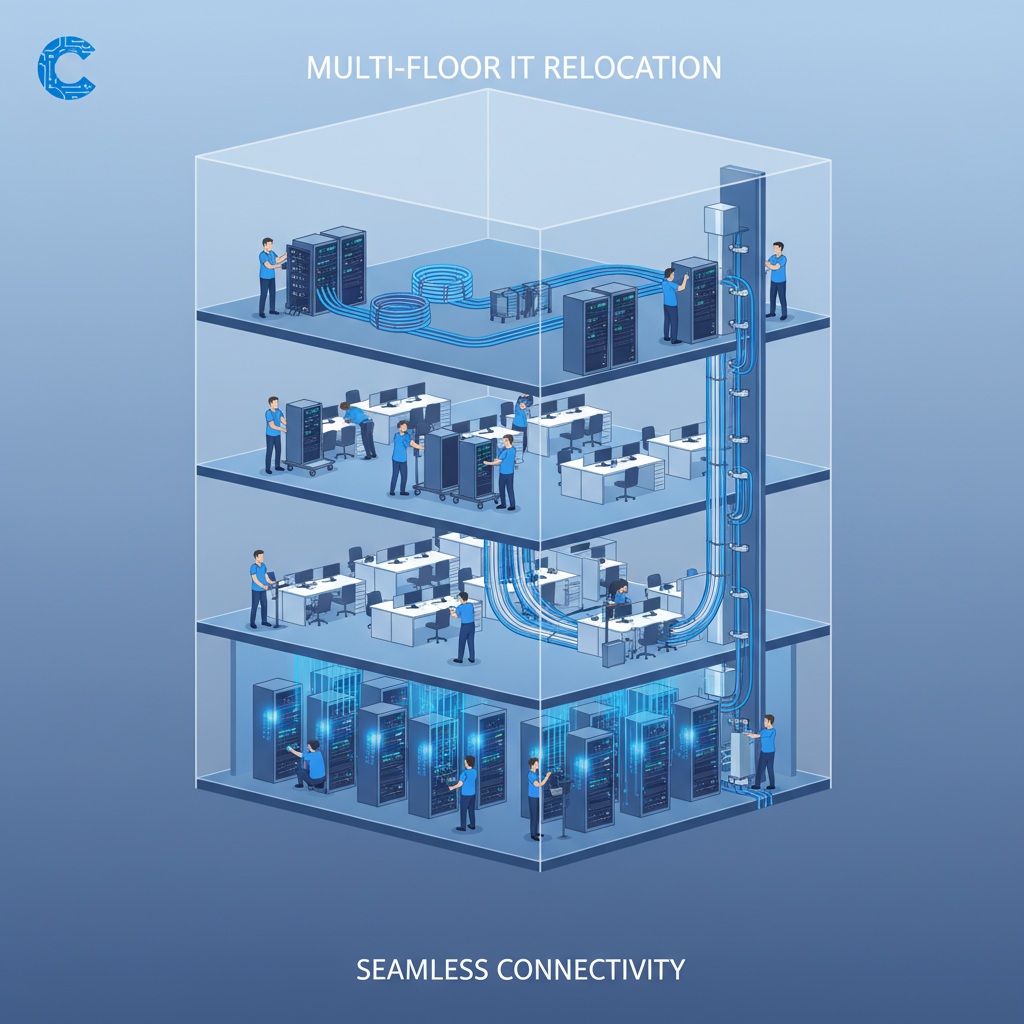
Relocating an office is stressful enough when everything sits on a single floor - but when your business spans two, three, or even ten storeys, the IT planning becomes an entirely different challenge. A multi-floor office move isn’t just a bigger version of a single-floor move; it introduces vertical cabling runs, floor-by-floor network segmentation, comms room placement decisions, Wi-Fi propagation issues through concrete and steel, phased migration sequencing, and coordination with building management teams who have their own rules about risers, power distribution, and lift access.
Get the IT planning wrong and you’re looking at days - sometimes weeks - of disruption. Employees arrive at their new desks to find no network connectivity, phones that don’t ring, printers that can’t be found, and video conferencing rooms with no bandwidth. The business impact is severe: missed client calls, stalled projects, lost revenue, and a workforce that loses confidence in the IT team before they’ve even unpacked. According to industry data, poorly planned office IT relocations cost UK businesses an average of £12,500 per day in lost productivity alone.
This guide covers every aspect of planning IT infrastructure for a multi-floor office move. Whether you’re moving into a new building or reconfiguring an existing one, we’ll walk you through the network backbone, floor-by-floor rollout strategies, server and comms room placement, Wi-Fi design, phased migration approaches, power planning, testing protocols, and the timeline you need to keep everything on track. If your organisation is about to tackle a multi-storey relocation, this is the playbook you need.
Understanding the Unique Challenges of Multi-Floor IT Moves
A single-floor office move is essentially a horizontal exercise: you disconnect equipment, transport it, reconnect it, and test. The network topology remains flat, cabling runs are relatively short, and the entire floor can usually be brought online in a single weekend. Multi-floor moves introduce an entirely different dimension - literally.
The vertical element changes everything. Data, voice, and power must travel between floors through building risers, which are shared spaces governed by building management regulations. Cable runs become significantly longer, introducing signal degradation concerns that don’t exist on a single floor. Each floor becomes its own micro-environment with unique power capacity, cooling requirements, and Wi-Fi propagation characteristics determined by the building’s construction materials.
The Complexity Multiplier
Every additional floor doesn’t just add to the workload - it multiplies it. A two-floor move isn’t twice as complex as a single-floor move; it’s closer to three times as complex. You’re dealing with inter-floor dependencies, staggered rollouts where one floor must be operational before the next can begin, and the logistical challenge of coordinating engineers, equipment, and building access across multiple levels simultaneously.
Consider the dependencies alone: the ground-floor comms room must be operational before any upper floor can connect. The riser cabling must be complete before floor-level distribution can begin. The Wi-Fi controller must be configured before access points on any floor can be tested. Each dependency creates a sequential bottleneck that extends your timeline and increases risk.
Network Backbone and Vertical Cabling
The network backbone is the spine of your multi-floor IT infrastructure. It’s the high-speed connection that links every floor to the central network core, carrying aggregated traffic from hundreds of devices down to the server room, out to the internet, and across to cloud services. Getting the backbone wrong is the single most expensive mistake you can make in a multi-floor move, because it affects every user on every floor.
Choosing the Right Backbone Media
For vertical runs between floors, you have two primary options: fibre optic cabling and copper (Cat6a). In almost every multi-floor scenario, fibre is the correct choice for the backbone. Here’s why:
- Maximum distance of 100 metres total run
- Susceptible to electromagnetic interference in risers
- Maximum 10 Gbps at shorter distances
- Heavier, requires larger conduit space
- Lower upfront cost but limited future capacity
- May require repeaters for taller buildings
- Single-mode runs up to 10 km without signal loss
- Completely immune to electromagnetic interference
- Supports 10 Gbps, 40 Gbps, and 100 Gbps
- Lightweight, requires minimal conduit space
- Higher upfront cost but vastly superior future-proofing
- No distance concerns in any commercial building
For a typical UK multi-floor office, we recommend a minimum of 24-strand single-mode (OS2) fibre for the main backbone between the primary comms room and each floor’s distribution room. This provides ample capacity for current 10 Gbps connections with room to scale to 40 Gbps or 100 Gbps as demand grows. Budget approximately £85–£120 per metre for installed and terminated fibre backbone cabling, including fire-stopping at each floor penetration.
Riser Design and Cable Management
The riser is the vertical pathway that carries cables between floors. In most commercial buildings, risers are shared spaces that also carry power, plumbing, and HVAC services. You’ll need to work closely with building management to understand what riser space is available, what the access procedures are, and whether any structural modifications are permitted.
Key considerations for riser planning include:
- Fire stopping: Every floor penetration must be fire-stopped to the building’s fire rating. This is a legal requirement under UK Building Regulations (Approved Document B) and is typically inspected by the building’s fire risk assessor. Budget £150–£300 per floor penetration for professional fire-stopping.
- Cable separation: Data cabling must maintain minimum separation distances from power cables to prevent interference. BS 6701 specifies at least 50 mm separation from mains power in metallic containment, or 300 mm without containment.
- Bend radius: Fibre optic cables have strict minimum bend radius requirements. Exceeding these during installation causes micro-fractures that degrade performance over time. Ensure your cabling contractor understands and adheres to manufacturer specifications.
- Labelling: Every cable in the riser must be labelled at both ends and at every floor penetration. This sounds basic, but poor labelling is the number one cause of troubleshooting delays after a move.
Server Room and Comms Room Placement
Where you place your main distribution frame (MDF) and intermediate distribution frames (IDFs) determines the efficiency, reliability, and cost of your entire network. In a multi-floor building, this decision is more complex than it first appears.
Main Comms Room (MDF)
The MDF is where your internet connections terminate, your core switches live, your firewall sits, and your server infrastructure (if on-premises) resides. For a multi-floor building, the ideal MDF location is on the ground floor or basement, close to where external service providers bring their connections into the building. This minimises the length of expensive fibre runs from the building entry point and provides the easiest access for maintenance.
However, ground-floor placement introduces flood risk - a genuine concern in many UK commercial properties. If the building has a history of water ingress or is in a flood-prone area, consider placing the MDF on the first floor instead, with a small demarcation point on the ground floor for external service termination.
Floor Distribution Rooms (IDFs)
Each floor needs its own IDF - a small, secure, ventilated room (or at minimum, a lockable cabinet) that houses the floor’s network switches, patch panels, and potentially Wi-Fi controllers. IDF placement should follow these principles:
- Central location: Position the IDF as close to the centre of the floor as possible to minimise horizontal cable runs. The maximum distance from any desk to the IDF should not exceed 90 metres (the TIA/EIA 568 standard allows 90 metres for permanent link, with 10 metres for patch leads).
- Riser adjacency: The IDF must be adjacent to or very near the building riser to keep vertical cable runs short and manageable.
- Power and cooling: Even a modest IDF with two 48-port PoE switches generates significant heat. Ensure dedicated power circuits and adequate ventilation or air conditioning. A typical IDF serving 100 users will need a dedicated 16A single-phase circuit at minimum.
- Security: IDFs must be lockable with access restricted to authorised IT personnel. This is both a security requirement and a compliance consideration under Cyber Essentials and ISO 27001.
Floor-by-Floor Rollout Strategy
Unlike a single-floor move where everything happens at once, a multi-floor move demands a carefully sequenced rollout. The order in which you bring floors online can make or break your migration timeline.
Determining the Rollout Sequence
The most effective approach is to start with the floor that houses the MDF and your core IT infrastructure, then work outward (typically upward) from there. This ensures the backbone and core services are stable before any user-facing floors come online.
Within this framework, prioritise floors based on business criticality. The floor housing your finance team during month-end, your sales team during a product launch, or your customer service operation should be migrated during their quietest period - not yours. Build the rollout sequence around business operations, not IT convenience.
| Phase | Floor | Activities | Duration | Dependencies |
|---|---|---|---|---|
| Phase 0 | MDF (Ground) | Core switches, firewall, WAN links, UPS, backbone fibre termination | 2–3 days | Power, cooling, ISP circuit delivery |
| Phase 1 | Floor 1 (Pilot) | IDF build-out, horizontal cabling, Wi-Fi APs, desktop deployment, full testing | 3–5 days | Phase 0 complete, riser cabling done |
| Phase 2 | Floor 2 | IDF build-out, cabling, Wi-Fi, desktops; apply lessons from Phase 1 | 2–3 days | Phase 1 sign-off, riser cabling done |
| Phase 3 | Floors 3–5 | Parallel rollout across remaining floors using proven process | 1–2 days per floor | Phase 2 sign-off, all riser cabling done |
| Phase 4 | All floors | Integration testing, VoIP quality checks, failover testing, sign-off | 2–3 days | All phases complete |
The Pilot Floor Approach
Always designate one floor as your pilot. This is the first user-facing floor to go live, and its purpose is to validate every assumption, process, and configuration before you scale to remaining floors. The pilot floor should be a department that’s technically capable and tolerant of minor teething issues - the IT team’s own floor is often the best candidate.
During the pilot, document absolutely everything: how long each task actually took versus the estimate, which configurations needed adjustment, what tools were missing, which building access issues arose, and what the users reported. This documentation becomes the playbook for every subsequent floor.
Wi-Fi Coverage Across Multiple Floors
Wi-Fi design for a multi-floor building is fundamentally different from single-floor design. Radio signals propagate vertically as well as horizontally, meaning access points on one floor can interfere with those on floors above and below. Without careful planning, you end up with co-channel interference, poor roaming performance, and dead zones that seem to appear randomly.
Conducting a Wireless Site Survey
A professional wireless site survey is non-negotiable for a multi-floor move. This involves a qualified wireless engineer walking every floor with specialist survey equipment, measuring signal propagation through walls, floors, and ceilings, and mapping out optimal access point placement. Budget £800–£2,500 per floor depending on complexity, or £3,000–£12,000 for a full multi-floor predictive and validation survey.
The survey should account for:
- Floor construction materials: Concrete floors with steel reinforcement attenuate Wi-Fi signals heavily (typically 15–20 dB loss), which actually helps by providing natural isolation between floors. Lightweight raised floors or open atriums allow much more signal bleed and require different channel planning.
- User density: Open-plan floors with 150+ users need more access points than executive floors with 30 users in private offices. Plan for one access point per 25–35 users in high-density areas.
- Application requirements: If users rely heavily on video conferencing, real-time collaboration tools, or VoIP over Wi-Fi, you need tighter coverage overlap and higher-specification access points.
- Guest and IoT networks: Separate SSIDs for guest access and IoT devices (printers, smart screens, building sensors) prevent these from consuming bandwidth allocated to business-critical traffic.
Channel Planning for Multi-Floor Environments
The 2.4 GHz band has only three non-overlapping channels (1, 6, 11) in the UK, making it virtually impossible to avoid co-channel interference in a multi-floor building. The 5 GHz band offers significantly more channels (up to 25 in the UK, depending on DFS availability) and should be your primary band for business use.
A common approach is to assign different 5 GHz channels to adjacent floors in a repeating pattern. For example, floors 1, 4, and 7 might use channels 36–48; floors 2, 5, and 8 use channels 52–64; and floors 3, 6, and 9 use channels 100–112. This minimises vertical co-channel interference while maintaining full coverage on every floor.
Phased Migration Approach
A phased migration is the only sensible approach for a multi-floor office move. Attempting a “big bang” migration - where every floor goes live simultaneously over a single weekend - is a recipe for disaster. The risk is simply too high, the number of moving parts too great, and the fallback options too limited.
Weekend vs. Weekday Migration
Most multi-floor migrations are executed as a series of weekend sprints, with each weekend bringing one or two additional floors online. This approach minimises business disruption but extends the overall timeline. A five-floor move might span three to four weekends.
An alternative is weekday migration with temporary dual-running. In this model, the old and new sites operate simultaneously for a transition period, with teams moving floor by floor during working hours. This is more expensive (you’re paying for two sets of circuits, two sets of services) but allows for a smoother, less rushed transition. Budget an additional £3,000–£8,000 per month for dual-running costs depending on your circuit and service commitments.
Rollback Planning
Every phase must have a documented rollback plan. If Floor 3’s migration fails at 2 AM on Sunday morning, you need a clear, tested procedure for reverting that floor to its original state so staff can work on Monday. Rollback plans should specify:
- The decision point - at what time does the team decide to roll back?
- Who authorises the rollback?
- Exact steps to restore connectivity at the old location
- How to communicate the rollback to affected staff
- The revised schedule for re-attempting the migration
Lift and Stairwell Considerations for Cabling
One of the most overlooked aspects of multi-floor IT planning is the physical logistics of running cables between floors. Building risers are the primary pathway, but lifts, stairwells, and service shafts all play a role - and each comes with its own restrictions and safety requirements.
Building Riser Access
In most UK commercial buildings, riser access requires formal permission from building management or the landlord. This can take weeks to arrange, particularly in multi-tenant buildings where riser space is shared and any works must be coordinated with other occupants. Start the riser access application as early as possible - ideally 8–12 weeks before the planned cabling date.
Riser works typically require:
- A method statement and risk assessment approved by building management
- Proof of public liability insurance (usually £5 million minimum)
- Contractors with valid CSCS (Construction Skills Certification Scheme) cards
- Out-of-hours access permits if works must happen outside normal building hours
- Fire-stopping certification after cable installation is complete
Lift Shafts and Stairwells
Never run data cables through lift shafts. This is prohibited under UK wiring regulations (BS 7671) due to the risk of cable damage from lift mechanisms, the safety hazard during maintenance, and the electromagnetic interference from lift motors. Stairwells are occasionally used as secondary cable routes, but only where dedicated riser space is unavailable. Cables in stairwells must be enclosed in metallic trunking and must not obstruct escape routes.
Power Distribution Across Floors
IT equipment is power-hungry, and a multi-floor move requires careful planning of electrical capacity on every level. It’s not enough to simply check that there are plug sockets near the desks - you need to understand the building’s electrical infrastructure at a distribution board level.
Calculating Power Requirements
A typical modern office workstation (monitor, laptop dock, desk phone) draws approximately 150–250 watts. A PoE network switch serving 48 devices adds 500–740 watts. A small IDF with two PoE switches, a UPS, and a Wi-Fi controller might draw 2–3 kW continuously. The MDF with servers, core switches, and a larger UPS could draw 5–15 kW or more.
For each floor, calculate total IT power demand and compare it against the available capacity on the building’s distribution boards. In older UK buildings, you may find that the electrical supply was designed for basic office loads (lighting and a few sockets per desk) and simply cannot support modern IT density without upgrades. Electrical infrastructure upgrades can cost £5,000–£25,000 per floor depending on the scope of work required.
Uninterruptible Power Supplies (UPS)
Every IDF and the MDF should have UPS protection. The UPS serves two purposes: it protects equipment from power surges and spikes, and it provides battery runtime during short outages (typically 10–30 minutes), giving you time to either ride out the interruption or perform a graceful shutdown.
| Location | Typical Load | Recommended UPS Size | Estimated Cost |
|---|---|---|---|
| Floor IDF (small, up to 50 users) | 1–2 kW | 3 kVA rack-mount | £800–£1,500 |
| Floor IDF (large, 50–150 users) | 2–4 kW | 6 kVA rack-mount | £1,800–£3,500 |
| MDF / Server Room (small) | 5–10 kW | 15 kVA tower or rack | £4,000–£8,000 |
| MDF / Server Room (large) | 10–20 kW | 30 kVA with external battery pack | £8,000–£18,000 |
Testing Each Floor Before Handover
Testing is where multi-floor moves are won or lost. Every floor must undergo a rigorous testing protocol before it’s handed over to users. Skipping or rushing testing is the most common cause of day-one problems that erode staff confidence and generate a flood of helpdesk tickets.
The Five-Layer Testing Protocol
We recommend a structured testing approach that works through five layers, from physical infrastructure up to user experience:
- Physical layer: Test every cable run with a cable certifier (not just a simple tester). Verify that all Cat6/Cat6a runs meet TIA/EIA 568 specifications and that fibre backbone links pass insertion loss and OTDR testing. Document results for each run. This catches installation faults before they become intermittent issues in production.
- Network layer: Verify switch-to-switch connectivity, VLAN tagging, inter-VLAN routing, and spanning tree convergence. Confirm that each floor’s IDF can reach the MDF at full line rate with no packet loss.
- Service layer: Test DHCP, DNS, Active Directory authentication, file share access, printer discovery, and VoIP registration from each floor. Every service that users depend on must be verified from the actual floor where they’ll be working.
- Wi-Fi layer: Conduct a post-installation wireless validation survey on each floor. Verify signal strength, noise floor, channel utilisation, and roaming behaviour. Test with the actual number of devices that will be present (or as close to it as possible).
- User acceptance: Have a representative group of users from each floor perform their normal work tasks and report any issues. This catches the edge cases that technical testing misses - the one application that uses an unusual port, the one printer that needs a specific driver, the one meeting room where video calls drop.
Coordinating with Building Management
Building management is arguably the most important external relationship in a multi-floor office move. They control access to risers, manage power distribution, oversee health and safety compliance, coordinate with other tenants, and often have the final say on what works can be performed and when.
What to Agree Early
Establish the following with building management as early as possible - ideally during the lease negotiation stage:
- Riser access rights: Confirm that your tenancy includes the right to install cabling in the building risers. Some leases restrict this or require additional payment for riser space.
- Out-of-hours access: Most cabling and infrastructure work needs to happen outside normal business hours. Clarify the process for obtaining out-of-hours building access, any associated costs (security guard callout fees are common, typically £150–£300 per visit), and lead times for booking.
- Goods lift access: Heavy equipment (servers, UPS units, rack cabinets) needs goods lift access. Confirm availability, weight limits, and booking procedures. In busy multi-tenant buildings, goods lift access may need to be booked weeks in advance.
- Power capacity: Confirm the available electrical capacity on each floor and the process for requesting upgrades if needed. Electrical works in shared building infrastructure typically require building management’s own approved contractor.
- Health and safety requirements: Understand the building’s specific requirements for contractors, including permit-to-work systems, hot works permits (if any soldering or welding is required), and asbestos management plans for older buildings.
Multi-Tenant Coordination
If you’re sharing the building with other tenants, riser works and out-of-hours activities must be coordinated to avoid conflicts. Building management will typically require advance notice (2–4 weeks) for any works that might affect shared infrastructure. Maintain a good relationship with the building manager - they can be your greatest ally or your biggest obstacle.
Contingency Planning
No matter how thoroughly you plan, multi-floor moves will encounter unexpected issues. The difference between a successful move and a chaotic one isn’t the absence of problems - it’s the quality of your contingency planning.
Common Failure Scenarios
Plan specific responses for each of these common failure scenarios:
- ISP circuit not delivered on time: This is depressingly common. Have a 4G/5G backup solution pre-configured and ready to deploy. A business-grade 5G router can provide 100–300 Mbps and costs £50–£150 per month - a tiny insurance premium against total connectivity loss.
- Faulty backbone fibre: Keep spare fibre patch leads and have an emergency splicing contractor on standby. A fibre splice typically takes 30–60 minutes and costs £200–£400 for emergency callout.
- Equipment failure: Maintain a small stock of spare switches, access points, and patch leads on-site throughout the migration. One dead switch shouldn’t take an entire floor offline.
- Power issues: If a floor’s power supply trips repeatedly under IT load, have portable UPS units available and be prepared to redistribute load across circuits.
- Building access denied: If building management revokes or delays access, have a clear escalation path through your facilities team or landlord contact.
Timeline and Milestones
A realistic timeline for a multi-floor office IT move depends on the number of floors, the complexity of the infrastructure, and whether you’re moving into a fully fitted building or a shell-and-core space. Below is a generalised timeline for a typical five-floor office move with 200–500 users.
| Milestone | Weeks Before Move | Key Activities |
|---|---|---|
| Initial planning | 16–20 weeks | Site survey, building management engagement, ISP circuit ordering, budget approval |
| Design and procurement | 12–16 weeks | Network design, Wi-Fi survey, equipment specification and ordering, cabling contractor appointment |
| Infrastructure build | 8–12 weeks | Riser cabling, MDF build-out, IDF installations, backbone termination and testing |
| Floor cabling | 4–8 weeks | Horizontal cabling on each floor, Wi-Fi AP installation, cable certification |
| Configuration | 2–4 weeks | Switch configuration, VLAN setup, firewall rules, Wi-Fi controller programming, VoIP provisioning |
| Pilot floor | 1–2 weeks | First floor goes live, testing, issue resolution, process refinement |
| Full rollout | Move weekend(s) | Remaining floors migrate in sequence, floor-by-floor testing and handover |
| Stabilisation | +1–2 weeks after | Enhanced support, issue triage, performance monitoring, documentation finalisation |
Critical Path Items
The following items typically sit on the critical path and will delay your entire project if they slip:
- ISP circuit delivery: Lead times of 60–90 working days are standard for leased lines in the UK. Order these the moment you have confirmed the new building address.
- Riser access approval: Allow 4–8 weeks for building management to review and approve your cabling plans.
- Equipment procurement: Enterprise network switches and Wi-Fi access points can have 4–12 week lead times. Order early, especially if you require specific models or large quantities.
- Electrical upgrades: If the building’s power infrastructure needs upgrading to support your IT load, this can add 6–12 weeks and £10,000–£50,000 to the project depending on scope.
Budgeting for a Multi-Floor IT Move
Multi-floor office IT moves are significantly more expensive than single-floor moves, primarily due to the backbone cabling, multiple IDFs, Wi-Fi design complexity, and extended project timelines. Here’s a rough budgeting guide for a typical UK multi-floor move:
Total budget for a five-floor, 300-user IT move in the UK typically falls in the range of £115,000–£250,000, depending on the building condition, equipment choices, and whether existing infrastructure can be reused. This figure does not include end-user devices (laptops, monitors, phones), which are usually budgeted separately.
Post-Move Stabilisation and Support
The migration doesn’t end when the last desk is connected. The first two weeks after a multi-floor move are critical for identifying and resolving issues that only appear under real-world load conditions.
Enhanced Support Period
Deploy floor walkers - IT support staff stationed on each floor - for the first three to five working days after each floor goes live. Floor walkers catch issues in real time, provide immediate reassurance to users, and gather intelligence about problems that users might not bother to log as formal tickets. Budget for one floor walker per 50–75 users during this period.
Performance Monitoring
Implement network monitoring from day one. Track bandwidth utilisation on backbone links, error rates on switch ports, Wi-Fi client counts and signal quality, and application response times. Set baseline performance targets and alert thresholds so you can proactively identify degradation before users notice it.
Key metrics to monitor include:
- Backbone link utilisation: Should remain below 60% during peak hours to allow headroom for bursts
- Switch port errors: Any CRC errors, runts, or giants indicate cabling or hardware faults
- Wi-Fi client roaming time: Should be under 50 ms for seamless VoIP and video
- DHCP lease times: Slow DHCP responses indicate scope exhaustion or server issues
- Internet latency: Baseline against your ISP’s SLA and track deviations
Bringing It All Together
Planning IT for a multi-floor office move is one of the most complex projects an IT team can undertake. It requires a rare combination of technical expertise, project management discipline, and the ability to coordinate with building management, contractors, ISPs, and business stakeholders simultaneously. But with thorough planning, a phased approach, rigorous testing, and robust contingency measures, it’s entirely achievable without significant business disruption.
The key principles to remember are these: start planning early (16–20 weeks minimum), get the backbone right first, use a pilot floor to validate your approach, test rigorously at every layer, maintain strong communication with building management, and always have a rollback plan. Follow these principles, and your multi-floor move will be remembered for how smoothly it went - not for the chaos it caused.
If there’s one piece of advice that encapsulates everything in this guide, it’s this: treat the network backbone as the foundation of the entire project. Everything else - Wi-Fi, desktops, phones, printers, cloud access - depends on it. Get the backbone right, and the rest follows. Get it wrong, and every subsequent step inherits that failure.

CloudSwitched
London-based managed IT services provider offering support, cloud solutions and cybersecurity for SMEs.


