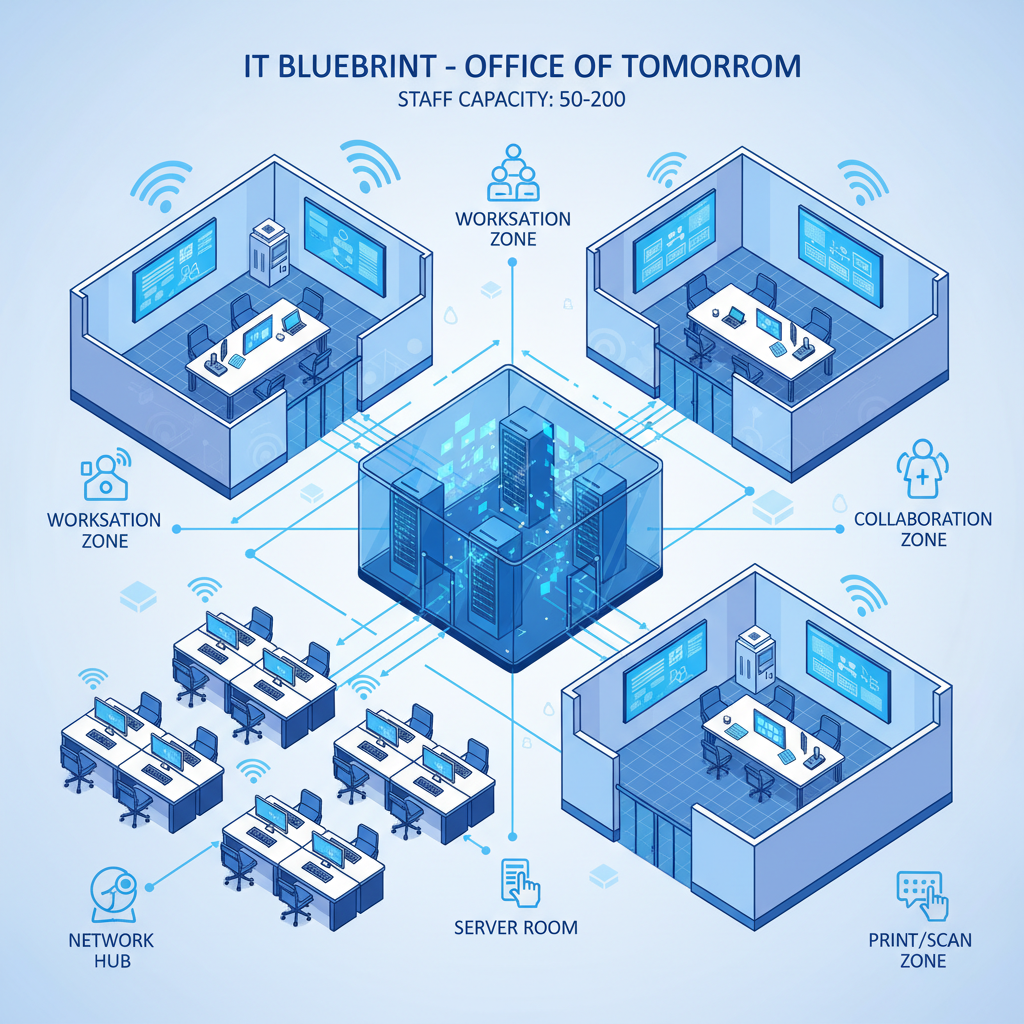
Moving from a small team where everyone shares a single broadband connection and manages their own laptop to a structured office with 50, 100, or even 200 staff is one of the most significant operational transitions any UK business will face. At this scale, IT stops being something that “just works” with a consumer router and a shared Google Drive folder. It becomes a discipline - one that demands planning, investment, and ongoing management. The decisions you make about network infrastructure, cloud strategy, security, and support will directly affect productivity, staff satisfaction, regulatory compliance, and your ability to grow.
Yet many businesses arrive at this stage without a coherent IT plan. They have accumulated a patchwork of consumer-grade equipment, ad-hoc software subscriptions, and informal support arrangements that worked when there were 15 people in the office but buckle under the demands of 80. The result is a frustrating cycle of reactive firefighting: slow Wi-Fi complaints, failed backups nobody noticed, security incidents that could have been prevented, and a growing sense that IT is holding the business back rather than enabling it.
This guide provides a comprehensive framework for planning IT infrastructure and operations for a UK office of 50 to 200 staff. Whether you are setting up a new office from scratch, consolidating multiple smaller locations, or simply trying to bring order to a chaotic IT environment that has outgrown its origins, the principles, costings, and recommendations here will help you build an IT estate that is reliable, secure, scalable, and financially sustainable.
Why IT Planning Matters at This Scale
There is a threshold - typically around 30 to 50 employees - where the informal IT arrangements that served a smaller team begin to fail in ways that are both visible and costly. At 20 staff, you can get away with a consumer Wi-Fi router, individual Microsoft 365 subscriptions purchased on personal credit cards, and a “tech-savvy” team member who fixes printer issues between their actual job responsibilities. At 50 staff, this approach collapses. At 100, it is genuinely dangerous. At 200, it is organisationally negligent.
The reasons are straightforward. First, complexity scales non-linearly. Fifty devices on a flat network generate enormously more traffic, contention, and potential failure points than fifteen. Second, regulatory obligations increase. UK GDPR, Cyber Essentials (increasingly required for government contracts), and sector-specific regulations like FCA, SRA, or NHS DSPT requirements demand documented, auditable IT controls that informal arrangements cannot provide. Third, the cost of downtime multiplies. If your office loses internet connectivity for an hour, that is 50 to 200 hours of lost productivity, not five. At an average fully loaded cost of £35 per hour per employee, a single hour of downtime for 100 staff costs £3,500. A full day costs £28,000.
Proper IT planning at this scale is not a luxury. It is the foundation upon which reliable, productive, and compliant business operations are built.
Network Infrastructure: The Foundation of Everything
Your network is the single most critical piece of IT infrastructure. Every other system - cloud applications, telephony, security tools, printers, meeting room equipment - depends on it. A poorly designed network will undermine every subsequent investment you make. A well-designed one will serve you reliably for years.
Internet Connectivity
For an office of 50 to 200 staff, you need business-grade internet connectivity with guaranteed bandwidth, service level agreements (SLAs), and a static IP address. Consumer broadband - even “fast” consumer broadband - is unsuitable. It offers no SLA, no guaranteed speeds, contention ratios that degrade performance during peak hours, and no static IP for VPN or server access.
As a baseline, budget for a minimum of 100 Mbps symmetric (equal upload and download) for 50 staff, scaling to 500 Mbps or 1 Gbps for 200 staff. If your business is heavily dependent on cloud applications, video conferencing, or large file transfers, err toward the higher end. Leased line connectivity from providers such as BT Business, Virgin Media Business, Neos Networks, or CityFibre delivers dedicated, uncontended bandwidth with SLAs typically guaranteeing 99.9% or 99.95% uptime and repair times of four to six hours.
Critically, consider a secondary internet connection from a different provider using a different physical path into the building. If your primary connection fails - whether due to a provider outage, a cable strike, or exchange equipment failure - your secondary connection keeps the business operational. Configure your firewall to fail over automatically. The cost of a secondary connection (£200–£500 per month for a suitable backup circuit) is trivial compared to the cost of a full-day outage for 100 or more staff.
If you are choosing a new office, verify fibre availability and building entry arrangements before signing the lease. Many UK office buildings - particularly older ones - have limited duct capacity or complex wayleave agreements that can delay fibre installation by months. Ask your prospective landlord what connectivity is already available in the building, whether there is an existing comms room or riser, and whether wayleave consent is in place for your preferred providers. A building with existing fibre infrastructure and a well-maintained comms room can save you £5,000–£15,000 in installation costs and three to six months of lead time.
Structured Cabling and Switching
Every desk position should have at least one Cat6 or Cat6a Ethernet connection, terminated back to a central comms room or cabinet. Whilst Wi-Fi handles much of the day-to-day connectivity, wired connections remain essential for reliability, performance, and security. Desktop VoIP handsets, video conferencing units, printers, and any device that demands consistent low-latency connectivity should be wired. Cat6a cabling supports 10 Gbps over runs up to 100 metres and will serve your needs for a decade or more.
For switching, invest in managed, PoE-capable (Power over Ethernet) switches from enterprise vendors such as Cisco Meraki, HPE Aruba, or Ubiquiti. Managed switches allow you to segment your network into VLANs (virtual local area networks) - separating corporate devices from guest Wi-Fi, VoIP traffic from general data, and IoT devices from sensitive systems. PoE capability powers your Wi-Fi access points and VoIP handsets directly through the network cable, eliminating the need for individual power adapters. For 50 to 200 staff, plan for 48-port switches with sufficient PoE budget, a 10 Gbps uplink to your core switch or firewall, and at least 20% spare port capacity for growth.
Wi-Fi Infrastructure
Enterprise Wi-Fi is fundamentally different from the consumer access points you might use at home. For 50 to 200 staff, you need centrally managed access points deployed according to a professional wireless survey, supporting Wi-Fi 6 (802.11ax) or Wi-Fi 6E at minimum. A professional survey - conducted by a specialist using spectrum analysis tools - determines optimal access point placement based on your office layout, construction materials, and expected device density. The cost of a wireless survey (£1,000–£3,000 depending on office size) pays for itself many times over in avoided performance issues.
Plan for one access point per 20 to 30 concurrent users, with coverage overlap to allow seamless roaming. For a 150-person office spread across a single floor, this typically means 6 to 10 access points. Platforms like Cisco Meraki, HPE Aruba, or Ubiquiti UniFi provide centralised management, allowing your IT team to configure, monitor, and troubleshoot all access points from a single dashboard. Separate SSIDs (network names) for corporate devices and guest access, with the guest network isolated from your internal systems and throttled to prevent bandwidth abuse.
On-Premises Servers vs Cloud: Making the Right Choice
One of the most consequential decisions in IT planning for a mid-sized office is whether to maintain on-premises servers, migrate fully to cloud services, or adopt a hybrid approach. There is no universally correct answer - the right choice depends on your applications, regulatory requirements, budget structure, and appetite for operational responsibility.
The Case for Cloud-First
For the majority of UK businesses at the 50 to 200 staff scale, a cloud-first strategy is the most practical and cost-effective approach. Cloud services - primarily Microsoft 365 for productivity and collaboration, Microsoft Azure or Amazon Web Services for line-of-business applications, and SaaS platforms for CRM, finance, and HR - eliminate the need for on-premises server hardware, reduce the IT team’s operational burden, and provide built-in redundancy and disaster recovery. You pay a predictable monthly fee per user rather than making large capital expenditure on server hardware that depreciates over three to five years and requires ongoing maintenance, patching, and eventual replacement.
When On-Premises Still Makes Sense
Certain scenarios still warrant on-premises infrastructure. If you run legacy line-of-business applications that cannot be migrated to the cloud (common in manufacturing, legal, and healthcare sectors), you may need on-premises servers to host those applications. If you handle extremely large files - video production, CAD/CAM, or large datasets - the latency and bandwidth costs of cloud storage may be prohibitive. If you operate in a heavily regulated sector with specific data sovereignty requirements, on-premises infrastructure may be mandated. And if your internet connectivity is unreliable (though it should not be, per the earlier section), on-premises services provide resilience against connectivity loss.
The Hybrid Reality
In practice, most organisations at this scale end up with a hybrid approach: cloud services for email, collaboration, and standard business applications, combined with a small on-premises server presence for Active Directory domain controllers, print servers, and any legacy applications that cannot yet be migrated. If you maintain on-premises servers, invest in proper infrastructure: a dedicated, lockable server room or cabinet with adequate cooling, an uninterruptible power supply (UPS) with at least 30 minutes of battery runtime, and redundant server hardware with RAID storage. Budget £10,000–£30,000 for a modest on-premises server environment, plus £3,000–£5,000 per year for maintenance and support contracts.
Cloud-First Advantages
- No capital expenditure on server hardware - predictable monthly operating costs
- Built-in redundancy and disaster recovery across multiple data centres
- Automatic software updates and security patching managed by the provider
- Scales up or down as headcount changes - add or remove licences monthly
- Accessible from anywhere with an internet connection, supporting hybrid working
- Reduced demand on in-house IT team for hardware maintenance and monitoring
- 99.9% or higher uptime SLAs from major cloud providers
On-Premises Advantages
- Full control over data location and access - no third-party dependency
- No ongoing subscription costs once hardware is purchased (though maintenance applies)
- Lower latency for large file operations and legacy application performance
- Operates independently of internet connectivity for critical local services
- Required for certain legacy applications that cannot be cloud-hosted
- May satisfy specific regulatory or contractual data residency requirements
- Predictable long-term costs for stable, unchanging workloads
Microsoft 365 Licensing: Getting It Right
Microsoft 365 is the de facto productivity platform for UK businesses, and getting your licensing right at the 50 to 200 staff scale is essential - both for functionality and for cost control. Microsoft’s licensing structure is notoriously complex, with multiple tiers, add-ons, and bundled capabilities that make it easy to overspend on features you do not need or, conversely, to leave critical security and compliance features unlicensed.
Choosing the Right Tier
For most UK businesses at this scale, the primary choice is between Microsoft 365 Business Premium (£19.70 per user per month) and Microsoft 365 E3 (£33.00 per user per month), with E5 (£52.40 per user per month) reserved for organisations with advanced security and compliance requirements.
Microsoft 365 Business Basic (£4.60/user/month) provides web and mobile versions of Office applications, Exchange Online email, Teams, SharePoint, and OneDrive with 1 TB storage per user. It is suitable for frontline workers or staff who do not need desktop Office applications, but it lacks device management and advanced security features.
Microsoft 365 Business Standard (£9.40/user/month) adds desktop Office applications (Word, Excel, PowerPoint, Outlook) and business application features. This is the minimum tier for knowledge workers who need full Office functionality.
Microsoft 365 Business Premium (£19.70/user/month) is the sweet spot for most organisations in this range. It includes everything in Business Standard plus Intune device management, Defender for Endpoint Plan 1, Defender for Office 365 Plan 1, Azure Information Protection, and Entra ID Plan 1 with conditional access. This is the tier that provides the security and management capabilities a 50 to 200 person office genuinely needs. The Business Premium tier is limited to organisations with 300 or fewer users.
Microsoft 365 E3 (£33.00/user/month) is required for organisations exceeding 300 users or those needing advanced compliance features (retention policies, eDiscovery, data loss prevention). E3 includes enhanced security and compliance features but does not include Defender for Endpoint Plan 2 or advanced threat protection.
Microsoft 365 E5 (£52.40/user/month) adds full Defender XDR capabilities, Microsoft Sentinel SIEM, advanced compliance (insider risk management, communication compliance), and Power BI Pro. This tier is justified for organisations with significant security and compliance requirements, particularly those in financial services, legal, or healthcare.
| Feature | Business Basic (£4.60) | Business Standard (£9.40) | Business Premium (£19.70) | E3 (£33.00) | E5 (£52.40) |
|---|---|---|---|---|---|
| Desktop Office Apps | No | Yes | Yes | Yes | Yes |
| Exchange Online | 50 GB mailbox | 50 GB mailbox | 50 GB mailbox | 100 GB mailbox | 100 GB mailbox |
| Teams, SharePoint, OneDrive | Yes (1 TB) | Yes (1 TB) | Yes (1 TB) | Yes (5 TB) | Yes (5 TB) |
| Intune Device Management | No | No | Yes | Yes | Yes |
| Defender for Endpoint | No | No | Plan 1 | Plan 1 | Plan 2 (full EDR) |
| Defender for Office 365 | No | No | Plan 1 | Plan 1 | Plan 2 |
| Conditional Access (Entra ID) | No | No | Yes (P1) | Yes (P1) | Yes (P2) |
| Advanced Compliance | No | No | Limited | Yes | Yes (full suite) |
| Annual Cost (100 users) | £55,200 | £112,800 | £236,400 | £396,000 | £628,800 |
You do not need to assign the same licence tier to every employee. A common and cost-effective approach is to assign Business Premium to knowledge workers (those using Office applications, email, and collaboration tools daily), Business Basic to frontline or part-time staff (those who primarily need email and Teams access), and E5 to senior leadership or compliance-sensitive roles that require advanced security and compliance features. Microsoft allows you to mix licence types within the same tenant. For a 100-person organisation, a mix of 20 Business Basic, 65 Business Premium, and 15 E5 licences costs £209,988 per year - compared to £236,400 for 100 Business Premium licences. Work with your Microsoft partner to model the optimal mix for your organisation.
The Security Stack: Protecting a Growing Organisation
At the 50 to 200 staff scale, security can no longer be an afterthought or a box-ticking exercise. You are a meaningful target for cyber criminals - large enough to have valuable data and financial resources, but potentially small enough to lack the mature security controls of a large enterprise. Your security stack needs to be layered, covering identity, endpoints, email, network, and data.
Identity and Access Management
Identity is the new perimeter. With cloud applications accessible from anywhere, controlling who can access what - and under what conditions - is the most critical security control you can implement. At minimum, enforce multi-factor authentication (MFA) for all users on all applications. Use Microsoft Entra ID (included with Microsoft 365) with conditional access policies to restrict access based on device compliance, location, risk level, and application sensitivity. Implement role-based access control (RBAC) so that users have access only to the resources they need for their role. Review access permissions quarterly and revoke access immediately when staff leave.
Endpoint Protection
Every laptop, desktop, and mobile device that connects to your corporate resources needs endpoint protection. At this scale, consumer antivirus is inadequate. Deploy a business-grade endpoint detection and response (EDR) solution - Microsoft Defender for Endpoint (included with Business Premium), CrowdStrike Falcon, or SentinelOne - that provides behavioural analysis, threat detection, and automated response capabilities. Manage all devices through a unified endpoint management platform like Microsoft Intune: enforce encryption (BitLocker on Windows, FileVault on macOS), ensure automatic patching, and maintain the ability to remotely wipe a lost or stolen device.
Email Security
Email remains the primary attack vector for UK businesses. Beyond the basic protections included in Microsoft 365, implement advanced email security: safe attachments scanning, safe links rewriting, anti-phishing policies configured to protect against impersonation of your executives and key suppliers, and DMARC/DKIM/SPF records properly configured to prevent email spoofing. Conduct regular phishing simulation exercises to test and train staff awareness.
Network Security
Deploy a next-generation firewall (NGFW) from vendors such as Fortinet, Palo Alto Networks, or SonicWall at your internet perimeter. An NGFW provides stateful inspection, intrusion prevention (IPS), web content filtering, SSL/TLS inspection, and VPN capabilities in a single appliance. For 50 to 200 users, budget £2,000–£8,000 for the hardware and £1,500–£4,000 per year for security subscription renewals (threat intelligence feeds, content filtering databases, and firmware updates).
Security Awareness Training
Technology alone cannot protect your organisation. Your staff are both your greatest vulnerability and your strongest defence, depending on their awareness and behaviour. Implement a formal security awareness training programme - platforms like KnowBe4, Proofpoint Security Awareness, or Microsoft Attack Simulation Training (included with certain M365 licences) - that delivers regular, engaging training content and tests staff with simulated phishing attacks. Budget £15–£30 per user per year for a dedicated training platform, or leverage the simulation capabilities included in Microsoft Defender for Office 365 Plan 2.
The UK government’s Cyber Essentials certification is required for all government contracts involving the handling of sensitive or personal information, and an increasing number of private-sector organisations now require their suppliers to hold certification. Beyond contractual requirements, Cyber Essentials provides a practical, independently verified baseline of security controls: firewalls, secure configuration, access control, malware protection, and patch management. For a 50 to 200 person organisation, achieving Cyber Essentials certification costs £300–£500 for the self-assessment, or £1,500–£5,000 for Cyber Essentials Plus (which includes hands-on technical verification). If your security stack is properly configured, certification should be straightforward. If it is not, the certification process will identify the gaps you need to address.
IT Helpdesk and Support: Keeping People Productive
At the 50 to 200 staff scale, you need a structured approach to IT support. The days of walking over to “Dave in accounts who knows about computers” are over. Your options are an in-house IT team, outsourced managed services, or a hybrid of both.
In-House IT Team
A common staffing model for this scale is one IT support person per 50 to 75 staff for day-to-day helpdesk and desktop support, plus a senior IT manager or head of IT once you exceed approximately 80 to 100 staff. For a 100-person office, this typically means two to three IT staff: one IT manager responsible for strategy, vendor management, security, and projects, and one to two IT support analysts handling day-to-day helpdesk tickets, onboarding, and routine maintenance. Salary costs in the UK for 2025 are approximately £35,000–£45,000 for an IT support analyst and £55,000–£75,000 for an IT manager, plus employer National Insurance, pension contributions, and benefits - totalling approximately £45,000–£95,000 per role fully loaded.
Outsourced Managed IT Services
An alternative - or complement - to in-house staff is a managed service provider (MSP). UK MSPs typically charge £50–£120 per user per month for a comprehensive managed service that includes helpdesk support (telephone, email, and remote access), proactive monitoring and maintenance of your network, servers, and endpoints, patch management and security updates, backup monitoring and management, vendor liaison for internet, telephony, and hardware issues, and regular IT health reviews and reporting. For 100 users at £80 per user per month, the annual cost is £96,000 - comparable to employing two in-house IT staff but with the benefit of a full team with diverse skills, holiday and sickness cover, and 24/7 or extended-hours availability.
The Hybrid Model
Many organisations at this scale adopt a hybrid model: one or two in-house IT staff for strategic oversight, hands-on support, and organisational knowledge, supplemented by an MSP for out-of-hours cover, specialist projects, and overflow capacity. This provides the best of both worlds - someone who understands the business intimately, combined with the depth and breadth of an external team.
In-House IT Team
- Deep knowledge of the business and its people
- Immediate physical presence for hands-on issues
- Direct accountability and alignment with business goals
- Can handle sensitive or confidential IT matters internally
- Limited by individual skill sets and availability
- Holiday, sickness, and turnover create coverage gaps
- Salary costs are fixed regardless of ticket volume
Outsourced Managed Services (MSP)
- Team with diverse specialisms (networking, security, cloud, etc.)
- Guaranteed response times backed by SLA
- No coverage gaps for holidays, sickness, or staff turnover
- Extended hours or 24/7 availability options
- Scalable cost that adjusts with headcount
- Less intimate knowledge of business context and culture
- Response may feel less personal than an in-house team member
Backup and Disaster Recovery: Planning for the Worst
Every organisation says backup is important. Far fewer actually have a tested, documented, and reliable backup and disaster recovery (DR) strategy. At the 50 to 200 staff scale, data loss or extended downtime is not an inconvenience - it is a business-threatening event.
What to Back Up
A common misconception is that “everything is in the cloud, so it’s backed up.” This is dangerously wrong. Microsoft 365 provides service-level redundancy (your data is replicated across Microsoft’s data centres to protect against hardware failure), but it does not protect against accidental deletion by users, malicious deletion by a compromised account, ransomware that encrypts or destroys cloud data, or retention policy gaps that permanently delete data you still need. You need a third-party backup solution for Microsoft 365 data - Exchange Online mailboxes, OneDrive files, SharePoint sites, and Teams data. Solutions like Veeam Backup for Microsoft 365, Acronis Cyber Protect, or Datto SaaS Protection cost approximately £2–£5 per user per month and provide independent, restorable copies of your cloud data with retention periods you control.
On-Premises Backup
If you maintain on-premises servers, implement the 3-2-1 backup rule: three copies of your data, on two different media types, with one copy stored offsite (or in the cloud). Use business-grade backup software (Veeam, Acronis, or Commvault) that supports image-level backup of servers, application-aware backup of databases and mail servers, and automated verification of backup integrity. Test restores regularly - monthly at minimum - and document the process so that any qualified member of your IT team can perform a restore, not just the person who configured the backup.
Disaster Recovery Planning
Beyond backup, you need a disaster recovery plan that addresses how you will continue operating if your office is inaccessible (fire, flood, building systems failure), if your primary internet connection fails, if a ransomware attack encrypts your systems, or if a critical application or service fails. Define your recovery time objective (RTO) - how quickly you need to be operational again - and your recovery point objective (RPO) - how much data loss is acceptable. For most organisations at this scale, an RTO of four to eight hours and an RPO of one hour is appropriate for critical systems. Document your DR plan, test it at least annually (a tabletop walkthrough at minimum, a full simulated recovery exercise ideally), and ensure it is stored somewhere accessible even if your primary systems are down.
Budgeting IT: Cost Per User
Establishing a clear IT budget is essential for financial planning and for ensuring that IT investment is proportionate and sustainable. The per-user cost model is the most practical approach for organisations at this scale, as it scales naturally with headcount and makes it straightforward to model the IT cost impact of business growth.
| Category | Annual Cost Per User (50 staff) | Annual Cost Per User (100 staff) | Annual Cost Per User (200 staff) |
|---|---|---|---|
| Microsoft 365 Licensing | £236 | £236 | £236 |
| Hardware (laptop, monitor, peripherals, amortised over 4 years) | £350 | £325 | £300 |
| Internet Connectivity | £180 | £120 | £90 |
| Network Infrastructure (amortised over 5 years) | £120 | £100 | £80 |
| Security Stack (EDR, firewall, training) | £150 | £130 | £110 |
| Backup and DR | £60 | £50 | £45 |
| IT Support (MSP or in-house equivalent) | £960 | £840 | £720 |
| Telephony (VoIP) | £120 | £110 | £100 |
| Miscellaneous (printing, SaaS tools, training) | £200 | £180 | £160 |
| Total Annual Cost Per User | £2,376 | £2,091 | £1,841 |
| Total Annual IT Budget | £118,800 | £209,100 | £368,200 |
These figures represent a mid-range investment for a UK office. You can spend less by choosing lower licence tiers, extending hardware lifecycles, and minimising security tooling - but the savings typically come at the cost of reliability, security, and productivity. You can spend more by adopting E5 licensing, premium hardware, advanced security platforms, and dedicated in-house security staff - justified for organisations with higher risk profiles or regulatory requirements.
Vendor Management: Controlling the Chaos
A mid-sized office typically deals with a surprising number of IT vendors: the internet provider, the telephony provider, the Microsoft licensing partner, the managed service provider, the printer and copier vendor, the line-of-business application vendor, the cabling contractor, the security awareness training platform, and more. Without structured vendor management, you end up with contracts on different renewal dates, no central record of what you are paying or to whom, and no leverage when negotiating renewals.
Centralise Vendor Information
Maintain a vendor register - a single document or spreadsheet - that records every IT vendor, the services they provide, the contract start and end dates, the annual or monthly cost, the notice period for cancellation, the primary contact and escalation path, and SLA commitments. Review this register quarterly. Set calendar reminders for contract renewals at least 90 days before expiry to give yourself time to negotiate or switch providers if needed.
Consolidate Where Practical
Where possible, consolidate vendors to reduce management overhead and increase your negotiating position. An MSP that provides both IT support and internet connectivity gives you a single point of accountability if the two interact (and they often do). A Microsoft Cloud Solution Provider (CSP) partner that handles your licensing, security configuration, and ongoing support provides better integration than separate licensing and support providers. Consolidation is not about minimising cost - it is about minimising complexity and maximising accountability.
SLAs and Accountability
Every vendor relationship should be governed by a service level agreement that defines response times (how quickly they acknowledge your issue), resolution times (how quickly they fix it), availability guarantees (uptime percentage), escalation procedures (who to contact when standard support fails), and reporting requirements (regular service reports demonstrating SLA compliance). Without SLAs, you have no basis for holding vendors accountable, and no data to inform decisions about whether to renew or replace a provider.
Meeting Rooms and AV Technology
Meeting room technology is frequently an afterthought in IT planning, yet it is one of the most visible and frequently used parts of your IT infrastructure. A meeting room that works flawlessly builds confidence in your IT team. A meeting room where the screen does not connect, the audio echoes, or the video call drops every five minutes erodes trust in everything else.
Standardise the Setup
Standardise your meeting room technology across all rooms. Every room should have the same connection method (wireless presentation systems like Barco ClickShare or Microsoft Teams Rooms), the same video conferencing platform (Microsoft Teams, Zoom, or Google Meet - pick one as your standard), and the same audio solution (a quality speakerphone or ceiling microphone array appropriate to the room size). Standardisation means any employee can walk into any meeting room and know how to start a call or share their screen without asking for help.
Microsoft Teams Rooms
For organisations on Microsoft 365, Microsoft Teams Rooms devices provide a deeply integrated experience: one-touch join for scheduled Teams meetings, HDMI input for ad-hoc content sharing, integrated camera and audio, and centralised management through the Teams admin centre. Teams Rooms devices from Logitech, Poly, Yealink, and Neat range from £2,000 for a small huddle room kit to £8,000–£15,000 for a large boardroom system with multiple displays, ceiling microphones, and a dedicated compute unit. Budget for professional installation (£500–£1,500 per room) to ensure cabling is neat, displays are properly mounted, and audio/video quality is optimised for the room’s acoustics and lighting.
Room Booking
Implement a room booking system to prevent double-bookings and ensure rooms are used efficiently. Microsoft 365 room mailboxes (included in your licensing) allow rooms to be booked through Outlook and Teams. For a more sophisticated experience, add room scheduling panels - small touchscreen displays mounted outside each room showing availability and allowing walk-up booking - from vendors like Logitech, Yealink, or Crestron. These panels typically cost £500–£1,200 each and integrate with your Microsoft 365 calendar.
Planning for Growth: Building IT That Scales
The most expensive IT mistakes are those that require rip-and-replace when the business grows. If your network is designed for 50 people and you grow to 100, replacing switches, access points, and cabling costs significantly more than designing for 100 from the outset. Build headroom into every decision.
Network Headroom
Provision network infrastructure - cabling, switches, Wi-Fi, and internet bandwidth - for at least 50% more capacity than your current headcount. If you have 80 staff today, design your network for 120 to 150. The marginal cost of additional capacity at installation time is far less than the cost of retrofitting later. When choosing a leased line, select a provider and product that allows bandwidth upgrades without re-cabling (many fibre services can be upgraded from 100 Mbps to 1 Gbps with a configuration change rather than a new installation).
Cloud-First for Scalability
Cloud services scale naturally with headcount. Adding 20 new Microsoft 365 licences takes minutes. Adding 20 new users to a cloud-hosted line-of-business application is a licensing change, not a server upgrade. This is perhaps the strongest operational argument for cloud-first at this scale: it removes the hardware planning and procurement cycle from your growth path. When the business wins a contract that requires hiring 30 new staff, your cloud infrastructure is ready on day one. An on-premises server that is at 90% capacity is not.
Standardise and Document
Growth introduces new staff, new devices, and new requirements - and without standardisation, each addition introduces new complexity. Standardise your laptop hardware (one or two models), your desktop software build (a documented standard image managed through Intune or SCCM), your onboarding process (a checklist covering everything from account creation to hardware provisioning to security training), and your naming conventions (for devices, user accounts, groups, and shared resources). Document everything. When your IT team is onboarding five new starters in a week, documentation is the difference between a smooth, professional experience and a chaotic scramble.
Technology Roadmap
Create and maintain a rolling three-year technology roadmap that documents planned hardware refresh cycles (laptops every four years, network equipment every five to seven years, firewall every five years), anticipated growth and its IT implications, upcoming projects (office moves, new office openings, application migrations), licence renewals and contract end dates, and major technology transitions (such as migrating from on-premises Exchange to Exchange Online, or replacing a legacy application). Review the roadmap quarterly with your IT team and business leadership. It does not need to be a complex document - a single-page timeline with key milestones and budget implications is sufficient to ensure IT planning is proactive rather than reactive.
Many organisations at the 50 to 200 staff scale need strategic IT leadership but cannot justify the cost of a full-time Chief Information Officer or IT Director (typically £80,000–£120,000 per year plus benefits). A Virtual CIO (vCIO) service - offered by many MSPs and IT consultancies - provides strategic IT leadership on a part-time or fractional basis, typically one to four days per month. A vCIO develops and maintains your technology roadmap, aligns IT investment with business strategy, manages vendor relationships and contract negotiations, provides board-level IT reporting and governance, and guides major technology decisions. Budget £1,000–£3,000 per month for a vCIO service. This is one of the highest-value IT investments a growing business can make - it ensures your IT strategy is driven by business objectives rather than reactive firefighting.
Office IT Readiness Scorecard
Use this scorecard to assess how well your current IT estate meets the demands of a 50 to 200 person office. Scores below 80% in any area indicate a priority for investment and remediation.
Bringing It All Together: Your IT Planning Checklist
Planning IT for a 50 to 200 person office is a significant undertaking, but it is not overwhelming when approached systematically. The key is to treat IT as infrastructure - like the building’s electrical system or plumbing - rather than as an afterthought that gets addressed only when something breaks.
Start with the network. It is the foundation upon which everything else depends, and it is the most disruptive and expensive element to change after the fact. Get your internet connectivity, cabling, switching, and Wi-Fi right from the outset, with headroom for growth.
Then address your platform - Microsoft 365 licensing, cloud strategy, and any on-premises infrastructure you genuinely need. Choose the right licence tiers for your organisation, configure security features properly, and implement a robust backup strategy for your cloud and on-premises data.
Layer security across every domain: identity, endpoints, email, network, and people. Security is not a product you buy - it is a posture you maintain through technology, process, and training.
Establish structured IT support, whether in-house, outsourced, or hybrid, with clear service levels and accountability. Manage your vendors proactively, not reactively.
And plan for growth. Every decision you make today should accommodate the organisation you will be in two to three years, not just the one you are today. The marginal cost of building in headroom is always less than the cost of replacing infrastructure that has been outgrown.
Done well, IT planning at this scale creates an environment where technology enables your people to do their best work - reliably, securely, and without friction. Done poorly, it creates an environment of constant frustration, rising costs, and mounting risk. The difference is planning.

CloudSwitched
London-based managed IT services provider offering support, cloud solutions and cybersecurity for SMEs.


