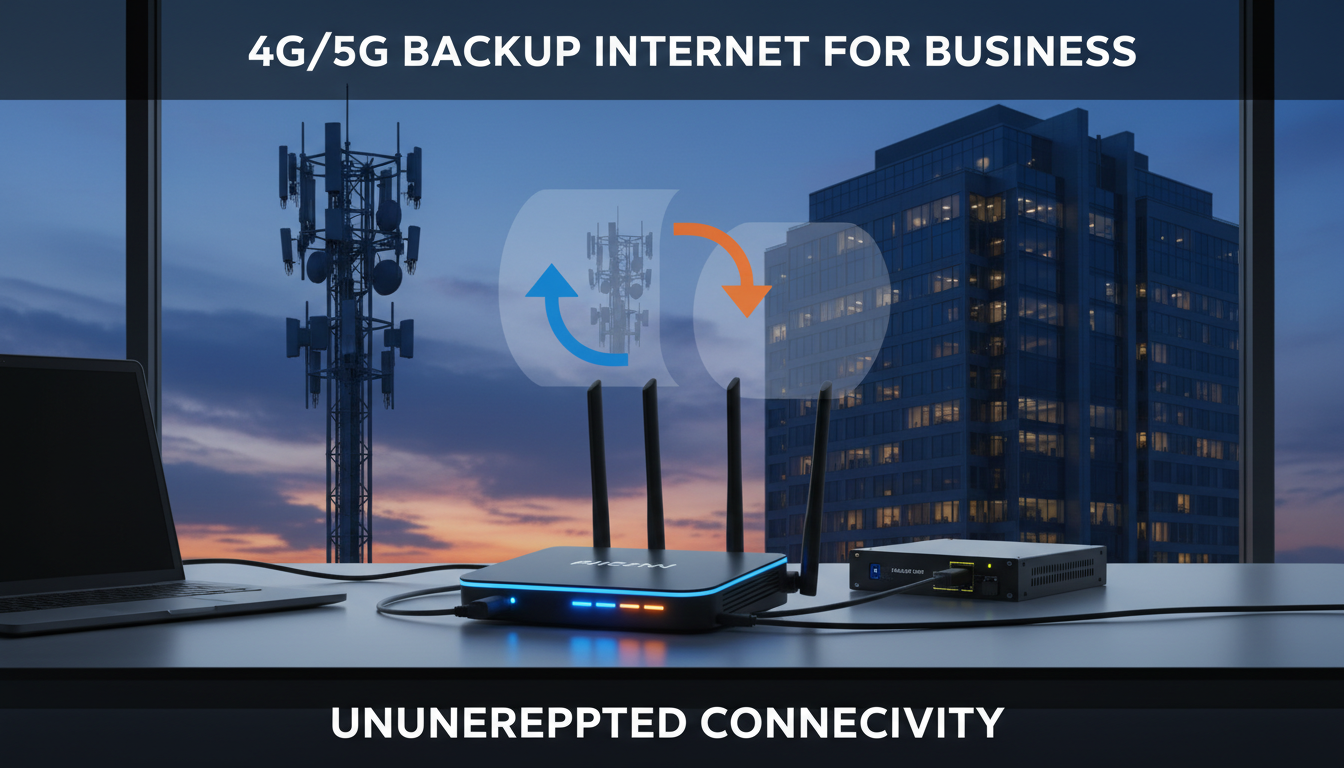
Internet downtime is more than a minor inconvenience for modern businesses - it’s a direct threat to revenue, productivity, and customer trust. Whether you run a retail operation processing card payments, a professional services firm relying on cloud applications, or a warehouse managing inventory through connected systems, even a brief outage can cascade into hours of lost work and frustrated clients. Yet despite this reality, a surprising number of UK businesses still operate with a single broadband connection and no contingency plan whatsoever.
A 4G or 5G backup internet connection provides an automatic safety net. When your primary broadband fails - whether due to a provider outage, damaged street cabling, an exchange fault, or scheduled maintenance that overruns - your business traffic seamlessly switches to a mobile data connection, keeping operations, payments, and communications online. The technology has matured considerably in recent years, with purpose-built failover routers, dedicated business SIM plans, and 5G networks now offering speeds that rival or even exceed many fixed-line broadband connections.
This guide walks you through everything you need to set up a reliable 4G or 5G backup internet connection for your business. We’ll cover the equipment you need, how to choose between 4G and 5G, the best failover routers and SIM plans available, how to optimise antenna placement for maximum signal strength, and what the whole setup realistically costs in pounds and pence. Whether you’re a small office looking for basic failover or a multi-site operation that demands enterprise-grade resilience, you’ll find practical, UK-specific advice here.
Why Every Business Needs a Backup Internet Connection
The days when internet access was a useful convenience are long gone. In 2026, virtually every business-critical system - from email and VoIP phones to point-of-sale terminals, cloud accounting software, and remote desktop environments - depends on a working internet connection. When that connection fails, the impact is immediate, measurable, and often far more costly than businesses anticipate.
Consider what happens during a typical outage. Card payment terminals go offline, forcing you to turn away customers or resort to cash-only transactions. VoIP phone systems stop working entirely, meaning clients hear dead silence or an error message when they call your main number. Staff cannot access cloud-based applications like Microsoft 365, Google Workspace, or your CRM. Remote and hybrid workers are completely disconnected from the office. Automated processes - from stock replenishment to email marketing campaigns - grind to a halt. Even something as fundamental as printing can fail if your printers connect through a cloud-managed print service.
The financial impact is substantial. Research from the Federation of Small Businesses estimates that the average UK SME loses approximately £4,300 for every hour of complete internet downtime when you account for lost sales, staff idle time, recovery effort, and reputational damage. For businesses in time-sensitive sectors like financial services, e-commerce, or logistics, the figure can be significantly higher - sometimes reaching £10,000 or more per hour.
Beyond the immediate financial hit, there are contractual and compliance considerations. If your business operates under service level agreements with clients, prolonged downtime could put you in breach of contract. Industries governed by regulatory frameworks - such as FCA-regulated financial services or healthcare providers handling patient data - may face additional scrutiny if a single point of failure in their connectivity infrastructure leads to service disruption or data access incidents.
A 4G or 5G backup connection eliminates this single point of failure. For a relatively modest monthly investment - typically £20–£50 for a business SIM plan plus a one-off hardware cost - you gain the peace of mind that your business stays connected even when your primary broadband provider lets you down. It’s one of the most cost-effective forms of business continuity insurance available.
4G vs 5G for Business Failover: Which Should You Choose?
Both 4G LTE and 5G can serve as effective backup connections, but they differ meaningfully in speed, latency, coverage, and cost. Understanding these differences will help you make the right decision for your specific situation and location.
4G LTE has been the backbone of mobile broadband in the UK for over a decade. It delivers typical download speeds of 20–50 Mbps, with peaks of up to 100 Mbps in areas with strong signal and low congestion. Latency typically sits around 30–50 milliseconds, and coverage extends across the vast majority of the UK - including most rural and semi-rural areas. For the overwhelming majority of business failover scenarios, 4G provides more than enough bandwidth to keep essential services running smoothly. Email, VoIP calls, cloud applications, card payments, VPN access, and general web browsing all work comfortably over a 4G connection.
5G represents a substantial step up in raw performance. Typical download speeds range from 100–300 Mbps, with theoretical peaks above 1 Gbps on the fastest networks. Latency drops to 10–20 milliseconds, making real-time applications like video conferencing and VoIP noticeably smoother. 5G can also handle significantly more simultaneous device connections without performance degradation. However, 5G coverage in the UK remains concentrated in urban areas - primarily city centres and selected towns - as of 2026. If your business is located in a well-served 5G area, the performance advantage makes it the obvious choice. If you’re in a suburban or rural location, 4G will likely be your only reliable option for the foreseeable future.
There’s also a meaningful cost differential. 5G-capable failover routers typically cost £100–£400 more than their 4G counterparts, and some 5G SIM plans carry a monthly premium. For businesses that only need failover for essential traffic during an outage - rather than full-speed replication of their primary connection - 4G often represents the more sensible value proposition.
4G LTE Failover
5G Failover
If you’re unsure whether 5G is available at your location, start with a 4G failover router that supports external antenna connections. You can always upgrade to a 5G router later as coverage expands. Many 5G routers are also backwards-compatible with 4G, so upgrading the router alone is often sufficient - your existing antenna and SIM may work without changes.
Automatic vs Manual Failover: How Switching Works
One of the most critical decisions when setting up a backup internet connection is whether to use automatic failover or manual failover. The practical difference between these approaches is enormous, and choosing incorrectly can leave you exposed precisely when you need protection most.
Automatic failover means your router continuously monitors the health of your primary broadband connection. It does this by sending regular ping tests or health-check probes to known external servers. The moment the router detects a failure - whether a complete loss of connectivity or performance degraded below a configured threshold - it automatically routes all network traffic through the 4G or 5G backup connection. When the primary broadband recovers and passes stability checks, the router seamlessly switches back. This entire process happens without any human intervention, typically within 10–30 seconds depending on the router model, health-check interval, and configuration. From the perspective of your staff, there may be a brief hiccup in connectivity, but service resumes without anyone needing to lift a finger.
Manual failover requires someone to physically or remotely switch the active connection when an outage is detected. This might involve logging into the router’s admin interface and manually enabling the backup WAN, physically swapping network cables, or powering on a separate router with a SIM card. While manual failover is technically cheaper - you could use almost any SIM-capable router or even a smartphone hotspot in a pinch - it introduces significant delays and relies entirely on someone being available to notice the outage and take action. If an outage happens overnight, at the weekend, during a bank holiday, or when your IT-savvy staff member is on leave, your business remains offline until someone intervenes.
For any business where internet connectivity is genuinely important to daily operations - which, realistically, means most businesses in 2026 - automatic failover is the clear recommendation. The additional cost of a purpose-built failover router over a basic consumer device is typically £150–£300, and this premium pays for itself the very first time it saves you from an extended outage that would otherwise have required manual intervention.
Many modern failover routers also support load balancing, which distributes traffic intelligently across both your primary and backup connections during normal operation, maximising available bandwidth. Some offer WAN smoothing and session persistence, ensuring that active VoIP calls and VPN sessions transfer between connections without dropping. Policy-based routing is another valuable feature, allowing you to permanently route certain types of traffic - such as VoIP or card payment data - over the backup connection for additional redundancy, even when the primary is working normally.
Choosing the Right Failover Router
The router is the centrepiece of your backup internet setup. Consumer-grade routers with SIM card slots exist, but for a business environment you need a device purpose-built for reliable, automatic failover with proper security features. Three manufacturers dominate the UK business failover router market: DrayTek, Cradlepoint, and Peplink. Each has distinct strengths depending on your business size, technical requirements, and budget.
DrayTek Vigor 2927Lac / 2927ax
DrayTek is a hugely popular choice among UK IT support providers and managed service companies. The Vigor 2927 series offers dual-WAN ports with an integrated LTE modem, automatic failover, robust VPN support (IPsec, SSL, WireGuard), a comprehensive stateful firewall, content filtering, and central management via VigorACS. DrayTek routers are known for their long-term reliability, intuitive web-based configuration interface, and excellent UK-based technical support. The 2927Lac (4G LTE) typically retails at £400–£500, while the newer ax models incorporating Wi-Fi 6 sit around £500–£650. These are well-suited to small and medium offices with up to 50 users and represent the best balance of features, reliability, and value for most UK SMEs.
Cradlepoint E300 / E3000
Cradlepoint, now part of Ericsson, is the enterprise-grade option widely deployed in larger organisations, multi-site businesses, and industries requiring carrier-grade reliability. Cradlepoint routers run the proprietary NetCloud operating system, which provides centralised cloud-based management across all your sites, advanced SD-WAN capabilities, granular traffic policies, and detailed analytics. The E300 (5G-capable) starts at approximately £800–£1,200, with ongoing NetCloud subscription fees of around £30–£50 per month per device. The total cost of ownership is substantially higher than DrayTek, but for businesses that need enterprise features, centralised multi-site management, and integration with existing SD-WAN infrastructure, Cradlepoint is extremely difficult to beat.
Peplink Balance 20X / Balance 310X
Peplink occupies the sweet spot between DrayTek’s simplicity and Cradlepoint’s enterprise scale. The Balance 20X (£350–£450) offers dual-WAN with a built-in Cat 7 LTE modem, the proprietary SpeedFusion VPN bonding technology, and the InControl 2 cloud management platform. The higher-end Balance 310X supports 5G and multiple simultaneous WAN connections for businesses needing greater bandwidth or additional layers of redundancy. Peplink’s standout feature is SpeedFusion, which can bond multiple internet connections together for increased aggregate throughput and seamless failover without dropped sessions - this is particularly valuable for businesses that rely heavily on VoIP and video conferencing, as calls continue uninterrupted during a connection switch.
Router Cost Comparison
SIM Plans for Business Backup Connectivity
Choosing the right SIM plan for your backup connection is just as important as selecting the right router. Business backup SIMs have different requirements from standard mobile phone contracts. You need a plan that offers sufficient data allowance for failover periods, reliable coverage at your specific location, static IP addressing if required for VPN or hosted services, and ideally flexible terms that acknowledge the SIM may sit idle for weeks or months between uses.
Several UK mobile operators offer SIM plans specifically designed for business data and IoT or failover applications. EE Business offers data-only SIM plans ranging from 10 GB to unlimited data, with monthly prices from approximately £15 to £45. EE generally provides the strongest and most consistent 4G and 5G coverage across the UK, making it the default recommendation for most business failover deployments. Vodafone Business offers comparable tiers with strong urban coverage and the option to add static IP addresses - essential if your failover connection needs to support incoming VPN connections or hosted services. Three Business provides competitive pricing and generous data allowances, including unlimited data plans from around £20 per month, though signal quality can be less consistent in some rural and suburban areas. O2 Business delivers solid coverage and data-only plans, with the added benefit of EU roaming data allowances for businesses with European operations or travelling staff.
For most business failover scenarios, a plan with 50–100 GB of data per month is more than sufficient. During a typical broadband outage, your business will primarily consume data for essential services - email, VoIP calls, cloud application access, and card payments - which use far less bandwidth than the casual browsing, streaming, and large file transfers that eat through data on your primary connection. However, if you anticipate extended outages (for example, if your area has historically unreliable broadband) or your business runs data-intensive operations, an unlimited plan at £35–£50 per month provides a worthwhile safety margin.
Some specialist providers like Pangea and Jola offer multi-network SIMs that can automatically switch between carriers to find the strongest signal at your location. These are particularly valuable for businesses in areas where no single carrier provides consistently strong coverage.
Do not use consumer SIM plans for business failover. Consumer contracts typically include fair-usage caps that can throttle or suspend your data mid-outage - precisely when you need it most. Many consumer plans also explicitly prohibit use in routers and hotspot devices in their terms of service. A dedicated business data SIM costs only marginally more and provides the guaranteed reliability, static IP options, and commercial terms your business requires.
Antenna Placement and Signal Optimisation
The performance of your 4G or 5G backup connection depends heavily on signal strength at your specific location. While urban offices often receive adequate signal through the building structure, many commercial premises - particularly those in industrial estates, converted warehouses, buildings with metal cladding, or semi-rural locations - struggle with indoor mobile coverage. A properly installed external antenna can make the difference between a usable backup connection and one that barely functions.
Most business-grade failover routers include SMA antenna connectors that allow you to attach external antennas, replacing the small rubber-duck antennas that ship with the device. A quality directional outdoor antenna mounted on the roof or high on an exterior wall can improve signal strength by 10–15 dB - a dramatic improvement that often doubles or even triples effective data speeds. For optimal results, the antenna should be aimed towards the nearest mobile mast. You can identify mast locations using Ofcom’s Sitefinder tool, or mobile apps like OpenSignal and Mastdata that map nearby cell towers.
When positioning an external antenna, mount it as high as practically possible with a clear line of sight towards the target mast. Avoid obstructions such as metal roofing materials, dense tree cover, and neighbouring buildings. Use low-loss coaxial cable (LMR-400 or equivalent) to connect the antenna to your router, and keep cable runs as short as practical - every additional metre of cable introduces measurable signal loss. If your building has particularly poor indoor coverage, a MIMO panel antenna mounted externally with twin cable feeds provides the best performance for both 4G and 5G connections, as it supports the multiple-input, multiple-output technology that modern mobile networks rely on for peak throughput.
Professional installation of an external antenna typically costs £150–£400 depending on building height, complexity of cable routing, and whether scaffolding or specialist access equipment is needed. For businesses in weak signal areas, this is often the single most cost-effective improvement you can make to your backup connectivity. The difference between an indoor antenna receiving –105 dBm and an outdoor antenna pulling in –75 dBm can mean the difference between 5 Mbps and 50 Mbps - enough to comfortably run your entire office.
Testing Your Failover Connection
Setting up a backup connection is only half the job. Without regular, structured testing, you have no way of knowing whether your failover will actually perform when called upon. Far too many businesses discover that their failover setup has silently failed - an expired SIM, a misconfigured health check, a depleted data allowance, or a firmware bug - at the absolute worst possible moment, during an actual outage.
We recommend a disciplined testing regime that covers the following areas at regular intervals.
Monthly failover simulation: Simulate a primary connection failure by disconnecting the WAN cable from your router or disabling the primary WAN interface in the router’s configuration panel. Verify that the router switches to the 4G or 5G backup within the expected timeframe (typically 10–30 seconds). While running on the backup connection, test every essential service: make and receive VoIP calls, send and receive email, log into cloud applications, process a test card payment, connect via VPN, and confirm that any customer-facing systems remain accessible.
Quarterly performance benchmark: Measure the actual throughput and latency of your backup connection using a reliable speed test service such as Speedtest by Ookla or nPerf. Record the results and compare against previous quarters to identify any degradation that might indicate antenna issues, increased local network congestion, or changes to your carrier’s network configuration in your area.
Annual comprehensive review: Audit your SIM plan data allowance against actual failover usage over the preceding twelve months. Confirm the SIM is active and the account is in good standing. Verify that router firmware is updated to the latest stable release. Check that any static IP addresses, port forwarding rules, or VPN configurations are still correctly applied. Review whether your failover requirements have changed - for example, if you have added staff or adopted new cloud services that increase bandwidth demand.
Failover Readiness Checklist
Understanding the Full Cost
One of the most common questions businesses ask is “how much does a 4G or 5G backup connection actually cost?” The answer depends on your specific requirements, but here is a transparent, realistic breakdown of what UK businesses can expect to pay in 2026.
| Cost Component | 4G Setup | 5G Setup |
|---|---|---|
| Failover router (one-off purchase) | £350–£600 | £500–£1,200 |
| External antenna + professional installation | £150–£400 | £200–£500 |
| Business SIM plan (per month) | £15–£45 | £25–£55 |
| Professional configuration & setup (one-off) | £100–£250 | £100–£250 |
| Cloud management subscription (per month, if applicable) | £0–£30 | £0–£50 |
| Typical total first-year cost | £780–£1,790 | £1,100–£3,210 |
| Ongoing annual cost (year 2+) | £180–£900 | £300–£1,260 |
When evaluating these costs, measure them against the cost of downtime. If a single broadband outage lasting three to four hours costs your business £12,000–£17,000 in lost revenue, idle staff time, and recovery effort, the entire first-year investment in a backup connection pays for itself after one incident. Most UK businesses experience at least one significant broadband outage per year - many experience several - making the return on investment straightforward to justify to any budget holder.
For businesses with multiple sites, the economics improve further. A managed service provider like Cloudswitched can deploy, configure, and monitor failover connections across all your locations from a single management platform, reducing per-site costs through standardised hardware procurement and ensuring consistent configuration, firmware management, and testing across your entire estate.
UK Mobile Network Coverage: What to Check Before You Commit
Before purchasing any equipment or signing a SIM contract, it is essential to verify mobile network coverage at your specific business premises. UK mobile coverage varies enormously depending on your chosen carrier, geographic location, building construction materials, floor level, and proximity to the nearest mobile mast.
Start with the coverage checker tools provided by each major UK carrier: EE (ee.co.uk/coverage), Vodafone (vodafone.co.uk/network/status-checker), Three (three.co.uk/coverage), and O2 (o2.co.uk/coveragechecker). These tools show predicted outdoor coverage for both 4G and 5G at your postcode. Bear in mind that indoor coverage is typically weaker than the outdoor predictions - sometimes substantially so, especially in buildings with thick masonry walls, metal roof sheeting, foil-backed insulation, or energy-efficient double glazing that attenuates radio signals.
For a more accurate real-world assessment, obtain a pay-as-you-go data SIM from your preferred carrier and test it on-site using a 4G or 5G mobile device or portable hotspot. Run speed tests at different times of day (morning, lunchtime, and late afternoon) to account for network congestion patterns. Check signal strength readings in your device’s settings - these are measured in dBm (decibels relative to one milliwatt). Readings of –80 dBm or stronger generally indicate a good, usable connection. Readings between –80 and –100 dBm are moderate and may benefit from an external antenna. Anything weaker than –100 dBm strongly suggests you will need a quality external antenna to achieve reliable failover performance.
If you are located in a rural or semi-rural area with weak coverage from all major carriers, it is worth investigating the Shared Rural Network (SRN) initiative - a collaboration between the UK government and all four mobile operators to extend 4G geographic coverage to 95% of the UK. Ofcom’s annual Connected Nations report provides detailed, postcode-level data on current and planned coverage improvements that may affect your area. In locations where mobile coverage remains persistently poor despite these efforts, satellite-based backup solutions such as Starlink Business are emerging as a viable alternative, though monthly costs (£75–£100+) and equipment costs (£450+) remain considerably higher than cellular failover.
Step-by-Step Setup Summary
To bring everything together, here is a concise step-by-step roadmap for setting up your 4G or 5G backup internet connection from start to finish.
- Assess your requirements: Identify which systems and services must remain online during an outage and estimate the bandwidth they require. Prioritise VoIP, email, cloud applications, and payment processing.
- Check mobile coverage: Test coverage at your premises using carrier coverage maps and on-site SIM testing. Compare signal strength across at least two carriers.
- Choose your technology: Select 4G or 5G based on local coverage availability, your performance requirements, and your budget.
- Select a failover router: Choose a business-grade router from DrayTek, Peplink, or Cradlepoint that matches your feature requirements, user count, and budget.
- Choose a SIM plan: Sign up for a business data SIM with an adequate monthly data allowance from the carrier offering the strongest coverage at your site.
- Install the hardware: Mount any external antenna in the optimal position, run cabling, install the SIM in the router, and connect the router to your network.
- Configure failover settings: Set up automatic failover with appropriate health-check intervals, configure any static IP addresses, VPN tunnels, firewall rules, and QoS policies for the backup connection.
- Test thoroughly: Simulate a primary broadband failure and verify that all essential services continue working seamlessly over the backup connection.
- Document and schedule ongoing tests: Record the full configuration, create a testing schedule, and set calendar reminders for monthly failover simulations and quarterly performance benchmarks.
Need Help Setting Up Business Backup Internet?
Whether you need a single-site 4G failover solution or a multi-site 5G resilience strategy, the Cloudswitched team can design, supply, install, and manage your backup internet connection from end to end - so you never have to worry about broadband outages again.
Conclusion
A 4G or 5G backup internet connection is no longer a luxury reserved for large enterprises with hefty IT budgets. It’s a practical, affordable safeguard that any UK business can implement to protect against the inevitable broadband outages that disrupt operations, cost money, and damage client relationships. With purpose-built failover routers from DrayTek, Peplink, and Cradlepoint starting from under £400, business SIM plans available for as little as £15 per month, and automatic failover technology that switches connections in seconds without human intervention, the barrier to entry has never been lower.
The key to a successful deployment is choosing the right components for your specific situation: the correct technology (4G or 5G) based on coverage at your location, a router that matches your business requirements, a SIM plan with adequate data from the carrier with the strongest local signal, and - if needed - a properly installed external antenna to maximise performance. Regular testing ensures your backup is ready to perform when it matters most.
Investing a few hundred pounds in hardware and £20–£50 per month in a SIM plan is a small price to pay for the assurance that your business stays connected, your staff stay productive, and your customers continue to receive the service they expect - no matter what happens to your primary broadband line.

CloudSwitched
London-based managed IT services provider offering support, cloud solutions and cybersecurity for SMEs.


