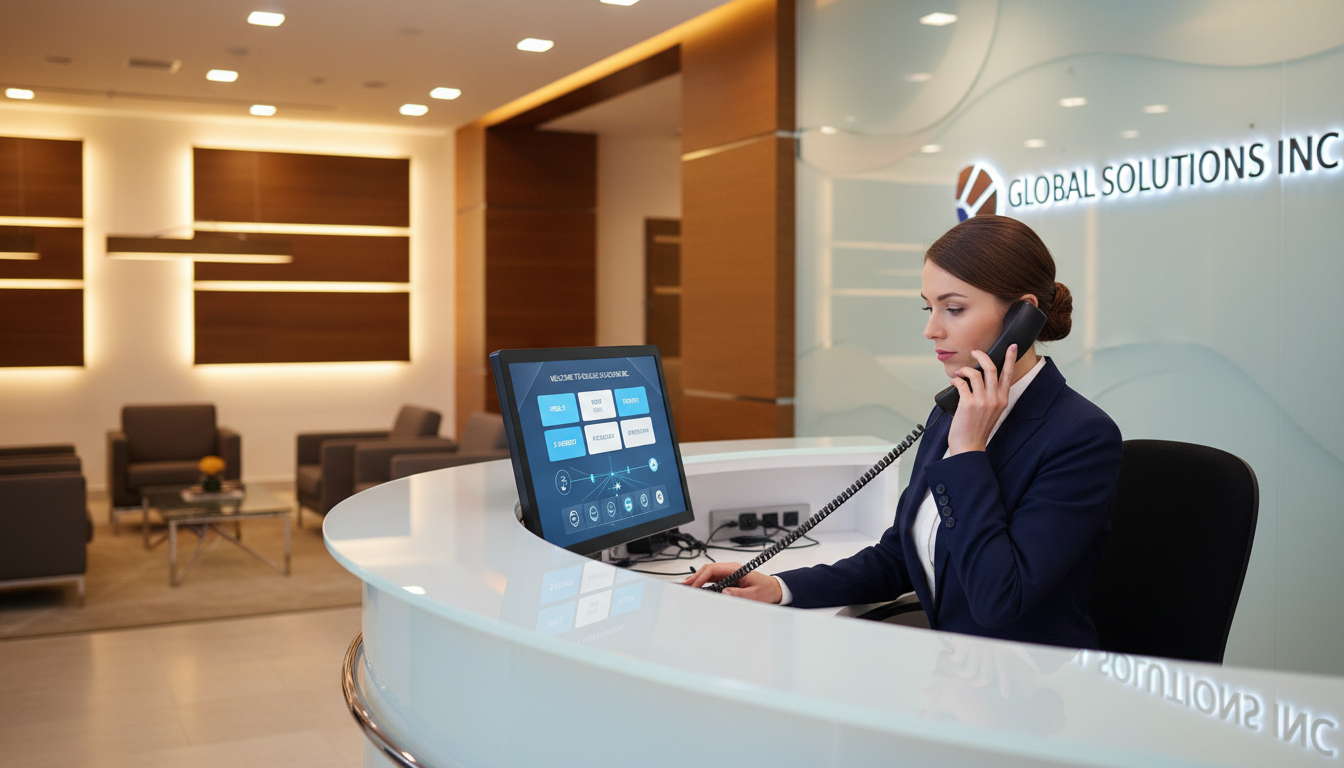
Every missed call is a missed opportunity. For UK small and medium-sized businesses, the way you handle incoming calls shapes your customers’ first impression - and often determines whether they stay on the line or ring a competitor instead. Auto-attendant and IVR (Interactive Voice Response) systems solve this problem by routing callers intelligently, reducing wait times, and projecting a polished, professional image from the very first ring.
Whether you’re a five-person consultancy in Manchester or a 200-employee logistics firm in London, a well-designed phone system can dramatically improve customer satisfaction and free your team from the burden of manually directing every call. Yet many businesses still rely on a single receptionist or, worse, let calls ring out unanswered during busy periods.
This guide covers everything you need to know - from the fundamental differences between auto-attendants and IVR to call flow design, menu scripting, hours-of-operation routing, CRM integration, and the common mistakes that trip businesses up. By the end, you’ll have a clear blueprint for setting up a system that works for your business, your team, and your customers.
Auto-Attendant vs IVR - What’s the Difference?
The terms “auto-attendant” and “IVR” are frequently used interchangeably, but they serve distinct purposes. Understanding the difference is essential before you start building your call flow.
An auto-attendant is a straightforward call-routing system. It answers incoming calls with a recorded greeting and presents a simple menu - “Press 1 for Sales, Press 2 for Support” - then transfers the caller to the appropriate department or extension. It handles one task: directing calls to the right place.
An IVR system goes considerably further. It can interact with callers through voice recognition and keypad input, access databases in real time, authenticate callers, process payments, provide account balances, and handle complex multi-step interactions without ever involving a human agent. Think of it as an auto-attendant with a brain.
Auto-Attendant
- ✓ Simple menu-based call routing
- ✓ Recorded greetings and prompts
- ✓ Transfer to extensions or departments
- ✓ After-hours and holiday messages
- ✓ Low cost, quick to set up
- ✗ No database lookups or caller authentication
- ✗ No payment processing
- ✗ Limited self-service capabilities
IVR System
- ✓ Everything an auto-attendant does
- ✓ Voice recognition and natural language processing
- ✓ Real-time database and CRM integration
- ✓ Caller authentication and account lookup
- ✓ Payment processing and order status
- ✓ Multi-level menus with complex logic
- ✓ Advanced analytics and reporting
- ✗ Higher cost and longer setup time
For most UK SMEs, an auto-attendant is the sensible starting point. It delivers immediate benefits - professional call handling, reduced missed calls, and better staff productivity - without the complexity and cost of a full IVR deployment. As your business grows and call volumes increase, you can layer IVR capabilities on top.
Key Benefits for Small and Medium-Sized Businesses
Implementing an auto-attendant or IVR system isn’t just about sounding professional on the phone. The operational and financial benefits are substantial, particularly for businesses that can’t justify a dedicated reception team.
| Benefit | Impact | Who Benefits Most |
|---|---|---|
| 24/7 call handling | Callers always hear a professional greeting, even outside office hours | Service businesses, e-commerce, healthcare |
| Reduced staffing costs | Eliminate or reduce the need for a dedicated receptionist (£22,000–£28,000/year) | SMEs with 5–50 employees |
| Faster call resolution | Callers reach the right person first time, reducing transfers and hold times | Multi-department organisations |
| Professional image | Project the polish of a much larger organisation | Startups, sole traders, growing firms |
| Consistent experience | Every caller gets the same greeting and options, regardless of who’s available | All businesses |
| Voicemail-to-email | Messages delivered instantly as audio files to staff inboxes | Remote and hybrid teams |
| Call data and analytics | Track volumes, peak times, abandoned calls, and menu usage | Data-driven businesses |
If you’re spending more than £1,500 per month on a receptionist or answering service primarily for call routing, an auto-attendant will almost certainly pay for itself within the first quarter. Most cloud-hosted solutions cost between £15 and £50 per month, depending on features and call volumes.
Designing Your Call Flow
The call flow is the backbone of your auto-attendant or IVR system. It defines every path a caller can take from the moment they dial your number to the moment their query is resolved. A poorly designed call flow frustrates callers and increases abandonment rates; a well-designed one feels effortless.
Step 1: Map Your Departments and Routing Needs
Start by listing every department, team, or individual that receives external calls. For each, note the types of enquiries they handle, their typical availability, and what should happen if they’re unavailable. This inventory becomes the foundation of your menu structure.
Step 2: Keep Menus Short and Logical
The golden rule of menu design is simplicity. No more than five options at any single level. Research consistently shows that callers struggle to remember more than five choices, and menus with seven or eight options lead to significantly higher abandonment rates.
Step 3: Always Offer a Human Fallback
No matter how comprehensive your menu is, some callers will want to speak to a real person immediately. Always include an option to reach an operator or general line - typically “Press 0 to speak to a member of our team.” Trapping callers in an endless loop of automated menus is the single fastest way to lose a customer.
Step 4: Plan for Failure Gracefully
What happens when a caller doesn’t press anything? What if they press an invalid key? Your call flow should account for timeouts (replay the menu after 5–8 seconds of silence), invalid inputs (a polite “Sorry, that wasn’t a valid option” message), and repeated failures (transfer to a live agent after two or three unsuccessful attempts).
Writing Effective Greeting Scripts
Your greeting is the first thing callers hear. It sets the tone for the entire interaction and should be warm, professional, and concise. Here are three essential scripts every business needs.
Main Business Hours Greeting
“Thank you for calling [Company Name]. For Sales, press 1. For Customer Support, press 2. For Accounts, press 3. To speak with a member of our team, press 0, or stay on the line and we’ll connect you shortly.”
After-Hours Greeting
“Thank you for calling [Company Name]. Our office is currently closed. Our business hours are Monday to Friday, 9am to 5:30pm. To leave a voicemail, press 1. For urgent support, press 2 to reach our out-of-hours team. You can also email us at hello@company.co.uk.”
Holiday Greeting
“Thank you for calling [Company Name]. We’re currently closed for the bank holiday and will reopen on [date]. To leave a message, press 1, and we’ll return your call on our next working day. For emergencies, press 2.”
Keep your main greeting under 30 seconds. Every additional second increases the chance that callers will hang up. Place the most popular menu option first - for most businesses, that’s Sales or Support. If 60% of your calls go to Support, make it option 1, not option 3.
Hours-of-Operation Routing and Holiday Scheduling
Time-based routing is one of the most valuable features of any auto-attendant. It ensures that callers hear the appropriate greeting and reach the right destination based on when they’re calling.
A typical UK business might configure three routing schedules:
- Business hours (e.g., Mon–Fri 09:00–17:30) - full menu with live call routing to staff
- Out-of-hours (evenings, weekends) - voicemail, emergency line, or after-hours answering service
- Bank holidays and closures - holiday-specific greeting with adjusted return dates
Most modern phone systems allow you to pre-programme UK bank holidays for the entire year in advance. Set it once in January and your greetings will automatically switch on Good Friday, the May bank holidays, the August bank holiday, Christmas Day, and Boxing Day without any manual intervention.
For businesses with complex schedules - perhaps different departments have different hours, or you operate a Saturday morning service - you can create multiple time-based rules that apply independently to different routing paths.
Call Queues and Overflow Handling
When all agents in a department are busy, callers need to wait somewhere. Call queues hold callers in line, play hold music or periodic updates, and connect them to the next available agent in the order they called.
Effective call queue management involves several elements:
- Position announcements - “You are third in the queue” gives callers a realistic expectation
- Estimated wait times - calculated from recent average handling times
- Callback option - “Press 1 to keep your place in the queue and receive a callback” dramatically reduces frustration
- Overflow routing - if the queue exceeds a threshold (e.g., 10 callers or 5 minutes), route to voicemail or an alternative team
- Priority queuing - VIP customers or urgent issues can jump ahead based on caller ID or IVR input
Voicemail-to-Email
Voicemail-to-email is a must-have feature for any modern business phone system, especially for hybrid and remote teams. When a caller leaves a voicemail, the system automatically converts the recording to an audio file (typically MP3 or WAV) and delivers it to the relevant staff member’s email inbox - often with a text transcription included.
This means voicemails are never trapped on a desk phone in an empty office. Staff can listen, prioritise, and respond from anywhere - on their laptop, phone, or tablet. For compliance-sensitive industries like legal or financial services, voicemail-to-email also provides an automatic audit trail of all messages received.
Multi-Level IVR - When You Need More Depth
A single-level auto-attendant works well for straightforward businesses, but larger or more complex organisations often need multi-level IVR - menus within menus that guide callers through increasingly specific options.
For example, a mid-sized IT services company might structure their IVR like this:
| Level | Menu | Options |
|---|---|---|
| Level 1 | Main greeting | 1 – Sales • 2 – Support • 3 – Accounts • 0 – Reception |
| Level 2 (Support) | Support sub-menu | 1 – Report an issue • 2 – Check ticket status • 3 – Network/connectivity • 0 – Back to main menu |
| Level 3 (Report issue) | Issue priority | 1 – Critical (system down) • 2 – High (major impact) • 3 – Normal • 0 – Back |
The key with multi-level IVR is restraint. Three levels is the practical maximum for most businesses. Beyond that, callers lose patience and abandon the call. Each level should narrow the routing with purpose - if a sub-menu doesn’t genuinely improve routing accuracy, eliminate it.
CRM Integration - Connecting Your Phone System to Your Data
One of the most powerful capabilities of a modern IVR is its ability to integrate with your Customer Relationship Management (CRM) system. When a call comes in, the system can match the caller’s phone number against your CRM database and instantly pull up their record.
This enables several high-impact features:
- Screen pops - when an agent answers, the caller’s account details, history, and open tickets appear automatically on screen
- Personalised greetings - “Hello Sarah, welcome back to [Company Name]”
- Intelligent routing - route callers to their assigned account manager rather than a general queue
- Automatic call logging - every call is recorded against the contact’s CRM record with duration, outcome, and notes
- Self-service account lookup - callers can check order status, account balances, or appointment times without speaking to anyone
Popular UK-friendly CRM platforms that integrate well with modern phone systems include HubSpot, Salesforce, Zoho CRM, Pipedrive, and Microsoft Dynamics 365. Most cloud phone providers offer pre-built connectors for these platforms, making integration a configuration task rather than a development project.
Analytics and Reporting
You can’t improve what you don’t measure. A good auto-attendant or IVR platform provides detailed analytics that reveal how callers are interacting with your system and where the pain points lie.
Key Metrics to Track
Review these metrics weekly. Look for patterns - are abandonment rates spiking at certain times? Is one menu option rarely used (suggesting it should be removed or relabelled)? Are callers consistently pressing 0 to bypass the menu entirely (suggesting the options don’t match their needs)?
Most cloud phone platforms provide real-time dashboards and scheduled email reports, making it straightforward to keep a pulse on performance without manually pulling data.
Common Mistakes to Avoid
Even well-intentioned auto-attendant and IVR implementations can go wrong. Here are the most frequent pitfalls we see UK businesses fall into - and how to avoid them.
1. Too Many Menu Options
We’ve said it already but it bears repeating: five options maximum per level. If you have eight departments, group related functions together rather than listing every single one. “For Sales or Marketing, press 1” is far better than giving each its own option.
2. Outdated Greetings
Nothing undermines professionalism like a Christmas greeting playing in March, or a greeting referencing a department that no longer exists. Schedule a quarterly review of all your recorded prompts and update them immediately whenever your business changes.
3. No Escape Route
Forcing callers to navigate the entire menu tree with no option to reach a human is the fastest way to generate complaints. Always include a “Press 0 for an operator” option, and ensure it actually goes somewhere - a ringing, unanswered phone is worse than no option at all.
4. Ignoring Mobile Callers
Over 60% of business calls in the UK now come from mobile phones. If your greeting is 90 seconds long, callers might be navigating traffic, walking between meetings, or standing in a noisy environment. Keep it short, speak clearly, and front-load the most important options.
5. Skipping Testing
Always test your entire call flow from an external phone before going live. Call from a mobile, a landline, and an international number. Test during business hours, after hours, and on a bank holiday. Check every single menu path, including timeout and invalid-input scenarios. If you wouldn’t tolerate the experience as a caller, your customers won’t either.
6. Neglecting Analytics
Setting up your auto-attendant and never looking at the data is like building a website and never checking Google Analytics. The usage patterns in your call data will tell you exactly what’s working and what needs adjustment - but only if you actually review them.
7. DIY Voice Recordings
A shaky, echoey recording made on a smartphone in a noisy office sounds exactly like what it is. Either invest in a professional voice recording service (typically £50–£150 per script for a UK voiceover artist) or use your phone system’s text-to-speech engine, which modern platforms do remarkably well.
Implementation Checklist
Use this checklist to ensure your auto-attendant or IVR deployment covers all the essentials:
- Audit your call flow requirements - list all departments, extensions, and routing scenarios
- Design your menu structure - sketch the full call tree on paper before configuring anything
- Write and record greetings - main hours, after-hours, holiday, and queue messages
- Configure time-based routing - business hours, weekends, and all UK bank holidays for the year
- Set up call queues - hold music, position announcements, overflow rules, and callback options
- Enable voicemail-to-email - ensure every extension has a voicemail box linked to an active email address
- Integrate with your CRM - connect caller ID matching, screen pops, and automatic call logging
- Configure analytics - set up dashboards for call volume, abandonment, wait times, and menu usage
- Test exhaustively - call from multiple devices and numbers, during and outside business hours
- Train your team - ensure staff know how transfers work, how to check voicemails, and who to contact for changes
- Schedule reviews - put a quarterly calendar reminder to review greetings, menu options, and analytics
Choosing the Right Platform
The UK market offers a wide range of cloud phone platforms with auto-attendant and IVR capabilities. When evaluating your options, prioritise the following:
- UK data residency - ensure call data and recordings are stored in UK or EU data centres for GDPR compliance
- Number porting - confirm you can bring your existing business number(s) across without disruption
- Scalability - the platform should grow with you from 5 users to 500 without requiring a migration
- CRM integrations - check for native connectors to your specific CRM, not just generic API access
- Support quality - UK-based support with reasonable response times is essential for phone system issues
- Transparent pricing - watch for hidden costs around call recording storage, additional IVR levels, or premium support tiers
Leading platforms in the UK market include 3CX, 8x8, RingCentral, Vonage Business, and Microsoft Teams Phone. Each has different strengths depending on your size, budget, and integration requirements. A specialist telecoms partner can help you evaluate the options against your specific needs and negotiate competitive pricing.
How Cloudswitched Can Help
At Cloudswitched, we help UK businesses design, implement, and manage auto-attendant and IVR systems that genuinely improve the way they handle calls. We don’t just configure the technology - we work with you to understand your call flows, customer journey, and operational requirements so the system is built around how your business actually works.
From initial call flow design and professional greeting scripts to CRM integration, analytics setup, and ongoing optimisation, we handle the entire process. Our clients typically see a 30–50% reduction in missed calls and a significant improvement in customer satisfaction scores within the first three months of deployment.
Whether you need a simple auto-attendant for a small team or a multi-level IVR with CRM integration and advanced analytics, we’ll design a solution that fits your budget and scales as you grow.
Ready to Transform Your Business Phone System?
Get in touch with Cloudswitched for a free consultation on auto-attendant and IVR solutions tailored to your business. We’ll review your current setup, map your ideal call flow, and recommend the right platform - with no obligation.
Book Your Free Consultation
CloudSwitched
London-based managed IT services provider offering support, cloud solutions and cybersecurity for SMEs.


