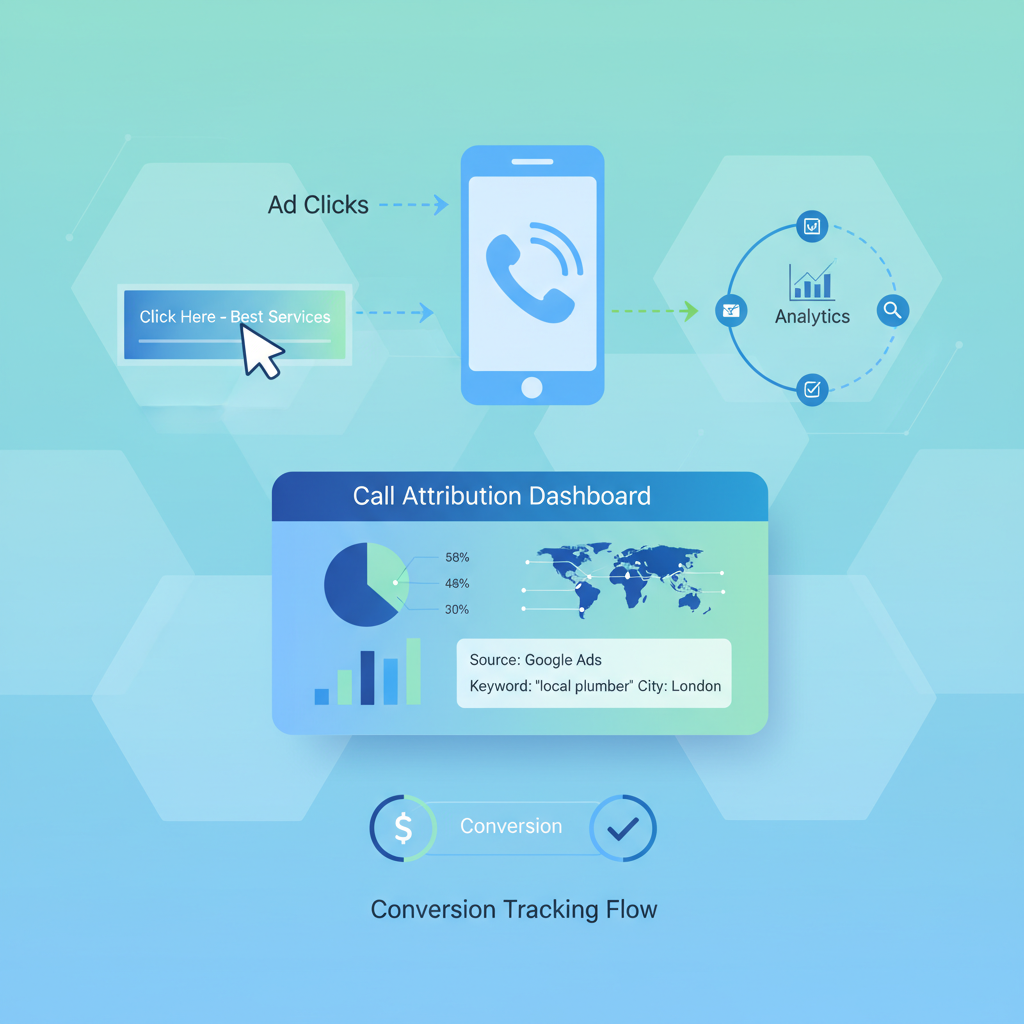
For many businesses, phone calls remain the most valuable type of lead. A potential customer picking up the phone signals high intent - they’re ready to talk, ask questions, and often make a purchase decision on the spot. Yet without proper call tracking, PPC advertisers are flying blind, unable to attribute phone enquiries to specific campaigns, ad groups, or keywords. This guide walks you through everything you need to know about setting up call tracking for your PPC campaigns, from choosing the right provider to calculating ROI on call-generating ads.
Why Call Tracking Matters for PPC
If you’re running Google Ads or Microsoft Ads campaigns and a significant portion of your conversions happen over the phone, you’re almost certainly underreporting your results without call tracking. Many advertisers focus exclusively on online form submissions and e-commerce transactions, but phone calls often represent the highest-value leads in industries such as legal services, healthcare, home improvements, financial services, and B2B.
Without call tracking, you cannot determine which keywords drive phone enquiries, which ad copy resonates with callers, or which landing pages prompt visitors to pick up the phone. You’re effectively optimising half your campaign while ignoring the other half - the half that might be generating your best customers.
Call tracking bridges the gap between your online advertising spend and offline phone conversions, giving you a complete picture of campaign performance and enabling smarter budget allocation.
How Dynamic Number Insertion Works
Dynamic Number Insertion (DNI) is the foundational technology behind modern call tracking. Here’s how it works: when a visitor arrives on your website from a PPC ad, a small JavaScript snippet detects the traffic source and dynamically swaps the phone number displayed on the page with a unique tracking number. This number is assigned specifically to that visitor’s session, allowing the call tracking platform to attribute any resulting phone call back to the exact campaign, ad group, keyword, and even the specific ad that drove the click.
DNI operates at several levels of granularity:
- Source-level tracking - Assigns different numbers to different traffic sources (Google Ads, Bing Ads, organic, direct)
- Session-level tracking - Assigns a unique number per visitor session, enabling keyword-level attribution
- Visitor-level tracking - Maintains the same tracking number for returning visitors across multiple sessions
For keyword-level tracking, you’ll need a pool of numbers large enough to handle concurrent website visitors. Most providers recommend a minimum of 10–20 numbers for smaller sites and 50+ for high-traffic sites. If you run out of available numbers, the system falls back to source-level tracking, reducing attribution accuracy.
The JavaScript snippet is lightweight and typically loads asynchronously, so it won’t impact your page speed - a critical factor for both user experience and Quality Score in Google Ads.
Choosing a Call Tracking Provider
The UK market has several excellent call tracking providers, each with different strengths. Your choice should depend on your budget, technical requirements, integration needs, and the level of attribution detail you require.
- UK-based with strong GDPR compliance
- Advanced conversation analytics with AI
- Integrates with Google Ads, Analytics, Salesforce, HubSpot
- Keyword-level and visitor-level tracking
- Smart Match technology for granular attribution
- Pricing from around £100/month plus per-minute charges
- UK-based, established provider since 2002
- Speech analytics and call scoring
- Multi-channel attribution modelling built in
- Strong integration with Google Ads and GA4
- Dedicated account management
- Pricing from around £80/month plus usage
- US-based but serves UK businesses with local numbers
- Form tracking included alongside call tracking
- Conversation intelligence with AI transcription
- Excellent Google Ads integration
- More affordable entry point for smaller businesses
- Pricing from around £35/month for basic plans
When choosing a provider, ensure they offer geographic UK numbers (01/02 prefixes) or non-geographic numbers (03 prefixes) that comply with Ofcom regulations. Avoid 084/087 numbers for tracking, as they carry surcharges that deter callers and may breach advertising standards rules. Your tracking numbers should match the area code expectations of your target audience.
Setting Up Google Ads Call Extensions and Call-Only Ads
Google Ads offers two native call features that work alongside third-party call tracking: call extensions (now called call assets) and call-only ads.
Call Assets (Formerly Call Extensions)
Call assets append a clickable phone number to your search ads. On mobile devices, users can tap to call directly without visiting your website. To set these up:
- Navigate to Ads & Assets > Assets in your Google Ads account
- Click the plus button and select “Call”
- Enter your tracking number (from your call tracking provider) rather than your main business number
- Enable Google call reporting to track call duration and caller area code
- Set your call conversion action with an appropriate minimum call duration (typically 60–90 seconds)
Call-Only Ads
Call-only ads are designed exclusively to generate phone calls. They display your business name, phone number, and description text, but clicking the ad initiates a phone call rather than directing to a website. These are particularly effective for:
- Emergency services (plumbers, locksmiths, electricians)
- Businesses where phone consultation is the primary conversion
- Mobile-heavy audiences during business hours
| Feature | Call Assets | Call-Only Ads |
|---|---|---|
| Primary action | Website visit with call option | Phone call only |
| Landing page required | Yes | Verification URL only |
| Best for | Multi-conversion businesses | Phone-first businesses |
| Device targeting | All devices (call button on mobile) | Mobile devices primarily |
| Cost model | CPC for clicks, reported calls free | CPC charged per call click |
| Typical CTR | 5–8% with call asset showing | 3–6% overall |
Use ad scheduling to show call assets and call-only ads only during your business hours when staff are available to answer. There’s no point paying for call clicks at 2am if nobody is there to pick up. Set your schedule in the Ad Schedule section of your campaign settings, and consider adding 30 minutes of buffer either side of opening hours.
Integrating Call Data with Google Analytics
Connecting your call tracking data to Google Analytics (GA4) unlocks powerful analysis capabilities. Most major call tracking providers offer direct GA4 integrations that push call events into your analytics property.
The integration typically works in one of two ways:
Event-Based Integration
Your call tracking provider fires a GA4 event when a call occurs. This event can include parameters such as call duration, call source, tracking number, and caller location. In GA4, you can then mark these events as conversions and include them in your standard reporting.
Google Tag Manager Integration
For more control, many providers offer GTM integration. A data layer push occurs when a tracking number is displayed or a call is completed, and you configure GTM tags to send the appropriate events to GA4. This approach gives you flexibility to add custom parameters and trigger additional tags.
Once integrated, you can analyse call conversions alongside your other conversion actions in GA4’s acquisition reports, see which channels and campaigns drive the most calls, and build audiences based on caller behaviour for remarketing.
Call Recording and Scoring
Call tracking goes beyond simply counting calls. Modern platforms offer call recording and scoring features that help you assess lead quality and improve your sales process.
Call Recording
Recording calls allows you to review conversations for quality assurance, training purposes, and lead qualification. Most providers store recordings securely in the cloud and provide playback through their dashboard. You can typically download recordings, share them with team members, and set retention periods to comply with data protection requirements.
Call Scoring
Call scoring assigns a quality rating to each call based on predefined criteria. This can be done manually by your team or automatically using AI-powered conversation analytics. Common scoring criteria include:
- Lead quality - Was the caller a genuine prospect or a wrong number?
- Purchase intent - Did the caller express interest in buying or booking?
- Call outcome - Was an appointment booked, quote given, or sale made?
- Caller sentiment - Was the caller satisfied with the interaction?
By scoring calls, you can feed higher-quality conversion data back into Google Ads. Rather than optimising for all calls, you optimise for calls that actually generate revenue - a far more effective approach.
Attribution Models for Phone Calls
Attributing phone calls to the correct marketing touchpoint is more complex than tracking online form submissions. A customer might click a PPC ad on Monday, return via organic search on Wednesday, and finally call on Friday. Which touchpoint deserves credit?
Call tracking platforms support several attribution models:
| Attribution Model | How It Works | Best For |
|---|---|---|
| Last Click | 100% credit to the final touchpoint before the call | Direct response campaigns with short sales cycles |
| First Click | 100% credit to the first touchpoint that introduced the customer | Brand awareness and top-of-funnel measurement |
| Linear | Equal credit distributed across all touchpoints | Balanced view of the full customer journey |
| Time Decay | More credit to touchpoints closer to the conversion | Longer sales cycles where recent interactions matter more |
| Position Based | 40% to first, 40% to last, 20% split across middle touchpoints | Valuing both discovery and conversion moments |
| Data Driven | Machine learning allocates credit based on actual conversion patterns | High-volume accounts with sufficient data for modelling |
Start with last-click attribution to establish a baseline, then move to a position-based or data-driven model as you gather more data. Last-click is the simplest to understand and act on, but it undervalues the awareness-stage campaigns that introduce customers to your brand in the first place.
Offline Conversion Imports
One of the most powerful call tracking techniques is importing offline conversion data back into Google Ads. This tells Google’s algorithm which clicks led to actual sales, enabling Smart Bidding strategies to optimise for revenue rather than just call volume.
Here’s how the process works:
- Capture the GCLID - When a user clicks your ad and lands on your website, the Google Click ID (GCLID) is appended to the URL. Your call tracking provider captures this and associates it with the tracking session.
- Record the call outcome - When a call results in a sale or qualified lead, record the outcome in your CRM or call tracking platform, along with the revenue value if applicable.
- Upload the conversion - Import the GCLID, conversion time, conversion name, and value back into Google Ads via the offline conversion import tool, API, or automated integration.
- Wait for processing - Google Ads processes offline conversions and attributes them to the original click, campaign, ad group, and keyword.
Once you have a steady flow of offline conversion data, you can switch your bidding strategy to Target ROAS or Maximise Conversion Value, and Google’s algorithm will prioritise clicks that are most likely to generate revenue-producing phone calls.
Upload offline conversions within 7 days of the click for best results. Google Ads allows imports up to 90 days after the click, but the sooner you upload, the faster the algorithm can learn. Set up automated daily or weekly imports rather than manual uploads to maintain a consistent data flow.
Keyword-Level Call Tracking
Keyword-level call tracking is the gold standard for PPC call attribution. It tells you exactly which search terms drive phone calls, enabling precise bid adjustments and budget allocation.
To achieve keyword-level tracking, you need session-level DNI with a sufficiently large number pool. When a visitor arrives from a PPC click, the system assigns them a unique tracking number and records the keyword from the GCLID or UTM parameters. If that visitor calls, the keyword is attributed to the conversion.
With keyword-level data, you can:
- Increase bids on keywords that generate high-quality calls
- Reduce or pause spend on keywords that drive calls but no sales
- Identify new keyword opportunities based on caller language and queries
- Create separate campaigns for your best call-generating keywords with tailored ad copy and landing pages
- Build more accurate forecasting models for budget planning
Call Tracking for Multi-Location Businesses
Businesses with multiple locations face additional complexity when setting up call tracking for PPC. Each location may have its own phone number, staff, and service area, and you need to route calls correctly while maintaining accurate attribution.
Location-Specific Number Pools
Assign separate tracking number pools to each location, using local area codes that match each branch. A plumbing company with offices in London, Manchester, and Birmingham should use 020, 0161, and 0121 numbers respectively. This maintains local trust while enabling per-location tracking.
Campaign Structure
Structure your Google Ads campaigns by location, with location-specific ad copy, extensions, and landing pages. Each location’s campaign should use its own tracking numbers in call assets and on its landing page.
Centralised Reporting
Despite the distributed setup, you need centralised reporting to compare location performance. Most call tracking platforms offer multi-location dashboards that let you view aggregate data or drill down into individual branches.
| Location | Monthly Calls | Avg. Call Duration | Conversion Rate | Cost Per Call |
|---|---|---|---|---|
| London (020) | 342 | 4m 12s | 28% | £6.40 |
| Manchester (0161) | 198 | 3m 45s | 32% | £4.80 |
| Birmingham (0121) | 156 | 4m 30s | 25% | £5.60 |
| Leeds (0113) | 124 | 3m 58s | 30% | £5.20 |
| Bristol (0117) | 98 | 4m 05s | 27% | £6.10 |
GDPR Compliance for Call Recording in the UK
Call recording in the UK is subject to the UK General Data Protection Regulation (UK GDPR) and the Privacy and Electronic Communications Regulations (PECR). Non-compliance can result in significant fines from the Information Commissioner’s Office (ICO), so it’s essential to get this right.
Key Compliance Requirements
- Lawful basis - You need a lawful basis for recording calls. Legitimate interest is the most common basis for business call recording, but you must conduct a Legitimate Interest Assessment (LIA) and document it.
- Notification - Callers must be informed that the call is being recorded before the recording begins. Use a clear pre-call announcement such as “This call may be recorded for training and quality purposes.”
- Data minimisation - Only record what you need. If you don’t need the full call for compliance purposes, consider recording only a portion or using transcription instead.
- Retention periods - Set clear retention periods for call recordings. Most businesses retain recordings for 6–12 months, though this varies by industry and purpose.
- Subject access requests - Be prepared to provide call recordings if a caller makes a Subject Access Request (SAR) under UK GDPR. You must respond within one month.
- Privacy policy - Update your privacy policy to include details about call recording, the lawful basis, retention periods, and how individuals can exercise their rights.
Before enabling call recording, ensure you have: (1) a documented Legitimate Interest Assessment, (2) a pre-call notification message configured in your tracking platform, (3) defined retention periods with automated deletion, (4) an updated privacy policy mentioning call recording, and (5) a process for handling Subject Access Requests for call recordings. Consult with a data protection specialist if you’re unsure about any of these requirements.
Measuring Call Quality vs. Quantity
Not all calls are created equal. A campaign generating 200 calls per month might sound impressive, but if only 20 of those are genuine sales enquiries, you’re paying for 180 wasted calls. Measuring call quality is just as important as measuring call volume.
Quality Metrics to Track
Setting Minimum Call Duration Thresholds
One of the simplest ways to filter for quality is setting a minimum call duration for your conversion tracking. Calls under 30 seconds are rarely genuine enquiries - they’re typically wrong numbers, abandoned calls, or people who immediately realise they’ve reached the wrong business.
Recommended thresholds vary by industry:
- Emergency services (locksmiths, plumbers) - 30–60 seconds
- Professional services (solicitors, accountants) - 60–120 seconds
- Healthcare (dentists, clinics) - 60–90 seconds
- Home improvements (builders, landscapers) - 45–90 seconds
- B2B services - 90–180 seconds
Test different thresholds and compare against your actual call scoring data to find the sweet spot for your business.
ROI Calculation for Call-Generating Campaigns
Calculating ROI for call-generating PPC campaigns requires you to track the full journey from ad click to phone call to revenue. Here’s a framework for doing this accurately.
The ROI Formula
ROI = ((Revenue from Call Conversions − Total PPC Spend) / Total PPC Spend) × 100
To use this formula, you need three pieces of data:
- Total PPC spend - Available directly from Google Ads
- Number of qualified calls - From your call tracking platform (filtered by duration and score)
- Revenue per call - From your CRM or sales records, matched to tracked calls via GCLID or call ID
Example Calculation
| Metric | Value |
|---|---|
| Monthly PPC spend | £5,000 |
| Total calls generated | 250 |
| Qualified calls (60+ seconds) | 175 |
| Calls converted to customers | 52 |
| Average customer value | £450 |
| Total revenue from calls | £23,400 |
| ROI | 368% |
| Cost per qualified call | £28.57 |
| Cost per customer acquisition | £96.15 |
Improving Your Call ROI
Once you have baseline ROI data, focus on these levers to improve it:
- Bid more on high-converting keywords - Use keyword-level call data to shift budget towards terms that generate revenue
- Improve call handling - Review recordings to identify missed opportunities and train staff accordingly
- Reduce wasted spend - Add negative keywords for terms that generate irrelevant calls
- Optimise landing pages - Test different phone number placements, CTA copy, and page layouts to increase call rates
- Refine ad scheduling - Concentrate spend during hours when call conversion rates are highest
- Use call scoring data - Feed quality signals back into automated bidding to optimise for valuable calls, not just any calls
Putting It All Together: Implementation Roadmap
Setting up call tracking properly is not a single afternoon’s work. Here’s a phased approach to ensure you get it right:
Phase 1: Foundation (Week 1–2)
- Choose your call tracking provider based on your budget and requirements
- Set up your account and purchase tracking numbers with appropriate area codes
- Install the DNI JavaScript snippet on your website
- Configure Google Ads call assets with tracking numbers
- Set up basic call conversion tracking in Google Ads
Phase 2: Integration (Week 2–3)
- Connect your call tracking platform to GA4
- Set up offline conversion imports from your call tracking provider to Google Ads
- Configure call recording with GDPR-compliant notification messages
- Integrate with your CRM to track call outcomes and revenue
Phase 3: Optimisation (Week 3–4)
- Establish call scoring criteria with your sales team
- Set up automated call scoring rules or begin manual scoring
- Review keyword-level call data and adjust bids accordingly
- Test different minimum call duration thresholds
- Create custom reports combining call data with PPC performance metrics
Phase 4: Advanced (Ongoing)
- Implement conversation analytics to automatically categorise and score calls
- Switch to value-based bidding using offline conversion revenue data
- Test different attribution models and compare insights
- Expand tracking to additional channels (social ads, display, email)
- Run A/B tests on landing page phone number placement and CTA text
Don’t try to implement everything at once. Begin with source-level tracking and basic call counting, then progressively add keyword-level attribution, call scoring, offline conversion imports, and conversation analytics as you become more comfortable with the data and see the value it provides.
Call tracking transforms PPC campaign management for phone-dependent businesses. By connecting the dots between ad clicks and phone conversations, you gain the visibility needed to make informed decisions about budget allocation, keyword strategy, and bid optimisation. The businesses that track calls effectively don’t just measure more accurately - they consistently outperform competitors who are still guessing which half of their advertising spend is working.
Need Help Setting Up Call Tracking?
Our PPC specialists can implement call tracking across your campaigns so you know exactly which ads drive phone enquiries. Get in touch for a free consultation.
Contact Us Today
CloudSwitched
London-based managed IT services provider offering support, cloud solutions and cybersecurity for SMEs.


