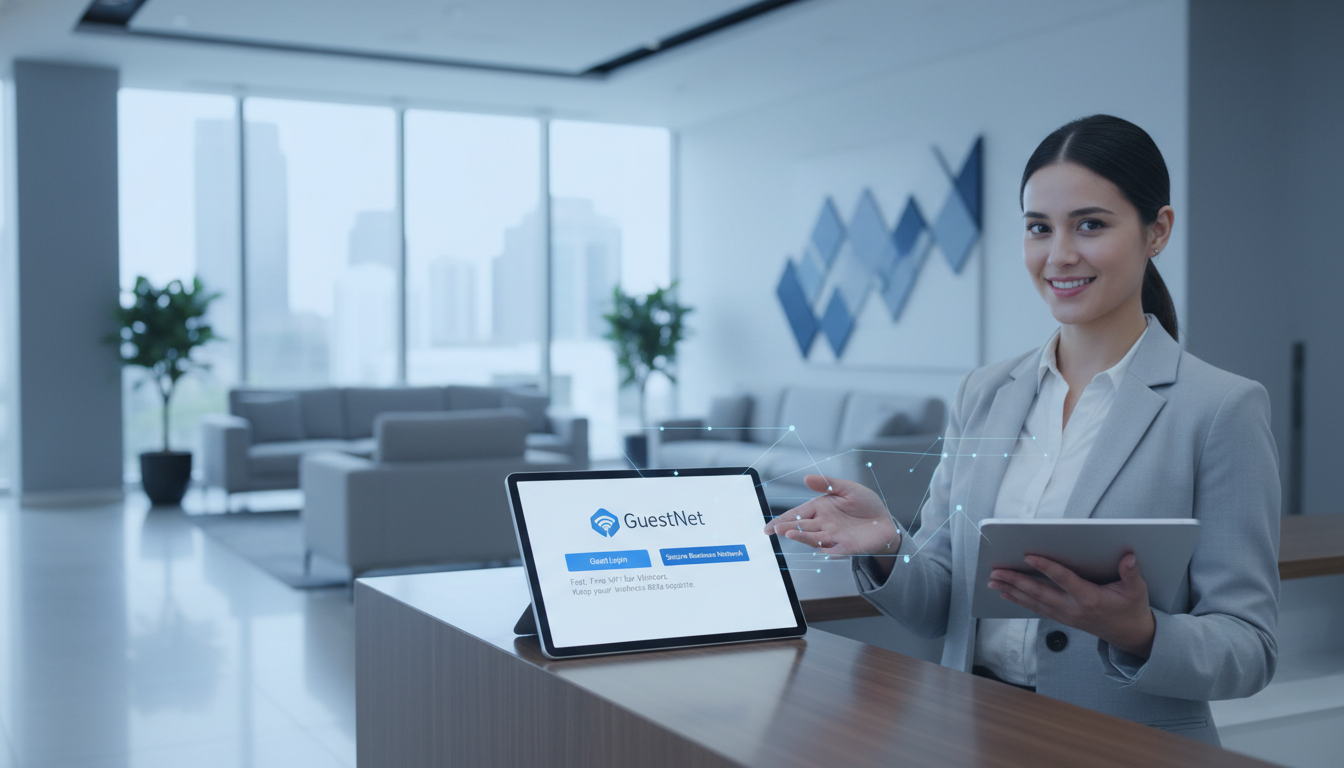
Offering Wi-Fi to visitors, clients, and contractors is no longer a hospitality nicety - it is a baseline expectation for any professional business premises in the UK. Whether you run a law firm receiving clients, a warehouse hosting delivery drivers, a hotel welcoming guests, or a co-working space serving dozens of freelancers, people expect to connect the moment they walk through your door. But handing out your main office Wi-Fi password to every visitor is one of the most dangerous things you can do to your network security.
A properly configured guest Wi-Fi network gives visitors the internet access they need while keeping your internal systems, file shares, printers, VoIP phones, and sensitive data completely isolated and invisible. It also lets you control bandwidth, enforce acceptable use policies, capture marketing data (with consent), present a branded experience, and - critically - comply with UK legal requirements around public Wi-Fi provision.
This guide covers everything you need to set up guest Wi-Fi for your business correctly: from the network architecture and VLAN isolation that keeps your corporate traffic safe, to captive portal design, bandwidth management, GDPR compliance, logging obligations, and the hardware that makes it all work. Whether you’re setting up guest Wi-Fi for the first time or replacing an insecure arrangement where visitors share your main network, you’ll find actionable, UK-specific guidance here.
Why Separate Guest Wi-Fi Matters
The simplest way to give visitors internet access is to share your existing Wi-Fi password. It takes ten seconds. It also exposes your entire corporate network to anyone who connects - and anyone they share that password with afterwards. Once a device is on your main network, it can potentially see shared drives, network printers, IP cameras, VoIP handsets, NAS boxes, and other connected devices. A single compromised laptop brought in by a well-meaning contractor can become the entry point for ransomware that encrypts your entire server infrastructure.
A separate guest network eliminates this risk by creating a logically or physically distinct network segment that provides internet access without any visibility into your internal systems. From the guest’s perspective, they connect to Wi-Fi and browse the web normally. From your network’s perspective, their traffic is completely walled off from corporate resources.
Beyond security, separate guest Wi-Fi provides several operational benefits:
- Bandwidth control - you can limit how much bandwidth guests consume, ensuring they never degrade performance for your staff
- Legal compliance - UK legislation requires businesses providing public Wi-Fi to maintain certain records and controls. A separate network makes this manageable
- Usage visibility - you can monitor guest traffic patterns, see how many visitors connect, and identify any misuse without trawling through corporate network logs
- Professional image - a branded captive portal with your company logo, welcome message, and terms of use creates a polished first impression
- Marketing opportunity - with proper consent mechanisms, you can capture visitor email addresses and preferences for future communication
Even if you only have a handful of visitors per week, setting up a separate guest SSID is worth the effort. The security risk from a single unsegmented network is not proportional to the number of guests - it only takes one compromised device to cause catastrophic damage. Modern business-grade access points support multiple SSIDs on a single device, so you don’t need separate hardware. The configuration takes an hour; recovering from a breach takes months.
Network Architecture: VLAN Isolation
The foundation of secure guest Wi-Fi is VLAN (Virtual Local Area Network) isolation. A VLAN is a logical network segment that behaves as if it were a physically separate network, even though it shares the same physical switches and cabling. By placing guest Wi-Fi traffic on its own VLAN, you ensure that guest devices cannot communicate with anything on your corporate VLAN - not your servers, not your printers, not your colleagues’ laptops.
How VLAN Isolation Works
When a visitor connects to your guest SSID, their device is assigned to a specific VLAN (for example, VLAN 50). All traffic from that device is tagged with the VLAN 50 identifier as it passes through your network switches. Your switches and router are configured with firewall rules that block traffic between VLAN 50 (guest) and VLAN 10 (corporate). Guest traffic is routed directly to the internet via your firewall, bypassing all internal network resources entirely.
The key components of a VLAN-isolated guest network are:
- Managed switches - your network switches must support 802.1Q VLAN tagging. Unmanaged consumer switches cannot do this. Business-grade managed switches from manufacturers like Cisco, HPE Aruba, UniFi, or Netgear Pro start from around £100
- VLAN-capable access points - your wireless access points must support multiple SSIDs mapped to different VLANs. Each SSID broadcasts independently, and traffic from each is tagged to its assigned VLAN
- Router/firewall with inter-VLAN routing control - your firewall must enforce rules that permit guest traffic to reach the internet but block it from reaching corporate subnets. This is where the actual isolation is enforced
- Separate DHCP scope - guest devices should receive IP addresses from a different subnet (e.g., 10.50.0.x) than corporate devices (e.g., 10.10.0.x), making traffic identification and rule enforcement straightforward
Typical VLAN Structure for a Business with Guest Wi-Fi
| VLAN ID | Name | Subnet | Purpose |
|---|---|---|---|
| VLAN 10 | Corporate | 10.10.0.0/24 | Staff devices, servers, printers |
| VLAN 20 | VoIP | 10.20.0.0/24 | IP phones and video conferencing |
| VLAN 30 | IoT / CCTV | 10.30.0.0/24 | Cameras, sensors, smart devices |
| VLAN 50 | Guest Wi-Fi | 10.50.0.0/24 | Visitor internet access only |
VLAN isolation is only as strong as your firewall rules. A common mistake is creating a guest VLAN but failing to block inter-VLAN routing at the firewall. By default, many routers will happily route traffic between all VLANs they are aware of. You must create explicit deny rules that block traffic from the guest VLAN (10.50.0.0/24) to all private subnets (10.0.0.0/8, 172.16.0.0/12, 192.168.0.0/16) while permitting traffic to the internet. Test this by connecting to the guest network and attempting to ping or access resources on your corporate network - if anything responds, your rules are not configured correctly.
Captive Portal Setup
A captive portal is the web page that appears when a guest first connects to your Wi-Fi and opens their browser. It intercepts the initial web request and redirects the user to a login or splash page before granting internet access. Captive portals serve multiple purposes: they present your terms and conditions, capture user details (with consent), enforce acceptable use policies, and provide a branded welcome experience.
Types of Captive Portal Authentication
There are several ways to authenticate guests through your captive portal, and the right choice depends on your business type, security requirements, and the volume of visitors you handle.
| Method | How It Works | Best For |
|---|---|---|
| Click-through (splash page) | Guest accepts terms and clicks “Connect” | Retail, cafes, waiting rooms |
| Email registration | Guest enters name and email to access Wi-Fi | Professional services, events, showrooms |
| SMS verification | Guest enters mobile number, receives a code | Hotels, co-working spaces, public venues |
| Social login | Guest authenticates via Google, LinkedIn, or similar | Marketing-focused businesses, hospitality |
| Voucher / access code | Reception provides a unique one-time code | Offices with controlled visitor access |
| Active Directory / RADIUS | Contractor logs in with temporary credentials | Enterprise environments, long-term contractors |
For most UK business offices, the voucher or email registration method strikes the right balance. Voucher codes give reception staff control over who connects and for how long, while email registration captures useful visitor data with minimal friction. SMS verification adds a layer of identity assurance (a mobile number is harder to fake than an email address) and is increasingly popular in the hospitality and co-working sectors.
What Your Captive Portal Should Include
At minimum, your captive portal should present:
- Your company name and logo - reinforces your brand and reassures guests they are connecting to a legitimate network
- Terms and conditions of use - an acceptable use policy that prohibits illegal activity, excessive bandwidth consumption, and inappropriate content. This is important for legal protection
- Privacy notice - a clear explanation of what data you collect (name, email, device MAC address, browsing duration), why you collect it, and how long you retain it. Required under GDPR
- Consent checkbox - separate opt-in for marketing communications if you intend to use captured email addresses for newsletters or promotional material
- Session duration - inform guests how long their session lasts before they need to re-authenticate
Branded Landing Pages
Your guest Wi-Fi captive portal is a branding touchpoint that most businesses completely overlook. Every visitor who connects sees this page - it is often the first digital interaction they have with your company on your premises. A generic, unbranded portal with default vendor styling sends the message that technology and detail are not priorities for your business. A polished, branded portal reinforces professionalism and attention to quality.
Design Best Practices
- Match your brand identity - use your company colours, fonts, and logo. The portal should feel like a natural extension of your website
- Keep it simple - guests want to get online quickly. Limit the portal to one screen with minimal form fields. Name, email, and an “Accept Terms & Connect” button is ideal
- Mobile-first design - over 85% of guest Wi-Fi connections come from smartphones. The portal must be fully responsive and easy to use on small screens
- Fast loading - the portal loads before the guest has internet access, so all assets (images, CSS, fonts) must be served locally from the captive portal controller, not from external CDNs
- Post-connection redirect - after authentication, redirect guests to a useful page: your website homepage, a welcome page with office information, or a promotions page if appropriate
Many managed Wi-Fi platforms include a drag-and-drop portal builder that lets you design branded pages without coding. Platforms like Cisco Meraki, HPE Aruba Central, and UniFi all include this capability. For more advanced customisation, you can host your own portal page and integrate it with your Wi-Fi controller via RADIUS or API.
Bandwidth Limiting and Fair Use
Without bandwidth controls, a single guest streaming 4K video or downloading large files can consume enough bandwidth to degrade internet performance for your entire office. Bandwidth limiting ensures that guest traffic never impacts business-critical operations while still providing visitors with a usable internet experience.
Recommended Bandwidth Limits
Types of Bandwidth Control
There are three main approaches to limiting guest bandwidth, and the best deployments typically combine all three:
- Per-user rate limiting - caps the maximum download and upload speed for each individual guest device. A typical setting is 5 Mbps down / 2 Mbps up per device. This prevents any single guest from monopolising the connection
- Per-VLAN aggregate limiting - caps the total bandwidth available to the entire guest VLAN. If your total internet connection is 100 Mbps, you might allocate 25 Mbps to the guest VLAN. Even if twenty guests connect simultaneously, they collectively cannot exceed 25 Mbps
- Application-level filtering - blocks or deprioritises specific traffic types. Many businesses block peer-to-peer file sharing, torrent traffic, and streaming services on their guest network. Others use Quality of Service (QoS) to deprioritise video streaming while allowing web browsing and email at full speed
Time Limits and Session Management
Time-based session controls determine how long a guest can use your Wi-Fi before needing to re-authenticate. These controls serve both security and operational purposes: they limit the window of access for any single visitor, free up network resources as sessions expire, and encourage turnover in high-traffic environments.
Session Duration by Business Type
For most business offices receiving client visitors, a one-day session (8–12 hours) with automatic expiry at midnight is practical. Visitors get uninterrupted access throughout their visit, but the session expires overnight, so their device cannot reconnect the next day without re-authenticating. If you use voucher codes, you can set individual expiry times per visitor - a two-hour code for a brief meeting, or a full-day code for an on-site contractor.
UK Legal Requirements for Public Wi-Fi
If you provide Wi-Fi access to people who are not your employees, UK law imposes specific obligations on you. Many businesses are unaware of these requirements, but ignorance is not a defence. Understanding the legal landscape is essential before you open your network to guests.
The Investigatory Powers Act 2016
The Investigatory Powers Act 2016 (often referred to as the “Snoopers’ Charter”) requires telecommunications operators to retain Internet Connection Records (ICRs) for up to 12 months when served with a data retention notice by the Home Secretary. While most small businesses are unlikely to be served with such a notice directly, the principle is important: if law enforcement requests connection records relating to activity on your guest Wi-Fi, you should be able to provide them.
In practice, this means maintaining logs of who connected, when, and which IP addresses were assigned. You do not need to record the content of web browsing or communications, but you must be able to link a connection to an identifiable user or device at a specific time.
The Digital Economy Act 2017
The Digital Economy Act 2017 strengthened provisions around copyright infringement on public Wi-Fi networks. If someone uses your guest Wi-Fi to download pirated content, rights holders can trace the activity back to your public IP address. Having a captive portal with user identification, acceptable use terms, and connection logs provides you with a defence of due diligence - demonstrating that you took reasonable steps to prevent misuse. Without these measures, you could face legal liability for your guests’ actions.
The Counter-Terrorism and Security Act 2015
Public Wi-Fi providers may be required to filter or block access to content that promotes terrorism, under obligations placed on internet service providers. While this is primarily the responsibility of ISPs, businesses providing public Wi-Fi should be aware that content filtering is a component of responsible provision, particularly for venues serving large numbers of people.
Practical Compliance Checklist
- Implement a captive portal that captures user identity (email, phone number, or voucher code) before granting access
- Display and require acceptance of terms of use that prohibit illegal activity, copyright infringement, and access to harmful content
- Maintain connection logs for a minimum of 12 months (see logging section below)
- Apply content filtering to block access to illegal content categories
- Implement bandwidth controls to prevent your network from being used for large-scale file sharing or distribution
- Respond to law enforcement requests promptly and within the timeframes specified
GDPR Compliance for Guest Wi-Fi Data
The moment you collect any personal data from guests connecting to your Wi-Fi - whether that is a name, email address, phone number, or even a device MAC address (which the ICO considers personal data under certain circumstances) - you are subject to the UK General Data Protection Regulation (UK GDPR) and the Data Protection Act 2018.
Lawful Basis for Processing
You need a lawful basis under Article 6 of UK GDPR for every type of personal data you collect through your guest Wi-Fi portal. The two most relevant bases are:
- Legitimate interest (Article 6(1)(f)) - you have a legitimate interest in maintaining network security, complying with UK legislation requiring connection records, and protecting your business from legal liability. This covers the collection of connection logs, device identifiers, and session metadata
- Consent (Article 6(1)(a)) - if you use captured email addresses for marketing (newsletters, promotions, follow-up communications), you must obtain explicit, freely given consent. This means a separate, unticked checkbox on your captive portal - not a pre-ticked box, and not bundled with the terms acceptance. Guests must be able to access Wi-Fi without consenting to marketing
Data Minimisation and Retention
UK GDPR requires you to collect only the minimum data necessary for your stated purpose. For guest Wi-Fi compliance logging, you need: a user identifier (email or phone number), device MAC address, session start and end times, and assigned IP address. You do not need to collect job titles, company names, or dates of birth unless you have a specific, justified reason.
Retention periods must be defined and enforced. Connection logs should be retained for 12 months to satisfy potential law enforcement requests, then automatically purged. Marketing data (where consent was given) can be retained longer but must be deleted when consent is withdrawn or when the data is no longer needed for its stated purpose.
Privacy Notice Requirements
Your captive portal must include or link to a privacy notice that clearly explains:
- What personal data you collect and why
- The lawful basis for each type of processing
- How long you retain the data
- Who you share it with (e.g., law enforcement upon lawful request)
- The guest’s rights (access, rectification, erasure, objection)
- How to contact your data protection officer or data controller
GDPR-Compliant Guest Wi-Fi
Non-Compliant Guest Wi-Fi
Logging Requirements and Best Practices
Connection logging is where legal compliance and network management intersect. Proper logs protect your business legally, help you troubleshoot network issues, provide data for capacity planning, and give you evidence if a guest misuses your network.
What to Log
Your guest Wi-Fi system should record the following for every connection session:
| Data Point | Purpose | Retention |
|---|---|---|
| User identifier (email, phone, voucher code) | Link activity to an identifiable person | 12 months |
| Device MAC address | Identify the specific device used | 12 months |
| Assigned IP address | Trace network activity to a session | 12 months |
| Session start and end time | Establish when the device was connected | 12 months |
| Data volume (up/down) | Detect unusual usage patterns | 12 months |
| Access point / site name | Identify which location the guest used | 12 months |
| Terms acceptance timestamp | Prove the guest accepted your AUP | 12 months |
What Not to Log
You should not log the content of guests’ communications, the specific web pages they visit, the contents of their emails, or any information that would constitute surveillance of private communications. Under the Regulation of Investigatory Powers Act 2000 (RIPA) and the Investigatory Powers Act 2016, intercepting communications content without a warrant is a criminal offence. Connection metadata (who, when, how long) is sufficient for compliance and liability protection.
Log Storage and Security
Logs containing personal data must be stored securely. This means encrypted storage, role-based access controls (only authorised IT staff or your managed service provider should access logs), and a defined process for responding to law enforcement data requests. Cloud-managed Wi-Fi platforms typically handle log storage automatically in encrypted, SOC 2-compliant data centres. If you manage your own infrastructure, ensure logs are backed up and stored separately from the Wi-Fi controller itself.
Hardware Options for Guest Wi-Fi
The hardware you choose determines the features available to you, the scalability of your guest network, and the management overhead. Here are the main options for UK businesses, from budget-friendly to enterprise-grade.
Cloud-Managed Platforms
Cloud-managed Wi-Fi is the most popular choice for UK businesses setting up guest Wi-Fi today. A cloud controller manages all your access points remotely, providing a single dashboard for configuration, monitoring, captive portal design, and guest management. There is no on-site controller hardware to maintain.
| Platform | AP Cost (each) | Annual Licence | Best For |
|---|---|---|---|
| Cisco Meraki | £400–£900 | £100–£200/AP | Enterprise, multi-site, full feature set |
| HPE Aruba Instant On | £100–£300 | Free (cloud management) | SMEs wanting enterprise features at lower cost |
| UniFi (Ubiquiti) | £100–£250 | Free (self-hosted or cloud) | Tech-savvy SMEs, cost-conscious deployments |
| TP-Link Omada | £60–£150 | Free (cloud management) | Budget deployments, small offices |
| Fortinet FortiAP | £250–£600 | Included with FortiGate | Businesses with existing Fortinet firewalls |
On-Premise Controller-Based Systems
Larger businesses or those with strict data sovereignty requirements may prefer an on-premise wireless controller that manages all access points locally. Cisco, HPE Aruba, and Ruckus offer enterprise-grade controllers that sit in your server room and provide the same features as cloud platforms without sending management data off-site.
On-premise controllers are typically justified for deployments of 50+ access points or environments with regulatory requirements that prohibit cloud management (certain government and healthcare settings). For most UK businesses, cloud-managed platforms are more practical and cost-effective.
Choosing the Right Access Points
When selecting access points for guest Wi-Fi, consider:
- Wi-Fi 6 (802.11ax) or Wi-Fi 6E - the current standard, delivering better performance in high-density environments (many simultaneous guests) and improved battery life for connected devices. Wi-Fi 6E adds the 6 GHz band for even more capacity
- Multi-SSID support - ensure each AP can broadcast at least 4 SSIDs (corporate, guest, VoIP, IoT) without performance degradation
- PoE (Power over Ethernet) - APs powered via the network cable eliminate the need for power outlets at each mounting location. Ensure your switches support PoE or budget for a PoE injector
- Indoor vs outdoor - if guests need Wi-Fi in outdoor areas (car parks, courtyards, loading bays), you will need weatherproof outdoor APs rated at IP67 or higher
- Coverage planning - a single AP typically covers 1,500–2,500 square feet of open office space. Walls, glass partitions, and building construction materials all reduce range. A professional Wi-Fi survey before deployment prevents dead spots
Content Filtering and Security Controls
Beyond VLAN isolation, your guest network should include additional security controls to protect both your guests and your business.
DNS-Level Content Filtering
The simplest and most effective approach is DNS-level filtering. By pointing your guest VLAN’s DNS to a filtered DNS service, you can block access to categories of harmful content without inspecting traffic or installing anything on guest devices. Services like Cisco Umbrella (OpenDNS), Cloudflare Gateway, and CleanBrowsing offer configurable category-based filtering.
At minimum, block the following categories on your guest network:
- Malware, phishing, and botnet command-and-control domains
- Adult and explicit content
- Illegal content (terrorism promotion, child exploitation material)
- Peer-to-peer and torrent sites
Client Isolation
Client isolation (also called AP isolation or peer-to-peer blocking) prevents guest devices from communicating with each other on the same SSID. Without this, a malicious guest device could scan for and attack other guests’ devices on the same network. Client isolation ensures each guest can only communicate with the internet gateway, not with other connected devices. This setting is available on virtually all business-grade access points and should always be enabled on guest SSIDs.
Putting It All Together: Deployment Checklist
Here is a step-by-step summary for deploying secure, compliant guest Wi-Fi at your UK business premises:
- Plan your VLANs - create a dedicated guest VLAN with its own subnet, separate from corporate, VoIP, and IoT traffic
- Configure firewall rules - block guest VLAN access to all private subnets; allow internet-only access
- Set up your SSID - broadcast a clearly named guest SSID (e.g., “YourCompany-Guest”) mapped to the guest VLAN
- Deploy a captive portal - configure authentication (email, SMS, voucher), terms acceptance, and privacy notice
- Brand the portal - add your logo, colours, and a professional welcome message
- Set bandwidth limits - apply per-user and per-VLAN rate limits to protect corporate bandwidth
- Configure time limits - set session durations appropriate to your business type
- Enable client isolation - prevent guest devices from seeing each other
- Apply DNS content filtering - block malware, adult content, and illegal material
- Enable logging - configure 12-month retention of connection metadata
- Write your privacy notice - ensure GDPR-compliant data collection and consent mechanisms
- Test everything - connect as a guest, verify you cannot access corporate resources, check the portal experience on mobile, and confirm logs are being generated
Why Cloudswitched for Guest Wi-Fi
Setting up guest Wi-Fi properly involves networking, security, legal compliance, and design - it is not a five-minute job with a consumer router. At Cloudswitched, we design, deploy, and manage guest Wi-Fi solutions for UK businesses of all sizes, ensuring your visitor network is secure, compliant, and professionally branded from day one.
- Professional Wi-Fi surveys - we assess your premises to ensure complete coverage with no dead spots, even in challenging building environments
- VLAN architecture and firewall configuration - properly isolated guest networks with tested, audited firewall rules
- Branded captive portals - custom-designed splash pages that match your brand identity and include all required legal notices
- UK legal compliance - logging, retention, content filtering, and terms of use that satisfy Investigatory Powers Act, Digital Economy Act, and GDPR requirements
- Ongoing management - monitoring, firmware updates, and configuration changes handled remotely, so your IT team is not burdened with Wi-Fi management
- Multi-site deployment - consistent guest Wi-Fi experience across all your UK locations, managed from a single cloud dashboard
Ready to Set Up Secure Guest Wi-Fi?
Whether you need guest Wi-Fi for a single office or across multiple UK locations, Cloudswitched designs and deploys secure, compliant, and beautifully branded visitor networks. Our team handles the network architecture, captive portal design, legal compliance, and ongoing management - so your guests get a great experience and your business stays protected.
Get a Free Wi-Fi Assessment Explore Internet Solutions
CloudSwitched
London-based managed IT services provider offering support, cloud solutions and cybersecurity for SMEs.


